Visual Studio 2013 und Extensions

Visual Studio 2013 und Extensions

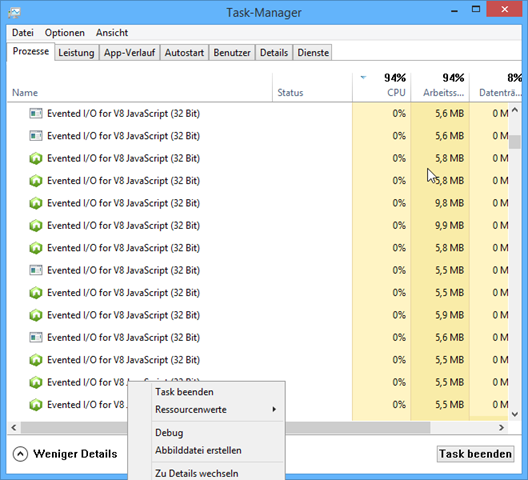
Vor kurzem bin ich in folgendes Problem mit Visual Studio 2013 gelaufen: Beim Starten einer ASP.NET App produzierte mein Rechner eine CPU-Last von annähernd 100% – und nichts ging mehr. Bei Kontrolle im Task Manager hatte ich (reproduzierbar) Dutzende bis Hunderte Tasks “Evented I/O for V8 JavaScript (32 Bit)” laufen… Jeder dieser Tasks verursachte durchschnittlich um die 5% CPU-Last – durch hunderte davon war mein Rechner “zu” und nicht mehr zu gebrauchen (abgesehen davon, dass die Web-App auch nicht mehr lief). Nur das Beenden des Tasks Visual Studio beendete diese Situation. Es lag also irgendwie an Visual Studio. ...
February 19, 2014 · 2 min · Toni Pohl
Windows Azure and the Olymics 2014 in Sochi

Windows Azure and the Olymics 2014 in Sochi

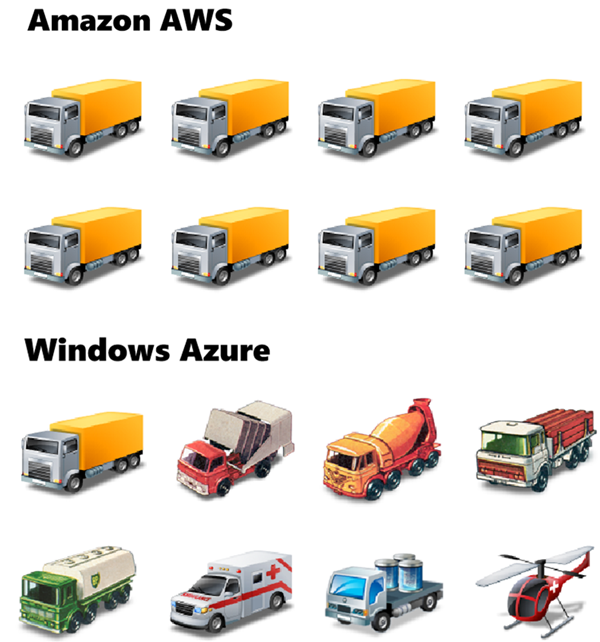
Read this article with a nice comparison: codefoster.com: Why Azure is Running the Sochi Olympics and Not AWS by Jeremy Foster, Microsoft Developer Evangelist. “…The streaming of this world event is backed by Microsoft’s Azure cloud servers - 10,000 of them to be exact. You might wonder why it’s Azure that’s backing this and not AWS. … It’s perhaps a bit like this.” Nice. Read it here!

February 16, 2014 · 1 min · Toni Pohl
Der Microsoft.ACE.OLEDB.12.0-Provider fehlt

Der Microsoft.ACE.OLEDB.12.0-Provider fehlt

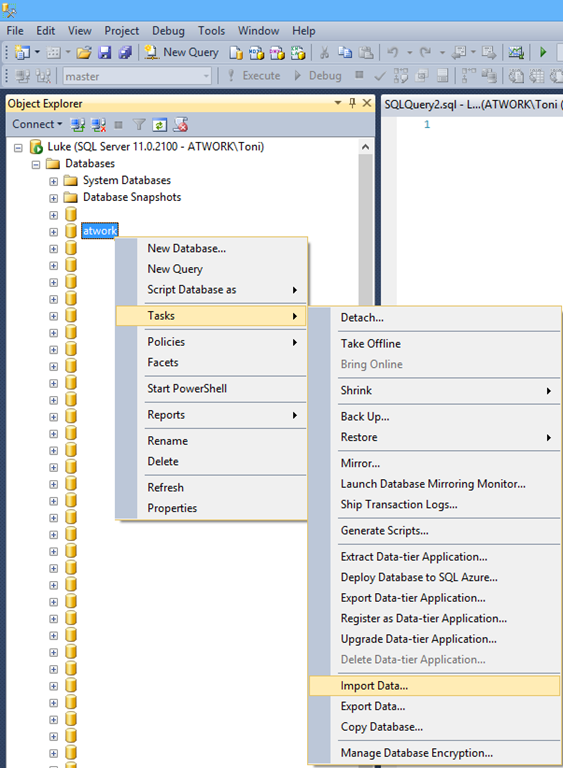
Vor kurzem bin ich über ein kleines, lästiges Problem mit dem SQL Server 2012 gestolpert. Beim simplen Import einer Excel-Tabelle in einen SQL Server 2012 konnte die Aktion nicht durchgeführt werden. Stattdessen folgt eine Fehlermeldung “Microsoft.ACE.OLEDB.12.0-Provider fehlt” des SQL Server-Import/Export-Assistenten. Doch schön der Reihe nach: Das Ziel ist das Importieren von Daten in eine bestehende SQL-Datenbank, die in einer Tabelle in einer Excel 2007-Datei vorliegen. Tipp: Natürlich kann die SQL-Tabelle “on the fly”-durch den Assistenten automatisch erstellt werden, jedoch - nachdem der Importvorgang mit vielen Feldern manchmal etwas heikel ist - ist (meine) “best practice” die SQL-Zieltabelle VOR dem Import anzulegen, dann gibt’s weniger Fehler beim Lauf des Import-Assistenten. ...

February 14, 2014 · 2 min · Toni Pohl
3D-effect for animated GIFs

3D-effect for animated GIFs

Cool effects – with animated GIFs and two two straight lines at GIFs: 3D pictures become possible with two straight lines “Simply by drawing a couple of lines through what is a flat screen, one can achieve the illusion of viewing a movie (or at least a short clip) in 3D.” Here are my two favorite pics: Scrat from Ice Age And one more made from an action movie (or series?): ...

February 10, 2014 · 1 min · Toni Pohl
20 free eBooks for Web Designers

20 free eBooks for Web Designers

Have a look at the website of Doublemesh, there you find an article with a compilation of 20 Free EBooks For Web Designers! …and 10 more ebooks! Check it out here. Tip: In the article click on the book title to continue to the relevant download page.

February 9, 2014 · 1 min · Toni Pohl

Kemp Certified Consultant

Seit kurzem darf ich mich als “Kemp Certified Consultant” bezeichnen. Gemeinsam mit Christian Lapacka war ich auf dem Zertifizierungstraining und kann jetzt behaupten ein wenig zu verstehen wie diese Load Balancer funktionieren. Sie fragen sich was genau Kemp ist? Nun ja, Kemp ist Hersteller für Hardware (Virtuelle) Load Balancer Systeme. Im Prinzip gehts darum eine Applikation bzw. ein Service redundant zur Verfügung zu stellen und Zugriffe entsprechend auf mehrere Systeme dahinter zu verteilen. Interessant wird das vor allem für Services wie Exchange 2010 Client Access, Sharepoint oder Lync. Am Beispiel von Exchange wird zwar “offiziell” (siehe Load Balancing in TechNet) auch immer wieder davon gesprochen dass simples DNS Round-Robin genauso verwendet werden kann (Supported hin oder her..), aber das ist nun mal auch kein Load Balance und schon gar kein Failover. Es ist halt a bisschen von beidem und alles nur halb. Warum ist einfach erklärt (siehe KempTechnologies.com: MS Exchange 2013: Useful blog post about load balancing 2013 vs 2010). ...

February 9, 2014 · 3 min · Christoph Wilfing
Bye bye InfoPath

Bye bye InfoPath

Wir haben bereits im englischen Artikel InfoPath is dead (soon) über das Ende von InfoPath als Formular-Lösung in SharePoint Server geschrieben. Hier unsere deutsche Version. Das Microsoft Office Team hat in seinem Blog angekündigt, dass InfoPath und SharePoint Formulare in Zukunft nicht weiter entwickelt werden. In dem Artikel Update on InfoPath and SharePoint Forms schreibt das Office Team, dass InfoPath 2013 die letzte Version des Desktop Clients und InfoPath Forms Services in SharePoint Server 2013 die letzte Version der InfoPath-Technologie sind. ...

February 7, 2014 · 2 min · Toni Pohl
Read our 4-part article series in the Microsoft MVP Blog

Read our 4-part article series in the Microsoft MVP Blog

We are pleased that the first three parts of our 4-part series “Identity in your own apps with Windows Azure Active Directory” are online by now in the official Microsoft MVP Blog. The article series is about using Windows Azure Active Directory (WAAD) in your own scenarios and applications, how to create an ASP.NET solution with authenticating against WAAD, managing the Active Directory, using the API and working with the cloud. ...

February 7, 2014 · 1 min · Toni Pohl
Hidden Features von Office 365 Auswertungen von Exchange Online leicht selbst erstellen

Hidden Features von Office 365 Auswertungen von Exchange Online leicht selbst erstellen

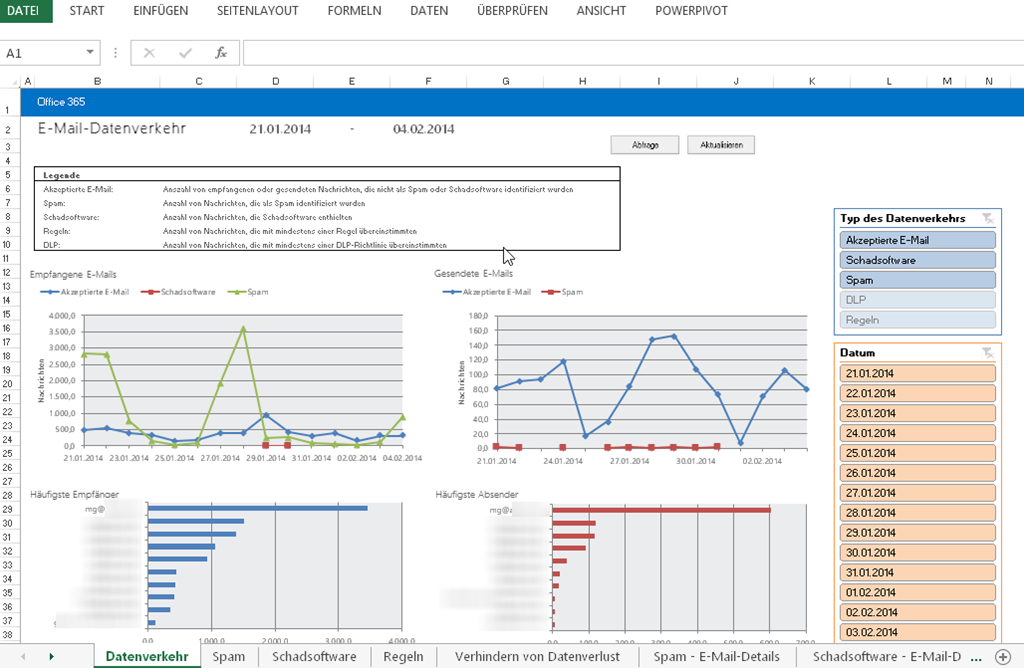
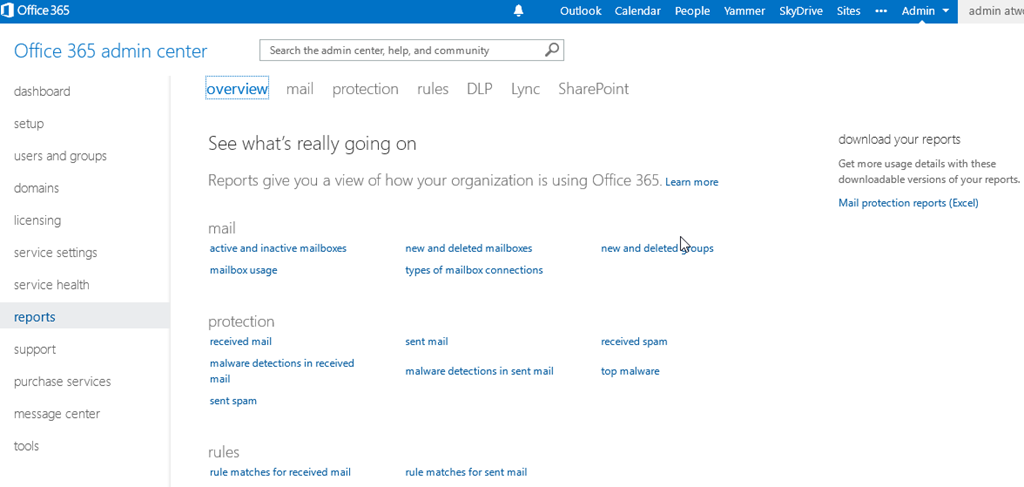
Office 365 bietet bereit viele eingebaute Reports, mit denen allerlei Funktionen ausgewertet werden können. Diese Reports befinden sich im Dashboard unter den Berichten und sind jederzeit für einen Office 365 Administrator einsehbar. Diese Berichte sind für jene Office 365 Abo’s abrufbar, wo zumindest eine Exchange Online Lizenz enthalten ist. Sie können hier abfragen, welche Postfächer aktiv und welche inaktiv sind, gelöschte Postfächer ausfindig machen und Spamreports abfragen. Außerdem sehen Sie die aktiven Lync Benutzer, wie viele OneDrive for Business (SkyDrive Pro) Websites bereit gestellt wurden, wie es rund um den Teamwebsite Speicherplatz aussieht und vieles vieles mehr. Jeder Report steht sowohl als Grafik als auch als Tabelle zur Verfügung. ...

February 5, 2014 · 2 min · Martina Grom
Hidden Features of Office 365 easy self-creation of detailed Exchange Online reports

Hidden Features of Office 365 easy self-creation of detailed Exchange Online reports

Office 365 offers already a lot of build-in Reports for the various Services within Office 365. You can find those Reports in the Admin Dashboard and the menuitem Reports. Office 365 Administrators can look at those Reports. Please be aware that those reports are visible if you have at least one Exchange Online license within your account (Thanks Erwin B. from MS Support for helping me figure this out). ...

February 4, 2014 · 2 min · Martina Grom