Delegate365 changelog 9.2.4-Service health, guests, and teams templates

Delegate365 changelog 9.2.4-Service health, guests, and teams templates

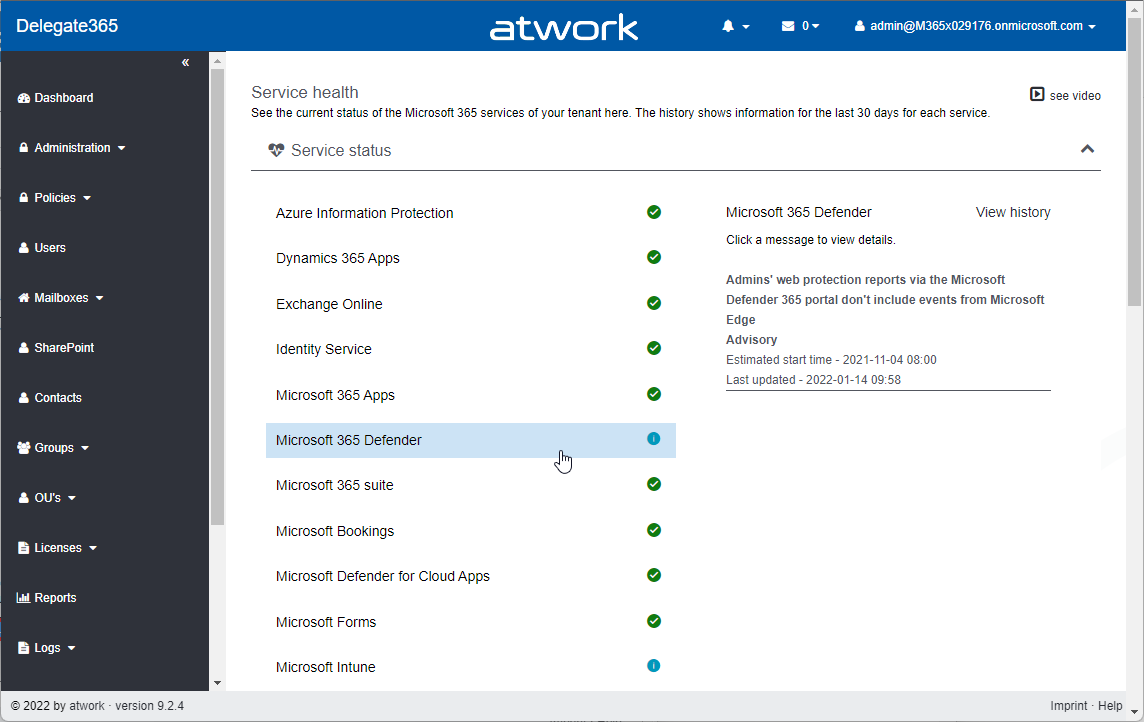
Delegate365 v9.2.4 is the latest update that brings new service health, guest user information, teams templates and other improvements. See the details here. Important: To upgrade to this version, Delegate365 setup must be run. We will inform all customers to make an appointment for the setup. This is required because the Delegate365 app needs additional permissions to read the service health (see below). Follow the steps at Delegate365-(Re)run the setup. The dashboard service health: As described at Delegate365 changelog 9.3-Service health, the old Microsoft Service Communications API has been retired by Microsoft. Therefore, the service health components in Delegate365 had to be changed. After the setup, the dashboard shows the service health properly again. The new service health shows more detailed information. Each service can be opened by clicking on it. ...

January 19, 2022 · 3 min · Toni Pohl
Delegate365 changelog 9.2.4-Teams templates

Delegate365 changelog 9.2.4-Teams templates

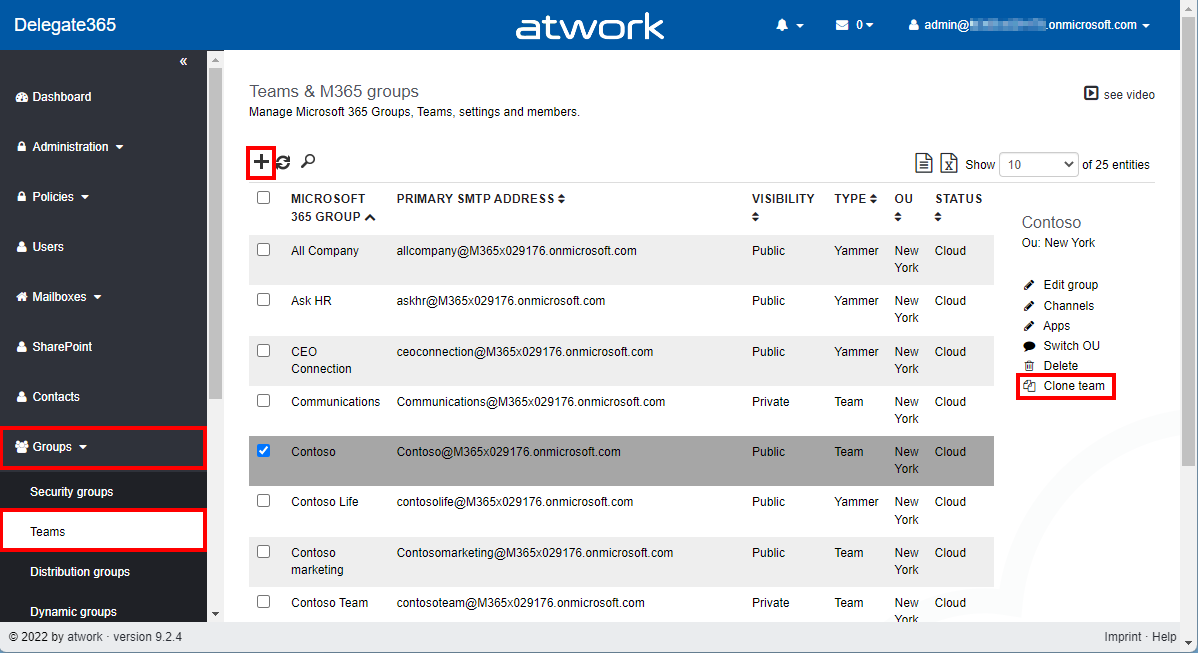
In Delegate365, a new Microsoft Team can be deployed using a teams template. Teams can also be cloned. Details can be found here. Menu Teams: A Microsoft Team is built on a Microsoft 365 Group. The Teams module can be found in the Groups / Teams menu. The following screenshot shows the new and adjusted functions. Create a new team with a teams template: As usual, click on the plus icon in the top left of the list. In the groups pane, enter the new team name and properties. By default, the Create a Team switch is set to Yes. Below that, there is a new dropdown control Template that allows to specify which teams template shall be applied to the new team. When done, click Save at the bottom of the panel. Usually the new team is ready after a few seconds to a minute. ...

January 18, 2022 · 4 min · Toni Pohl
Die New Commerce Experience für CSP ist da!

Die New Commerce Experience für CSP ist da!

Das Microsoft Cloud Solution Provider (CSP) Programm ermöglicht es Ihnen, Microsoft-Clouddienste über atwork zu beziehen. Unter dem Namen New Commerce Experience (NCE) wird es von Microsoft zukünftig für Endkunden einige Änderungen im CSP Programm geben. Was ist “New Commerce Experience” (NCE)? Die New Commerce Experience (NCE) ist eine neue Plattform für die Verwaltung Ihrer CSP-Subscriptions (Abonnements). Dies betrifft alle “seat-based”-Microsoft Lizenzen wie Microsoft 365, Dynamics 365, Power Platform und Windows 365 ab März 2022. Mit der neuen NCE Plattform werden Richtlinien neuer Subscription Verträge erweitert und angepasst sowie Laufzeiten, Kündigungsfristen und Preise der Abonnements geändert. ...

January 14, 2022 · 2 min · Mercedes Orasch
Tips for PowerApps-7 Update fields with a button

Tips for PowerApps-7 Update fields with a button

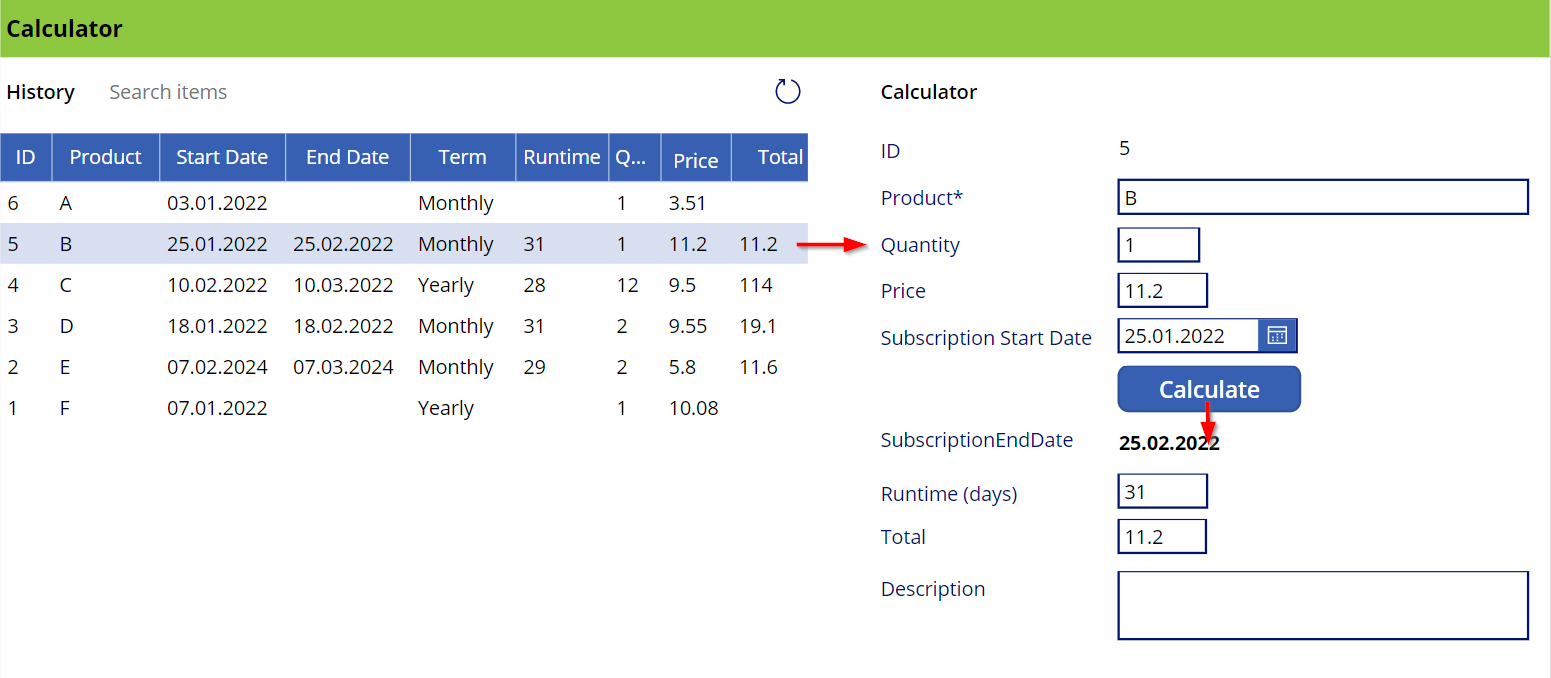
This is a quick guide on how to use a button to update a bound field on a form in a Power App. Since this is a little tricky, here are the instructions. The sample The Power App here is a simple calculator (and not pretty, but functional). Product subscriptions are coming from a SharePoint Online list and populate the Data List control on the left. When the user clicks on a row, the item corresponding is shown in the detail fields on the right in an Edit Form. When the Calculate button is pressed, the OnSelect event calculates the fields below the button. It calculates the SubscriptionEndDate, which corresponds to the SubscriptionStartDate plus one month, the runtime, which is the number of days of the *SubscriptionStartDate *month, and the Total, which is the price - quantity. Also, the button updates the item in the data source. ...

January 8, 2022 · 3 min · Toni Pohl
Identify guest users and their status with Graph

Identify guest users and their status with Graph

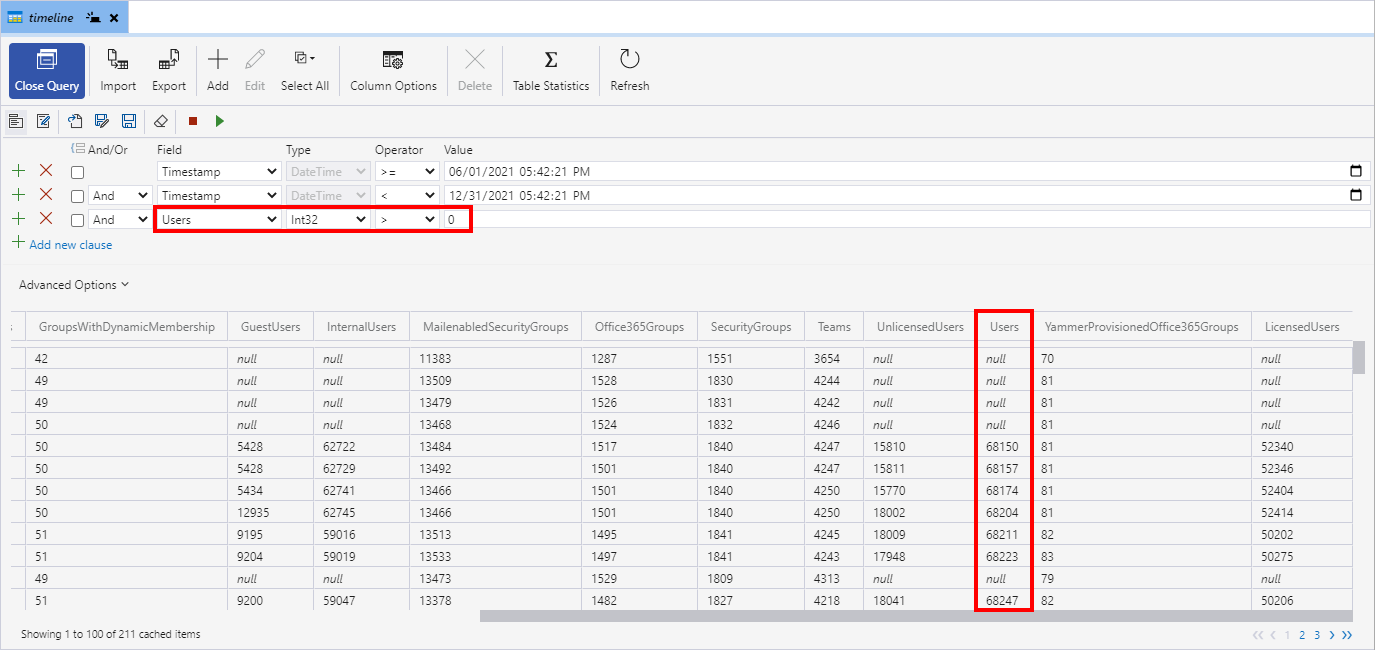
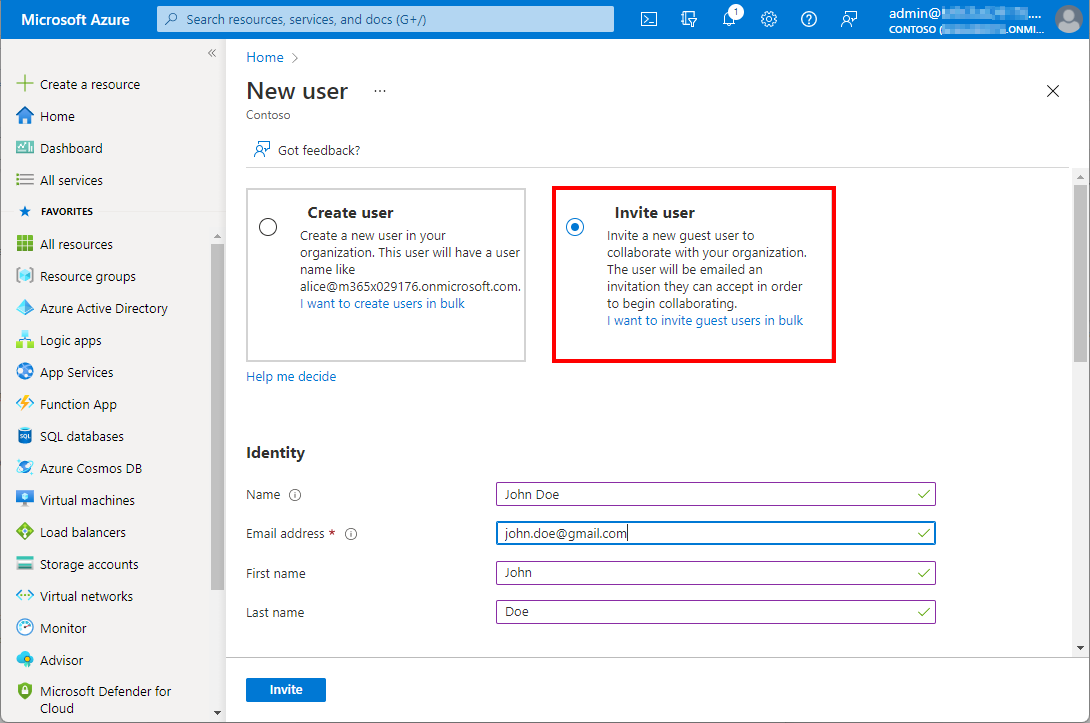
Working with Microsoft Azure and Microsoft 365, Azure Active Directory as an identity and management system becomes more and more important. Like Active Directory, Azure AD grows throughout time with guest accounts, cloud accounts and synchronized accounts. From a governance and lifecycle point of view - and also for security reasons - it is therefore important to clean up Azure AD from time to time. The cleanup process supports a healthy lifecycle management. In this article we describe how to quickly identify guest users in your own Azure AD with on-board resources. ...

January 5, 2022 · 4 min · Martina Grom
The quick way to work with SharePoint Lists and permissions

The quick way to work with SharePoint Lists and permissions

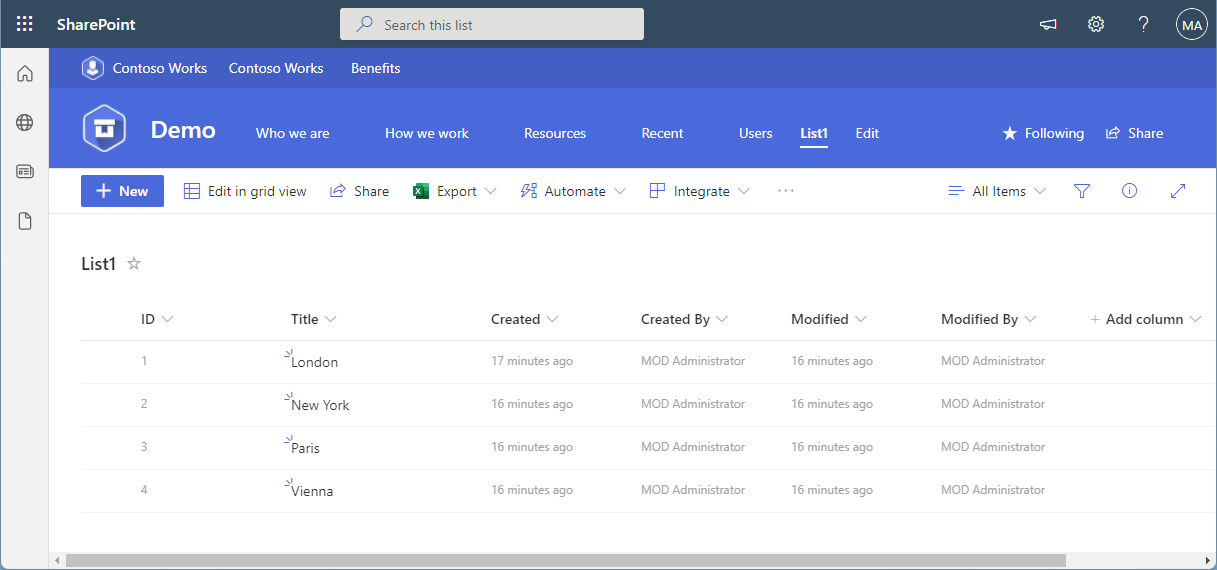
SharePoint (or Microsoft) lists provide a good storage for not too extensive structured data. Sometimes administrators want to restrict access to certain items or lines. This approach shows how you, as an administrator, can do this without using item permissions, but with simpler and easier-to-manage views and permissions. The goal Administrators often want users to see only certain records or only their own records from a larger list. Technically, it is possible to set permissions for specific users per item (see below). On the other hand, setting item permissions is not a good solution in every use case. If a SharePoint list is filled by a given user or by a task, and specific people shall see only their data in a list, depending on their department, or similar organizational information, setting item permissions can be elaborate in terms of effort. ...

December 31, 2021 · 9 min · Toni Pohl
Export email messages from Exchange Online to a CSV file with Graph PowerShell

Export email messages from Exchange Online to a CSV file with Graph PowerShell

I had to export email messages from a specific folder in my Outlook mailbox to a CSV file for further processing. Nothing special, just a quick export. I noticed that Outlook allows messages to be exported, but the date of the message is missing in the export file! Really? So here is a workaround to quickly export email messages using Graph PowerShell. Why PowerShell Of course there are many ways to export emails. Unfortunately, the Outlook method is unsatisfactory. When opening the File menu in Outlook for the desktop, there is an “Open & Export” menu which has an Import/Export function. Well, the wizard allows to export messages to a CSV or to a PST file. ...

December 28, 2021 · 4 min · Toni Pohl
Merry Christmas 2021 and Happy Holidays!

Merry Christmas 2021 and Happy Holidays!

Another challenging year is coming to an end. We would like to wish happy holidays and a happy new year to all of you. Once more, we say thank you for the good cooperation in 2021 and are looking forward to a healthy and successful 2022! As in previous years, this Christmas we are supporting a selected project with a donation. atwork is closed from December 24th, 2021 to January 9th, 2022. Our on-call duty and our support will be able to be contacted during the holidays. Our entire team will be back for you from January 10, 2022. ...

December 24, 2021 · 2 min · Toni Pohl
Delegate365 changelog 9.3-Service health

Delegate365 changelog 9.3-Service health

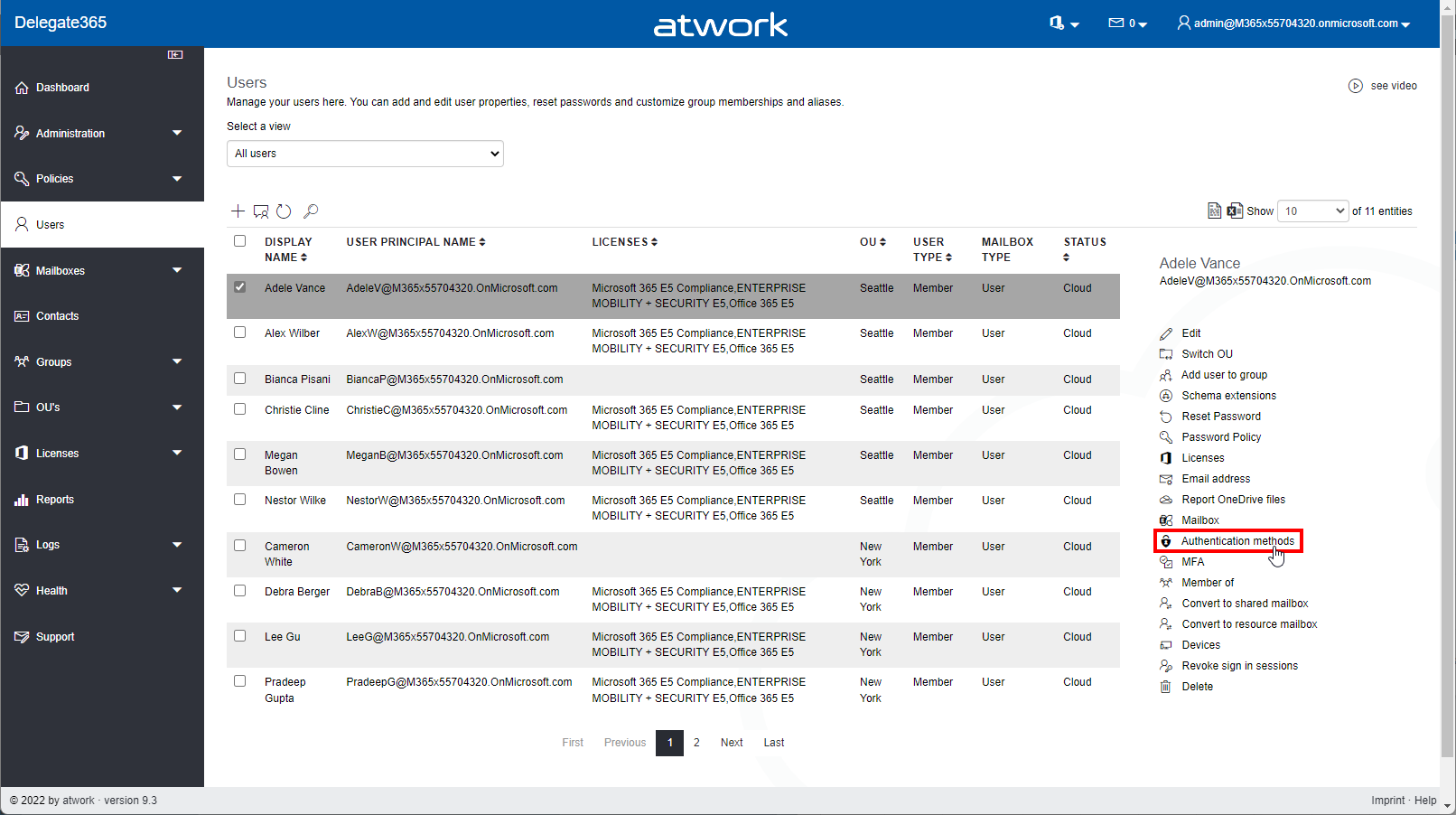
Microsoft announced the retirement of the Microsoft Service Communications API (Msg MC299902). Therefore, we changed the service health components in Delegate365 to use the successor API functions with immediate effect and to get more data. A new setup of Delegate365 is required. See the details here. The Service health module in Delegate365 shows, what´s happening in a specific Microsoft 365 tenant at a glance to all authorized users. Contrary to the required authorizations in M365, this is not necessary in Delegate365. All admins can view the service health and the message center posts. ...

December 8, 2021 · 2 min · Toni Pohl
This was European Collaboration Summit 2021

This was European Collaboration Summit 2021

It’s a wrap! The European Collab Summit and Cloud Summit (www.collabsummit.eu) are sister conferences and are the major community-driven technology conferences focusing on digital transformation, the Cloud, and modern workplace. This year, after being remote for almost two years, the atwork-team attended the conference as speakers and attendees (of course in compliance with the COVID-19 safety concept), and we had a blast! The conference took place from 11/29 – 12/2 at Messe Düsseldorf, Germany, with excellent experts who informed about topics, such as Microsoft 365, Azure, Artificial Intelligence, SharePoint, Microsoft Viva, Teams, Yammer, and Business Apps & Power Platform. This focus is further strengthened by the partnership with Microsoft Teams as a Premium Technology Partner. ### ESC 2021 in a nutshell ...

December 7, 2021 · 3 min · Mercedes Orasch