New Rainbow Themes are available in your Office 365 Tenant

New Rainbow Themes are available in your Office 365 Tenant

All of you who sign in to their Office 365 Home site will see three new Themes available now, considered the Rainbow Themes! One Style is a Unicorn style. So right in Pride month you get LoveIsLove Themes in Office 365 as well! To change the look of your environment, simply click on the gear icon in the upper right corner. If you do not see it, custom themes are disabled by your administrator in your tenant. ...

June 16, 2019 · 1 min · Martina Grom
Celebrating EuroPride 2019 in Vienna

Celebrating EuroPride 2019 in Vienna

At atwork, diversity and inclusion are in our daily life. Everyone should be treated equally and with respect. These are the foundations of our modern society. This year, Euro Pride takes place in our home town Vienna. We want to show our sympathy by adapting our atwork logo on the website and in our blog to the rainbow colors. We support pride and the LGBTIQ community with the motto “Join us. March with us. Together & Proud.” ...

June 14, 2019 · 2 min · Toni Pohl
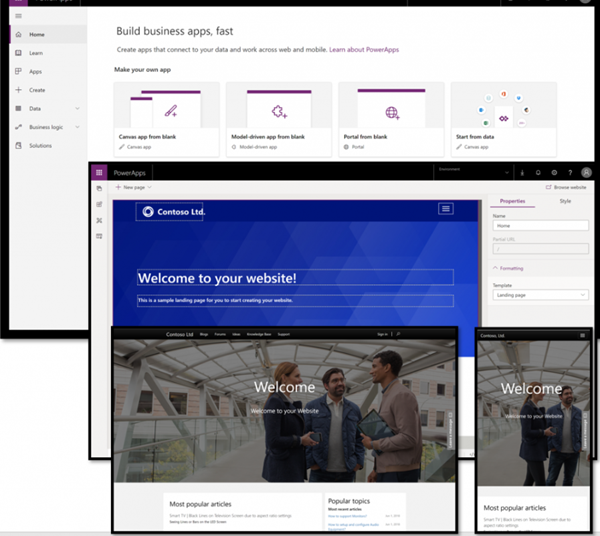
Hello, PowerApps Portals and external users!

Hello, PowerApps Portals and external users!

PowerApps are a great way to develop low-code apps for various platforms. With the big success of PowerApps and Flow, the number one request of many customers was: How can people *outside *my company use PowerApps? Well, soon there will be a way with PowerApps Portals! So far, using a PowerApp requires a login in the organization´s tenant. In real scenarios, there are of course many use cases in which the provision of a PowerApp for customers, partners, suppliers, etc. makes sense. So, there´s a huge demand for sharing PowerApps with external users. ...

June 10, 2019 · 2 min · Martina Grom
This was European Collaboration Summit 2019

This was European Collaboration Summit 2019

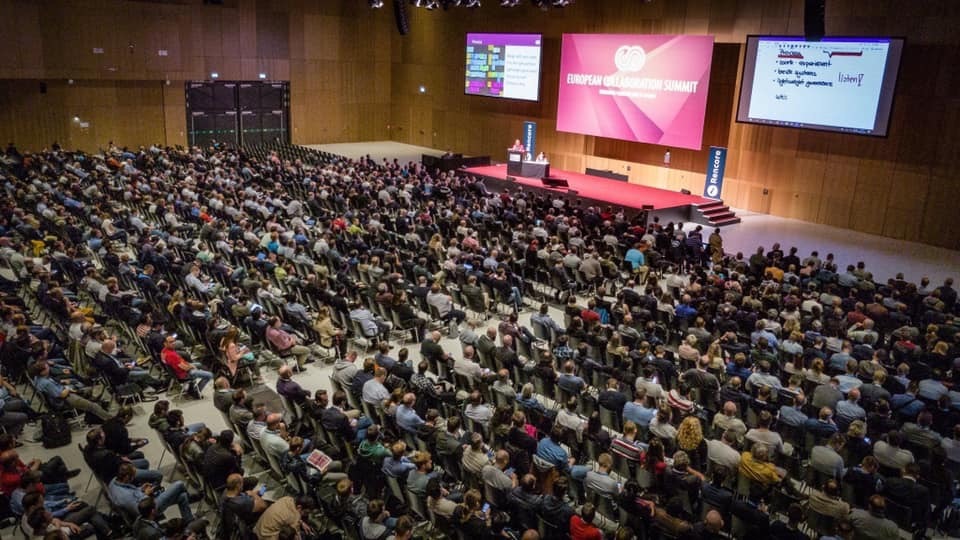
The European Collaboration Summit (ECS), also known as #collabsummit, is the largest community-driven conference in the world with a focus on modern workplace technologies and digital transformation. Experts from around the world informed about topics such as Microsoft 365, Azure, SharePoint, AWS, business apps and more. We were happy to be part of that great event in May 2019 in Wiesbaden, Germany. See some impressions here. ECS took place from Monday, 27 May to Wednesday, 29 May 2019 at the Rhein Main Congress Center (RMCC) in Wiesbaden, Germany. On Monday, the workshops started for more than 800 attendees, followed by two full conference days with more than 2,000 attendees. Wow! See this amazing photo(s and the cool closing video) from Aleksandar Draskovic – thx! ...

June 3, 2019 · 2 min · Toni Pohl
Enjoyed SharePoint Conference 2019

Enjoyed SharePoint Conference 2019

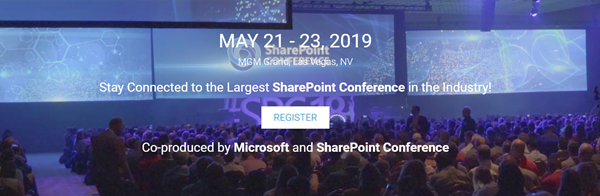
Last week, the SharePoint Conference returned to Las Vegas! #SPC19 took place from May 21 - 23, 2019 at the brand-new MGM Grand conference center, Las Vegas, Nevada. The event informed about the latest news in SharePoint, OneDrive, Yammer, Microsoft 365 and Azure. We from atwork were proud to deliver a full day workshop about Security and Governance in Microsoft 365 and some sessions. See some impressions of SPC19 here! As in the last year, at the first “reborn” SharePoint Conference in Vegas, SPC19 was organized by SharePoint Conference with Microsoft as a Diamond sponsor. Jeff Teper, Corporate Microsoft Vice President Office 365, SharePoint, OneDrive and Stream, and his team delivered the SPC keynote about “The intelligent workplace”. You can watch it on demand at the SharePoint Virtual Summit site at aka.ms/spc/summit. ...

May 31, 2019 · 2 min · Toni Pohl

Project Online Project Server Lesen und Schreiben von Benutzerdefinierte Enterprise-Feldern Read and Write Enterprise Custom Fields

Deutsch Häufig sollen Werte für Benutzerdefinierte Enterprise-Felder (ECF) per Makro (VBA) gelesen oder gesetzt werden. Dazu ist jeweils im ersten Schritt die ID des ECF zu identifizieren, dafür steht die Funktion FieldNameToFieldConstant zur Verfügung. Als Parameter benötigt diese Funktion den Feldnamen und die Entität des Felds. Mit der erhaltenen Konstanten können dann die Werte mit der Funktion* GetField* gelesen oder mit der Funktion SetField gesetzt werden. Im Codebereich finden Sie Beispiele für alle Entitäten. Bitte beachten Sie Folgendes: ...

May 27, 2019 · 9 min · Barbara Henhapl
Project Benutzerdefinierte Felder in andere Entität kopieren  Copy Custom Fields to Other Entity

Project Benutzerdefinierte Felder in andere Entität kopieren Copy Custom Fields to Other Entity

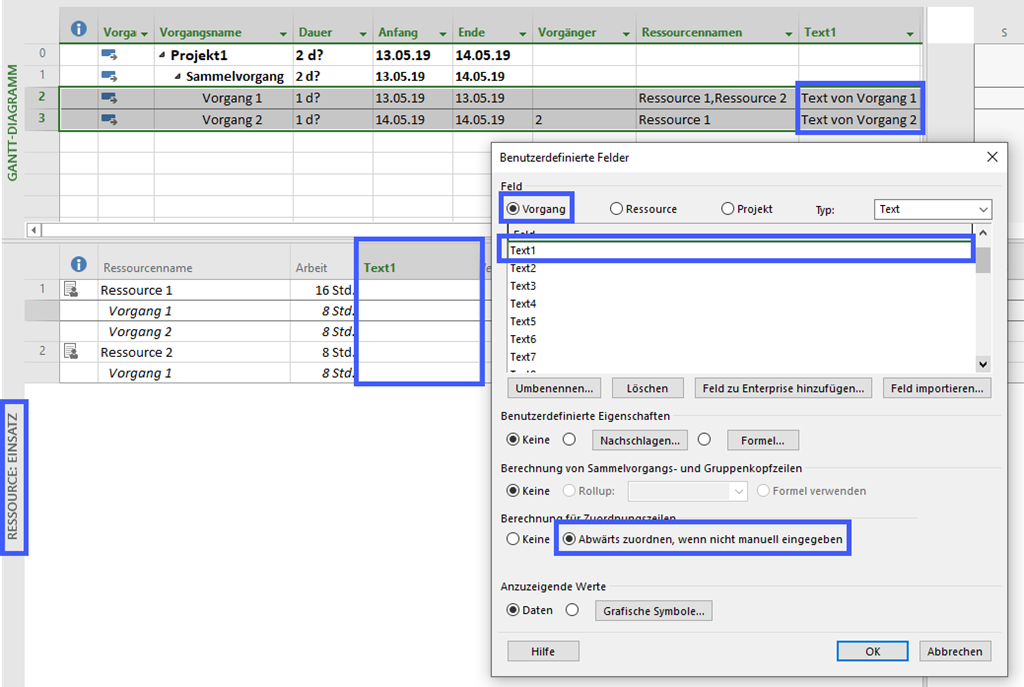
Deutsch Häufig wird in Foren die Frage gestellt, weshalb Werte benutzerdefinierter Felder in einer Ansicht nicht zur Verfügung stehen. Das liegt üblicherweise daran, dass das Feld für eine Entität erstellt wurde, die in der gewünschten Ansicht nicht zur Verfügung steht. So kann es sich um ein Vorgangsfeld handeln, das in der Ansicht Ressource: Einsatz nicht angezeigt werden kann oder um ein Ressourcenfeld, das in der Ansicht Vorgang: Einsatz nicht verfügbar ist. Das ist auch dann der Fall, wenn die Berechnung für Zuordnungszeilen auf Abwärts zuordnen, wenn nicht manuell eingegeben aktiviert ist: ...

May 22, 2019 · 6 min · Barbara Henhapl
Project Export PSP in Office  Export WBS to Office

Project Export PSP in Office Export WBS to Office

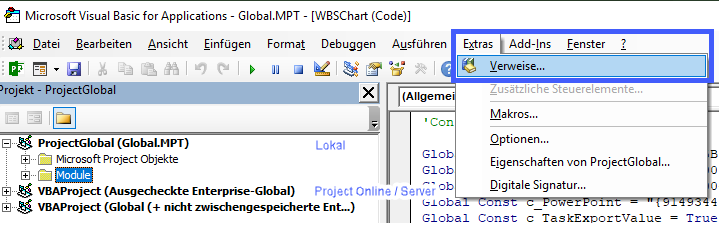
Deutsch Verweise manuell aktivieren Verweise per Makro aktivieren English Code: Referenzen beim Öffnen aktivieren / Enable References on Open Code: Referenzen aktivieren / Enable References Code: Export PSP / Export WBS Deutsch Leider bietet Project keine Möglichkeit, die Planung als PSP zu exportieren. Diese Anforderung wird aber oft in Foren und auch von Kunden gestellt. Ich stelle hier ein Makro bereit, dass eine SmartArt Grafik in Excel, Word und PowerPoint bereitstellt. Um aus Project eine dieser Officeanwendungen anzuprechen, müssen Verweise für die jeweilige Anwenung gesetzt sein. Die Verweise sind optimalerweise in der globalen Vorlage zu setzen. Beim Arbeiten ohne Verbindung zu Project Online / Project Server ist das die Datei Global.mpt. Diese Datei enthält alle Objekte, die auf dem Rechner für alle Projekte zur Verfügung stehen. Bei Verbindung mit Project Online / Project Server sind die Verweise in der Enterprise Global zu aktivieren. ...

May 19, 2019 · 10 min · Barbara Henhapl
Get the Microsoft Graph g-raph stickers

Get the Microsoft Graph g-raph stickers

If you are a Microsoft 365 developer, you will be working with the Microsoft Graph to access data in the cloud. Of course, every product needs a mascot. So, the Microsoft Graph team created their own mascot: Welcome, Microsoft Graph g-raph (giraffe). Get the artwork for the Microsoft Graph g-raph here! For me, the g-raph is a very cute and perfect visualization of “connecting the dots” within the Microsoft 365 services with Microsoft Graph technology. ...

May 16, 2019 · 1 min · Toni Pohl

Project Zuordnungseinheiten neu berechnen - Recalculate Assignment Units

Deutsch Im Artikel Zuordnungseinheiten in Project ab Version 2010 ist beschrieben, weshalb die Anzeige der Zuordnungseinheiten bei der Änderung von Dauer oder Arbeit ab Project 2010 nicht aktualisiert wird. Rod Gill aus Australien hat dazu ein Makro zur Verfügung gestellt, mit dem die Neuberechnung der Zuordnungseinheiten erfolgen kann: Reset Assignment Units. In Europa verwenden wir jedoch andere Regionaleinstellungen, daher finden Sie hier eine modifizierte Version. In Makros implementieren / Implement Macros wird beschrieben, wie ein Makro in Project übernommen werden kann.Mehr Beispielmakros sind unter VBA zu finden. ...

May 15, 2019 · 4 min · Barbara Henhapl