Project Online Project Server Project Detail Pages - Enhancements Part 8 Disable Project Owner Button on Project Detail Page

This is the eighth part of articles discussing Project Detail Page enhancements: Show/hide a field depending on the value of an internal field on the same page Show/hide a field depending on the value of an Enterprise Custom field on the same page Show/Hide a field based on the value of an internal field using REST Show/Hide a field based on the value of an Enterprise Custom Field without Lookup Table using REST Remove Time from Enterprise Custom Fields on Project Detail Pages Remove Prefix from Enterprise Custom Fields on Project Detail Pages Hide Impact Ratings on Project Detail Page “Strategic Impact” Disable “Project Owner” Button on Project Detail Page For a description for preparation of a Project Detail Page for JavaScript, see General Preparation ...

May 5, 2019 · 3 min · Barbara Henhapl
Groups Governance Toolkit-Working with group policies

Groups Governance Toolkit-Working with group policies

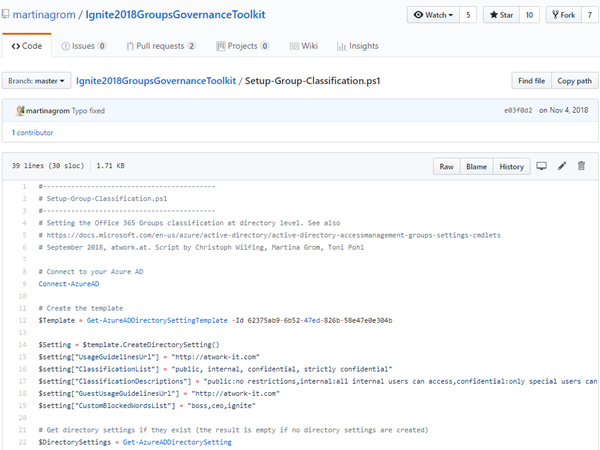
At Microsoft Ignite conference last September, we demoed an approach for a self-built Office 365 Groups Governance Toolkit. Since Microsoft 365 is an evergreen service and continues to evolve, today we have more group settings available and we extend our provisioning function to work with group naming policies as well. See here how this can be accomplished by including new Graph requests. Foreword You can find the previous articles of our governance story at Provisioning an Office 365 group with an approval flow and Azure functions-part 1, part 2, part 3, part 4, part 5 and part 6 and the source code at martinagrom/Ignite2018GroupsGovernanceToolkit. ...

May 2, 2019 · 6 min · Martina Grom
Microsoft 365 Fragen und Antworten bei atworks kostenloser Security Sprechstunde

Microsoft 365 Fragen und Antworten bei atworks kostenloser Security Sprechstunde

Microsoft und atwork laden zur Remote Teilnahme an unserer Security Sprechstunde ein! Dies ist ein Event, welches mehrmals von Frühling bis Sommer 2019 von Microsoft Österreich und atwork kostenlos angeboten wird. Teilnehmer erfahren die neueste Informationen und Praxistipps rund um Microsoft 365 und können Fragen an die Experten stellen. Hier geht es zu den Terminen! Unter dem Motto “Don´t be afraid. Ask the expert!” informieren unsere Microsoft 365 Expertin Martina Grom (atwork CEO, Microsoft RD und MVP) und Klaus Harrer-Nemecek (Security Technical Specialist Microsoft) in je einer Stunde über unternehmensrelevante Themen. Hier findet ihr die Sprechstunden-Termine und den Anmeldungslink zur Teilnahme: ...

May 1, 2019 · 1 min · Toni Pohl
Delegate365 changelog version 8.3-Sync with Group

Delegate365 changelog version 8.3-Sync with Group

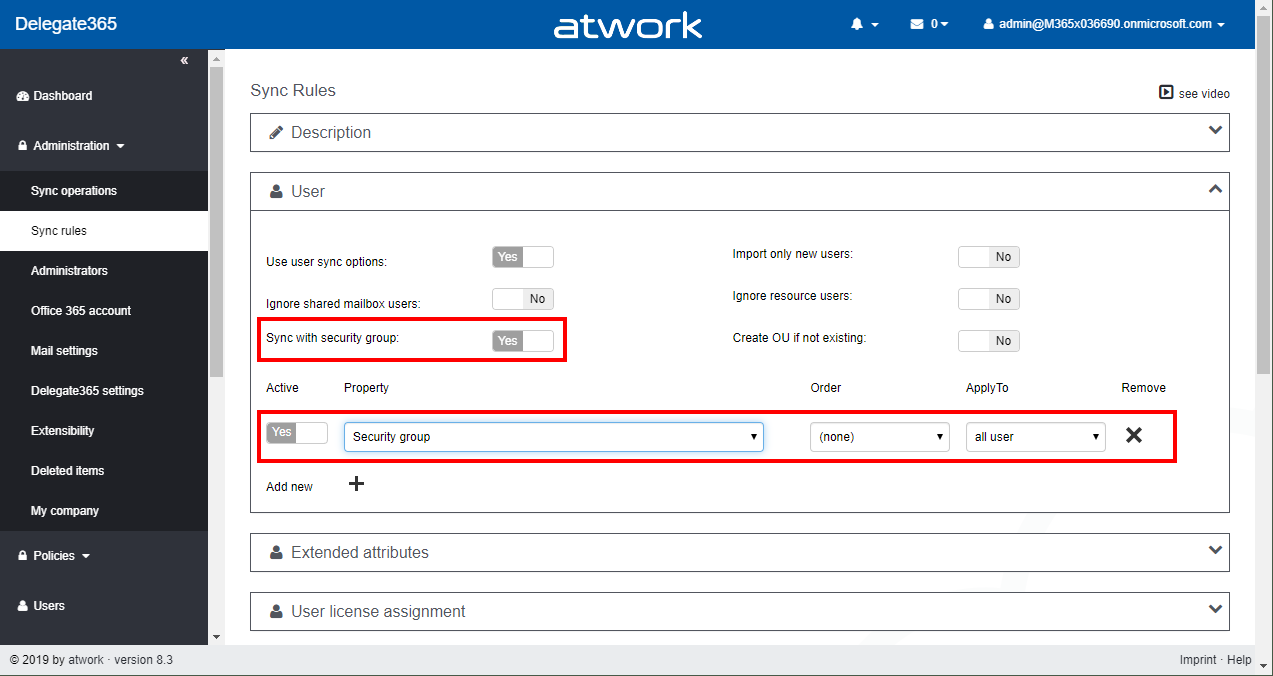
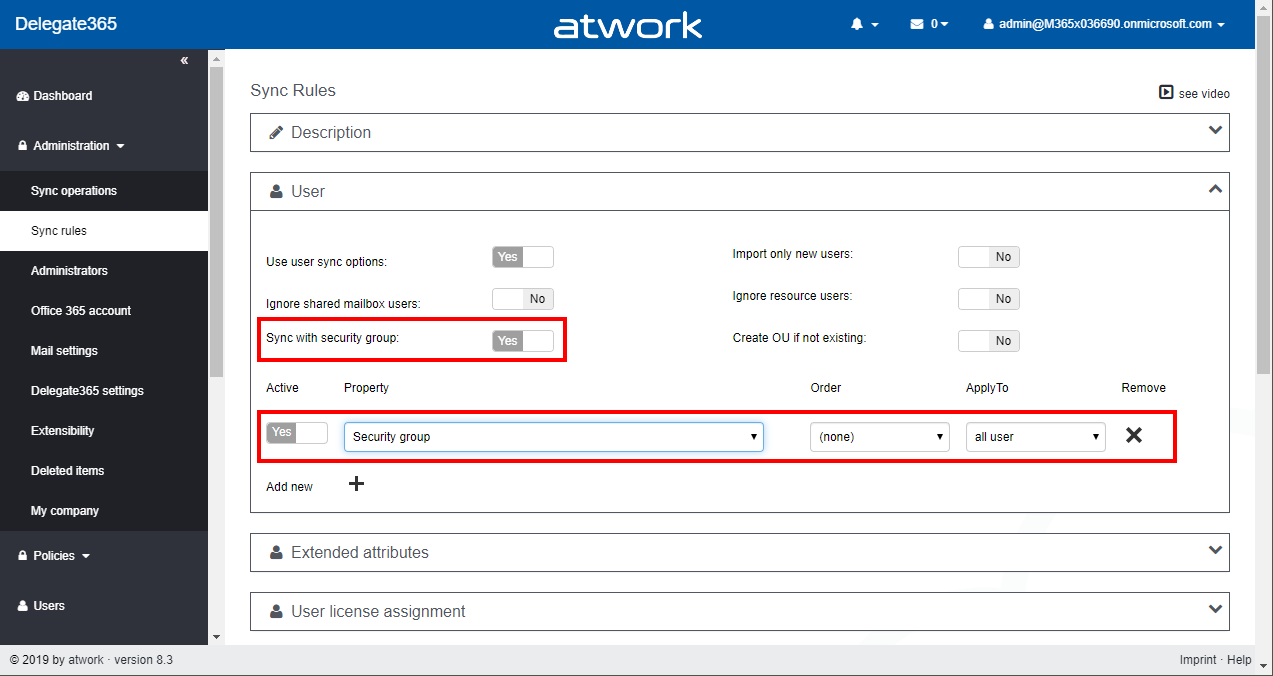
With Delegate365 v8.3 there comes a new feature in the Sync Rules: Sync with security group allows to automatically remove users from an OU. See how this works here. This is a feature request brought to us by Delegate365 customers: When a user is removed from a security group, he or she should also automatically be removed from the corresponding OU, if the User sync rules are set to “Security group”. So here´s a description of that feature with a sample (improved Delegate365 Admins can have a look at step1 and then continue with step 7)… ...

April 23, 2019 · 3 min · Toni Pohl
Switch your Office 365 pro plus from 32bit to 64bit

Switch your Office 365 pro plus from 32bit to 64bit

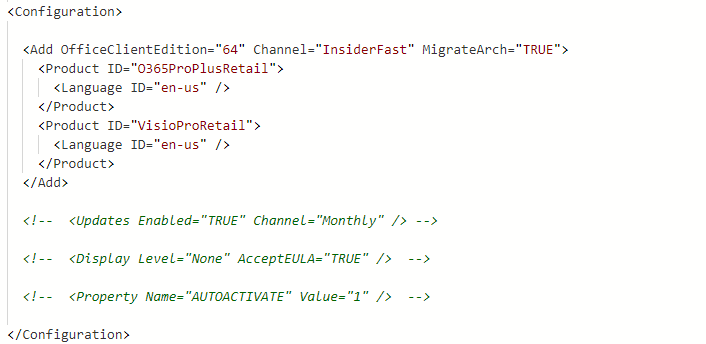
Microsoft started to recommend its 64bit edition of Office 365 pro plus to be installed as the default Office installation. While at first many people think this is a bad idea due to all add-ins I did the switch last weekend and it was a very smooth and friction free experience. Till April 2019 you had to manually uninstall the 32bit version of Office first and than install the 64bit version. If you are deploying Office 365 pro plus through the Office 365 Deployment toolkit you can now automate this experience and add a new switch to your config file. ...

April 21, 2019 · 2 min · Martina Grom
How to add custom user properties to Delve and SharePoint

How to add custom user properties to Delve and SharePoint

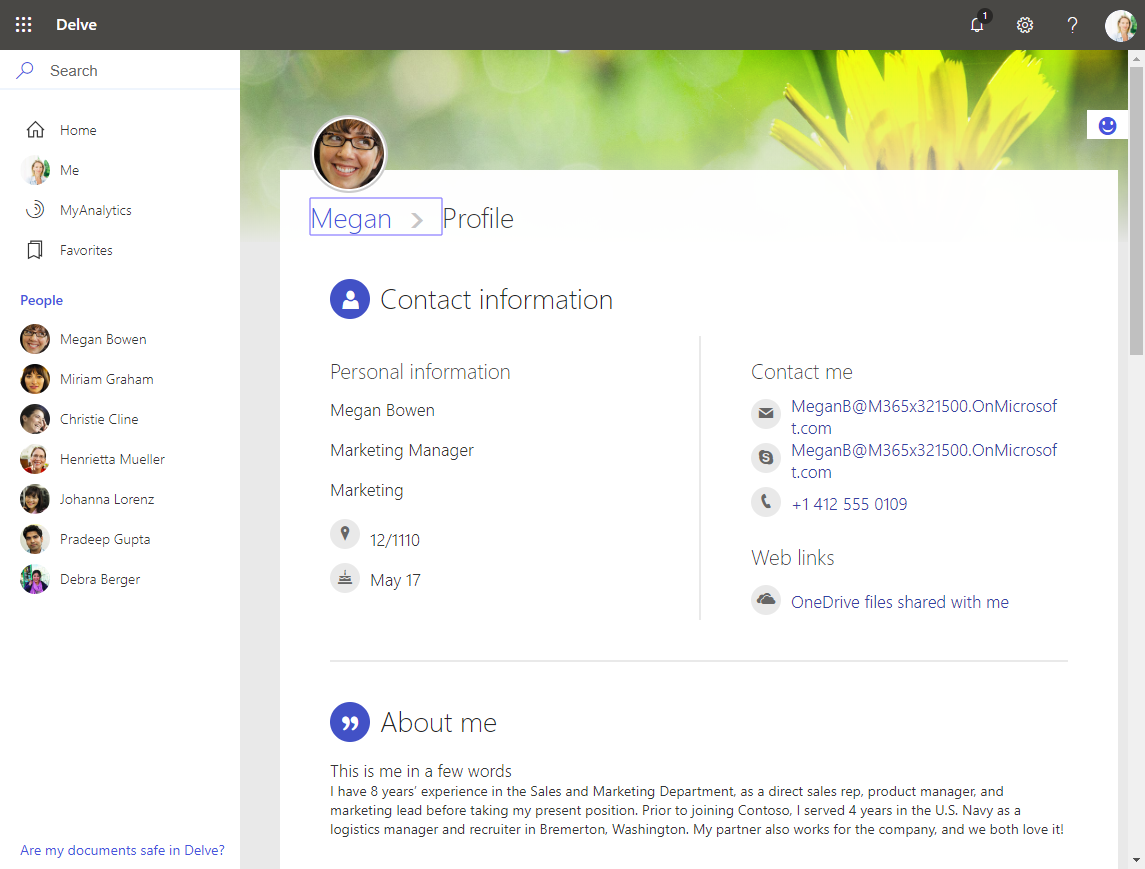
The Delve App allows to discover company and user data across Office 365. Unfortunately, while the app is very helpful, it can not be customized. Well, but we can easily add additional user information, such as personal data, a cost center, additional contact data or hyperlinks, etc. See how this works here. The default Delve experience When opening the Delve app and a user profile, this looks like in a demo tenant here: https://REGION.delve.office.com/?u=USERID&v=profiledetails ...

April 15, 2019 · 3 min · Martina Grom
Tips for PowerApps-6 tips for working with images

Tips for PowerApps-6 tips for working with images

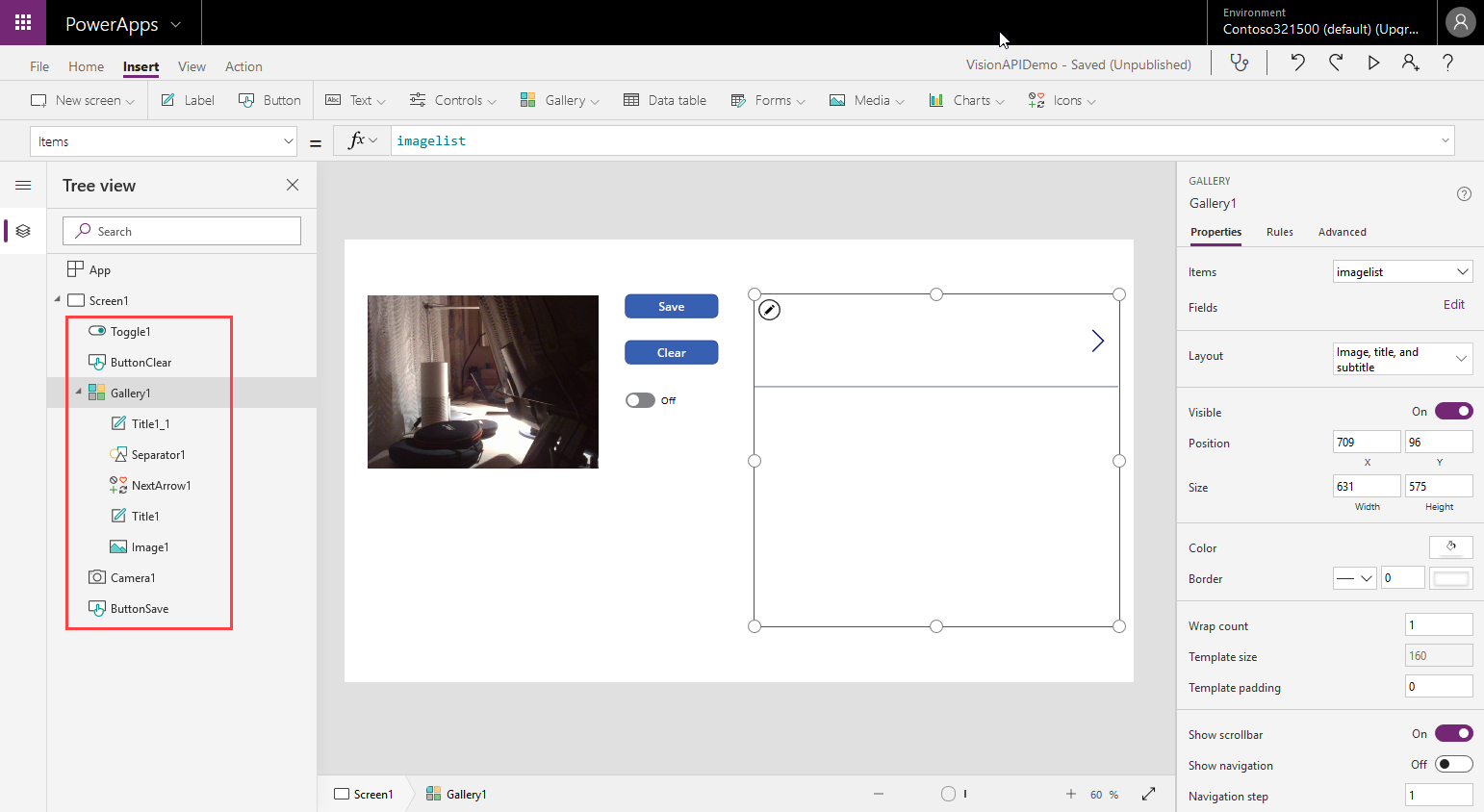
Since I use PowerApps only from time to time, I wanted to document some common actions, such as working with images and the camera control. So, here are my little notes in 6 tips. Well it´s Saturday evening, and I am listening to fancy music and playing with PowerApps (and Flow, Cognitive Services and Adaptive Cards). To not forget the following basics, I thought, it´s a good idea to document a quick intro for working with the Camera control and pictures in PowerApps. ...

April 14, 2019 · 6 min · Toni Pohl
Delegate365 changelog version 8.3-Bulk assign licenses

Delegate365 changelog version 8.3-Bulk assign licenses

Delegate365 allows to modify licenses in many ways, manually, automatically and with bulk-assignments. With version 8.3, the license policies will be considered for bulk assignments as well. See a description of that functionality here. The Delegate365 permission and license policies control what modules and what licenses a scope administrator sees. An administrator can be assigned to one permission policy and to one license policy. While many organizations are using the Delegate365 sync rules, scope admins can manually assign entitled licenses and plans. The menu Licenses / Bulk assign licenses allows to accomplish such an operation for multiple users and takes the unauthorized licenses into account with this update. ...

April 12, 2019 · 3 min · Martina Grom
Connect to Azure as fast as possible

Connect to Azure as fast as possible

When planning IT-services between locations and in the cloud, the network speed is an essential factor. See how Microsoft manages their network and how to see your location´s bandwidth to Microsoft Azure here. Azure currently offers data centers in 54 regions worldwide and in 140 countries. To get a little background about the effort being made for a performant worldwide network, check out this article at “How Microsoft builds its fast and reliable global network” with an overview of their dark fiber network and their software-defined networking (SDN) strategies. “Microsoft owns and runs one of the largest backbone networks in the world,connecting our datacenters and customers. Over the last three years, we’ve grown our long-haul WAN capacity by 700 percent.” ...

April 10, 2019 · 2 min · Toni Pohl
Microsoft Edge preview with Chromium Testdrive

Microsoft Edge preview with Chromium Testdrive

End of last year, Microsoft announced to integrate the Chromium open source project in the development of Microsoft Edge on the desktop to create better web compatibility. Well, here is Edge preview! That was quick. To try the new experience, download the preview from www.microsoftedgeinsider.com. Download, and install… the new “inspirational” look is pretty. I did start with “my data” which looks as here. Chromium also allows to integrate Chrome Plugins. ...

April 8, 2019 · 1 min · Toni Pohl