Join featured speaker Martina Grom at Microsoft Ignite

Join featured speaker Martina Grom at Microsoft Ignite

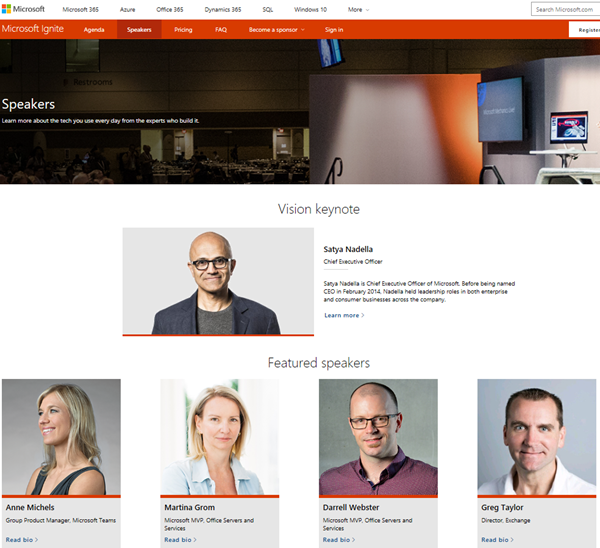
Microsoft Ignite is Microsoft’s largest, yearly conference focused on the latest insights and skills from technology leaders and practitioners with more than 25.000 attendees and will take place in September 24–28, 2018 in Orlando, Florida. We are very pleased to announce, that atwork’s CEO, Martina Grom, is a featured speaker at this year’s Ignite! As presented on the Ignite Speakers website, Martina will be among other well-known speakers within Microsoft and the Microsoft communities. ...

June 1, 2018 · 1 min · Toni Pohl
Impressions of SharePoint Conference North America 2018

Impressions of SharePoint Conference North America 2018

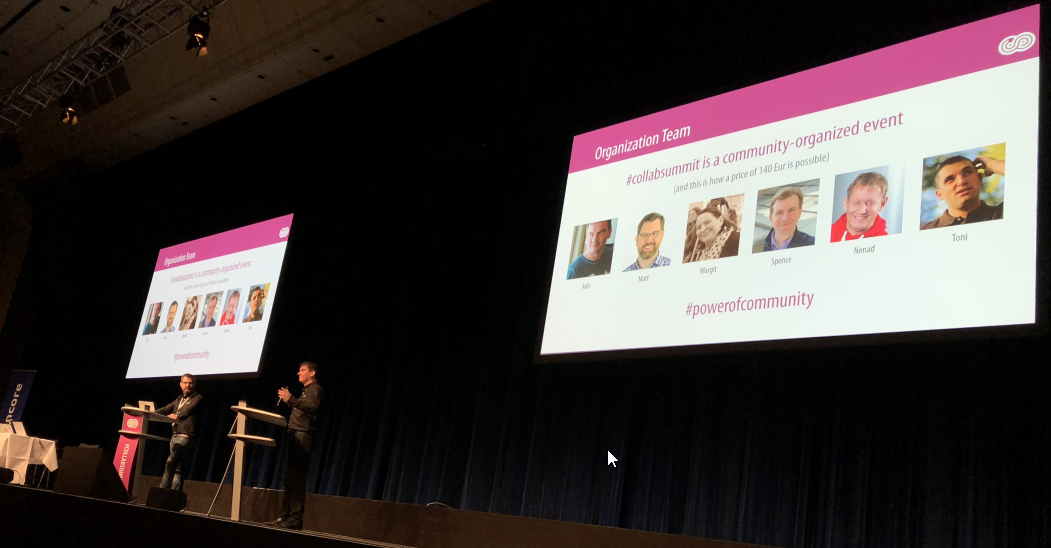
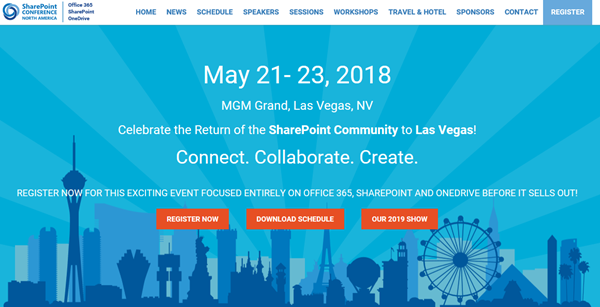
This week, from May 21st to 23rd, SharePoint Conference North America 2018 - now the Microsoft 365 Community Conference took place in fabulous Las Vegas, in the MGM Grand Hotel. Martina and I were glad to be part of the conference and enjoyed the conference, the networking and cool announcements and sessions! See some visual impressions of #SPC18 here! Martina and I had a workshop about “Office 365 governance” on the pre-conference days on Saturday, May 19th, and Martina delivered the session “The Keys to Office 365 Groups Management” together with Microsoft’s Christophe Fiessinger on Tuesday. See the full conference details at m365conf.com. ...

May 27, 2018 · 1 min · Toni Pohl
TrustInTech Informationstag am 11.6.2018 in München

TrustInTech Informationstag am 11.6.2018 in München

Unter dem Motto #TrustInTech laden die Gastgeber Trans4mation, atwork und Microsoft Deutschland sowie DriveLock zu einem Informationstag rund um die neuesten Technologien und Trends im Bereich Daten- und Informationssicherheit. Bilden Sie sich am 11. Juni 2018 im Microsoft Hauptquartier in München zu Themen wie die DSGVO/GDPR, Cloud Security, Modern Devices sowie die rechtlichen Aspekte weiter. Unsere Experten (CEOs, Manager, MVPs und Rechtsanwälte) möchten Ihnen durch ihre informativen Vorträge einen umfassenden Einblick in die Thematik gewähren und offene Fragen beantworten. So können Sie effektiv dazu beitragen Ihren eigenen Geschäftsbetrieb abzusichern und an die am 25. Mai 2018 neu in Kraft tretende EU Datenschutz-Grundverordnung (DSGVO) anzupassen. ...

May 23, 2018 · 2 min · Doris Schlaffer
Download Microsoft BUILD 2018 conference sessions

Download Microsoft BUILD 2018 conference sessions

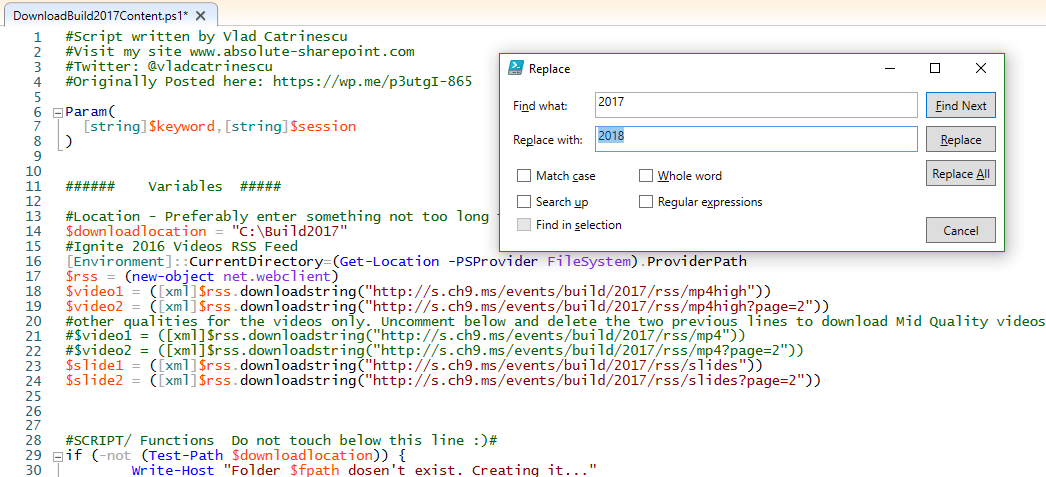
Microsoft BUILD conference 2018 took place two weeks ago in Seattle with over 350 sessions covering Azure, Visual Studios, Microsoft 365, and more. Although you can watch the sessions online at mybuild.microsoft.com/sessions, sometimes it’s helpful to have them downloaded. You can do so with the following PowerShell script. Our colleague Vlad Catrinescu has published a BUILD 2017 sessions downloader at The Ultimate Script to download Microsoft Build 2017 Videos AND slides! or for downloading directly at TechNet Gallery. Thankfully, this script works if you replace “2017” with “2018”… ...

May 22, 2018 · 1 min · Toni Pohl
Project Online Missing Work in Capacity Planning View

Project Online Missing Work in Capacity Planning View

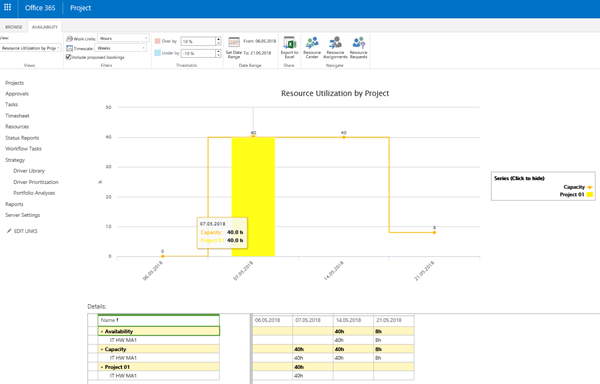
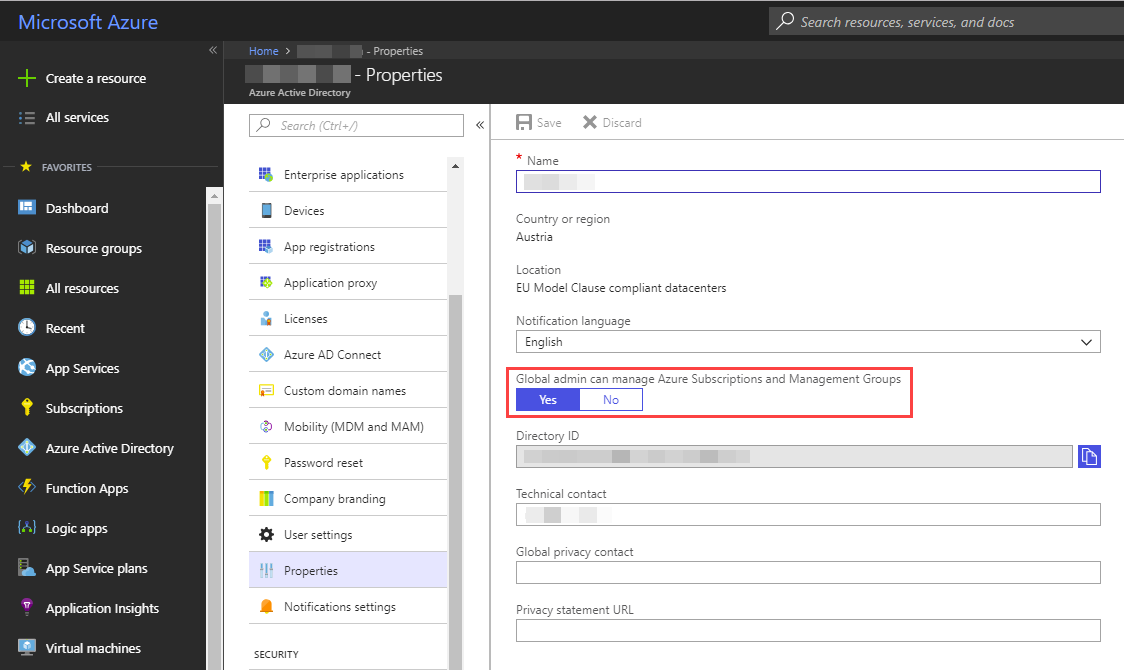
If you start with a new Project Online instance, you will miss Work in Capacity Planning views. Previously, you saw Work displayed in all Project Server installations and in Project Online instances created in the past, without any additional actions. To see work assigned to a resource, you select resources in Resource Center and click on Capacity Planning. If you work on a recently created instance, you will not see Work by default, even if assignment data is displayed in view Resource Assignments. So there will neither bars for Work nor any projects listed in the table. This is a side effect of a recent change. Now, the administrator can choose the level of reporting data for OData calls. See Configure rollup of timephased reporting data in Project Online for more information. For old instances, configuration is set to daily, so there is no change how data is displayed or can be used for reporting. For new instances, the default setting is Never. So there is no assignment data available for reporting until another option is selected. However, this has also an impact on view Capacity Planning. You need to select an option in PWA Settings – Enterprise Data – Reporting other than Never, to get Work visible in these views. ...
May 7, 2018 · 2 min · Barbara Henhapl
Impressions of the Global Azure Bootcamp 2018 in Linz

Impressions of the Global Azure Bootcamp 2018 in Linz

On April 21st, this year’s Global Azure Bootcamp took place in 244 locations in 68 countries. We were happy to follow the invitation of coding-club-linz who – as in the last years - organized the community event perfectly in Linz in Austria. With 5 tracks and about 200 attendees the #GlobalAzure event in Linz was a full success – thx to the organizers, speakers, community members and all helping hands! The world wide community event (global.azurebootcamp.net) is a cost free, one-day technical learning events for Microsoft Azure, organized by leaders from the global cloud developer community, see also #GlobalAzure Bootcamp 2018 and Sunday Surprise: Global Azure Bootcamp 2018. We were part of GAB in 2017 as well, see Global Azure Bootcamp 2017 Austria. This year, from our Vienna Azure Meetup Group, Martina Grom, Christoph Wilfing, Christoph Wille and I, Toni Pohl, joined the GAB2018 event. ...

May 6, 2018 · 1 min · Toni Pohl
Delegate365 changelog version 7.5-SignIn-Activities and GDPR module

Delegate365 changelog version 7.5-SignIn-Activities and GDPR module

The previous versions of Delegate365 brought major updates with the new reporting engine and over 80 reports. With Delegate365 version 7.5 there are more improvements coming as litigation hold for Shared Mailboxes, more reports and a new GDPR module. See the details here. Important: If your current Delegate365 version was 7.3, you need to run a new Delegate365 setup once. Please see Delegate365-(Re)run the setup for a step-by-step manual. This step is necessary after the update to Delegate365 v7.5 was done. This step is NOT necessary if you have already been on Delegate365 version 7.4. You need to have a Global Administrator without MFA enabled to run the setup and to accept the new Delegate365 consent: So, after the setup, login with the Global Administrator and accept the new consent for all users in your tenant - otherwise no one can sign-in and use the Delegate365 app. ...

April 27, 2018 · 6 min · Toni Pohl
31 Brutally Honest Illustrations by Gerhard Haderer Show Whats Wrong With Todays Society

31 Brutally Honest Illustrations by Gerhard Haderer Show Whats Wrong With Todays Society

Recently, we stumbled about a(nother) great satirical contribution on boredpanda.com: 31 Brutally Honest Illustrations By Gerhard Haderer Show What’s Wrong With Today’s Society. Gerhard Haderer is an Austrian caricaturist and his satirical cartoons often meet the nerve of our’s society. Check it out on boredpanda.com – love them. You can buy illustrations by Gerhard Haderer online at Amazon. Enjoy!

April 23, 2018 · 1 min · Toni Pohl
Get data from SQL Server for GDPR and more

Get data from SQL Server for GDPR and more

Getting ready for GDPR? Well, often data is stored in relational databases as in SQL Server – in the cloud or on premises. If you need to report what relevant data is stored in such a SQL database, the following scripts can help. Often, a data processing document is needed between the data controller (often the customer) and the data processor (the IT department or a vendor). So, how to get data for a review? Here we go with a little bit of TSQL and SQL Server Management Studio (SSMS) or SQL Operations Studio. Connect to the corresponding database and try the following commands. ...

April 20, 2018 · 2 min · Toni Pohl
Looking for Microsoft SQL Server Configuration Manager?

Looking for Microsoft SQL Server Configuration Manager?

In former versions of Microsoft SQL Server, the SQL Server Configuration Manager was an extra app for configuring the SQL Server services. Since this is gone since some versions, we often get the question where to find the configuration tool nowadays with the modern versions of SQL Server… Well, the answer is simple: For SQL Server version equals SQL Server 2016 (13.x) or higher, open the Computer Management (Ctrl + X and click “Computer Management” or run* %SystemRoot%\system32\compmgmt.msc /s *). In here, you find the “SQL Server Configuration Manager” where you can configure your local services with the snap-in(s). ...

April 19, 2018 · 1 min · Toni Pohl