Use Visual Studio Code and the REST Client extension for testing HTTP Requests

Use Visual Studio Code and the REST Client extension for testing HTTP Requests

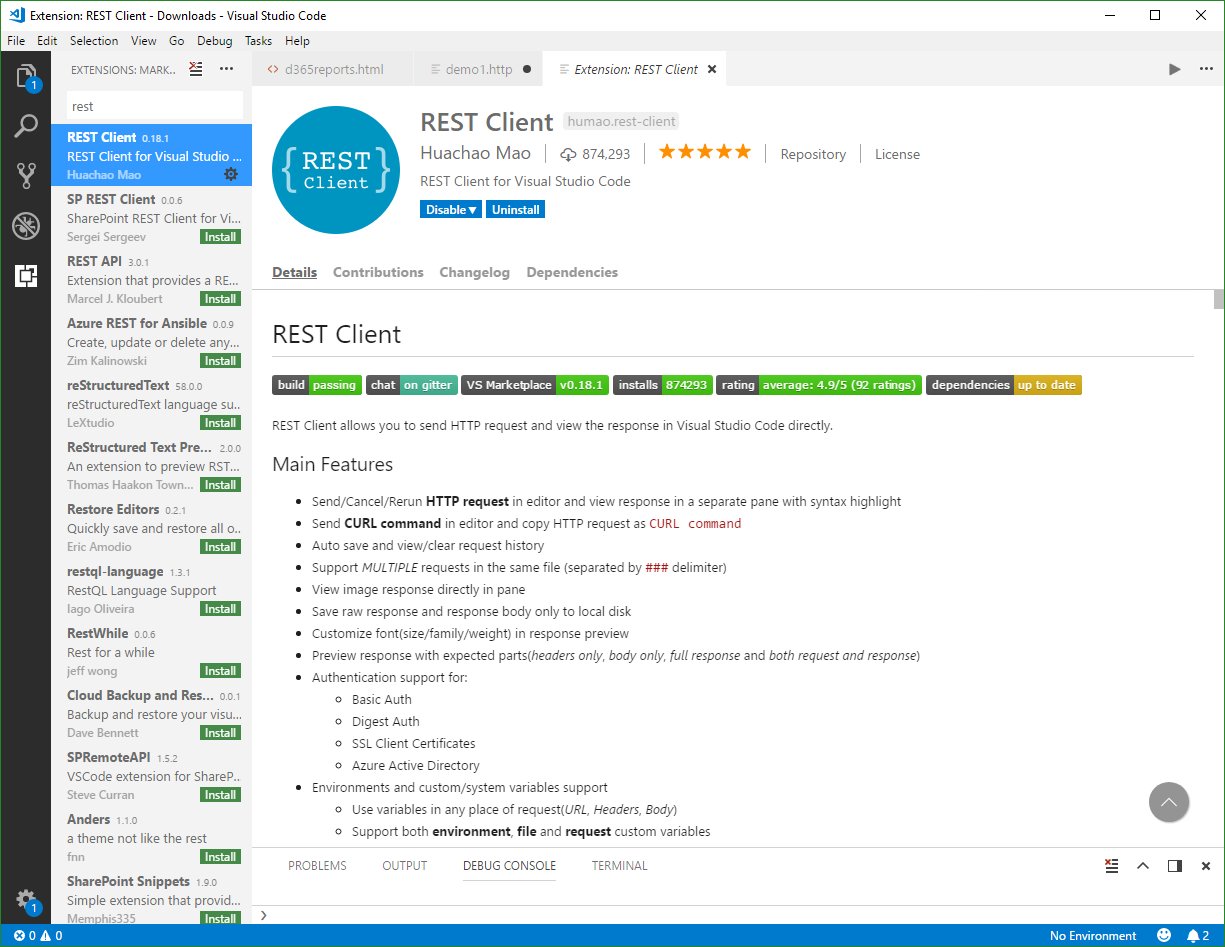
Are you using tools as Telerik Fiddler or Postman for testing HTTP Requests? Well, if you are already working with Visual Studio Code, try out the cool REST Client extension! My colleague Christoph showed me this cool extension for executing HTTP requests directly from VS Code quickly. Simply install the REST Client extension: Press F1, type ext install then search for rest-client as shown in the following screenshot. (Check out the useful Run Code from Visual Studio Code extension as well…) ...

April 15, 2018 · 2 min · Toni Pohl
Delegate365 reports at a glance

Delegate365 reports at a glance

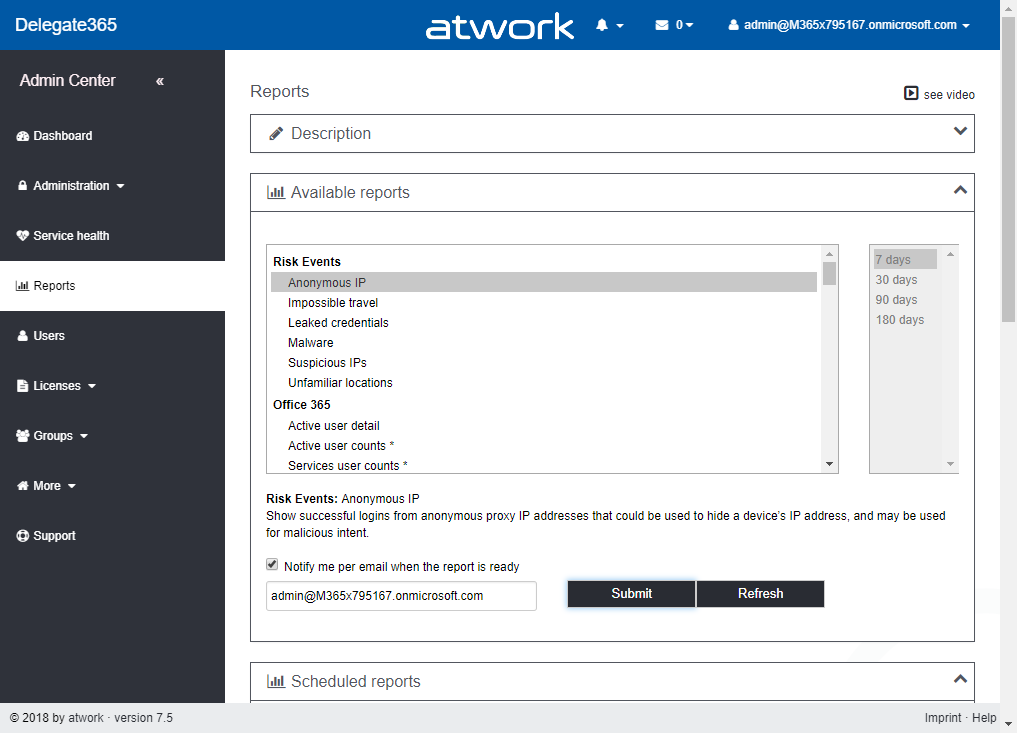
Recently, Delegate365 got a new reporting engine with version 7.3 and more reports have been added with version 7.4 and version 7.5. In total, there are now 87 reports available (and likely more are about to come in the following versions). To keep up with the latest reports, we want to deliver an overview of all available reports at a glance here. Start The reports menu reveals the Delegate365 reports list. The reports are available for all users in Delegate365, for Scope Admins and for Portal Admins. Scope Admins see just data of their entitled OU’s in all their reports. Portal Admins get additional reports marked with a star* and a comment (* Portal Admin), that deliver reports and statistics about the Office 365 tenant and services without any OU filters. The screenshot below shows the reports list, grouped into nine categories. ...

April 12, 2018 · 3 min · Toni Pohl
Use Visual Studio Code and the Code Runner extension

Use Visual Studio Code and the Code Runner extension

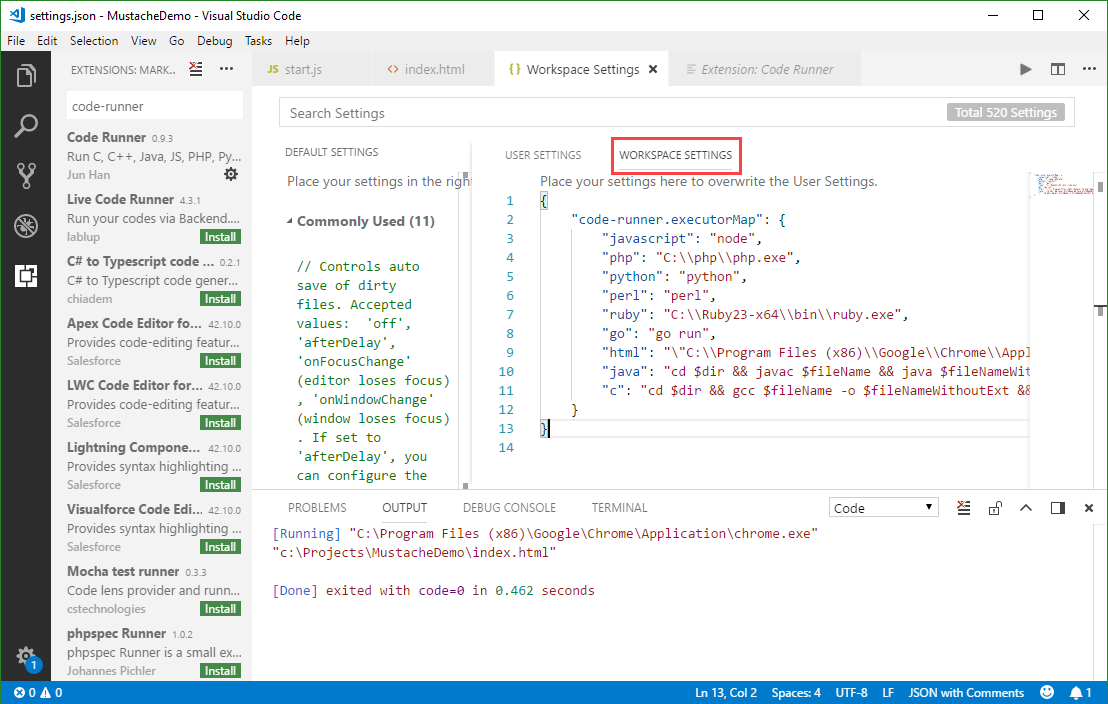
Visual Studio Code (currently, Version 1.22 is available) is a very cool developer tool providing a modern and fast code editor with a bunch of extensions. With extensions as Code-Runner, it’s easy to run a code file or active text directly from the VS Code text editor. Check out this quick description how to configure and use Code Runner. If you are new to VS Code, at a glance: To install the latest version of VS Code, get the download for Windows, Linux or macOS. To run a command, launch the Command Palette with F1 or Ctrl + Shift + P, run Quick Open by pressing Ctrl + P, etc. See all keyboard shortcuts at Windows, macOS and Linux. ...

April 8, 2018 · 3 min · Toni Pohl
Get the size of a SQL Azure database quickly

Get the size of a SQL Azure database quickly

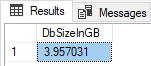
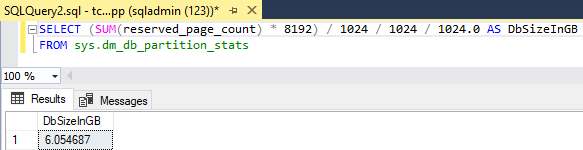
To get the size of a database, there are multiple ways. TSQL is one of the fastest methods. Here’s how. You often see querying the sys.dm_db_partition_stats DMV, and looking at the reserved_page_count column. Here’s my slightly adapted query: First open a new query in the database you want to check, then execute the following statement to get the size in Gigabytes. SELECT (SUM(reserved_page_count) - 8192) / 1024 / 1024 / 1024.0 AS DbSizeInGB FROM sys.dm_db_partition_stats ...

April 6, 2018 · 1 min · Toni Pohl
How to implement your GDPR compliance

How to implement your GDPR compliance

So, you’re in the process of planning your GDPR compliance? We’ve got your back with this short summary and our offers to support! There is a lot of information around GDPR (the general data protection rules of the EU). We at atwork offer support in the GDPR processes. Sure, GDPR compliance must be checked individually, per company. But, let’s summarize the substantial facts regarding an organization’s IT here. The necessary steps very briefly are: ...

April 4, 2018 · 1 min · Toni Pohl
atwork sucht Office 365 consultants

atwork sucht Office 365 consultants

Zur Verstärkung unseres Teams suchen wir zuverlässige, begeisterungsfähige Mitarbeiter mit technischer Ausbildung und Erfahrungen mit Microsoft Office 365 und Microsoft Azure. Sie werden Teil eines eigenständigen und verantwortungsbewussten Teams, in dem ein hohes Qualifizierungsniveau auf aktuellstem Stand höchste Priorität hat. Abhängig von Ihrer Projekterfahrung und nach Einarbeitung in unsere Projekte tragen Sie Verantwortung für Projekte und übernehmen Aufgaben in der Spezifikation, im Design und in der Umsetzung von Lösungen mit Microsoft Cloud Technologien. ...

April 2, 2018 · 2 min · Toni Pohl
E-Mail Benachrichtigung in Project Online ohne Exchange Online

E-Mail Benachrichtigung in Project Online ohne Exchange Online

Als Administrator einer Project online Instanz können Sie Benachrichtigungen für Ihre Kollegen aktivieren. Öffnen Sie dazu *Weitere Servereinstellungen *in Einstellungen – PWA-Einstellungen. Nach der Aktivierung von* Benachrichtigungen aktivieren* unten auf Weitere Servereinstellungen, sehen Sie und Ihre Kollegen in PWA-Einstellungen je nach Rolle ein oder zwei neue Menüpunkte: Meine Warnungen und Erinnerungen verwalten – diesen Menüpunkt sehen alle Benutzer Warnungen und Erinnerungen meiner Ressource verwalten – diesen Menüpunkt sehen Projektleiter ...

March 31, 2018 · 3 min · Barbara Henhapl
Impressions of Microsoft Tech Summit Amsterdam 2018

Impressions of Microsoft Tech Summit Amsterdam 2018

In the Easter week, we joined the Microsoft Tech Summit Amsterdam. The event took place at RAI Amsterdam from March 28-29, 2018. See some impressions here. Beside the breakout sessions, Tech Summit provided experts panels, workshops, and booths to directly get in contact with the Microsoft teams and third party vendors and to ask questions. See more details at the conference website at www.microsoft.com/techsummit/amsterdam. We from atwork were glad to contribute with breakout sessions and a workshop along with speakers from Microsoft and some fellow MVP colleagues: ...

March 29, 2018 · 1 min · Toni Pohl
Delete an unused app in Azure Active Directory

Delete an unused app in Azure Active Directory

Want to cleanup unused apps in your Azure Active Directory? Well, that’s easy – but how to accomplish that if the Delete option is inactive? See the quick solution here. So, if you find a scenario as here, where you have an app in your AAD and you cannot delete it… …the reason is that the app is Multi-tenant. As an Admin, you need to modify the app level from Multi tenant to Single tenant, see also here. Open the app properties, scroll down and find the Multi tenant switch and change that to “No”. Then, save the new app properties. ...

March 28, 2018 · 1 min · Toni Pohl
How to create or renew Service Principal Names in Azure Active Directory

How to create or renew Service Principal Names in Azure Active Directory

When an automated task or an app needs to access data from Office 365, you need to create an app in the tenant’s Azure Active Directory (AAD). For having full control, e.g. for deleting objects in AAD, a so called Service Principal Name (SPN) can be used. That is similar to a Global Admin in Office 365, but just for apps and usually with a predefined expiration date. Which is good. Or? ...

March 24, 2018 · 5 min · Toni Pohl