Forgot to renew your Office 365 group? Restore it!

Forgot to renew your Office 365 group? Restore it!

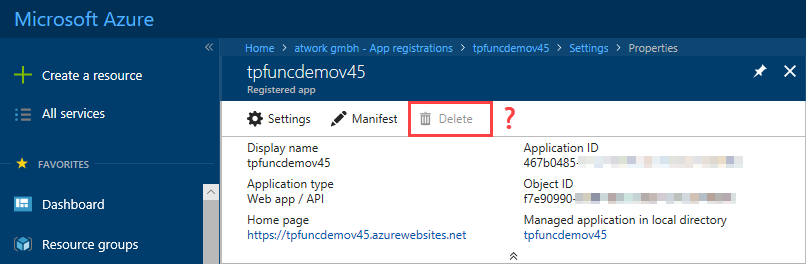
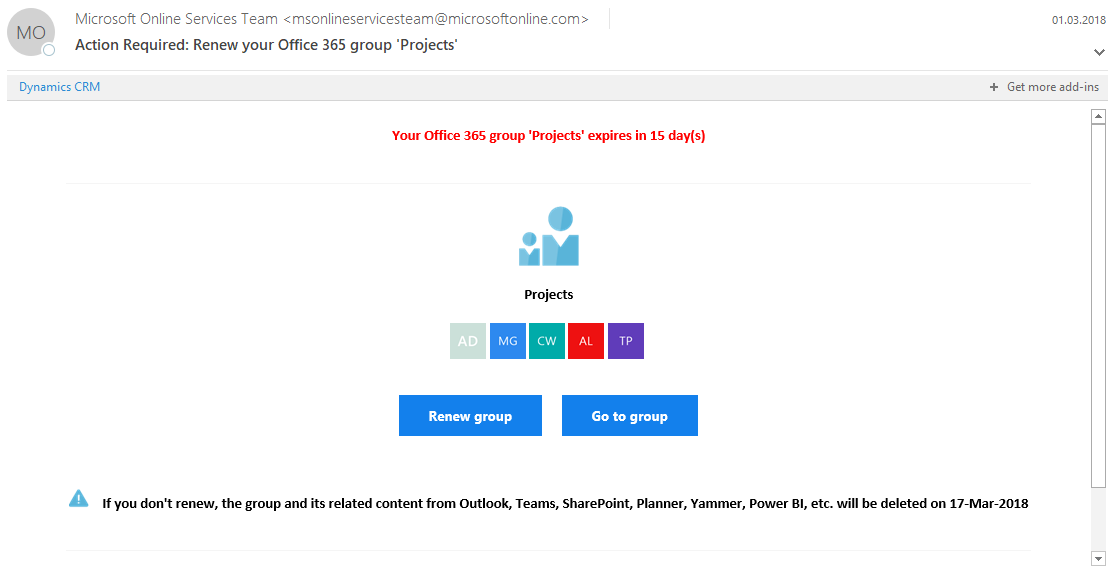
Office 365 Groups retention policies are very helpful to reduce orphaned groups in an organization’s tenant. Kindly, the Office 365 system sends out notifications to inform the group owner(s) to renew a group – or that a group will be deleted. What, if you oversee such a notification? See here how to restore an Office 365 group – thanks soft delete! So, in my case, I oversaw the notifications and saw that my “projects” group was no longer accessible. I got a HTTP 403-Forbidden message when opening the SharePoint site of that group. ...

March 20, 2018 · 2 min · Toni Pohl
Einflussmöglichkeit für die Zukunft von Project

Einflussmöglichkeit für die Zukunft von Project

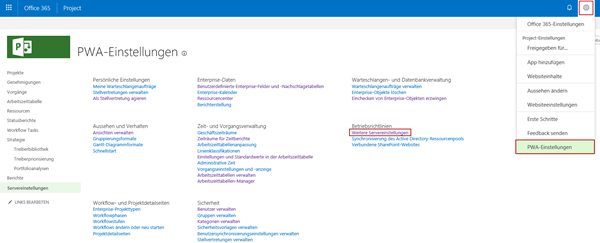
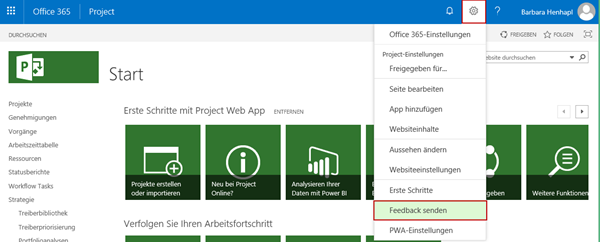
Vor einiger Zeit hat die Product Group für Project die Seite Uservoice für jedermann geöffnet. Hier sammelt die Product Group Vorschläge zur Verbesserung von Project Online, um diese zu prüfen und gegebenenfalls umzusetzen. Diese Seite ist nur auf Englisch verfügbar. Aufgrund des Schwerpunkts auf Project Online finden Sie in Project Online auch direkt einen Link auf diese Seite. Sie finden den Link unter Einstellungen – Feedback senden. Sie können hier, nach der Registrierung, eigene Vorschläge einreichen oder bestehende Vorschläge bewerten. Wenn Sie einen eigenen Vorschlag unter How can we improve Project? erfassen, werden Ihnen bereits vorhandene Vorschläge mit ähnlichen Stichworten vorgeschlagen. ...

March 19, 2018 · 2 min · Barbara Henhapl
Impressions of Microsoft Tech Summit Paris 2018

Impressions of Microsoft Tech Summit Paris 2018

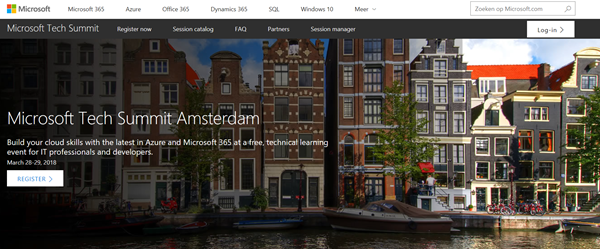
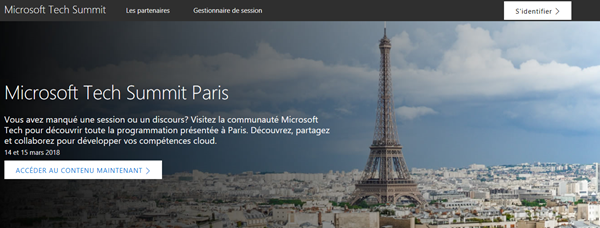
After we returned from MVP Summit, we were proud to be part of Microsoft Tech Summit from March 14th to 15th in Paris. The cost-free roadshow took place in Paris Expo Porte de Versailles and delivered two days of news and How-To’s of the Microsoft cloud services. See some impressions here. Beside the breakout sessions, Tech Summit provided experts panels, workshops, and booths to directly get in contact with the Microsoft teams and third party vendors and to ask questions. See more details at the conference website at www.microsoft.com/techsummit/paris. ...

March 18, 2018 · 2 min · Toni Pohl
Impressions of Microsoft MVP Summit 2018

Impressions of Microsoft MVP Summit 2018

In the mid of March, Microsoft’s MVP Summit took place at Microsoft’s headquarter in Redmond and in Bellevue in Washington. For us, this was a great week for getting the latest news about Microsoft products and technologies and for networking and meeting friends. MVP summit is an exclusive event for all active MVPs and Regional Directors (RDs). Microsoft trusts their community-leaders and the content is strictly confidential. We used the week for learning, building relationships and giving feedback which is simply great to directly interact with the product groups. ...

March 17, 2018 · 2 min · Toni Pohl
Join us at SharePoint Conference North America!

Join us at SharePoint Conference North America!

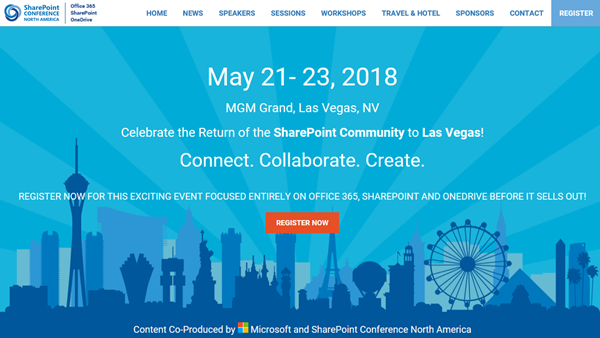
Celebrate the Return of the SharePoint Community to Las Vegas! After four years, SharePoint Conference North America is back from May 21st to 23rd 2018 at MGM Grand in fabulous Las Vegas. Meet the Microsoft SharePoint team, community members and peers from around the world there. We from atwork are happy to be there as well to meet and contribute to SPC 2018! SharePoint Conference North America provides over 150+ sessions and informs about the latest technologies of the Office 365 platform such as SharePoint, OneDrive, Yammer, and Microsoft Teams. See the details at www.sharepointna.com. ...

February 27, 2018 · 1 min · Toni Pohl
Impressions of Microsoft Tech Summit Frankfurt 2018

Impressions of Microsoft Tech Summit Frankfurt 2018

This week, the Microsoft Tech Summit roadshow took place in Frankfurt, Germany. On two days, from February 21-22, 2018, the cost-free roadshow informed about topics from Azure to Microsoft 365. We were happy to be part of the Tech Summit. See some impressions here. The keynote was delivered by Giovanni Mezgec, General Manager, Microsoft Office 365 Marketing and Corey Sanders, Director of Compute, Microsoft Azure. Then, there followed a variety of IT Pro Breakouts and Developer Breakouts. Beside the breakout sessions, Tech Summit provided experts panels, workshops and booths to directly get in contact with the Microsoft teams and third party vendors and to ask questions. See more details at the conference website at https://www.microsoft.com/de-de/techsummit/frankfurt. ...

February 25, 2018 · 3 min · Toni Pohl
Microsoft Project Menüband anpassen

Microsoft Project Menüband anpassen

Analog zu allen Office Anwendungen ab Version 2007 können Sie in Project ab Version 2010 die das Menüband anpassen. Damit können Sie Funktionen, die Sie häufig benötigen, komfortabel zusammenstellen. Um Ihre Befehle zusammenzustellen, öffnen Sie das Dialogfenster Project-Optionen über Datei – Optionen. Wechseln Sie zur Ansicht Menüband anpassen. Tipp: Erstellen Sie eine eigene Registerkarte, um Ihre Befehle zusammenzustellen. Vermeiden Sie es, Befehle der Standardregisterkarten zu verändern, da das zu Kommunikationsproblemen mit anderen Project-Anwendern führen kann. ...

February 23, 2018 · 2 min · Barbara Henhapl
Microsoft Project Symbolleiste für den Schnellzugriff anpassen

Microsoft Project Symbolleiste für den Schnellzugriff anpassen

Analog zu allen Officeanwendungen ab Version 2007 können Sie in Project ab Version 2010 die Symbolleiste *für den Schnellzugriff *anpassen. Damit können Sie Befehle, die Sie häufig benötigen, sehr komfortabel für den einfachen Zugriff bereitstellen. Ohne Anpassung stehen die Befehle Speichern, Rückgängig und Wiederholen zur Verfügung. Oft werden aber Befehle vermisst, die nur durch mehrmalige Mausklicks zu erreichen sind, wie zum Beispiel Drucken oder bei Einsatz von Project Online oder Project Server Veröffentlichen. ...

February 20, 2018 · 2 min · Barbara Henhapl
Tips for PowerApps-Using SharePoint Customize forms with Bing Maps visualization

Tips for PowerApps-Using SharePoint Customize forms with Bing Maps visualization

PowerApps are very powerful and simple to use.Through the integration in SharePoint Online lists, we now can create our custom forms within a SharePoint site and add additional features as calculations, modifications and even visualizations. See here, how to integrate a map for showing a location instantly directly in SharePoint without any coding! In this sample, I created a custom list and added a column Location as a single text field. In the PowerApps menu, we see the (new) Customize forms option. As the name says, this allows to modify the display and edit form of that particular list with the PowerApps Online Studio. ...

February 19, 2018 · 3 min · Toni Pohl
Azure information protection user experience with external users

Azure information protection user experience with external users

Due to the coming GDPR regulation in May 2018 many customers are working very actively towards this date and check their compliance and security environment. Many requests arise around Azure Information protection which gives customers the ability to classify and protect their data in an easy, reproducible way. Data classification helps users to differentiate between data that can be shared outside an organization and data that is classified or NDA information. Many statistics show that less than 5% of all data from an organization are in that high classification range. ...

February 18, 2018 · 9 min · Martina Grom