Windows 10 Technical Preview Build 10061 ist da

Windows 10 Technical Preview Build 10061 ist da

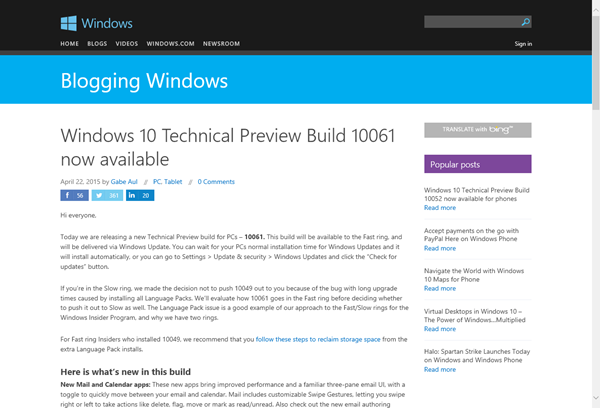
Wer bereits Windows 10 Technical Preview installiert hat, kann seit heute die neueste Version Build 10061 herunterladen und installieren. Diese Meldung wurde vor kurzem in Blogging Windows veröffentlicht: Windows 10 Technical Preview Build 10061 now available. Hierzu muss in den Settings der Windows Update-Mechanismus auf “Fast ring” eingestellt sein. Nach dem Download kann dann Version “fbl_impressive Enterprise (oder Professional) 10061” installiert werden. Das Ganze dauert natürlich ein wenig. ...

April 23, 2015 · 1 min · Toni Pohl
Using Azure ServiceBus for Debugging SharePoint 2013 Apps with Remote Event Receiver-Part 1

Using Azure ServiceBus for Debugging SharePoint 2013 Apps with Remote Event Receiver-Part 1

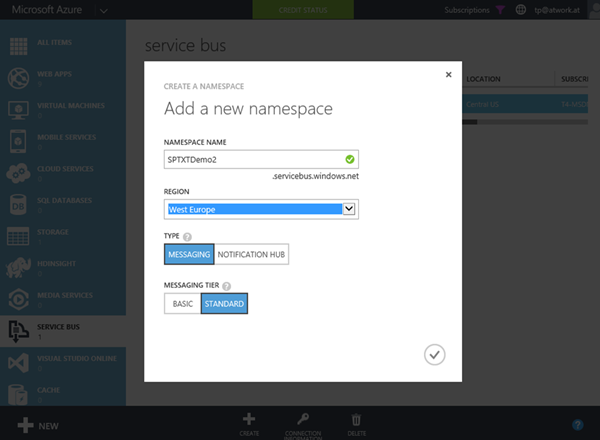
The new app model has a lot of benefits, especially for Web Developers who are writing solutions for Microsoft SharePoint Server 2013 or SharePoint Online. A very common request of Line-of-Business (LOB) apps is that actions in SharePoint lists shall trigger special operations, for example to start a workflow or to exchange data with other, external systems. This can be accomplished with “Remote Event Receivers” in SharePoint. With SharePoint 2013 the new concept uses Azure ServiceBus to transport events and data between the SharePoint Server system and a remote App (which while developing usually is running on “localhost”). ...

April 20, 2015 · 4 min · Toni Pohl
Azure Media Services mit dem Azure Media Player konsumieren

Azure Media Services mit dem Azure Media Player konsumieren

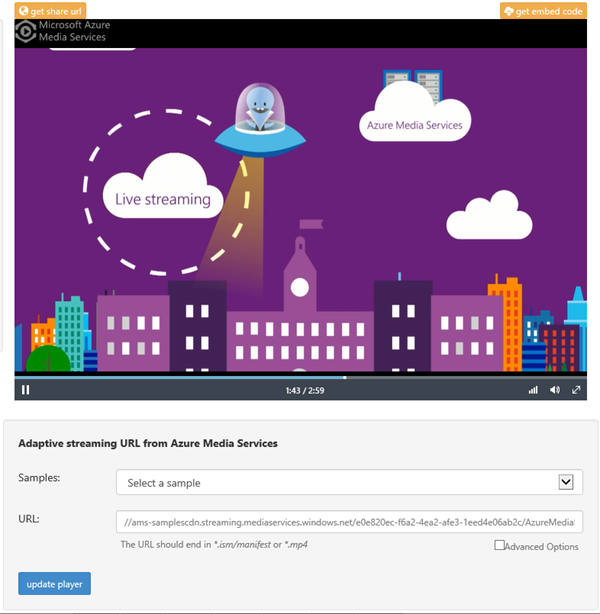
Gestern wurde der Azure Media Player im Azure-Blog angekündigt. Announcing Azure Media Player Der Azure Media Player dient dazu, Media Streams von den Azure Media Services auf verschiedensten Geräten wiederzugeben. Im O-Ton liest sich das so: “Azure Media Player utilizes industry standards, such as HTML5 (MSE/EME) to provide an enriched adaptive streaming experience.” **Wichtig: **Der Azure Media Player unterstützt ausschließlich Media Streams von den Azure Media Services. Unter der Adresse https://aka.ms/azuremediaplayer kann der Azure media Player live ausprobiert werden. Es können sogar eigene Videos (URLs) aus den Azure Media Services durch Einfügen des .ism/manifest files in die URL und “update player” verwendet werden. Hier gehts zur Ankündigung im Blog. ...

April 16, 2015 · 1 min · Toni Pohl
SharePoint 2016 Roadmap

SharePoint 2016 Roadmap

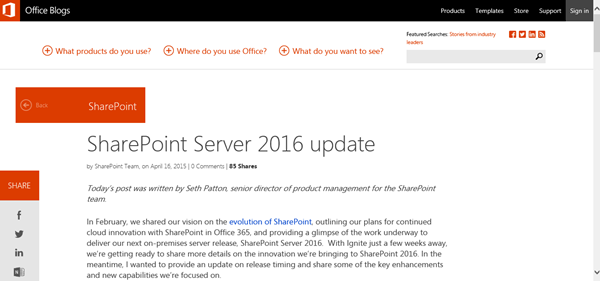
Viele Unternehmen setzen SharePoint als Intranet, App- und Zusammenarbeits-Plattform ein. Heute hat Microsoft im Office Blog die erste offizielle Roadmap zur nächsten Version, SharePoint Server 2016, bekanntgegeben, siehe SharePoint Server 2016 update. Seth Patton, Senior Director of Product Management for the SharePoint Team, hat die Timeline veröffentlicht. Demnach wird SharePoint Server 2016 im Q2 2016 öffentlich verfügbar sein. Eine Public Beta ist für Q4 2015 geplant. Weiters stellt Microsoft klar, dass es für die nächste Zukunft eine on premises Version von SharePoint geben wird. ...

April 16, 2015 · 1 min · Martina Grom
Why mobile?

Why mobile?

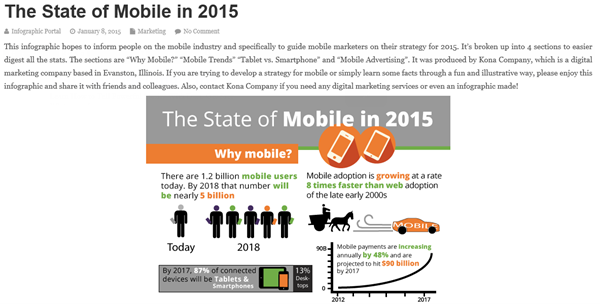
On infographicportal.com there’s a nice representation how fast the mobile market is growing – and how important this market is and will be in near future. See the article here: https://www.infographicportal.com/state-mobile-2015/ Here are some statements out of the graphics: “There are 1.2 billion mobile users today. By 2018 – in 3 years – that number will be nearly 5 billion.” “Mobile payments are increasing annually by 48%.” “By 2017, 87% of connected devices will be Tables and Smartphones.” ...

April 12, 2015 · 1 min · Toni Pohl

Quote of the day

Great saying by @csdhall, valued MVP-colleague and Yoga Guru, found in Facebook: “If you think you are living in the age of digital media, you are wrong. Infact, you are living digital media.”

April 10, 2015 · 1 min · Toni Pohl
Delegate365 changelog version 3.4-MFA and more

Delegate365 changelog version 3.4-MFA and more

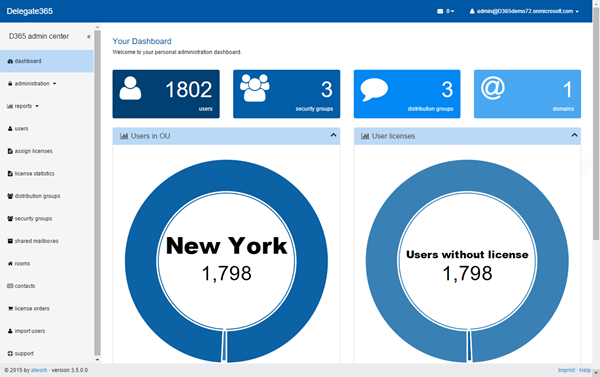
Delegate365 version 3.4 (which was pre-announced here) comes with some new features: New dashboard: The start page now shows charts with the admin’s OU’s and how many users within the OU’s are assigned an Office 365 license. Dashboard Performance with large tenants: The new interactive dashboard now shows more overview information. The performance is better too, since it was necessary to move time consuming tasks (like the OU license assignment list) into to the administrator dashboard. The start page of D365 now displays cached information or data that can be read very fast, thus the dashboard performance with large tenants now is much better. ...

April 9, 2015 · 2 min · Toni Pohl
Check out our new Delegate365 videos

Check out our new Delegate365 videos

We produced new videos showing the ease-of-use of Office 365 user and license management with Delegate365. On https://delegate365.com/videos there is one overview video and 10 videos explaining setup and the management with delegated administrators. Check out the videos on our Delegate365 product-website!

April 8, 2015 · 1 min · Toni Pohl
Wie Sie Ihre Office 365 Login Seite anpassen können

Wie Sie Ihre Office 365 Login Seite anpassen können

Office 365 verändert sich schnell – jede Woche finden sich neue und spannende Features rund um das Service. Eines der Features die sehr lange nachgefragt wurden war eine anpassbare Login Seite. Bisher war das jenen Kunden vorbehalten, die entweder ADFS einsetzen oder über eine eigene Azure AD subscription verfügen. Glücklicherweise gibt es dieses Feature nun auch für Office 365 Abonnenten. Gleichzeitig damit wurde auch verkündet, dass es nun möglich ist, dass Office 365 Benutzer ihr Kennwort selbst zurück setzen können, was bisher nur den Office 365 Administratoren vorbehalten war. ...

April 8, 2015 · 3 min · Martina Grom
Azure Resource Explorer

Azure Resource Explorer

Heute gibt es ein kleines Ostergeschenk für alle Developer, die mit Azure entwickeln, nämlich den ganz neuen Azure Resource Explorer. Das Azure Resource Explorer Tool steht als Website unter https://resources.azure.com/ zur Verfügung. Damit können die Azure Management-API’s angesehen und ausprobiert werden. Nach der Authentifizierung mit dem Azure-Login liest das Tool die damit verknüpften Providers und Subscriptions aus. Diese werden links in einem Tree aufgelistet. Beim Anklicken eines Knoten wird das korrespondierende HTTP Kommando rechts generiert und der Output sogleich im JSON-Format darunter angezeigt – wie ein Explorer eben. ...

April 5, 2015 · 1 min · Toni Pohl