Delegate365 now supports enhanced Extensibility through integration with Azure Event Grid, enabling real-time notifications when specific actions occur within the system. This allows external systems to react to events in Delegate365, opening up new automation and integration scenarios.
External systems can include ticketing platforms, monitoring tools, and custom workflows, enabling organizations to automate responses to changes within their Microsoft 365 environment. For instance, when a new user is created, they can automatically be added to a specific team based on their domain or OU, or when a new team is created, a designated administrator can be notified. This functionality requires only an Azure subscription and the provisioning of an Azure Event Grid resource.
Required: Azure Event Grid: Azure Event Grid is a fully managed, scalable publish-subscribe service that enables event-based communication between applications and services using HTTP and MQTT protocols. It allows systems to react to events in real time by delivering notifications to subscribers, supporting both push and pull delivery models and integrating seamlessly with serverless architectures. Find out more at Introduction to Azure Event Grid.
Configure an Azure Event Grid: Follow the steps at Create an Azure Event Grid topic or a domain.
Configure Extensibility: In module Administration / Extensibility, administrators can configure the connection to the Azure Event Grid and which notifications are enabled or disabled for each resource type and specific action. Add your connection data here and click Save.
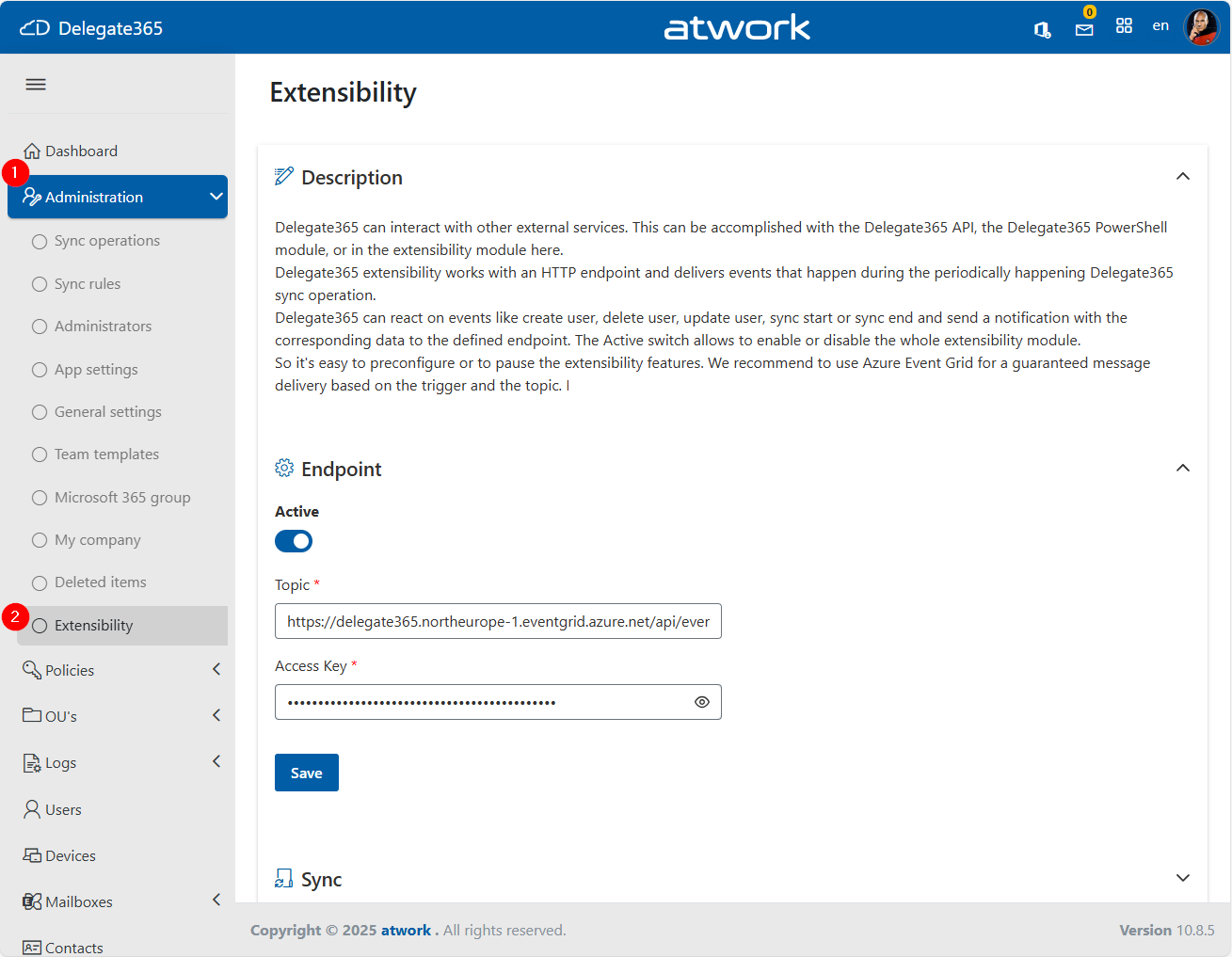
Enable notifications for actions: Delegate365 Sync, Users, SharePoint sites, …
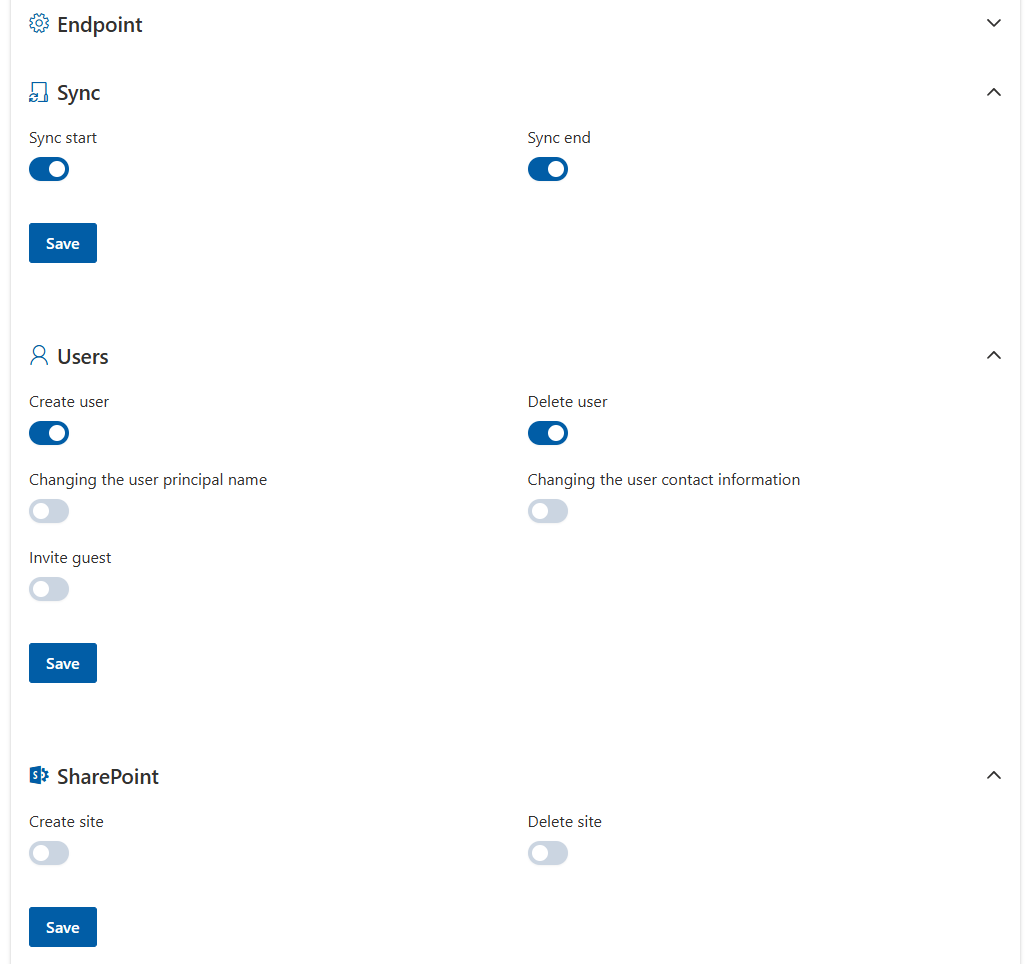
…and Teams and groups, Mailboxes, and Devices.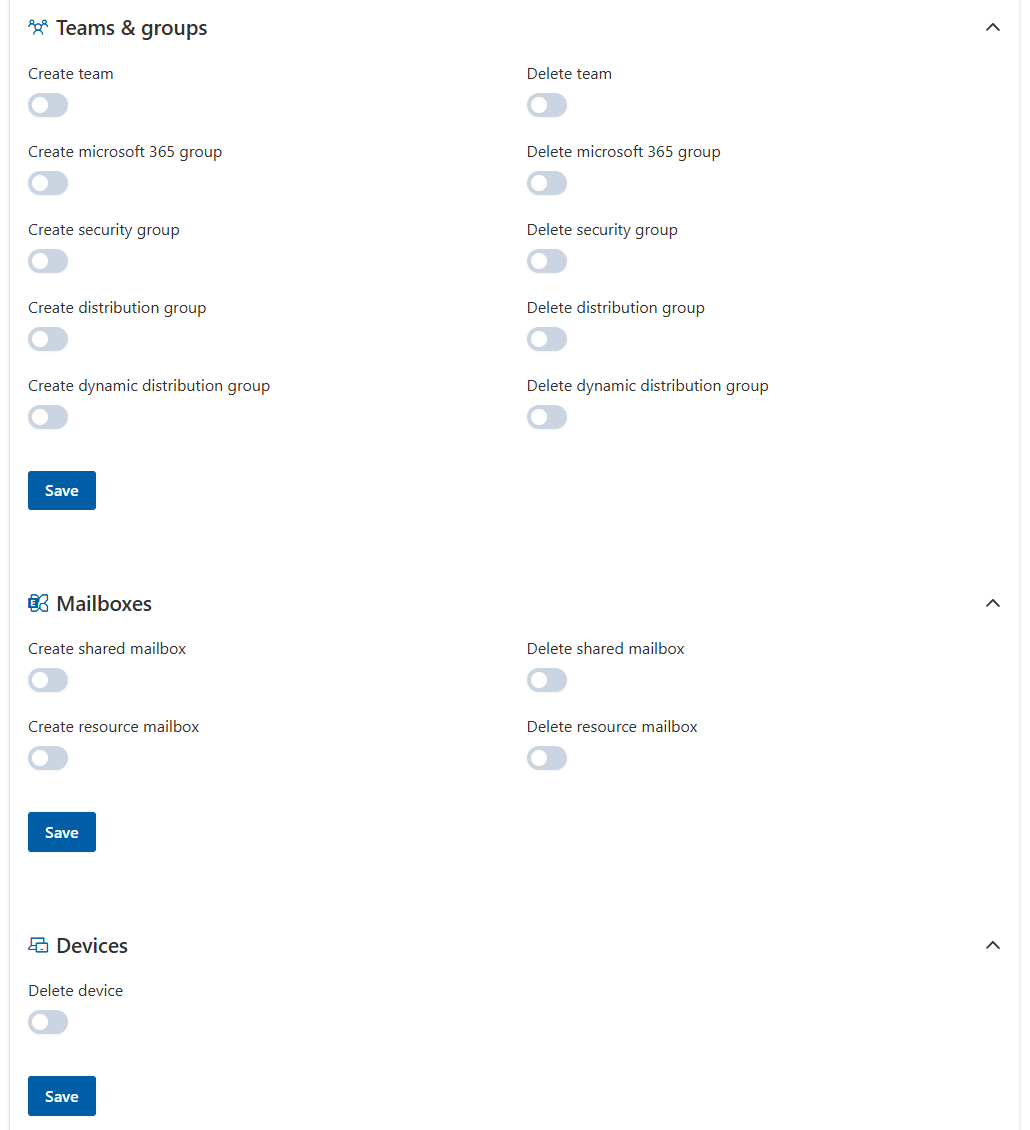
This allows organizations to notify and to automate responses to changes in their Microsoft 365 environment.Notifications control: When actions happen in Delegate365, and the configuration is set, the resource is sent to the Azure Event Grid. This can be controlled in the Azure portal, as here.
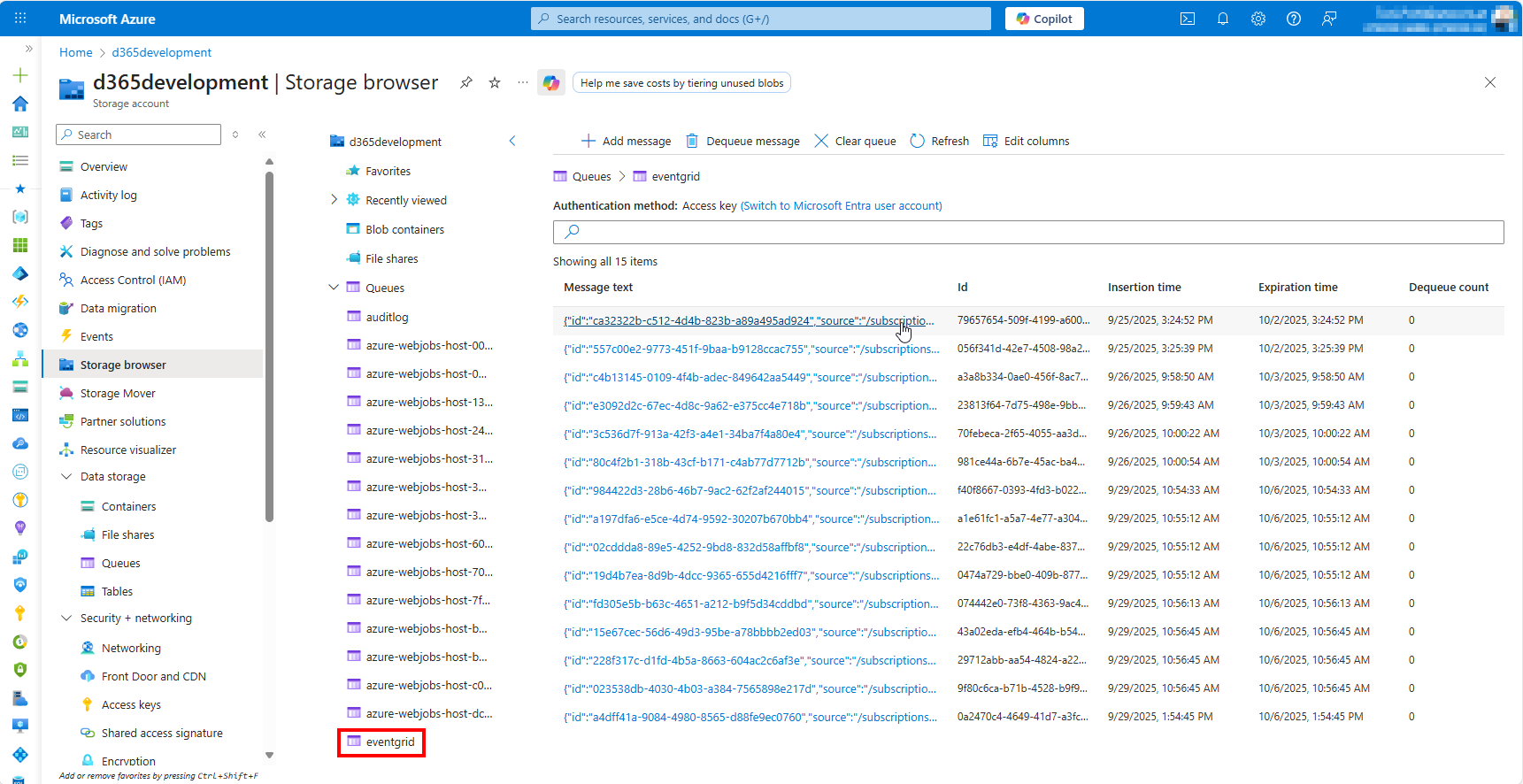
Message content: The messages sent from Delegate365 always include the Resource Id, Resource name, the Organizational Unit (OU), and the OU Id in the data property. Property type identfies the action. Additional properties can be available, depending on the action. Here´s a sample message from the eventgrid queue:


 {
"id": "ca32322b-c512-4d4b-823b-a89a495ad924",
"source": "/subscriptions/6fe15cc0-a36c-458f-91d7-e8a4e825276d/resourceGroups/d365-northeurope-rg/providers/Microsoft.EventGrid/topics/Delegate365Topic",
"specversion": "1.0",
"type": "UserUpnChanged",
"subject": joe.doe@delegate365.onmicrosoft.com,
"time": "2025-09-25T13:24:51.2892Z",
"data": "{\"Id\":\"7e3df3cd-0b8b-41be-b133-e71d13eddb29\",\"Address\":\"joe.doe@delegate365.onmicrosoft.com\",\"OrganizationalUnit\":\"SG1001\",\"OrganizationalUnitId\":16}"
}
- Further processing: Messages can be further processed by external systems such as Azure Logic Apps, Power Automate flows, or custom code solutions, enabling advanced automation and integration scenarios.
With Delegate365 Extensibility, administrators can selectively enable or disable notifications based on resource type and specific actions.
This feature supports seamless integration with external systems such as ticketing platforms, monitoring tools, and custom workflows, making Delegate365 a more connected and responsive solution for organizations aiming to automate and streamline their IT operations.