We’re pleased to introduce a powerful new feature in Delegate365 v10 that significantly extends the platform’s capabilities: Message Quarantine. This feature brings advanced security controls to Delegate365, enabling administrators to manage quarantined messages with greater precision and oversight.
Message Quarantine: Delegate365 now includes a Message Quarantine feature that allows administrators to view and manage quarantined messages for users within their assigned Organizational Units (OUs). This functionality, typically reserved for Exchange administrators, is now available directly in Delegate365 with fine-grained access control.
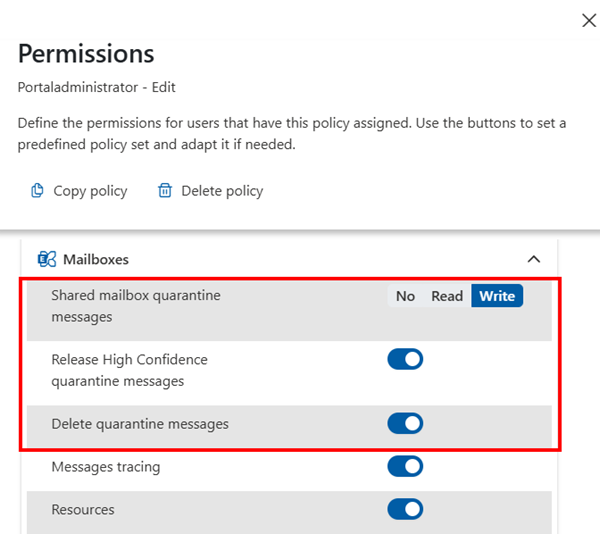
Message Quarantine permission: To use these features, open the Policies / Permission Policies settings in the Mailboxes section. and enable the settings Shared mailbox quarantine messages. Set this permission to Write. Admins can then define whether the options to release high-confidence quarantined messages and to delete quarantined messages should be available to other administrators, as shown here.
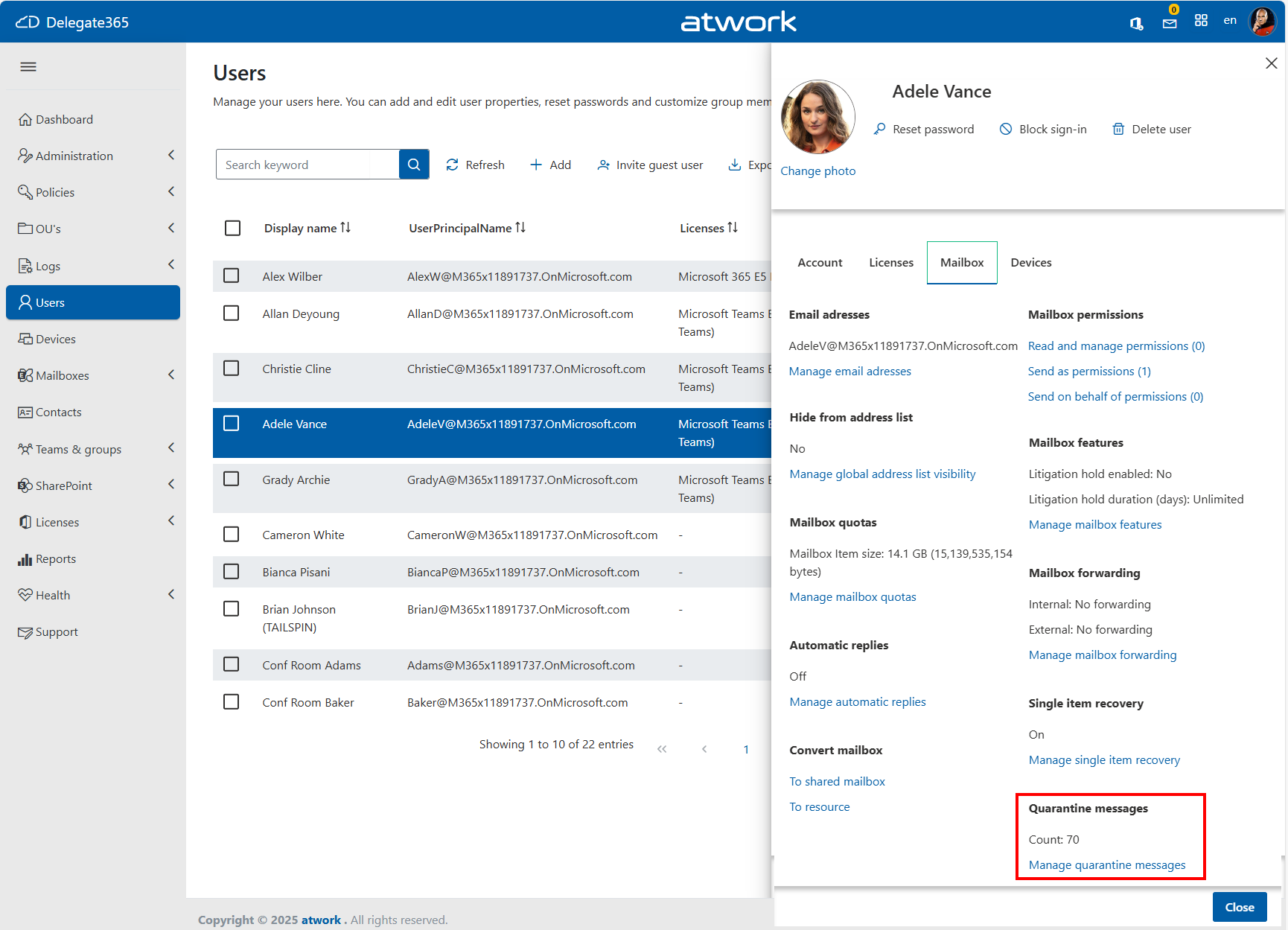
Message Quarantine feature: In module Users, open a user. In the user panel, open Mailboxes and find the new section Quarantine messages at the end.
Message Quarantine functionality: View quarantined messages for all users an admin can manage, and release or delete messages directly from the quarantine interface. Admins can search for a specific message, and naviagte trough the quarantined messages.
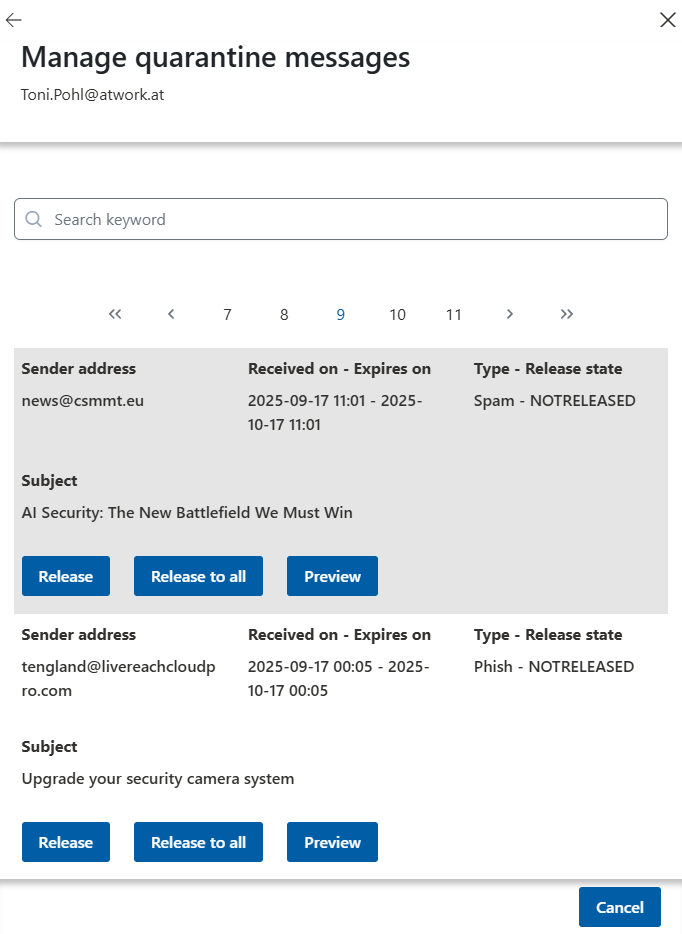
Depening on the permissions, and the classification (separate access for high-priority and standard messages as mentioned above), they can perform these actions:- Release: Delivers the selected quarantined message to the intended recipient’s inbox.
- Release to all: Delivers the message to all recipients if it was sent to multiple users.
- Delete: Permanently removes the quarantined message without delivering it to any recipient.
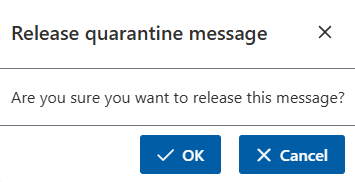
- Selecting Release prompts a security verification to confirm the action:
Forwarding included: Admins can release messages based on the original recipient’s mailbox, even if forwarding is configured.


This feature integrates seamlessly with the existing OU-based delegation model, empowering delegated administrators to securely manage quarantined messages without requiring global admin rights.