Microsoft now offers Anthropic AI models (the Claude family, including Opus, Sonnet, and Haiku) through Microsoft Online Services.
But what does this mean for customers in the European Union (EU) and their data compliance requirements?
Well, Microsoft provides details about AI subprocessors in its documentation on Anthropic models in Microsoft Online Services.
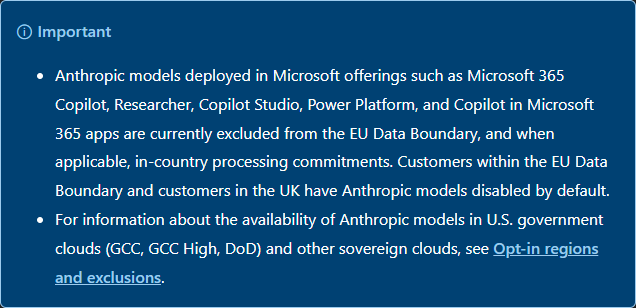
So Anthropic AI models are currently outside the scope of the Microsoft EU Data Boundary and are disabled by default for customers within the EU Data Boundary.
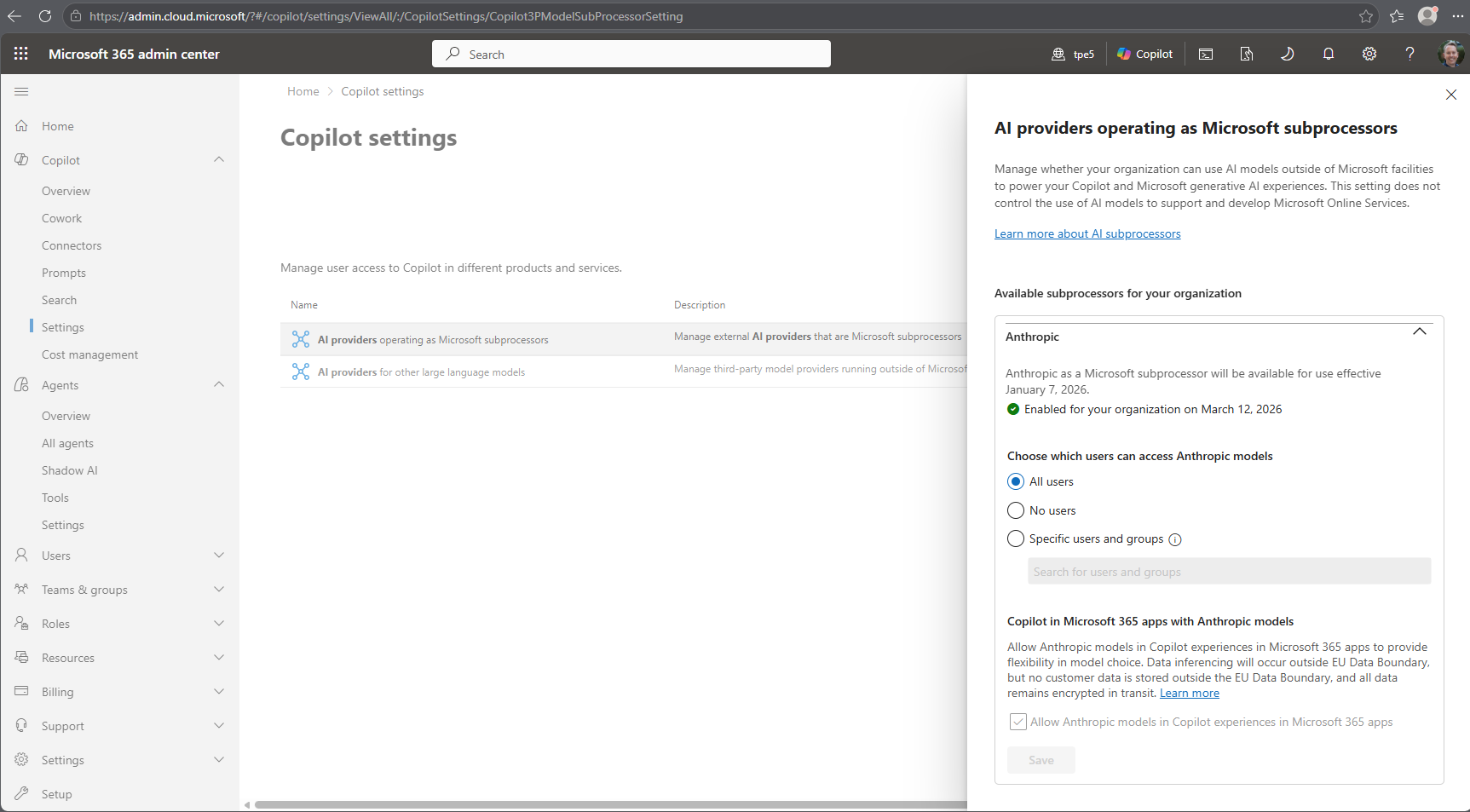
Organizations in regions where Anthropic is disabled by default can choose to enable Anthropic models for their tenant in the Microsoft 365 admin center.
- As administrator, open Microsoft 365 admin center
- Navigate to Copilot / Settings / View all.
- Search for ai providers.
- Open AI providers operating as Microsoft subprocessors.
- In the panel, enable Anthropic, and select for what scope the AI-models should be available.
- Confirm any changes. It can take up to 15 minutes
The following screenshot shows the configuration settings.
See Opt-in to use Anthropic’s models.
See more about using Copilot in Microsoft 365 apps with Anthropic models here.
If Anthropic models are enabled, data submitted to and generated by these models may be processed outside the Microsoft EU Data Boundary. (Link)
If you disable Anthropic as a Microsoft subprocessor, products and features that use Anthropic models as subprocessors will switch to a Microsoft-hosted default model or might stop functioning.