Delegate365 v11 now supports managing Exchange Custom Attributes 1–15 directly from the Delegate365 portal.
Custom Attributes are can be used to store additional business information such as department codes, cost centers, locations, application identifiers, or classification values. They can also be leveraged for reporting, dynamic group memberships, automation, and policy management.
Scope of Custom Attributes
With Delegate365 v11, administrators can now view and edit Custom Attributes 1–15 for:
- Users
- Shared Mailboxes
- Resource Mailboxes
- Mail Contacts
- Microsoft 365 Groups
- Microsoft Teams
Easy Custom Attribute Management
Custom Attributes are available directly within the object management experience. As shown below, administrators can access the feature Custom attributes from the mailbox or object details panel and edit all 15 Exchange Custom Attributes in a dedicated dialog.
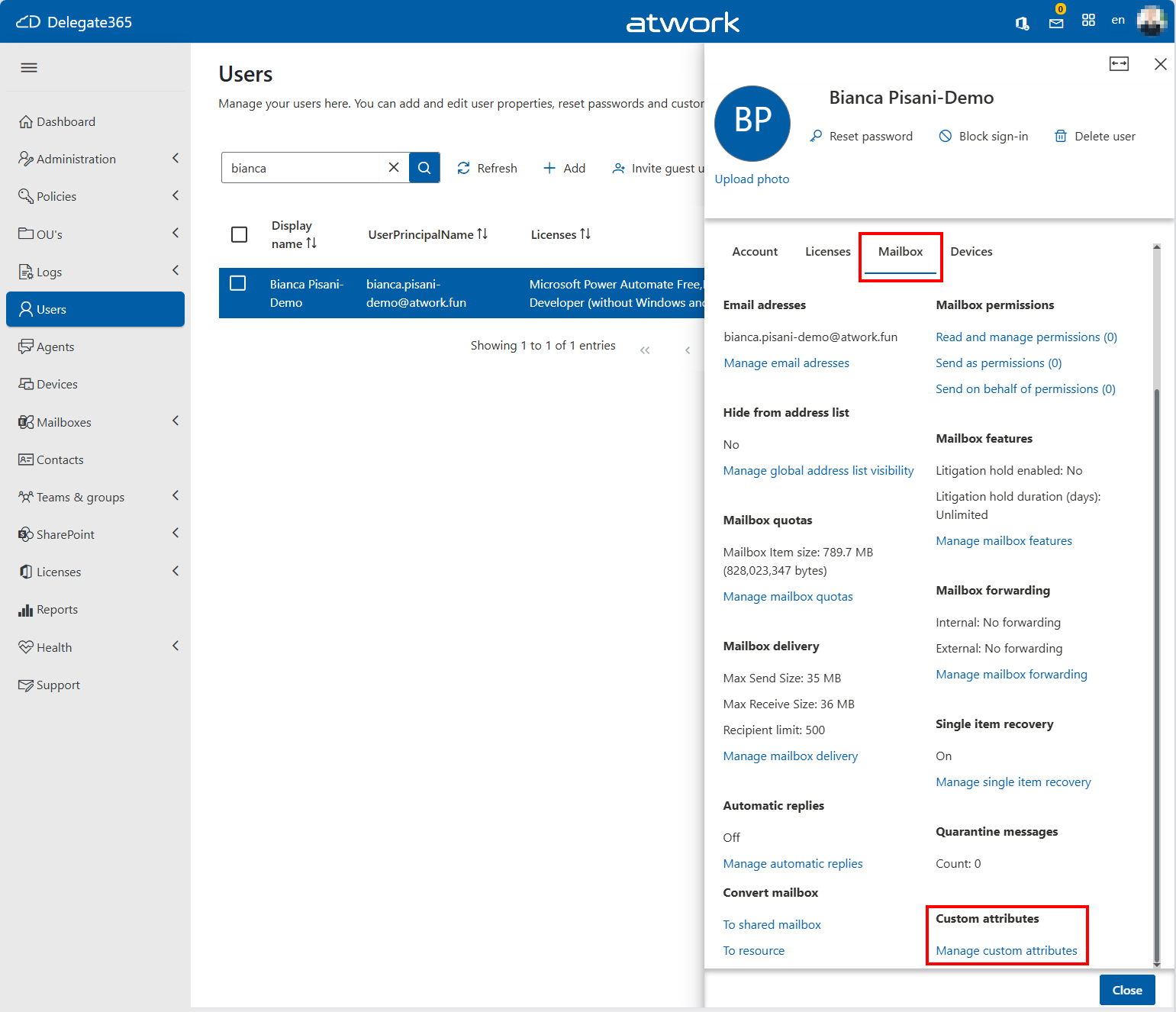
Manage custom attributes opens a new panel.
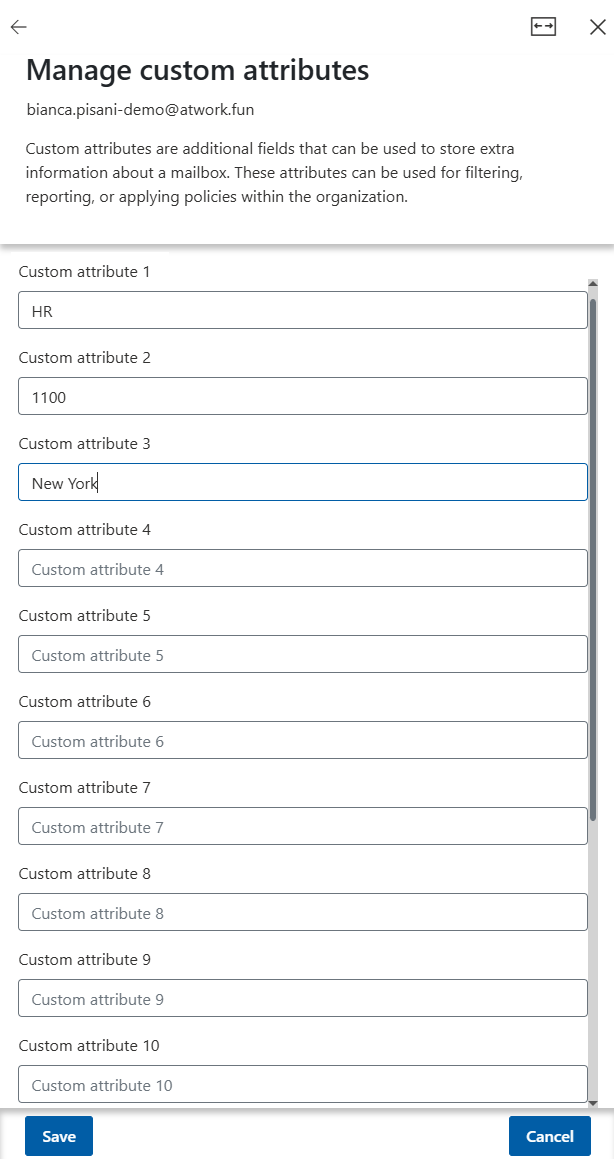
The interface provides a simple way to maintain additional metadata without requiring Exchange PowerShell or Exchange Admin Center access.
Permissions
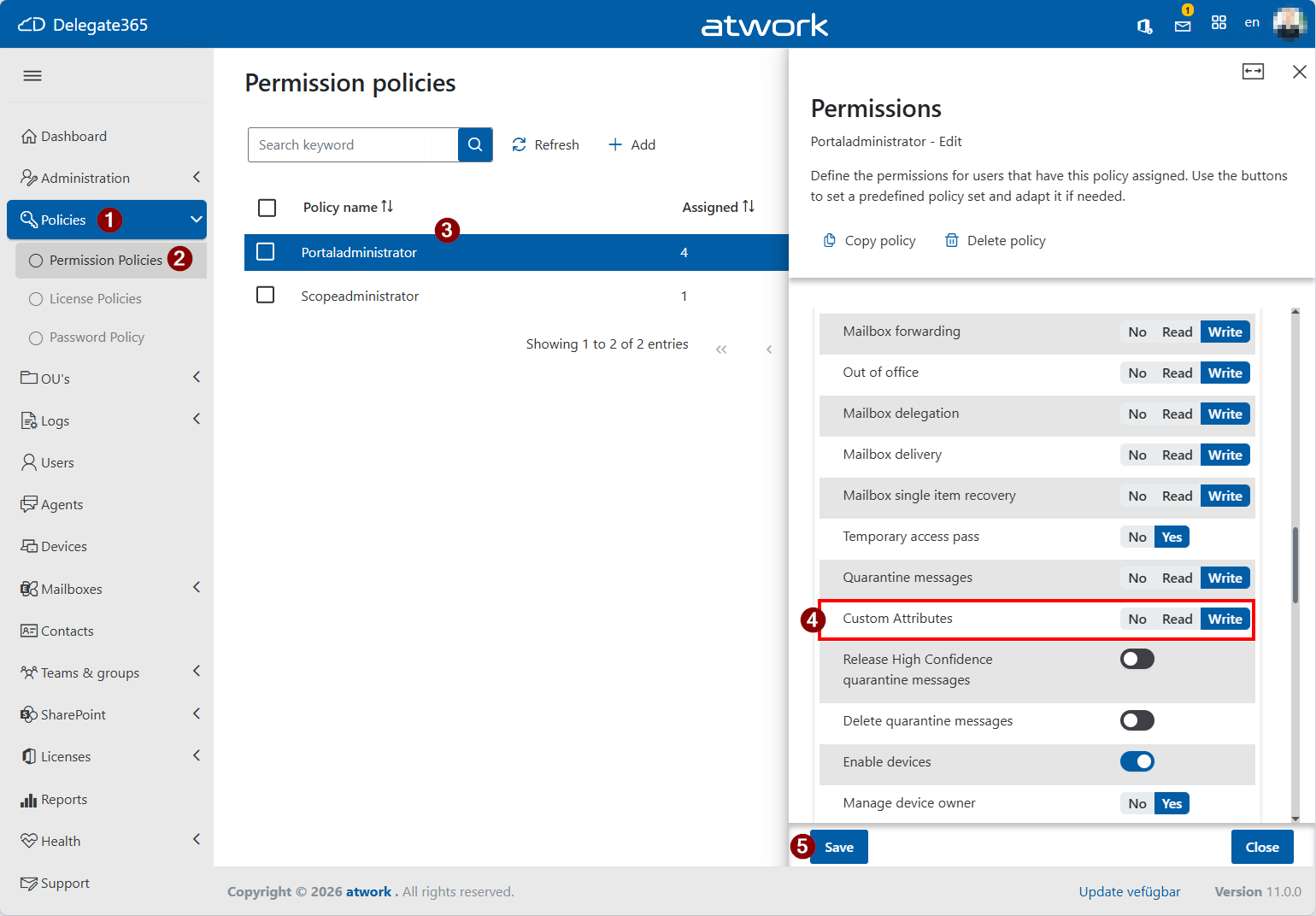
Access to Custom Attributes 1–15 is controlled through a new permission in Delegate365 Permission Policies. Administrators can define whether delegated administrators have No Access, Read, or Write permissions for Custom Attributes. To configure this setting:
- Navigate to Policies / Permission Policies.
- Select the policy you want to modify.
- Locate the new *Custom Attributes- permission.
- Choose No, Read, or Write, and save the policy.
Users assigned to the policy will only be able to view or manage Custom Attributes according to the configured permission level. This enables organizations to securely delegate access while maintaining full control over Exchange Custom Attribute management. By default this setting is set to No.
Key Benefits
- Centralized management of Exchange Custom Attributes.
- Support for multiple Microsoft 365 object types.
- Simplified administration through the Delegate365 portal.
Delegate365 makes maintaining these specific property values easy.
These features are available now in Delegate365 v11.