Microsoft 365 users can receive the same license through both group membership and direct assignment. For example, a user like Alex might have an E5 license assigned individually as well as through one or more groups. Delegate365 fully supports this licensing model and provides comprehensive management capabilities for license assignments.
Multiple license assignments
Delegate365 fully respects this updated model and ensures a clean and understandable experience:
Licenses are displayed only once, even if assigned multiple times.
- If both assignment types exist, the individual assignment is shown
- If the individual assignment is removed, the group-based assignment becomes visible automatically
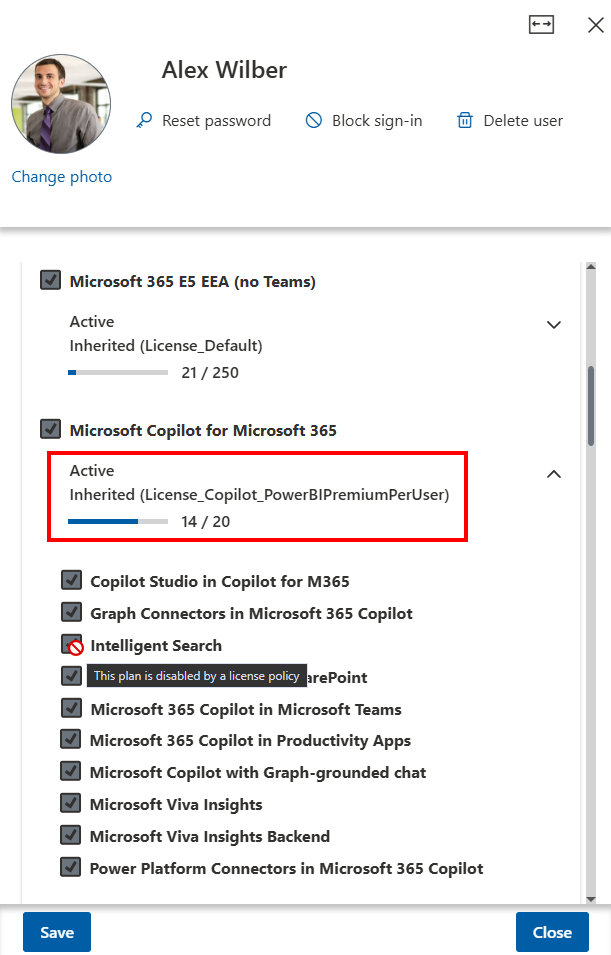
This ensures that admins always see the effective license state, without confusion or duplication.
- Licenses are shown only once, with priority for direct assignments
- A clear Inherited label including the responsible group indicates whether a license comes from a group or is assigned individually
- Licenses assigned via groups are *read-only- and cannot be removed directly
This behavior is consistently applied across sync jobs, OU assignments, and bulk operations.
New feature Group-based license assignment
Delegate365 now supports group-based license assignment, similar to the Microsoft 365 admin portal, but with delegated administration.
With the new Permission policy in module Policies / Permission Polices, Portal Admins can control wheter the option Licenses is available in the Security Group panel for admins or not. To enable this feature, follow these steps:
- Open module Polices / Permission Policies and select the desired policy.
- In the Permissions panel, navigate to section Groups.
- Find the Licenses entry and select Yes.
- Save the policy settings. They are effective immediately for all admins who have that policy assigned.
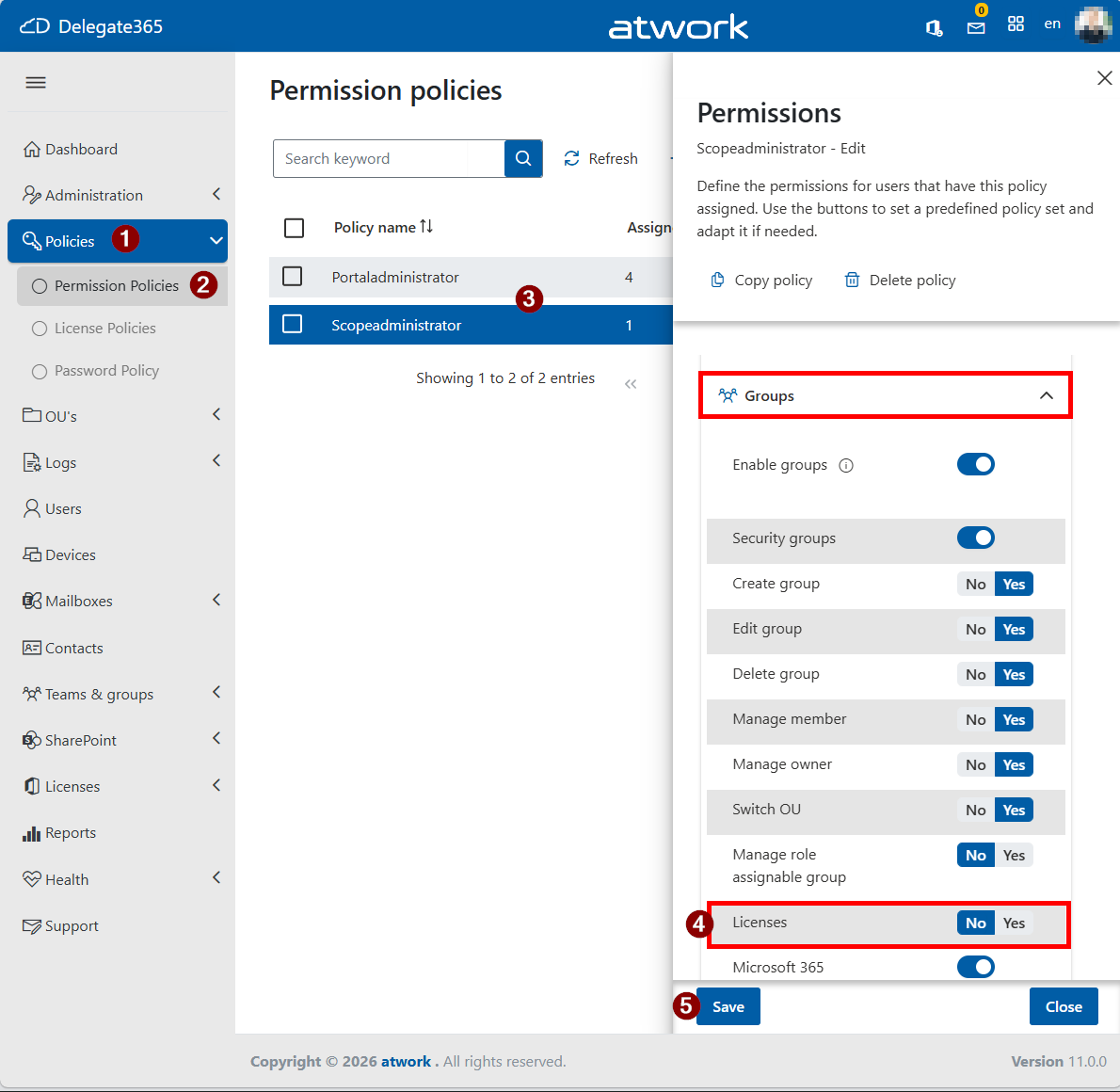
If Licenses is enabled (set to Yes), admins can assign licenses to a Security Group, as shown below.
Important: By default, this permission is set to No. Admins do not have this option enabled automatically and must enable it to use this feature.
Using a Group-based license assignment
If enabled, administrators can use the Licenses feature in the group panel to assign licenses to a group. The assigned licenses are then automatically applied to all members of the security group.
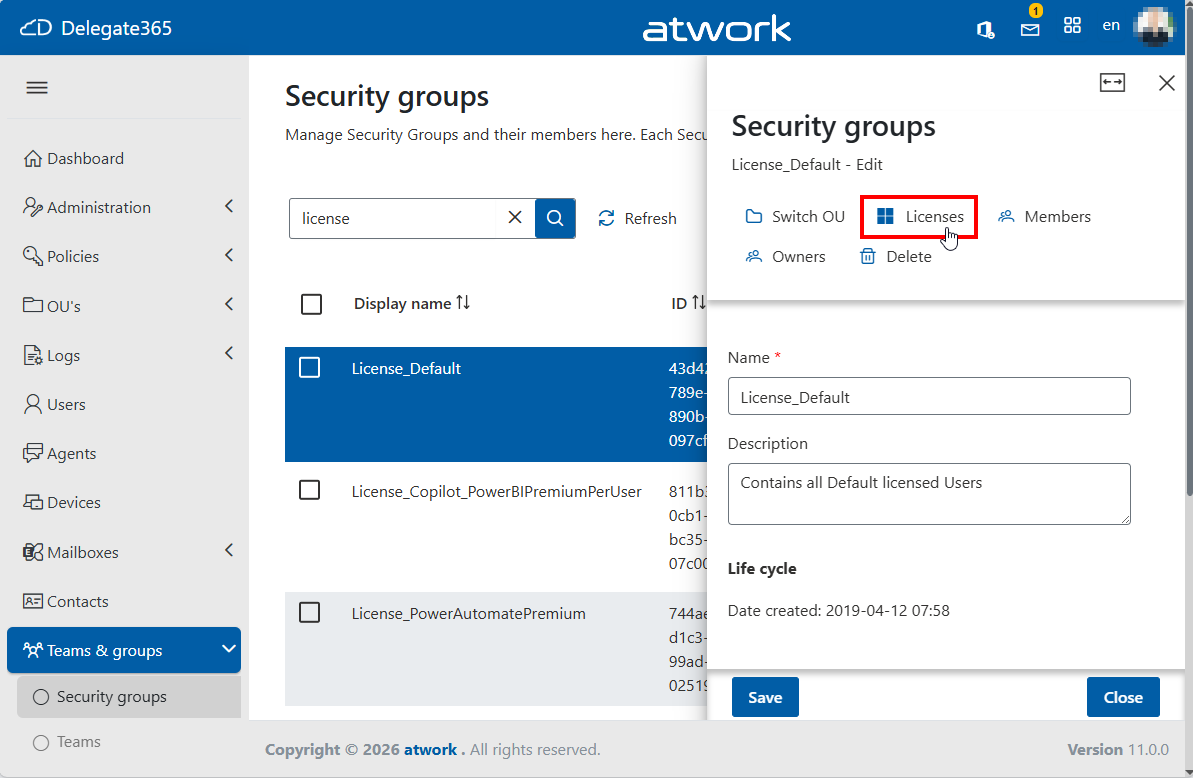
Administrators can select one or more licenses to be assigned to the group.
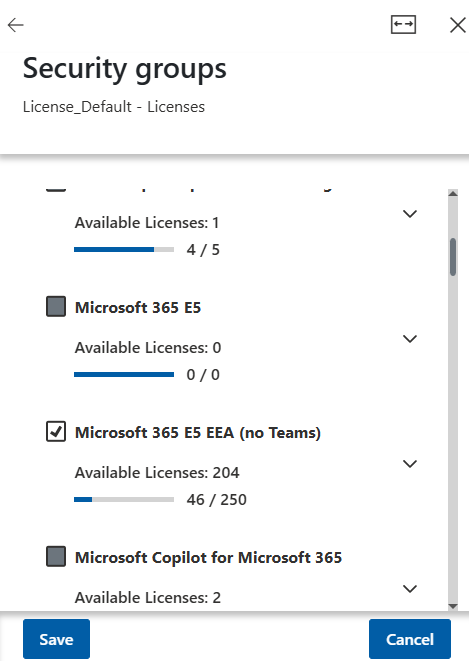
Note: The License Permissions apply here. Admins with an assigned license permission policy can only modify the licenses or plans permitted by that policy. This ensures consistency with the behavior in other Delegate365 modules.
Summary
With this update, Delegate365 provides:
- Full compatibility with Microsoft’s updated licensing model.
- Transparent display of license assignment sources.
- Protection against invalid license removal attempts.
- Consistent behavior across all assignment mechanisms.
- New capability: Assign licenses at the group level directly in Delegate365.
- Governance through permission policies and license restrictions.
These enhancements help administrators maintain clarity, control, and compliance for license assignments in a Microsoft 365 tenant.