Since the September release, we’ve continued to expand Delegate365 with many new features, capabilities, and improvements across versions 11.4, 11.5, and 11.6. With Delegate365 v11.6, our November 2026 update, this article provides a summary of all changes introduced since v11.3, including a broad range of enhancements for Microsoft 365 governance and delegated administration that give administrators even more control, visibility, and flexibility across their environments.
If any of the features described in this article are missing in your Delegate365 environment, run the Delegate365 setup again to update the required configuration.
- Delegate365 Setup: A Delegate365 setup is valid for one year and must therefore be renewed at least annually. In addition, new Delegate365 features may require updated permissions or configuration. We recommend running the Delegate365 setup again after installing a new version to ensure that all required settings and permissions are up to date. You can check the expiration date of your Delegate365 app in Administration / App settings.
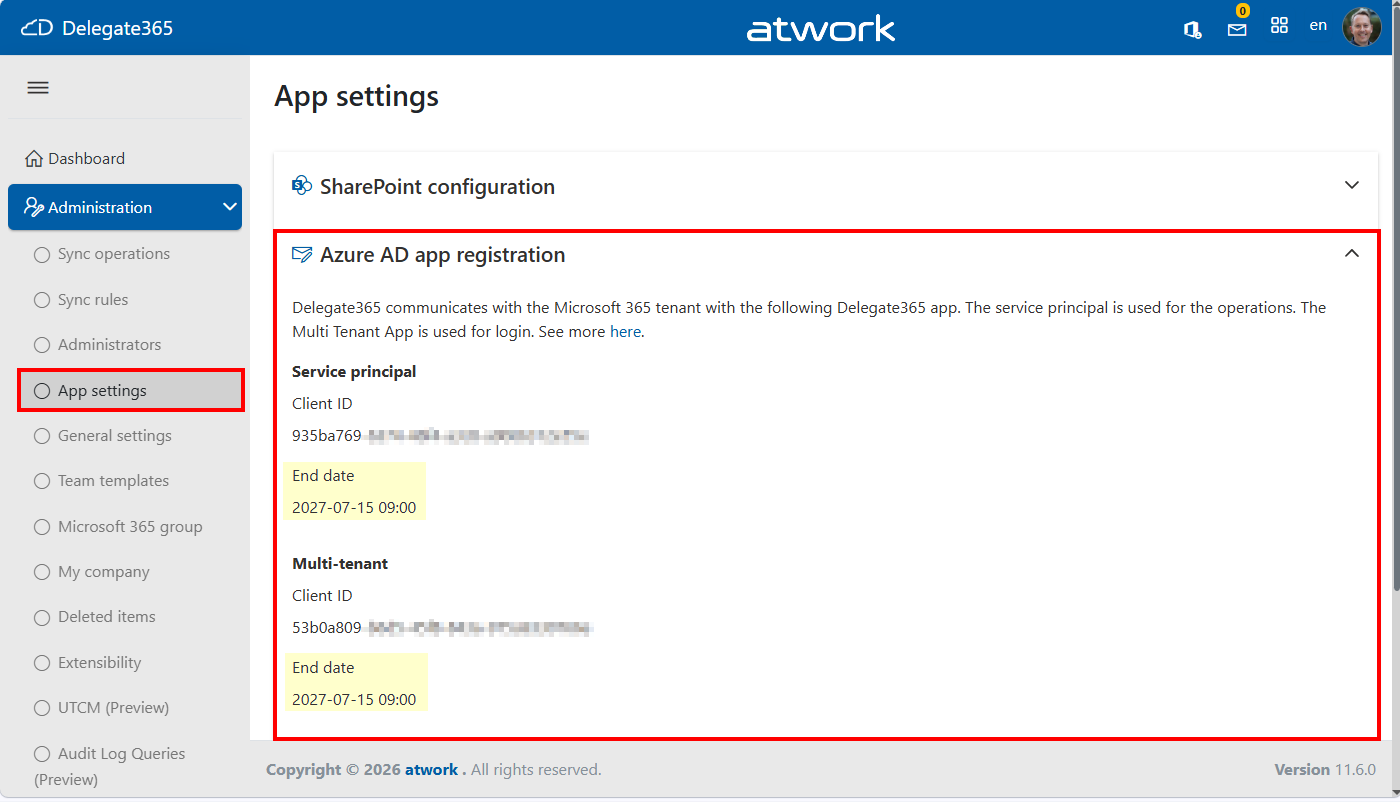
Find more information about the Delegate365 apps at Delegate365 Applications. - Agents inventory (requirements): Delegate365 provides a centralized inventory of Microsoft 365 Copilot agents and other registered agents in your organization. Due to changes to the underlying Microsoft API, your Microsoft 365 tenant must now have at least one Agent 365 license for Delegate365 to retrieve the agents list. Without such a license, access to this information is blocked by the Microsoft API.
If the Agents inventory does not show all registered agents, first verify that your tenant has an Agent 365 license. If a license is available but agents are still missing, run the Delegate365 setup again to update the required configuration.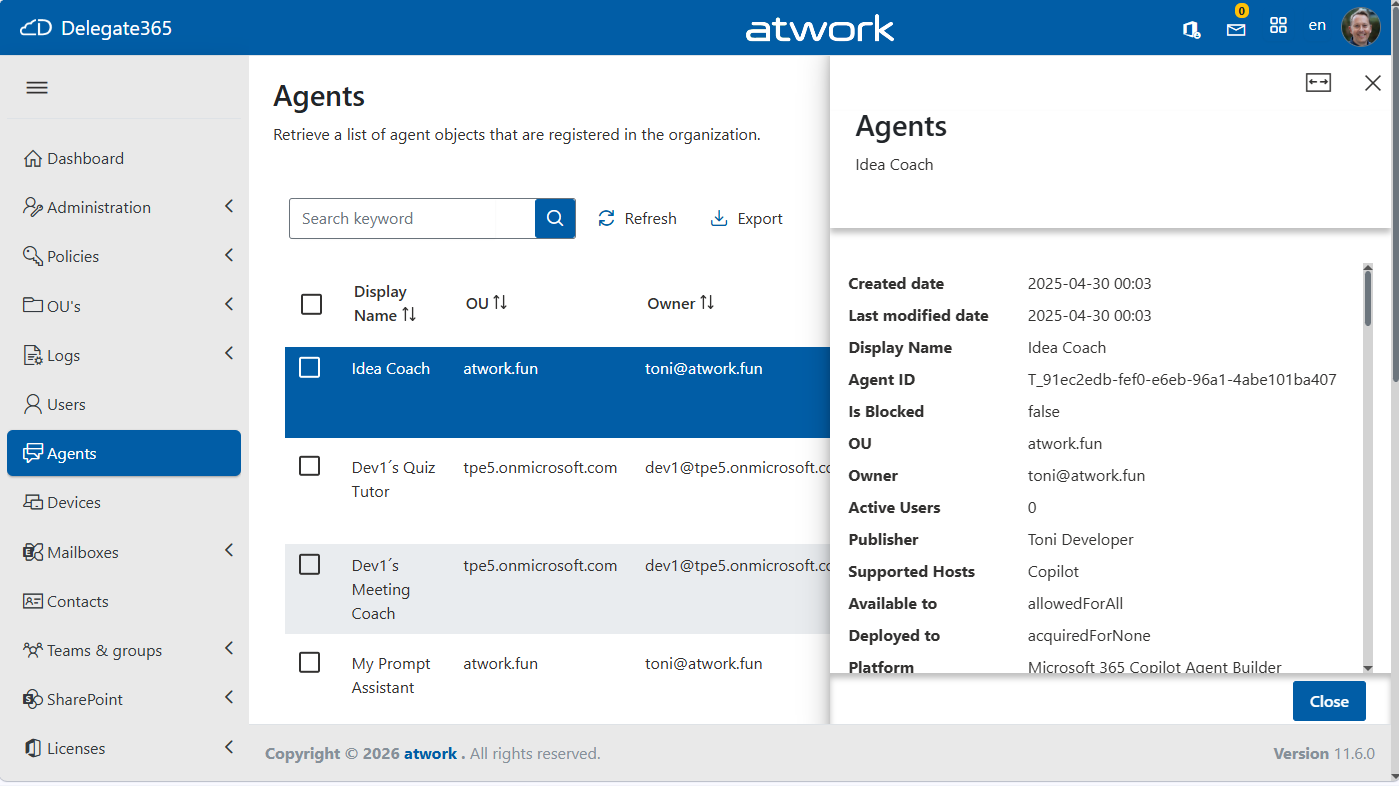
- SharePoint property bag sync: SharePoint sites can use a property bag to store additional metadata about a site. Delegate365 can now read these property bag values and automatically assign SharePoint sites to an OU with the corresponding name.
This enables organizations to automatically organize and manage SharePoint sites in Delegate365 based on existing SharePoint metadata, reducing manual assignments and keeping OU membership in sync with the information defined on the sites.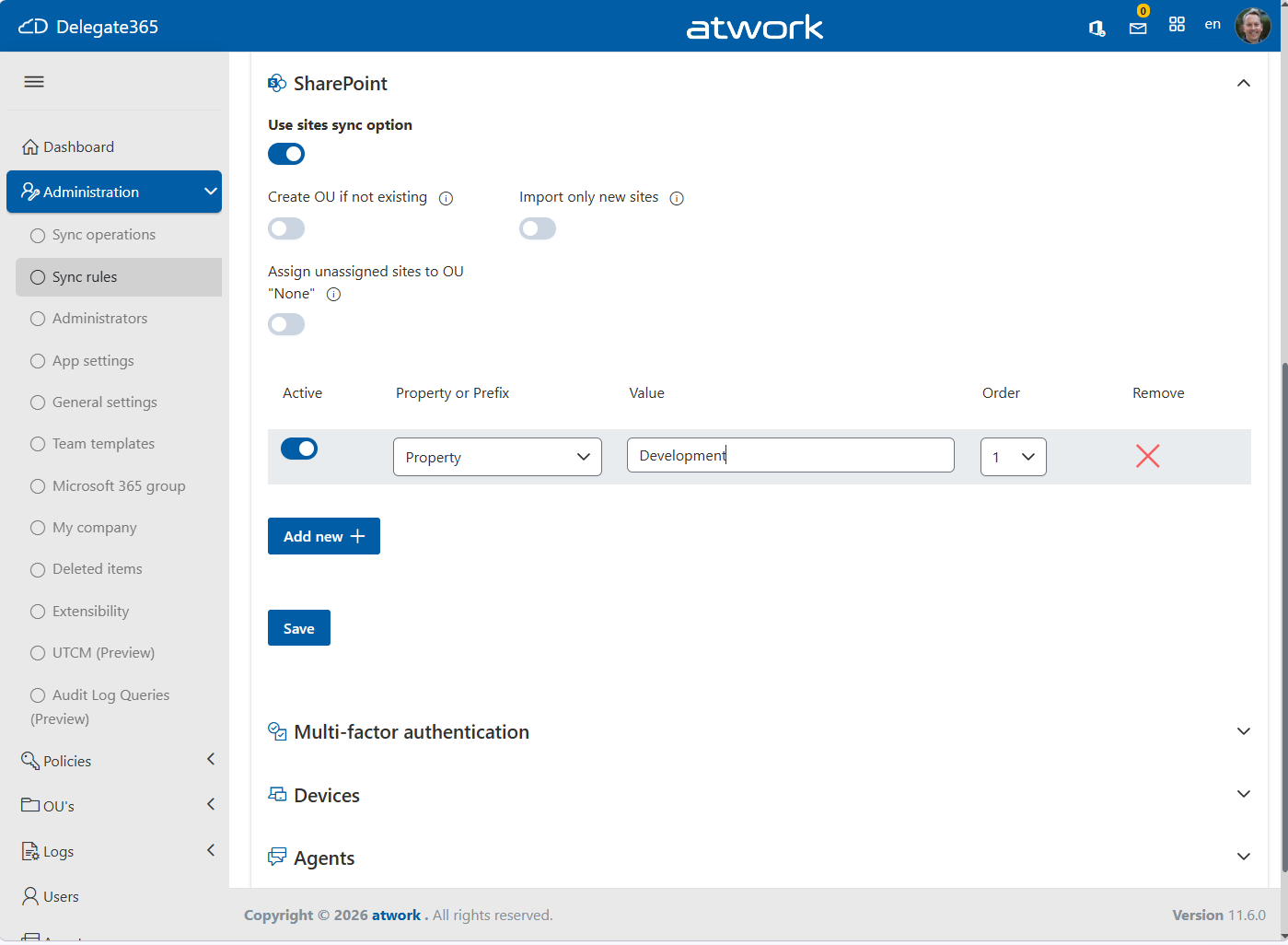
- Sync: Delegate365 runs synchronization tasks in the background to keep data up to date. Administrators can also start a synchronization manually at any time, for example, when changes have recently been made in the Microsoft 365 tenant and you want them to appear in Delegate365 before the next automatic synchronization runs. Delegate365 provides three synchronization options:
- Sync One: Synchronizes the main Microsoft 365 data, such as users, groups, and other directory objects.
- Sync Two: Synchronizes SharePoint sites.
- Sync Three: Synchronizes devices and agents.
Note: Each synchronization process may take some time to complete, depending on the tenant size and the amount of data to be synchronized. Check the Sync History section above for the results.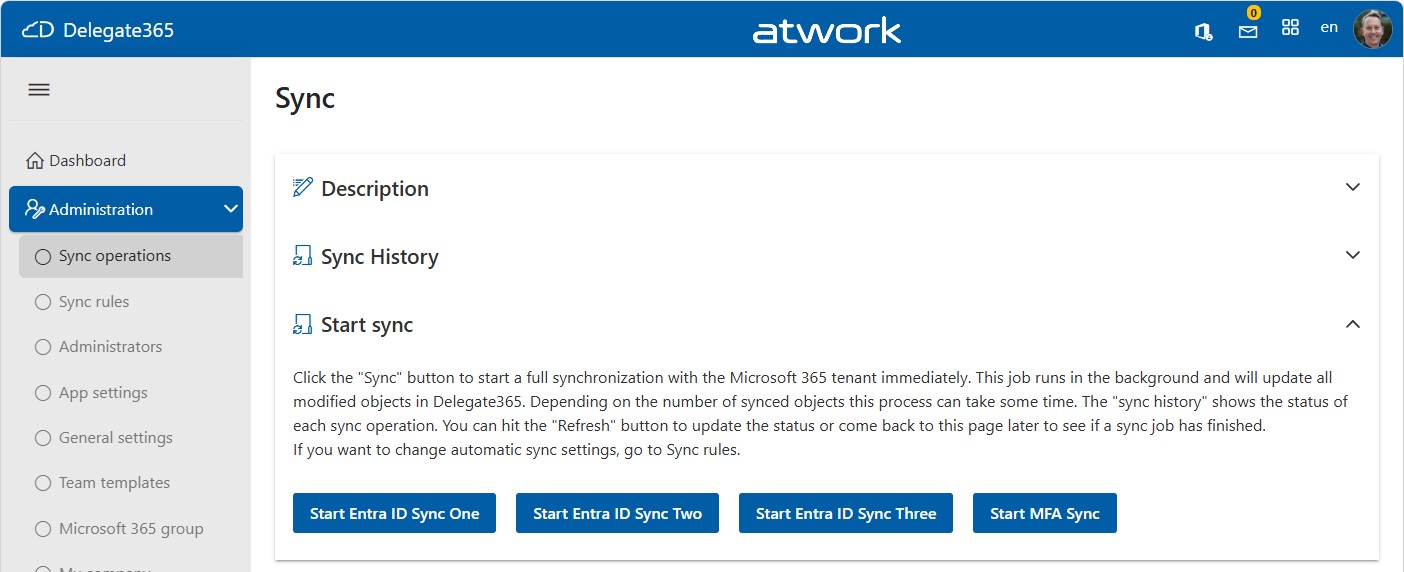
- Group Owners: The option to define the required number of owners for new teams was already introduced in an earlier version of Delegate365 v11. When this setting is enabled, Delegate365 enforces the configured number of owners during team creation, helping organizations ensure that every team has sufficient ownership and reducing the risk of ownerless teams.
From a governance perspective, we recommend assigning at least two owners to avoid resources becoming ownerless when an owner leaves the organization or changes responsibilities. This principle is generally recommended not only for teams, but for all resources that require designated owners.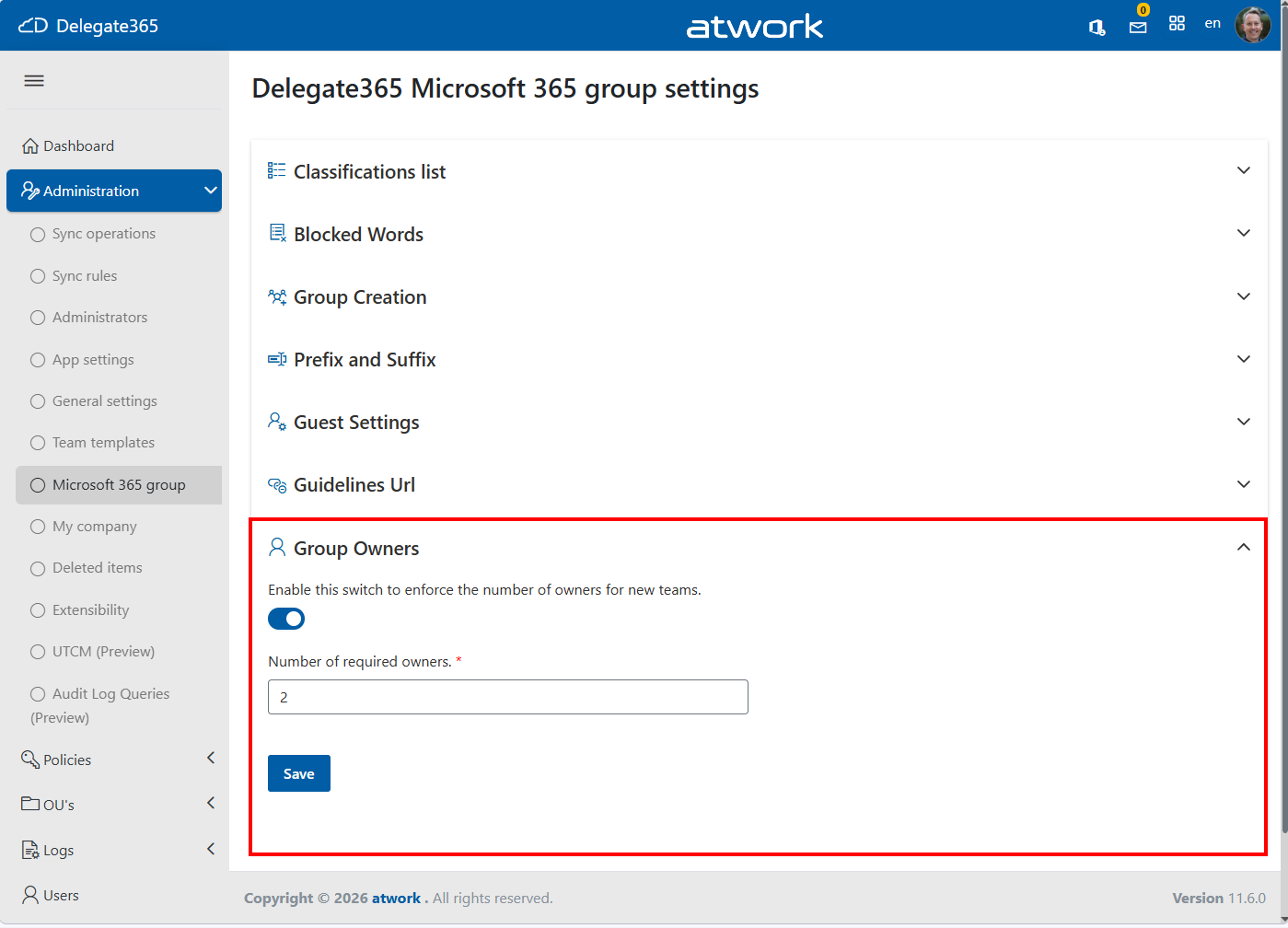
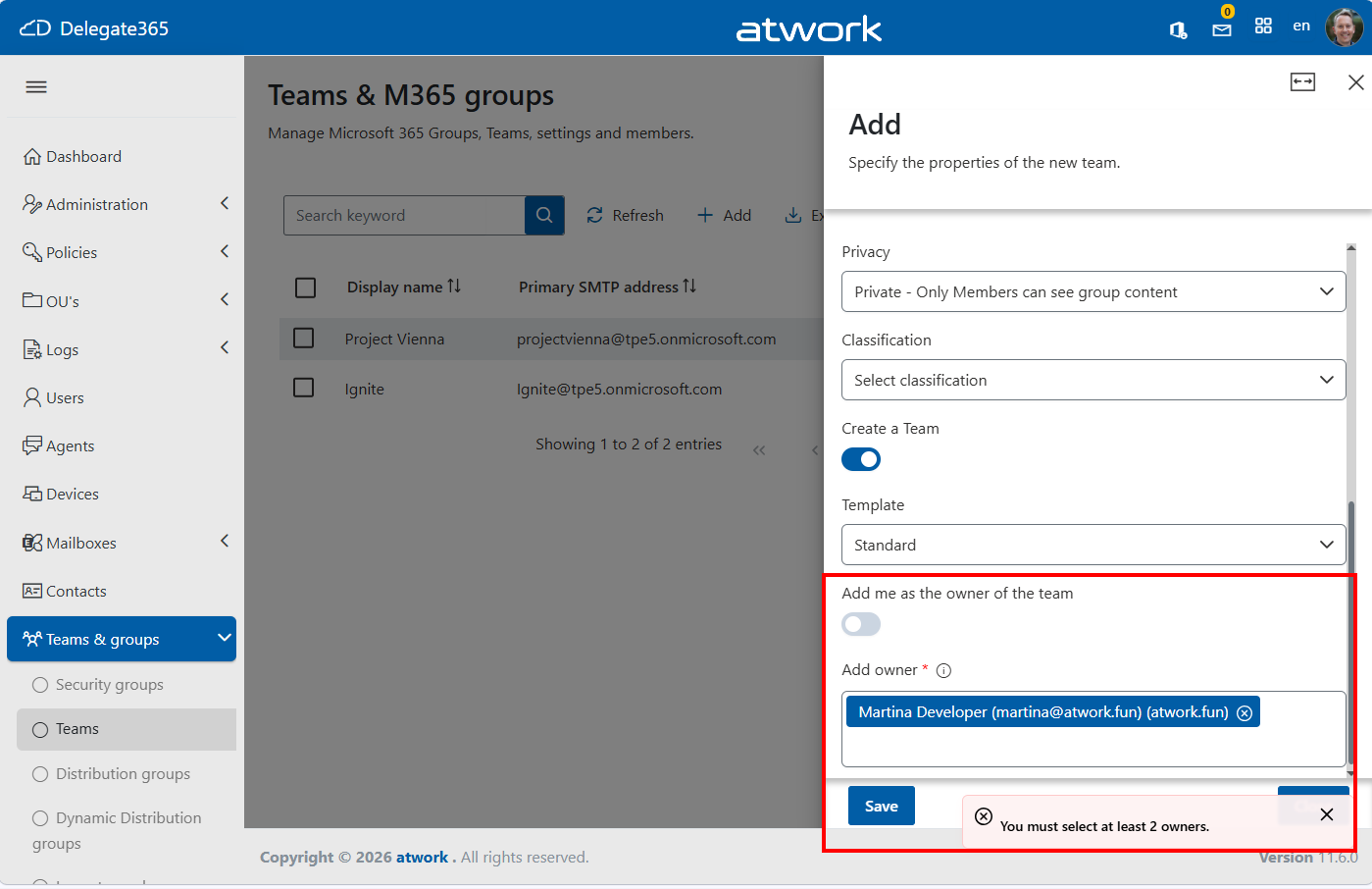
- If set, Delegate365 checks the required number of owners when creating a new group or team.
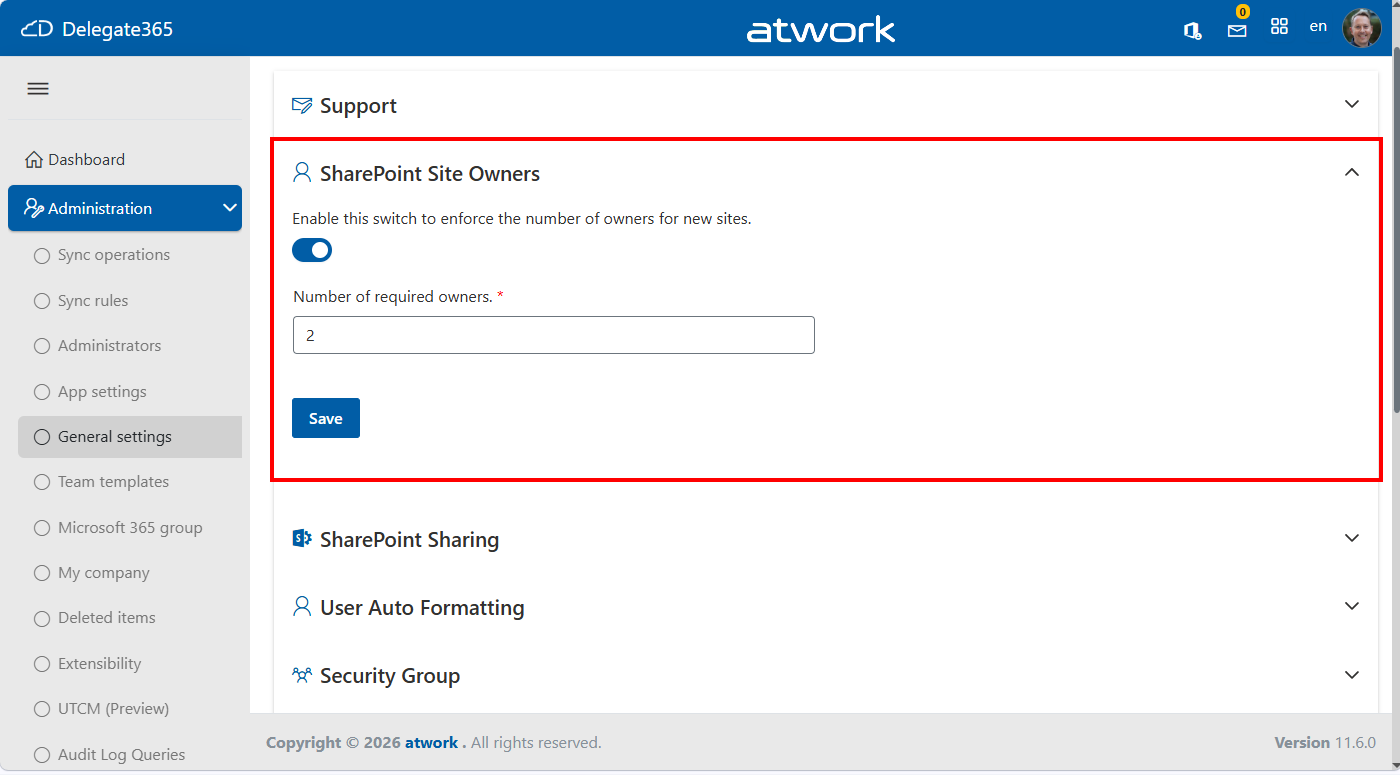
- SharePoint Site Owners: The same owner settings are now available for SharePoint sites. When this setting is enabled, Delegate365 enforces the configured number of owners during SharePoint site creation.
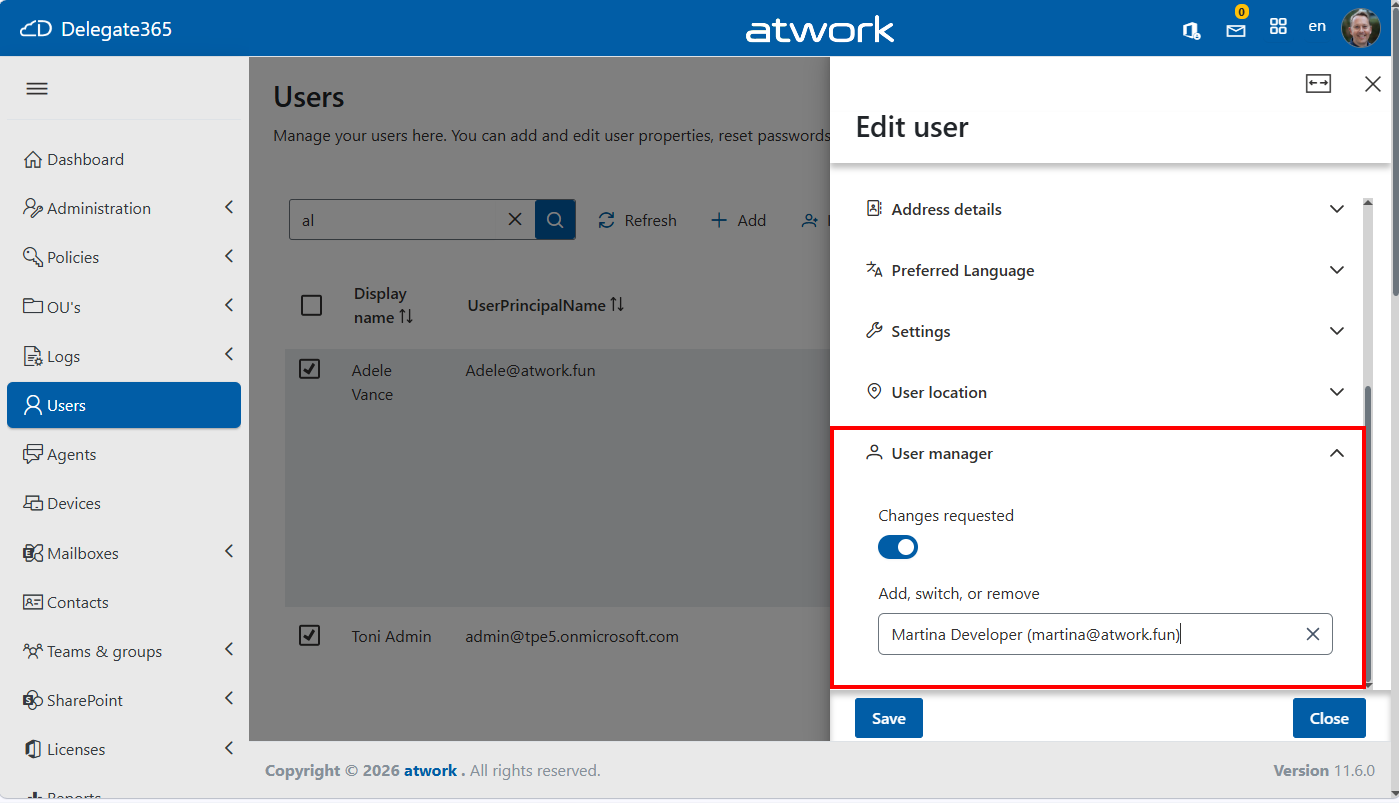
- Set manager for multiple users: Delegate365 now allows administrators to set the manager for multiple users in a single action. Select the users in the Users list and open Edit user.
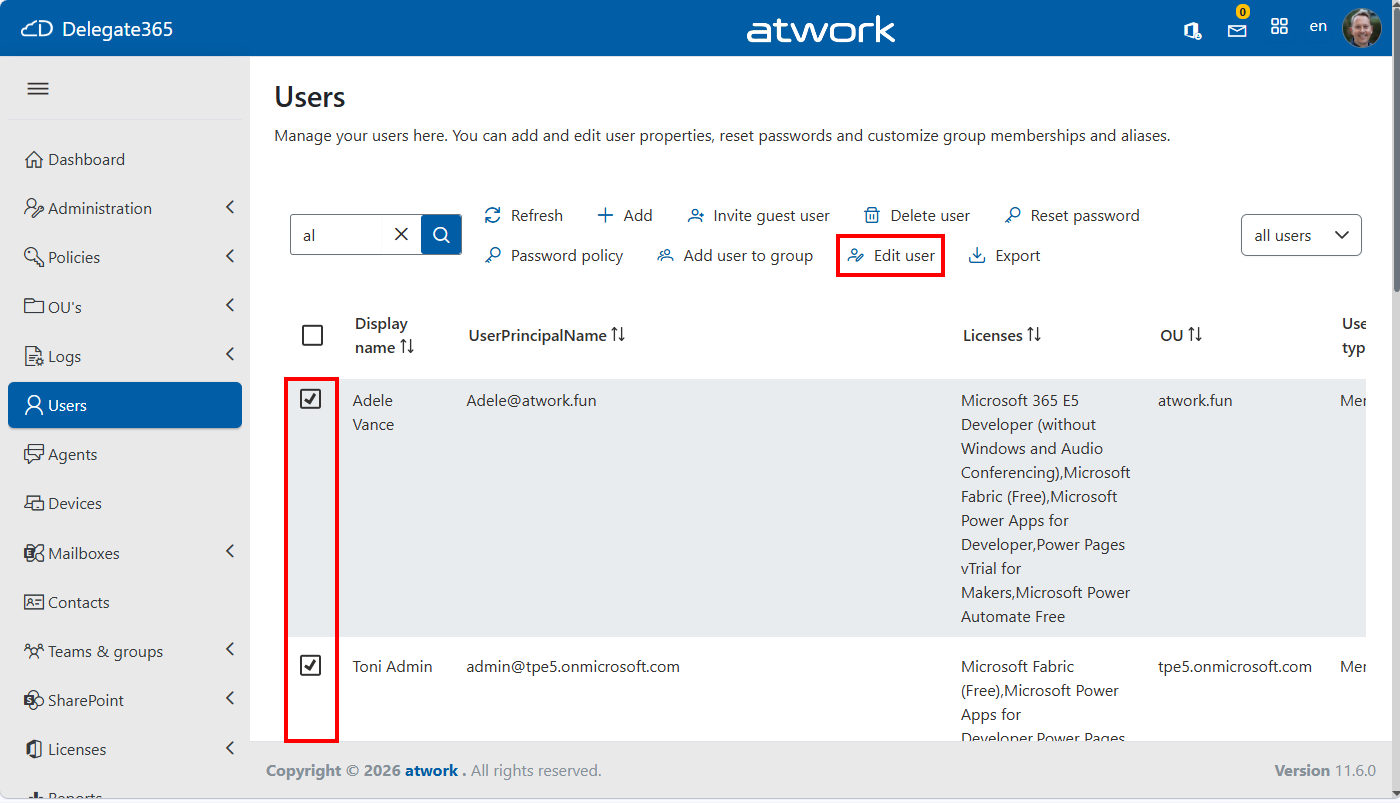
- Assign the manager to all selected users at once. This simplifies bulk user administration and avoids updating each user individually. If no manager is selected, the existing manager assignment will be removed from all selected users.
- Set user address book policy: Administrators can now assign an Address Book Policy (ABP) to a user directly in Delegate365. Address Book Policies control which address lists and Global Address List (GAL) users can see in Exchange Online. For more information, see Exchange PowerShell.
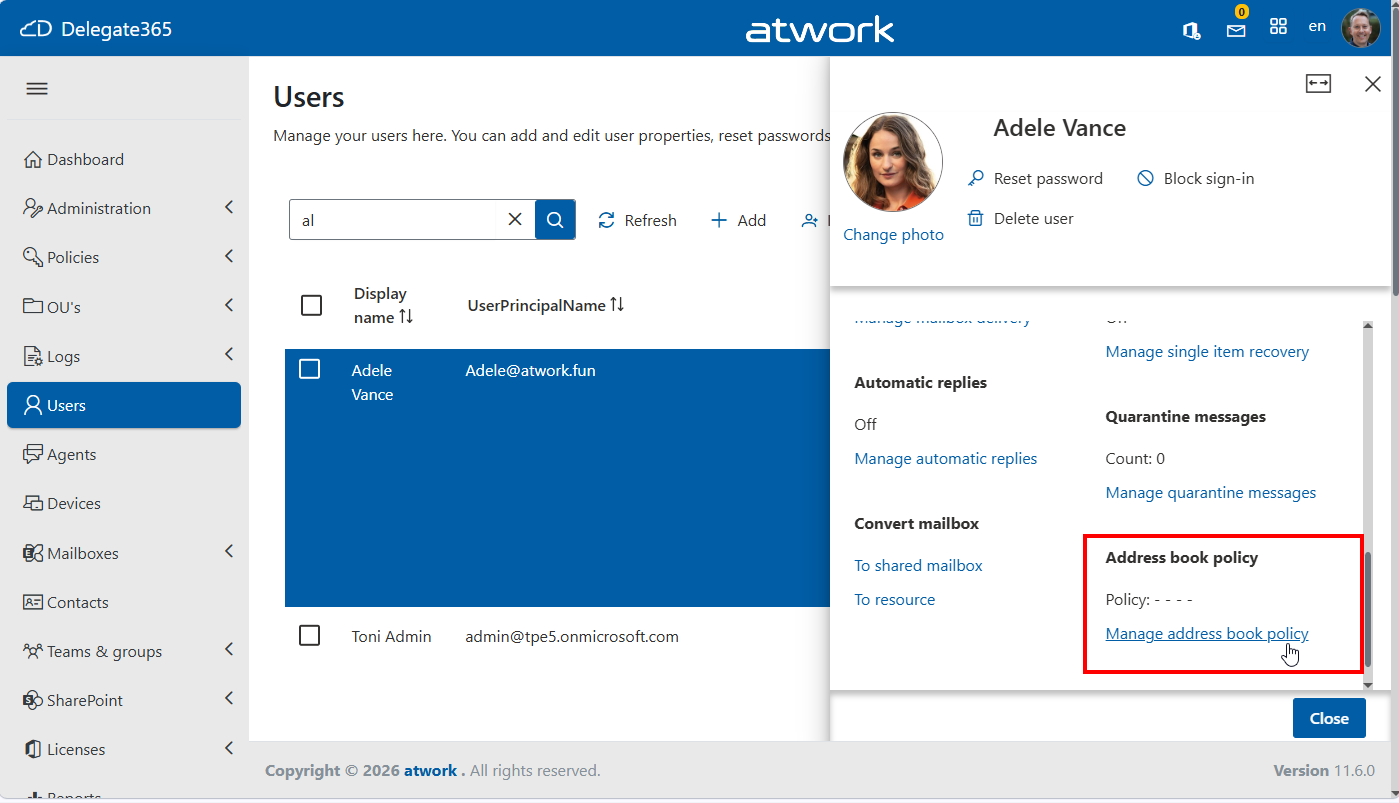
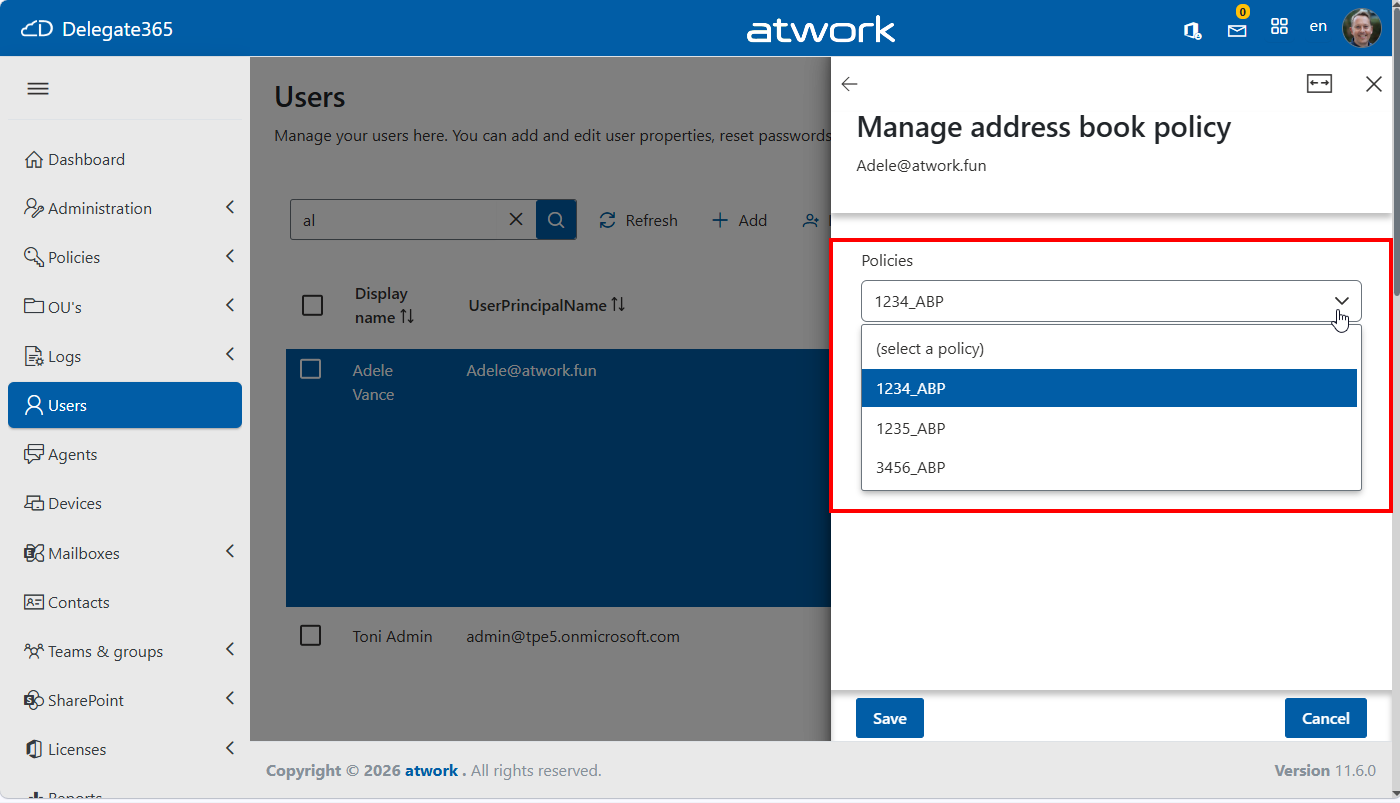
- Assign a ABP to the current user.
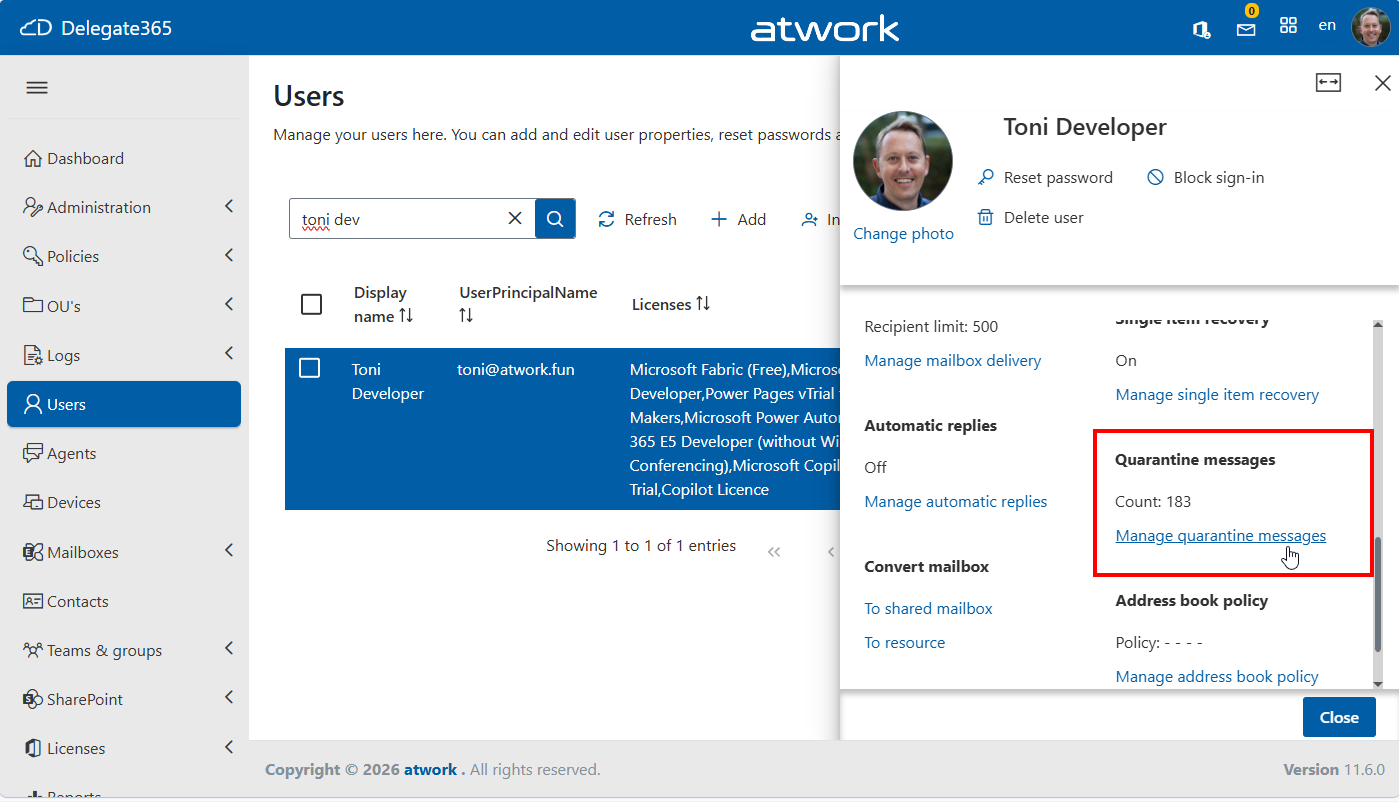
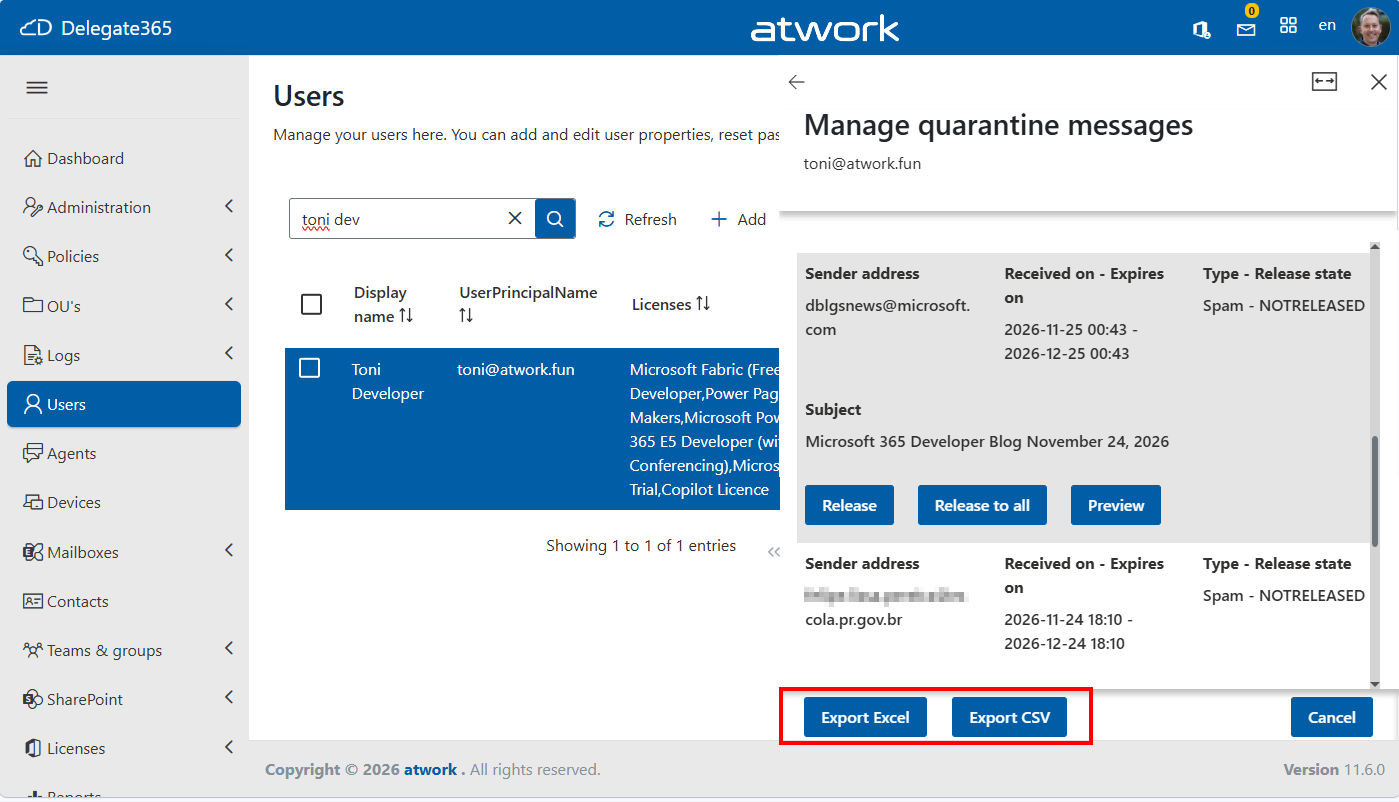
- User Mailbox Quarantine Export: Administrators can review and release quarantined email messages for their users. Quarantine data can now also be exported to an Excel or CSV file for further analysis, reporting, or documentation.
- Filter and export quarantined messages with the Export buttons below.
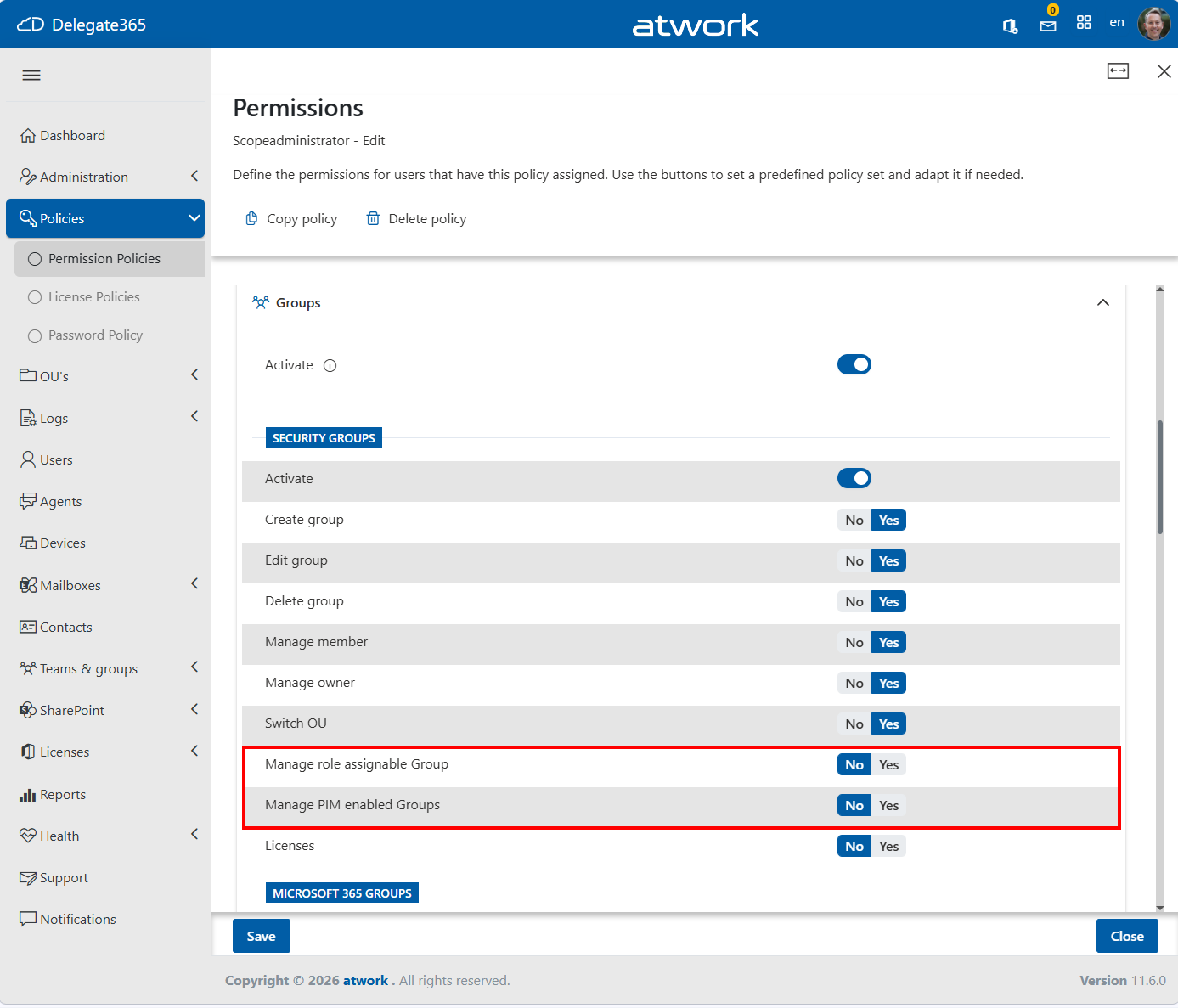
- Manage special Security Groups: Administrators can now control whether delegated admins are allowed to manage role-assignable security groups and PIM-enabled groups. Separate permissions in the Delegate365 Permission Policies allow organizations to explicitly enable or restrict management of these sensitive group types. This provides greater control over privileged group administration.
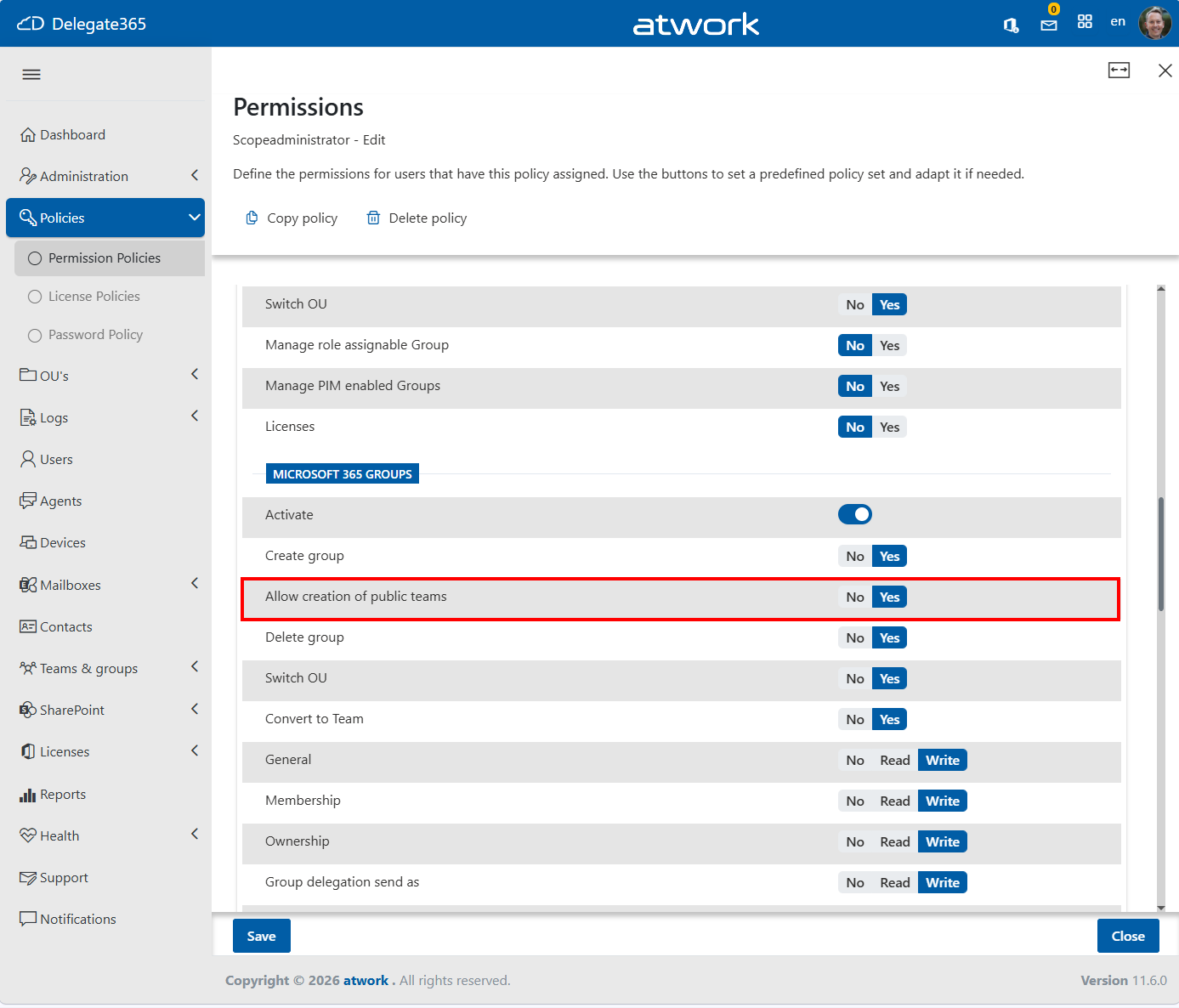
- Disallow the creation of Public Teams: Delegate365 now provides a dedicated permission to control whether delegated administrators are allowed to create public teams. Organizations can disable this option in the permission policy while still allowing administrators to create private teams. This provides more granular governance over Microsoft Teams creation and helps prevent unintended public access.
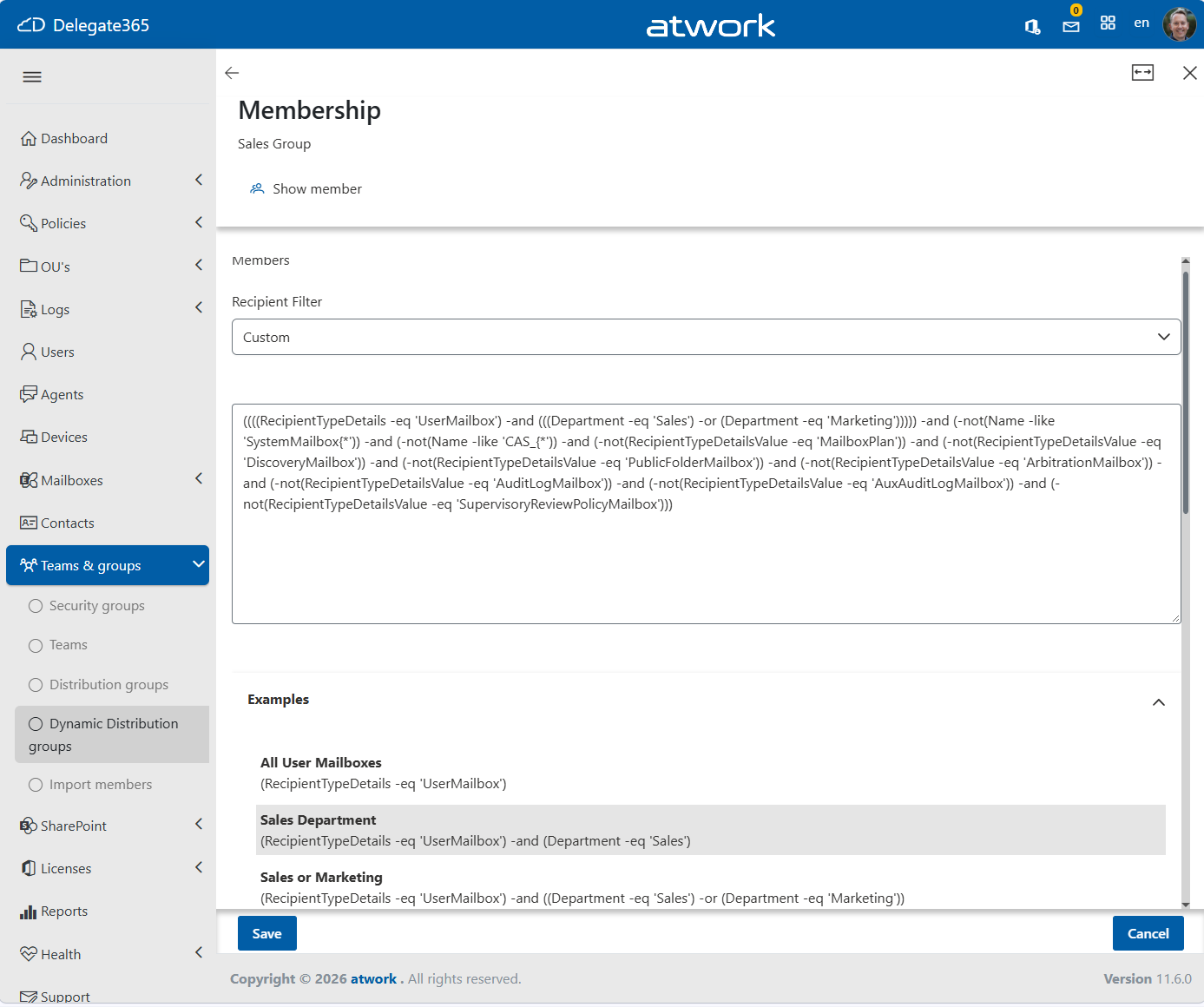
- Managing Dynamic Distribution Groups: Delegate365 now provides enhanced management for Dynamic Distribution Groups. Administrators can define or modify group membership by entering the recipient filter directly. This allows custom membership rules based on recipient properties such as department or recipient type.
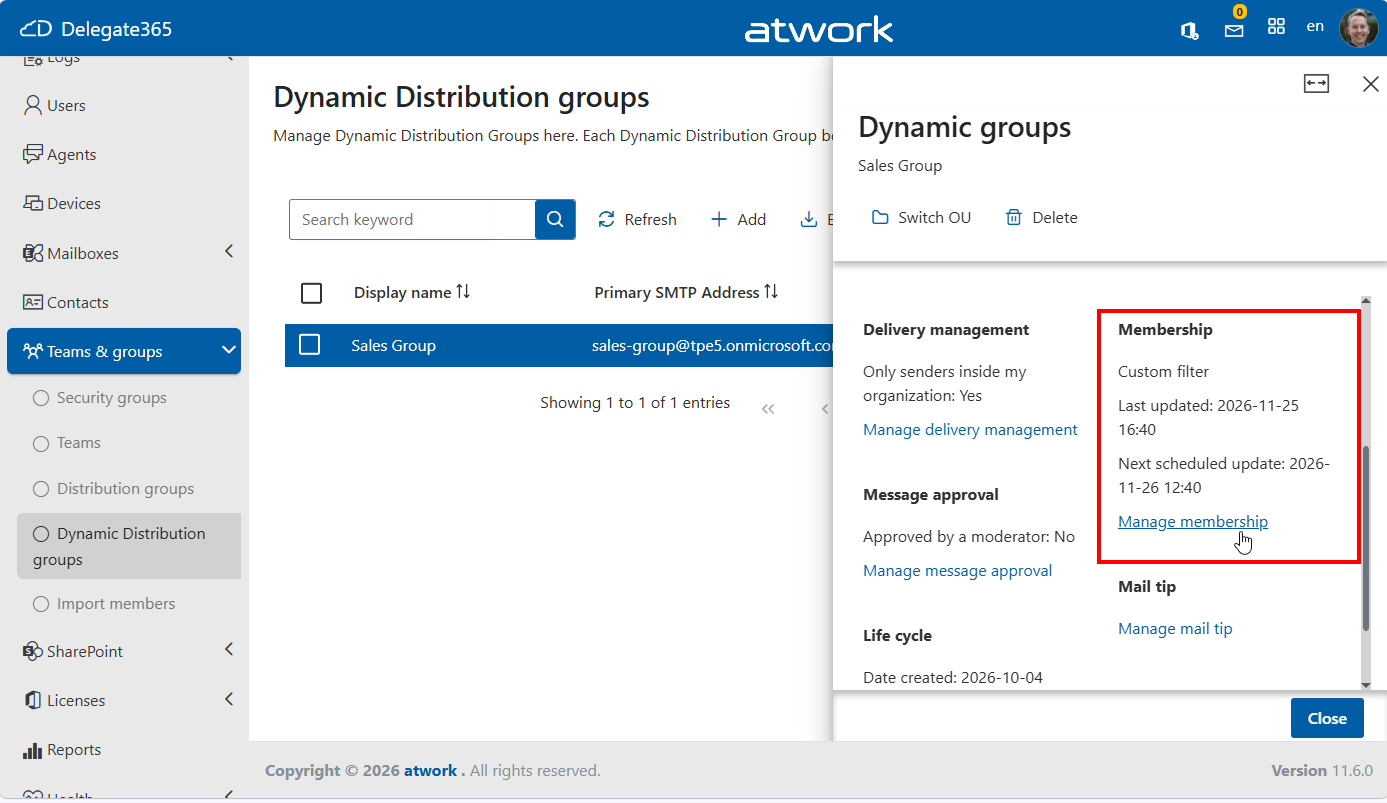
- To make creating custom filters easier, Delegate365 also provides ready-to-use examples, such as filters for all user mailboxes, a specific department, or multiple departments. The resulting membership can be previewed before using the group.
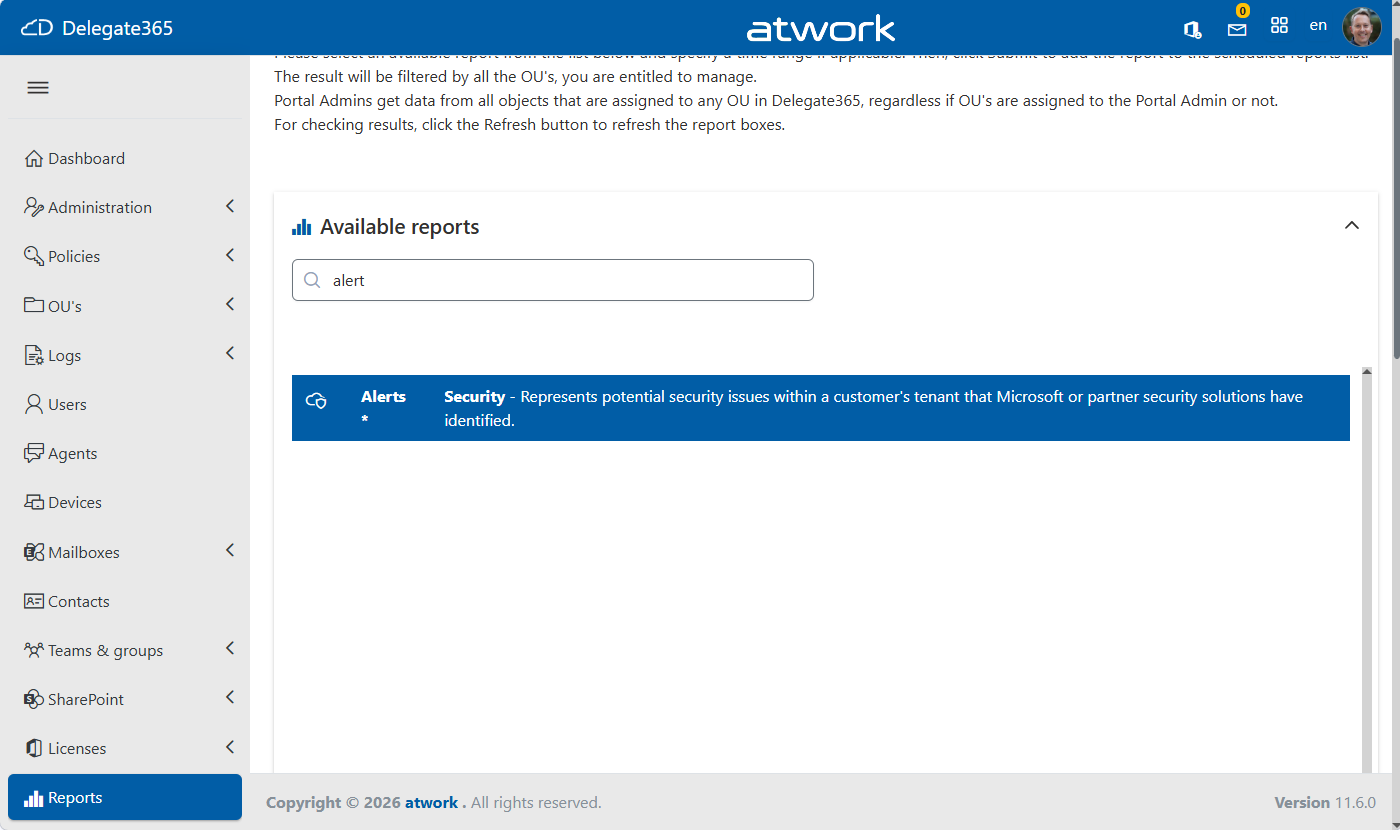
- Report Alerts: Due to changes in Microsoft API permissions, the Report Alerts feature now requires SecurityAlert.Read.All instead of SecurityEvents.Read.All. Run the Delegate365 setup again to apply the new permission.
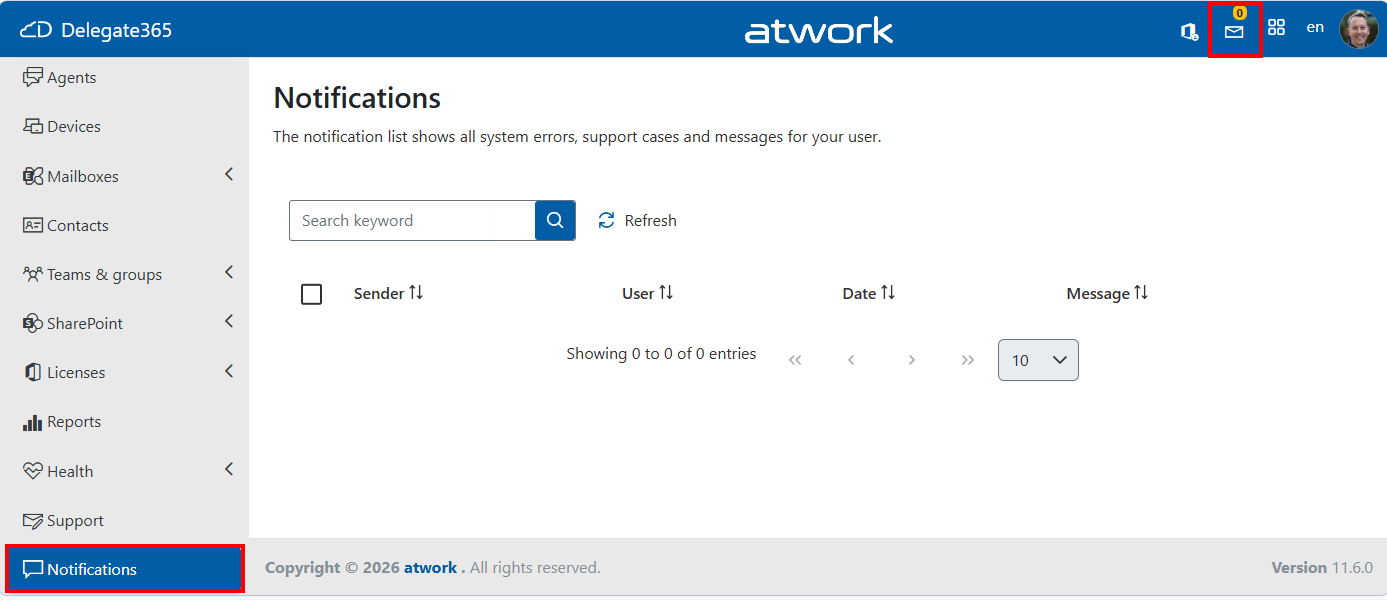
- Menu Notifications: The Notifications module is now also available in the left navigation menu, in addition to the existing access from the top menu bar.
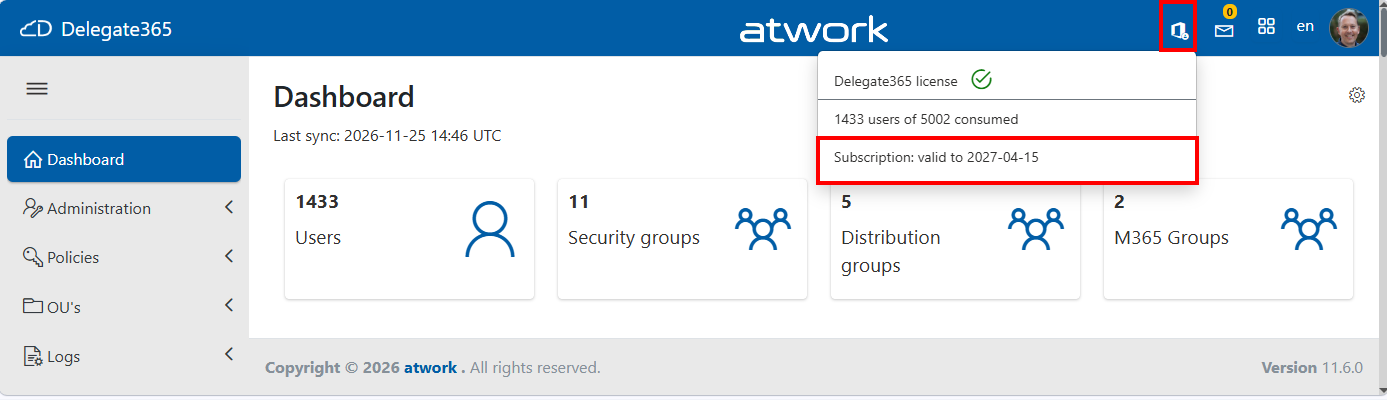
- Menu Licenses includes subscription expiration:: The license information in the top menu now also shows the Delegate365 subscription expiration date, making it easy to check the current subscription status at a glance.
- Module UTCM (Preview): The new Unified Tenant Configuration Management (UTCM) module allows administrators to create snapshots of their Microsoft 365 tenant configuration. Delegate365 shows the snapshot status, creation and completion dates, included resources, and any errors that occurred during the process. Snapshots can also be downloaded for further analysis or documentation. UTCM queries are processed asynchronously, so results are not available immediately.
We are working to fully integrate UTCM into Delegate365 over the coming months, including clear, visually appealing reports that make it easier to review and analyze tenant configuration data.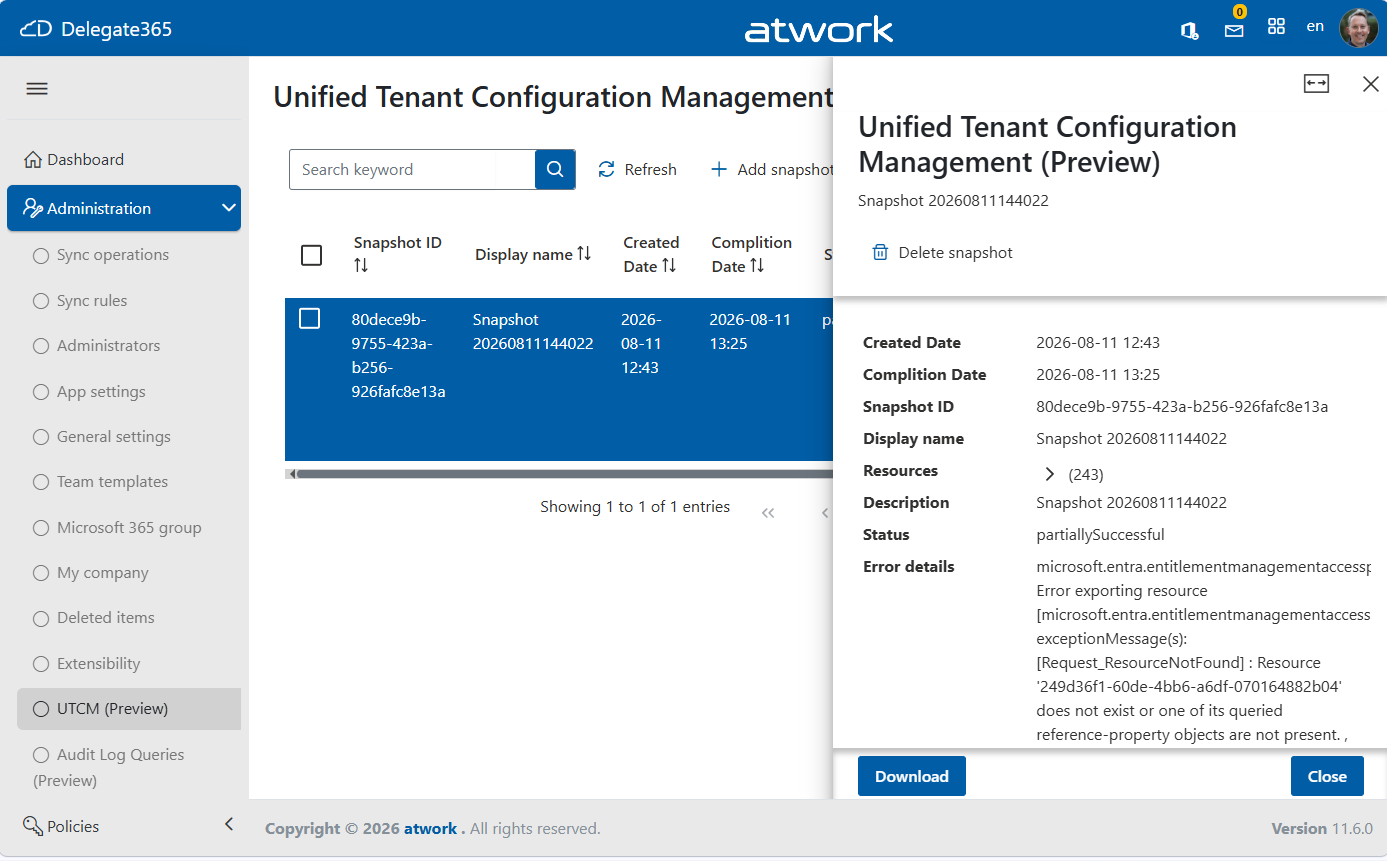
- Module Audit Log Queries (Preview): The new Audit Log Queries module allows administrators to start a request to retrieve Microsoft 365 audit log data. Queries can be narrowed by date range, record type, service, user principal name, and keywords.
Audit log queries are processed asynchronously (like UTCM), so results are not available immediately. Administrators can optionally enable email notifications to be informed when a query has finished processing and the results are ready.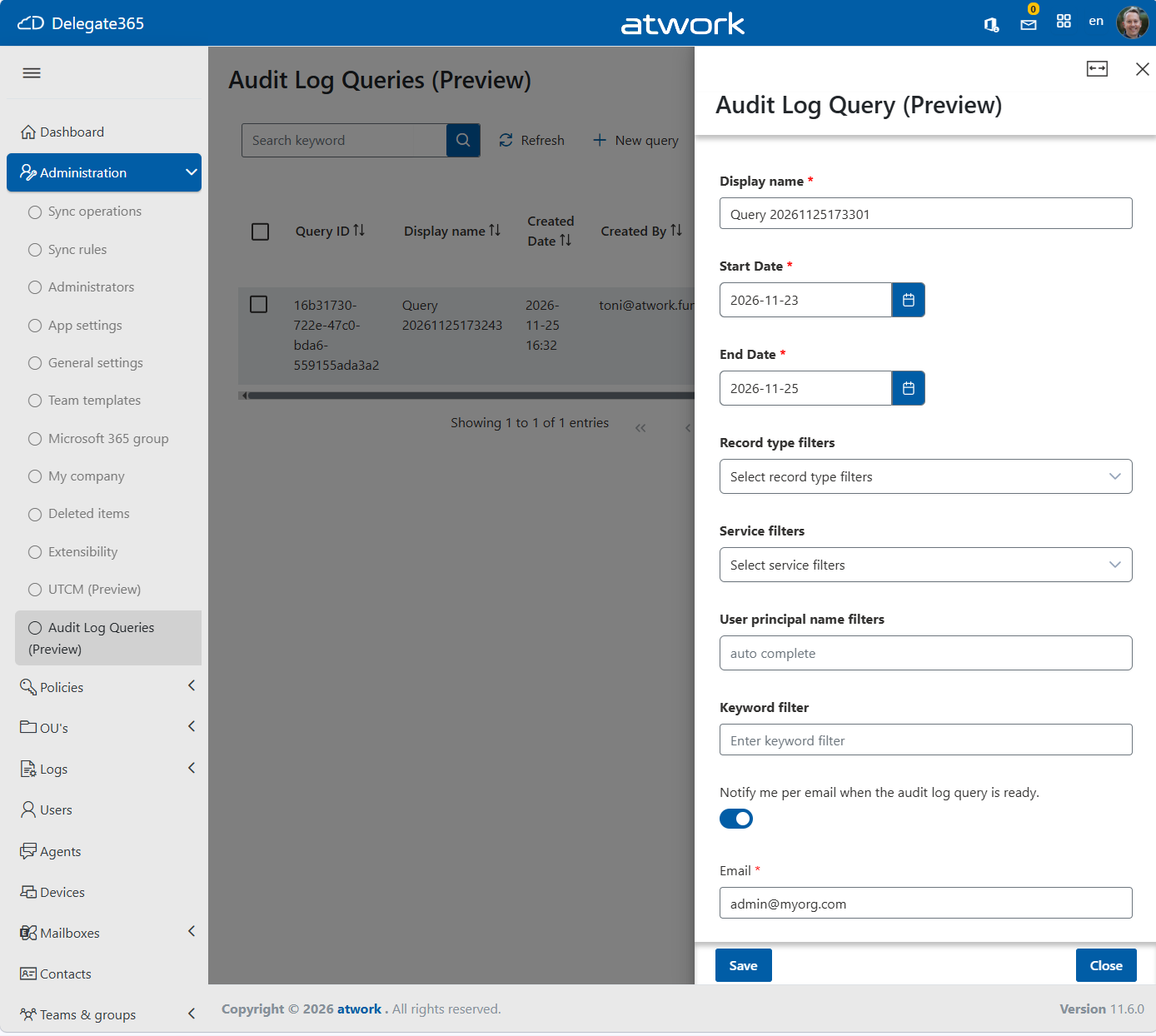
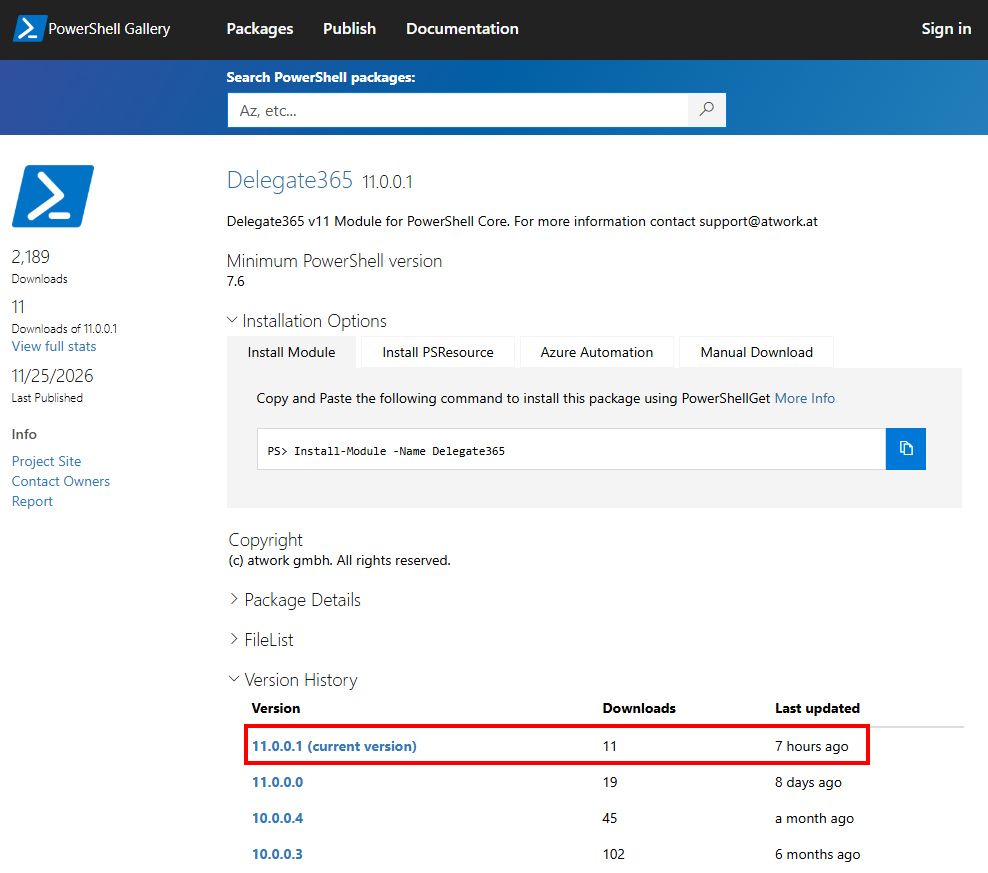
- Updated PowerShell Module: The Delegate365 PowerShell module for PowerShell Core has been updated to version 11.0.0.1. The module is now based on .NET 10 instead of .NET 8 and includes several fixes and performance improvements:
- Get-DAADUsers: Now returns all users instead of being limited to 200 items.
- Get-DAdmin: Significantly improved performance and now runs much faster.
- Install Delegate365 PowerShell Module: The latest version is available directly from the PowerShell Gallery.
- Install-Module installs the latest available version by default: Install-Module -Name Delegate365
- If Delegate365 was previously installed with Install-Module, use: Update-Module -Name Delegate365
- Install DotNet 10 Runtime: If .NET 10 is not yet installed on your system, download and install the appropriate runtime for Windows, Linux, or macOS from the official.NET 10 download page. The .NET SDK also includes the runtime, so no separate runtime installation is required if the .NET 10 SDK is already installed.























A lot has happened since Delegate365 v11.3! Across versions 11.4, 11.5, and now 11.6, we’ve added many new capabilities that strengthen Microsoft 365 governance, simplify everyday administration, provide greater visibility across the tenant, and introduce new possibilities with UTCM and Audit Log Queries.
We hope these updates make Delegate365 even more useful for your daily Microsoft 365 administration and governance. As always, we’ll continue to evolve Delegate365 based on new Microsoft capabilities and, most importantly, your feedback.