Delegate365 v11.3 builds on the Delegate365 v11 platform and introduces new features for Microsoft 365 governance and delegated administration. This release adds more control for Microsoft Teams and Microsoft 365 Groups, improved support for PIM-enabled groups, enhanced visibility into license assignments, and support for managing Dynamic Distribution Groups with custom recipient filters. In addition, Delegate365 can now provide an inventory of Microsoft 365 Copilot agents and other registered agents in the organization, helping administrators gain visibility into their AI landscape.
Important: To use the Agents inventory, an administrator must run the Delegate365 setup and approve the required permissions to read agent data.
- Agents inventory: Delegate365 provides a centralized inventory of Microsoft 365 Copilot agents and other registered agents in your organization. Administrators can quickly search, filter, and export agent information to gain visibility into deployed AI solutions.
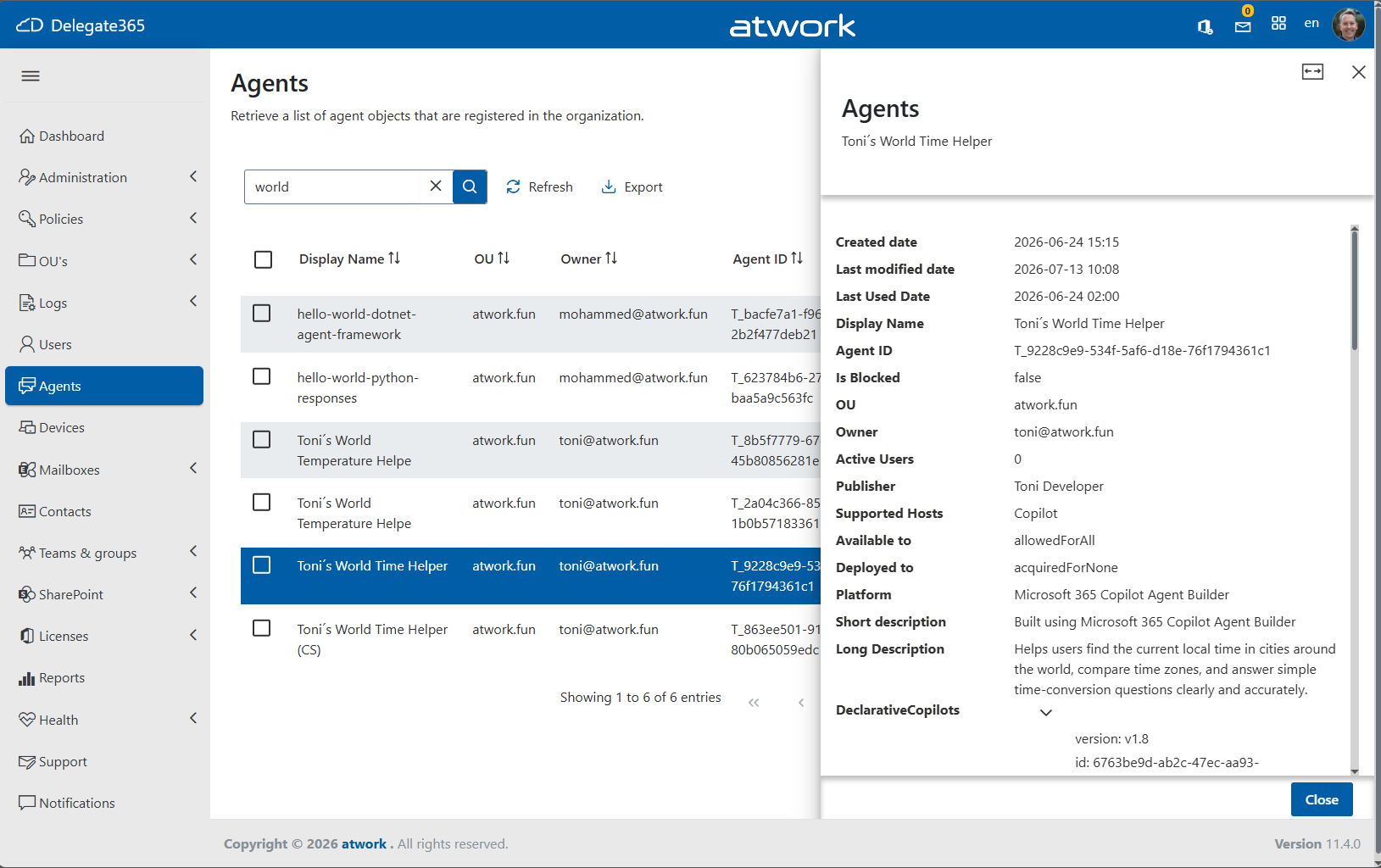
- Agents details: For each agent, Delegate365 displays detailed information including the agent name, owner, organizational unit, publisher, platform, supported hosts, creation and modification dates, usage information, deployment status, and descriptive metadata. This helps organizations govern, audit, and manage their growing agent landscape from a single administration portal.
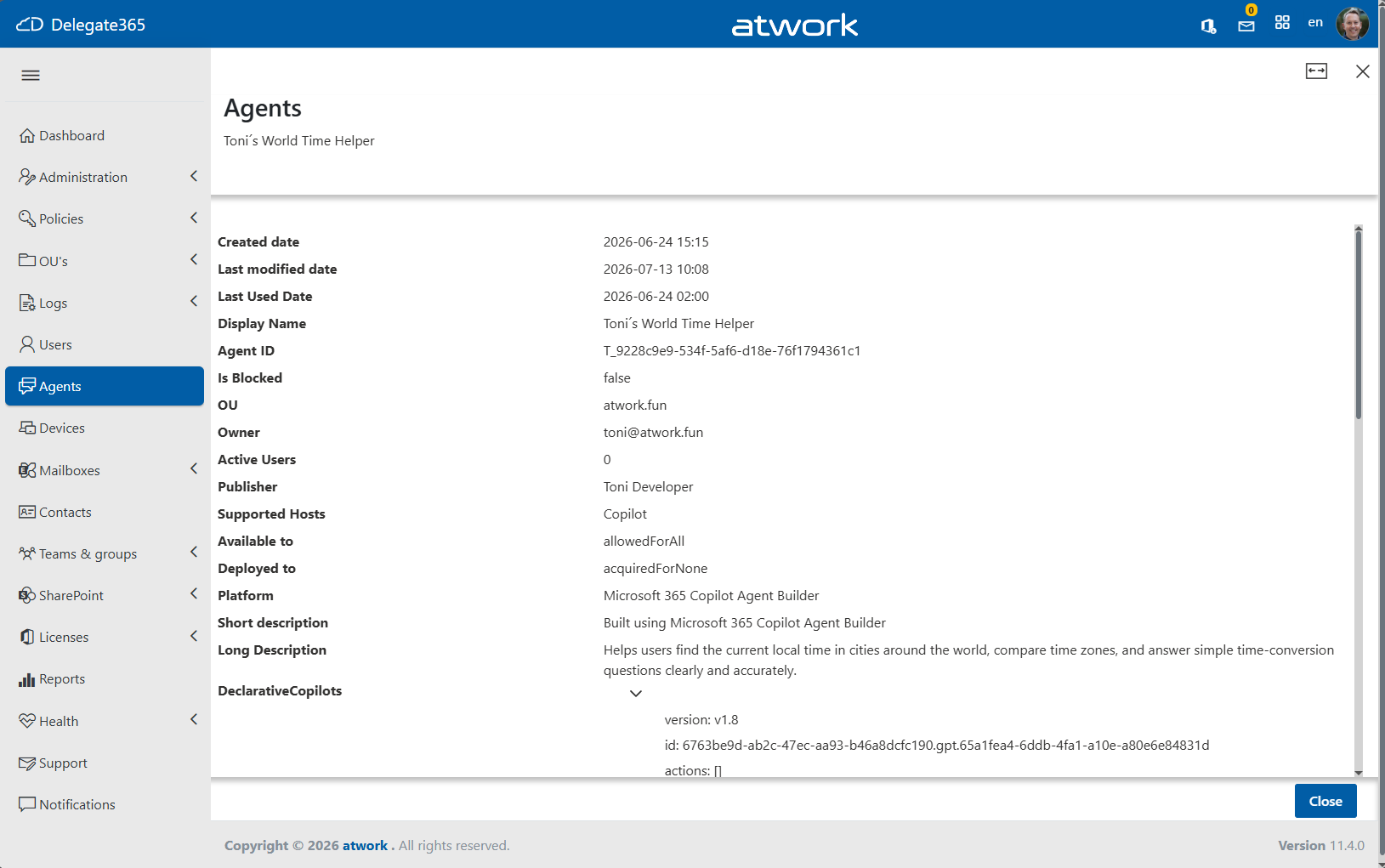
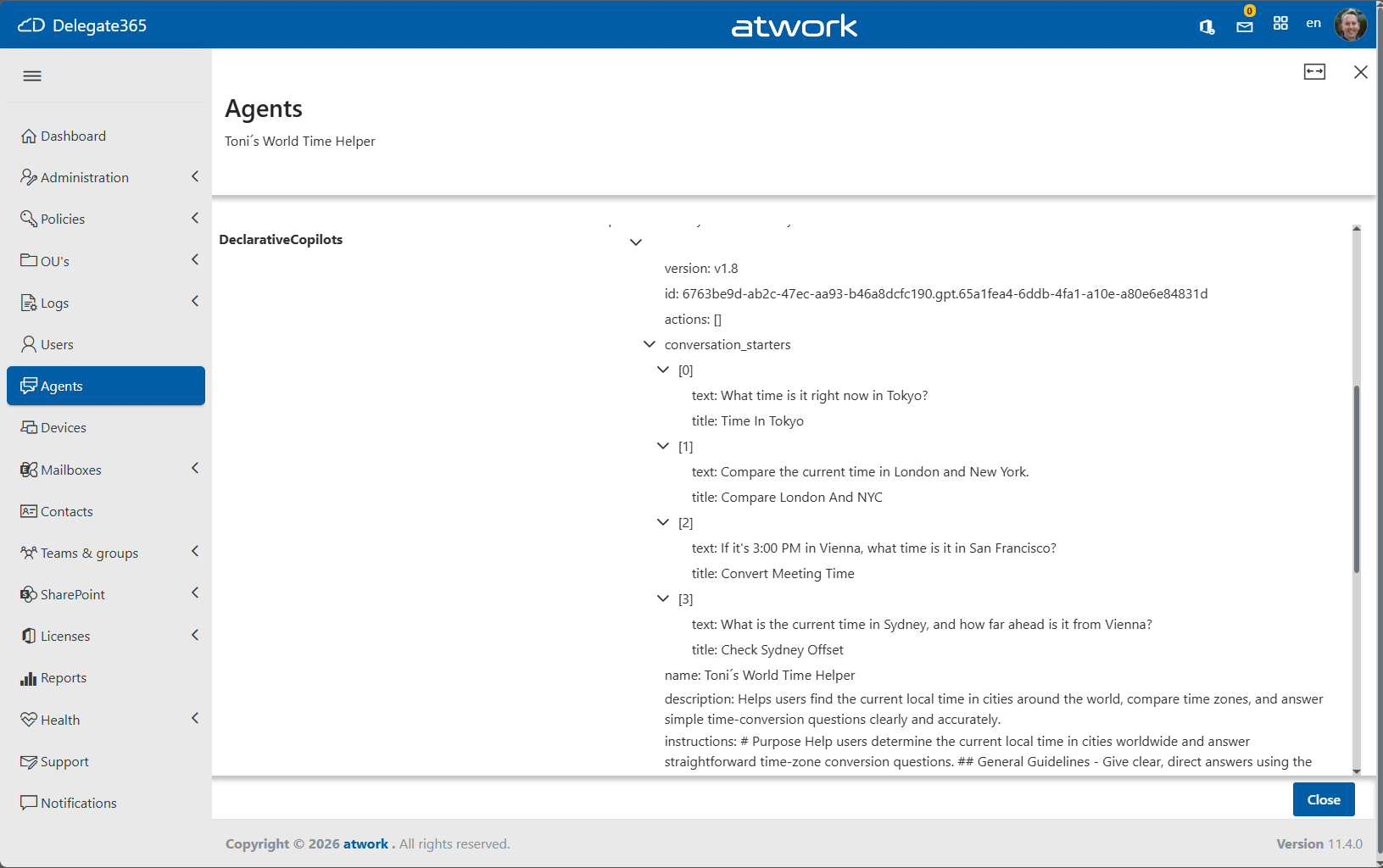
- Requirements for the agents feature:
- The Agents inventory shows only agents that are registered in Microsoft Entra ID and have a valid Agent ID.
- An organization must have at least one Agent 365 license to use this functionality.
- Important: To use the Agents inventory, an administrator must run the Delegate365 setup and approve the required permissions to read agent data.
- Currently, agents can only be managed through Agent 365 and the Microsoft 365 admin center. Delegate365 provides inventory and visibility capabilities today and will add agent management functions as soon as Microsoft makes the required APIs available.
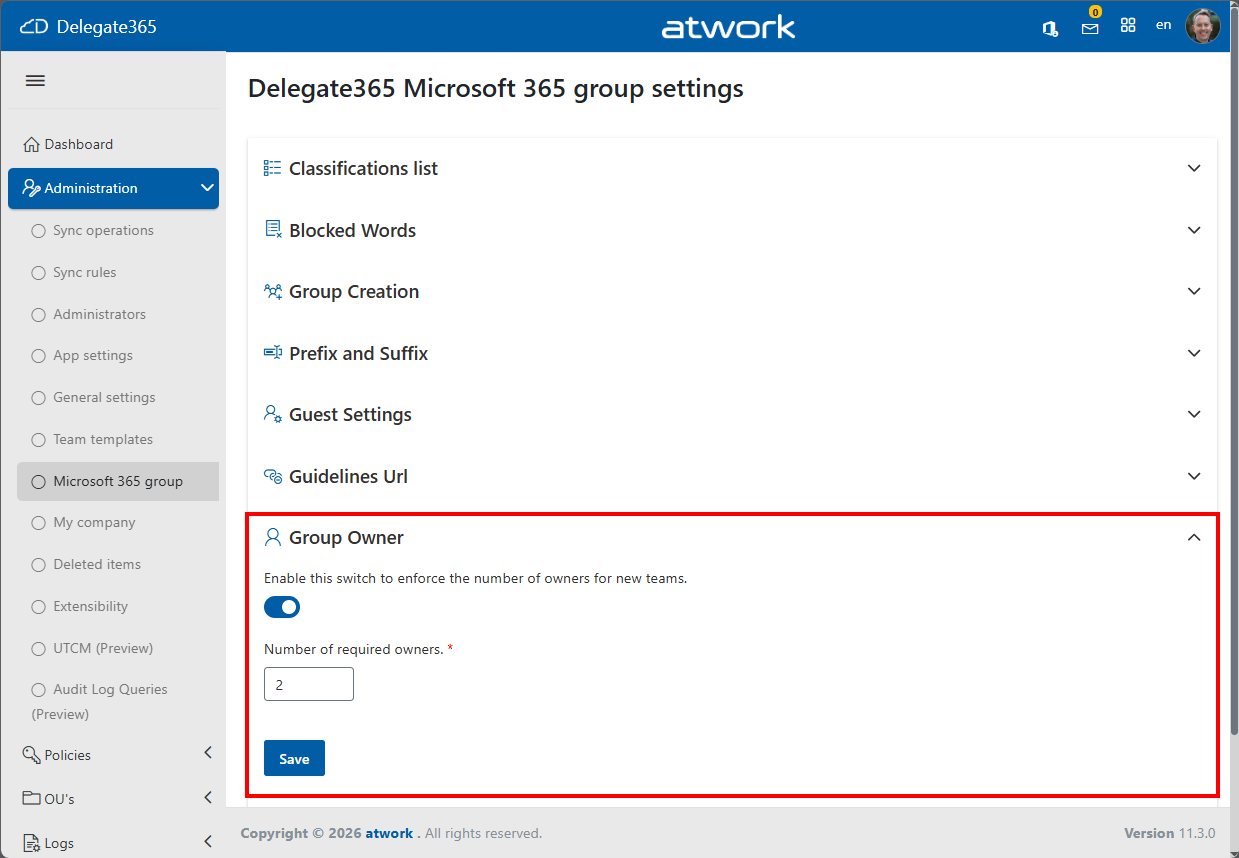
- Required Teams & Group Owners: Enforce governance by defining the minimum number of owners required for Microsoft Teams and Microsoft 365 Groups. The required owner count can now be configured centrally.
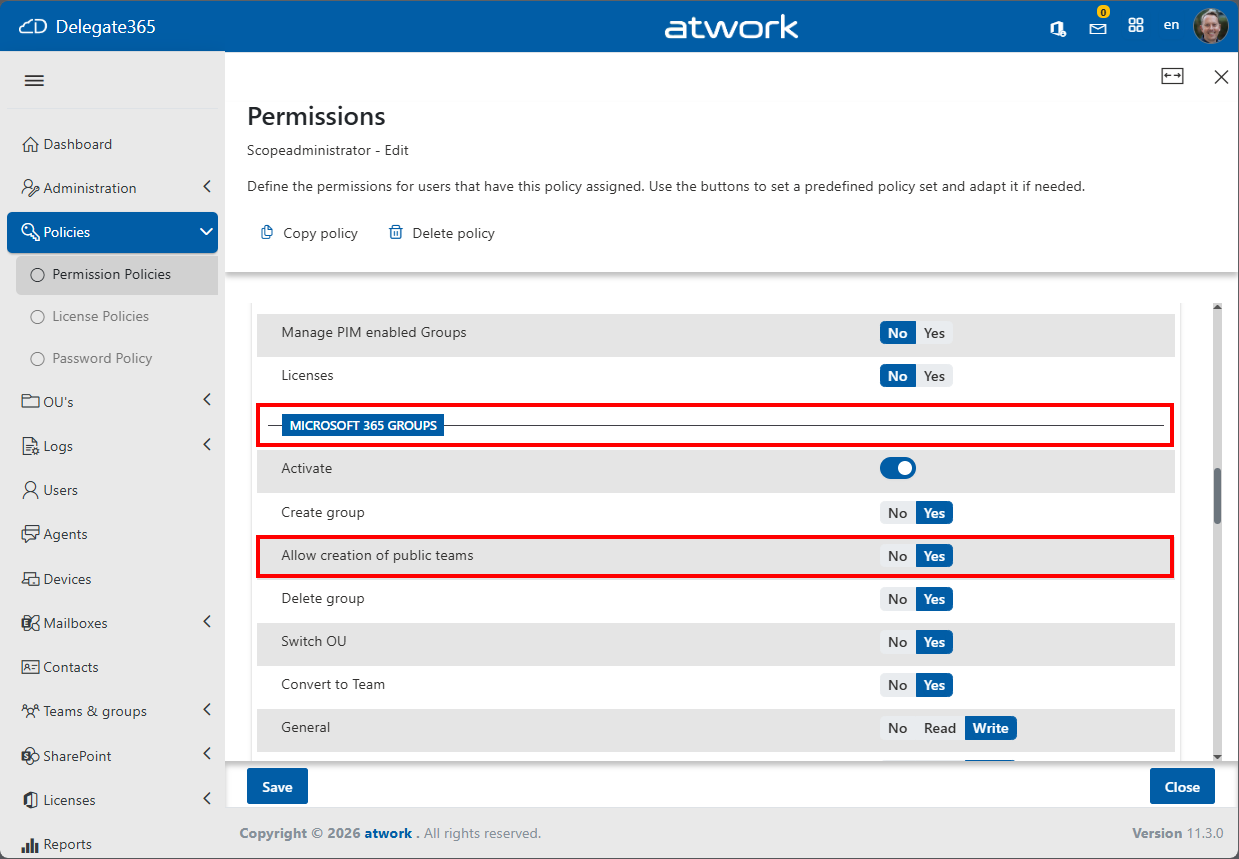
- Control Public vs. Private Teams Creation: Use Permission Policies to control whether administrators can create Public Teams, or not. By default, Public Team creation is allowed and can be customized to match your governance requirements.
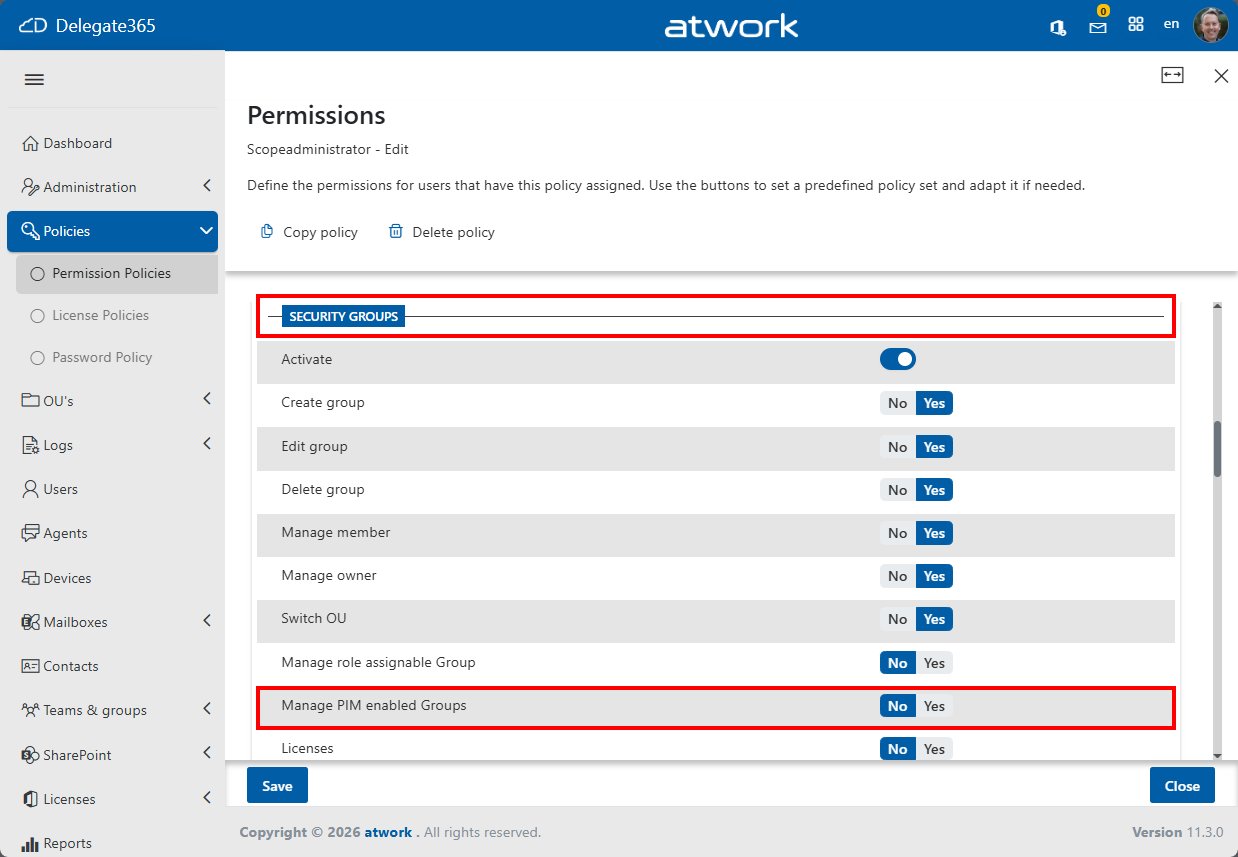
- Manage PIM-Enabled Groups: Decide whether administrators are allowed to manage groups protected by Microsoft Entra Privileged Identity Management (PIM). This setting helps balance delegated administration with privileged access controls.
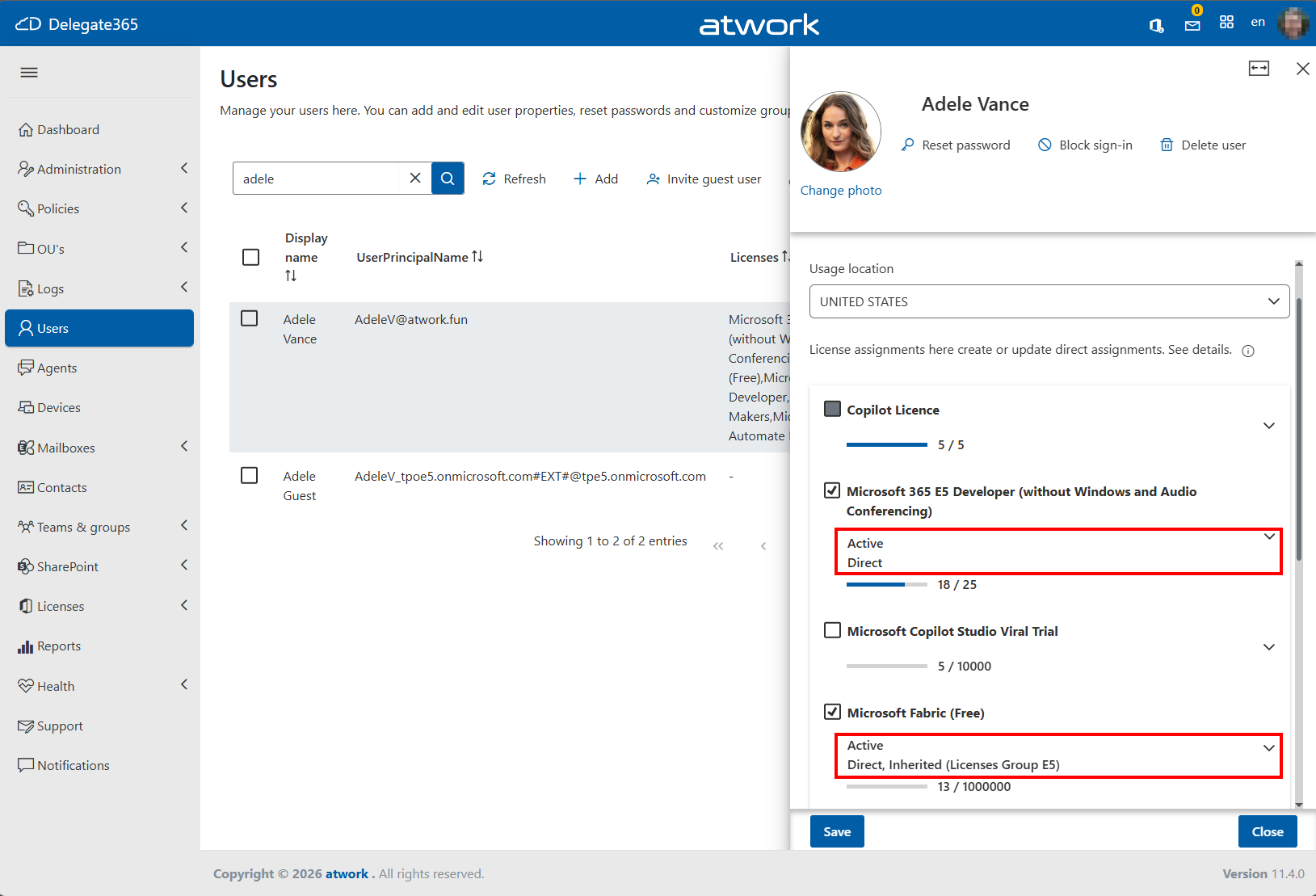
- License Assignment Source Awareness: Delegate365 detects how Microsoft 365 licenses are assigned, whether directly to a user or through group-based licensing. The source is displayed in the portal, and any license changes are processed correctly according to the original assignment method.
- Dynamic Distribution Groups Custom Filters: A dynamic distribution group includes any recipient in Entra ID with attribute values that match its filter. Delegate365 now supports custom recipient filters for Dynamic Distribution Groups in addition to the existing preconfigured filter options. This allows administrators to create advanced, Exchange-compatible recipient filters to precisely define group membership based on mailbox attributes such as department, company, country, synchronization status, and more - see here.
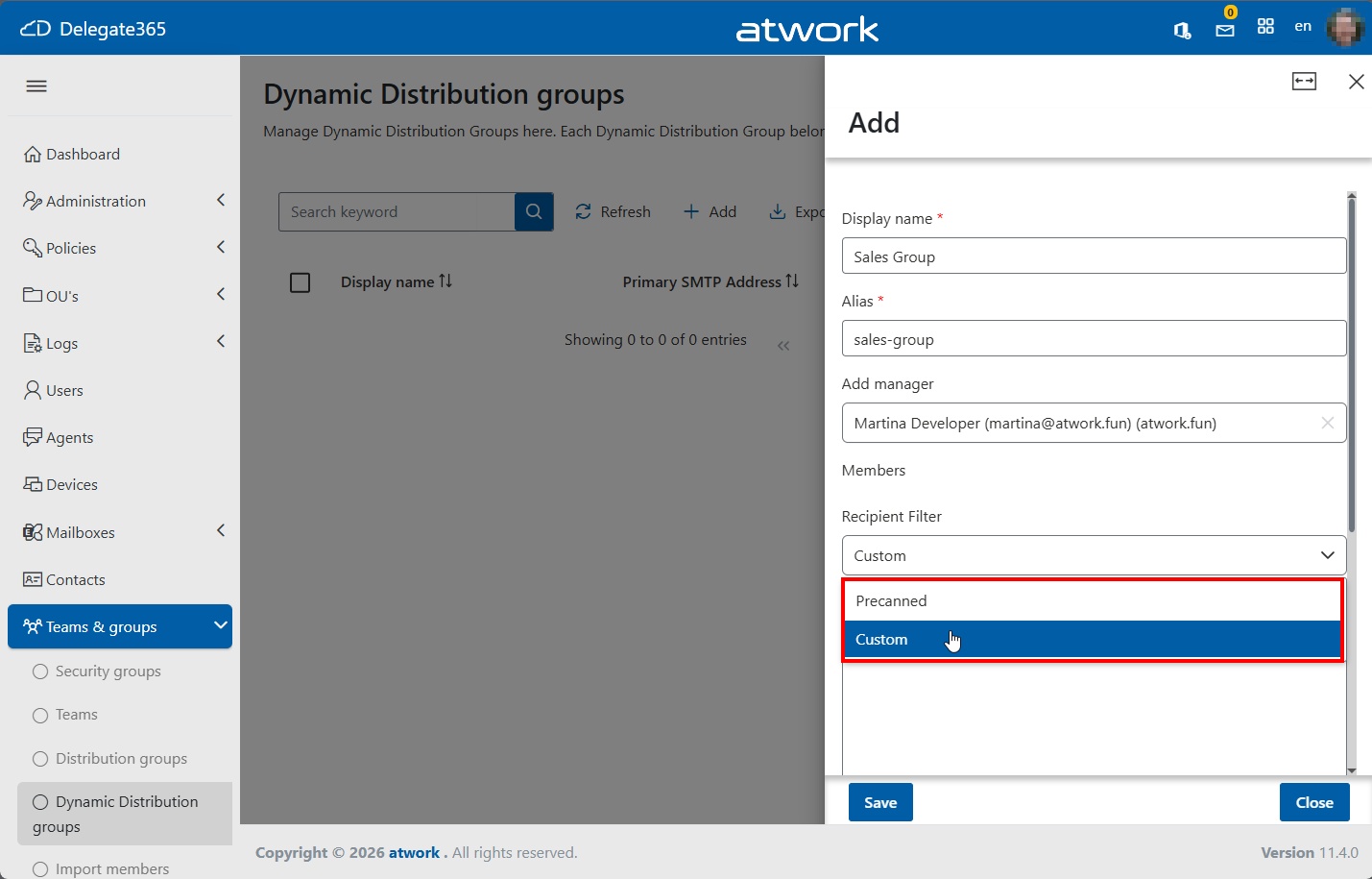
You can use any valid Exchange filter expression.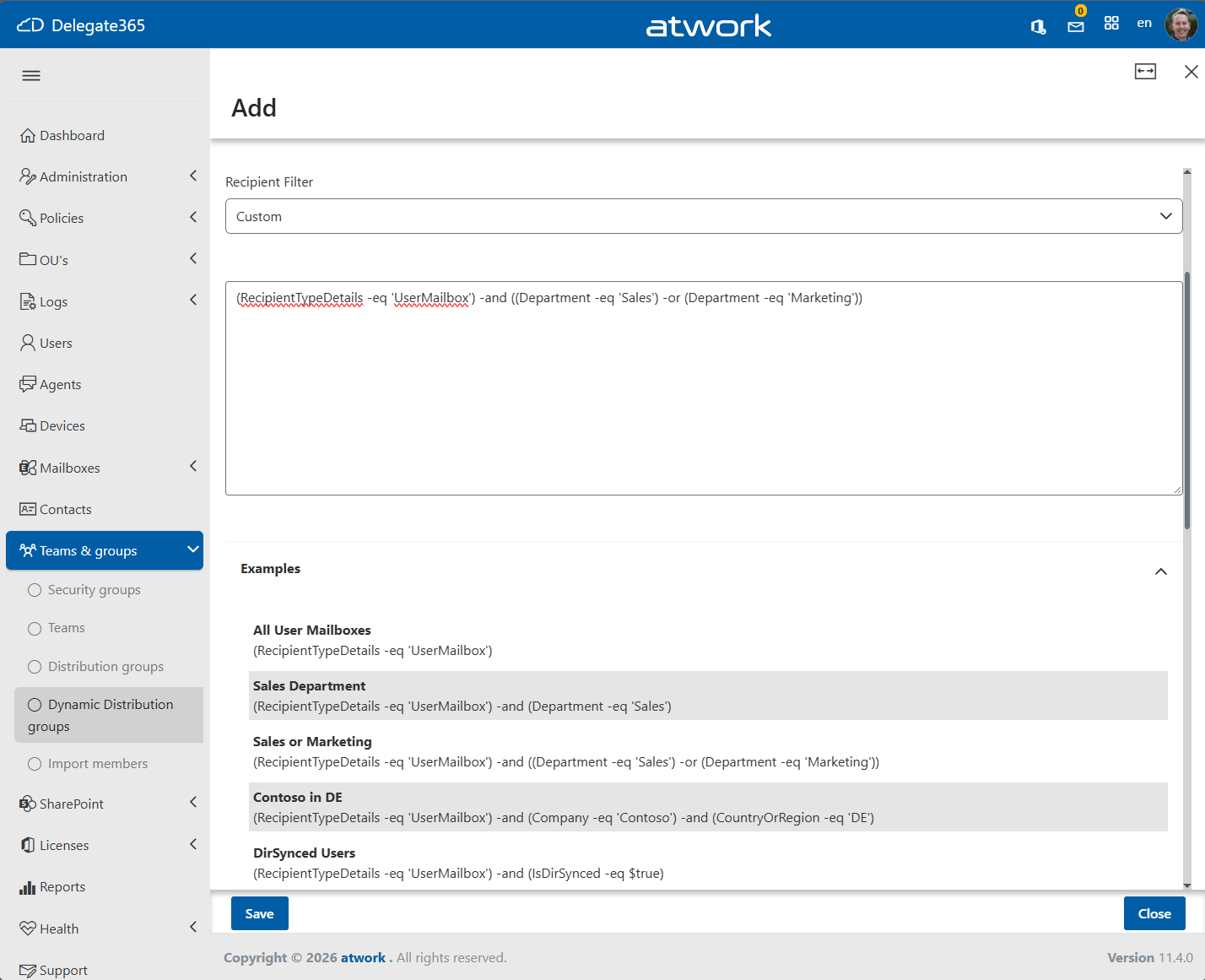
For example, a Dynamic Distribution Group can be configured to automatically include all user mailboxes from the Sales or Marketing departments. The section Examples show such expressions to use them in the Filter textbox:









(RecipientTypeDetails -eq 'UserMailbox') -and ((Department -eq 'Sales') -or (Department -eq 'Marketing'))
- Dynamic Distribution Groups Custom Filters modifications: The membership rules can be edited at any time.
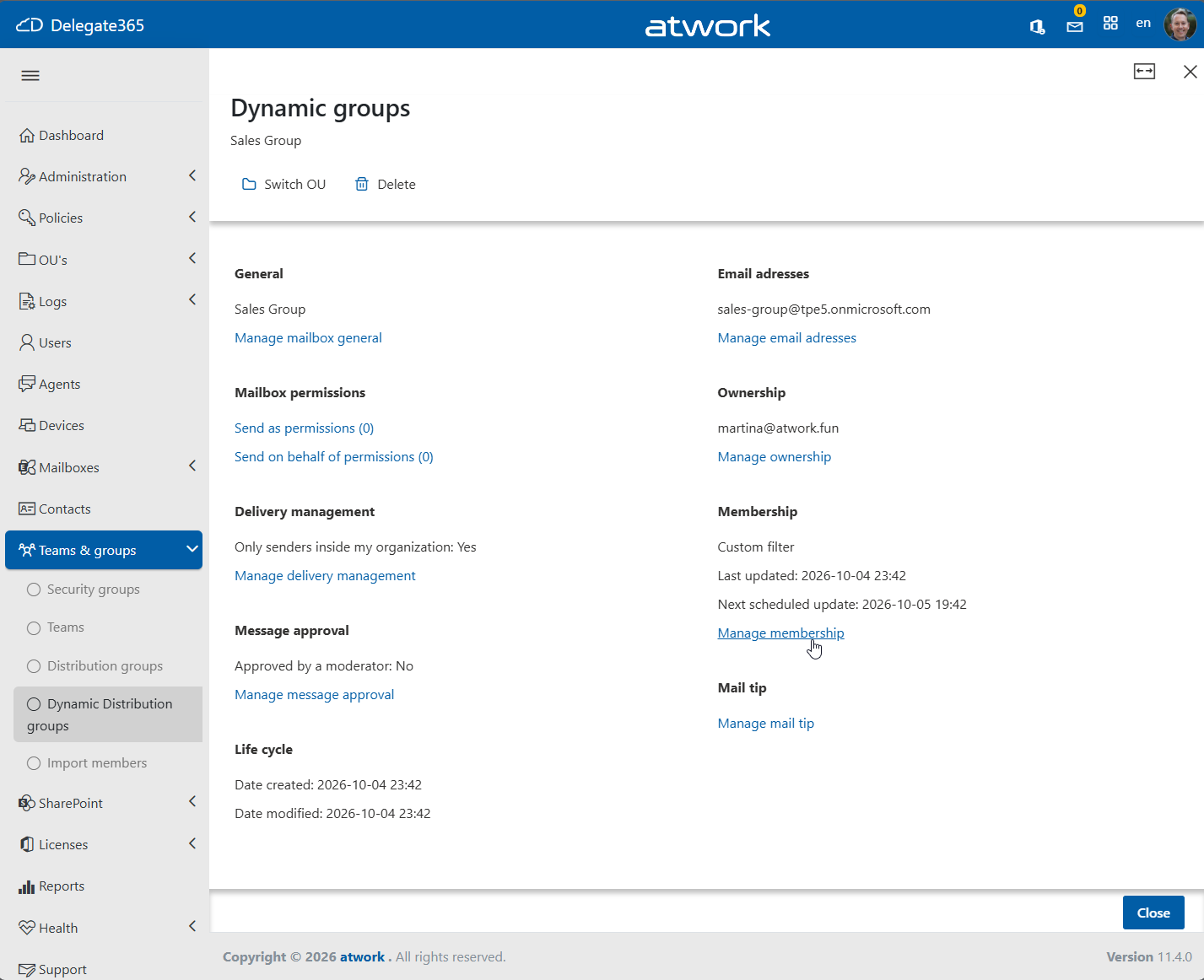
- Dynamic Distribution Groups Custom Filters behavior: For example, you can change filter operators from "-eq" to "-like" and use wildcard characters () to match multiple values. Wildcards are supported at the end of an expression:
(Department -like ‘Sale*’)
When editing an existing Dynamic Distribution Group, be aware that Exchange may automatically translate a custom filter into a more advanced recipient filter expression. Therefore, the filter displayed after saving may differ from the original expression while still producing the same membership result.
For example, the filter we used above may be rewritten by Exchange into a more complex but equivalent recipient filter expression.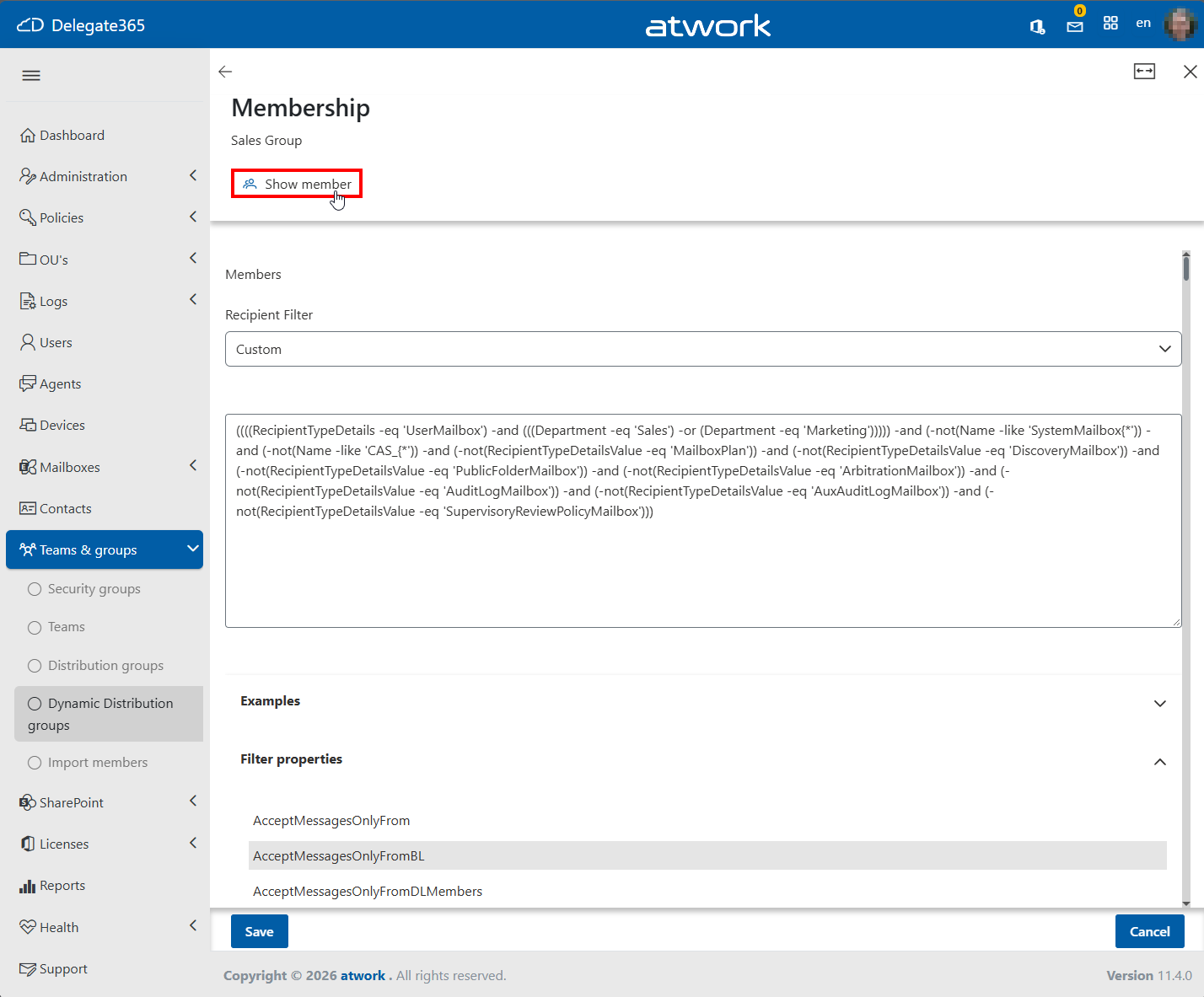
This is the translated filter expression generated by Exchange for the group. The translated expression can also be edited and customized if required.


((((RecipientTypeDetails -eq 'UserMailbox') -and (((Department -eq 'Sales') -or (Department -eq 'Marketing'))))) -and (-not(Name -like 'SystemMailbox{*')) -and (-not(Name -like 'CAS_{*')) -and (-not(RecipientTypeDetailsValue -eq 'MailboxPlan')) -and (-not(RecipientTypeDetailsValue -eq 'DiscoveryMailbox')) -and (-not(RecipientTypeDetailsValue -eq 'PublicFolderMailbox')) -and (-not(RecipientTypeDetailsValue -eq 'ArbitrationMailbox')) -and (-not(RecipientTypeDetailsValue -eq 'AuditLogMailbox')) -and (-not(RecipientTypeDetailsValue -eq 'AuxAuditLogMailbox')) -and (-not(RecipientTypeDetailsValue -eq 'SupervisoryReviewPolicyMailbox')))
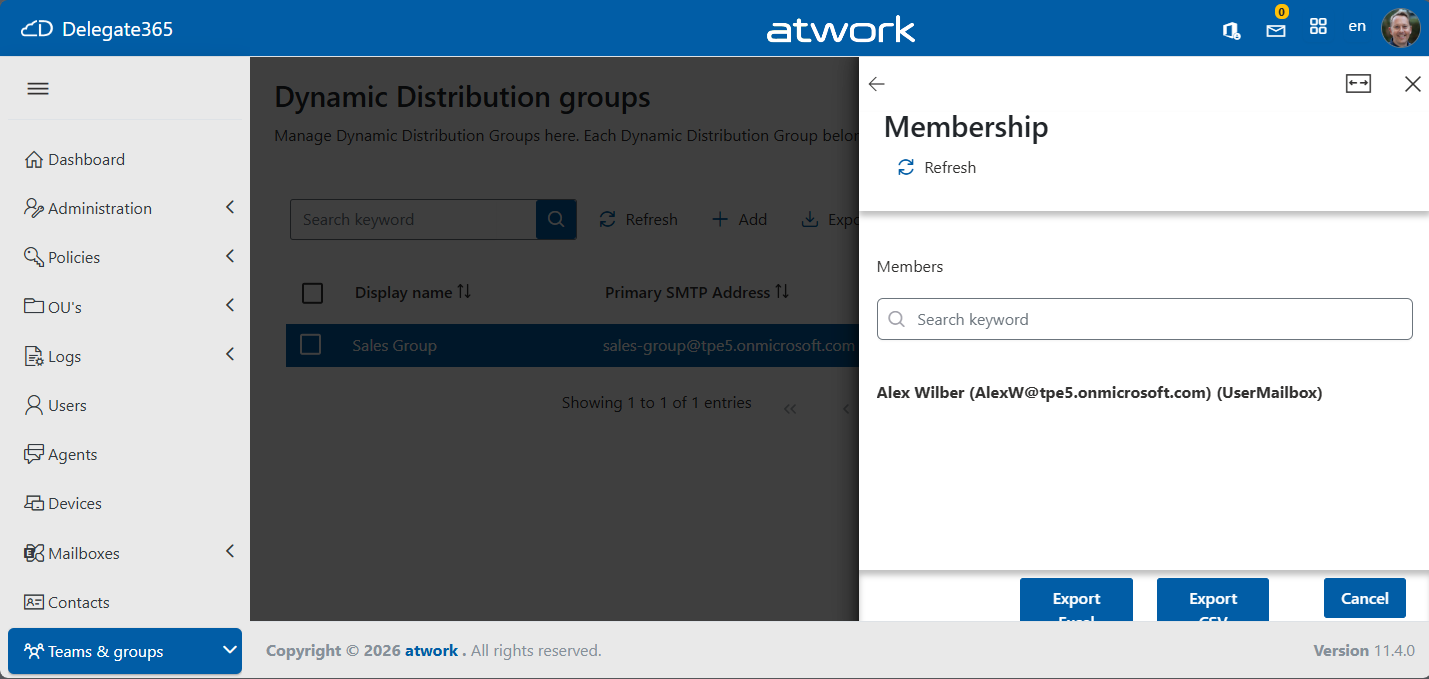
- Dynamic Distribution Groups members: After some processing time, depending on the number of users matching the filter criteria, Delegate365 can display the resolved members of the Dynamic Distribution Group. The following screenshot shows the resulting membership based on the configured recipient filter.

Delegate365 continues to expand delegated Microsoft 365 administration with new governance and management capabilities. From configurable ownership requirements for Teams and Groups, improved support for PIM-enabled groups, enhanced license assignment visibility, and the new Agents inventory, to advanced recipient filtering for Dynamic Distribution Groups, the release provides administrators with more control and flexibility. Delegate365 will continue to deliver new management capabilities that simplify day-to-day administration and support modern Microsoft 365 environments.