Delegate365 v11 brings a range of new capabilities designed to improve governance, simplify administration, and provide greater visibility into modern Microsoft 365 environments. This release introduces a new audit logging architecture, enhanced licensing capabilities, support for custom attributes, and the first preview of AI agent governance features. In addition, users will benefit from usability improvements, and numerous stability and performance enhancements throughout the platform.
Delegate365 v11 – What’s New
- Important: Audit Logging changes: The new audit logging system replaces the previous logging to Azure Storage Account tables. Delegate365 now leverages Azure Log Analytics for audit and diagnostic logging and can integrate with Azure Event Grid when required. Please see the article Delegate365 Audit Logging Update for details and using the new Delegate365 Audit Logging KQL queries.
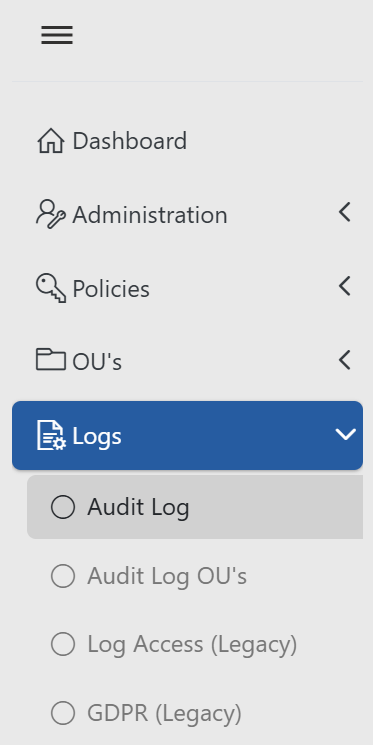
Send Delegate365 Audit and Operations Events to Azure Event Grid: Learn how to configure Azure Event Grid and Delegate365 to automatically send audit logs and operational events for monitoring, automation, and integration scenarios in this step-by-step article.
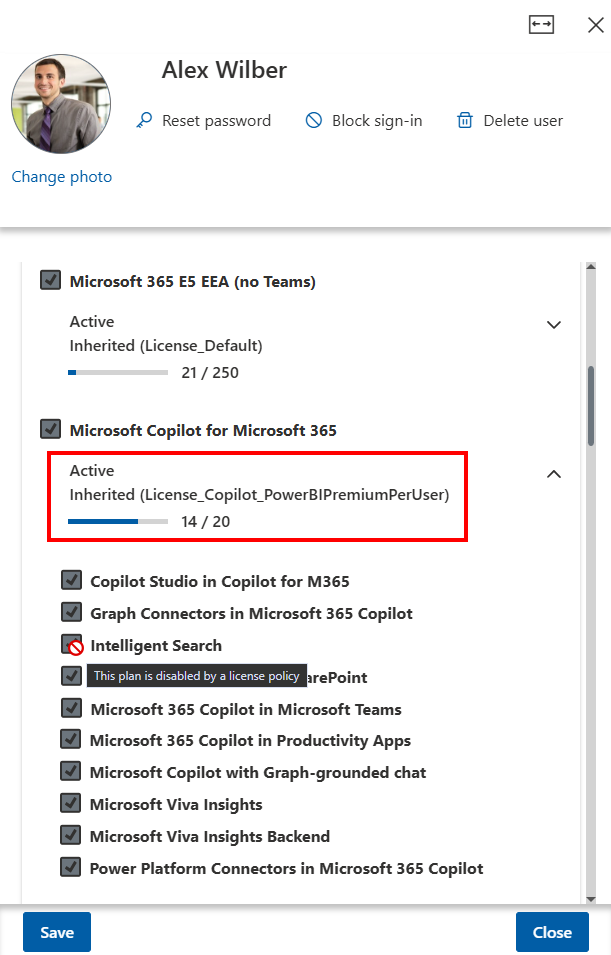
New: Fit Width Feature: Delegate365 displays details in a panel on the right side of the screen. To provide more workspace when viewing and editing data, we have added a new Fit Width option to every panel. Users can switch between the standard panel view and a full-width view by clicking the Fit Width icon (the rectangle with left and right arrows) located in the upper-right corner of the panel, next to the Close button.
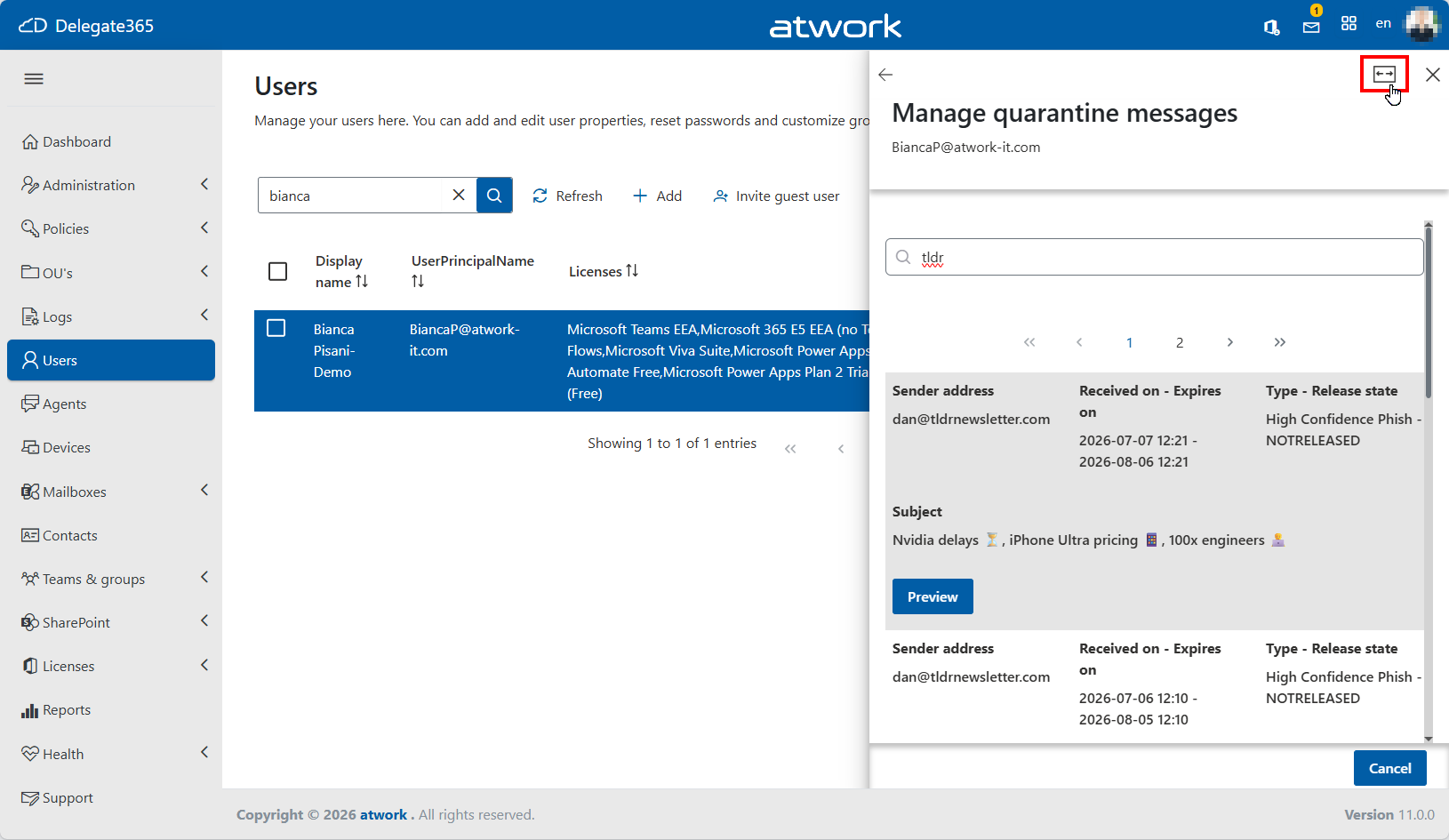 In full-width mode, significantly more space is available for working with detailed information.
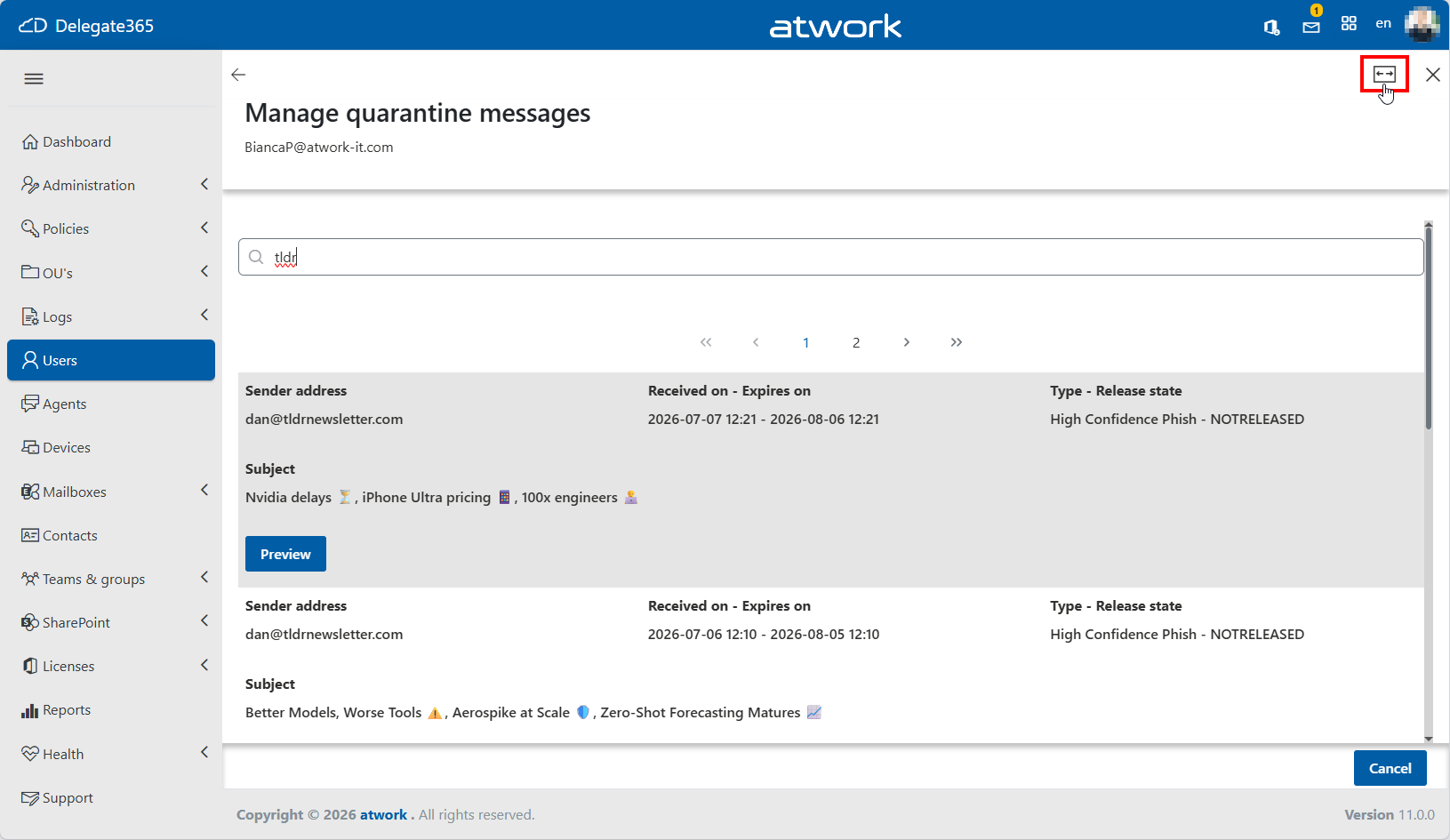 Users can switch between these two modes by clicking the icon. The selected view is saved automatically for the user and applied to all panels, making it easier and more comfortable to work with data throughout Delegate365.
Agents Inventory (Preview): Delegate365 v11 introduces a preview of the new Agents view, providing administrators with visibility into AI agents registered across the Microsoft 365 tenant. The new view displays key agent information such as the agent name, organizational unit, owner, instance ID, originating platform, creation date, and creator. Administrators can search, filter, and export agent data to gain better insights into the growing agent landscape within their organization.
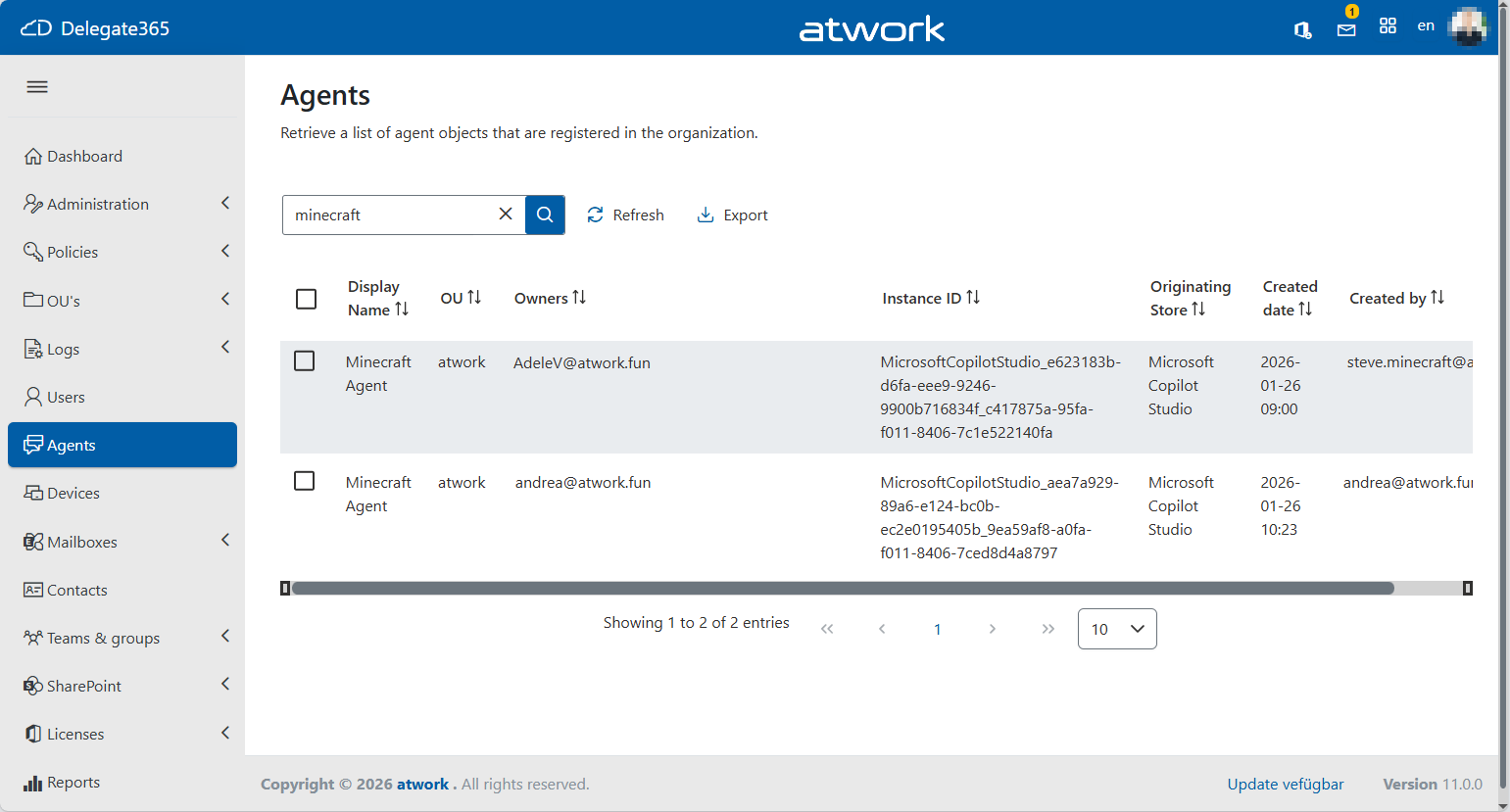 This preview feature is designed to help organizations improve governance and transparency as the adoption of Microsoft Copilot Studio and other agent-based solutions continues to grow.
Note: The Agents list is retrieved directly from the Microsoft API and displays all agents that have an Agent ID registered in Microsoft Entra ID. As this information is provided by Microsoft, the visibility of agents depends on the data returned by the underlying API. If an expected agent is not shown, it may not currently be exposed by Microsoft’s API (Preview feature).
This preview feature is designed to help organizations improve governance and transparency as the adoption of Microsoft Copilot Studio and other agent-based solutions continues to grow.
Note: The Agents list is retrieved directly from the Microsoft API and displays all agents that have an Agent ID registered in Microsoft Entra ID. As this information is provided by Microsoft, the visibility of agents depends on the data returned by the underlying API. If an expected agent is not shown, it may not currently be exposed by Microsoft’s API (Preview feature).Agent Details and Management (Preview): Selecting an agent opens the Agent Details view, providing additional information such as the Agent ID (Instance ID), Owner, Originating Store, Creator, and creation and modification dates.
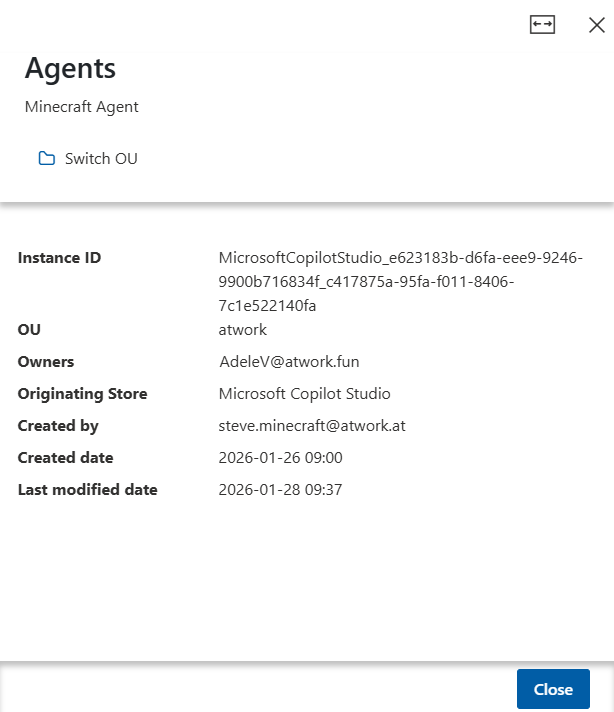 This is a preview feature. As Microsoft expands the available management APIs, Delegate365 plans to add further administration capabilities, including changing agent ownership, blocking or disabling agents, and additional governance and lifecycle management functions.
Agents Assignments / Agents Sync: Agents are automatically assigned to an Organizational Unit (OU) based on the OU assignment of their owner. This can be controlled in the Administraton / Sync Rules module - as for other resources as shown in the graphics below.
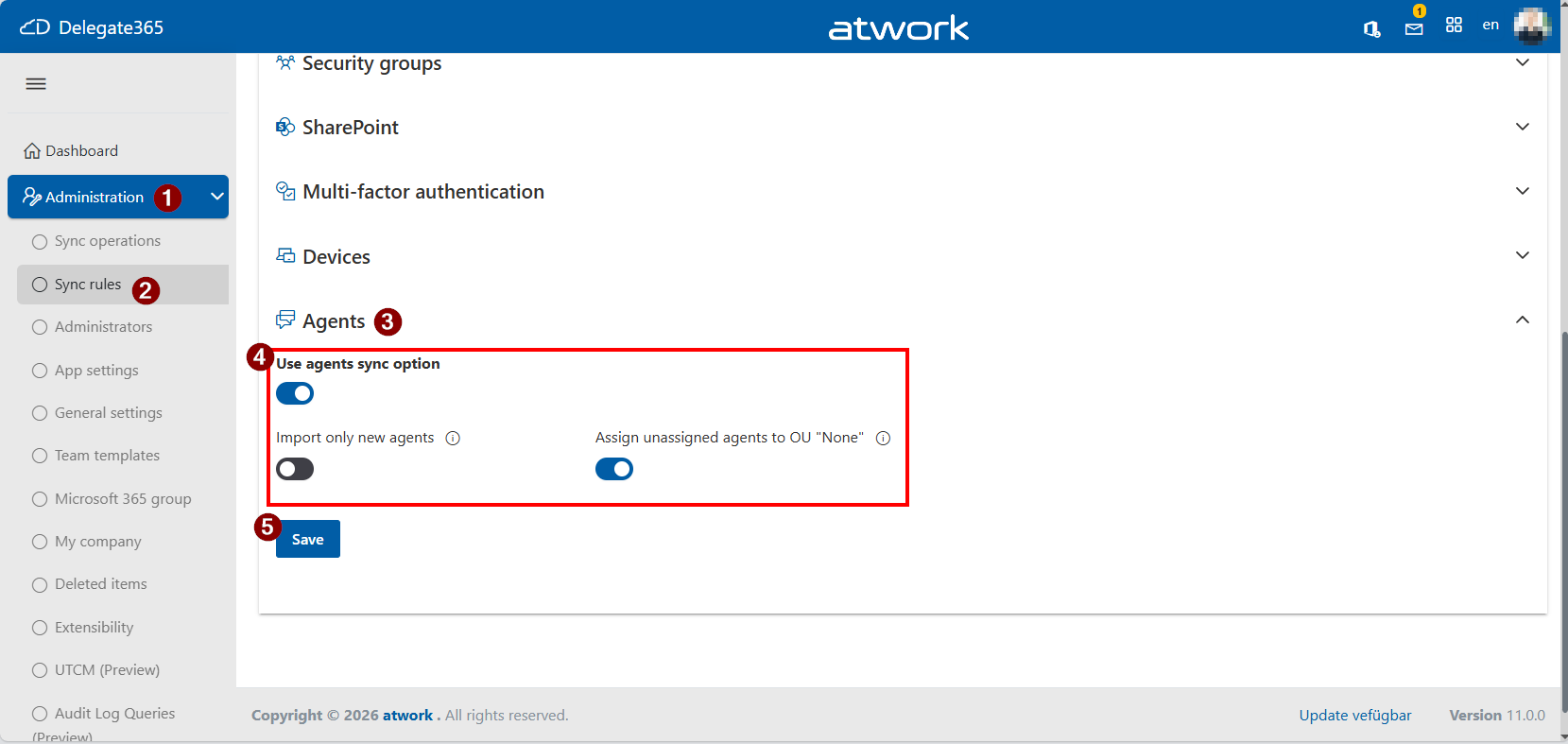 By default, this setting is enabled. If an agent has multiple owners, the OU of the first owner is used. If an agent has no owner, or if the owner is not assigned to an OU in Delegate365, the agent is ignored. Alternatively, if Assign unassigned agents to OU “None” is enabled, such agents are assigned to that OU.
This setting is typically used to identify agents without a known owner or without an OU assignment.
By default, this setting is enabled. If an agent has multiple owners, the OU of the first owner is used. If an agent has no owner, or if the owner is not assigned to an OU in Delegate365, the agent is ignored. Alternatively, if Assign unassigned agents to OU “None” is enabled, such agents are assigned to that OU.
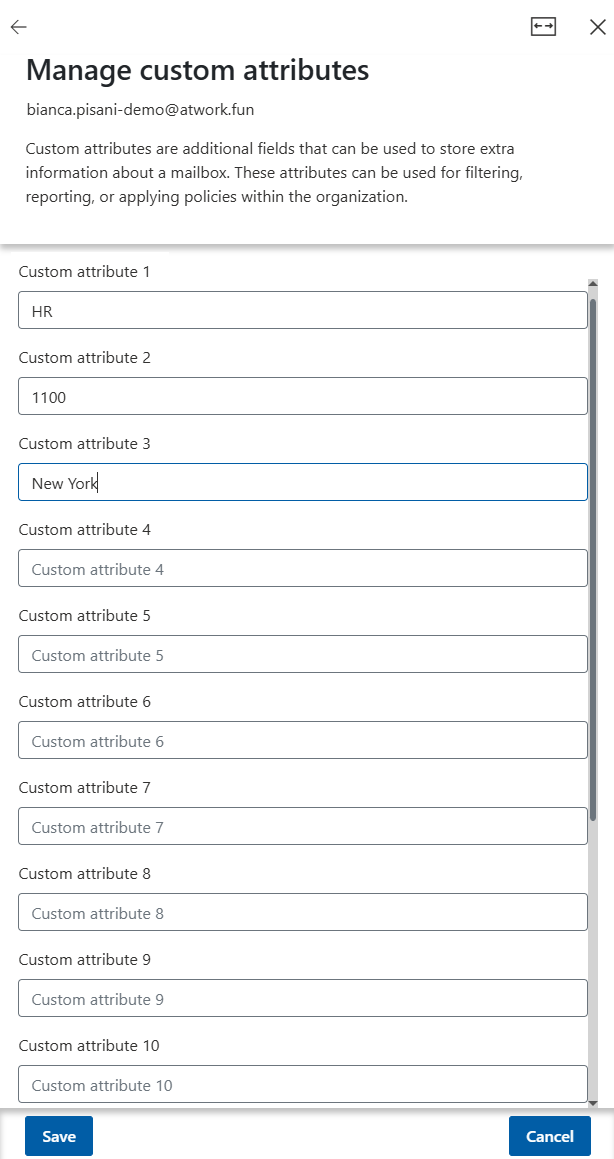
This setting is typically used to identify agents without a known owner or without an OU assignment.New: Custom Attributes 1-15 management: See a description and the required permissions at Delegate365 Expands Support for Custom Attributes.
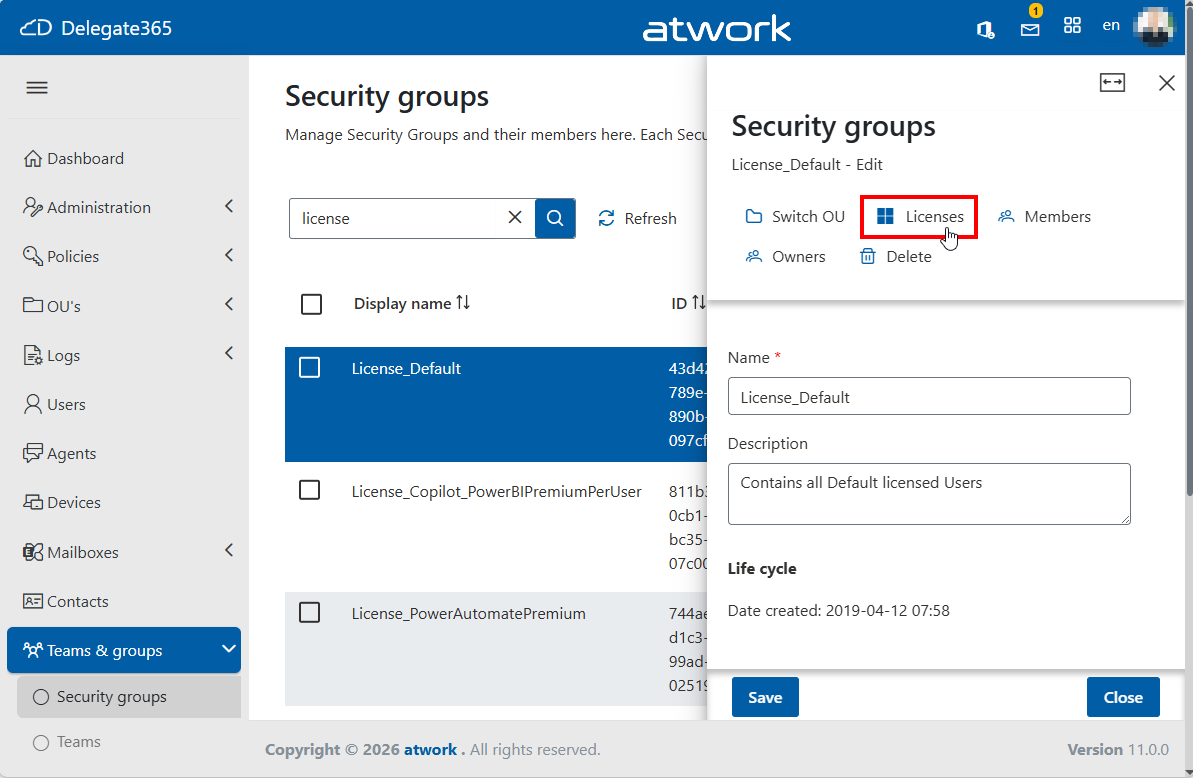
New: Group-based license assignment: Microsoft 365 licenses can now be assigned directly to security groups in Delegate365, similar to the Microsoft 365 Admin Center. Access to this feature is governed by the assigned Permission Policy, while configured License Policies are automatically enforced to ensure compliant license management. See Smarter Licensing in Delegate365: Full Control with Group-Based Assignments
Updated License assignments: Licensing can be complex. Microsoft 365 users can receive the same license through both group membership and direct assignment. To handle this correctly, the license assignments have been updated. See more at Smarter Licensing in Delegate365: Full Control with Group-Based Assignments
New: UTCM (Unified Tenant Configuration Management): UTCM allows administrators to save and manage Microsoft 365 tenant configurations with Delegate365. This simplifies configuration management, documentation, and consistency across tenant settings. A detailed description of UTCM, including its features, use cases, and configuration options, will be published soon. Stay tuned for more information.
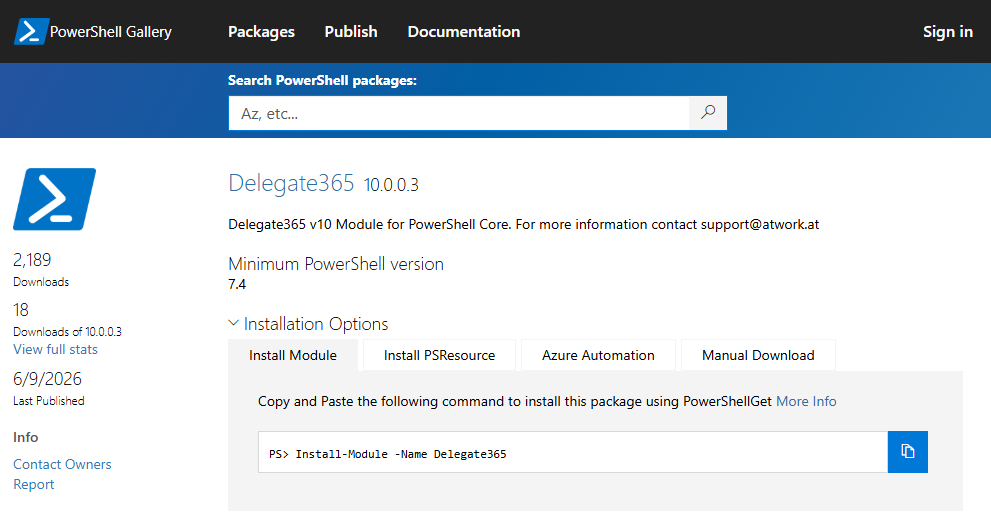
Delegate365 PowerShell Module Update: The Delegate365 PowerShell module in the PowerShell Gallery has been updated: Delegate365 10.0.0.3. Use this last version with Delegate365.
Fixes: Delegate365 v11 includes various small fixes, stability enhancements, and small usability improvements throughout the platform.









Summary
Delegate365 v11 introduces major enhancements in governance, licensing, usability, and AI agent management. Highlights include:
- New audit logging based on Azure Log Analytics with optional Azure Event Grid integration.
- New Fit Width mode for a larger and more comfortable workspace.
- New Agents Inventory and Agent Details views (Preview) for improved AI agent governance and visibility.
- Support for Custom Attributes 1–15 management.
- New Group-Based License Assignment for Microsoft 365 licenses.
- Enhanced license management for mixed direct and group-based assignments.
- Updated Delegate365 PowerShell Module.
- Various fixes, stability improvements, and usability enhancements.
Upgrade Information
To upgrade to Delegate365 v11, please contact us to arrange a suitable date and time.
Please book your preferred date and time with our team for the Delegate365 upgrade here.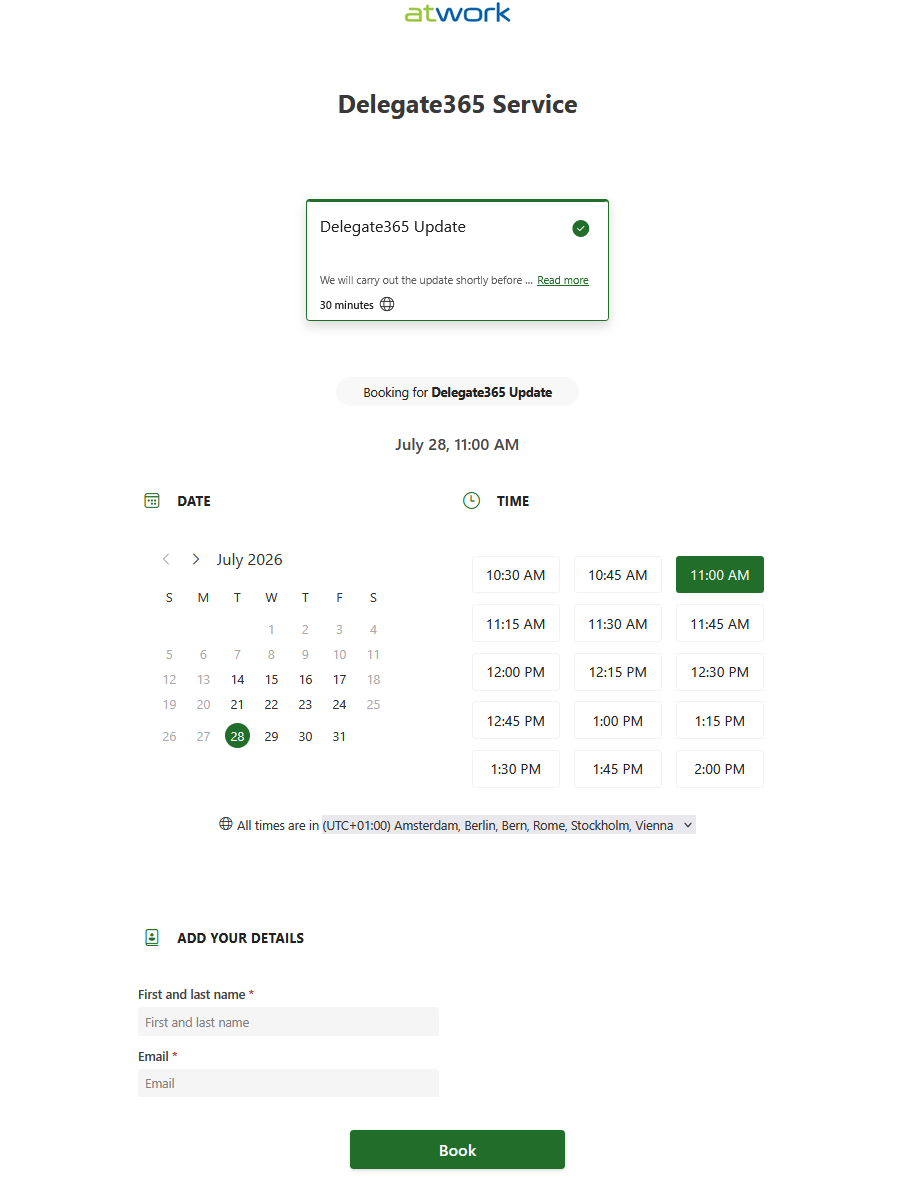
After the update, a new setup must be executed to complete the upgrade and activate the new features. We will be happy to assist you with the upgrade process.