We have released several important enhancements and platform updates in GT365:
Please update the GT365 application consent to enable the new functionality - see below.
Agents 365 registry
- Agent 365 API support: Microsoft has retired the Beta Agents Registry endpoint and replaced it with the new Agent 365 API. To continue collecting agent data, customers must provide a new consent to the GT365 application.
- Important: Reading the agents in your M365 tenant requires at least one Agent 365 license. See License requirements
- Action Required: As a Global Administrator, please use the link below to grant consent to the GT365 application and approve the updated permissions required to access the new Agent 365 API: Update consent to the GT365 application
- The API permission AgentInstance.Read.All was removed, and CopilotPackages.Read.All was added to the GT365 app.
- After consent is granted and the license requirements are met, GT365 can retrieve all agents in the Microsoft 365 tenant through the new API.
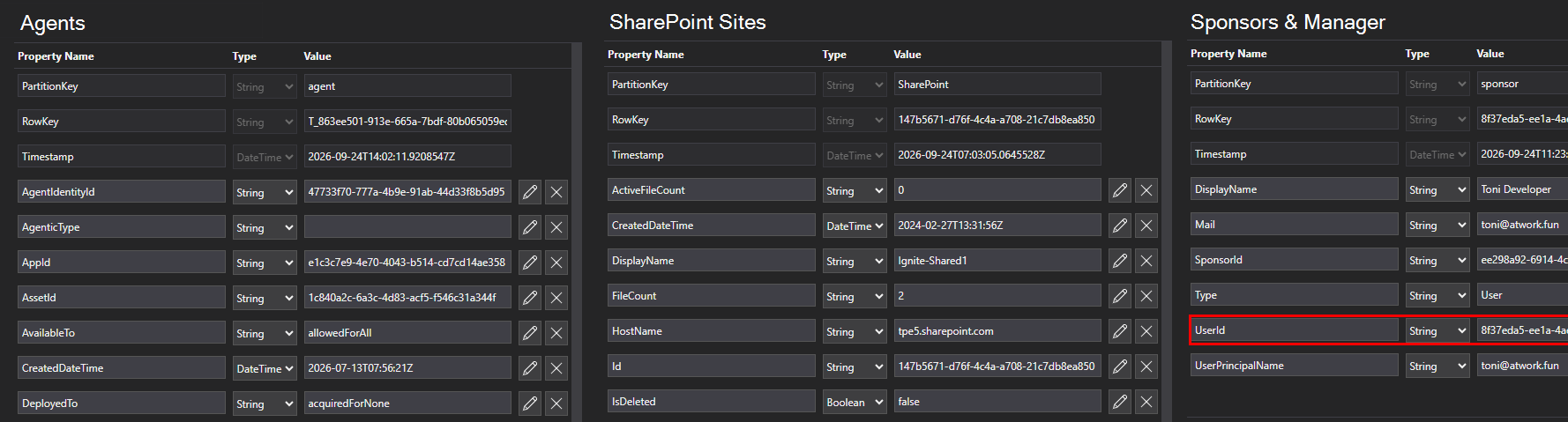
- The data returned for an agent looks like this.
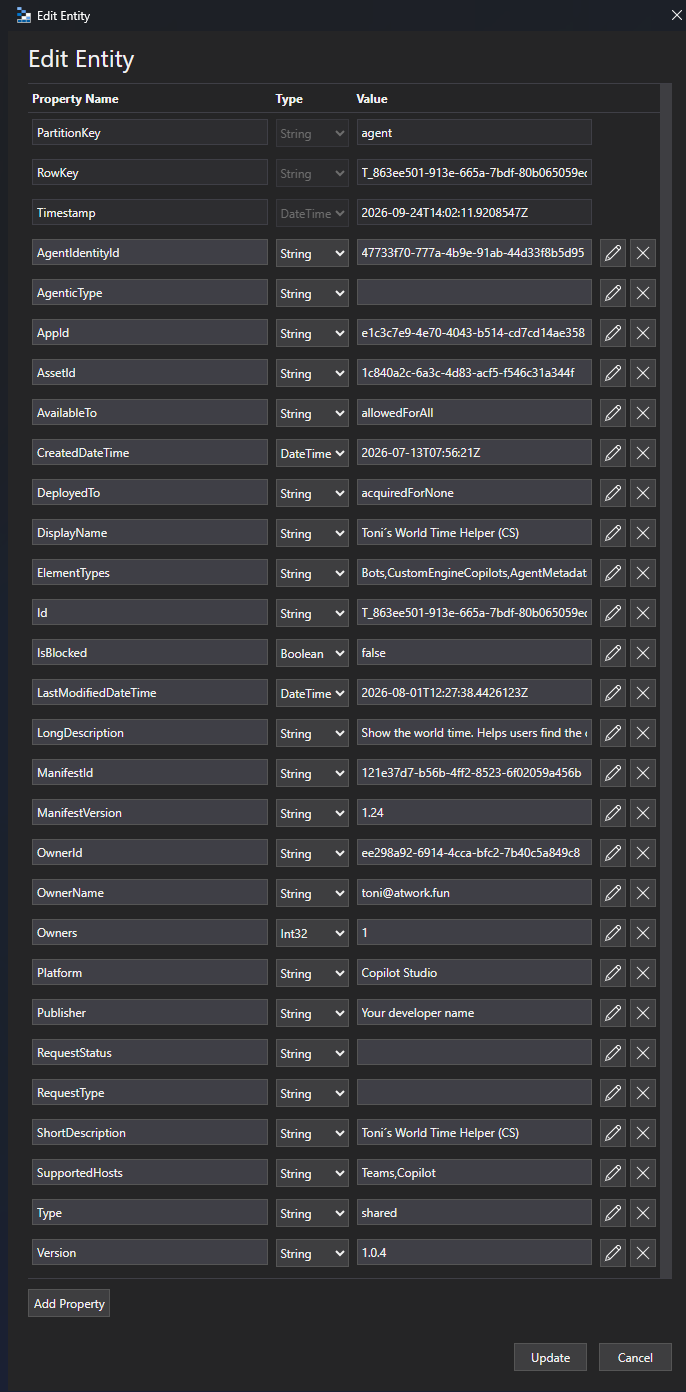
Notes: The legacy tables AgentsInstances and AgentsInstancesOwners will be removed. The new table is named agents. Existing Power BI reports that rely on these tables will no longer function and must be updated to the latest version. The latest Power BI report template can be downloaded from the GT365 Admin Portal.
SharePoint Sites
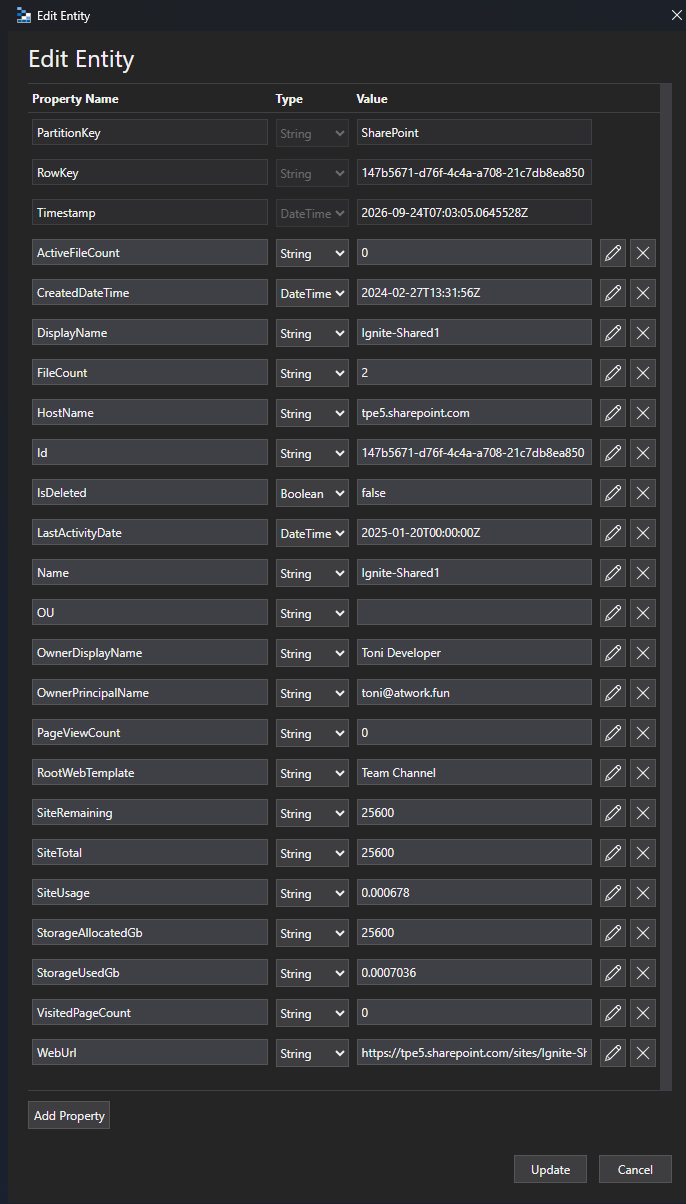
- Enhanced SharePoint Sites inventory with new properties such as FilesCount, PageViewCount, IsDeleted, StorageUsed, RootWebTemplate, and more.
Extended user insights
- Table users now includes each user’s Manager and a new Sponsors dataset to identify which internal users are responsible for guest accounts.
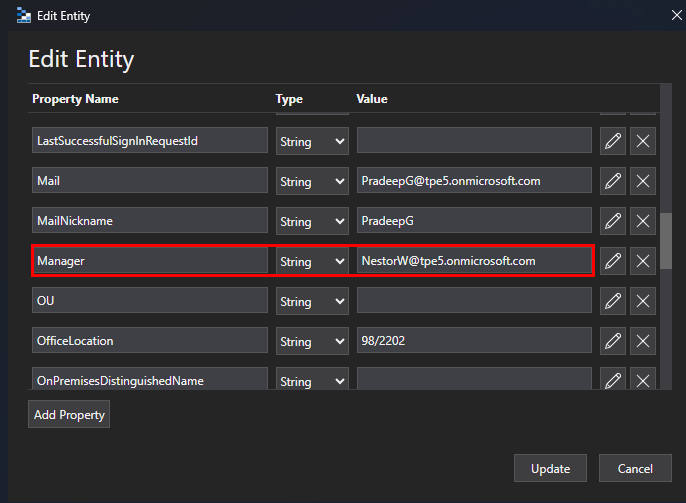
- The Manager is part of the users table.
- In this sample, we see that Nestor is the manager of Pradeep.
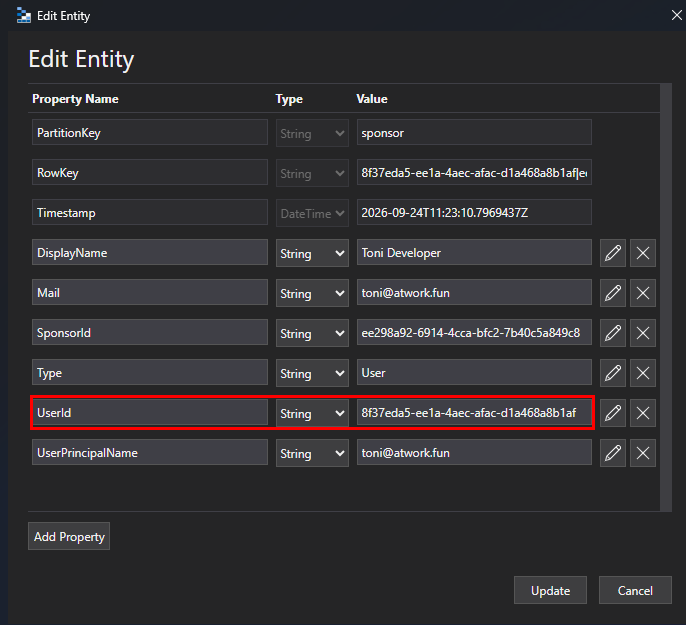
- A new table usersponsors has been added. This list includes the sponsor and the sponsored account Id in column UserId, as here.
- In this sample, user Toni is sponsor of a user account with Id 8f37….
Power BI Report
- Updated Power BI reporting capabilities leveraging the new data sources and attributes. Get the latest version from the GT365 Admin portal.
Call to Action
- Update consent to the GT365 application (required)
- Please download the latest Power BI template from the GT365 admin portal to take advantage of these new features and ensure compatibility with upcoming data model changes. Existing Power BI reports that rely on outdated tables will no longer function and must be updated to the latest version.
Missing Data?
If you notice that certain data is missing in GT365, please verify the following:
- Power Platform: Grant the required permissions for Power Platform data access using Consent Link.
- Power BI: Review the troubleshooting guide at Important Update for Governance Toolkit 365 Users Configuration Changes Required for Power BI Integration for additional configuration and troubleshooting steps.
- Review the troubleshooting guide at Grant permissions to the GT365 app for additional assistance.
Summary
To use the new functionality, the GT365 application consent must be updated, and the latest Power BI report template must be used.
We hope these updates provide valuable new insights into your Microsoft 365 environment, deliver even greater value from GT365, and help you improve governance and operational visibility across your tenant.