Delegate365 changelog version 3.9.5-Updates
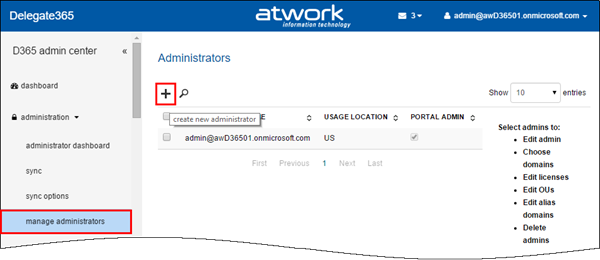
Delegate365 version 3.9.5 is out. We made some minor changes since the last version 3.9 (see here). See the changes here: Bulk create admins: When using D365 with many admins it can be some effort to create them. In former versions it was necessary to type (or copy) the UPNs of each admin in the create admin field. The creation of new admins works – as before – on the administration / manage administrators list. Now there follows a new form. Global Admins can type a username and an Auto-Complete function shows all corresponding starting with that name (starts with). Also there can be multiple admins picked and created in one step! To remove a selected admin, delete the user with Backspace key or by clicking the x-icon. The Auto-Complete works very quick even for many users (like in the screenshot above). Further improvements are that now all settings can be defined directly below in one step – for all selected admins like shown here. Below there are two more new sections: “Add admin to domain” and “Add admin to OU”. In here Global Admins can define which domains the admins can manage and in which D365 OU’s the admins will be members. This one-step-creation of admins simplifies the process of defining admins. The result can be checked anytime, like in this sample see the OU-assignment of user2. F.e. checking the OU… So best practise is to create multiple admins with common properties and assignments and then change specific permissions or assignments for special admins. ...