Using Azure ServiceBus for Debugging SharePoint 2013 Apps with Remote Event Receiver-Part 1

Using Azure ServiceBus for Debugging SharePoint 2013 Apps with Remote Event Receiver-Part 1

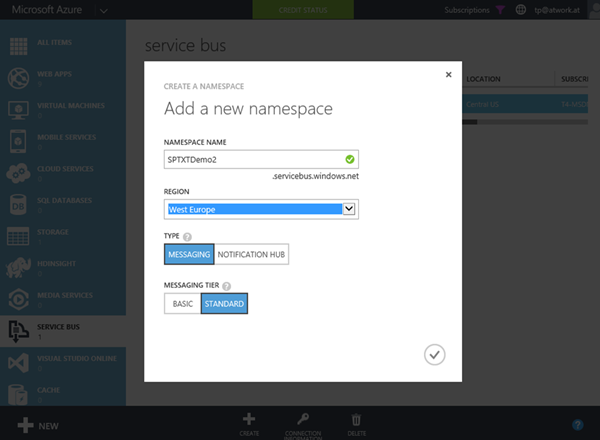
The new app model has a lot of benefits, especially for Web Developers who are writing solutions for Microsoft SharePoint Server 2013 or SharePoint Online. A very common request of Line-of-Business (LOB) apps is that actions in SharePoint lists shall trigger special operations, for example to start a workflow or to exchange data with other, external systems. This can be accomplished with “Remote Event Receivers” in SharePoint. With SharePoint 2013 the new concept uses Azure ServiceBus to transport events and data between the SharePoint Server system and a remote App (which while developing usually is running on “localhost”). ...

April 20, 2015 · 4 min · Toni Pohl
Why mobile?

Why mobile?

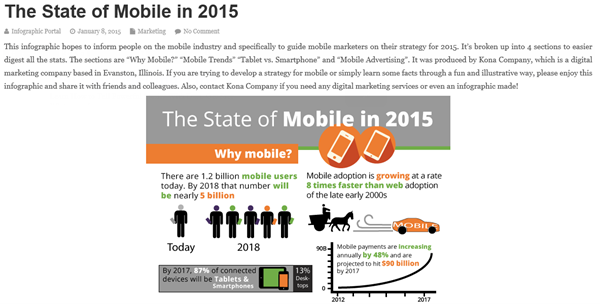
On infographicportal.com there’s a nice representation how fast the mobile market is growing – and how important this market is and will be in near future. See the article here: https://www.infographicportal.com/state-mobile-2015/ Here are some statements out of the graphics: “There are 1.2 billion mobile users today. By 2018 – in 3 years – that number will be nearly 5 billion.” “Mobile payments are increasing annually by 48%.” “By 2017, 87% of connected devices will be Tables and Smartphones.” ...

April 12, 2015 · 1 min · Toni Pohl
Run Android Apps on a Mac or PC with Google Chrome

Run Android Apps on a Mac or PC with Google Chrome

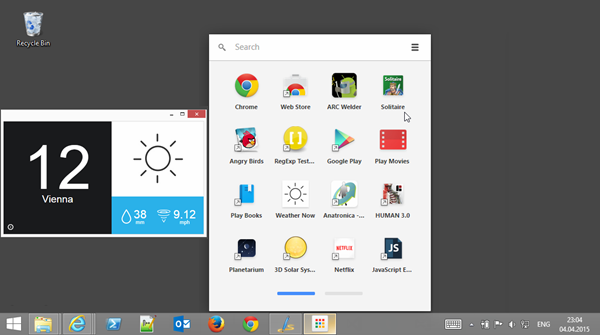
Yesterday I stumbled across an article on The Verge website: You can now run Android apps on a Mac or PC with Google Chrome. Sounded interesting! So I tested this on my Windows 8.1 computer. Besides Google Chrome you just need to install the “App Runtime for Chrome” (ARC). Find out how it works here: Getting Started with ARC “…The App Runtime for Chrome (Beta), or ARC, lets you run your favorite Android apps on Chrome OS….” ...

April 4, 2015 · 2 min · Toni Pohl
New OneDrive API

New OneDrive API

Es geht dahin: Microsoft hat die neue OneDrive API veröffentlicht, mit welcher Developer OneDrive in eigene Apps integrieren können. Diese ist für alle größeren Plattformen wie Web, Windows, iOS und Android verfügbar. Mit der neuen RESTful API können so Daten aus und in den Microsoft Cloud Speicher eines Benutzers gelesen und geschrieben werden. Hier geht es zur Ankündigung im blog.onedrive.com: The new OneDrive API Der Download ist auf GitHub verfügbar: Introducing the new OneDrive API ...

February 26, 2015 · 1 min · Toni Pohl
Microsoft Band SDK Preview is here

Microsoft Band SDK Preview is here

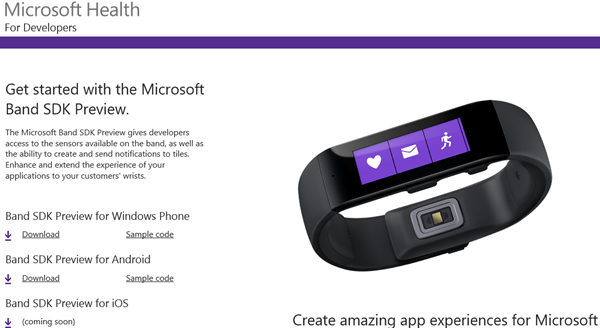
Microsoft Band SDK Preview is available! For the details see here: https://developer.microsoftband.com/ “The Microsoft Band SDK Preview gives developers access to the sensors available on the band, as well as the ability to create and send notifications to tiles. Enhance and extend the experience of your applications to your customers’ wrists. More at https://developer.microsoftband.com/.” see https://www.nuget.org/packages/Microsoft.Band/1.3.10219-preview It´s cool that there´s a NuGet package for the Microsoft Band SDK. Simply run the following command in the Package Manager Console: ...

February 24, 2015 · 1 min · Toni Pohl
Why the new App Model in SharePoint 2013 outdates the old coding solutions

Why the new App Model in SharePoint 2013 outdates the old coding solutions

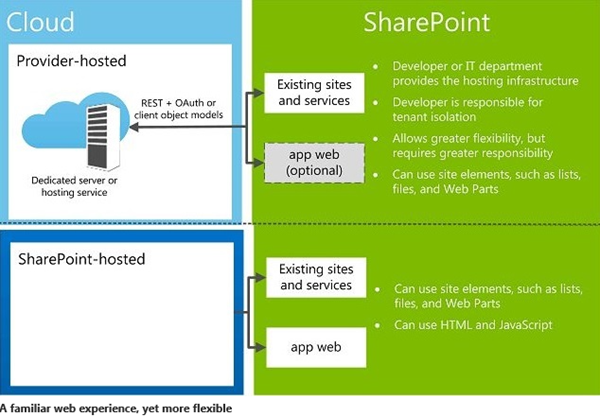
SharePoint 2013 is in the market since more than two years by now. And SharePoint 2016 is about to come soon. Beside all the standard features the SharePoint framework can be extended with custom solutions to automate processes within the system. In 2013 we have a new App Model which solves a lot of issues we had with custom solutions in the previous versions of SharePoint. In this article I want to point out why using the App Model is a good idea and why I recommend using it. But let´s have a look into that step by step. We start with the types of solutions developers can build on top of SharePoint. ...

February 17, 2015 · 4 min · Toni Pohl
Eigene Apps in den App Launcher von Office 365 integrieren

Eigene Apps in den App Launcher von Office 365 integrieren

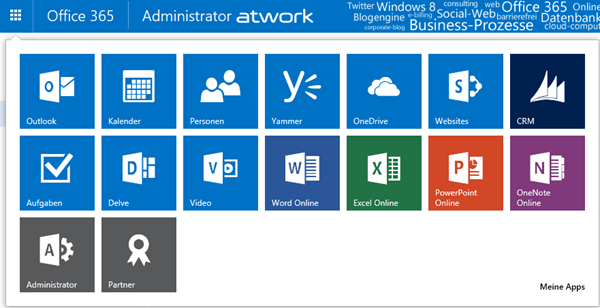
Seit kurzem ist in den Office 365 Webs der App Launcher (in deutsch das “App-Startfeld”) in der linken oberen Ecke verfügbar. Dieser zeigt jederzeit wichtige Apps für den angemeldeten Benutzer an, für die er berechtigt ist, ganz gleich welche Web-Anwendung geöffnet ist. Somit ist der App Launcher sozusagen das Office 365 “Startmenü” – bye bye Bookmarks. App Launcher erweitern Der App Launcher zeigt die wichtigsten Apps auf einen Blick und sieht standardmäßig - je nach Lizenzen und Berechtigungen - so aus: Jede App wird als Kachel angezeigt und kann mit einem Klick gestartet werden. ...

January 26, 2015 · 7 min · Martina Grom
Visual Studio 2015 CTP 5 ist da

Visual Studio 2015 CTP 5 ist da

Das Visual Studio Team hat die Verfügbarkeit von Visual Studio 2015 CTP 5 bekanntgegeben. Nach der Preview Release vom November sind hier neue Features und Verbesserungen im Debugging, Diagnostics, im XAML language service, das neue Timeline Tool und ASP.NET 5 sowie einige Bugfixes enthalten, siehe hier. In dieser Version wurde basierend auf der .NET Compiler Platform (“Roslyn”) das XAML language service neu geschrieben, sodass “fast and reliable XAML editing experience” mit IntelliSense möglich ist. Gleich mal testen, wie sich das anfühlt… ...

January 19, 2015 · 2 min · Toni Pohl
Whats new in the Azure SDK for .NET 2.5

Whats new in the Azure SDK for .NET 2.5

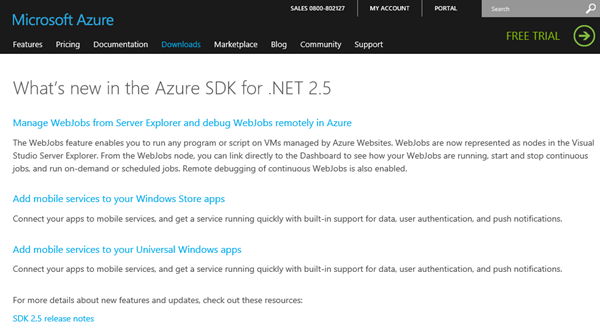
Developer, die das aktuelle Azure SDK 2.5 noch nicht installiert haben, finden in What’s new in the Azure SDK for .NET 2.5 eine kurze Zusammenfassung der neuen Funktionen. Die wichtigsten Neuerungen auf einen Blick zusammengefasst: Grundsätzlich fügt das Azure SDK 2.5 Unterstützung für Visual Studio 2015 Preview, Visual Studio 2013 Update 4, Windows 10 Technical Preview und .NET Framework 4.5.1 …hinzu und bietet auch neue Funktionen. Ein ganz hilfreiches Feature ist das verbesserte Remote debugging, das ganz einfach in Websites durch das Aktivieren von “Attach Debugger” verwendet werden kann. ...

January 6, 2015 · 2 min · Toni Pohl
Office 365 Office Graph Explorer

Office 365 Office Graph Explorer

Seit kurzem kann in Office 365 Tenants der sog. “Office Graph” aktiviert werden. Dieser ist derzeit als Preview in den Plänen Enterprise (Academic, Governmental) E1 bis E4 enthalten. Martina hat im TechNet Blog Delve und der Office Graph über die Aktivierung und die Details geschrieben. Hier ein kurzer Überblick, was der Office Graph ist: (https://www.youtube.com/embed/FV1Sc6UW8-o). About Delve and Office Graph Für Developer ist natürlich interessant, wie man den Office Graph selbst anzapfen und verwenden kann. Apropos, der Begriff “Delve” (das Webportal in Office 365) steht für “vertiefen”, die Bezeichnung “Office Graph” (das Service, das Informationen sammelt, verknüpft und bereitstellt) hat Microsoft wahrscheinlich in Anlehnung an andere Systeme gewählt. Facebook App-Developer kennen etwa die “Facebook Graph-API”, die nach erfolgter Authentifizierung einer bekannten App genauso Informationen über Mitglieder liefert. ...

October 3, 2014 · 4 min · Toni Pohl