Microsoft Band SDK Preview is here

Microsoft Band SDK Preview is here

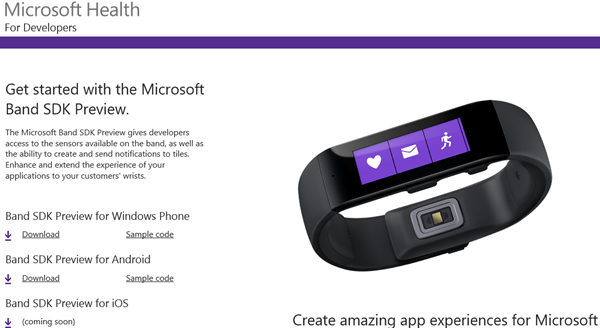
Microsoft Band SDK Preview is available! For the details see here: https://developer.microsoftband.com/ “The Microsoft Band SDK Preview gives developers access to the sensors available on the band, as well as the ability to create and send notifications to tiles. Enhance and extend the experience of your applications to your customers’ wrists. More at https://developer.microsoftband.com/.” see https://www.nuget.org/packages/Microsoft.Band/1.3.10219-preview It´s cool that there´s a NuGet package for the Microsoft Band SDK. Simply run the following command in the Package Manager Console: ...
February 24, 2015 · 1 min · Toni Pohl
Why the new App Model in SharePoint 2013 outdates the old coding solutions

Why the new App Model in SharePoint 2013 outdates the old coding solutions

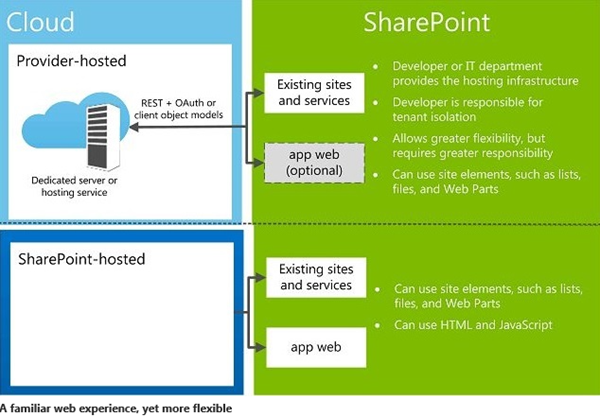
SharePoint 2013 is in the market since more than two years by now. And SharePoint 2016 is about to come soon. Beside all the standard features the SharePoint framework can be extended with custom solutions to automate processes within the system. In 2013 we have a new App Model which solves a lot of issues we had with custom solutions in the previous versions of SharePoint. In this article I want to point out why using the App Model is a good idea and why I recommend using it. But let´s have a look into that step by step. We start with the types of solutions developers can build on top of SharePoint. ...

February 17, 2015 · 4 min · Toni Pohl
Eigene Apps in den App Launcher von Office 365 integrieren

Eigene Apps in den App Launcher von Office 365 integrieren

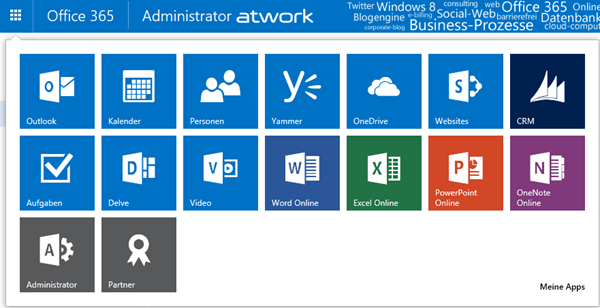
Seit kurzem ist in den Office 365 Webs der App Launcher (in deutsch das “App-Startfeld”) in der linken oberen Ecke verfügbar. Dieser zeigt jederzeit wichtige Apps für den angemeldeten Benutzer an, für die er berechtigt ist, ganz gleich welche Web-Anwendung geöffnet ist. Somit ist der App Launcher sozusagen das Office 365 “Startmenü” – bye bye Bookmarks. App Launcher erweitern Der App Launcher zeigt die wichtigsten Apps auf einen Blick und sieht standardmäßig - je nach Lizenzen und Berechtigungen - so aus: Jede App wird als Kachel angezeigt und kann mit einem Klick gestartet werden. ...

January 26, 2015 · 7 min · Martina Grom
Visual Studio 2015 CTP 5 ist da

Visual Studio 2015 CTP 5 ist da

Das Visual Studio Team hat die Verfügbarkeit von Visual Studio 2015 CTP 5 bekanntgegeben. Nach der Preview Release vom November sind hier neue Features und Verbesserungen im Debugging, Diagnostics, im XAML language service, das neue Timeline Tool und ASP.NET 5 sowie einige Bugfixes enthalten, siehe hier. In dieser Version wurde basierend auf der .NET Compiler Platform (“Roslyn”) das XAML language service neu geschrieben, sodass “fast and reliable XAML editing experience” mit IntelliSense möglich ist. Gleich mal testen, wie sich das anfühlt… ...

January 19, 2015 · 2 min · Toni Pohl
Whats new in the Azure SDK for .NET 2.5

Whats new in the Azure SDK for .NET 2.5

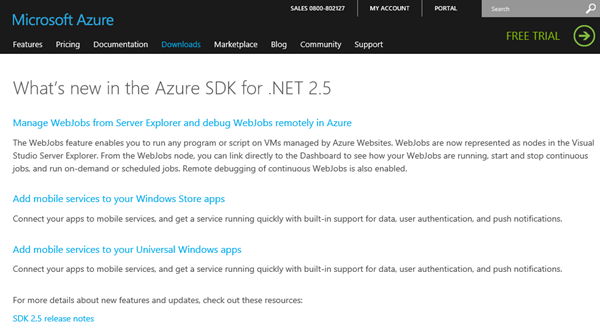
Developer, die das aktuelle Azure SDK 2.5 noch nicht installiert haben, finden in What’s new in the Azure SDK for .NET 2.5 eine kurze Zusammenfassung der neuen Funktionen. Die wichtigsten Neuerungen auf einen Blick zusammengefasst: Grundsätzlich fügt das Azure SDK 2.5 Unterstützung für Visual Studio 2015 Preview, Visual Studio 2013 Update 4, Windows 10 Technical Preview und .NET Framework 4.5.1 …hinzu und bietet auch neue Funktionen. Ein ganz hilfreiches Feature ist das verbesserte Remote debugging, das ganz einfach in Websites durch das Aktivieren von “Attach Debugger” verwendet werden kann. ...

January 6, 2015 · 2 min · Toni Pohl
Office 365 Office Graph Explorer

Office 365 Office Graph Explorer

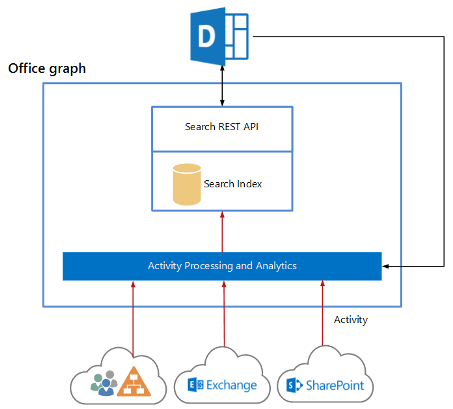
Seit kurzem kann in Office 365 Tenants der sog. “Office Graph” aktiviert werden. Dieser ist derzeit als Preview in den Plänen Enterprise (Academic, Governmental) E1 bis E4 enthalten. Martina hat im TechNet Blog Delve und der Office Graph über die Aktivierung und die Details geschrieben. Hier ein kurzer Überblick, was der Office Graph ist: (https://www.youtube.com/embed/FV1Sc6UW8-o). About Delve and Office Graph Für Developer ist natürlich interessant, wie man den Office Graph selbst anzapfen und verwenden kann. Apropos, der Begriff “Delve” (das Webportal in Office 365) steht für “vertiefen”, die Bezeichnung “Office Graph” (das Service, das Informationen sammelt, verknüpft und bereitstellt) hat Microsoft wahrscheinlich in Anlehnung an andere Systeme gewählt. Facebook App-Developer kennen etwa die “Facebook Graph-API”, die nach erfolgter Authentifizierung einer bekannten App genauso Informationen über Mitglieder liefert. ...

October 3, 2014 · 4 min · Toni Pohl
Introduction to Office 365 Development

Introduction to Office 365 Development

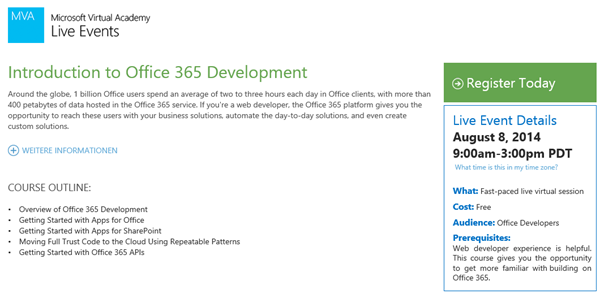
Für schnell entschlossene Entwickler, die gerade nicht im Urlaub weilen, gibt es heute, am 8. August, in der MVA (Microsoft Virtual Academy) ein sehr interessantes Live-Event mit dem Titel Introduction to Office 365 Development. Die Online-Kurse liefern einen Überblick über Development für Office 365, von Apps für Office und SharePoint bis zu Full Trust Apps und Einblicke in die neue Office 365 API (siehe auch hier). Das Event startet bei uns am Freitag, den 8. August, um 18 Uhr und dauert bis Mitternacht. ...

August 8, 2014 · 1 min · Toni Pohl

Freies eBook Building Cloud Apps with Microsoft Azure

Ganz frisch gibt es ein neues kostenfreies eBook für Developer im Microsoft Press Blog downzuladen: Building Cloud Apps with Microsoft Azure von Scott Guthrie, Mark Simms, Tom Dykstra, Rick Anderson und Mike Wasson. Das eBook behandelt die Themen Apps mit Azure, Best practices for DevOps, data storage, high availability und vieles mehr. Dabei werden auch wichtige Bereiche von Azure wie Automation, Web Development, Continuous integration and delivery, Source Control, Caching, Queues, Monitoring und weitere Features behandelt. ...

July 27, 2014 · 1 min · Toni Pohl
Windows Intune und Azure MFA

Windows Intune und Azure MFA

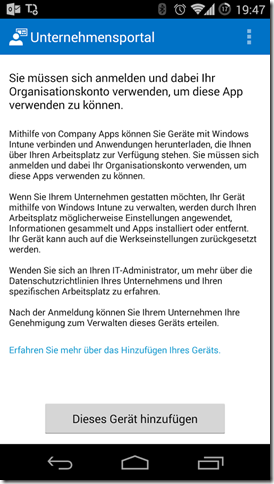
Cloud Services gibt es viele. Die meisten davon kann man auch kombinieren. In Einzelfällen kann es aber zu seltsamen Phänomenen führen. Heute habe ich das bei einem Kunden so gesehen. Um das Problem simpel zu erklären: Es gibt eine Windows Intune Trial Installation inkl. SCCM Anbindung und allem drumherum. Die Company Portal App für iOS und Android Devices ist bereits deployed, aber bei den Windows Phones happerts und will es nicht so recht klappten (man erkennt die Ironie…) ...

July 11, 2014 · 3 min · Christoph Wilfing
Determine which version of .NET Framework is installed

Determine which version of .NET Framework is installed

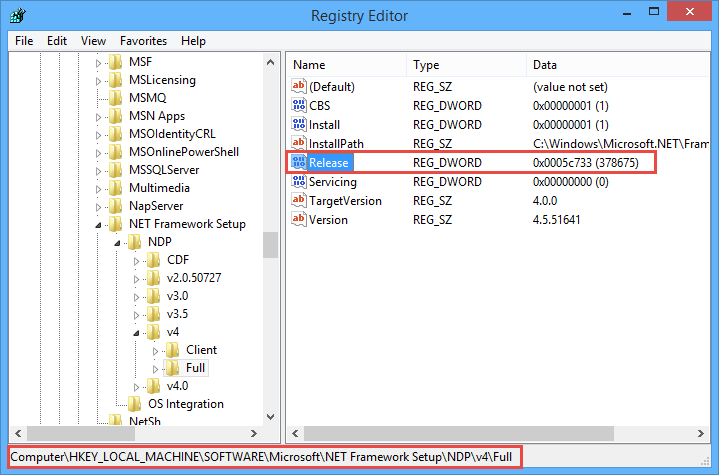
Sometimes it´s good to check if the desired version of the Microsoft .NET Framework is installed on the target machine where you want to run your code, ah, app. Fortunately, this is easy to figure out. See MSDN article How to: Determine Which .NET Framework Versions Are Installed for .NET versions and How to determine which versions and service pack levels of the Microsoft .NET Framework are installed. To check the version open a command prompt, and start ...

July 9, 2014 · 2 min · Toni Pohl