atwork sucht engagierte Software DeveloperInnen!

atwork sucht engagierte Software DeveloperInnen!

atwork ist Anbieter von modernen Business-to-Business IT-Lösungen auf der Basis von Webtechnologien. Wir sind ein agiles Team und entwickeln Lösungen in unserem Büro in Wien Döbling. Wir suchen Dich zur Unterstützung unserer Lösungs- und Produktentwicklung und bieten flexible Arbeitszeiten und ein spannendes Umfeld! Dein Job ist die Entwicklung von Apps und Services mit Microsoft .NET und aktuellen Webtechnologien. Abhängig von Deiner Projekterfahrung und nach Einarbeitung in unsere Lösungen trägst du Verantwortung für Projekte und übernimmst Aufgaben in der Spezifikation, Design und Implementierung. Du arbeitest gemeinsam mit unseren Kollegen und Kunden aktiv an der Weiterentwicklung der Lösungen. ...

September 9, 2019 · 2 min · Toni Pohl
Instantly install your essential software with Chocolatey

Instantly install your essential software with Chocolatey

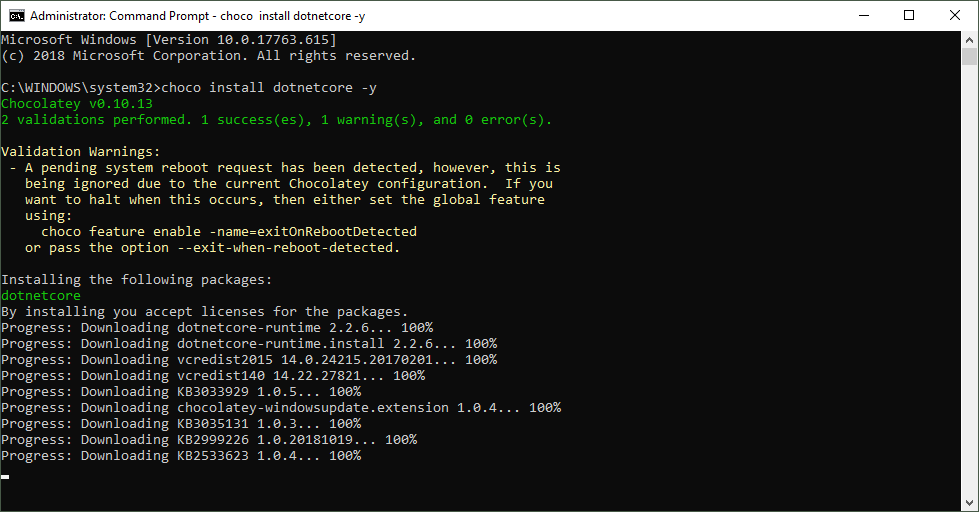
When installing a new computer, it takes some time to download and install the essential software. This is what Chocolatey is for. Chocolatey is a cost free package manager for Windows using NuGet infrastructure and PowerShell to quickly installing applications and tools that you need. I am using choco since a long time, now I wanted to show my current packaged software for my new computer. See the script here. About and Prerequisites Partly taken from About Chocolatey: Chocolatey CLI aka choco (or choco.exe) is a client that provides the core of Chocolatey and the installation store for locally installed packages. You need to have Windows 7+ or/ Windows Server 2003+ as Operating System and PowerShell v2+ (not PowerShell Core yet though) and the .NET Framework 4+ installed. Just to mention, the installation will attempt to install .NET 4.0 if you do not have it installed, see choco installation and Getting Started. Besides the client, there also exists a Chocolatey GUI and Chocolatey Agent (aka chocolatey-agent) for central administration. ...

August 2, 2019 · 3 min · Toni Pohl
What is the difference in Azure AD between Enterprise applications and App registrations?

What is the difference in Azure AD between Enterprise applications and App registrations?

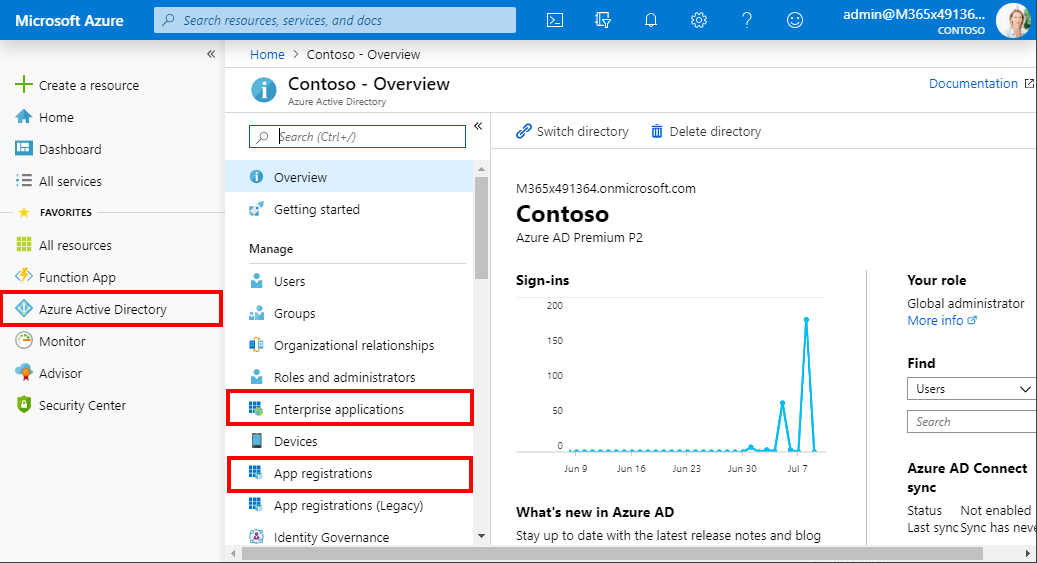
Azure Active Directory (Azure AD) acts as a central identity service and manages all apps in a tenant. When it comes to app management, Administrators often are confused why there are two (or currently three) application management modules existing in the Azure portal. Well, see the explanation here. An app can have many properties. The important part is, that Azure AD assigns an unique Application ID to an app and allows developers to add certain capabilities such as permissions, conditional access and more that is used by applications to access specific services. ...

July 10, 2019 · 4 min · Toni Pohl

Update a SPN in AAD with the Azure PowerShell Az module

Yesterday, I wrote how to Update your Azure CLI with Choco. Today, I needed to renew an existing Service Principal Name in an AAD. A SPN stands for Service Principal Name which is used for automation authentication. The PowerShell az module got some updates (v1.0.0). So, here´s the full step-by-step instruction for renewing a SPN with az ad sp credential. This updates the steps described at How to create or renew Service Principal Names in Azure Active Directory… ...

July 1, 2019 · 1 min · Toni Pohl

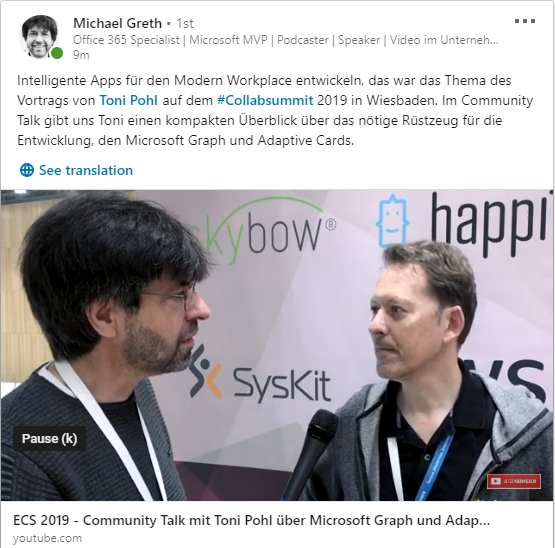
Develop Intelligent Apps for the Modern Workplace interview at ECS 2019

End of May the European Collaboration Summit 2019 took place in Germany. My MVP colleague Michael Greth (see also sharepointsendung.de) did a short interview with me about Microsoft Graph and my session “Develop Intelligent Apps for the Modern Workplace”. Watch it here. The interview is about Microsoft Graph and the use of Adaptive Cards and is in German. Watch the 6 minute talk on LinkedIn at Linkedin.com: ECS 2019 - Community Talk mit Toni Pohl über Microsoft Graph und Adaptive Cards … ...

June 19, 2019 · 1 min · Toni Pohl

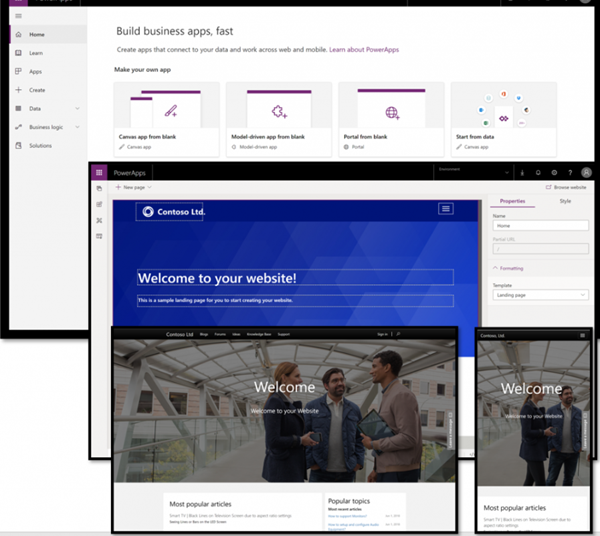
Hello, PowerApps Portals and external users!

PowerApps are a great way to develop low-code apps for various platforms. With the big success of PowerApps and Flow, the number one request of many customers was: How can people *outside *my company use PowerApps? Well, soon there will be a way with PowerApps Portals! So far, using a PowerApp requires a login in the organization´s tenant. In real scenarios, there are of course many use cases in which the provision of a PowerApp for customers, partners, suppliers, etc. makes sense. So, there´s a huge demand for sharing PowerApps with external users. ...

June 10, 2019 · 2 min · Martina Grom

Groups Governance Toolkit-Working with group policies

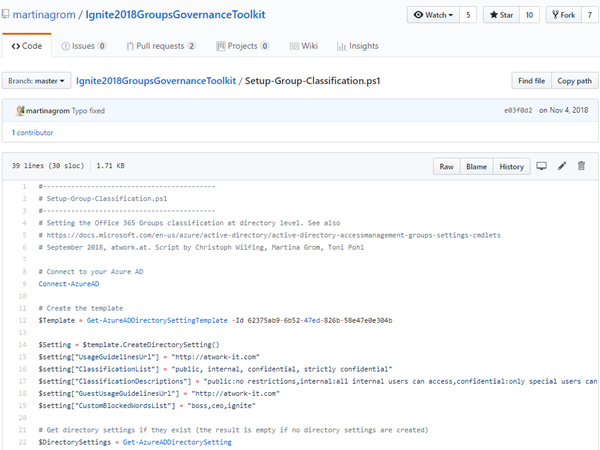
At Microsoft Ignite conference last September, we demoed an approach for a self-built Office 365 Groups Governance Toolkit. Since Microsoft 365 is an evergreen service and continues to evolve, today we have more group settings available and we extend our provisioning function to work with group naming policies as well. See here how this can be accomplished by including new Graph requests. Foreword You can find the previous articles of our governance story at Provisioning an Office 365 group with an approval flow and Azure functions-part 1, part 2, part 3, part 4, part 5 and part 6 and the source code at martinagrom/Ignite2018GroupsGovernanceToolkit. ...

May 2, 2019 · 6 min · Martina Grom
How to add custom user properties to Delve and SharePoint

How to add custom user properties to Delve and SharePoint

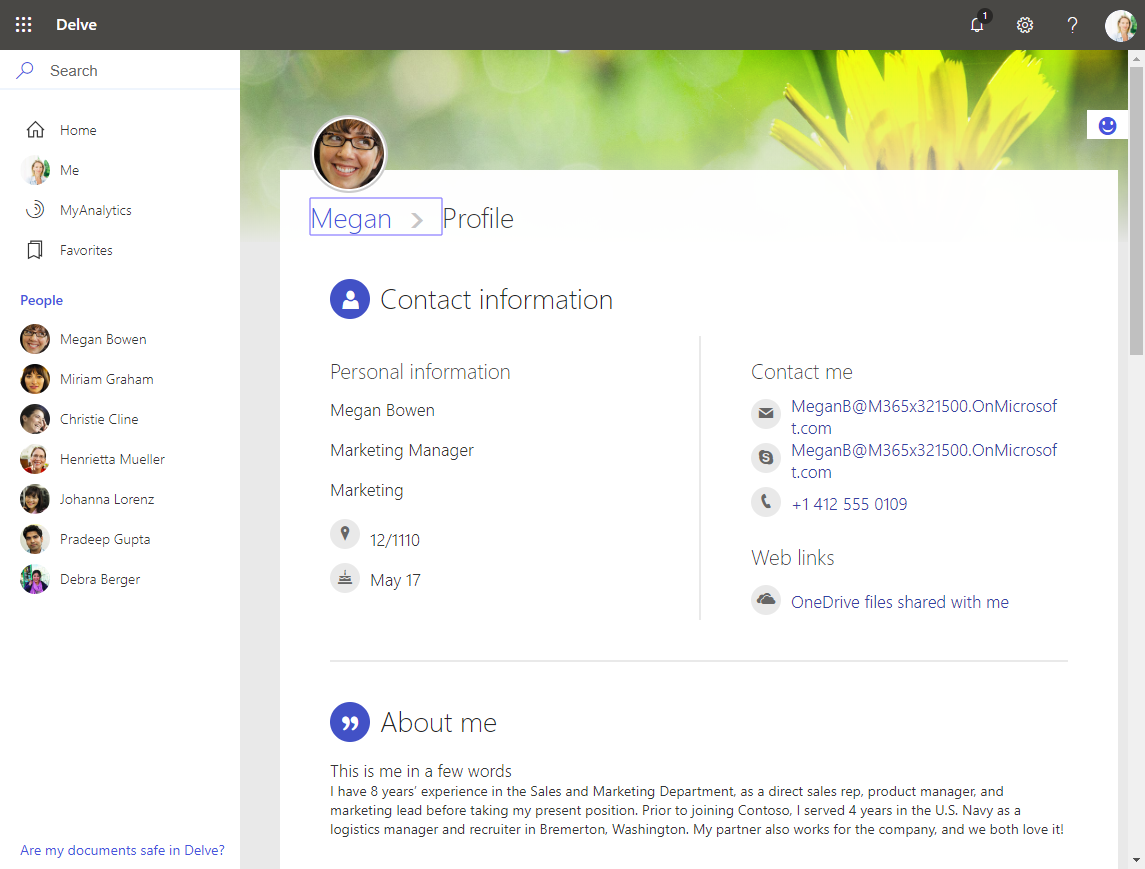
The Delve App allows to discover company and user data across Office 365. Unfortunately, while the app is very helpful, it can not be customized. Well, but we can easily add additional user information, such as personal data, a cost center, additional contact data or hyperlinks, etc. See how this works here. The default Delve experience When opening the Delve app and a user profile, this looks like in a demo tenant here: https://REGION.delve.office.com/?u=USERID&v=profiledetails ...

April 15, 2019 · 3 min · Martina Grom
Tips for PowerApps-6 tips for working with images

Tips for PowerApps-6 tips for working with images

Since I use PowerApps only from time to time, I wanted to document some common actions, such as working with images and the camera control. So, here are my little notes in 6 tips. Well it´s Saturday evening, and I am listening to fancy music and playing with PowerApps (and Flow, Cognitive Services and Adaptive Cards). To not forget the following basics, I thought, it´s a good idea to document a quick intro for working with the Camera control and pictures in PowerApps. ...

April 14, 2019 · 6 min · Toni Pohl

Microsoft Edge preview with Chromium Testdrive

End of last year, Microsoft announced to integrate the Chromium open source project in the development of Microsoft Edge on the desktop to create better web compatibility. Well, here is Edge preview! That was quick. To try the new experience, download the preview from www.microsoftedgeinsider.com. Download, and install… the new “inspirational” look is pretty. I did start with “my data” which looks as here. Chromium also allows to integrate Chrome Plugins. ...

April 8, 2019 · 1 min · Toni Pohl