Free Book Inside Azure Management v3

Are you interested or already working with Microsoft Azure? Download the freshest and latest version of the free e-book “Inside Azure Management v3”. This preview release of “Inside Azure Management” is now available with more than 500 pages in 16 chapters covering topics like implementing solutions, containers, migrating workloads, hybrid, automation, backup, costs, governance, monitoring and alerting, analytics, and more. Check it out! The e-book already has about 30.000 downloads and is written by Microsoft MVP´s. “Inside Azure Management” can be downloaded at Free Book: Inside Azure Management v3. ...

March 30, 2019 · 1 min · Martina Grom
Tips for PowerApps-Working Offline with PowerApps

Tips for PowerApps-Working Offline with PowerApps

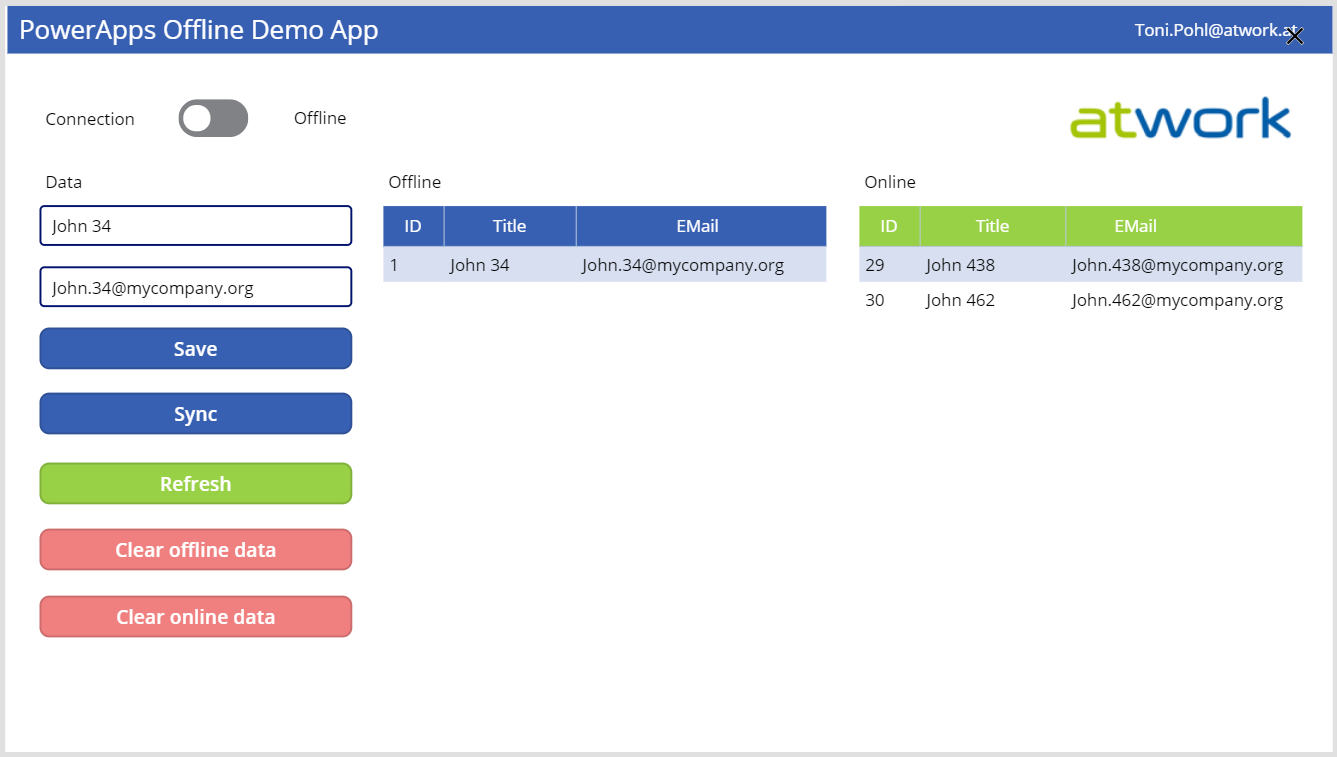
PowerApps provide a good solution for small apps. They run on a device and connect to an online data source. But what happens if no data connection is available, for instance in a building? Well, you can develop a PowerApp that works offline and synchronizes local data to the data source when you’re back online. See how this works here! A basic demo app To show the basic functionality, I developed the following, colorful demo PowerApp. The app consists of one screen in tablet mode including a connection toggle control, two input fields for a name and an email address, two data tables and some buttons. The goal is to read and write data in offline and online mode. ...

March 29, 2019 · 5 min · Toni Pohl
Having fun with IoT Flic buttons and Microsoft Flow

Having fun with IoT Flic buttons and Microsoft Flow

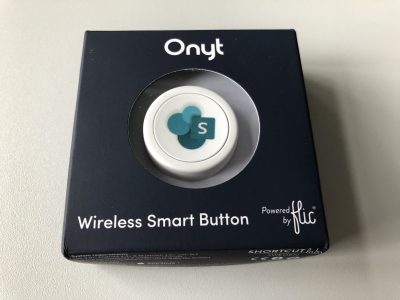
I just got a cute Flic button to play around with. It takes only some minutes to connect that IoT button to a connector and execute customs tasks. Well, as first step, I simply created a message in a Microsoft Teams channel. See the step-by-step instructions here. My colleague Christoph has started to play with the Flic button and another IoT button, so I was interested as well. Another article with that IoT button will follow shortly. ...

March 27, 2019 · 3 min · Toni Pohl
Secure a web on Azure with an Azure Active Directory Multi-Tenant App

Secure a web on Azure with an Azure Active Directory Multi-Tenant App

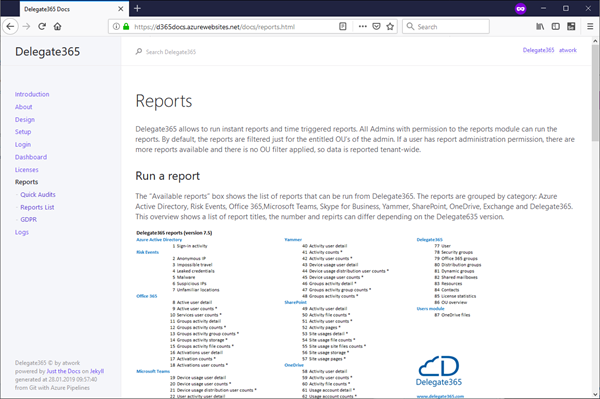
Azure offers a great platform for multiple types of apps and services, Web Apps are one of the PaaS service, we are using much. In some scenarios, it makes sense to host a static website on Azure, but to restrict access just for authenticated users. Well, AAD can help you with that by demanding a successful login with an Office 365 account. See how this works here. My sample static website My sample works with an Azure DevOps task that automatically generates a HTML website from a source control repository, processes the web with Jekyll in a container and saves the generated HTML artifacts to an Azure website. So, I picked a Jekyll Theme and started a documentation with Markdown files in Visual Studio Code. Then, I push the changes to my Azure DevOps repository and the build process generates the web in Azure. (That’s material for another article sometime.) Anyway, in the end there exists a static HTML website in an Azure web app that can be accessed with the https://[website].azurewebsites.net/ address. ...

March 1, 2019 · 3 min · Toni Pohl
Convert a Markdown document to PDF easily

Convert a Markdown document to PDF easily

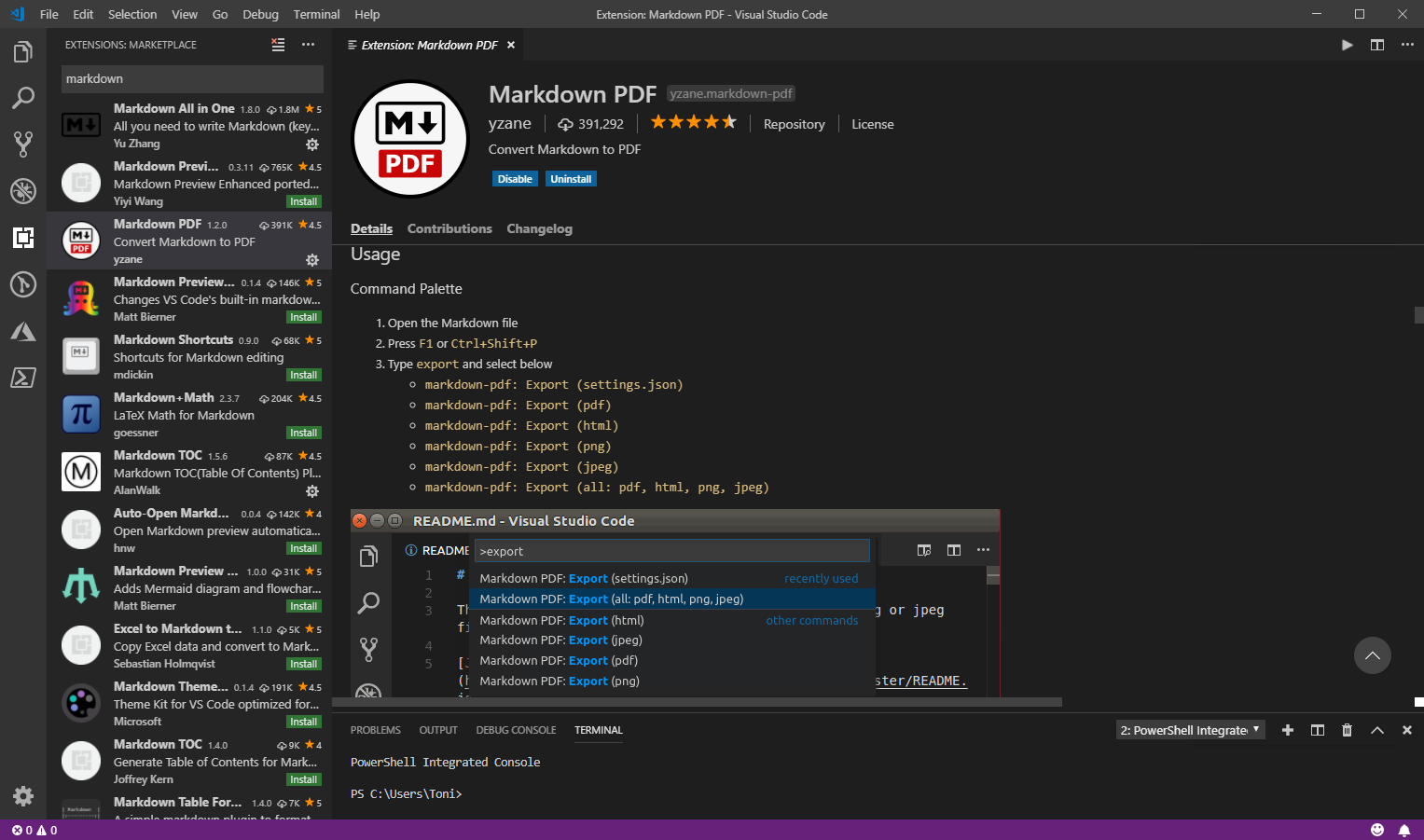
I am a big fan of the lightweight and super useful Visual Studio Code editor. Recently, I discovered another cool extension for creating PDF, HTML, PNG, and JPEG files from a Markdown document. Simply install the Markdown PDF extension by yzane.markdown-pdf. This cool extension exports a .md file to a PDF file as shown here. You can even with configure AutoSave by adding the "markdown-pdf.convertOnSave": true option to* settings.json* and restart Visual Studio Code. Then, when saving, the file gets converted automatically. That’s useful especially for documentation. Also, there are much more extensions to discover… ...

January 3, 2019 · 1 min · Toni Pohl
Use SharePoint view column formatting for displaying pictures and conditional formatting

Use SharePoint view column formatting for displaying pictures and conditional formatting

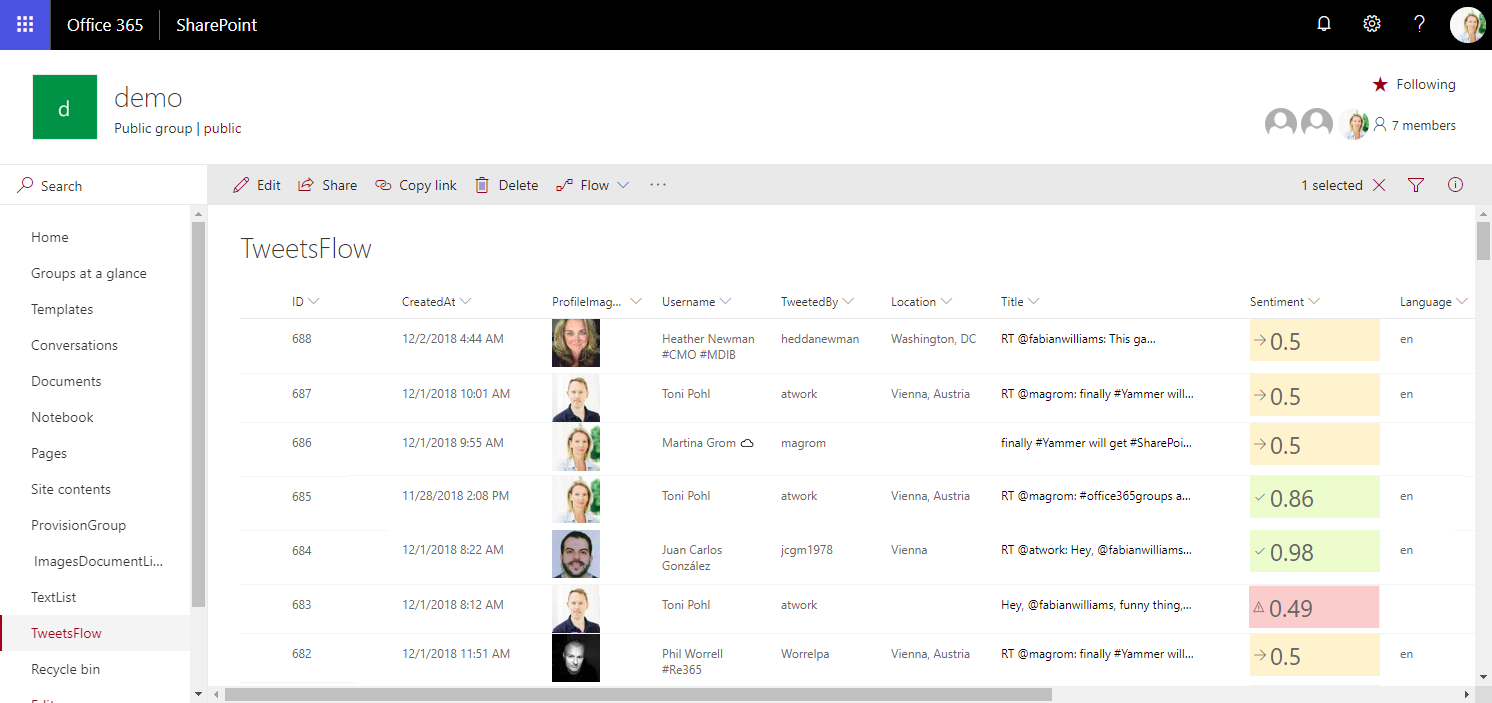
Today I want to share just a quick tip for custom formatting views in SharePoint lists. My goal was to show a picture of a text field that contains an URL and to use conditional formatting with a traffic light system to visualize the sentiment of tweets that are written to a SharePoint Online custom list from a Flow. See the formatting options here. The articles Use column formatting to customize SharePoint and Use view formatting to customize SharePoint basically explain how to work with the JSON object that describes the elements that are displayed, which is a good start. So, the ready formatted list shall look as here. Some fields in that list are rendered with custom formatting, you will spot them easily… ...

December 4, 2018 · 4 min · Toni Pohl
Want to remove the Feedback button from SharePoint Online?

Want to remove the Feedback button from SharePoint Online?

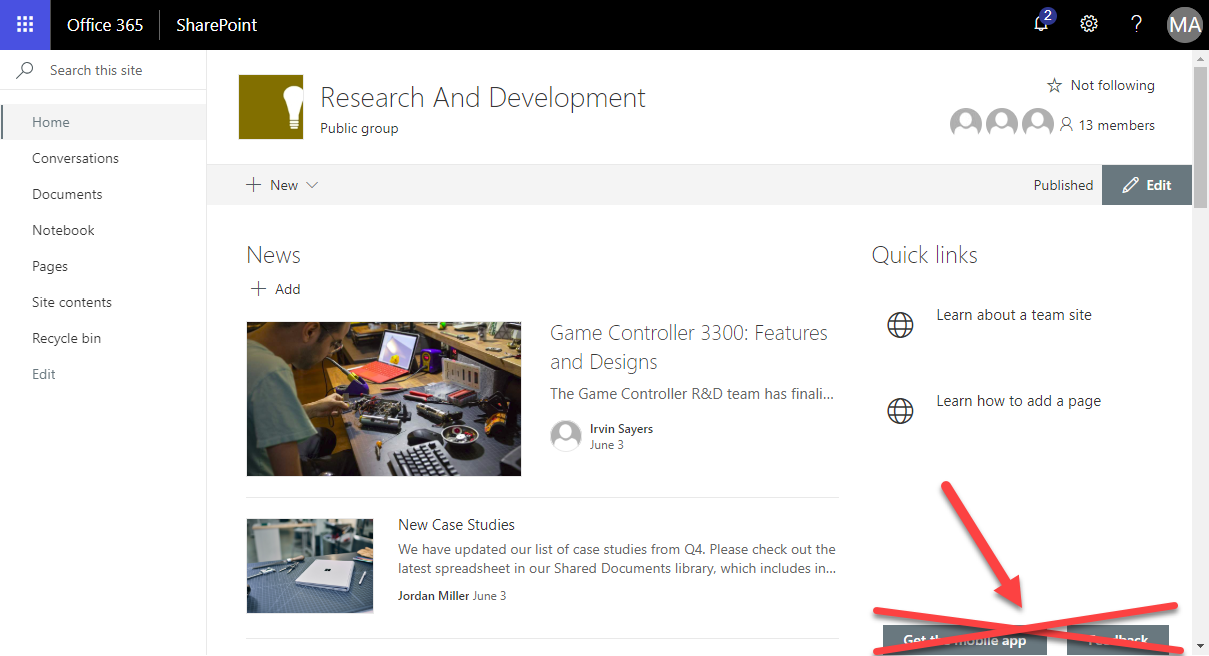
Modern SharePoint Sites come with two Microsoft buttons on the bottom of each SharePoint page: “Get the mobile app” and “Feedback”. Want to remove them from your SharePoint sites? Well, then we have an easy to use solution ready for you. Since the modern communications sites in SharePoint no longer offer any customizations with CSS or Javascript, an app solution is required here. We at atwork have developed such a small app that removes the default Microsoft buttons “Get the mobile app” and “Feedback”. The solution is not free, but we offer to purchase it from us. The package comes with the app and a short description how to deploy it. ...

August 24, 2018 · 1 min · Toni Pohl
Working with the Azure Logic Apps Tools for Visual Studio

Working with the Azure Logic Apps Tools for Visual Studio

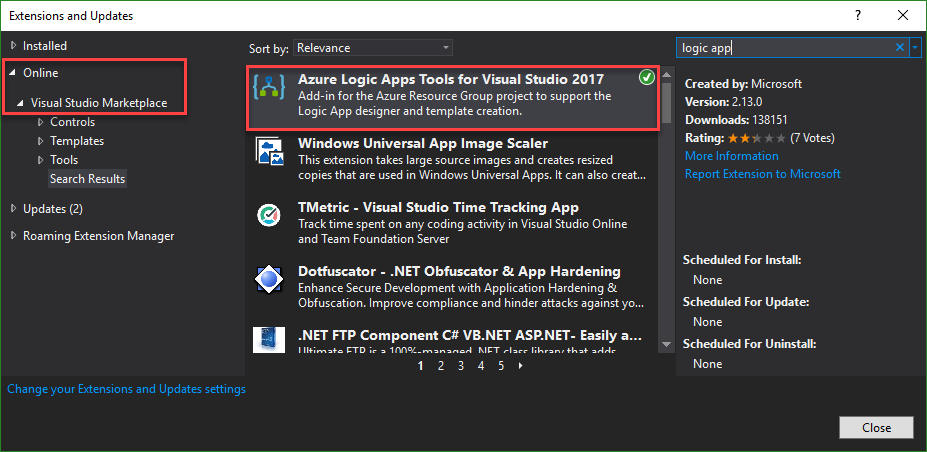
I like Azure LogicApps, they are really useful and easy to “develop” (see the latest features here). To use Visual Studio as designer environment, you can integrate the Azure Logic Apps Tools for Visual Studio easily. See how to work with that extension here. The fastest way is to install the Azure Logic Apps Tools in the menu Tools / Extensions and Updates… Search for “logic app” and install this extension. ...

August 19, 2018 · 2 min · Toni Pohl
This was Insider Dev Tour Vienna

This was Insider Dev Tour Vienna

Yesterday, on June 20th, the Insider Dev Tour (see insiderdevtour.com) took place in our home town Vienna. It’s a roadshow for software developers in the Microsoft universe delivering the latest news about Windows, Azure, Office, Graph, AI technology and more. I enjoyed being part of the event along with my fellow MVP colleagues and the Windows Development community. The content was more or less pre-defined and included demos and code-focused overviews of the new developer technologies coming out of Redmond. The topics included building native Win32/XAML apps and Progressive Web Apps, how to connect with new ecosystems using the Microsoft Graph and Windows Timeline (my session), how to add AI (Artificial Intelligence) into your projects, and how to bring your experiences into the next dimension through Mixed Reality and more. ...

June 21, 2018 · 3 min · Toni Pohl

Check out the free eBook Developers Guide to Building AI Applications

Microsoft provides a bunch of cloud services, tools, and resources that provide tools for developing an intelligent Bot service. To get started, check out the free “Developer’s Guide to Building AI Applications” eBook and download it here! Azure Bot Service provides tools to build, test, deploy, and manage intelligent bots all in one place. The free eBook by Anand Raman and Wee Hyong Tok can be downloaded from Download the Developer’s Guide to Building AI Applications after providing your name and email address in the short form on the web page. Afterwards, you can download the Developer’s AI Guide. The book was published by O’Reilly and is available in PDF format. ...

June 10, 2018 · 2 min · Martina Grom