Use Visual Studio Code and the REST Client extension for testing HTTP Requests

Use Visual Studio Code and the REST Client extension for testing HTTP Requests

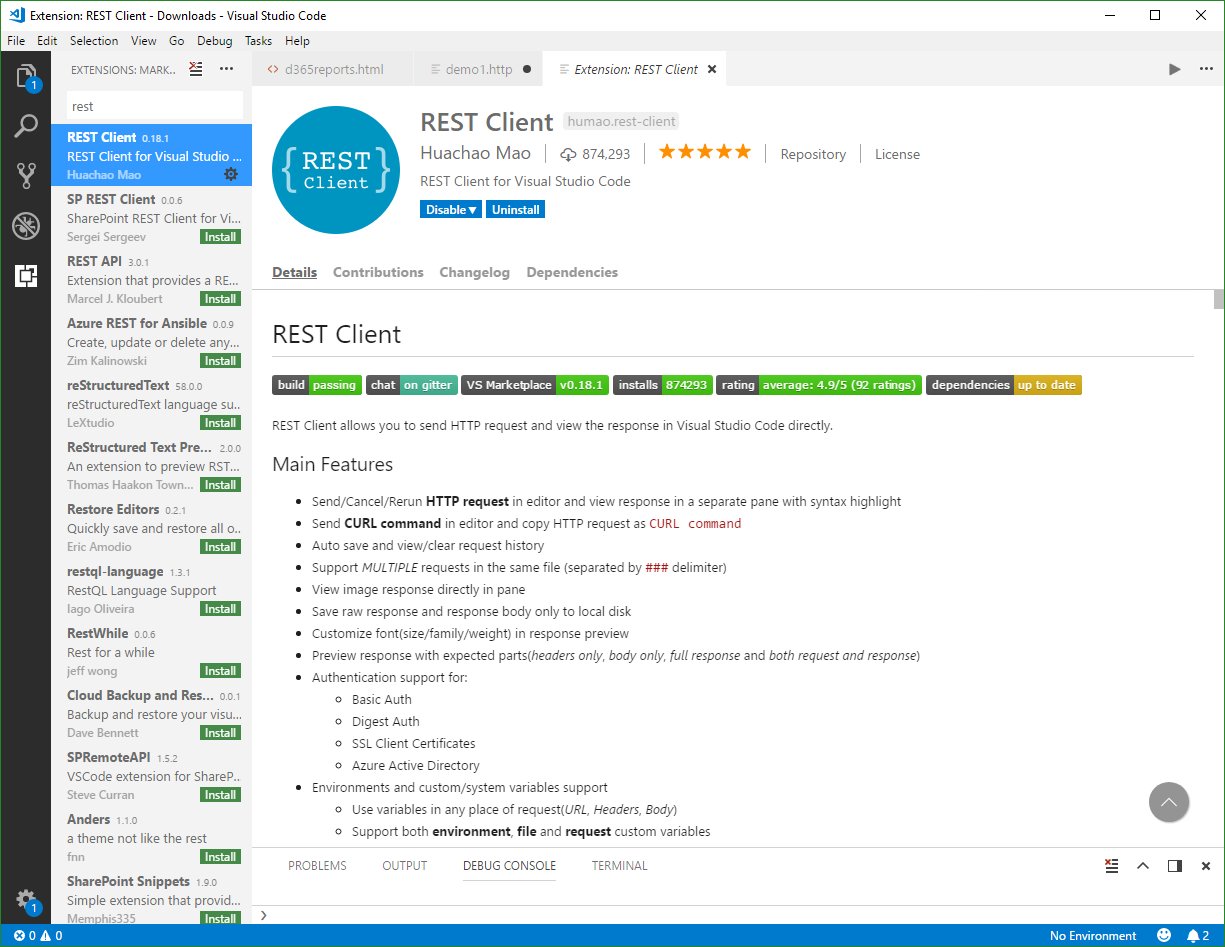
Are you using tools as Telerik Fiddler or Postman for testing HTTP Requests? Well, if you are already working with Visual Studio Code, try out the cool REST Client extension! My colleague Christoph showed me this cool extension for executing HTTP requests directly from VS Code quickly. Simply install the REST Client extension: Press F1, type ext install then search for rest-client as shown in the following screenshot. (Check out the useful Run Code from Visual Studio Code extension as well…) ...

April 15, 2018 · 2 min · Toni Pohl
Use Visual Studio Code and the Code Runner extension

Use Visual Studio Code and the Code Runner extension

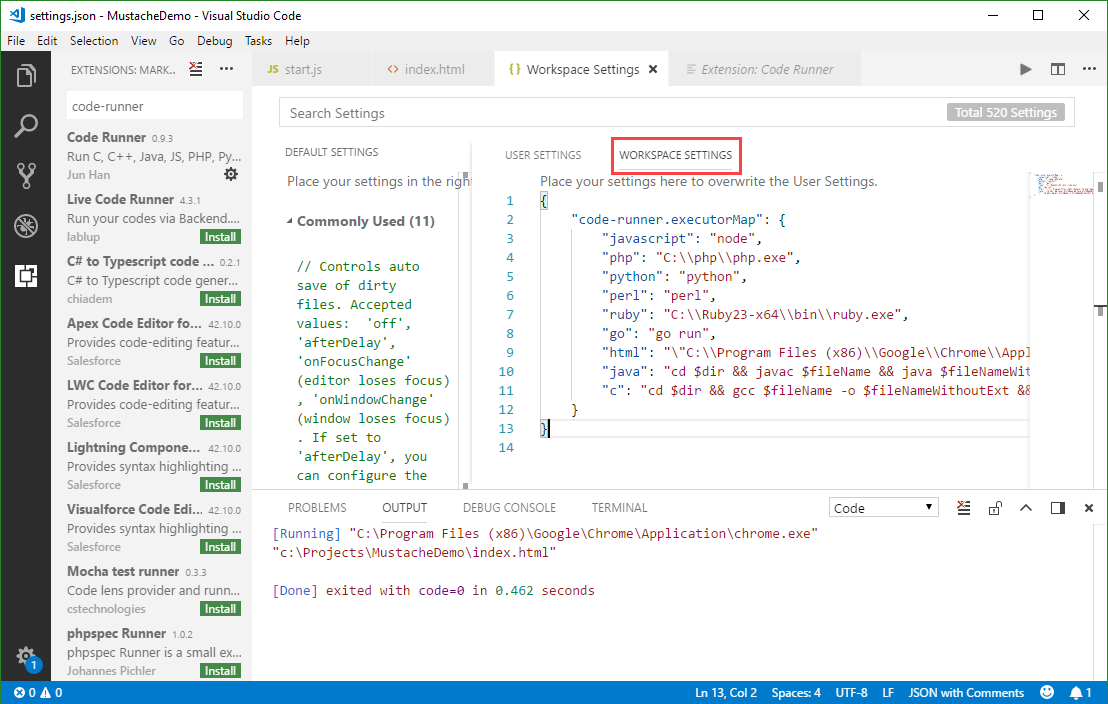
Visual Studio Code (currently, Version 1.22 is available) is a very cool developer tool providing a modern and fast code editor with a bunch of extensions. With extensions as Code-Runner, it’s easy to run a code file or active text directly from the VS Code text editor. Check out this quick description how to configure and use Code Runner. If you are new to VS Code, at a glance: To install the latest version of VS Code, get the download for Windows, Linux or macOS. To run a command, launch the Command Palette with F1 or Ctrl + Shift + P, run Quick Open by pressing Ctrl + P, etc. See all keyboard shortcuts at Windows, macOS and Linux. ...

April 8, 2018 · 3 min · Toni Pohl
Delete an unused app in Azure Active Directory

Delete an unused app in Azure Active Directory

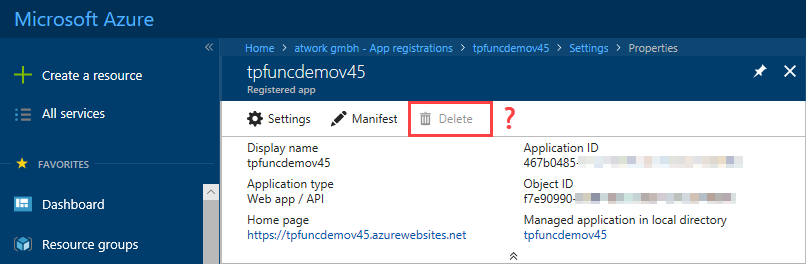
Want to cleanup unused apps in your Azure Active Directory? Well, that’s easy – but how to accomplish that if the Delete option is inactive? See the quick solution here. So, if you find a scenario as here, where you have an app in your AAD and you cannot delete it… …the reason is that the app is Multi-tenant. As an Admin, you need to modify the app level from Multi tenant to Single tenant, see also here. Open the app properties, scroll down and find the Multi tenant switch and change that to “No”. Then, save the new app properties. ...

March 28, 2018 · 1 min · Toni Pohl
How to create or renew Service Principal Names in Azure Active Directory

How to create or renew Service Principal Names in Azure Active Directory

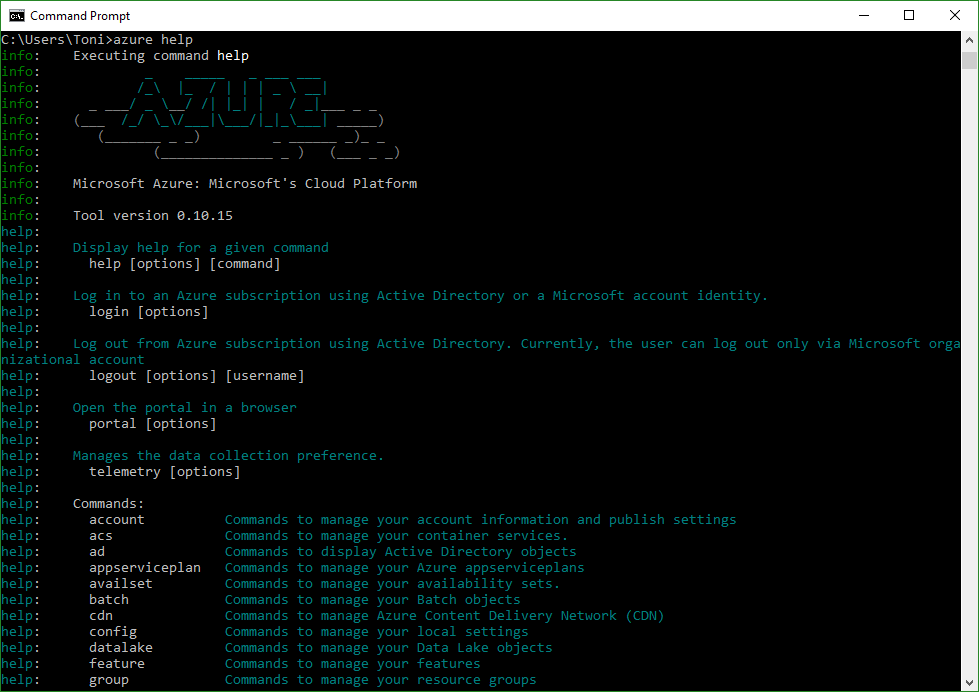
When an automated task or an app needs to access data from Office 365, you need to create an app in the tenant’s Azure Active Directory (AAD). For having full control, e.g. for deleting objects in AAD, a so called Service Principal Name (SPN) can be used. That is similar to a Global Admin in Office 365, but just for apps and usually with a predefined expiration date. Which is good. Or? ...

March 24, 2018 · 5 min · Toni Pohl
Tips for PowerApps-Using SharePoint Customize forms with Bing Maps visualization

Tips for PowerApps-Using SharePoint Customize forms with Bing Maps visualization

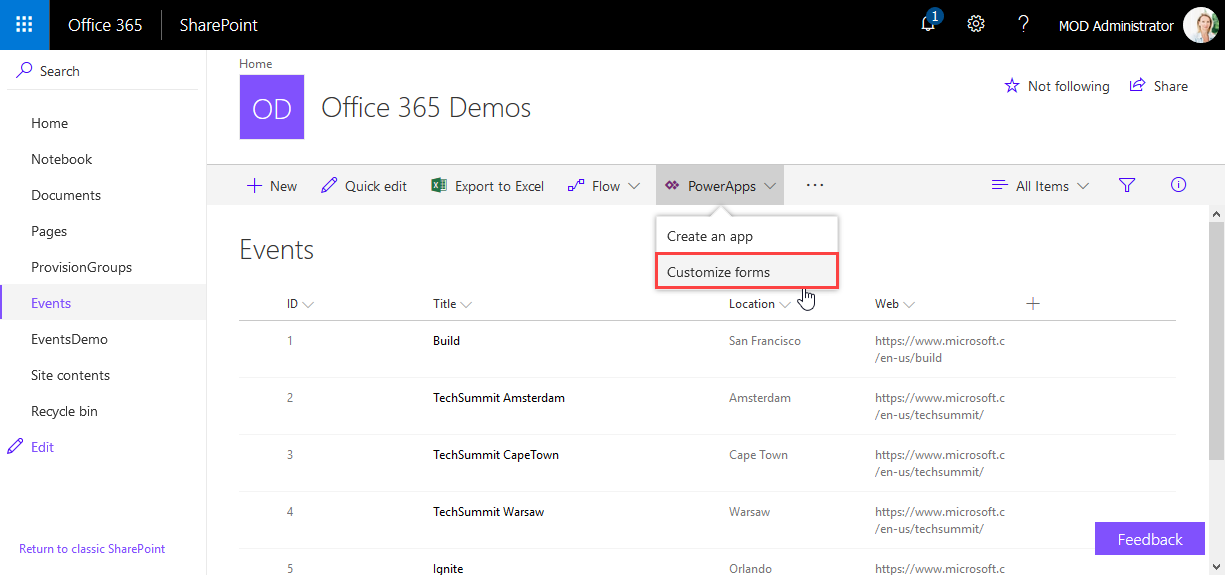
PowerApps are very powerful and simple to use.Through the integration in SharePoint Online lists, we now can create our custom forms within a SharePoint site and add additional features as calculations, modifications and even visualizations. See here, how to integrate a map for showing a location instantly directly in SharePoint without any coding! In this sample, I created a custom list and added a column Location as a single text field. In the PowerApps menu, we see the (new) Customize forms option. As the name says, this allows to modify the display and edit form of that particular list with the PowerApps Online Studio. ...

February 19, 2018 · 3 min · Toni Pohl

Download the free Azure Serverless Computing Cookbook

Serverless Computing is popular. With Microsoft Azure, IT people can concentrate on their tasks and apps without taking care of managing any server infrastructure. One of the key Platform-as-a-Service (PaaS) components from Microsoft is the new, extensive Azure Functions service. Learn how to use Azure Functions with the cost-free Azure Serverless Computing Cookbook! The “Azure Serverless Computing Cookbook” book was written by Praveen Kumar Sreeram and reviewed by our colleague Florian Klaffenbach, published by Packt Publishing Ltd. last fall. You can download the free ebook in the Azure Resource Center at Azure Serverless Computing Cookbook. ...

February 3, 2018 · 1 min · Martina Grom

Visual Studio Extension for SharePoint Framework

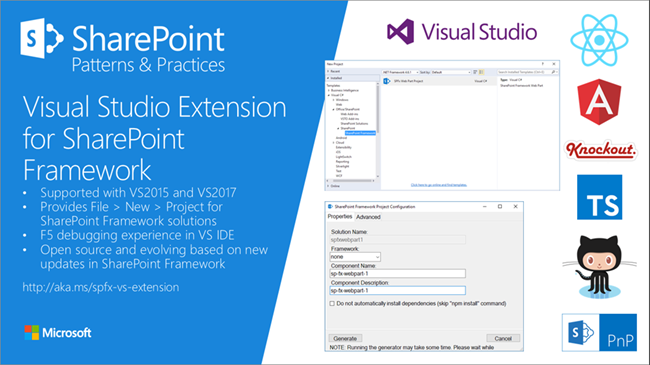
Developers who are not familiar with the new tooling for creating SPFx apps now get support by the new Visual Studio Extension for SharePoint Framework, available in the Visual Studio marketplace. Check it out at https://marketplace.visualstudio.com/items?itemName=SharePointPnP.SPFxProjectTemplate The description describes the functionality as “The Visual Studio Extension for SharePoint Framework wraps the command-line UI of the Microsoft Yeoman Generator (yo @microsoft/sharepoint) into a familiar Windows Forms experience, executes the generator project scaffolding behind the scenes and creates a Visual Studio project that includes all the necessary files for a complete web part project. Also included is a web part item template for adding new web parts to an existing Framework project. Developers can launch the Workbench local sandbox environment to test their web parts by pressing F5 or by binding to the Gulp Serve event in the Task Runner Explorer.” ...

November 4, 2017 · 1 min · Toni Pohl

Azure Functions for Visual Studio Code

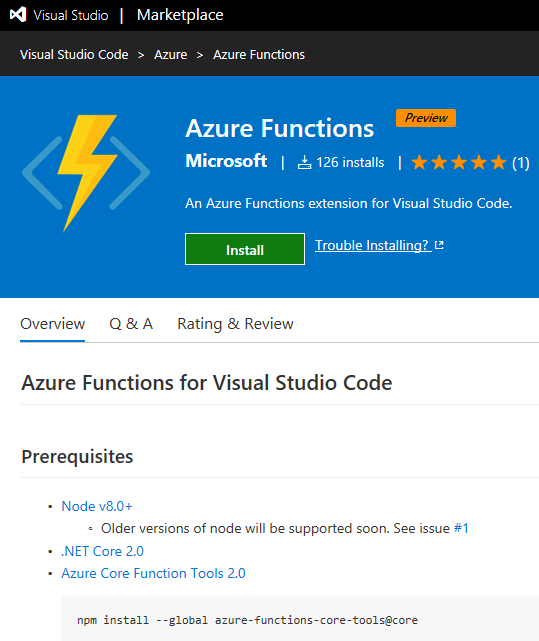
Working with Visual Studio Code? Then check out the Azure Functions extension for Visual Studio Code at the Visual Studio Marketplace! Find the extension and description at Azure Functions for Visual Studio Code. The Azure Functions for Visual Studio Code extension allows to create new projects and functions from a template, to debug function apps locally, to view and to deploy Azure functions, to start, stop and restart functions and has Intellisense support for the json-project files. ...

October 22, 2017 · 1 min · Toni Pohl
Change a connection for existing Azure LogicApps

Change a connection for existing Azure LogicApps

If one of your coworkers created a LogicApp some months ago and you want to “de-personalize” the connections used in a flow, you can modify the settings easily – if you know how to. So, in my case, in a LogicApp that’s sending emails and adding users to the newsletter system, the creator used a personal Office 365 account. I wanted to change that to an email “service” account. So I created a new mailbox account as first step. ...

October 20, 2017 · 2 min · Toni Pohl
Forward emails from a Microsoft Account to a Work Account

Forward emails from a Microsoft Account to a Work Account

Many of us have a Microsoft Account (MSA) that we use for Microsoft Azure or similar Microsoft services. But in reality, with Office 365, we’re used to work with our Work-or-School Account (AAD). So, often it is helpful to forward all mails from one MSA to the work account primarily used. This can be accomplished easily! Login to https://outlook.com with your MSA. In Outlook for the web, open the settings icon and click Options. ...

October 9, 2017 · 1 min · Toni Pohl