Want to remove the Feedback button from SharePoint Online?

Want to remove the Feedback button from SharePoint Online?

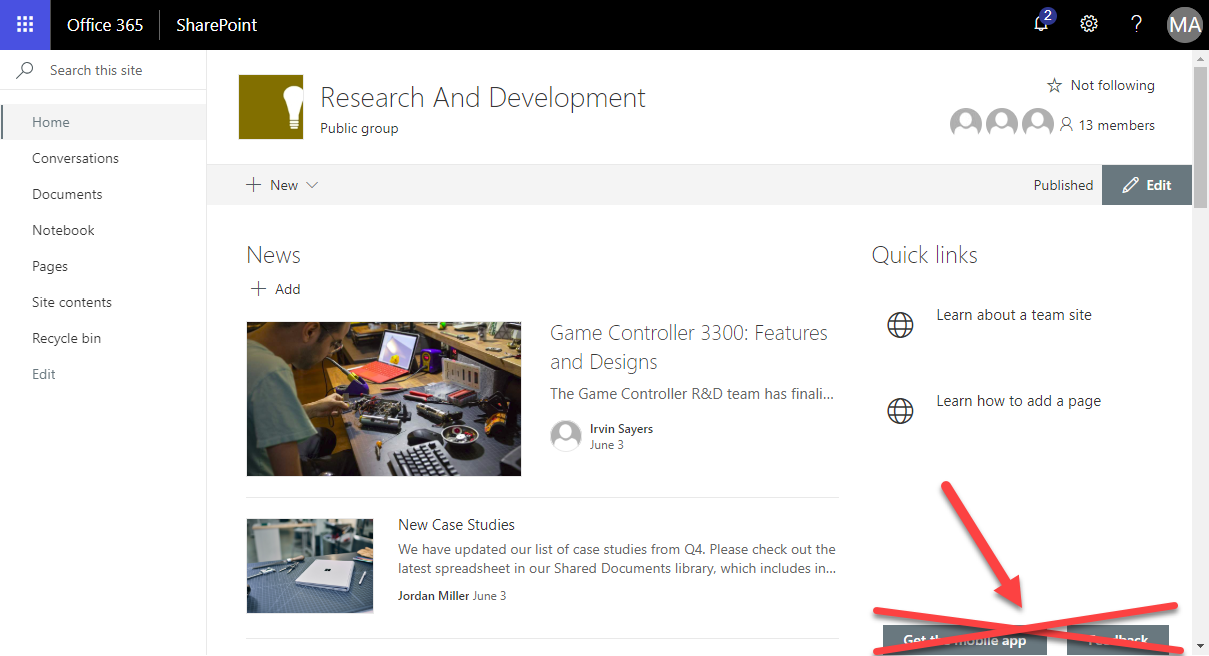
Modern SharePoint Sites come with two Microsoft buttons on the bottom of each SharePoint page: “Get the mobile app” and “Feedback”. Want to remove them from your SharePoint sites? Well, then we have an easy to use solution ready for you. Since the modern communications sites in SharePoint no longer offer any customizations with CSS or Javascript, an app solution is required here. We at atwork have developed such a small app that removes the default Microsoft buttons “Get the mobile app” and “Feedback”. The solution is not free, but we offer to purchase it from us. The package comes with the app and a short description how to deploy it. ...

August 24, 2018 · 1 min · Toni Pohl
Working with the Azure Logic Apps Tools for Visual Studio

Working with the Azure Logic Apps Tools for Visual Studio

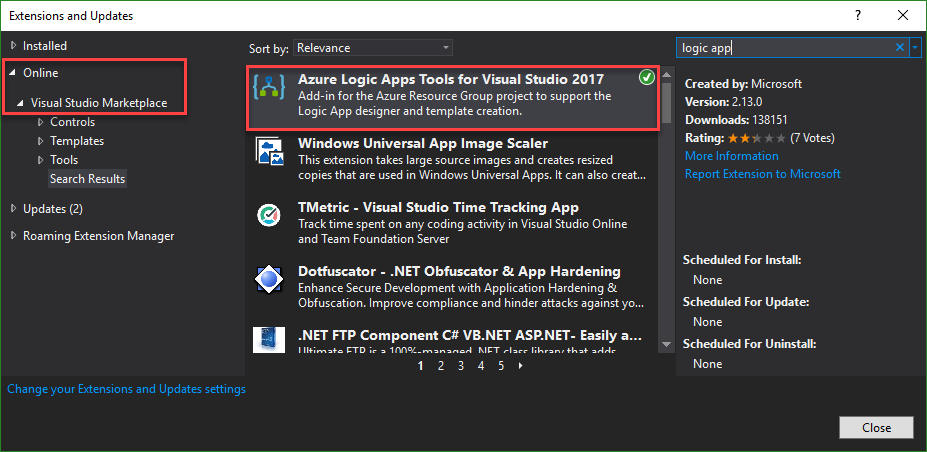
I like Azure LogicApps, they are really useful and easy to “develop” (see the latest features here). To use Visual Studio as designer environment, you can integrate the Azure Logic Apps Tools for Visual Studio easily. See how to work with that extension here. The fastest way is to install the Azure Logic Apps Tools in the menu Tools / Extensions and Updates… Search for “logic app” and install this extension. ...

August 19, 2018 · 2 min · Toni Pohl
This was Insider Dev Tour Vienna

This was Insider Dev Tour Vienna

Yesterday, on June 20th, the Insider Dev Tour (see insiderdevtour.com) took place in our home town Vienna. It’s a roadshow for software developers in the Microsoft universe delivering the latest news about Windows, Azure, Office, Graph, AI technology and more. I enjoyed being part of the event along with my fellow MVP colleagues and the Windows Development community. The content was more or less pre-defined and included demos and code-focused overviews of the new developer technologies coming out of Redmond. The topics included building native Win32/XAML apps and Progressive Web Apps, how to connect with new ecosystems using the Microsoft Graph and Windows Timeline (my session), how to add AI (Artificial Intelligence) into your projects, and how to bring your experiences into the next dimension through Mixed Reality and more. ...

June 21, 2018 · 3 min · Toni Pohl
Check out the free eBook Developers Guide to Building AI Applications

Check out the free eBook Developers Guide to Building AI Applications

Microsoft provides a bunch of cloud services, tools, and resources that provide tools for developing an intelligent Bot service. To get started, check out the free “Developer’s Guide to Building AI Applications” eBook and download it here! Azure Bot Service provides tools to build, test, deploy, and manage intelligent bots all in one place. The free eBook by Anand Raman and Wee Hyong Tok can be downloaded from Download the Developer’s Guide to Building AI Applications after providing your name and email address in the short form on the web page. Afterwards, you can download the Developer’s AI Guide. The book was published by O’Reilly and is available in PDF format. ...

June 10, 2018 · 2 min · Martina Grom
Use Visual Studio Code and the REST Client extension for testing HTTP Requests

Use Visual Studio Code and the REST Client extension for testing HTTP Requests

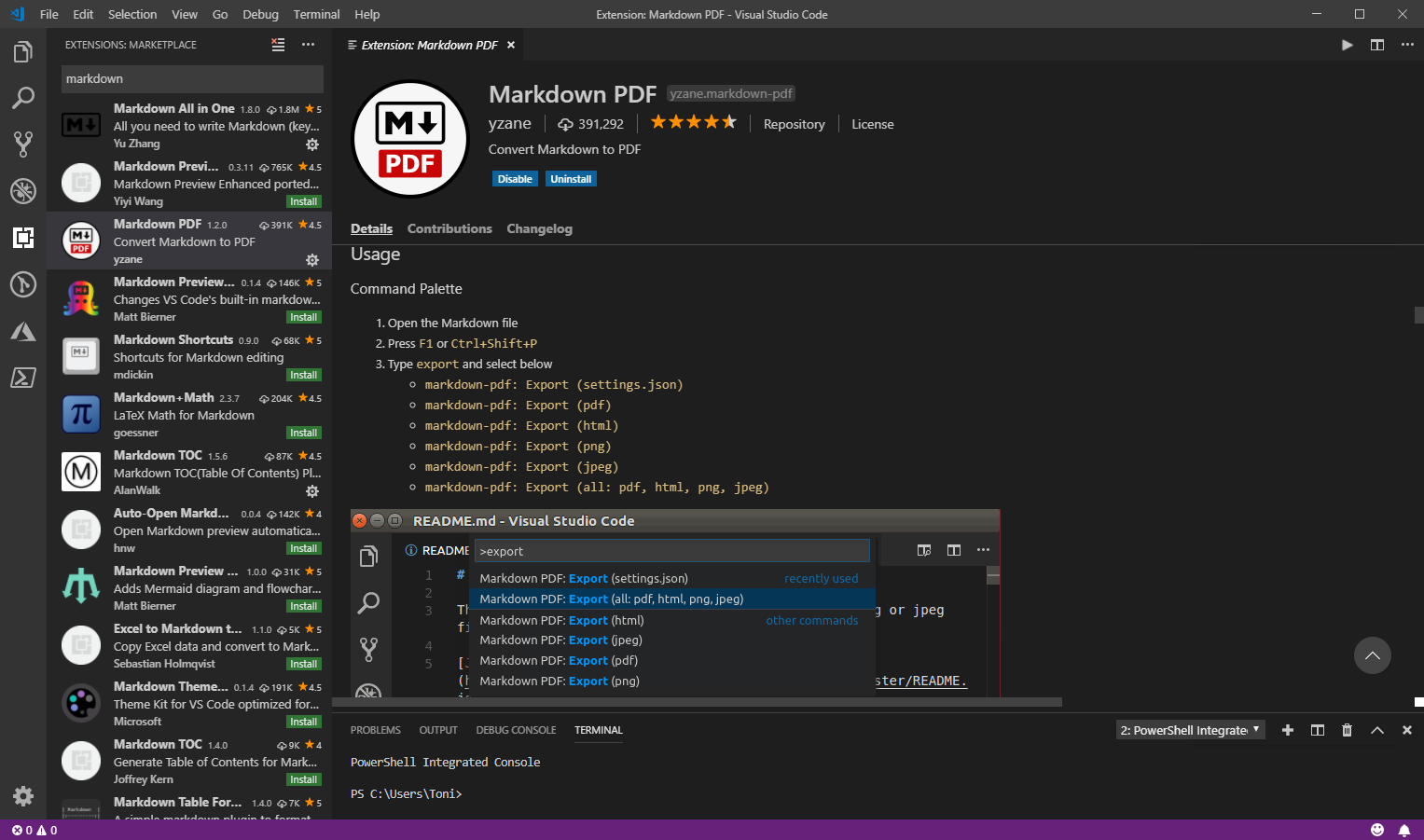
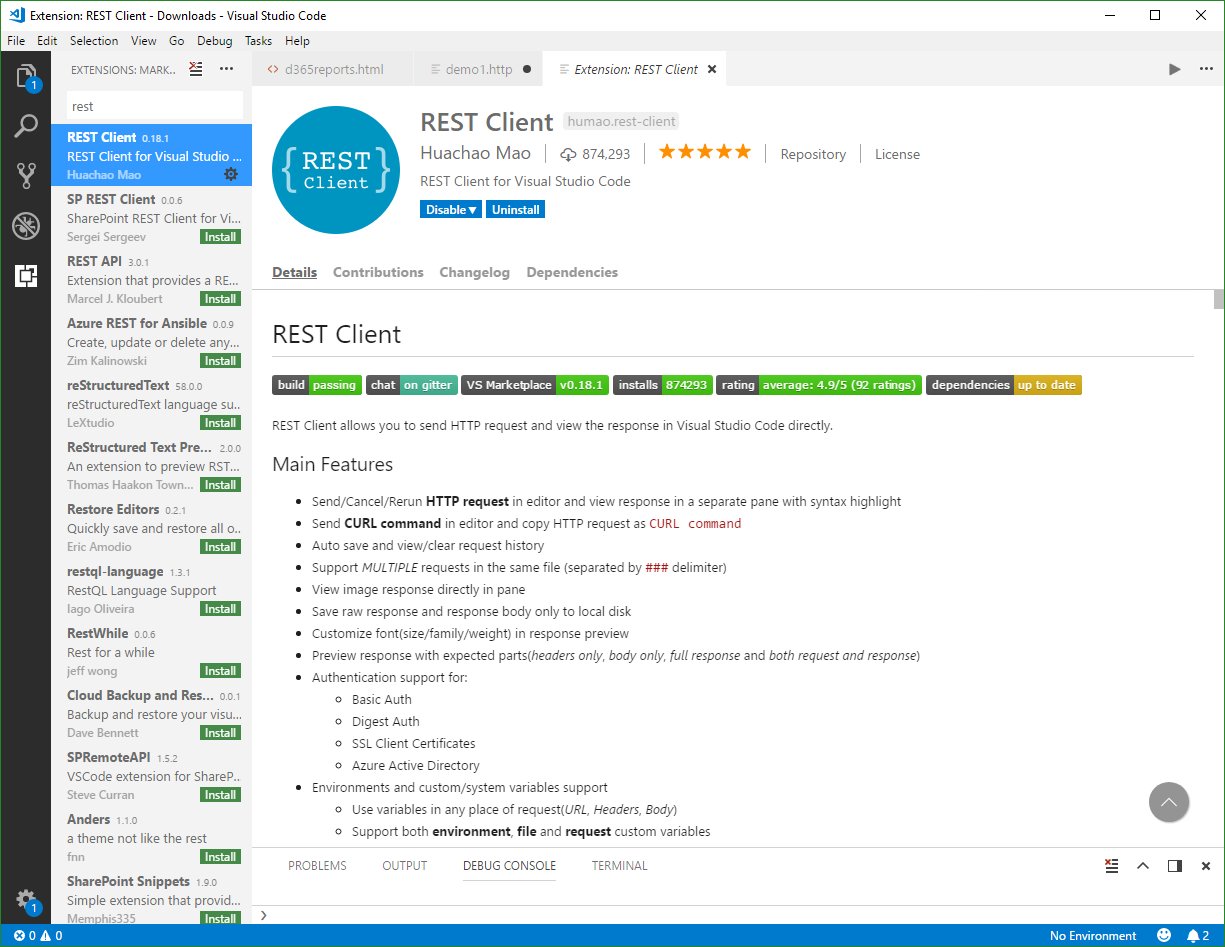
Are you using tools as Telerik Fiddler or Postman for testing HTTP Requests? Well, if you are already working with Visual Studio Code, try out the cool REST Client extension! My colleague Christoph showed me this cool extension for executing HTTP requests directly from VS Code quickly. Simply install the REST Client extension: Press F1, type ext install then search for rest-client as shown in the following screenshot. (Check out the useful Run Code from Visual Studio Code extension as well…) ...

April 15, 2018 · 2 min · Toni Pohl
Use Visual Studio Code and the Code Runner extension

Use Visual Studio Code and the Code Runner extension

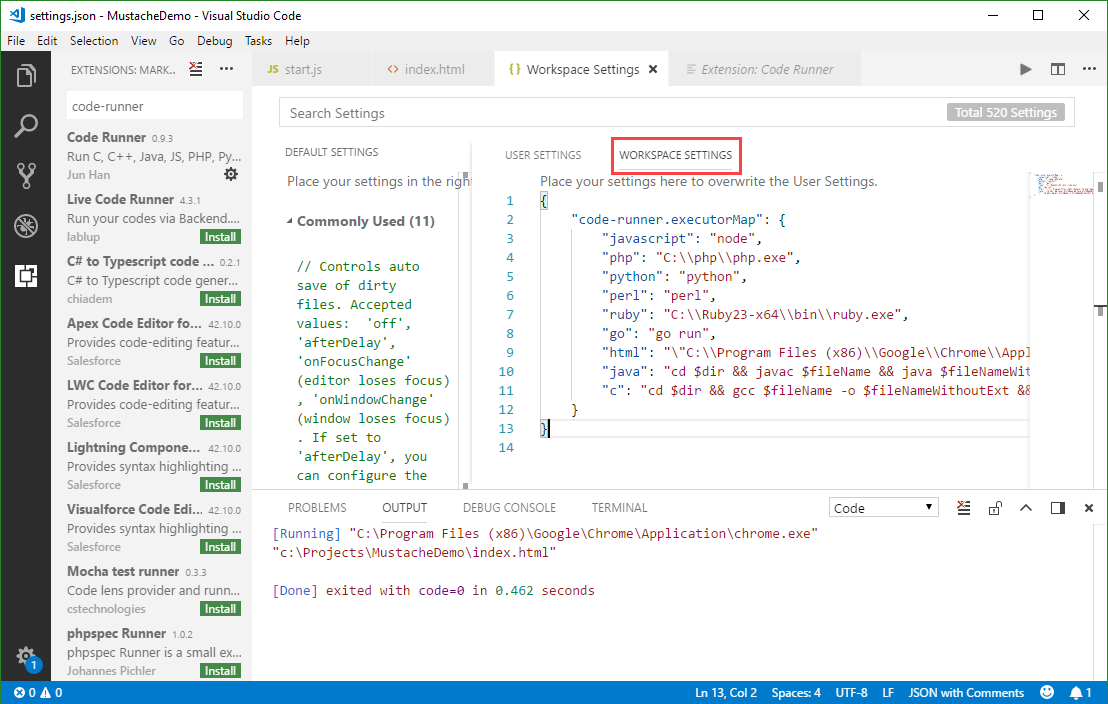
Visual Studio Code (currently, Version 1.22 is available) is a very cool developer tool providing a modern and fast code editor with a bunch of extensions. With extensions as Code-Runner, it’s easy to run a code file or active text directly from the VS Code text editor. Check out this quick description how to configure and use Code Runner. If you are new to VS Code, at a glance: To install the latest version of VS Code, get the download for Windows, Linux or macOS. To run a command, launch the Command Palette with F1 or Ctrl + Shift + P, run Quick Open by pressing Ctrl + P, etc. See all keyboard shortcuts at Windows, macOS and Linux. ...

April 8, 2018 · 3 min · Toni Pohl
Delete an unused app in Azure Active Directory

Delete an unused app in Azure Active Directory

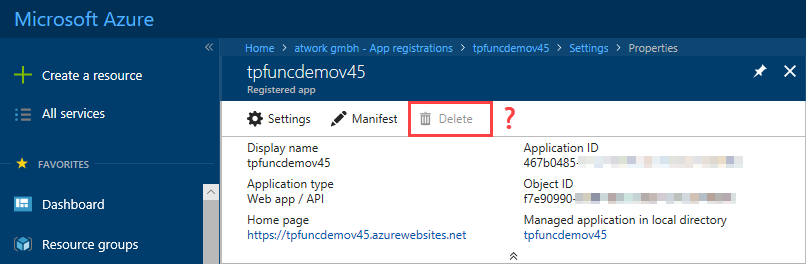
Want to cleanup unused apps in your Azure Active Directory? Well, that’s easy – but how to accomplish that if the Delete option is inactive? See the quick solution here. So, if you find a scenario as here, where you have an app in your AAD and you cannot delete it… …the reason is that the app is Multi-tenant. As an Admin, you need to modify the app level from Multi tenant to Single tenant, see also here. Open the app properties, scroll down and find the Multi tenant switch and change that to “No”. Then, save the new app properties. ...

March 28, 2018 · 1 min · Toni Pohl
How to create or renew Service Principal Names in Azure Active Directory

How to create or renew Service Principal Names in Azure Active Directory

When an automated task or an app needs to access data from Office 365, you need to create an app in the tenant’s Azure Active Directory (AAD). For having full control, e.g. for deleting objects in AAD, a so called Service Principal Name (SPN) can be used. That is similar to a Global Admin in Office 365, but just for apps and usually with a predefined expiration date. Which is good. Or? ...

March 24, 2018 · 5 min · Toni Pohl
Tips for PowerApps-Using SharePoint Customize forms with Bing Maps visualization

Tips for PowerApps-Using SharePoint Customize forms with Bing Maps visualization

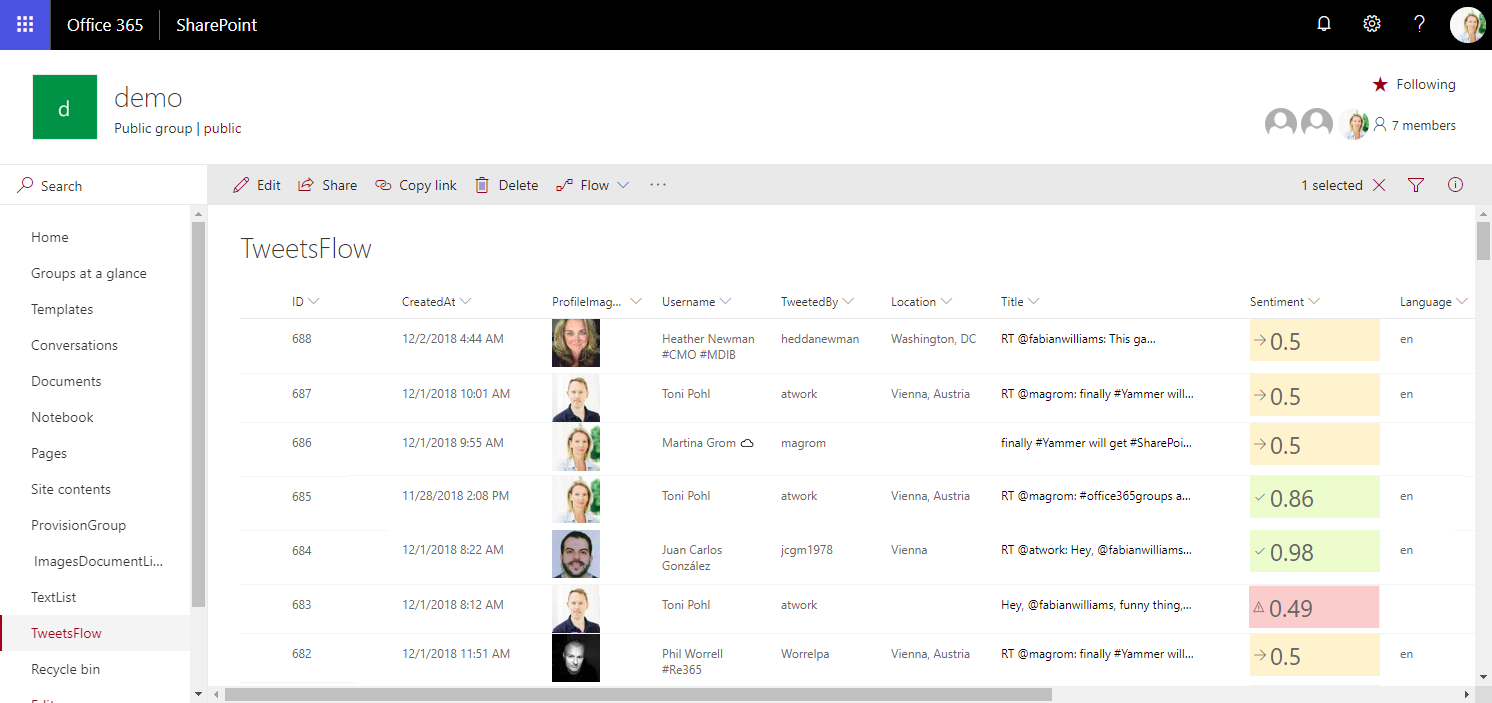
PowerApps are very powerful and simple to use.Through the integration in SharePoint Online lists, we now can create our custom forms within a SharePoint site and add additional features as calculations, modifications and even visualizations. See here, how to integrate a map for showing a location instantly directly in SharePoint without any coding! In this sample, I created a custom list and added a column Location as a single text field. In the PowerApps menu, we see the (new) Customize forms option. As the name says, this allows to modify the display and edit form of that particular list with the PowerApps Online Studio. ...

February 19, 2018 · 3 min · Toni Pohl
Download the free Azure Serverless Computing Cookbook

Download the free Azure Serverless Computing Cookbook

Serverless Computing is popular. With Microsoft Azure, IT people can concentrate on their tasks and apps without taking care of managing any server infrastructure. One of the key Platform-as-a-Service (PaaS) components from Microsoft is the new, extensive Azure Functions service. Learn how to use Azure Functions with the cost-free Azure Serverless Computing Cookbook! The “Azure Serverless Computing Cookbook” book was written by Praveen Kumar Sreeram and reviewed by our colleague Florian Klaffenbach, published by Packt Publishing Ltd. last fall. You can download the free ebook in the Azure Resource Center at Azure Serverless Computing Cookbook. ...

February 3, 2018 · 1 min · Martina Grom