Download the free Azure Serverless Computing Cookbook

Download the free Azure Serverless Computing Cookbook

Serverless Computing is popular. With Microsoft Azure, IT people can concentrate on their tasks and apps without taking care of managing any server infrastructure. One of the key Platform-as-a-Service (PaaS) components from Microsoft is the new, extensive Azure Functions service. Learn how to use Azure Functions with the cost-free Azure Serverless Computing Cookbook! The “Azure Serverless Computing Cookbook” book was written by Praveen Kumar Sreeram and reviewed by our colleague Florian Klaffenbach, published by Packt Publishing Ltd. last fall. You can download the free ebook in the Azure Resource Center at Azure Serverless Computing Cookbook. ...

February 3, 2018 · 1 min · Martina Grom
Visual Studio Extension for SharePoint Framework

Visual Studio Extension for SharePoint Framework

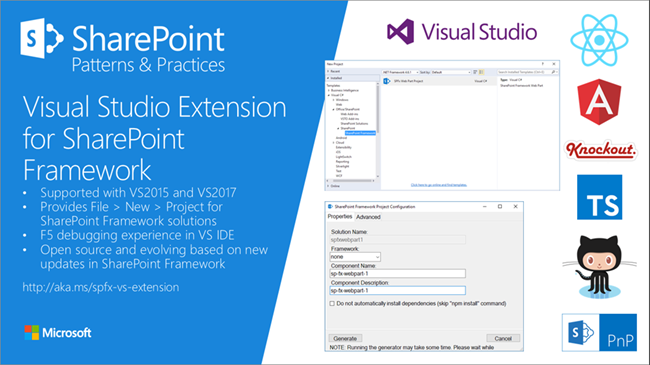
Developers who are not familiar with the new tooling for creating SPFx apps now get support by the new Visual Studio Extension for SharePoint Framework, available in the Visual Studio marketplace. Check it out at https://marketplace.visualstudio.com/items?itemName=SharePointPnP.SPFxProjectTemplate The description describes the functionality as “The Visual Studio Extension for SharePoint Framework wraps the command-line UI of the Microsoft Yeoman Generator (yo @microsoft/sharepoint) into a familiar Windows Forms experience, executes the generator project scaffolding behind the scenes and creates a Visual Studio project that includes all the necessary files for a complete web part project. Also included is a web part item template for adding new web parts to an existing Framework project. Developers can launch the Workbench local sandbox environment to test their web parts by pressing F5 or by binding to the Gulp Serve event in the Task Runner Explorer.” ...

November 4, 2017 · 1 min · Toni Pohl
Azure Functions for Visual Studio Code

Azure Functions for Visual Studio Code

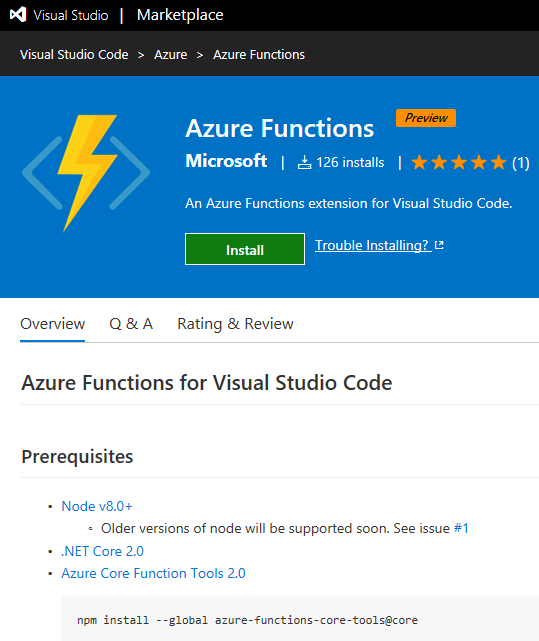
Working with Visual Studio Code? Then check out the Azure Functions extension for Visual Studio Code at the Visual Studio Marketplace! Find the extension and description at Azure Functions for Visual Studio Code. The Azure Functions for Visual Studio Code extension allows to create new projects and functions from a template, to debug function apps locally, to view and to deploy Azure functions, to start, stop and restart functions and has Intellisense support for the json-project files. ...

October 22, 2017 · 1 min · Toni Pohl
Change a connection for existing Azure LogicApps

Change a connection for existing Azure LogicApps

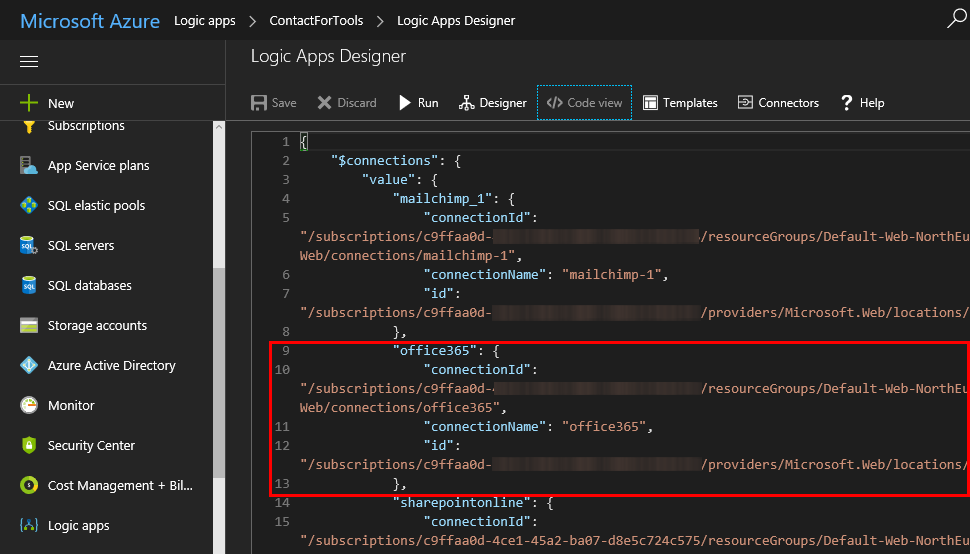
If one of your coworkers created a LogicApp some months ago and you want to “de-personalize” the connections used in a flow, you can modify the settings easily – if you know how to. So, in my case, in a LogicApp that’s sending emails and adding users to the newsletter system, the creator used a personal Office 365 account. I wanted to change that to an email “service” account. So I created a new mailbox account as first step. ...

October 20, 2017 · 2 min · Toni Pohl
Forward emails from a Microsoft Account to a Work Account

Forward emails from a Microsoft Account to a Work Account

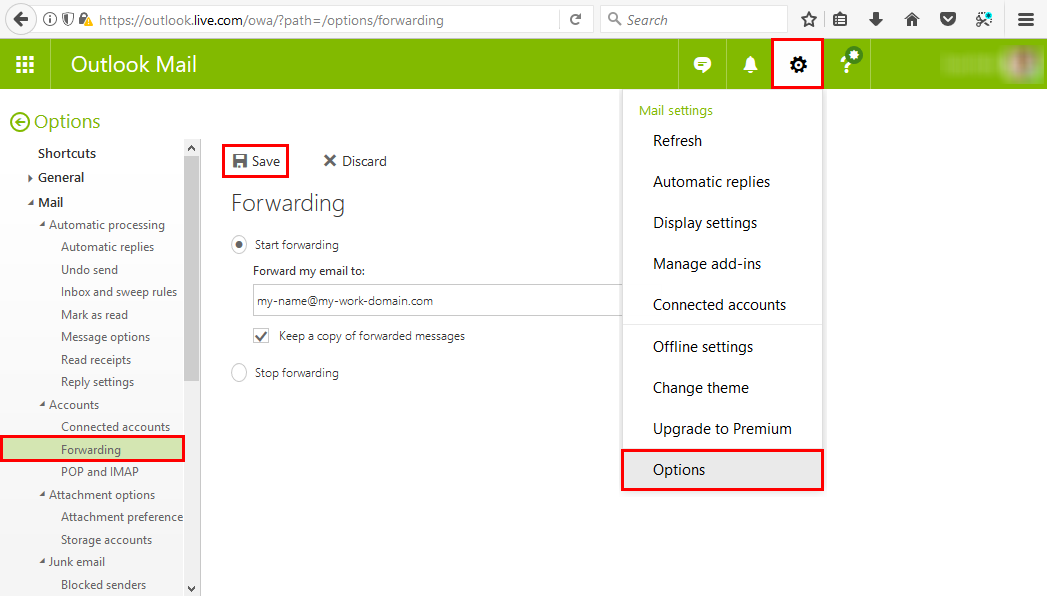
Many of us have a Microsoft Account (MSA) that we use for Microsoft Azure or similar Microsoft services. But in reality, with Office 365, we’re used to work with our Work-or-School Account (AAD). So, often it is helpful to forward all mails from one MSA to the work account primarily used. This can be accomplished easily! Login to https://outlook.com with your MSA. In Outlook for the web, open the settings icon and click Options. ...

October 9, 2017 · 1 min · Toni Pohl
Provisioning an Office 365 group with an approval flow and Azure functions-part 2

Provisioning an Office 365 group with an approval flow and Azure functions-part 2

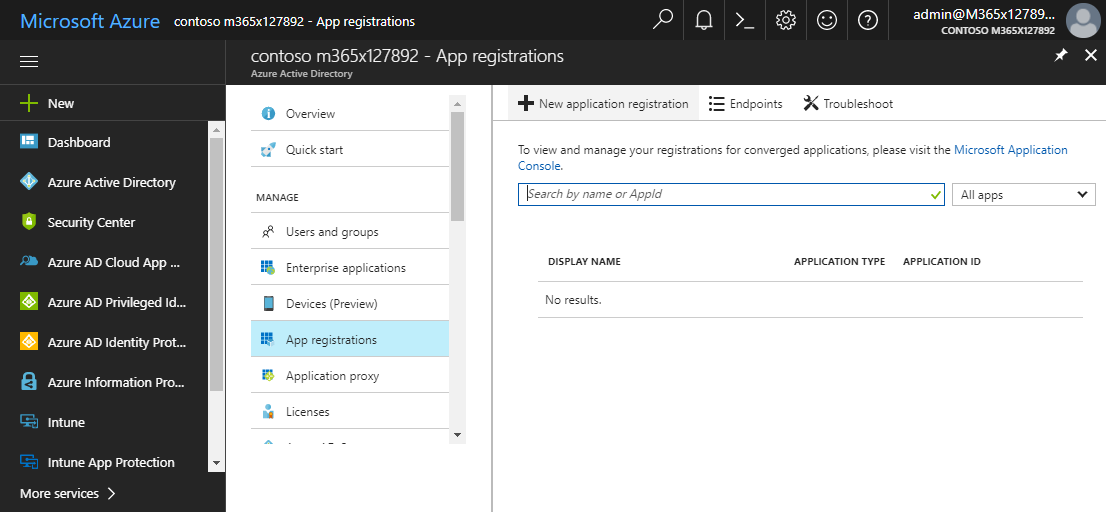
In part one, we saw how the Microsoft Graph API enables programmatic access to Office 365 groups. Now it’s time to let Azure Functions help us with the desired workflow. For the following steps, an Azure subscription and a Global Admin in the target Office 365 tenant is required. The plan We want our provision group function to be able to create a new Office 365 group without any user interaction. So, we need an app with the permission to accomplish the operations in our Office 365 tenant, in the same way as did for the administrator account in part 1. The key is, to create such an application first and to use that access data in our code. The workflow will execute our function, pass the parameters, and the function will do the work. So, these are the necessary steps. ...

October 1, 2017 · 6 min · Martina Grom
Provisioning an Office 365 group with an approval flow and Azure functions-part 1

Provisioning an Office 365 group with an approval flow and Azure functions-part 1

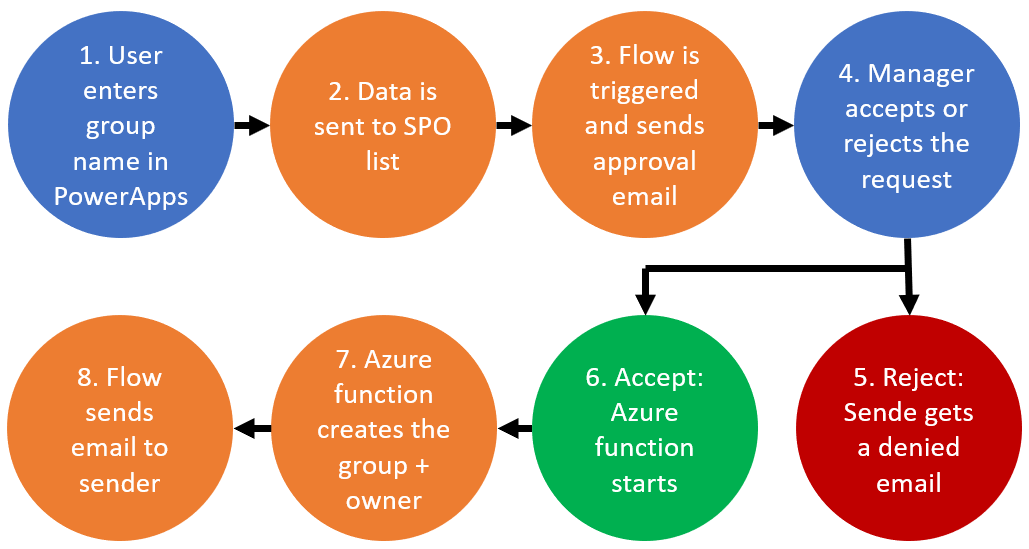
Office 365 groups span over various Office 365 services and provide a great way for collaborating. By default, every user can create an Office 365 group. While self-service is a good thing and many businesses adopted into that direction, some companies still prefer the controlled approach. In real world environments, organizations usually want to restrict the group provisioning so that IT can control the wild growth of groups. This article series shows how to create an Office 365 group with an attached approval process with SharePoint Online, Flow and Azure functions. See how this works here! ...

September 28, 2017 · 8 min · Martina Grom
How to setup Multi Factor Authentication for your personal Microsoft Account

How to setup Multi Factor Authentication for your personal Microsoft Account

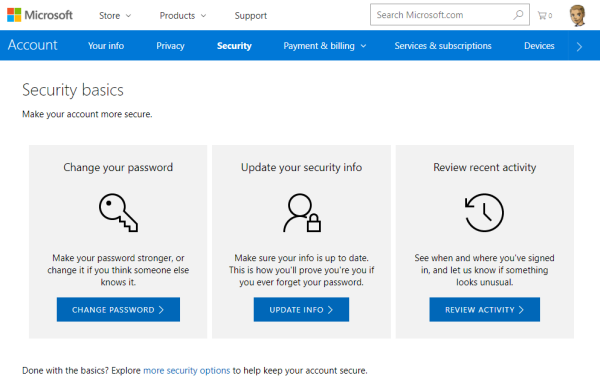
To secure a personal Microsoft Account (“MSA”, formerly known as “LiveID”), you can enable two-step verification (“MFA” for Multi Factor Authentication) easily. This article shows the How-To. The Microsoft support article About two-step verification informs about the necessary steps. ## Secure your MSA I wanted to add MFA to an existing MSA *@outlook.com. To make it short: Open the Security basics page (https://account.microsoft.com/security). Click update info, enter (or confirm) your mobile phone number. You get a SMS with a security code. ...

August 16, 2017 · 2 min · Toni Pohl
Grenzenloses Arbeiten mit Office 365 und Android oder iOS

Grenzenloses Arbeiten mit Office 365 und Android oder iOS

Office 365 ist mobil! Erfahren Sie in diesem Webinar mit Martina Grom und Artur Speth, wie Sie die Office 365-Apps auf Android- oder iOS-Geräten nutzen können! Das Webinar findet live kommenden Dienstag, den 20 Juni, von 10:00 bis 11:00 Uhr statt. Weitere Informationen und die Anmeldung sind unter Grenzenloses Arbeiten: Office 365 auch unter Android und iOS nutzen erreichbar. Das Webinar wird von Artur Speth, Technical Architect MTC bei Microsoft Deutschland GmbH, und Martina Grom, CEO atwork und RD & MVP Office 365, durchgeführt und kann online angesehen werden. ...

June 18, 2017 · 1 min · Toni Pohl
Many new useful features coming in PowerApps

Many new useful features coming in PowerApps

Two days ago, a new version of the PowerApps Studio has arrived with a bunch of useful features. See the details at PowerApps Newest Feature Releases Address Top User Requests! There’s a new Explorer Tree View to access a list of controls of each screen, as shown here in this animated graphics taken from the blog post: See more about control handling here. The new Multi-Column Form Control makes sense for Tablet mode apps… ...

June 2, 2017 · 1 min · Toni Pohl