Accept the IceBucketChallenge

Accept the IceBucketChallenge

Probably you’ve seen a lot of photos and videos this week of celebrities and other well known business people dumping buckets of ice water over their heads. Here’s why and how we participated in it. The #IceBucketChallenge is about raising money and awareness for a disease called “ALS” (amyotrophic lateral sclerosis) which is a motor neurone disease. The rules of the challenge: To accept a person has to dump a bucket of ice water over his head within the next 24 hours or donate money (usually $100) toward fighting ALS. Even if a person completes the challenge, they’re welcome to donate money too – actually everybody is most welcome to make a donation at https://www.alsa.org. After the ice water dumping nominate three other persons! ...

August 17, 2014 · 3 min · Toni Pohl
Delegate365 changelog version 2.5

Delegate365 changelog version 2.5

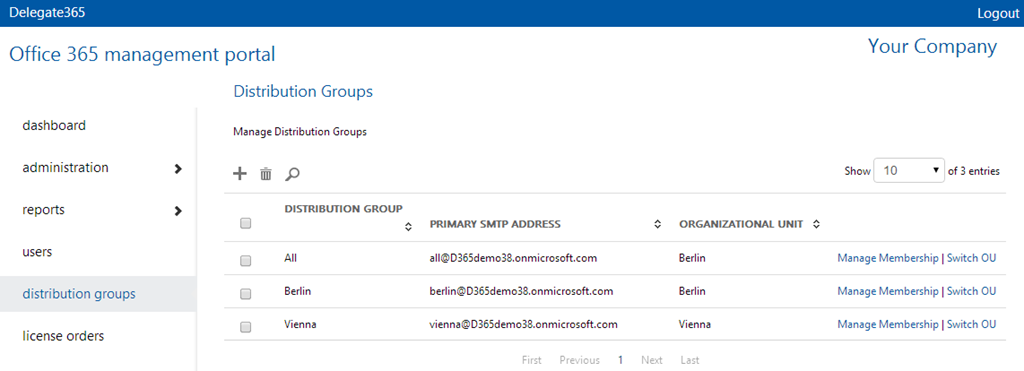
Delegate365 changelog version 2.5. There´s a new feature concerning distribution lists built in. We got the request that it would be useful to integrate existing distribution lists into other distribution lists (DL) in D365, so that all members of a DL automatically receive emails if their DL is member of one or more other DL(´s). So now in D365 v2.5 it is possible to put existing DL´s as member into another DL. This feature is handy and reduces potential synchronization steps and eases the organizational tasks for the admins. ...

July 18, 2014 · 2 min · Toni Pohl
Delegate365 version 2.4

Delegate365 version 2.4

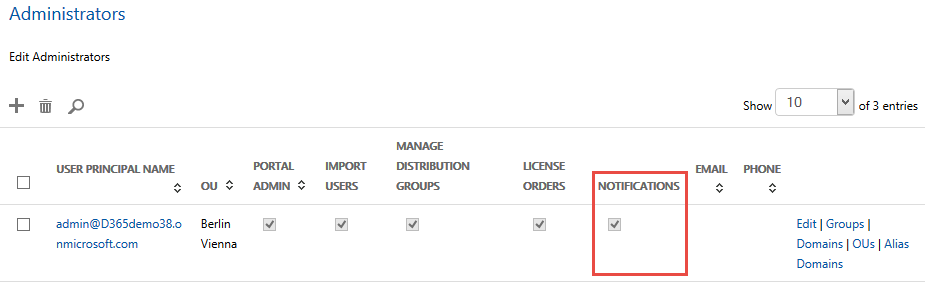
Delegate365 changelog version 2.4. We optimized some changes in the SMS notification service. New feature SMS-notification. Each customer can define if he wants to use SMS notifications in D365 or not. With SMS there are additional costs for the SMS provider. To ensure that a customer is aware of that function we can completely switch the SMS sending on or off. Admins: If yes, admins can define if they want to receive a notification via email and/or SMS: When editing the admin you can define each channel: email and/or SMS. The format of the phone number must be like this sample: ...

July 16, 2014 · 1 min · Toni Pohl
How to install an Exchange App as IT-Admin

How to install an Exchange App as IT-Admin

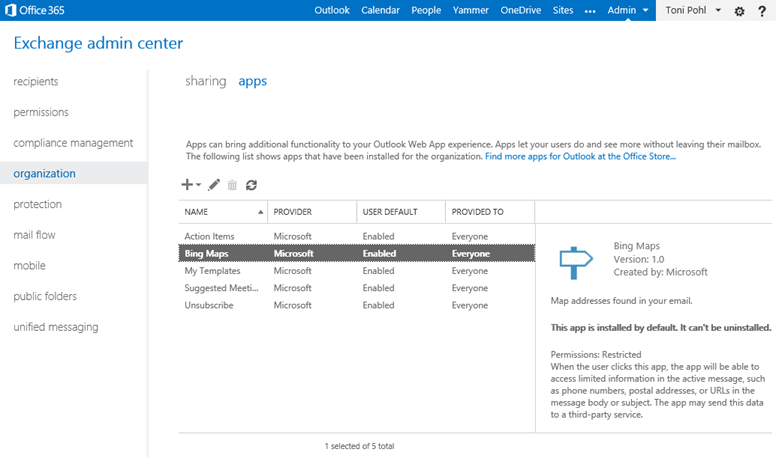
Since we put our App “Like for Outlook” in the Microsoft Office Store recently here´s some information how to install Apps for Outlook as an IT-administrator. What is deployed As an App for Office consists of an App manifest XML file and a webpage (which can be Provider-Hosted or SharePoint-Hosted) the Exchange admin needs to “install” (only) the App manifest file in the Exchange system for his company. In the manifest there´s specified where the App is hosted (the URL) as well as the permissions the app needs from the Host system (Outlook). See the relevant parts here: ...

July 7, 2014 · 3 min · Toni Pohl
Like for Outlook App

Like for Outlook App

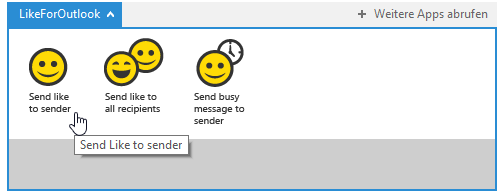
We´re happy to announce our first App for Outlook called “Like for Outlook”! Have you ever wanted to send a “Like”-message in Microsoft Outlook like in social media networks? Now you can! With that little App for Outlook you can send a “Like” to the sender or the recipients of an email with one click! Click here and install the App from the Office Store. It´s free! Install the app Open the link Like for Outlook and you will be redirected to the Like for Outlook App in the Microsoft Office Store immediately. ...

July 6, 2014 · 3 min · Toni Pohl
Unsere Sessions auf der ShareConf

Unsere Sessions auf der ShareConf

Letzte Woche fand die fünfte ShareConf 2014 Konferenz wie schon im Vorjahr im noblen Van der Valk Airporthotel Düsseldorf statt. Die Teilnehmer konnnten sich in mehr als 50 Vorträgen über aktuelle Themen rund um Microsoft SharePoint Technologien informieren und sich mit Referenten und Kollegen austauschen. Wir von atwork waren mit drei Sessions dabei. Hier ein paar Schnappschüsse von der Konferenz. Hier finden Sie die Präsentationen unserer Vorträge online auf SlideShare: ...

July 5, 2014 · 1 min · Toni Pohl
SharePoint Konferenz Wien 2014 Snapshots

SharePoint Konferenz Wien 2014 Snapshots

Diese Woche fand die SharePoint Konferenz Wien statt (siehe auch hier). Am Montag war der Start mit drei Ganztagesworkshops, Dienstag und Mittwoch waren Konferenztage mit fünf und sechs Tracks mit je drei Sessions. Es waren wieder viele bekannte Sprecher aus der SharePoint-Community dabei. Das Programm war mit etwa 50 Sessions sehr umfangreich und reichte von Architektur bis Yammer. Veranstaltungsort war wie auch im Jahr zuvor die Event Pyramide im Süden von Wien. Dieses Jahr hatten wir Frühsommerwetter und angenehme Temperaturen. Somit war das Wetter perfekt für die Konferenz (dieses Jahr funktionierte die Klimatisierung wunderbar) und auch fürs Draußen Sitzen bei der Konferenzparty am Dienstag Abend. ...

June 22, 2014 · 1 min · Toni Pohl

Delegate365 version 2.3

Delegate365 changelog version 2.3. This version is a major release. We made some changes in the time consuming tasks and optimized them. Performance Improvements in all user lists: If an AAD or Office 365 tenant has many thousand users loading the list of all users was time consuming. The reason is that the Microsoft GraphAPI delivers objects in slices (we take about 200 users per call to ensure there are no timeout errors) but has no filter functions we need for separating our domains and OU´s in D365. The result have been some wait time in some cases if many thousand users are existing. So we decided to improve that mechanism and add a cache layer between the AAD and our D365 client. With version 2.3 there´s an extra service added which synchronizes all new, updated and deleted user objects in our own cache. This service runs in the background and takes care of all changes in AAD. The D365 client now uses that cache and has a completely new logic with async calls and organizies the requested data page per page. So – depending on the individual page size – the client at runtime requests only the data page which is rendered. The benefit is that all user list operations like searching and paging are happening instantly in less than one second, regardless of the number of users to be shown. This performance improvement delivers a great user experience even with ten thousands of users in the user list! ...

June 4, 2014 · 2 min · Toni Pohl
Delegate365 version 2.2

Delegate365 version 2.2

Delegate365 changelog version 2.2. This was an internal version only for testing some new features… We rolled out that version on some of our demo clients and did some heavy testing of the performance with many thousand users and tested SMS notifications. We built in some new features which will be integrated in the next official release 2.3.

June 3, 2014 · 1 min · Toni Pohl
Delegate365 version 2.1

Delegate365 version 2.1

April/May 2014 Added User Self Password Reset (SPR): Now users (not only admins) can login into D365. If the admin had deposited a notification for the specific user (email or SMS), the user can perform a self password reset. When resetting the password the user can decide if he wants to receive the necessary security-code via email or SMS (depending on the settings made by the admins). Then he receives the code and gets a temporary password on the website. With that he can login and now has to change the password to his own, individual password. This function simplifies the administrative effort when users can use this reset on their own. This feature is integrated in D365. *So IT departements have no need to buy Azure premium licenses just for their users to perform self service password reset when using D365! * SMS is a preview function. If used, additional costs for the SMS provider will be added – depending on the location (country) and the amount of SMS messages which is usually about 10 Cent per SMS. ...

May 26, 2014 · 2 min · Toni Pohl