Delegate365 changelog 9.2.4-Teams templates

Delegate365 changelog 9.2.4-Teams templates

In Delegate365, a new Microsoft Team can be deployed using a teams template. Teams can also be cloned. Details can be found here. Menu Teams: A Microsoft Team is built on a Microsoft 365 Group. The Teams module can be found in the Groups / Teams menu. The following screenshot shows the new and adjusted functions. Create a new team with a teams template: As usual, click on the plus icon in the top left of the list. In the groups pane, enter the new team name and properties. By default, the Create a Team switch is set to Yes. Below that, there is a new dropdown control Template that allows to specify which teams template shall be applied to the new team. When done, click Save at the bottom of the panel. Usually the new team is ready after a few seconds to a minute. ...

January 18, 2022 · 4 min · Toni Pohl
Die New Commerce Experience für CSP ist da!

Die New Commerce Experience für CSP ist da!

Das Microsoft Cloud Solution Provider (CSP) Programm ermöglicht es Ihnen, Microsoft-Clouddienste über atwork zu beziehen. Unter dem Namen New Commerce Experience (NCE) wird es von Microsoft zukünftig für Endkunden einige Änderungen im CSP Programm geben. Was ist “New Commerce Experience” (NCE)? Die New Commerce Experience (NCE) ist eine neue Plattform für die Verwaltung Ihrer CSP-Subscriptions (Abonnements). Dies betrifft alle “seat-based”-Microsoft Lizenzen wie Microsoft 365, Dynamics 365, Power Platform und Windows 365 ab März 2022. Mit der neuen NCE Plattform werden Richtlinien neuer Subscription Verträge erweitert und angepasst sowie Laufzeiten, Kündigungsfristen und Preise der Abonnements geändert. ...

January 14, 2022 · 2 min · Mercedes Orasch
Merry Christmas 2021 and Happy Holidays!

Merry Christmas 2021 and Happy Holidays!

Another challenging year is coming to an end. We would like to wish happy holidays and a happy new year to all of you. Once more, we say thank you for the good cooperation in 2021 and are looking forward to a healthy and successful 2022! As in previous years, this Christmas we are supporting a selected project with a donation. atwork is closed from December 24th, 2021 to January 9th, 2022. Our on-call duty and our support will be able to be contacted during the holidays. Our entire team will be back for you from January 10, 2022. ...

December 24, 2021 · 2 min · Toni Pohl
Delegate365 changelog 9.3-Service health

Delegate365 changelog 9.3-Service health

Microsoft announced the retirement of the Microsoft Service Communications API (Msg MC299902). Therefore, we changed the service health components in Delegate365 to use the successor API functions with immediate effect and to get more data. A new setup of Delegate365 is required. See the details here. The Service health module in Delegate365 shows, what´s happening in a specific Microsoft 365 tenant at a glance to all authorized users. Contrary to the required authorizations in M365, this is not necessary in Delegate365. All admins can view the service health and the message center posts. ...

December 8, 2021 · 2 min · Toni Pohl
Renew the Cloud Hub Teams app permissions

Renew the Cloud Hub Teams app permissions

The Cloud Hub Teams app is a business application that provides data from your Microsoft 365 tenant, the Message Center and the Incident Center, as well as the status and history of global Azure services. Since Microsoft recently announced the discontinuation of the Microsoft Service Communications API, all organizations using the Cloud Hub Teams app have to renew their app permissions once in order to be able to use the successor API functions. See how it works here. ...

November 25, 2021 · 2 min · Toni Pohl
Delegate365-Empty Reports

Delegate365-Empty Reports

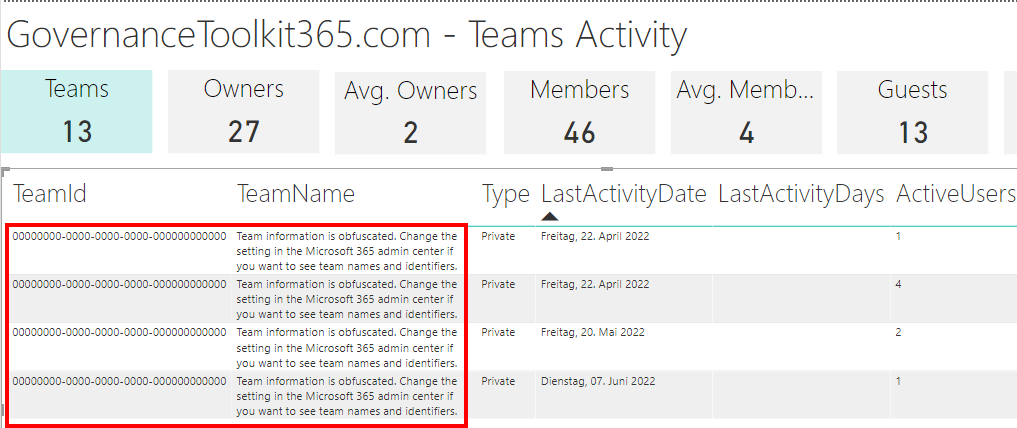
In some tenants, sometimes reports appear blank. This can happen when reports are obfuscated in the Microsoft 365 admin center. See more here. Reports can be scheduled and downloaded in the Reports menu. When the report generation is completed, they show up in the list, as here. When the report is open and “no data available” is displayed (although you see users and groups in the Delegate365 pages)… ...

September 8, 2021 · 2 min · Toni Pohl

Defining the skills citizens will need in the future world of work

Today´s just a short reading tip from McKinsey.com: Defining the skills citizens will need in the future world of work. The Covid crisis has undoubtedly changed the way we work today. At McKinsey Insights, Marco Dondi, Julia Klier, Frédéric Panier, and Jörg Schubert published an interesting article about the skills citizens will need in the future world of work. They find that the demand for technological, social and emotional, and higher cognitive skills will increase. Work in a digital environment, Digital literacy, and collaboration are just a few of them, as well as constant adaptation to new ways of working and new professions. Read the article at www.mckinsey.com. ...

August 15, 2021 · 1 min · Martina Grom
Delegate365 changelog 9.2.3-Add users to groups

Delegate365 changelog 9.2.3-Add users to groups

Delegate365 v9.2.3 brings a fix for the Message Trace function and offers a mechanism to add multiple users to one or more groups directly from the user list. See it here. Bulk add users to groups: In the users list, select more than one user. The menu on the right then shows the new option “Add users to group”. In this sample, 3 users are selected: Debra, Pradeep and Lee. The panel “Add users to group” opens and allows to select multiple groups of all types: Security groups, Distribution Groups, and Microsoft 365 Groups. The admin can search for the groups and add them to the Groups picker. By clicking on the Save button, a confirmation popup appears. When clicking Ok, the selected users will be added as members to these groups. A quick toast message shows the result in the bottom right corner. If the user already was a member of a group, this is ignored. ...

July 26, 2021 · 2 min · Toni Pohl
Message Trace in Delegate365

Message Trace in Delegate365

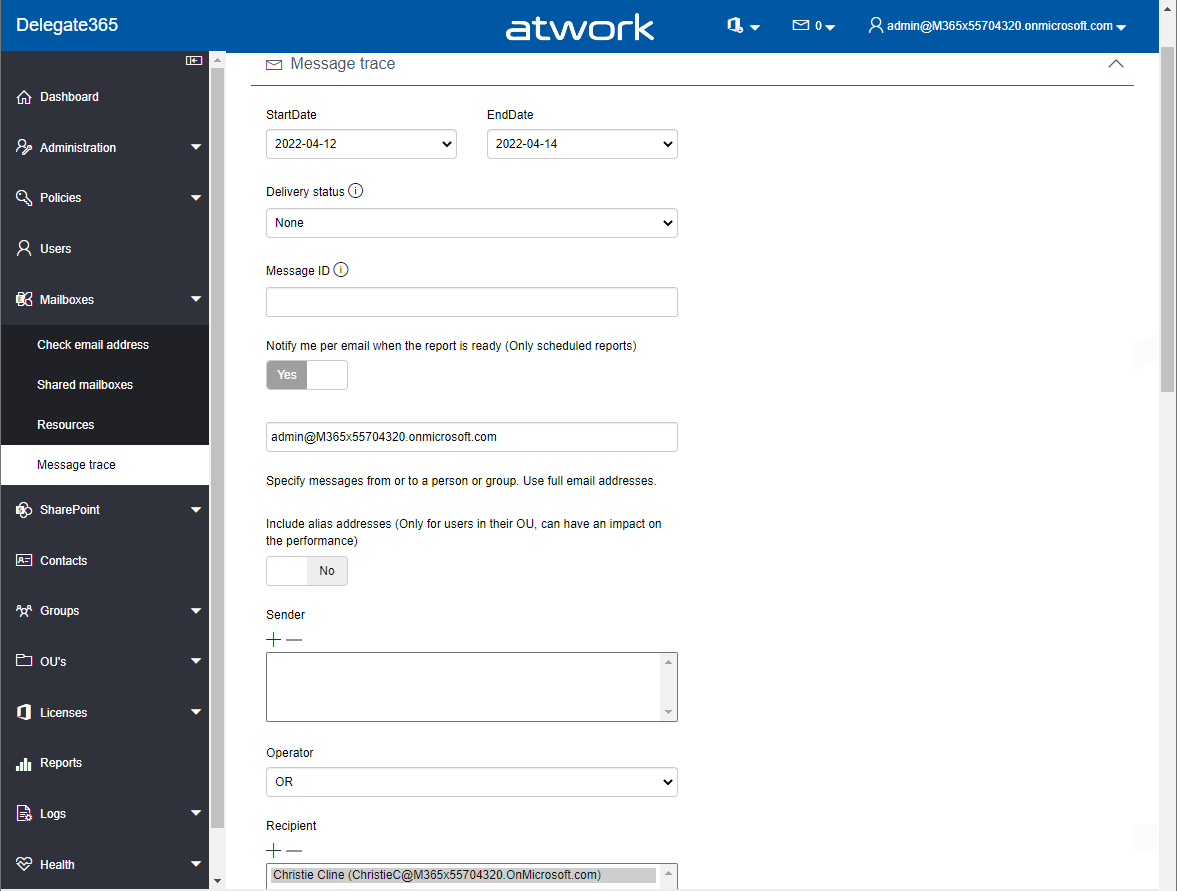
When you run a message trace operation to get status information about specific emails, the result can vary, depending on time zone settings. See a sample here. Show messages in the mail client In this sample, we work with an email sent from azure-noreply@microsoft.com. In Outlook we see the timestamp at Mon 7/5/2021 7:08 PM (2021-07-05 19:08). Message Trace in Delegate365 In Delegate365, admins can run a message trace to get information about the delivery status. When we run the message trace with the filter Startdate 2021-07-05 to Enddate 2021-07-05 - just this one day - and that user as recipient… ...

July 9, 2021 · 4 min · Toni Pohl
Delegate365 changelog 9.2.2-Manage group owners

Delegate365 changelog 9.2.2-Manage group owners

Delegate365 v9.2.2 allows to manage group owners. The permission policies have been extended and the current admin can add him- or herself or additional group owners for Security Groups and Microsoft 365 Groups. See a description of the latest features here. Enable (or disable) the manage owner feature: To enable the “manage owner” feature, you have to set the corresponding permission policies in the Groups - Security Groups - Manage owner from No to Yes, as here. Then, click on the Save button at the page end of the permission panel. By default, this new setting is disabled. So, don´t forget to switch it on, if your admins shall be able to set the group owner for security groups (in the same way as for Microsoft 365 Groups). Once the setting is set, it will be effective for all admins that have that permission policy assigned. To learn more about setting permission policies, see here. ...

June 16, 2021 · 4 min · Toni Pohl