Impressions of Microsoft Ignite 2019

Impressions of Microsoft Ignite 2019

Last week, the Microsoft Ignite conference took place in Orlando, Florida. Microsoft informed about its new products and services and offered over 1000 sessions and over 200 hands-on experiences to attend and watch online. This was our 5th Ignite conference and we had a blast. See some impressions here. Microsoft Ignite, including the pre-day, took place from Sunday, Nov. 3rd to Friday, Nov. 8th, 2019 in the Orange County Convention Center (OCCC) in Orlando, Florida, at the same location as in the past three years. The logistics worked properly and all 30,000 attendees could schedule their conference days with the Microsoft Events mobile app (see Google Play and Apple App store) and online, hang out in The Hub area - the expo hall where all partners and the Microsoft booths were located and food was provided - and attend the sessions in the West building and in the Hyatt Hotel across the street. ...

November 13, 2019 · 4 min · Toni Pohl
Delegate365 changelog 8.5

Delegate365 changelog 8.5

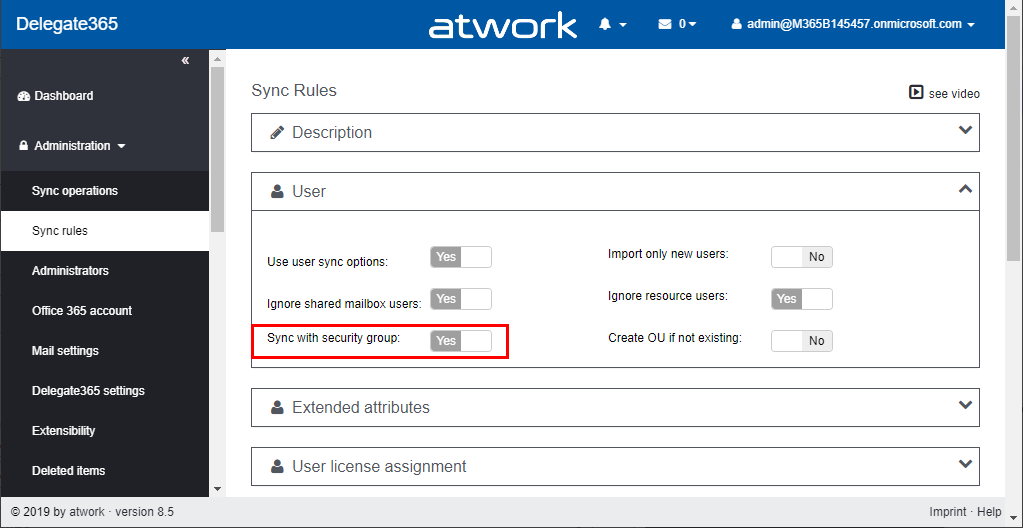
Delegate365 version 8.5 is an update to the extensive Delegate365 version 8.4. This update includes a new sync operation “Sync with security group” and some sync fixes. See a description here. New “Sync with security group” mechanism: In Administration / Sync rules, this option allows to synchronize all members of a Security Group with assigned members of an OU. After a sync, only the members of a security group are assigned to an OU. Removed members will be removed from an OU, new members are added. See a full description of this sync feature at Sync with Security Group. ...

October 31, 2019 · 2 min · Toni Pohl
Delegate365 changelog 8.5-Sync with Security Group

Delegate365 changelog 8.5-Sync with Security Group

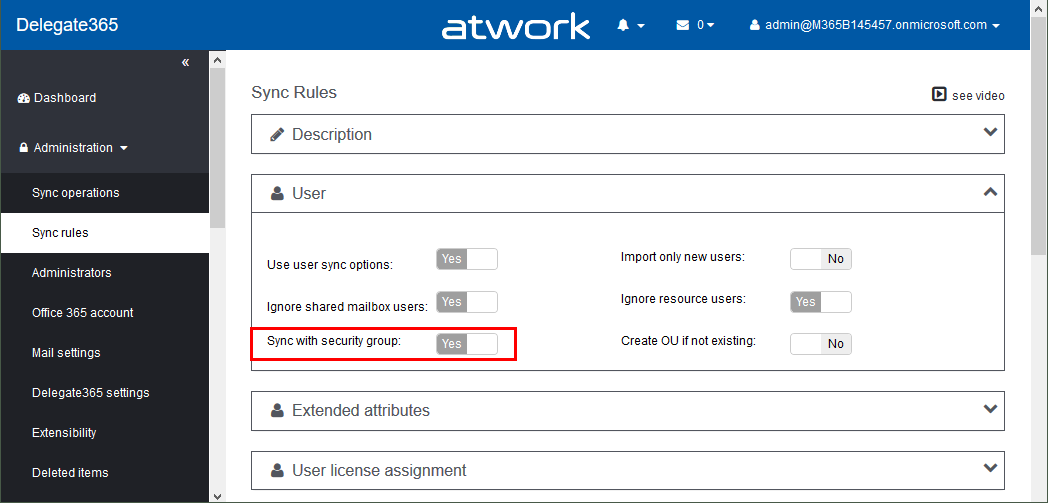
Delegate365 version 8.5 comes with an updated sync operation for the option “Sync with security group”. This option allows to achieve a match between (specific) Office 365 security groups and Delegate365 OU´s. In short, this means that the members of a Security Group control the assigned members of an OU, and after a sync, they are identical. See a description of this sync feature here. Sample scenario To describe the “Sync with Security Group” functionality, here´s a demo. In our organization, there are branches in 3 locations: *Seattle, New York, *and London. We want to have users in some locations automatically assigned to OU´s in Delegate365. For that purpose, we are using Security Groups in Office 365 and add the users as members to these groups. So here´s the detailed scenario. ...

October 30, 2019 · 6 min · Toni Pohl
Delegate365 - Secure and setup your tenant

Delegate365 - Secure and setup your tenant

Delegate365 is using the Microsoft 365 and Azure standards to sign-in and to communicate with the Microsoft APIs. Here´s the best practice how to secure your environment for using Delegate365. 1. Secure your Microsoft 365 tenant Microsoft 365 provides a bunch of features to harden a tenant and to raise the Secure Score. Every administrator should start improving the security with setting Conditional Access, MFA, and policies. You can learn more about Microsoft Secure Score here. This demo tenant screenshot above is not properly configured and should definitely be secured. If your need support, we got you covered, see our Enterprise Security & Compliance Workshop offering. ...

October 11, 2019 · 5 min · Toni Pohl

Join us at the Global Microsoft 365 Developer Bootcamp in Vienna!

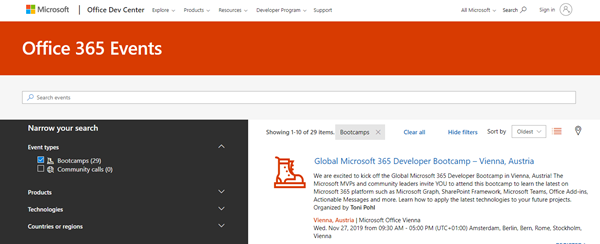
We are excited to kick off the Global Microsoft 365 Developer Bootcamp in Vienna, Austria, on November 27, 2019! The Microsoft MVPs and community leaders invite YOU to attend this cost free developer bootcamp to learn the latest on Microsoft 365 platform such as Microsoft Graph, SharePoint Framework, Microsoft Teams, Bots, Actionable Messages and more. Learn how to apply the latest technologies to your future projects! The Global Microsoft 365 Developer Bootcamp takes place at the Microsoft Office in Vienna: ...

October 5, 2019 · 1 min · Toni Pohl

Overview of the new pricing models for Microsoft PowerApps and Flow

Effective October 1, 2019, the new licensing model for Microsoft PowerApps and Flow will apply. To clarify which functions are included where, we have compiled an overview at a glance here. To make it short, here are the key data: Every user who uses PowerApps or Flow requires a license. PowerApps can be tested for free for 30 days. PowerApps licenses will continue to include Microsoft Flow capabilities. PowerApps and Flow licenses are included in the Office 365 Academic (A), Enterprise (E) and F1 plans - as before. See the complete list at PowerApps licensing overview. So, to create and use a PowerApp or a Flow, the included license is often sufficient. ...

September 27, 2019 · 3 min · Toni Pohl

Use the PowerApps PowerShell modules to automate tasks with the Microsoft Power Platform

PowerShell helps automate processes, especially in the Microsoft 365 world. That´s true for the Microsoft Power Platform as well. See how to access PowerApps and Flow with PowerShell here. So, here´s a very quick introduction for using PowerShell with PowerApps and Flow. Find the full documentation at PowerApps cmdlets for administrators. Install the PowerShell modules Install the PowerApps (preview) module from the PowerShell Gallery once with the following PowerShell statements as Administrator on your machine: ...

September 22, 2019 · 2 min · Martina Grom
Azure Logic Apps Toolbox 1-Use the OData Filter for Azure SQL Databases

Azure Logic Apps Toolbox 1-Use the OData Filter for Azure SQL Databases

A very quick tip today: When using an Azure Logic App in combination with an Azure SQL Database, filtering rows can be done like here. As example: A T-SQL query as this one… SELECT - FROM [dbo].[Customers] WHERE [StorageDataSentDate] IS NULL ORDER BY [Id] …will be formulated as filter expression with an OData query as here. The definition for the Get_rows_(V2) action looks similar as here: … "Get_rows_(V2)": { "inputs": { "host": {"connection": {"name": "@parameters('$connections')['sql']['connectionId']"} }, "method": "get", "path": "/v2/datasets/@{encodeURIComponent(encodeURIComponent('[someserver].database.windows.net'))}, @{encodeURIComponent(encodeURIComponent('governancetoolkit365'))}/tables/ @{encodeURIComponent(encodeURIComponent('[dbo].[Customers]'))}/items", "queries": {"$filter": "(StorageDataSentDate eq null)", $orderby": "Id"} }, "runAfter": {"Initialize_variable": ["Succeeded"]}, "runtimeConfiguration": { "paginationPolicy": {"minimumItemCount": 5} }, "type": "ApiConnection" }, … Depending on the data size, remember to configure pagination. ...

September 19, 2019 · 1 min · Toni Pohl
How to copy table data between Azure SQL Databases

How to copy table data between Azure SQL Databases

Working with Azure SQL Databases is handy. Just, how can I copy data from one Azure SQL database to another database? See the best practice here. I had such a use case. I needed to copy a table (all rows) from a source database to a destination database with SQL Management Studio. The table did not have much data, but extensive data with varchar(MAX) fields containing HTML and Base64 encoded images. So, a copy in the edit mode via clipboard did not work. ...

September 18, 2019 · 2 min · Toni Pohl
Delegate365 changelog version 8.4 update-Speeding up License assignments

Delegate365 changelog version 8.4 update-Speeding up License assignments

Delegate365 version 8.4 came up with a lot of improvements and updates. This version recently got another update to speed up the license assignment synchronization operation. See the details here. Delegate365 allows to add sync rules to the sync operation to automate specific operations. In large tenants, the sync can run for a long time since all objects must be queried for changes. To accelerate the sync operation when using license assignment sync rules, we optimized this process as follows: ...

September 13, 2019 · 2 min · Toni Pohl