Check out the free eBook Developers Guide to Building AI Applications

Check out the free eBook Developers Guide to Building AI Applications

Microsoft provides a bunch of cloud services, tools, and resources that provide tools for developing an intelligent Bot service. To get started, check out the free “Developer’s Guide to Building AI Applications” eBook and download it here! Azure Bot Service provides tools to build, test, deploy, and manage intelligent bots all in one place. The free eBook by Anand Raman and Wee Hyong Tok can be downloaded from Download the Developer’s Guide to Building AI Applications after providing your name and email address in the short form on the web page. Afterwards, you can download the Developer’s AI Guide. The book was published by O’Reilly and is available in PDF format. ...

June 10, 2018 · 2 min · Martina Grom
Does Delve work without an Office 365 license?

Does Delve work without an Office 365 license?

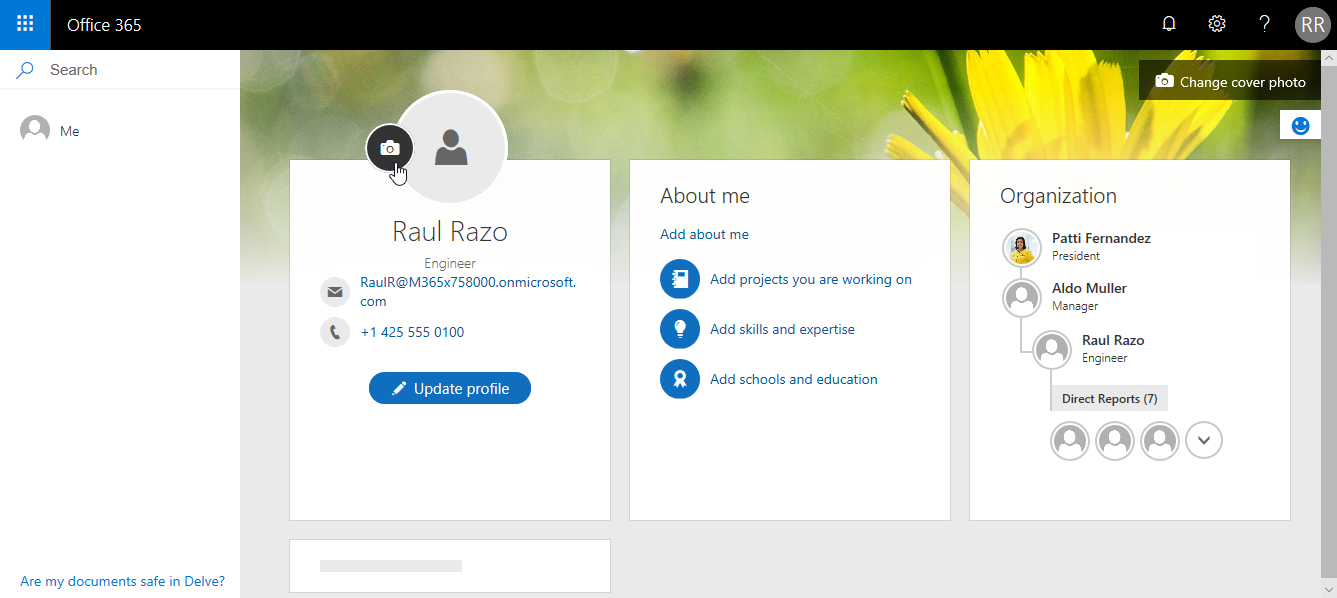
Office 365 is a wide service and offers a lot of functionality if you have the corresponding license acquired. So, one frequently asked question is: What happens in Delve if a user has no Office 365 license assigned? See it here. And the answer is: Delve works for all users in Office 365 (in an AAD). The following user Raul has no Exchange license in Office 365. So, this user has just one license plan set. ...

June 9, 2018 · 2 min · Toni Pohl
Join featured speaker Martina Grom at Microsoft Ignite

Join featured speaker Martina Grom at Microsoft Ignite

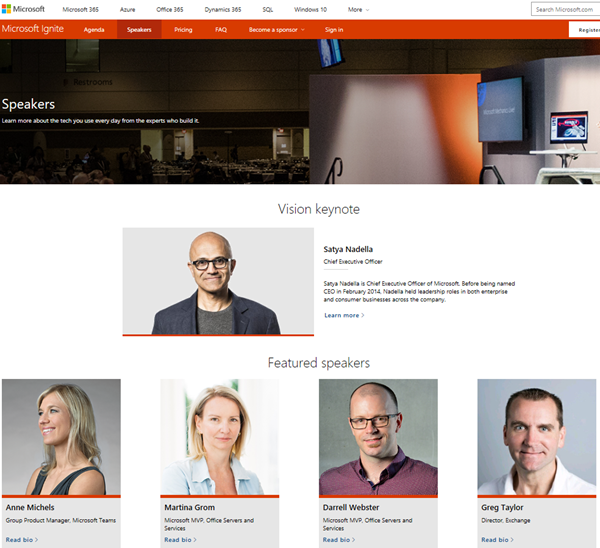
Microsoft Ignite is Microsoft’s largest, yearly conference focused on the latest insights and skills from technology leaders and practitioners with more than 25.000 attendees and will take place in September 24–28, 2018 in Orlando, Florida. We are very pleased to announce, that atwork’s CEO, Martina Grom, is a featured speaker at this year’s Ignite! As presented on the Ignite Speakers website, Martina will be among other well-known speakers within Microsoft and the Microsoft communities. ...

June 1, 2018 · 1 min · Toni Pohl
Impressions of SharePoint Conference North America 2018

Impressions of SharePoint Conference North America 2018

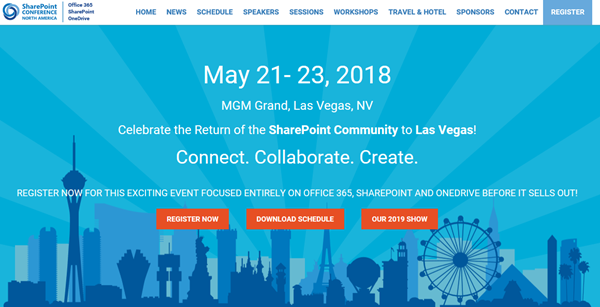
This week, from May 21st to 23rd, SharePoint Conference North America 2018 - now the Microsoft 365 Community Conference took place in fabulous Las Vegas, in the MGM Grand Hotel. Martina and I were glad to be part of the conference and enjoyed the conference, the networking and cool announcements and sessions! See some visual impressions of #SPC18 here! Martina and I had a workshop about “Office 365 governance” on the pre-conference days on Saturday, May 19th, and Martina delivered the session “The Keys to Office 365 Groups Management” together with Microsoft’s Christophe Fiessinger on Tuesday. See the full conference details at m365conf.com. ...

May 27, 2018 · 1 min · Toni Pohl
Impressions of the Global Azure Bootcamp 2018 in Linz

Impressions of the Global Azure Bootcamp 2018 in Linz

On April 21st, this year’s Global Azure Bootcamp took place in 244 locations in 68 countries. We were happy to follow the invitation of coding-club-linz who – as in the last years - organized the community event perfectly in Linz in Austria. With 5 tracks and about 200 attendees the #GlobalAzure event in Linz was a full success – thx to the organizers, speakers, community members and all helping hands! The world wide community event (global.azurebootcamp.net) is a cost free, one-day technical learning events for Microsoft Azure, organized by leaders from the global cloud developer community, see also #GlobalAzure Bootcamp 2018 and Sunday Surprise: Global Azure Bootcamp 2018. We were part of GAB in 2017 as well, see Global Azure Bootcamp 2017 Austria. This year, from our Vienna Azure Meetup Group, Martina Grom, Christoph Wilfing, Christoph Wille and I, Toni Pohl, joined the GAB2018 event. ...

May 6, 2018 · 1 min · Toni Pohl
Delegate365 changelog version 7.5-SignIn-Activities and GDPR module

Delegate365 changelog version 7.5-SignIn-Activities and GDPR module

The previous versions of Delegate365 brought major updates with the new reporting engine and over 80 reports. With Delegate365 version 7.5 there are more improvements coming as litigation hold for Shared Mailboxes, more reports and a new GDPR module. See the details here. Important: If your current Delegate365 version was 7.3, you need to run a new Delegate365 setup once. Please see Delegate365-(Re)run the setup for a step-by-step manual. This step is necessary after the update to Delegate365 v7.5 was done. This step is NOT necessary if you have already been on Delegate365 version 7.4. You need to have a Global Administrator without MFA enabled to run the setup and to accept the new Delegate365 consent: So, after the setup, login with the Global Administrator and accept the new consent for all users in your tenant - otherwise no one can sign-in and use the Delegate365 app. ...

April 27, 2018 · 6 min · Toni Pohl
Get data from SQL Server for GDPR and more

Get data from SQL Server for GDPR and more

Getting ready for GDPR? Well, often data is stored in relational databases as in SQL Server – in the cloud or on premises. If you need to report what relevant data is stored in such a SQL database, the following scripts can help. Often, a data processing document is needed between the data controller (often the customer) and the data processor (the IT department or a vendor). So, how to get data for a review? Here we go with a little bit of TSQL and SQL Server Management Studio (SSMS) or SQL Operations Studio. Connect to the corresponding database and try the following commands. ...

April 20, 2018 · 2 min · Toni Pohl
Use Visual Studio Code and the REST Client extension for testing HTTP Requests

Use Visual Studio Code and the REST Client extension for testing HTTP Requests

Are you using tools as Telerik Fiddler or Postman for testing HTTP Requests? Well, if you are already working with Visual Studio Code, try out the cool REST Client extension! My colleague Christoph showed me this cool extension for executing HTTP requests directly from VS Code quickly. Simply install the REST Client extension: Press F1, type ext install then search for rest-client as shown in the following screenshot. (Check out the useful Run Code from Visual Studio Code extension as well…) ...

April 15, 2018 · 2 min · Toni Pohl
Delegate365 reports at a glance

Delegate365 reports at a glance

Recently, Delegate365 got a new reporting engine with version 7.3 and more reports have been added with version 7.4 and version 7.5. In total, there are now 87 reports available (and likely more are about to come in the following versions). To keep up with the latest reports, we want to deliver an overview of all available reports at a glance here. Start The reports menu reveals the Delegate365 reports list. The reports are available for all users in Delegate365, for Scope Admins and for Portal Admins. Scope Admins see just data of their entitled OU’s in all their reports. Portal Admins get additional reports marked with a star* and a comment (* Portal Admin), that deliver reports and statistics about the Office 365 tenant and services without any OU filters. The screenshot below shows the reports list, grouped into nine categories. ...

April 12, 2018 · 3 min · Toni Pohl
Use Visual Studio Code and the Code Runner extension

Use Visual Studio Code and the Code Runner extension

Visual Studio Code (currently, Version 1.22 is available) is a very cool developer tool providing a modern and fast code editor with a bunch of extensions. With extensions as Code-Runner, it’s easy to run a code file or active text directly from the VS Code text editor. Check out this quick description how to configure and use Code Runner. If you are new to VS Code, at a glance: To install the latest version of VS Code, get the download for Windows, Linux or macOS. To run a command, launch the Command Palette with F1 or Ctrl + Shift + P, run Quick Open by pressing Ctrl + P, etc. See all keyboard shortcuts at Windows, macOS and Linux. ...

April 8, 2018 · 3 min · Toni Pohl