Runnung into Azure Service Limits?

Runnung into Azure Service Limits?

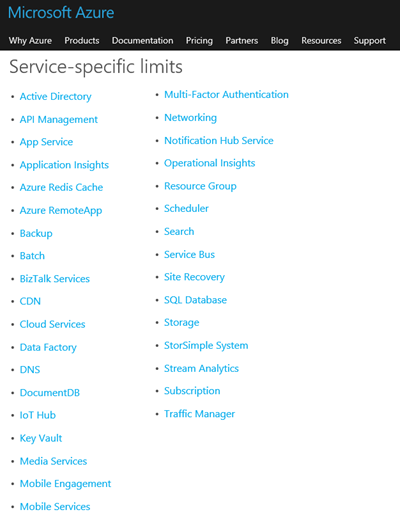
From time to time we stumble about resource quotas in Microsoft Azure. So this is a good opportunity to remember the article “Azure Subscription and Service Limits, Quotas, and Constraints” which describes the limits used by default in Azure services. So when creating a new SQL Server in an Azure subscription I ran into the message “Server response = 40652 Cannot move or create server. Subscription ‘xxxx’ will exceed server quota.”. Honestly, first I did not check the error message, then I saw that the server quota would have been exceed. So the solution was to delete unused SQL servers in that subscription to free resources and then to create the new SQL server resource in the Azure Portal. ...
February 8, 2016 · 2 min · Toni Pohl
Delegate365 changelog version 5-more updates

Delegate365 changelog version 5-more updates

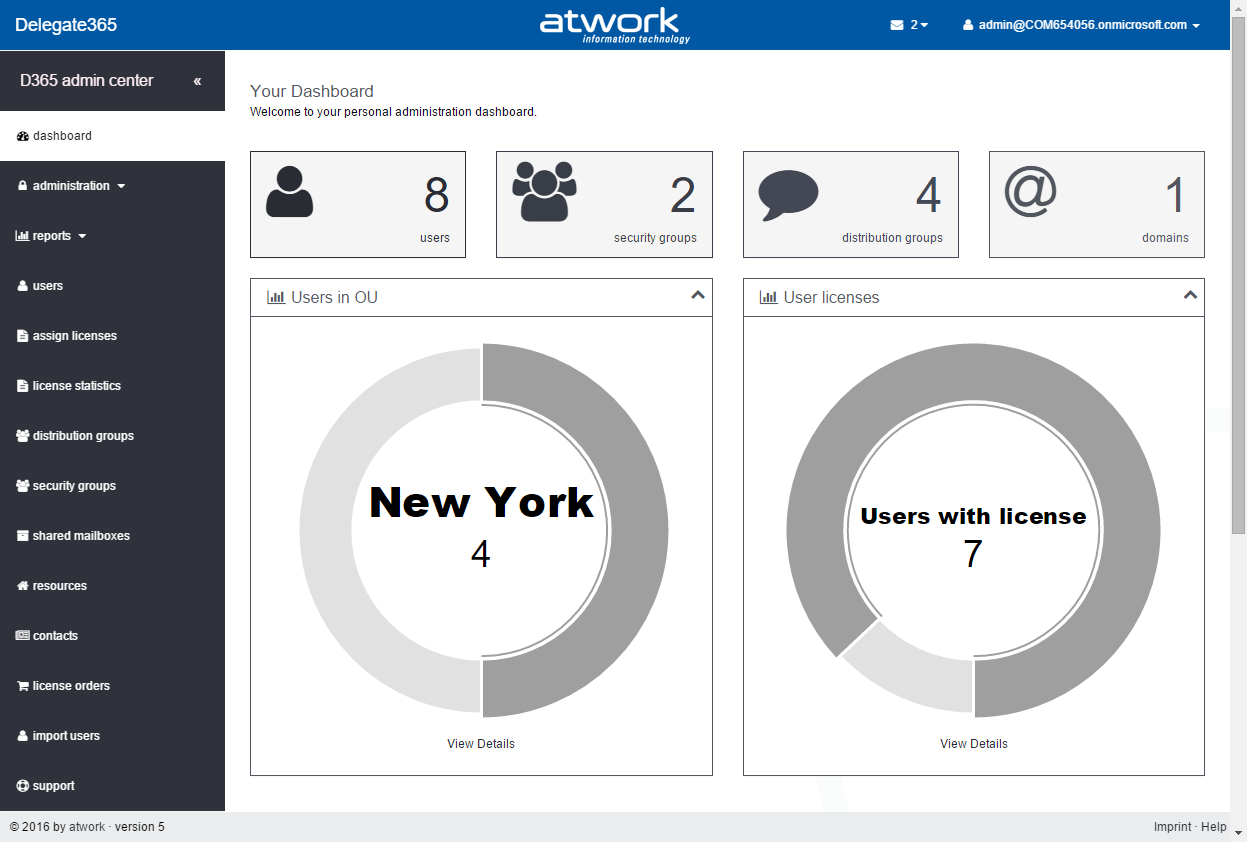
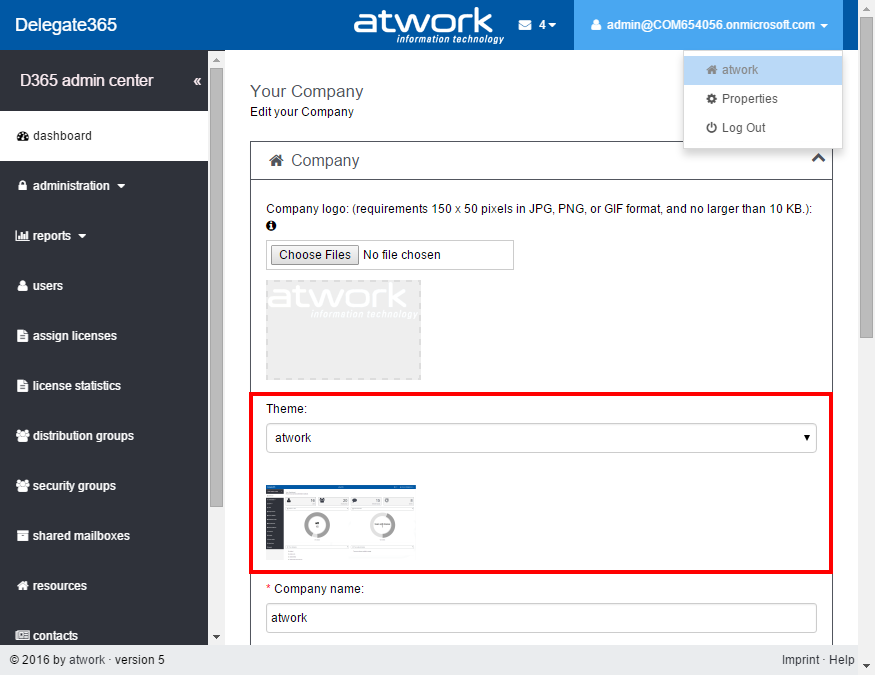
We recently added some more minor features to Delegate365 version 5 we would like to point out. More, new design themes. When opening the company menu Portal Admins can change the appearance of D365. Admins now can choose between 12 themes. “atwork” is the default theme which now appears in the new color scheme dark grey and blue (as shown in the screenshot above). After selecting, you can see a small preview of the color scheme below. These are the available color sets: When saving these settings, the selected theme this will be applied immediately (for all users of D365). ...

February 4, 2016 · 2 min · Toni Pohl
Azure BLOB Storage nutzen

Azure BLOB Storage nutzen

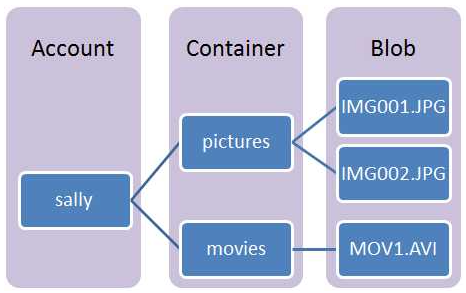
Die meisten Applikationen benötigen einen Platz zum Speichern von Daten. Je nach Datentyp, Datenmenge, Zugriff und der damit verbundenen Methode zum Zugriff auf die Daten können verschiedenste Speichermodelle eingesetzt werden. Mit den Azure Services kommen neben den herkömmlichen Varianten weitere, neue Mechanismen hinzu, die genutzt werden können. Dieser Artikel befasst sich mit Zugriff auf Azure BLOB Storage. Wofür BLOB? BLOB steht für Binary Large OBject. Darunter versteht man große, binäre Objekte, wie etwa Dateien oder andere unstrukturierte Daten. BLOBs werden im Regelfall nicht in (klassischen) Datenbanken gespeichert und können nicht oder nur mit viel Aufwand strukturiert gespeichert werden. ...

February 3, 2016 · 7 min · Toni Pohl
To Sync or Not to Sync?

To Sync or Not to Sync?

Ich bin heute wieder einmal über ein Problem bei AAD Connect gestossen, das ich kurz erklären will. Speziell deshalb, weil nicht immer AAD Connect schuld ist, wenn mal ein Sync nicht funktioniert, Manchmal tut AAD Connect genau das was man ihm sagt, man muss halt nur wissen was in der Default Konfiguration für Regeln und Sicherheitsmechanismen eingebaut wurden. Mein Problem hat sich ganz simpel geäussert. Ein User im Active Directory soll per AAD Connect synchronisiert werden. Egal ob er vorher per Attributelevel Filter oder einfach durch OU Folder Filter nicht synchronisiert wurde oder auch einfach nicht aufgefallen ist, dass er online nicht existiert hat. Plötzlich fällt auf, der User fehlt. ...

February 3, 2016 · 5 min · Christoph Wilfing
Mit Azure Stack in die Private Cloud

Mit Azure Stack in die Private Cloud

Im Frühling 2015 hat Microsoft auf der Ignite Conference “Azure Stack” angekündigt. Microsoft Azure Stack ist ein neues hybrides Cloud Platform Produkt, welches Enterprise Services in das unternehmenseigene DataCenter bringt, siehe Why Azure Stack? Die wichtigste Nachricht gleich zu Beginn: Seit Ende Jänner ist Microsoft Azure Stack öffentlich als Preview verfügbar und kann hier getestet werden. Somit können interessierte Anwender Microsoft Azure Stack nun zum ersten Mal selbst ausprobieren. Bisher gab es nur wenige detaillierte Informationen, etwa im Oktober 2015 im Video Bring Azure to your datacenter with Azure Stack. ...

February 2, 2016 · 3 min · Martina Grom
Delegate365 changelog version 5-Core Updates, Improvements, features and design

Delegate365 changelog version 5-Core Updates, Improvements, features and design

Delegate365 version 5 is about to come in the next two weeks. In this version we concentrated on core optimizations of D365 and not in features. Since many core functions of the prodct have been improved, we claimed a major release for this D365 version and think version number 5 is well deserved. Anyway, see the details of the new D365 version here: Optimization: This version brings optimized features and better performance in a bunch of functions. The SyncOp has been strongly optimized and D365 now uses more caching for showing and updating lists which results in better performance. Users of D365 will see most significant performance in the SyncOp and in lists with a larger number of items, for example in the users list or in the distribution lists, but all lists have been updated. ...

January 29, 2016 · 6 min · Toni Pohl
Delegate365 roadmap 2016

Delegate365 roadmap 2016

Wow, we had a busy year 2015 with Delegate365. Thanks to our customers and partners we got a lot of feedback to improve the service. As you see by the number of blogposts in 2015 (almost 40) we released updates of Delegate365 continuously and implemented a lot of useful features in the product in the last year. All customers get these updates automatically in their SaaS D365 tenant and benefit from the improvements. We collected feature requests and summarized and prioritized them internally. ...

January 27, 2016 · 3 min · Toni Pohl

Delegate365 new release coming soon

In the last two months, from December until now, we were busy with improving Delegate365. We did not communicate much in that time here because we did a lot of work in maintaining and optimizing the core project and not in features. Currently, we are still testing the new, improved version which will be rolled out mid of february for all D365 tenants. Customers will benefit from optimized code and better performance, specially in the SyncOp and from optimized loading times in lists in D365. We will post a list of some new features and improvements here shortly!

January 26, 2016 · 1 min · Toni Pohl
OneDrive For Business nutzenTeil 4 Usage

OneDrive For Business nutzenTeil 4 Usage

OneDrive For Business (OfB) ist eine praktisches Service, welches als persönlicher Cloud-Speicherplatz für Benutzer innerhalb eines Unternehmens verwendet wird. Das, was für Anwender vor einem Jahrzehnt das “Home-Drive” im lokalen Netzwerk war, steht heute mit Office 365 und OfB als zentrale Ablage mit Versionierung und mit Sharing-Funktionalität bereit. Der persönliche Speicherplatz von bis zu 1TB Out-of-the-Box kommt automatisch mit Office 365 mit. Dieser Cloud-Speicher zählt übrigens nicht zum Storage-Verbrauch der SharePoint Online Websites, sondern ist extra und quasi kostenlos. Weiters brauchen sich Administratoren nicht um OfB zu kümmern, denn die Provisionierung und der Betrieb erfolgt durch den Anbieter Microsoft. OfB in Office 365 ist somit wartungsfrei. ...

January 23, 2016 · 4 min · Toni Pohl
OneDrive For Business nutzenTeil 3 Sharing

OneDrive For Business nutzenTeil 3 Sharing

Technisch gesehen ist OneDrive For Business (OfB) eine persönliche SharePoint Dokumentbibliothek. Wie in Teil 1 und Teil 2 beschrieben, hilft OfB Benutzern, ihre wichtigen Arbeitsdokumente zentral in der Cloud und lokal auf dem eigenen Computer verfügbar zu haben. Nachdem die Dateien automatisch in die Cloud synchronisiert werden, können sie auch mit anderen Anwendern geteilt werden (Sharing). In diesem Artikel geht es um die Anwendung von Sharing mit OfB. Dateien verwalten Der SyncClient kümmert sich darum, dass die Dateien zwischen der Wolke und dem lokalen Computer abgeglichen werden. Dies erfolgt durch die Integration in das lokale Dateisystem und kann über den Windows Explorer wie gewohnt organisiert werden. ...

January 22, 2016 · 3 min · Toni Pohl