Important Update for Governance Toolkit 365 Users Configuration Changes Required for Power BI Integration

Important Update for Governance Toolkit 365 Users Configuration Changes Required for Power BI Integration

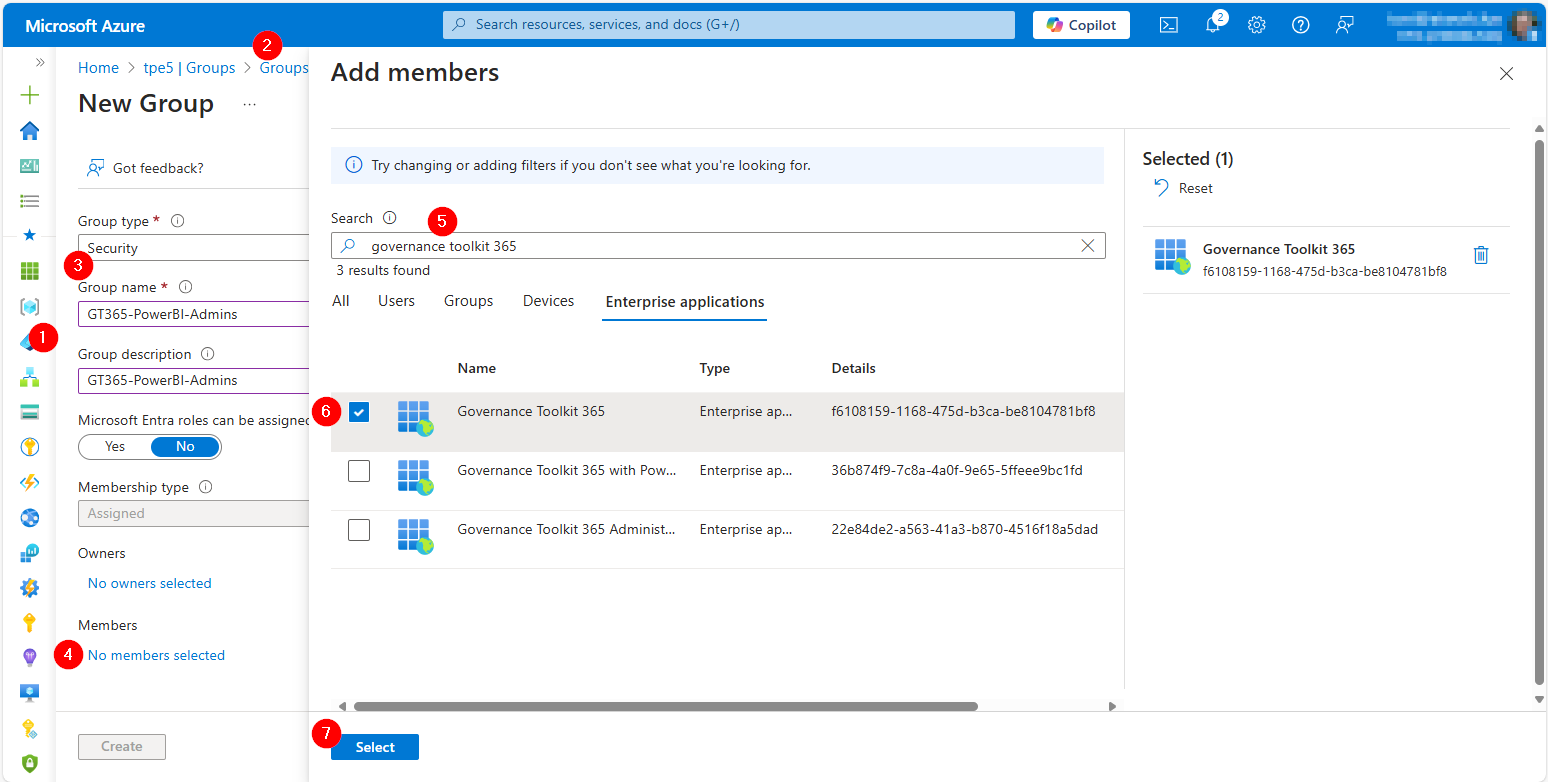
We are excited to announce an important update to our SaaS solution, Governance Toolkit 365 (GT365). To enhance security and streamline data access, we have replaced the Power BI data refresh authentication method with the Power BI built-in Admin API permissions. This change will take effect on February 21st. To ensure uninterrupted access to your Power BI data, it is crucial that you update your Microsoft 365 tenant configuration as described here. ...

February 10, 2025 · 3 min · Toni Pohl
Streamlining Automation Integrating Scripts with Logic Apps

Streamlining Automation Integrating Scripts with Logic Apps

Calling scripts from an Automation Account in a Logic App is particularly useful when the tasks to be performed are too complex to implement directly in a Logic App. It is also useful when scripts need to be reused multiple times without rewriting them in each Logic App. See how to enhance your Logic Apps with Automation Account Scripts. Such an integration allows for centralized management and updating of scripts to ensure consistency and maintainability. Finally, it is useful when advanced functions and modules available in PowerShell or Python are needed. ...

January 7, 2025 · 4 min · Martina Grom
How to enable Copilot in Power BI

How to enable Copilot in Power BI

In today’s data-driven world, the ability to quickly analyze and visualize data is crucial for making informed decisions. Microsoft Power BI has long been a powerful tool for business intelligence, and with the introduction of Copilot, it has become even more versatile. See the following resources for activating Copilot for Power BI in your organization. Copilot leverages advanced AI capabilities to assist users in creating reports, analyzing data, and generating insights more efficiently. Enable Copilot in Power BI as described here, to ensure you can take full advantage of this innovative feature. ...

November 24, 2024 · 3 min · Toni Pohl
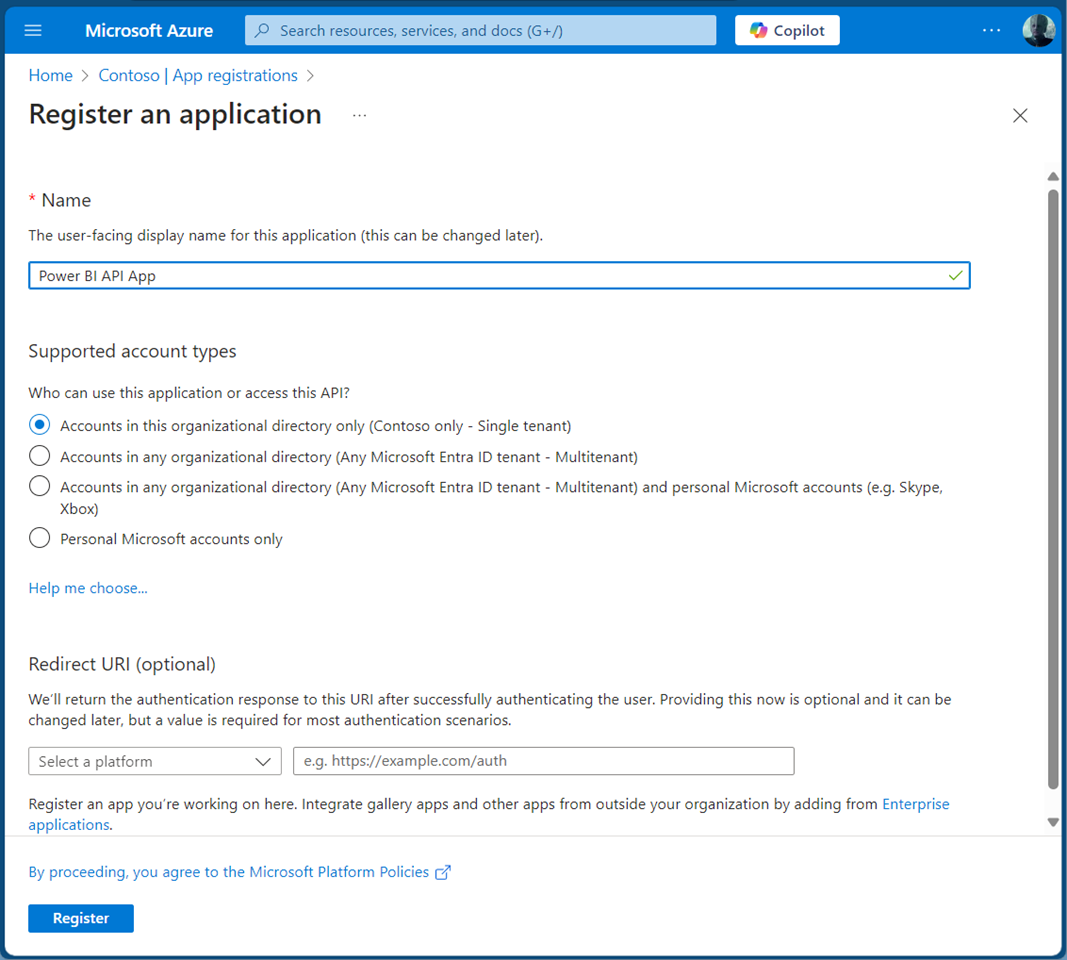
How to Use Power BI REST API as an Admin

How to Use Power BI REST API as an Admin

Accessing the Power BI REST API with an application is crucial for efficiently managing and monitoring your Power BI environment. This guide will walk you through using the Power BI REST API with an app as an admin. By leveraging a service principal, your app can seamlessly authenticate and interact with Power BI resources. This allows our app to read Power BI workspaces and usage data automated to streamlines administrative tasks in Power BI. A Service Principal Name (SPN) is an authentication method that enables a Microsoft Entra application to access Microsoft Fabric content and APIs. When you create a Microsoft Entra app, a service principal object is automatically generated. This object, commonly referred to as the Service Principal, allows Microsoft Entra ID to authenticate your app. Once authenticated, the app can access resources within the Microsoft Entra tenant. See more at Service principals can access read-only admin APIs. and Tenant settings index. ...

November 1, 2024 · 5 min · Toni Pohl
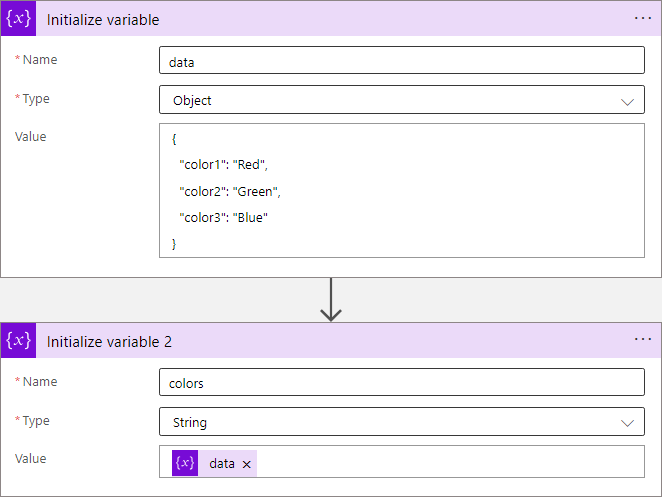
Azure Logic Apps Toolbox 10-Dynamic access to keys and values in a JSON object

Azure Logic Apps Toolbox 10-Dynamic access to keys and values in a JSON object

In Azure Logic Apps, looping through objects is a common requirement. When we have prior knowledge of an object’s properties, the process is straightforward. However, things get more challenging when attempting to access properties dynamically. See a method to access data in a JSON object dynamically here. JSON (JavaScript Object Notation) is a format for storing and transferring data. Here we want to dynamically access data from a JSON object in an Azure Logic App. To demonstrate this, consider this example. ...

June 1, 2024 · 8 min · Toni Pohl
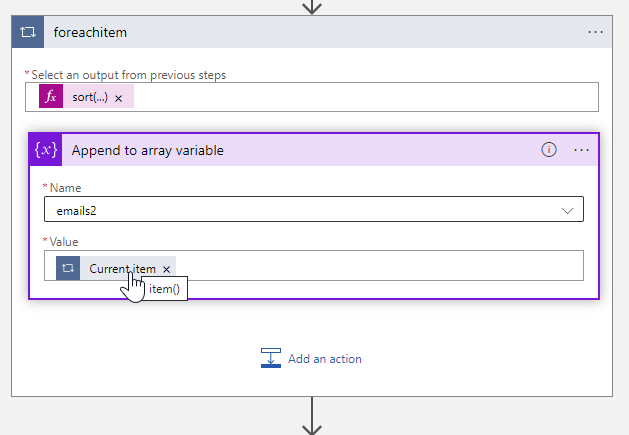
Azure Logic Apps Toolbox 9-More useful Tips

Azure Logic Apps Toolbox 9-More useful Tips

By working with Azure Logic Apps, data can be processed very quickly and conveniently. Sometimes small details are a challenge, like function names or correct syntax. This is especially true if you don’t work with logic apps all the time. In addition to our existing tips here in the blog, we have some other useful functions from various scenarios that will make your work with Logic Apps easier. If you are interested, we have already collected a number of tips in our blog in category Logic Apps. So, here are some more general tips for your flows. ...

October 5, 2023 · 4 min · Toni Pohl
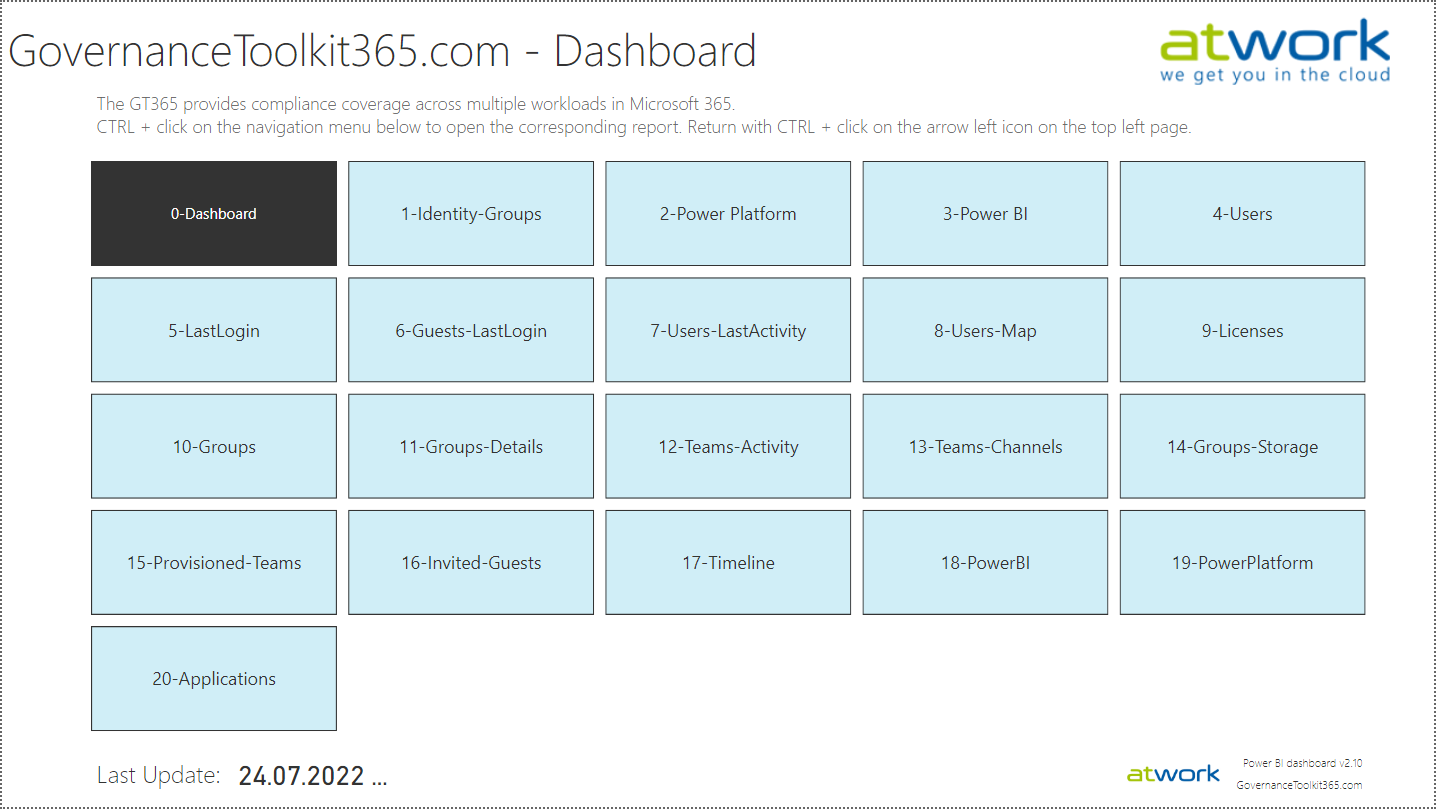
Governance Toolkit 365-Improvements July 2022

Governance Toolkit 365-Improvements July 2022

The Governance Toolkit SaaS solution provides compliance coverage across multiple workloads and offers self-services for users. We have added many new improvements and services over the past few months. We started the Governance Toolkit 365 (GT365) journey at the Microsoft Ignite conference in 2018, when my colleague Martina Grom showed a first version how to develop a Power BI governance board for Microsoft 365 and an endpoint to provision a new Microsoft 365 Group with an approval workflow. We saw that there was a great need for governance in the market and from there we developed our solution as Software-as-a-Service offering. One of the great advantages of the GT365 is that it runs completely with the on-board tools of Microsoft 365 and can be completely flexibly customized. You can find more information and test GT365 anytime at governancetoolkit365.com . ...

July 31, 2022 · 8 min · Toni Pohl
Why we need the Power Platform

Why we need the Power Platform

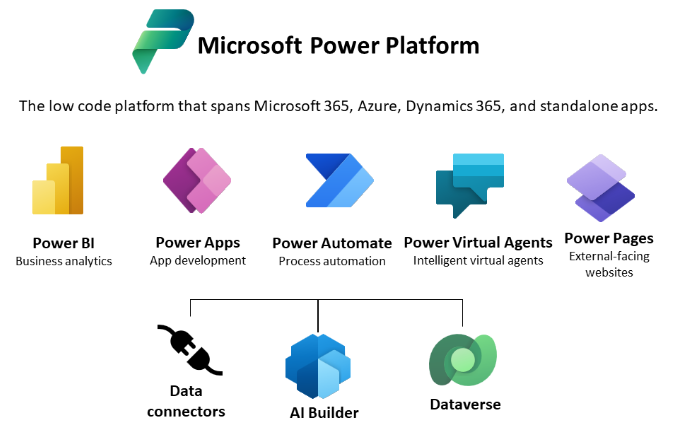
Today, a quick tip on an article about one of Microsoft’s fastest growing companies: Helping power users to build business apps with low-code and no-code apps. Helping regular folks build business apps The article on protocol.com is about Charles Lamanna, who is corporate vice president of Microsoft Business Applications. Charles Lamanna runs one of Microsoft’s fastest-growing businesses: Helping regular folks build business apps Microsoft’s Power Platform strategy is to allow non-technical people to build applications for their team’s needs with it´s Power Platform, which basically includes Power BI, Power Apps, Power Automate and other services out of Microsoft 365 and Dynamics 365, as the following graphics illustrates. ...

July 24, 2022 · 2 min · Toni Pohl
Azure Logic Apps Toolbox 8-Secure your secrets with Azure Key Vault and Managed Identity

Azure Logic Apps Toolbox 8-Secure your secrets with Azure Key Vault and Managed Identity

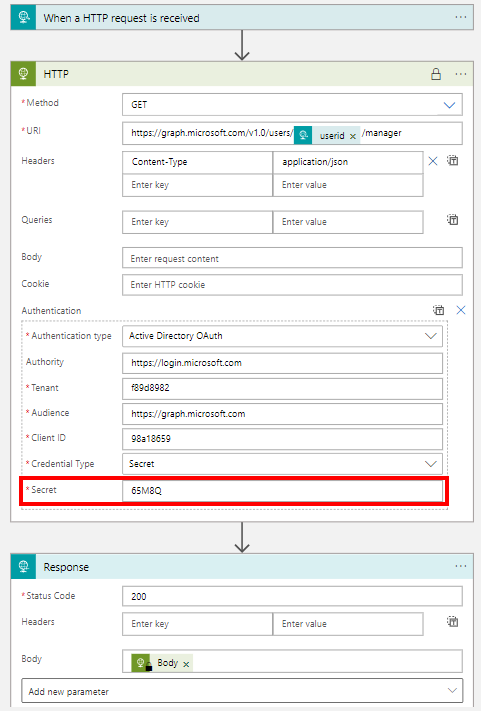
Credentials and secrets should be stored in a secure environment and not directly in an Azure Logic App or script. Azure provides the Key Vault service, which allows to store such secrets in a secure and controllable way. See how this works here. What is a secret? The Microsoft documentation of Azure Key Vault describes secrets follows: “A secret is anything that you want to tightly control access to, such as API keys, passwords, certificates, or cryptographic keys.” at Azure Key Vault basic concepts and at Azure Key Vault security. So you want to store ALL secrets in a safe location, in a Key Vault, and access them from other services. This can be done within Azure resources with a Managed Identity (see below). In this article we will focus on using an Azure Key Vault and storing such secrets and accessing them later in this step-by-step guide. ...

April 24, 2022 · 8 min · Toni Pohl
Ways to work with Power BI licenses

Ways to work with Power BI licenses

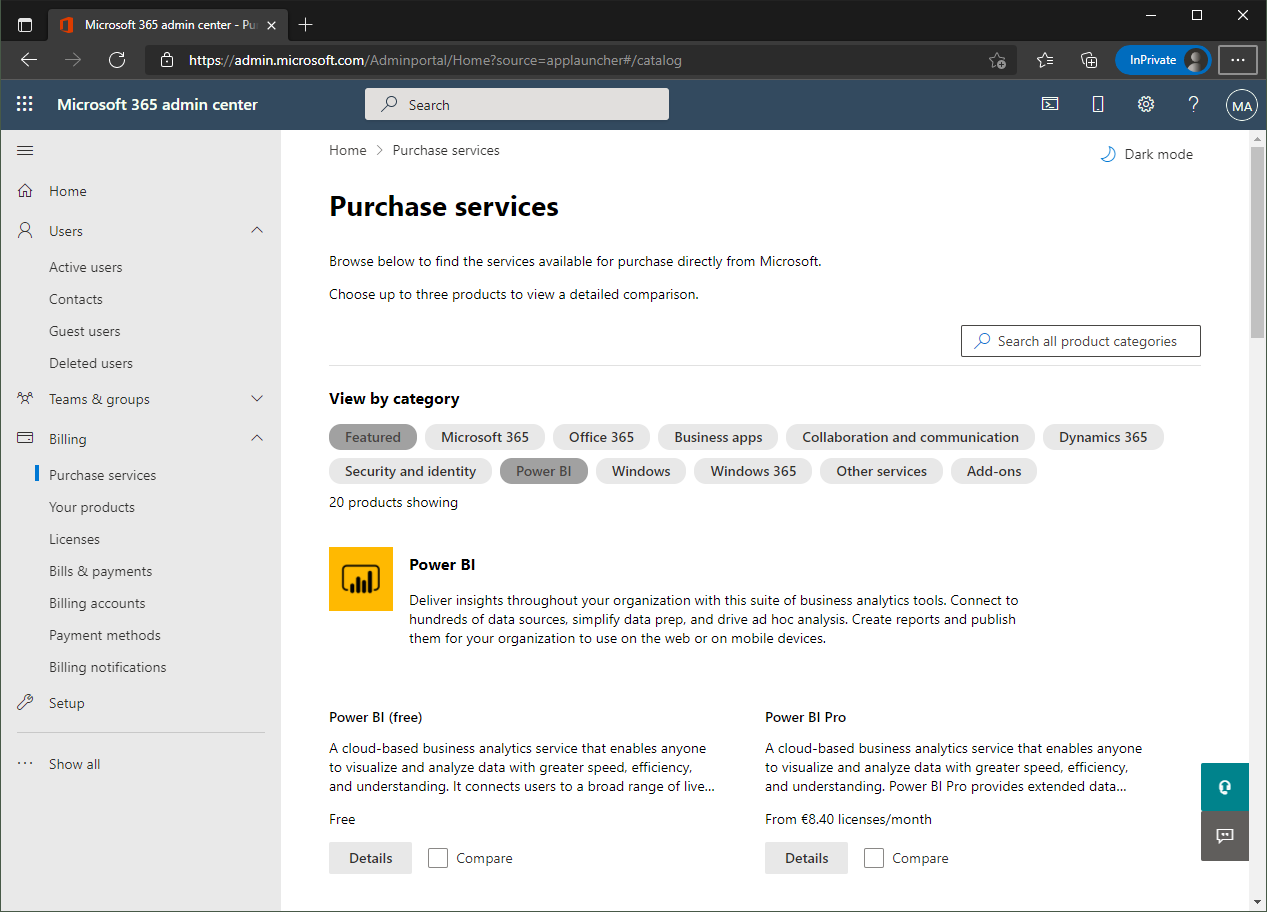
I recently wanted to share a Microsoft Power BI report with other users who only have the “Power BI (Free)” license. Well, with a “Power BI Pro” license, a report can be shared with other users. But I noticed that there are stumbling blocks when it comes to licensing. Here are my findings. First of all, I’m not a licensing expert (and don’t want to be one). However, I would like to ensure that as many users as possible can consume Power BI reports. With this goal in mind, I would like to share my experiences here. ...

September 27, 2021 · 6 min · Toni Pohl