Project VBA Module exportieren und importieren  Export and Import VBA Modules

Project VBA Module exportieren und importieren Export and Import VBA Modules

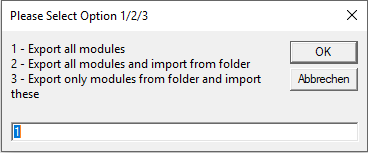
Deutsche Version Nachdem ich jahrelang Zeit verbraucht habe, mit rechten Mausklicks Module für BackUp-Zwecke zu exportieren und neue oder geänderte Module zu importieren, habe ich vor einiger Zeit Code geschrieben, womit ich das automatisiere. Ich habe den Code jetzt etwas abgewandelt, da UserForms nicht als Plaintext bereitgestellt werden können. Code bietet die Auswahlmöglichkeit. Alle Module eines ausgewählten Projekts in einen Ordner zu exportieren Alle Module eines ausgewählten Projekts in einen Unterordner zu exportieren und alle Module aus dem darüberliegenden Ordner zu importieren. Eventuell bereits vorhandene Module werden bei Bedarf zuvor entfernt ...


July 14, 2020 · 9 min · Barbara Henhapl

Check out the Microsoft Teams Best Practices for Remote Work podcast of Mary Jo Foley with guest Martina Grom

In June, our managing director Martina Grom had the pleasure of speaking to the renowned Microsoft journalist Mary Jo Foley in a podcast interview. Listen to the podcast in the MJF chat! Mary Jo Foley is a technology writer, author, podcaster and news editor. She regularly writes news, articles, and reviews for Microsoft’s strategy, products and technology. Martina is founder and CEO of atwork and a Microsoft Regional Director and MVP and a long-time community advocate and specialist in Microsoft 365, Azure, and security. The interview was all about best practices for Microsoft Teams in a world where more and more are working remotely. ...

June 18, 2020 · 1 min · Toni Pohl

CU at SharePoint Conference 2020 in May!

We are looking forward to this year´s SharePoint Conference (SPC) in Las Vegas in May! Sharepoint Conference 2020 offers over 200 sessions, panels and workshops covering all topics around SharePoint, Teams, and the Power Platform. This is an event for everyone working in the Microsoft 365 workspace. We from atwork look forward to being there again. Plus, get a discount for SPC 2020 here! There will be an amazing line-up with more than 150 top-speakers delivering lots of news and insights into the SharePoint ecosystem. In addition to Microsoft speakers, there are also a lot of speakers from the community. We from atwork are honored to speak there with colleagues like Andrew Connell, Laura Rogers, Tony Redmond, Benjamin Niaulin, Daniel Glenn, David Warner, Dux Raymond Sy, Heather Newman, Laura Kokkarinen, and many more! ...

March 3, 2020 · 1 min · Martina Grom
Azure Logic Apps Toolbox 2-Send text and files multipartform-data to SharePoint Online

Azure Logic Apps Toolbox 2-Send text and files multipartform-data to SharePoint Online

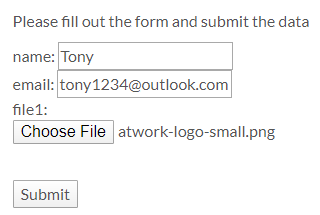
Using an Azure Logic app is often a quick fix for small computing tasks. So my scenario is as follows: I want to use a form on a website to offer text fields and file upload. The submit button is intended to send the data to a Logic App. The Logic App receives the data and writes it to a SharePoint Online list and sends a notification if necessary. See the implementation here. ...

February 17, 2020 · 8 min · Toni Pohl

Project Makros mit Datumsfeldern in mehrsprachiger Umgebung - Macros with Date Fields in Multilanguage Environment

Deutsche Version Im Artikel Project: Formeln mit Datumsfeldern in mehrsprachiger Umgebung / Formulas with Date Fields in Multilanguage Environment habe ich beschrieben, wie man Fehler in Formeln mit potentiell leeren Datumsfeldern in einer mehrsprachigen Umgebung vermeidet. Potentiell leere Datumsfelder wie Geplantes Ende, Datum1, … werden abhängig von der Sprachversion als NV, NA, … dargestellt. Wenn in Formeln auf diesen Textwerte einer Sprache geprüft wird, führt das zu Fehlern bei Verwendung einer anderen Sprachversion von Project. Das gleiche gilt auch, wenn diese Felder mit VBA ausgewertet werden. In Code sehen Sie drei Beispielmakros: ...

September 27, 2019 · 3 min · Barbara Henhapl
Project Formeln mit Datumsfeldern in mehrsprachiger Umgebung  Formulas with Date Fields in Multilanguage Environment

Project Formeln mit Datumsfeldern in mehrsprachiger Umgebung Formulas with Date Fields in Multilanguage Environment

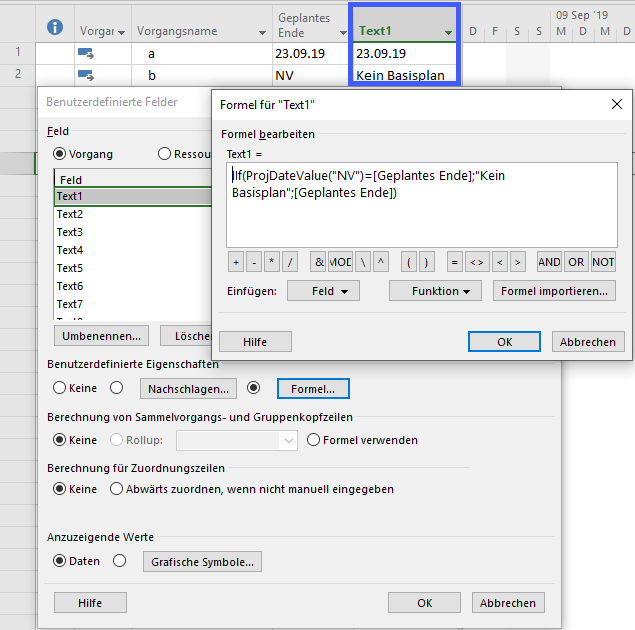
Deutsche Version Formeln mit einem Datumsfeld lassen sich in Project leicht erstellen. Wenn dabei ein Datumsfeld geprüft werden soll, das potentiell keinen Wert enthält, lässt sich das in der deutschen Version mit einer Prüfung auf „NV" (Nicht verfügbar) abprüfen. Das kann zum Beispiel bei einem Vergleich mit einem Basisplandatum wie Geplantes Ende der Fall sein. Folgende Formel zeigt im Feld Text1 „Kein Basisplan" an, wenn für den Vorgang noch kein Basisplan festgelegt wurde. Dabei wird „NV" mit „ProjDateValue(“NV”)=[Geplantes Ende]" in ein Project-Datumfeld konvertiert, um mit dem Wert in Geplantes Ende vergleichen zu können. ...

September 21, 2019 · 3 min · Barbara Henhapl
Azure Logic Apps Toolbox 1-Use the OData Filter for Azure SQL Databases

Azure Logic Apps Toolbox 1-Use the OData Filter for Azure SQL Databases

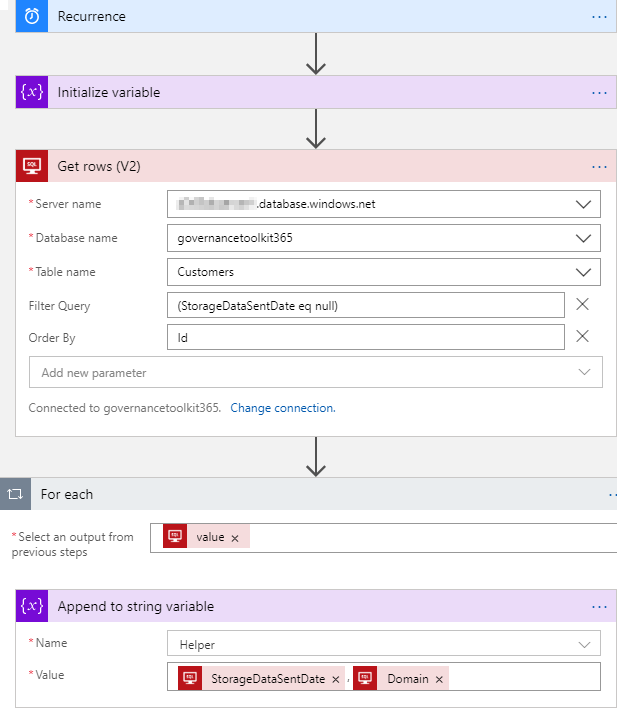
A very quick tip today: When using an Azure Logic App in combination with an Azure SQL Database, filtering rows can be done like here. As example: A T-SQL query as this one… SELECT - FROM [dbo].[Customers] WHERE [StorageDataSentDate] IS NULL ORDER BY [Id] …will be formulated as filter expression with an OData query as here. The definition for the Get_rows_(V2) action looks similar as here: … "Get_rows_(V2)": { "inputs": { "host": {"connection": {"name": "@parameters('$connections')['sql']['connectionId']"} }, "method": "get", "path": "/v2/datasets/@{encodeURIComponent(encodeURIComponent('[someserver].database.windows.net'))}, @{encodeURIComponent(encodeURIComponent('governancetoolkit365'))}/tables/ @{encodeURIComponent(encodeURIComponent('[dbo].[Customers]'))}/items", "queries": {"$filter": "(StorageDataSentDate eq null)", $orderby": "Id"} }, "runAfter": {"Initialize_variable": ["Succeeded"]}, "runtimeConfiguration": { "paginationPolicy": {"minimumItemCount": 5} }, "type": "ApiConnection" }, … Depending on the data size, remember to configure pagination. ...

September 19, 2019 · 1 min · Toni Pohl
How to copy table data between Azure SQL Databases

How to copy table data between Azure SQL Databases

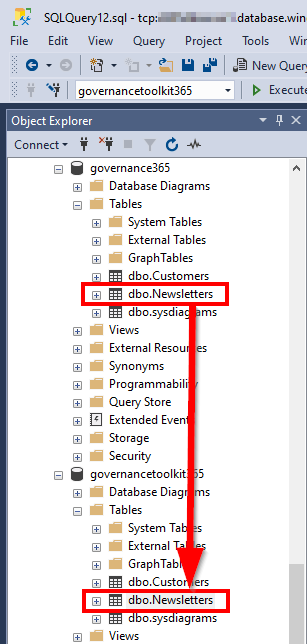
Working with Azure SQL Databases is handy. Just, how can I copy data from one Azure SQL database to another database? See the best practice here. I had such a use case. I needed to copy a table (all rows) from a source database to a destination database with SQL Management Studio. The table did not have much data, but extensive data with varchar(MAX) fields containing HTML and Base64 encoded images. So, a copy in the edit mode via clipboard did not work. ...

September 18, 2019 · 2 min · Toni Pohl

Project Kalenderausnahmen exportieren Export Calendar Exceptions

Deutsch Häufig wird in Foren die Frage gestellt, wie Ausnahmen (Abwesenheiten oder abweichende Arbeitszeiten) exportiert werden können. Hier ist ein Makro bereitgestellt, das alle Kalenderausnahemn in eine Datei exportiert. Dabei werden alle Ausnahmen aller Projektkalender und aller Ressourcenkalender während der Projektlaufzeit berücksichtigt. Mit dem Setzen einer Konstanten zu beginn, können Sie definieren, ob nur arbeitsfreie Tage oder alle Ausnahmen exportiert werden sollen. In Makros implementieren / Implement Macros wird beschrieben, wie ein Makro in Project übernommen werden kann. Mehr Beispielmakros sind unter VBA zu finden. ...

August 22, 2019 · 6 min · Barbara Henhapl
Working with Microsoft Group Forms and Flow

Working with Microsoft Group Forms and Flow

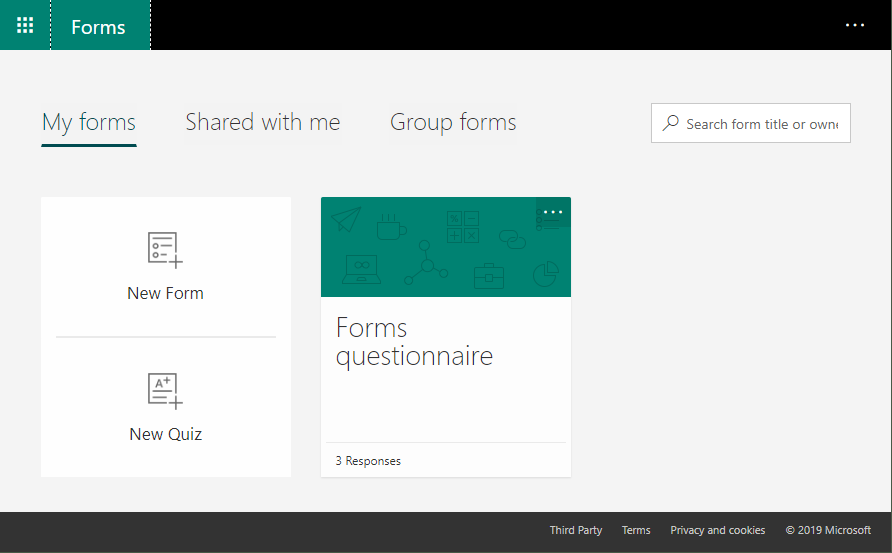
Microsoft Forms is very popular because it is a very easy way to create web forms quickly. You can create surveys, quizzes and simple forms, and easily see results as they come in. This quick tutorial shows how you can use Microsoft Forms, convert a from into a group form, how to access the result file and how to add additional tasks with Microsoft Flow or Azure Logic Apps. So, here we go. ...

July 13, 2019 · 5 min · Martina Grom