Microsoft Project Symbolleiste für den Schnellzugriff anpassen

Microsoft Project Symbolleiste für den Schnellzugriff anpassen

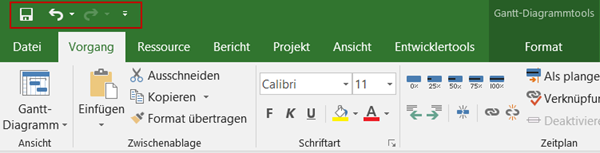
Analog zu allen Officeanwendungen ab Version 2007 können Sie in Project ab Version 2010 die Symbolleiste *für den Schnellzugriff *anpassen. Damit können Sie Befehle, die Sie häufig benötigen, sehr komfortabel für den einfachen Zugriff bereitstellen. Ohne Anpassung stehen die Befehle Speichern, Rückgängig und Wiederholen zur Verfügung. Oft werden aber Befehle vermisst, die nur durch mehrmalige Mausklicks zu erreichen sind, wie zum Beispiel Drucken oder bei Einsatz von Project Online oder Project Server Veröffentlichen. ...
February 20, 2018 · 2 min · Barbara Henhapl
Project Online Workflow error when reading flag field

Project Online Workflow error when reading flag field

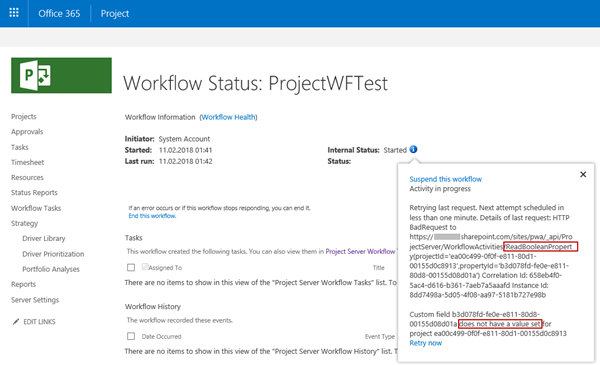
In November 2017, a support article was published how to Troubleshoot Project Online workflows. One described error is “Custom field CUSTOM_FIELD_GUID does not have a value set for project PROJECT_GUID”. There is a special case when reading an Enterprise Custom Field of type Flag, as mentioned in a Note. Flag fields have one special behavior: You can’t set a default value for this type of fields. The value is blank, until you changed it manually at least one time – even if it is displayed as No on Project Detail Page or in Project client. Therefore, you can’t access this value from within a SharePoint Designer workflow until the first change. ...

February 11, 2018 · 6 min · Barbara Henhapl
Microsoft Project Leistungssteuerung  Ändern von Ressourcenzuordnungen

Microsoft Project Leistungssteuerung Ändern von Ressourcenzuordnungen

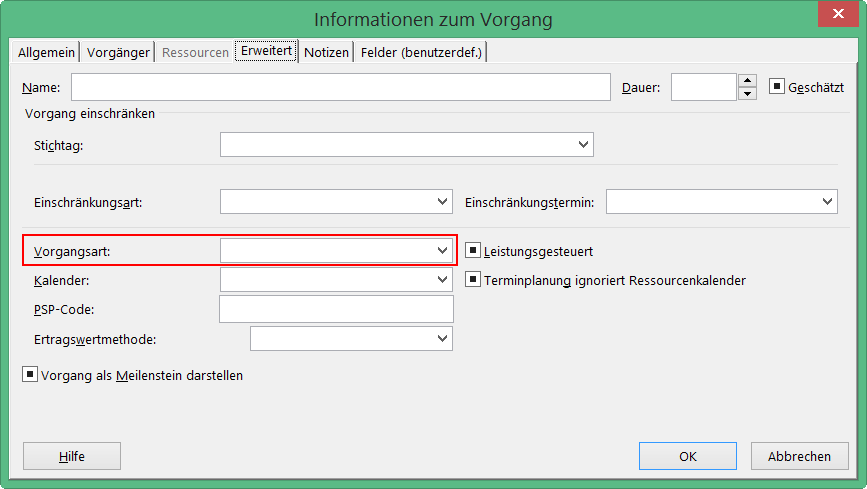
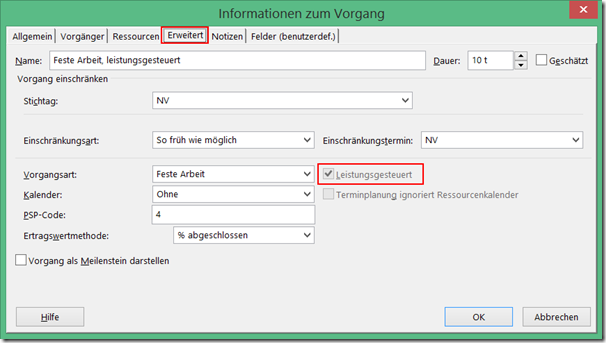
Neben den Vorgangsarten beeinflusst auch die Einstellung für Leistungsgesteuert das Verhalten von Project, wenn Sie die Anzahl der zugeordneten Ressourcen zu einem Vorgang ändern. Bei leistungsgesteuerten Vorgängen behält Project für die gesamte Arbeit für den Vorgang den aktuellen Wert bei, unabhängig davon, wie viele Ressourcen dem Vorgang zugeordnet sind. Leistungsgesteuert bedeutet, dass Project für den Vorgang den Wert für Arbeit nicht verändert. Der aktuelle Wert für Arbeit wird bei der der Änderung von zugeordneten Ressourcen zu einem Vorgang aufgeteilt. Wenn leistungsgesteuert deaktiviert ist, wird die vorhandene Arbeit nicht aufgeteilt, sondern die Arbeit gemäß der Zuordnungseinheiten der neu zugeordneten Ressource erhöht. In den aktuellen Versionen von Project ist diese Option im Standard deaktiviert. Sie finden die Einstellung zur Leistungssteuerung unter anderem im Dialogfenster Informationen zum Vorgang auf der Registerkarte Erweitert. Das Feld steht auch als Spalte zum Einfügen in Gantt-Ansichten zur Verfügung. ...

February 9, 2018 · 3 min · Barbara Henhapl
Microsoft Project Zuordnungseinheiten in Project ab Version 2010

Microsoft Project Zuordnungseinheiten in Project ab Version 2010

Heute äußere mich einmal zu einem Thema, bei dem ich nicht voll hinter den Entscheidungen der Project Product Group stehe . Mit der Version Project 2010 wurde die Anzeige der Zuordnungseinheiten bei Einheiten geändert. Bis Project 2007 Wer mit Project in den Versionen bis 2007 arbeitet oder gearbeitet hat, kennt folgendes Verhalten: Wir haben einen Vorgang mit der Dauer von 5 Tagen und einer Ressourcenzuordnung von 100%. Die Vorgangsart ist Feste Arbeit. ...

February 8, 2018 · 3 min · Barbara Henhapl
Microsoft Project Vorgangsarten  der Einfluss auf Ressourcenplanung

Microsoft Project Vorgangsarten der Einfluss auf Ressourcenplanung

Ich komme oft in Situationen, in denen ich erläutern darf, wie Project im Hintergrund funktioniert. Wer kennt das nicht: man ändert etwas an einem Vorgang und es passiert etwas, was man so nicht erwartet. Und nein, Project macht selten etwas anderes, als man ihm “sagt”. Nur ist einem oft nicht bewusst, dass man eine Anweisung gegeben hat. Haben Sie diese Erfahrung auch schon gemacht? Sie haben einem Vorgang eine Ressource zu einem Prozentsatz zugeordnet, zum Beispiel 50%. Jetzt erhöhen Sie die Arbeit um wenige Stunden. Ist ja kein Problem, von 50% auf 100% ist ja noch viel Spiel, wird ja deswegen nicht gleich länger dauern – denkt man. Aber was tut Project? Es verlängert den Vorgang! Fazit: Project macht immer was es will und das ganz unlogisch. ...

February 6, 2018 · 5 min · Barbara Henhapl
How to restrict access and to connect to a single SQL Azure database only

How to restrict access and to connect to a single SQL Azure database only

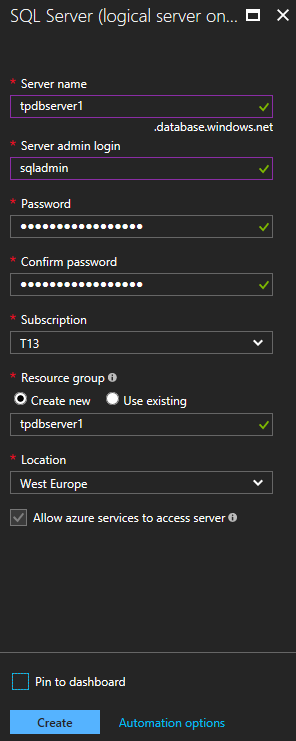
As of today, many organizations use various Microsoft Azure services. SQL Azure databases are popular among them. Often, IT Administrators want to allow departments or vendors full access to just one specific SQL Azure database and to restrict their access to other resources. See here how this works. Use SQL Management Studio or SQL Operations Studio When working with SQL databases, installing the SQL Management Studio (SSMS) is very helpful. You can get the latest version from Download SQL Server Management Studio (SSMS) for free. Alternatively, you can use the new lightweight and cost free SQL Operations Studio. ...

January 27, 2018 · 4 min · Toni Pohl
How to access files stored in OneDrive or in a SharePoint site with Microsoft Graph and the Excel API

How to access files stored in OneDrive or in a SharePoint site with Microsoft Graph and the Excel API

The Microsoft Graph API is the new unified endpoint for developers accessing data from an Office 365 tenant. Amongst many other features, you can work with OneDrive and SharePoint files with the Graph REST API. Additionally, you can directly work with Excel files through the Graph Excel API. Since all samples I found just use the personal OneDrive for Business (OFB) file storage, I wanted to document how to access files that are stored in a SharePoint Online site (SPO) as well. So, here we go! ...

December 29, 2017 · 6 min · Toni Pohl
Get tables and rows of a SQL Azure database quickly

Get tables and rows of a SQL Azure database quickly

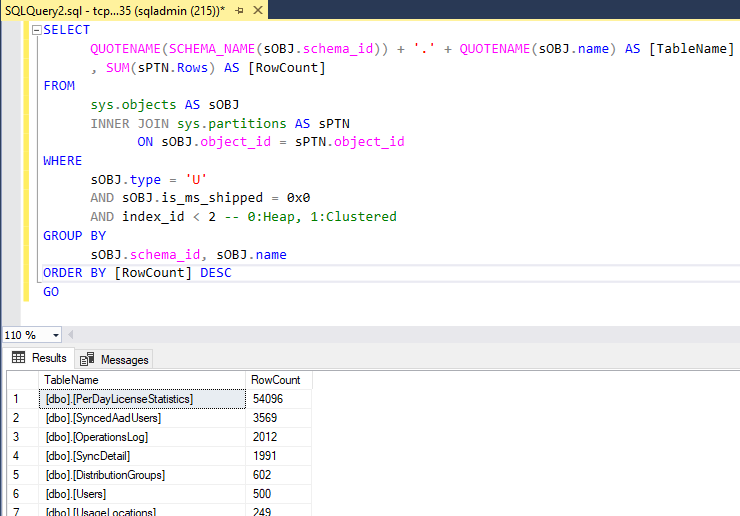
…by using a query as here: Use SQL Server Management Studio (SSMS) or the new and cost free SQL Operations Studio to run one of the following TSQLs in the desired database: -- SQL Azure - Get statistics (rows) of all tables quickly (options summarized) -- method 1: use sys.tables -- [https://blogs.msdn.microsoft.com/arunrakwal/2012/04/09/sql-azure-list-of-tables-with-record-count/](https://blogs.msdn.microsoft.com/arunrakwal/2012/04/09/sql-azure-list-of-tables-with-record-count/) select t.name ,s.row_count from sys.tables t join sys.dm_db_partition_stats s ON t.object_id = s.object_id and t.type_desc = 'USER_TABLE' and t.name not like '%dss%' and s.index_id = 1 -- method 2: sys.partitions Catalog View -- [https://www.mssqltips.com/sqlservertip/2537/sql-server-row-count-for-all-tables-in-a-database/](https://www.mssqltips.com/sqlservertip/2537/sql-server-row-count-for-all-tables-in-a-database/) SELECT QUOTENAME(SCHEMA_NAME(sOBJ.schema_id)) + '.' + QUOTENAME(sOBJ.name) AS [TableName] , SUM(sPTN.Rows) AS [RowCount] FROM sys.objects AS sOBJ INNER JOIN sys.partitions AS sPTN ON sOBJ.object_id = sPTN.object_id WHERE sOBJ.type = 'U' AND sOBJ.is_ms_shipped = 0x0 AND index_id < 2 -- 0:Heap, 1:Clustered GROUP BY sOBJ.schema_id, sOBJ.name ORDER BY [RowCount] DESC GO -- method 3: sys.dm_db_partition_stats Dynamic Management View (DMV) -- [https://www.mssqltips.com/sqlservertip/2537/sql-server-row-count-for-all-tables-in-a-database/](https://www.mssqltips.com/sqlservertip/2537/sql-server-row-count-for-all-tables-in-a-database/) SELECT QUOTENAME(SCHEMA_NAME(sOBJ.schema_id)) + '.' + QUOTENAME(sOBJ.name) AS [TableName] , SUM(sdmvPTNS.row_count) AS [RowCount] FROM sys.objects AS sOBJ INNER JOIN sys.dm_db_partition_stats AS sdmvPTNS ON sOBJ.object_id = sdmvPTNS.object_id WHERE sOBJ.type = 'U' AND sOBJ.is_ms_shipped = 0x0 AND sdmvPTNS.index_id < 2 GROUP BY sOBJ.schema_id, sOBJ.name ORDER BY [RowCount] DESC GO As a result, you get a list of all tables with the number of stored rows, similar as here: ...

December 21, 2017 · 2 min · Toni Pohl
Import and export data to an Azure SQL Database

Import and export data to an Azure SQL Database

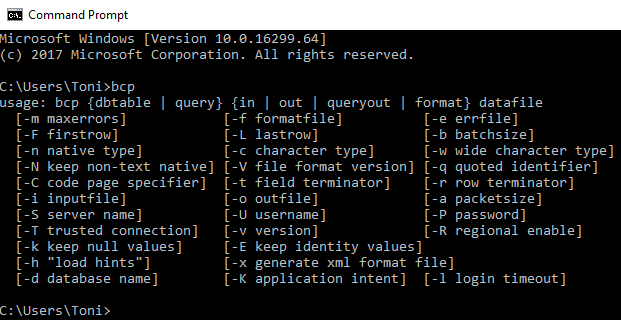
BCP, the bulk copy program utility is still around - and it’s helpful! It’s a long time, since I used this tool, but nowadays it got promoted for one of my daily jobs. See a short description how to use the Microsoft Command Line Utilities with Azure SQL Database for connecting and importing and exporting data quickly. Recently, I had the request to import local data to a SQL Azure database and BCP did the job. Since the tool is handy and very fast, it’s also good for running in a script (but you need to find a solution for storing the credentials…). So, here’s an overview how to use BCP and SQLCMD as quickly as possible. ...

December 7, 2017 · 4 min · Toni Pohl
Optimize your Azure SQL Database performance with Automatic Tuning

Optimize your Azure SQL Database performance with Automatic Tuning

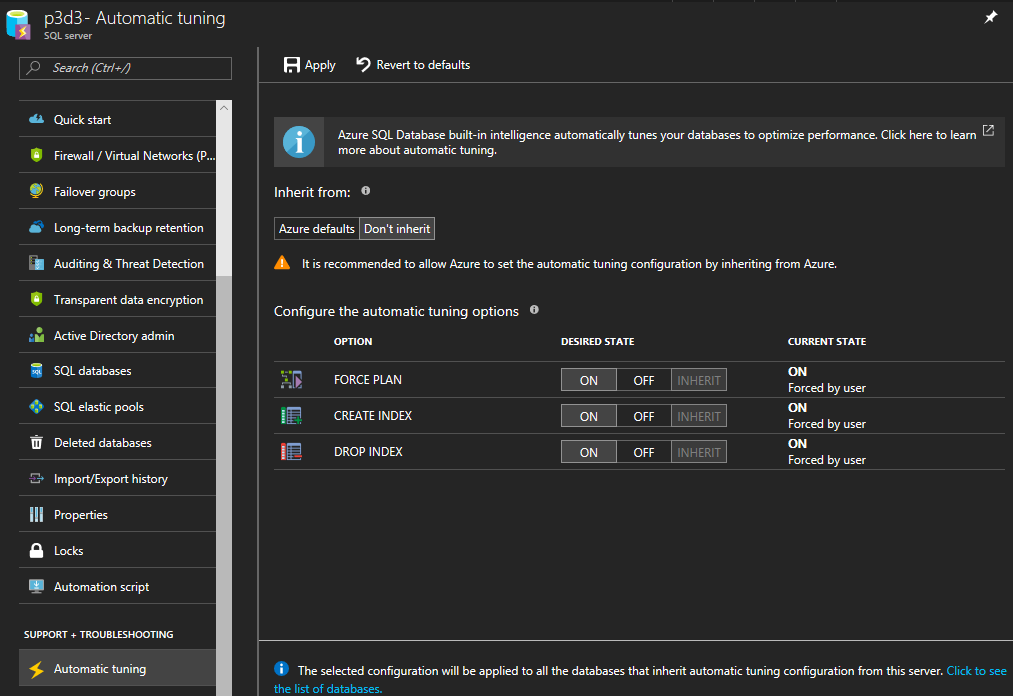
When moving SQL databases to Azure, let Azure do some work for you. As the name suggests, the Azure SQL Database Automatic Tuning feature provides automatic performance optimization for databases. Activate it, it’s simple. Once the data is available in Azure SQL Database, there is no more server maintenance necessary. Azure SQL Database is a relational database-as-a service that runs in the Microsoft Cloud. With the service there comes a bunch of benefits. One of them is the Automatic Tuning Mode. This enables stable workloads through continuous performance tuning utilizing Artificial Intelligence and applying corrective actions for databases in use. See more at Automatic tuning in Azure SQL Database ...

December 6, 2017 · 2 min · Toni Pohl