Change a connection for existing Azure LogicApps

Change a connection for existing Azure LogicApps

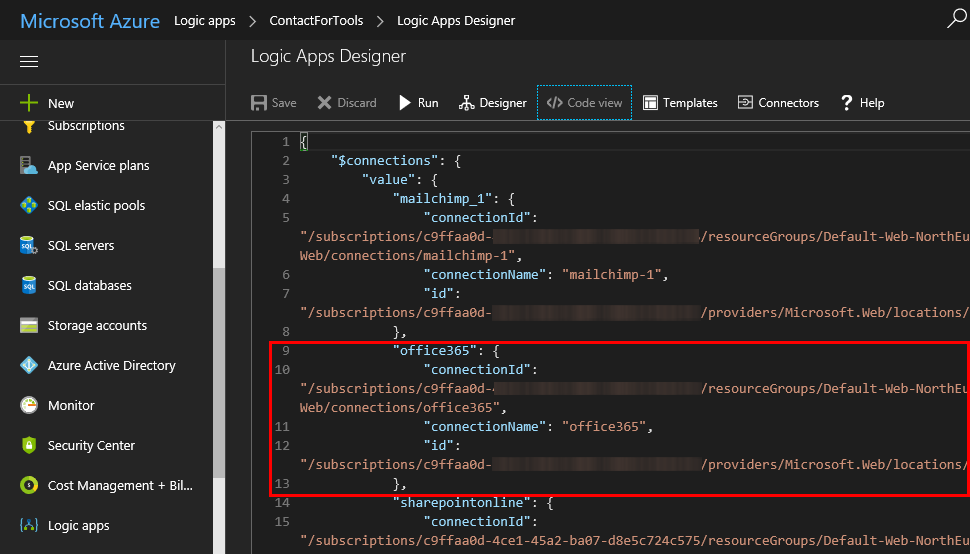
If one of your coworkers created a LogicApp some months ago and you want to “de-personalize” the connections used in a flow, you can modify the settings easily – if you know how to. So, in my case, in a LogicApp that’s sending emails and adding users to the newsletter system, the creator used a personal Office 365 account. I wanted to change that to an email “service” account. So I created a new mailbox account as first step. ...
October 20, 2017 · 2 min · Toni Pohl
Add your local IP address to a SQL Azure Firewall easily

Add your local IP address to a SQL Azure Firewall easily

When working with SQL Azure you are aware that a connection is just established, if the client’s IP address is configured in the firewall of the SQL Azure database server. You needed to open the Azure Portal-SQL servers service and add your IP address manually. Well, the good story is, now the SQL Server 2016 Management Studio does this for you! At my home, the ISP renews IP addresses constantly. So, it’s always an effort to add my current IP address manually in the Azure Portal to be able to connect. Well, this can be done with Azure PowerShell as well, but I never automated that. ...

May 6, 2017 · 1 min · Toni Pohl
Integrate Microsoft Flow with an onprem SQL Server

Integrate Microsoft Flow with an onprem SQL Server

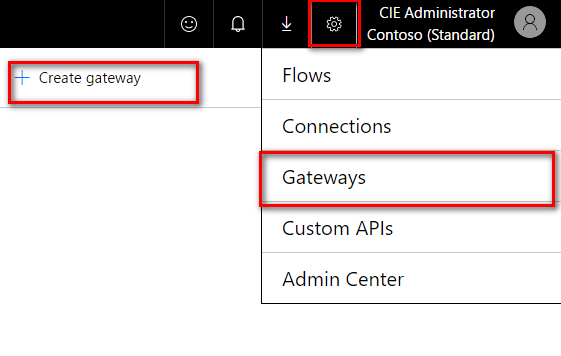
Microsoft Flow offers various connectors, also for integration with onprem systems. To be able to connect with an onprem SQL server, SharePoint server or file server, a gateway service must be installed at a machine in the LAN where the server is available. To setup the gateway navigate to the Microsoft Flow service in your Office 365 portal and click on the gear symbol and then on “Gateways” (see screenshot below). There you will find the option “+ Create Gateway” where you can download the Microsoft Gateway service. ...

April 25, 2017 · 3 min · Jörg Schoba
Connect to a SQL Azure database with Power-BI

Connect to a SQL Azure database with Power-BI

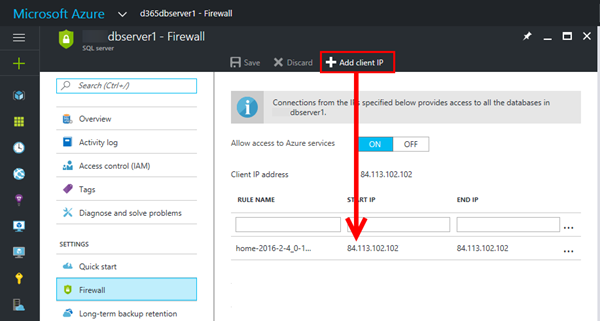
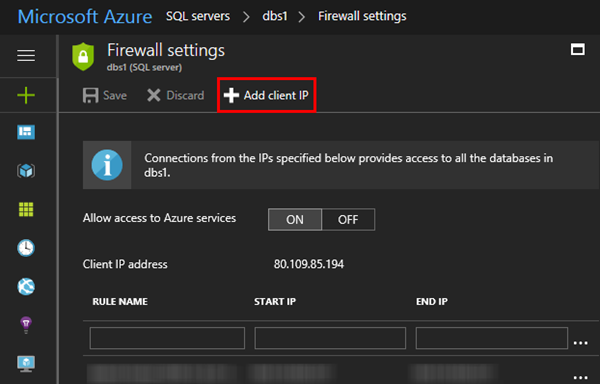
From time to time (yes it’s almost that time of the year again, when we use this opening statement)… user’s have difficulties to connect to a SQL Azure Database with Power-BI. So I decided to post this article as a brief hint (and as reminder for myself), how to connect from Power-BI. First of all, allow the connection with TCP port 1433 to your client IP address in the Azure portal at https://portal.azure.com. Click “Add client IP” and add it to the firewall settings of the SQL server as in this sample here. ...

November 22, 2016 · 2 min · Toni Pohl
Monitoring and Reporting of Office 365 with OMS-Part 1

Monitoring and Reporting of Office 365 with OMS-Part 1

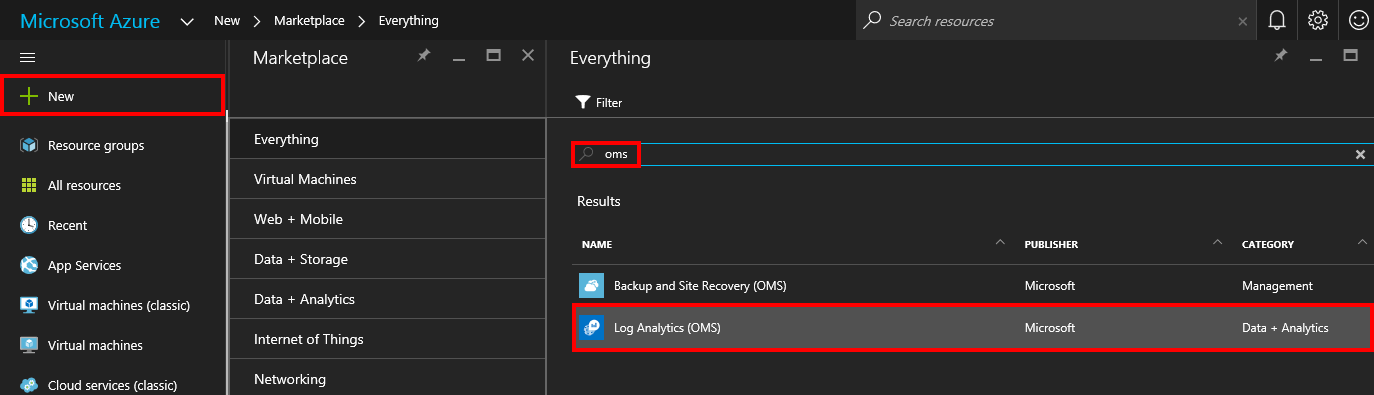
The Microsoft Operations Management Suite (OMS) delivers a great way to collect, analyze and monitor computer systems and services in your cloud and on-premises environments. Data is collected through agents and is saved to the OMS repository for further analysis. See here how this works for monitoring and reporting for Microsoft Office 365! If OMS is new to you, check out the description of OMS in What is Log Analytics?. If you want to learn more details and proceed step by step, check out this article Get started with Log Analytics ...

August 14, 2016 · 3 min · Martina Grom

Azure Logic Apps sind da

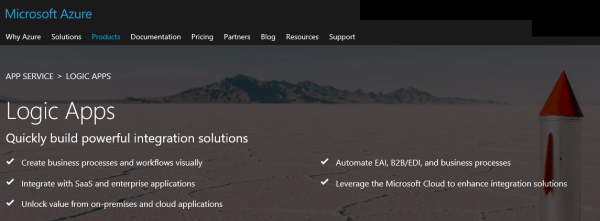
In Microsoft Azure kommen fast täglich Neuigkeiten hinzu, die Cloud machts möglich. Ein relativ neues Service darin sind die Azure Logic Apps. Diese wurden im Mai 2016 bei der Integrate 2016 conference in London vorgestellt. Nun sind die Azure Logic Apps allgemein verfügbar (GA). Azure Logic Apps stellen eine Infrastruktur bereit, die einen Dataflow aus nahezu beliebigen Datenquellen in andere Systemen ermöglichen und zwar für Power Users und Developer, in Cloud und in Hybrid-Szenarien. Einerseits unterstützt ein Designer bei der Definition des Dataflows und andrerseits können Logic Apps customized und erweitert werden. Nicht umsonst basieren Logic Apps auf BizTalk Server Logik. Azure Logic Apps könnte man als eine Art Biztalk kombiniert mit IfThisThanThat verstehen, schön verpackt als Cloud-Service. ...

August 3, 2016 · 3 min · Toni Pohl

Always Encrypted in Azure SQL Databases

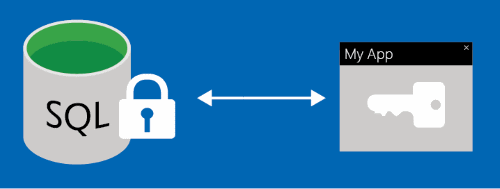
In vielen Lösungen mit Microsoft-Technologien steckt SQL Server drin. Um Daten in der Cloud-Umgebung im SQL Server abzusichern, bietet Microsoft nun das Feature “Always Encrypted in Azure SQL Databases” an. Always Encrypted hilft somit, Daten bereits auf der Client-Seite automatisiert zu verschlüsseln und zu schützen. Microsoft nimmt das Thema Datenschutz sehr ernst und informiert ausführlich über Verfahren und Sicherheitsmaßnahmen in der Azure Cloud, etwa im Trust-Center oder im WindowsAzure-SecurityPrivacyCompliance-Dokument. Aus organisatorischer und technischer Sicht gibt es somit viele Technologien und Möglichkeiten, Daten zu schützen. ...

July 15, 2016 · 3 min · Toni Pohl

Spielen mit dem SQL Server 2016 in Azure

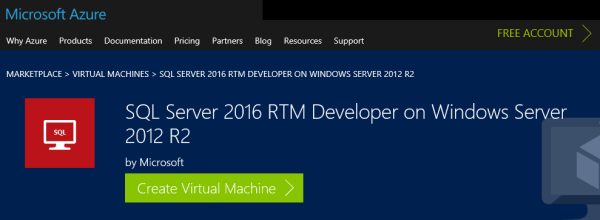
Seit 1. Juni ist Microsoft SQL Server 2016 RTM zum Download verfügbar, siehe SQL Server 2016 RTM ist hier. Für Developer ist es natürlich interessant, mit den neuesten Bits zu spielen und eigene Apps dafür zu optimieren. Das geht nun ganz einfach, ohne eigene, zeitintensives Setup! Seit kurzem ist ein SQL Server 2016 Developer Image in der Azure Marketplace verfügbar, siehe Announcing SQL Server 2016 Developer image in the Azure Gallery. ...

June 28, 2016 · 1 min · Toni Pohl

Microsoft SQL Server 2016 Poster

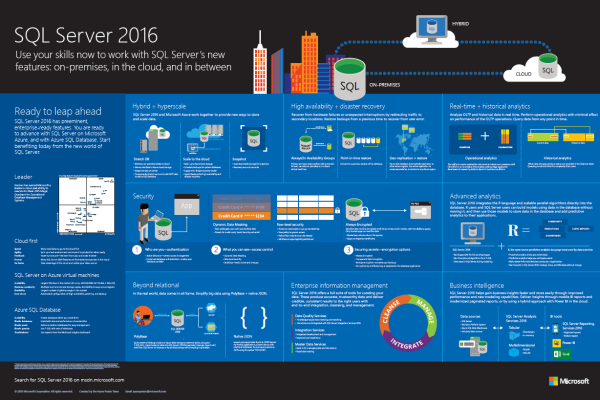
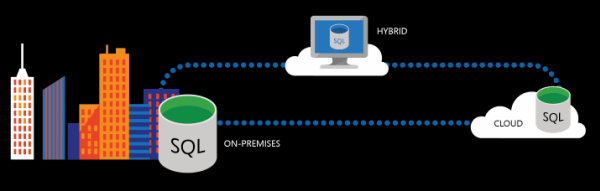
Es gibt wieder ein neues aktuelles Poster, diesmal vom nageneuen Microsoft SQL Server 2016. Die Grafik visualisiert neue Features on premises, in der Cloud und in Hybrid-Szenarien und liefert einige Stichworte zu Security, Integration, Business Intelligence und vieles mehr. Hier gehts zum Download: Microsoft SQL Server 2016 Infographic.pdf Viel Spaß mit dem Poster.

June 25, 2016 · 1 min · Martina Grom

SQL Server 2016 RTM ist hier

Es ist soweit: Microsoft SQL Server 2016 RTM ist seit heute zum Download verfügbar, siehe Get ready, SQL Server 2016 coming on June 1st. SQL Server ist die Basis für eine Vielzahl von Microsoft Produkten. In der neuesten Version 2016 geht es um weitere Verbesserungen im Bereich Transactional and Analytical Data, Scalable Database, In-Memory Performance, neue Security-Konzepte, natürlich um High Availability bis hin zu erweiterten Analytics-Funktionen und zu Hybrid-Szenarien. What’s New in SQL Server 2016 ist der Startpunkt für weitere Informationen. ...

June 1, 2016 · 2 min · Martina Grom