Microsoft 365 Virtual Marathon and Microsoft 365 for crisis communication resources

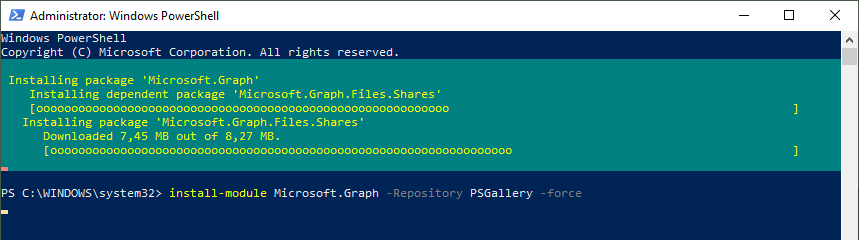
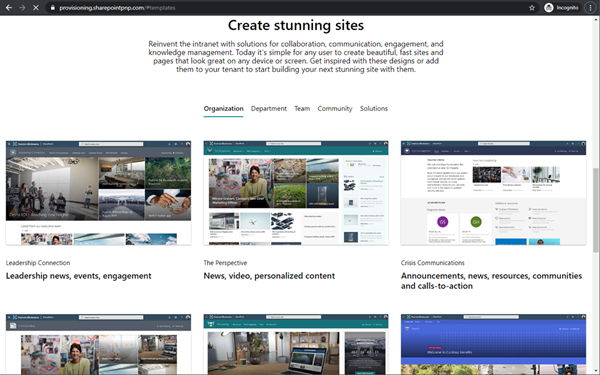
Microsoft 356 helps you communicate from anywhere. Today, the Microsoft 365 Virtual Marathon online event starts and I show different services like the quick to use crisis communication SharePoint site the Microsoft Health Care Bot service and more. Check out the Microsoft 365 Virtual Marathon and see how to start with these two services here. Microsoft 365 Virtual Marathon You can still join the free 36-hour Microsoft 365 Virtual Marathon online event and attend hundreds of interesting sessions, see the schedule. We from atwork will present the following sessions: ...

May 27, 2020 · 2 min · Martina Grom

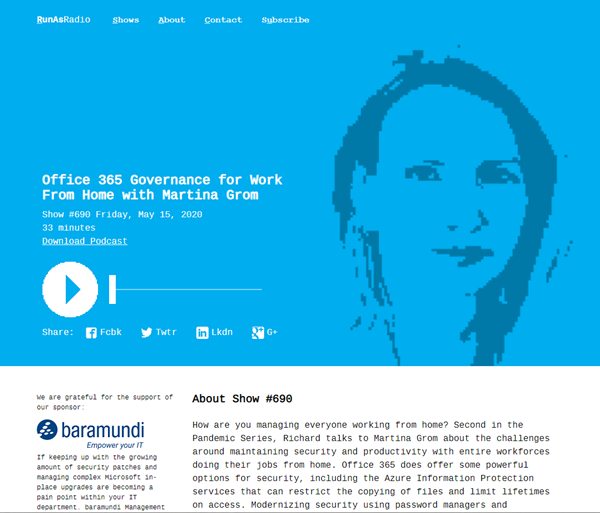
Listen to the podcast about Microsoft 365 Governance for Work From Home with Martina Grom

How are you managing working from home during the pandemic? Listen to Richard Campbell’s podcast from runasradio.com and our Martina Grom. Richard talks to Martina about the challenges around maintaining security and productivity with entire workforces doing their jobs from home with Microsoft 365 and governance tools. Open the podcast “Office 365 Governance for Work From Home with Martina Grom” at https://runasradio.com/Shows/Show/690. Martina mentions a bunch of tools as well as our Governance Toolkit 365. The tool runs as Software-as-a-Service and offers insights into your Microsoft 365 tenant, Power BI dashboards, newsletters, an API with custom workflows and a Bot with Teams integration. Check it out. ...

May 15, 2020 · 1 min · Toni Pohl
Watch our sessions of GlobalAzure Virtual Austria 2020

Watch our sessions of GlobalAzure Virtual Austria 2020

As in the previous years, we were proud to be part of the Global Azure Virtual - formerly known as the Global Azure Bootcamp - event on April 24, 2020. Because of the Corona pandemic, the word-wide event went virtual and was distributed as Microsoft Teams Live events, organized by the Coding Club Linz. If you could not attend live, you now can watch some sessions that are already uploaded to Youtube. Find them here! ...

May 10, 2020 · 2 min · Toni Pohl
Get more OneDrive for Business storage

Get more OneDrive for Business storage

Today´s another quick tip for Microsoft 365 users: If you are using OneDrive for Business (OFB) and encounter the default 1 TB storage limitations, there is a way to get more storage space. To do so, see the article by John Patrick White at Increase your OneDrive Storage Limit beyond 5 TB and Joel Olson´s blog post at Three tiers to increase to unlimited storage in OneDrive for Business. It is not very well known that the storage quota can be controlled and extended. Thank you guys, this is valuable for many Office 365 users with a lot of files! ...

April 1, 2020 · 1 min · Martina Grom
Automate SSL certificates updates with App Services and Azure Key Vault

Automate SSL certificates updates with App Services and Azure Key Vault

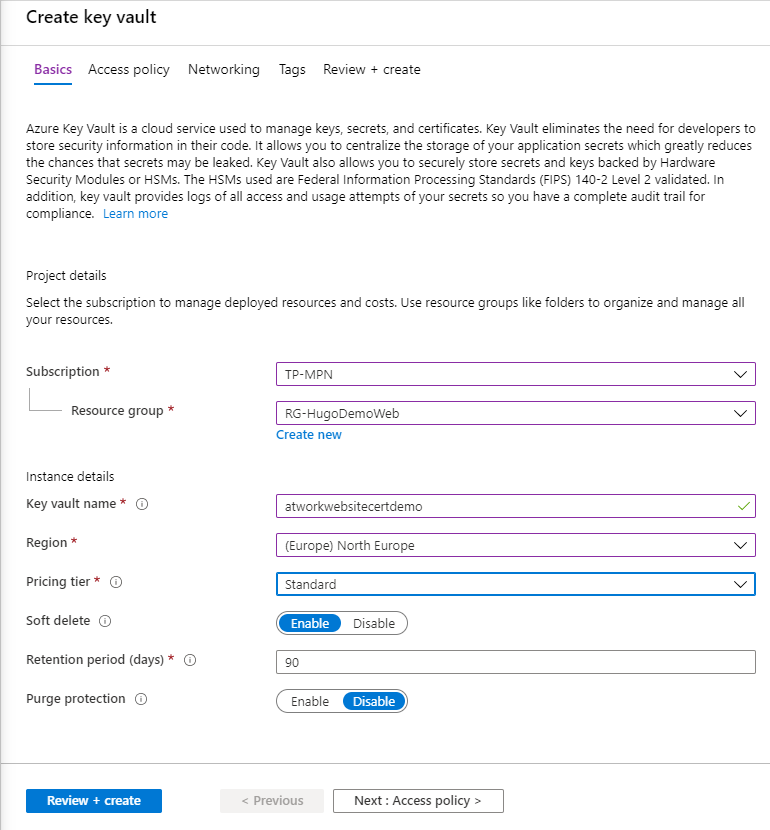
Storing credentials, SSL certificates, connection strings and other secrets in Azure Key Vault is recommended for every software project in the (Azure) cloud. This is easy to do when using certificates, such as for a website hosted in Azure App Services. Learn how to configure a SSL certificate once and then have it automatically updated when you update it in the Key Vault, called automatic rotation. See a step-by-step description here. ...

March 22, 2020 · 7 min · Toni Pohl

Starting the WFH project at atwork

There is a lot of news about the worldwide spread of Covid-19 and the effects on all of us. In order to prevent a rapid spread, the usual life should be restricted. People should stay at home if possible and work should be done from home if possible. We at atwork Vienna decided today in the team to do home office in the next few days and possibly weeks. The cloud and tools such as Microsoft Teams make it possible. We will report here which technology works and what needs improvement. ...

March 11, 2020 · 4 min · Toni Pohl

CU at SharePoint Conference 2020 in May!

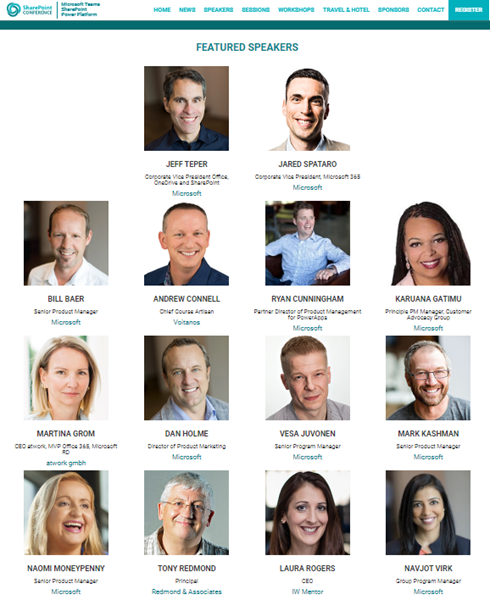
We are looking forward to this year´s SharePoint Conference (SPC) in Las Vegas in May! Sharepoint Conference 2020 offers over 200 sessions, panels and workshops covering all topics around SharePoint, Teams, and the Power Platform. This is an event for everyone working in the Microsoft 365 workspace. We from atwork look forward to being there again. Plus, get a discount for SPC 2020 here! There will be an amazing line-up with more than 150 top-speakers delivering lots of news and insights into the SharePoint ecosystem. In addition to Microsoft speakers, there are also a lot of speakers from the community. We from atwork are honored to speak there with colleagues like Andrew Connell, Laura Rogers, Tony Redmond, Benjamin Niaulin, Daniel Glenn, David Warner, Dux Raymond Sy, Heather Newman, Laura Kokkarinen, and many more! ...

March 3, 2020 · 1 min · Martina Grom
Azure Logic Apps Toolbox 2-Send text and files multipartform-data to SharePoint Online

Azure Logic Apps Toolbox 2-Send text and files multipartform-data to SharePoint Online

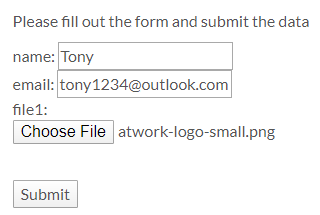
Using an Azure Logic app is often a quick fix for small computing tasks. So my scenario is as follows: I want to use a form on a website to offer text fields and file upload. The submit button is intended to send the data to a Logic App. The Logic App receives the data and writes it to a SharePoint Online list and sends a notification if necessary. See the implementation here. ...

February 17, 2020 · 8 min · Toni Pohl
Learn more about the Governance Toolkit 365 as an applied cloud story

Learn more about the Governance Toolkit 365 as an applied cloud story

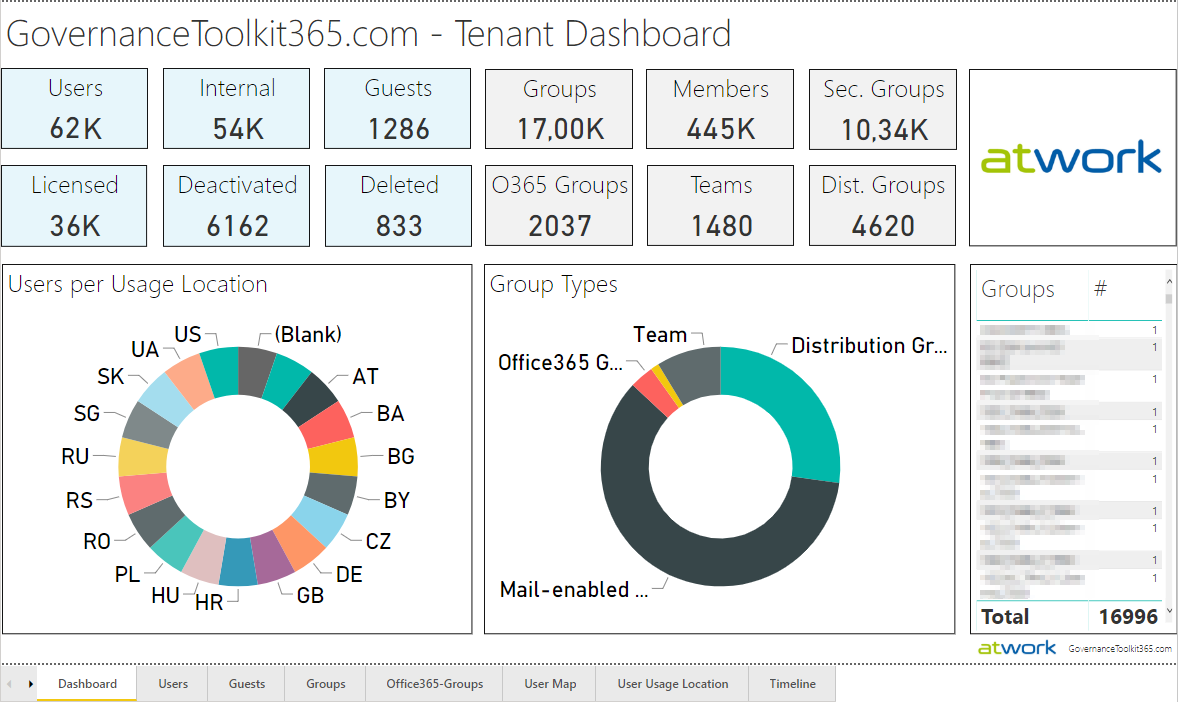
The Governance Toolkit 365 (GT365) is a software-as-a-service solution that offers insights into a Microsoft 365 tenant and is part of the Microsoft Applied Cloud Stories initiative (#AppliedCloudStories). GT365 reads cloud data, stores the data and offers IT administrators monitoring and reporting functions to get a tenant overview at a glance, for example as a newsletter, in Power BI, as API or as a Bot that can be integrated in Microsoft Teams. The GT365 workloads are fully processed in Microsoft Azure using serverless computing. Here are some architectural insights on how to avoid throttling and how to use fan-out functions. ## The application ...

February 4, 2020 · 7 min · Toni Pohl
Check out Microsoft Graph PowerShell

Check out Microsoft Graph PowerShell

Microsoft Graph PowerShell module made it to the PowerShell Gallery! So, now you can try it out on your computer by simply running the Install-Module Microsoft.Graph.Authentication command. See more here. Microsoft Graph is the key to Microsoft 365 system. This OData interface allows to get and modify data of objects such as users, groups, their data and the tenant. Find out more at aka.ms/graph. Announced at the last Microsoft Ignite conference, admins can now use the Microsoft Graph PowerShell module directly from the PowerShell Gallery. See more details at Microsoft Graph PowerShell SDK (Preview) on GitHub. So let´s start our quick overview. ...

January 23, 2020 · 3 min · Toni Pohl