Delegate365 - Secure and setup your tenant

Delegate365 - Secure and setup your tenant

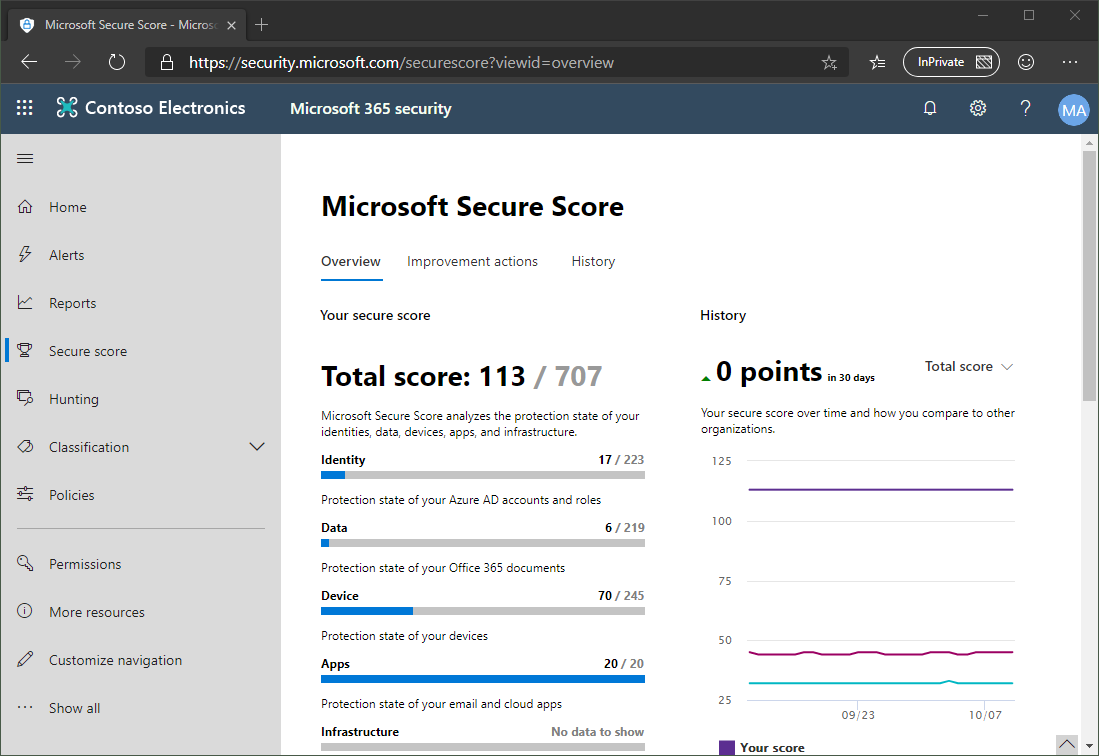
Delegate365 is using the Microsoft 365 and Azure standards to sign-in and to communicate with the Microsoft APIs. Here´s the best practice how to secure your environment for using Delegate365. 1. Secure your Microsoft 365 tenant Microsoft 365 provides a bunch of features to harden a tenant and to raise the Secure Score. Every administrator should start improving the security with setting Conditional Access, MFA, and policies. You can learn more about Microsoft Secure Score here. This demo tenant screenshot above is not properly configured and should definitely be secured. If your need support, we got you covered, see our Enterprise Security & Compliance Workshop offering. ...

October 11, 2019 · 5 min · Toni Pohl

Join us at the Global Microsoft 365 Developer Bootcamp in Vienna!

We are excited to kick off the Global Microsoft 365 Developer Bootcamp in Vienna, Austria, on November 27, 2019! The Microsoft MVPs and community leaders invite YOU to attend this cost free developer bootcamp to learn the latest on Microsoft 365 platform such as Microsoft Graph, SharePoint Framework, Microsoft Teams, Bots, Actionable Messages and more. Learn how to apply the latest technologies to your future projects! The Global Microsoft 365 Developer Bootcamp takes place at the Microsoft Office in Vienna: ...

October 5, 2019 · 1 min · Toni Pohl

Overview of the new pricing models for Microsoft PowerApps and Flow

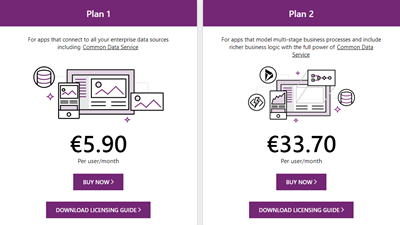
Effective October 1, 2019, the new licensing model for Microsoft PowerApps and Flow will apply. To clarify which functions are included where, we have compiled an overview at a glance here. To make it short, here are the key data: Every user who uses PowerApps or Flow requires a license. PowerApps can be tested for free for 30 days. PowerApps licenses will continue to include Microsoft Flow capabilities. PowerApps and Flow licenses are included in the Office 365 Academic (A), Enterprise (E) and F1 plans - as before. See the complete list at PowerApps licensing overview. So, to create and use a PowerApp or a Flow, the included license is often sufficient. ...

September 27, 2019 · 3 min · Toni Pohl

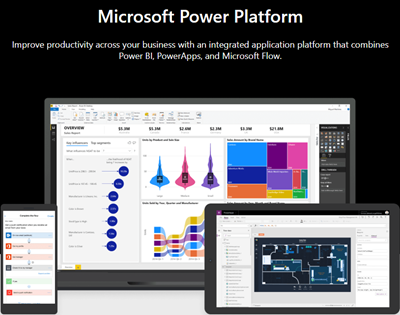
Use the PowerApps PowerShell modules to automate tasks with the Microsoft Power Platform

PowerShell helps automate processes, especially in the Microsoft 365 world. That´s true for the Microsoft Power Platform as well. See how to access PowerApps and Flow with PowerShell here. So, here´s a very quick introduction for using PowerShell with PowerApps and Flow. Find the full documentation at PowerApps cmdlets for administrators. Install the PowerShell modules Install the PowerApps (preview) module from the PowerShell Gallery once with the following PowerShell statements as Administrator on your machine: ...

September 22, 2019 · 2 min · Martina Grom
Azure Logic Apps Toolbox 1-Use the OData Filter for Azure SQL Databases

Azure Logic Apps Toolbox 1-Use the OData Filter for Azure SQL Databases

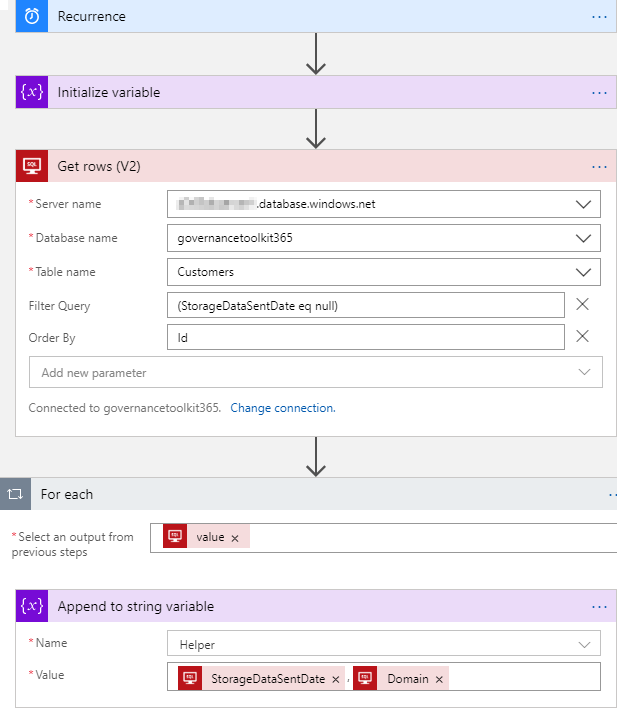
A very quick tip today: When using an Azure Logic App in combination with an Azure SQL Database, filtering rows can be done like here. As example: A T-SQL query as this one… SELECT - FROM [dbo].[Customers] WHERE [StorageDataSentDate] IS NULL ORDER BY [Id] …will be formulated as filter expression with an OData query as here. The definition for the Get_rows_(V2) action looks similar as here: … "Get_rows_(V2)": { "inputs": { "host": {"connection": {"name": "@parameters('$connections')['sql']['connectionId']"} }, "method": "get", "path": "/v2/datasets/@{encodeURIComponent(encodeURIComponent('[someserver].database.windows.net'))}, @{encodeURIComponent(encodeURIComponent('governancetoolkit365'))}/tables/ @{encodeURIComponent(encodeURIComponent('[dbo].[Customers]'))}/items", "queries": {"$filter": "(StorageDataSentDate eq null)", $orderby": "Id"} }, "runAfter": {"Initialize_variable": ["Succeeded"]}, "runtimeConfiguration": { "paginationPolicy": {"minimumItemCount": 5} }, "type": "ApiConnection" }, … Depending on the data size, remember to configure pagination. ...

September 19, 2019 · 1 min · Toni Pohl
atwork sucht engagierte Software DeveloperInnen!

atwork sucht engagierte Software DeveloperInnen!

atwork ist Anbieter von modernen Business-to-Business IT-Lösungen auf der Basis von Webtechnologien. Wir sind ein agiles Team und entwickeln Lösungen in unserem Büro in Wien Döbling. Wir suchen Dich zur Unterstützung unserer Lösungs- und Produktentwicklung und bieten flexible Arbeitszeiten und ein spannendes Umfeld! Dein Job ist die Entwicklung von Apps und Services mit Microsoft .NET und aktuellen Webtechnologien. Abhängig von Deiner Projekterfahrung und nach Einarbeitung in unsere Lösungen trägst du Verantwortung für Projekte und übernimmst Aufgaben in der Spezifikation, Design und Implementierung. Du arbeitest gemeinsam mit unseren Kollegen und Kunden aktiv an der Weiterentwicklung der Lösungen. ...

September 9, 2019 · 2 min · Toni Pohl

Office 365 Governance podcast with Martina Grom

In addition to all the great features in Office 365, governance plays an important role, especially for large organizations. Richard Campbell, runasradio.com, interviewed Martina Grom recently about governance and tools in Office 365. The interview is available as podcast here. In this podcast, Richard chats with Martina about the various aspects of Office 365 that affect the way users collaborate with each other and get work done. There are bunch of great tools inside and outside of Office 365 to enable Governance. Check out the latest Office 365 Governance podcast with Martina Grom at runasradio.com. ...

August 30, 2019 · 1 min · Toni Pohl
Working with Microsoft Group Forms and Flow

Working with Microsoft Group Forms and Flow

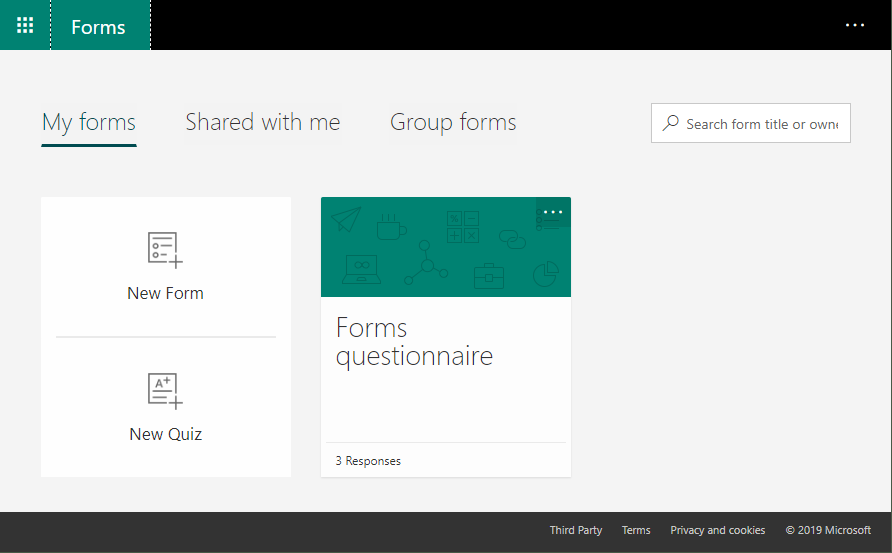
Microsoft Forms is very popular because it is a very easy way to create web forms quickly. You can create surveys, quizzes and simple forms, and easily see results as they come in. This quick tutorial shows how you can use Microsoft Forms, convert a from into a group form, how to access the result file and how to add additional tasks with Microsoft Flow or Azure Logic Apps. So, here we go. ...

July 13, 2019 · 5 min · Martina Grom
What is the difference in Azure AD between Enterprise applications and App registrations?

What is the difference in Azure AD between Enterprise applications and App registrations?

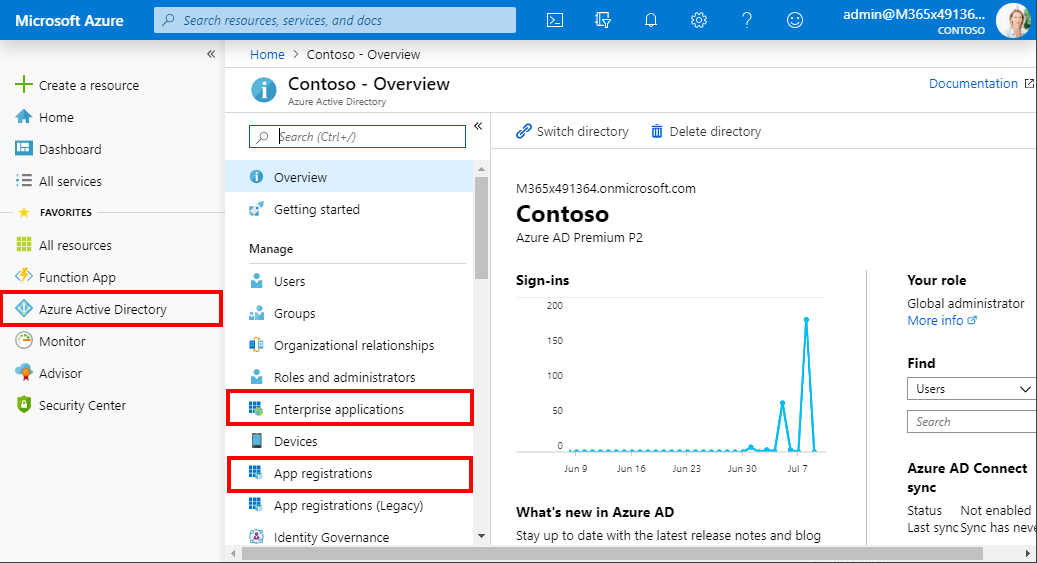
Azure Active Directory (Azure AD) acts as a central identity service and manages all apps in a tenant. When it comes to app management, Administrators often are confused why there are two (or currently three) application management modules existing in the Azure portal. Well, see the explanation here. An app can have many properties. The important part is, that Azure AD assigns an unique Application ID to an app and allows developers to add certain capabilities such as permissions, conditional access and more that is used by applications to access specific services. ...

July 10, 2019 · 4 min · Toni Pohl

Honored to be renewed as Microsoft MVPs

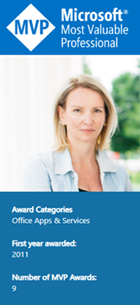
The Microsoft MVP Award Program honors IT Professionals and Developers who support the Microsoft community and share their knowledge. The program´s renewal cycle is every year on July 1st. So, today it was a busy day on Twitter and the #MVPBuzz hashtag. We at atwork are proud and pleased that our MVP’s have been renewed for their community contributions for 2019-2020! The MVP Award is Microsoft’s way of thanking outstanding community leaders based on their actions to share knowledge and technology in all possible ways, from speaking engagements to supporting others in communities. An MVP is awarded for contributions over the previous year for community work. See more abut the MVP program at mvp.microsoft.com and learn about the award categories here and view all current MVPs here. ...

July 1, 2019 · 2 min · Toni Pohl