How to add custom user properties to Delve and SharePoint

How to add custom user properties to Delve and SharePoint

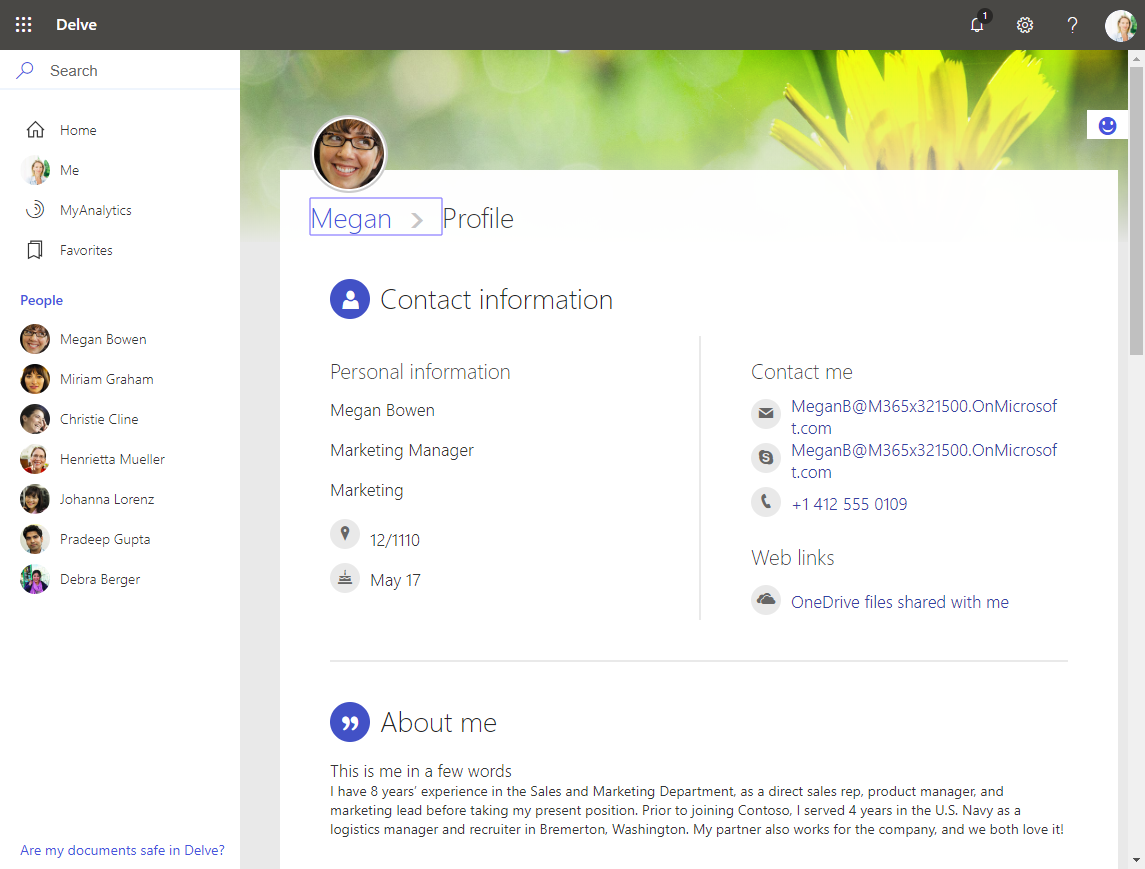
The Delve App allows to discover company and user data across Office 365. Unfortunately, while the app is very helpful, it can not be customized. Well, but we can easily add additional user information, such as personal data, a cost center, additional contact data or hyperlinks, etc. See how this works here. The default Delve experience When opening the Delve app and a user profile, this looks like in a demo tenant here: https://REGION.delve.office.com/?u=USERID&v=profiledetails ...

April 15, 2019 · 3 min · Martina Grom
Tips for PowerApps-6 tips for working with images

Tips for PowerApps-6 tips for working with images

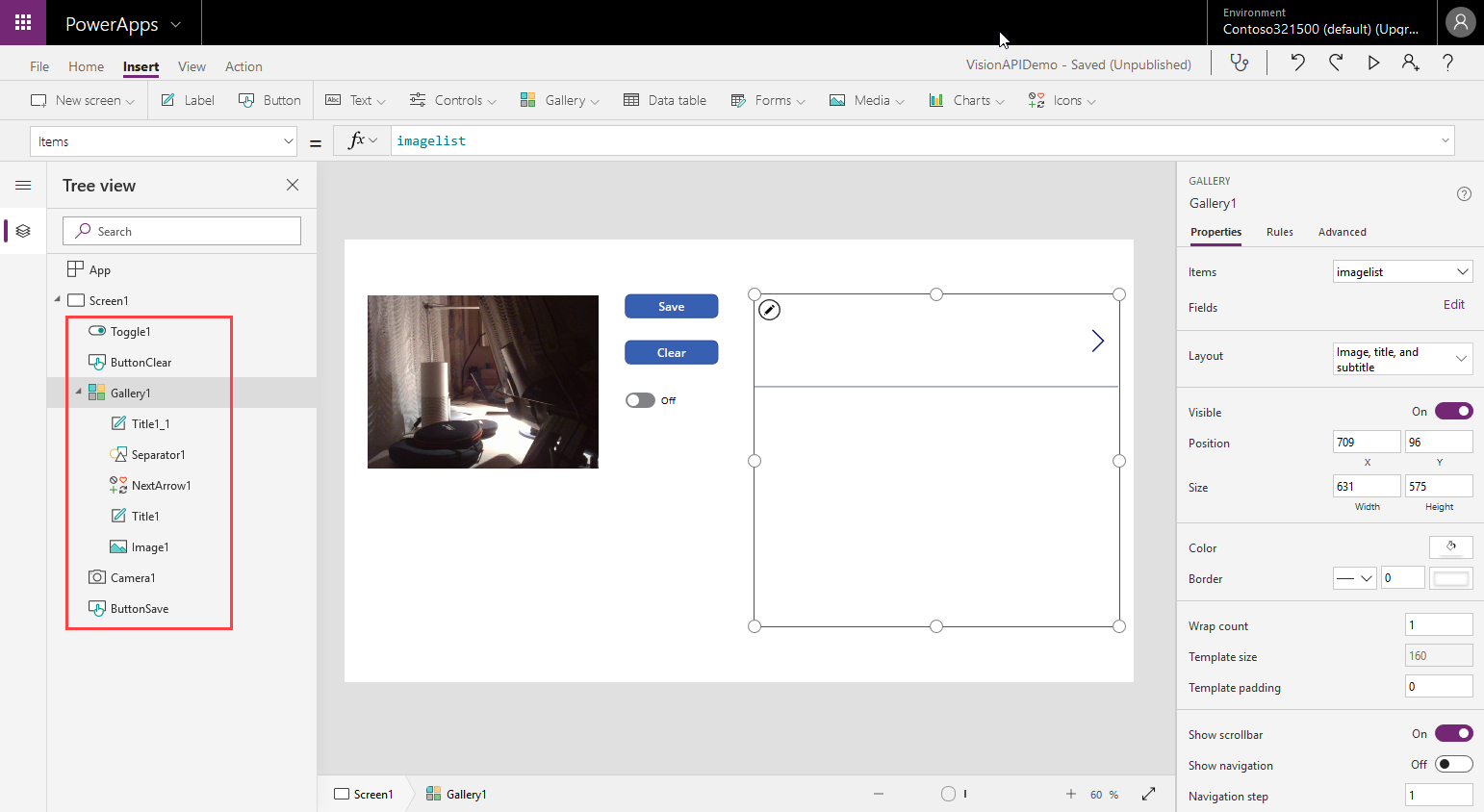
Since I use PowerApps only from time to time, I wanted to document some common actions, such as working with images and the camera control. So, here are my little notes in 6 tips. Well it´s Saturday evening, and I am listening to fancy music and playing with PowerApps (and Flow, Cognitive Services and Adaptive Cards). To not forget the following basics, I thought, it´s a good idea to document a quick intro for working with the Camera control and pictures in PowerApps. ...

April 14, 2019 · 6 min · Toni Pohl

Connect to Azure as fast as possible

When planning IT-services between locations and in the cloud, the network speed is an essential factor. See how Microsoft manages their network and how to see your location´s bandwidth to Microsoft Azure here. Azure currently offers data centers in 54 regions worldwide and in 140 countries. To get a little background about the effort being made for a performant worldwide network, check out this article at “How Microsoft builds its fast and reliable global network” with an overview of their dark fiber network and their software-defined networking (SDN) strategies. “Microsoft owns and runs one of the largest backbone networks in the world,connecting our datacenters and customers. Over the last three years, we’ve grown our long-haul WAN capacity by 700 percent.” ...

April 10, 2019 · 2 min · Toni Pohl

Interested in the JFK files? Explore them with Microsoft AI!

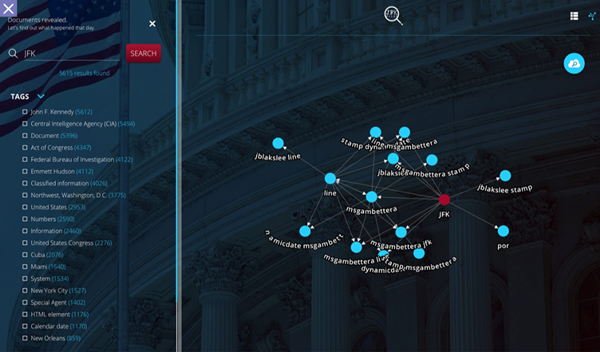
Microsoft’s Artificial Intelligence (AI) allows to analyze large amount of data, even interpreting and indexing handwritten documents and learning key topics. In the Microsoft AI.Lab, engineers combined Azure Search and Cognitive Services to analyze more than 34,000 pages and scanned evidence photos related to the assassination of US president John F. Kennedy in 1963 that went public. Read more about burning questions and see the results online. Many secret JFK files have been released in 2017, but there were too much information and too much unstructured data to go through. So, modern technology helps to analyze the data and to deliver relevant details. The Microsoft AI.Lab project is using Cognitive Search that is powered by Azure Search with built in Cognitive Services: “It pulls data from almost any data source and applies a set of composable cognitive skills which extract knowledge”. This approach allows to get answers and relationships in context with the original documents. ...

April 2, 2019 · 2 min · Martina Grom

Free Book Inside Azure Management v3

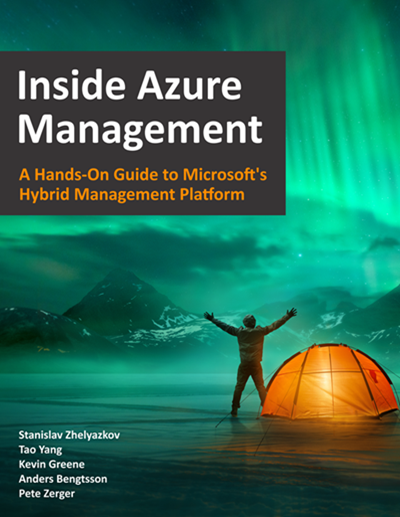
Are you interested or already working with Microsoft Azure? Download the freshest and latest version of the free e-book “Inside Azure Management v3”. This preview release of “Inside Azure Management” is now available with more than 500 pages in 16 chapters covering topics like implementing solutions, containers, migrating workloads, hybrid, automation, backup, costs, governance, monitoring and alerting, analytics, and more. Check it out! The e-book already has about 30.000 downloads and is written by Microsoft MVP´s. “Inside Azure Management” can be downloaded at Free Book: Inside Azure Management v3. ...

March 30, 2019 · 1 min · Martina Grom
Tips for PowerApps-Working Offline with PowerApps

Tips for PowerApps-Working Offline with PowerApps

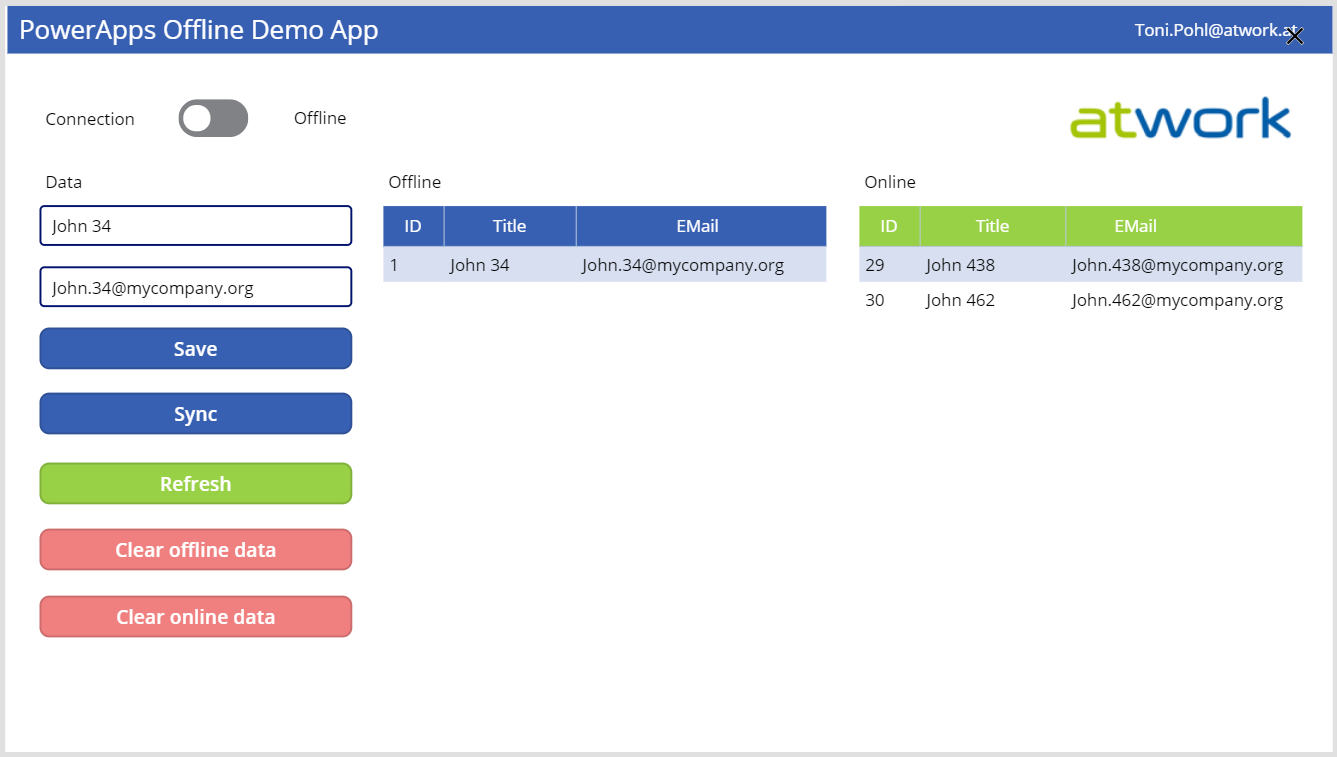
PowerApps provide a good solution for small apps. They run on a device and connect to an online data source. But what happens if no data connection is available, for instance in a building? Well, you can develop a PowerApp that works offline and synchronizes local data to the data source when you’re back online. See how this works here! A basic demo app To show the basic functionality, I developed the following, colorful demo PowerApp. The app consists of one screen in tablet mode including a connection toggle control, two input fields for a name and an email address, two data tables and some buttons. The goal is to read and write data in offline and online mode. ...

March 29, 2019 · 5 min · Toni Pohl
Having fun with IoT Flic buttons and Microsoft Flow

Having fun with IoT Flic buttons and Microsoft Flow

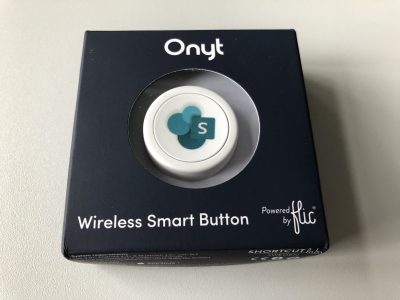
I just got a cute Flic button to play around with. It takes only some minutes to connect that IoT button to a connector and execute customs tasks. Well, as first step, I simply created a message in a Microsoft Teams channel. See the step-by-step instructions here. My colleague Christoph has started to play with the Flic button and another IoT button, so I was interested as well. Another article with that IoT button will follow shortly. ...

March 27, 2019 · 3 min · Toni Pohl
Groups Governance Toolkit Part 6-Groups statistics

Groups Governance Toolkit Part 6-Groups statistics

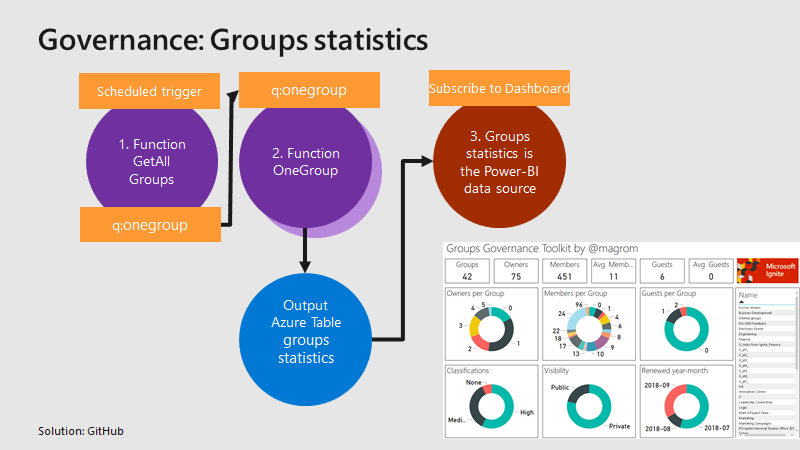
To apply governance in an organization, the responsible persons require data. See here, how we can get group data of an Office 365 tenant for further use, for example for a visualization with Microsoft Power BI and all the benefits of such an attractive and interactive tool. Get all groups and their properties Again, we use the same mechanism as before, for getting orphaned groups and external users. For example, a function runs every day in the night and reads all existing groups in the Office 365 tenant. Every group is written to a queue for further processing, in the same way as the other functions did before. A second function is triggered by that queue and reads all the required group data for one group and writes the data into an Azure table. The following graphics shows that process from a technical standpoint. ...

March 18, 2019 · 3 min · Toni Pohl
Groups Governance Toolkit Part 5-External Guests

Groups Governance Toolkit Part 5-External Guests

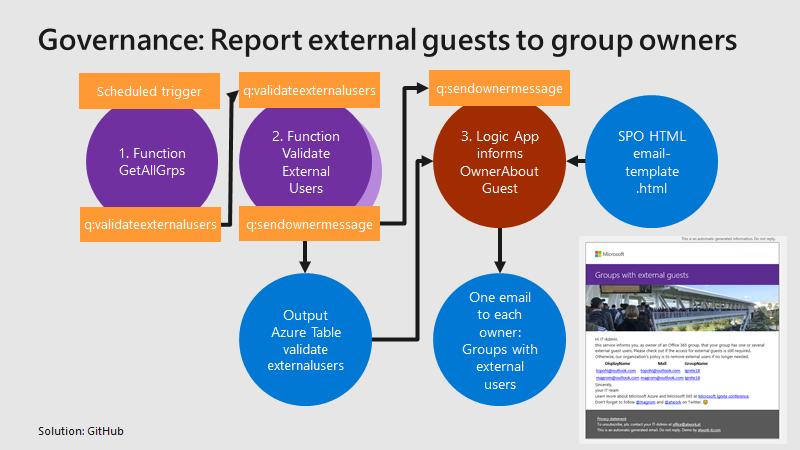
Governance specifies the rules for an organization. The Office 365 collaboration platform allows to invite external users for contributing in groups. In this part, we want to monitor all groups that have external guests and inform the group owners, who has access to a group or a team. See how this works here. Get all groups with external guests We use the same mechanism as before, see the article about Orphaned Groups. A function runs e.g. every day, reads all existing groups in the Office 365 tenant, and writes each group in a queue. A second function is triggered by that queue and reads all the external group members for one group. The following graphics shows that process from a technical standpoint. ...

March 15, 2019 · 4 min · Toni Pohl
Secure a web on Azure with an Azure Active Directory Multi-Tenant App

Secure a web on Azure with an Azure Active Directory Multi-Tenant App

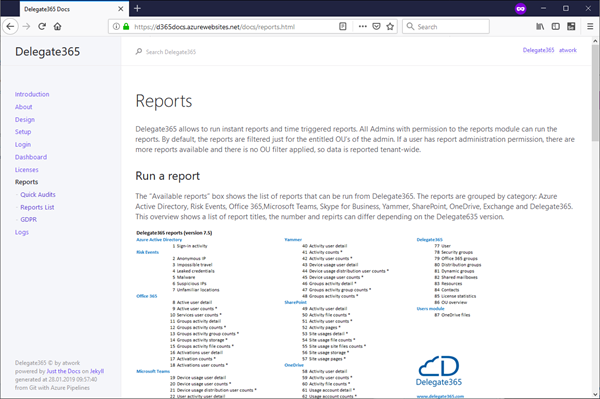
Azure offers a great platform for multiple types of apps and services, Web Apps are one of the PaaS service, we are using much. In some scenarios, it makes sense to host a static website on Azure, but to restrict access just for authenticated users. Well, AAD can help you with that by demanding a successful login with an Office 365 account. See how this works here. My sample static website My sample works with an Azure DevOps task that automatically generates a HTML website from a source control repository, processes the web with Jekyll in a container and saves the generated HTML artifacts to an Azure website. So, I picked a Jekyll Theme and started a documentation with Markdown files in Visual Studio Code. Then, I push the changes to my Azure DevOps repository and the build process generates the web in Azure. (That’s material for another article sometime.) Anyway, in the end there exists a static HTML website in an Azure web app that can be accessed with the https://[website].azurewebsites.net/ address. ...

March 1, 2019 · 3 min · Toni Pohl