Get the size of a SQL Azure database quickly
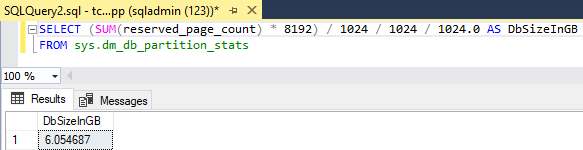
To get the size of a database, there are multiple ways. TSQL is one of the fastest methods. Here’s how. You often see querying the sys.dm_db_partition_stats DMV, and looking at the reserved_page_count column. Here’s my slightly adapted query: First open a new query in the database you want to check, then execute the following statement to get the size in Gigabytes. SELECT (SUM(reserved_page_count) - 8192) / 1024 / 1024 / 1024.0 AS DbSizeInGB FROM sys.dm_db_partition_stats ...