Office 365 Sicherheit - Advanced Security Management

Office 365 Sicherheit - Advanced Security Management

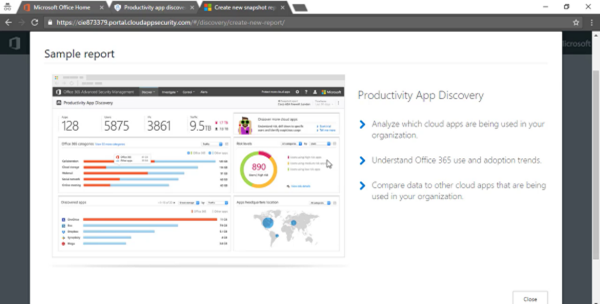
Mit Office 365 sind Sie sicher unterwegs. Heute stelle ich Advanced Security Management vor, eine auf Office 365 reduzierte Variante von Cloud App Security. Advanced Security Management in office 365 hilft Ihnen dabei, proaktiv Änderungen in Ihrem office 365 Tenant zu monitoren, zu erkennen und darauf zu reagieren. Advanced Alerts Advanced Security Management in Office 365 zeigt verdächtige Aktivitäten in Office 365 an. Damit hilft es, potenzielle Gefahrenquellen zu erkennen und darauf zu reagieren. Mithilfe von Richtlinien können Sie Benachrichtigungen einrichten, die Sie über außergewöhnliche und verdächtige Aktivitäten informieren. Dazu können Sie vorgefertigte Templates verwenden. Interessant dabei sind policies, wo Sie Warnungen bekommen, wenn es mehrfache Anmeldeversuche von Benutzern gibt oder Benutzer sich von riskanten IP Adressen anmelden. ...
January 8, 2017 · 2 min · Martina Grom

Customer Lockbox einfach erklärt

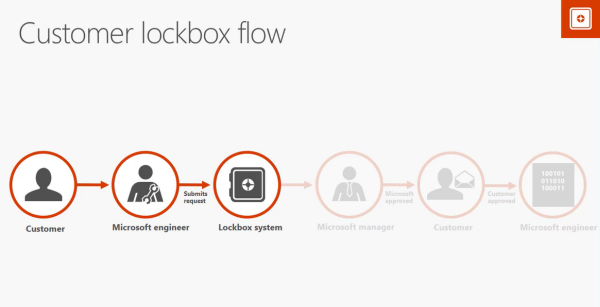
Office 365 bietet eine Reihe an Sicherheitsfunktionen, die einem Unternehmen helfen, die Unternehmenskommunikation sicher zu gestalten. In einer neuen Videoreihe zu Office 365 security auf Channel 9 in den Office 365 News stelle ich dazu einige vor. In 20 Minuten zeige ich dabei die Funktionsweise von Customer Lockbox. Customer Lockbox fügt eine zusätzliche Kontrollmöglichkeit ein. Microsoft verwendet das Lockbox Verfahren bei Supportanfragen. Nehmen wir einmal an, Sie haben ein Problem mit einer Mailbox, welches Sie selbst nicht lösen können. Sie öffnen einen Servicerequest beim Microsoft Support. Der Support Mitarbeiter kontrolliert gemeinsam mit Ihnen den Fall und erkennt, dass er – um Ihr Problem lösen zu können, Zugriff auf diese Mailbox benötigt. Der interne Prozess sieht dann vor, dass der Microsoft Supportmitarbeiter diesen Request an das Lockbox System sendet. Lockbox ist ein automatisiertes System, welches Machine learning verwendet und diesen Request prüft. Es kann hier bereits sein, dass der Request abgelehnt wird. Ist die Anfrage jedoch valide, wird diese an den zuständigen Microsoft Support Manager weiter geleitet . Dieser prüft den request danach noch einmal und erlaubt oder verweigert ihn. ...

January 7, 2017 · 2 min · Martina Grom
Tips for PowerApps-When does a user need a license?

Tips for PowerApps-When does a user need a license?

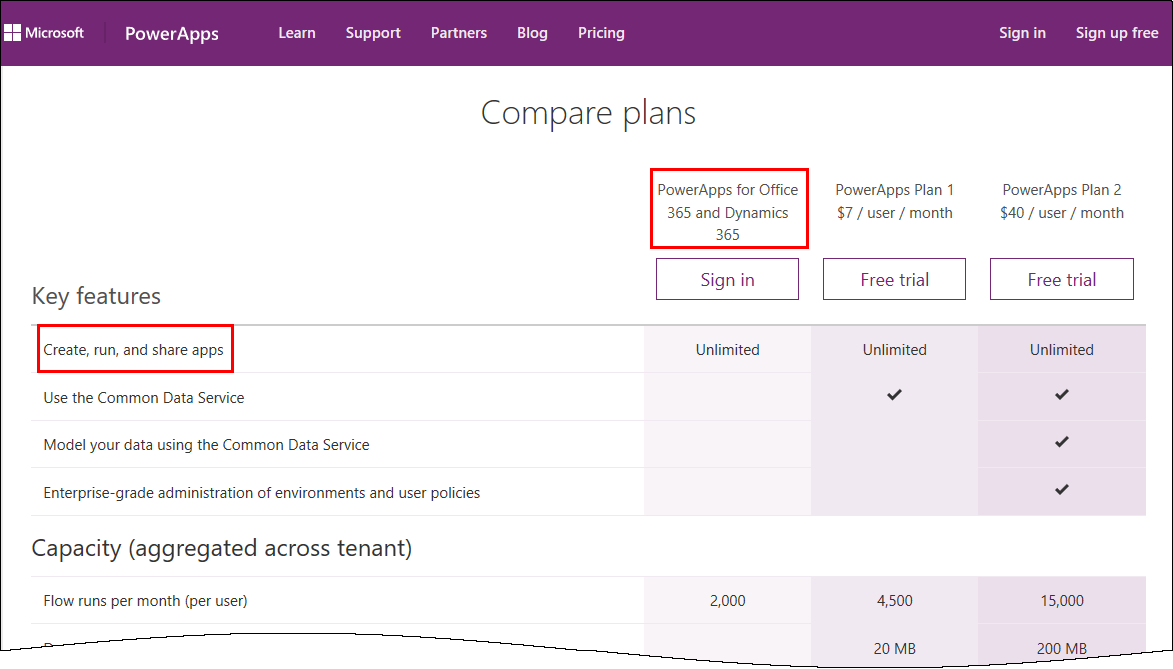
PowerApps is licensed in the Office 365 environment and offers three license plans: PowerApps for Office 365 and Dynamics 365, PowerApps Plan 1 and PowerApps Plan 2. Since it often is not clear, if end users who want to use (and not create) a PowerApps app need a license or how licensing works with data sources, I want to inform about licenses, show some samples and clarify that topic here. ...

January 5, 2017 · 6 min · Toni Pohl
Tips for PowerApps-A drivers logbook

Tips for PowerApps-A drivers logbook

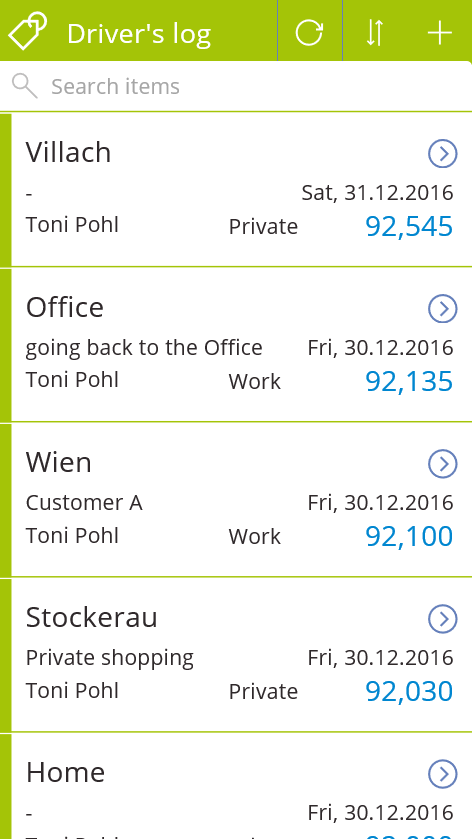
PowerApps are a great way to accomplish simple tasks by end users. A new PowerApp is usually done in minutes (if the underlying data source is existing and working). Nevertheless, it often takes much more time to polish the app and to find and modify details. So I decided to post from time to time some tips when stumbling upon any topics in PowerApps. A driver’s log I wanted to use a very simple custom SharePoint Online list to allow colleagues to log their travels with a company car. At every destination, the user shall simply protocol his location and the mileage, and optional some information about the customer or the appointment. Very little fields, just to keep it handy. ...

January 4, 2017 · 3 min · Toni Pohl

Our Technical Summit 2016 sessions on channel9

Check out the sessions of Technical Summit 2016 in Darmstadt here! All sessions are online now at https://channel9.msdn.com/Events/microsoft-techncial-summit/Technical-Summit-2016 Find the sessions by atwork on channel9 here: Martina Grom Toni Pohl Siegfried Jagott Christoph Wilfing Enjoy!

December 31, 2016 · 1 min · Toni Pohl
How to develop an Office App in real world

How to develop an Office App in real world

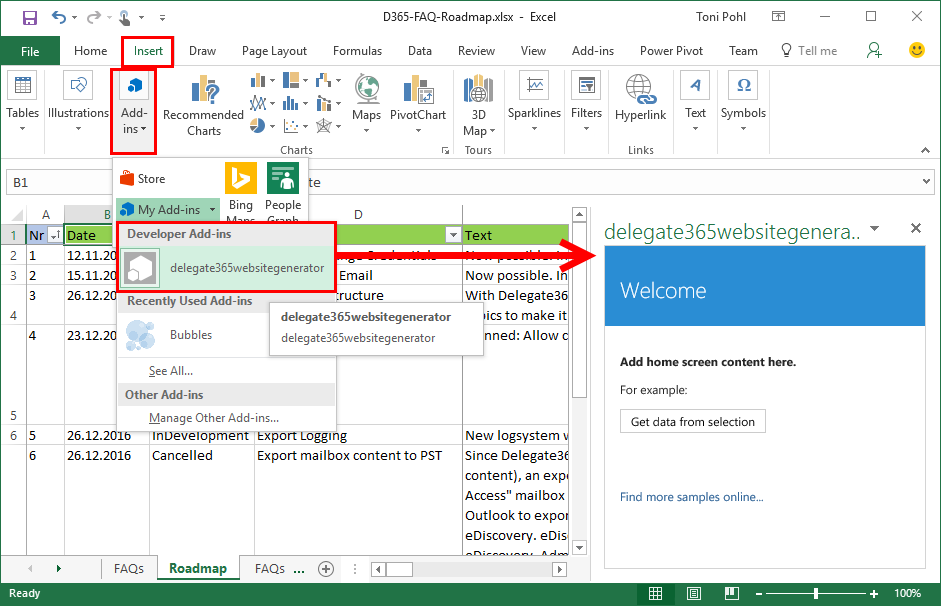
Sometimes, it’s the small things that cost (unnecessarily) time. Recently, I wanted to create a quick Office App for an existing Excel file to loop through rows and do some transformation for the values. I was stumbling over some topics when developing in real world. So here’s my short How To for working with Visual Studio and Office Apps with helpful tips. Set the start document If you are not used to develop Office Apps often, this maybe isn’t easy to find: How to set an existing document as start file. ...

December 29, 2016 · 4 min · Toni Pohl
Azure Active Directory PowerShell Module V2 is available

Azure Active Directory PowerShell Module V2 is available

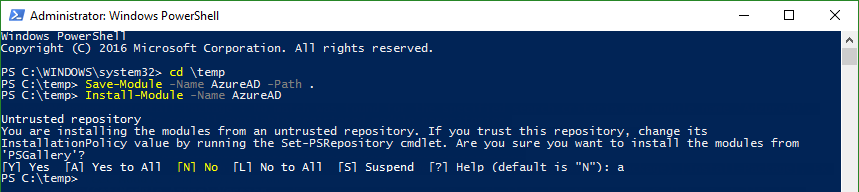
Today, just a short info for Azure Active Directory guys: #AzureAD PowerShell V2.0 is now GA! In this blogpost, Alex Simons and Rob de Jong inform that the PowerShell Azure AD v2.0 cmdlets are now generally available (GA). See the details at the Technet Blog and at Azure Active Directory V2 PowerShell Module - General Availability Release 2.0.0.33. Prerequisites Azure Active Directory V2 PowerShell Module can be installed on Windows starting with versions of Windows 7 SP1 and Windows Server 2008 R2 SP1 and up. ...

December 21, 2016 · 2 min · Toni Pohl

Join us at Technical Summit 2016 in Darmstadt

According to the principle “Technical Summit 2016: Mehr Technologie geht nicht”, this year’s Technical Summit 2016 is happening next week in Darmstadt, Germany. The event lasts from Tuesday, 6th to Wednesday, 7th of December with an optional additional workshop day on Thursday, 8th. This events features prominent Microsoft speakers as Scott Guthrie, Donovan Brown and more. We from atwork are pleased to be part of this event with four sessions! ...

December 2, 2016 · 1 min · Toni Pohl

A new version of Microsoft Azure Storage Explorer is available

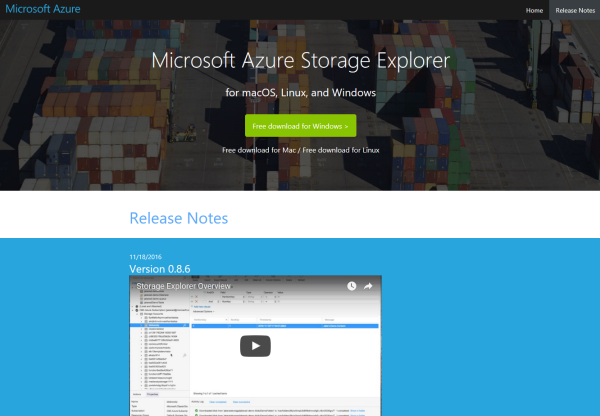
Azure-guys, there’s a new version of the cost free Microsoft Azure Storage Explorer available! Check it out here: https://storageexplorer.com! This is version Version 0.8.6 from 18th November 2016. And no, it’s not just a new logo and themes… The team included a lot of fixes and new stuff, as multiple editors in different tabs, search, modifications of data, improvements for uploads and downloads and more! See the details in the releasenotes! ...

November 30, 2016 · 1 min · Toni Pohl
Connect to a SQL Azure database with Power-BI

Connect to a SQL Azure database with Power-BI

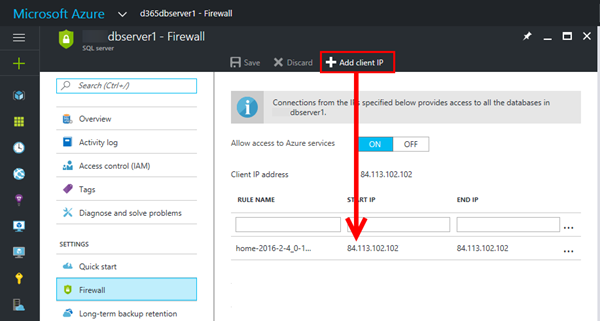
From time to time (yes it’s almost that time of the year again, when we use this opening statement)… user’s have difficulties to connect to a SQL Azure Database with Power-BI. So I decided to post this article as a brief hint (and as reminder for myself), how to connect from Power-BI. First of all, allow the connection with TCP port 1433 to your client IP address in the Azure portal at https://portal.azure.com. Click “Add client IP” and add it to the firewall settings of the SQL server as in this sample here. ...

November 22, 2016 · 2 min · Toni Pohl