Bye bye SharePoint AutoHosted Apps

Bye bye SharePoint AutoHosted Apps

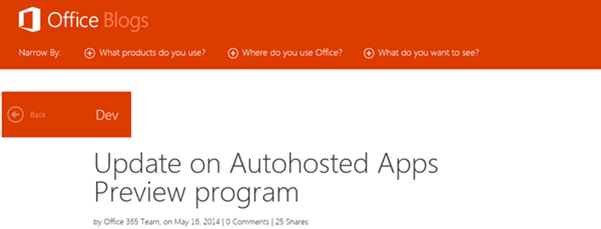
Achtung, SharePoint Developer: Das Office Team hat bekanntgegeben, dass AutoHosted Apps in naher Zukunft nicht mehr möglich sind, siehe Update on Autohosted Apps Preview program. Die “Office 365 Autohosted Apps experience” ist ein Service aus der Preview von SharePoint 2013, welches nun mit 30. Juni 2014 eingestellt wird. Danach sind keine AutoHosted Apps mehr möglich. Anstelle der AutoHosted Apps treten die Provider-Hosted Apps. Apps, die derzeit im AutoHosted Service laufen sind davon nicht betroffen und laufen weiter. Wenn sich für diese existierenden Apps etwas ändern sollte, wird das Office Team dies ebenso in seinem Blog blogs.office.com veröffentlichen. ...

May 21, 2014 · 2 min · Toni Pohl
How to convert a user mailbox into a shared mailbox and save license costs in Office 365

How to convert a user mailbox into a shared mailbox and save license costs in Office 365

Today’s tip is a quick one: If you have licensed mailboxes you only need as additional E-Mail addresses with a separate E-Mail address you can think about converting them to shared mailboxes. Shared Mailboxes have 10GB free storage and there are no additional license costs. Setting the appropriate rights to the shared mailbox they will also automatically show up in Outlook. If you want to convert one of your licensed mailboxes to a shared mailbox you can do that with PowerShell. ...

May 19, 2014 · 1 min · Martina Grom
Delete Azure Active Directories

Delete Azure Active Directories

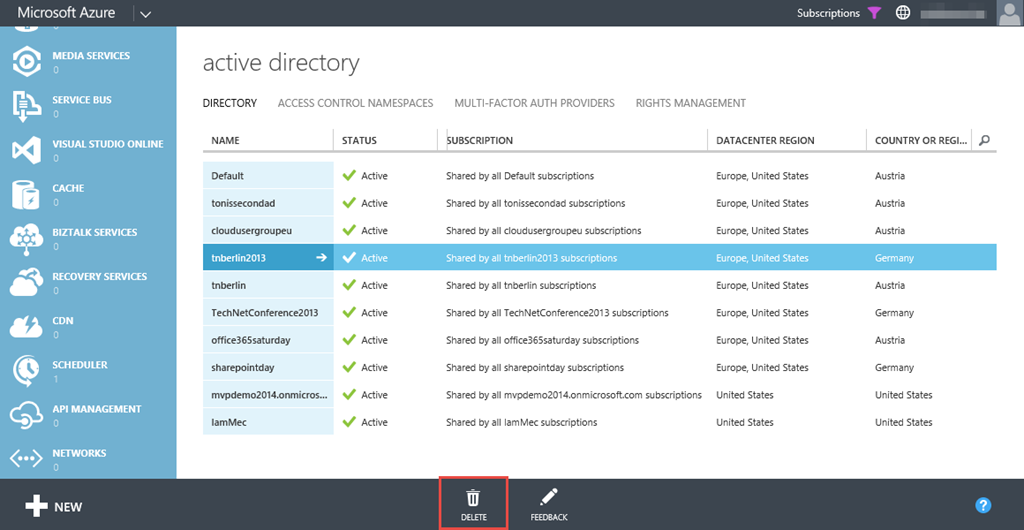
Have you seen it? Now it´s possible to *delete *Azure Active Directories from the Azure Portal! Just discovered this (long expected) feature shortly. Just an important information about deleting… When selecting an AD (mark the corresponding line right of the name…) and clicking the “Delete”-button… you maybe get a message like: *The following issue(s) prevent deletion of this directory: - Directory has one or more Multi-Factor Authentication providers. You are signed in as a user for whom ‘*.onmicrosoft.com’ is the home directory Directory is a “Partner” directory. Directory has never had an Azure subscription. Directory has one or more subscriptions to Microsoft Online Services. Directory has one or more applications. Directory has one or more applications. Delete all users except yourself ...

May 15, 2014 · 2 min · Toni Pohl
Eine Verteilerliste in Office 365 erstellen, die automatisch alle Mitglieder einer Abteilung enthält

Eine Verteilerliste in Office 365 erstellen, die automatisch alle Mitglieder einer Abteilung enthält

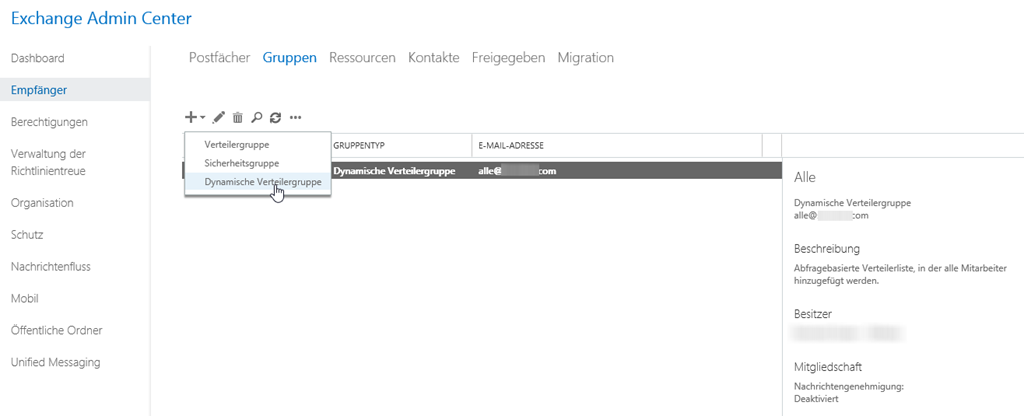
Viele Unternehmen, die von Small Business Server Umgebungen auf Office 365 umstellen, sind es gewohnt, einen Verteiler zu haben, der automatisch an alle Mitglieder des Unternehmens versendet. Aber auch große Unternehmen wollen Verteilerlisten mit bestimmten Kriterien automatisch befüllt haben. Um dies in Exchange Online abzubilden, benötigt man eine Dynamische Verteilerliste. In der Exchange Administrationskonsole kann man dann bequem eintragen, welche Kriterien die Verteilerliste haben soll und natürlich auch, welche Empfänger ausgewählt werden sollen. Hier kann man dann gleich einschränken, ob nur Mitglieder mit Exchange Postfächern, oder mit externen Mailadressen und vieles mehr selektiert werden sollen. Über Regeln können bereits in der GUI Filter gesetzt werden. ...

May 8, 2014 · 2 min · Martina Grom
European SharePoint Conference 2014 in Barcleona

European SharePoint Conference 2014 in Barcleona

European SharePoint Conference took place in Barcleona this year. After last year in February in Copenhagen now it´s time for sunny Catalonia in May for Sun, Sea, Sand and SharePoint! Many attendees used this opportunitiy for combining business with some holidays in these attractive location (see some tips here: 1, 2, 3, 4, 5, 6, 7, … after the top x lists there are so many things to see and to enjoy…). As last year, Martina (@magrom) had two sessions. ...

May 8, 2014 · 1 min · Toni Pohl
Automation von Azure-Teil 5

Automation von Azure-Teil 5

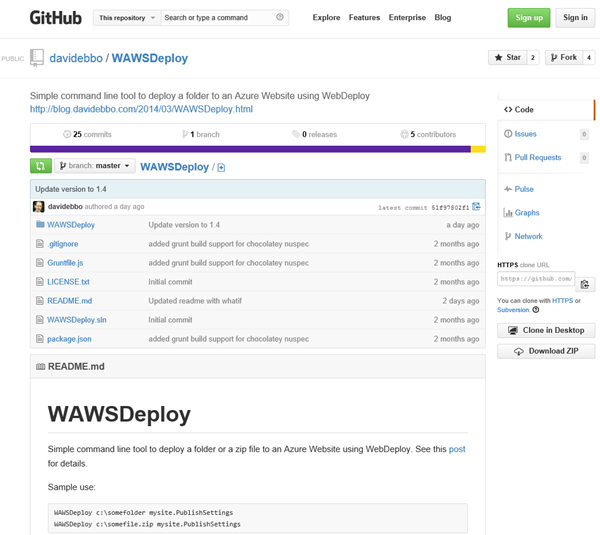
Weiter geht es mit WebDeploy und einem sehr hilfreichen Open Source Tool zum Deploying von Websites nach Microsoft Azure: WAWSDeploy von David Ebbo, der selbst Dev Lead im Team von Windows Azure Web Sites ist. David hat ein kleines Tool geschrieben um Web Deploy (aka msdeploy) stark zu vereinfachen. Simple Azure Web Sites deployment David formuliert den Grund für sein WAWSDeploy-Tool so: “However, in some cases, I just need to deploy a bunch of files from my local machine with minimal fuss, and using git is overkill.” - und er hat völlig Recht. Nur zum Deploying von Websites ist Git Overkill – wenn dann n Versionen von der Website im Azure Git-Repository herumkugeln. Danke an Christoph Wille für den Tipp zum Tool! ...

May 6, 2014 · 2 min · Toni Pohl
Snapshots from SPSBE

Snapshots from SPSBE

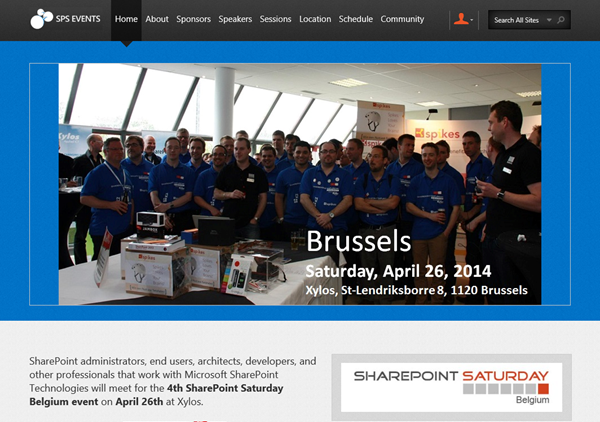
Last weekend SharePoint Saturday Belgium #SPSBE took place in a suburb of Brussels, see https://www.spsevents.org/city/Brussels/Brussels2014/home. It was the 4th SPS in Belgium and the SharePoint community met for exchanging knowledge … and having a fun and a great event. We from atwork (@magrom and @atwork) were happy to be part of SPSBE and had a great weekend in Brussels (which was in fact our first time in Belgium which was awesome). About 250 participants followed the invitation to the community event which occured in St-Lendriksborre at the location of Xylos, one of the main sponsors for SPSBE. ...

April 30, 2014 · 2 min · Toni Pohl
Automation von Azure-Teil 4

Automation von Azure-Teil 4

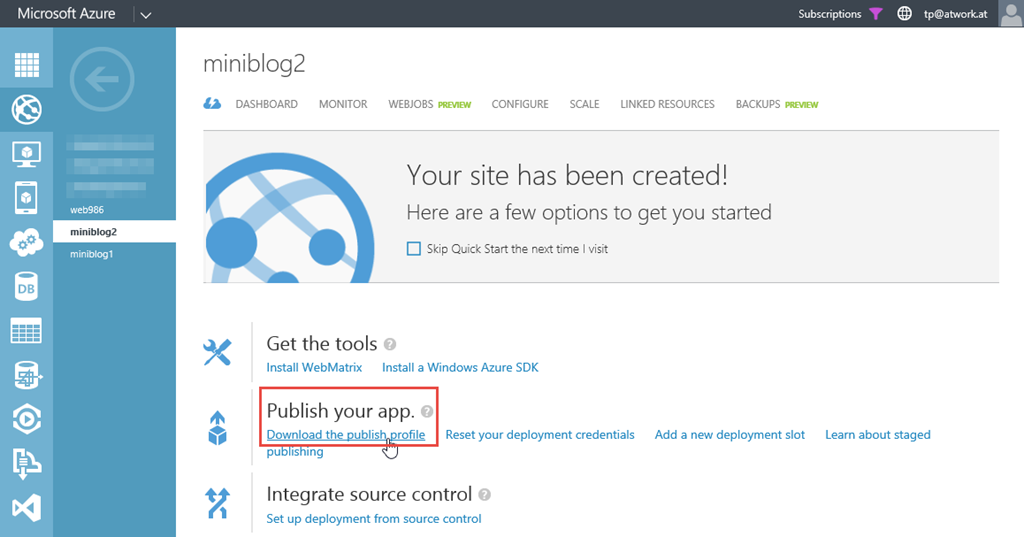
Neben den neuen und umfangreichen Möglichkeiten Microsoft Azure zu automatisieren (Teil 1, 2, 3) bleiben natürlich auch ganz erprobte und einfache Mittel, Websites zu deployen: mit den guten, alten File Transfer Protocol. Dieser Weg ist vielfach bekannt und kann mit wenig Aufwand (da FTP ja in Windows eingebaut ist) verwendet werden, um verschiedene lokale Deployments zu verwenden. Per FTP Client Dazu wird zunächst von der existierenden Website das Publish Profile downgeloadet. Das heruntergeladene File (bei mir miniblog2.azurewebsites.net.PublishSettings) beinhaltet die relevanten Daten für die Web- und FTP-Verbindung – hier gelb markiert. ...

April 28, 2014 · 3 min · Toni Pohl
Automation von Azure-Teil 3

Automation von Azure-Teil 3

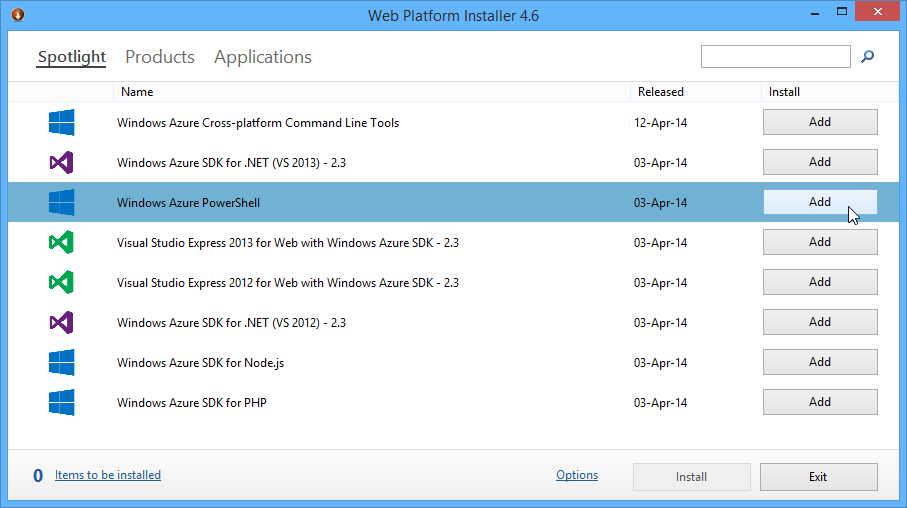
Neben der Automation mit der Azure Management Library und eigenem Code (Teil 1 und 2) kann diese auch mit Windows PowerShell erfolgen. Die PowerShell Cmdlets bauen auf der Azure Management Library (WAML) auf. Hier zeige ich wie Automatisierung mit PS funktioniert. Die Voraussetzungen für Azure PowerShell Mit dem Web Platform Installer wird zuerst die WIndows Azure PowerShell installiert. Dieser erfordert aktuell das Azure SDK 2.3, welches automatisch mit installiert wird. Kurz zur Erinnerung: Damit auch nicht signierte PS-Scripts ausgeführt werden können, ist es erforderlich die Azure PowerShell einmalig als Administrator aufzurufen und ...

April 27, 2014 · 3 min · Toni Pohl
Automation von Azure-Teil 2

Automation von Azure-Teil 2

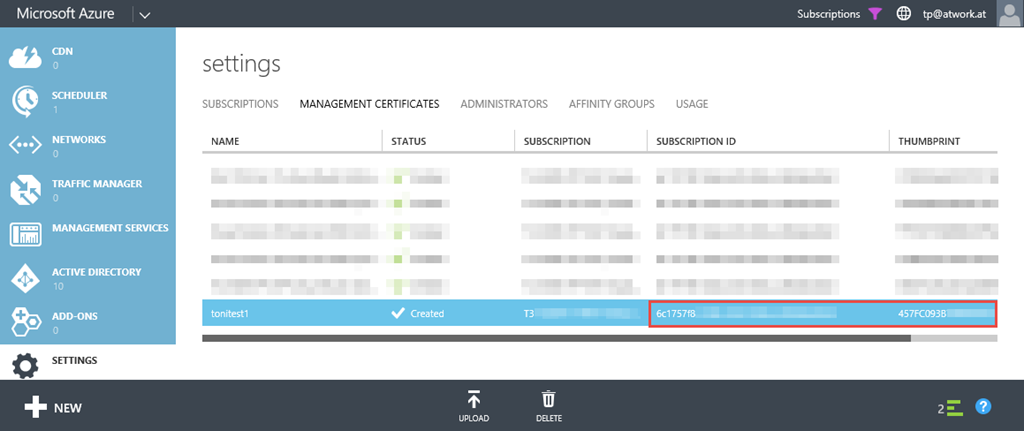
Weiter geht es mit der Automatisierung von Azure (siehe Teil 1). Damit Aktionen gegen Azure erfolgen können, ist zuerst eine Authorisierung erforderlich. Die Authentifizierung an Azure Active Directory (AAD) kann mit ADAL oder mit Management Certificates erfolgen. Natürlich muss unserer App der Azure-Tenant bekannt sein und wir müssen uns an den Azure Services mit einer bekannten (gültigen) App – oder durch Verwendung von bekannten Zertifikaten - anmelden. Hier verwenden wir Management Certificates und eine Beispiel-App von der Build-Session. ...

April 26, 2014 · 4 min · Toni Pohl