Get the most value from your Azure investment

Get the most value from your Azure investment

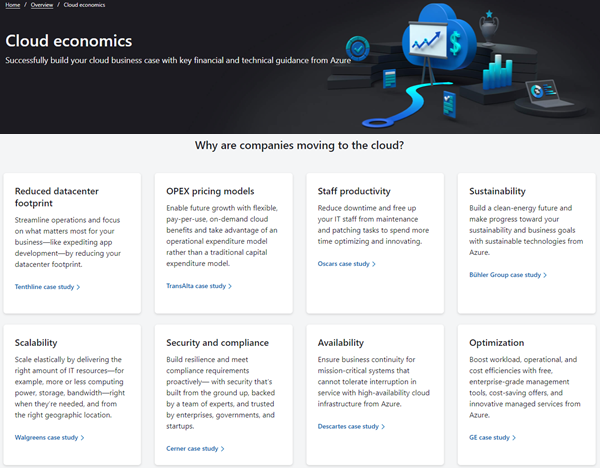
Are you still thinking of ways to move to the cloud with certain services? Well, the Cloud economics site could help. For working with the Azure cloud, Microsoft provides the Cloud economics public website with information how to get the most value from an Azure investment. Open it it at Cloud economics. On the website, potential customers can find a bunch of information about key guidelines for common technical and financial considerations, and reasons, why companies are moving to the cloud in case studies. Also, there is a PowerPoint document with recommendations available to download at Financial and economic considerations for cloud migration. ...

August 18, 2021 · 2 min · Martina Grom

atwork launched Cloud Hub the first Microsoft Teams App that lets you receive important news directly from your Microsoft Tenant

The atwork-team is beyond excited that we recently launched our first Microsoft Teams App – Cloud Hub. With Microsoft 365 being an evergreen service, it is sometimes hard to keep up with everything which comes into your Tenant. Cloud Hub solves access regulations to the Message center and provides anytime access for Change Managers and Operations to be always informed about what is new. Cloud Hub supports your evergreening and target operating model with instant information for your Team. ...

July 19, 2021 · 2 min · Mercedes Orasch

Power Platform Environments and Governance Tips

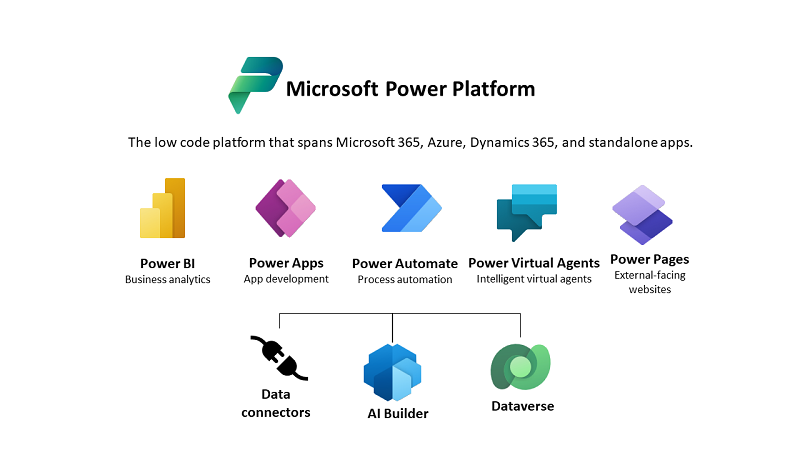
The Microsoft Power Platform enables individual solutions to be developed and business processes to be easily automated. When it comes to controlling the solutions, it is important to establish an IT governance in the organization. There are many areas and details about it. For this reason, I’ve put together a summary here with some news and helpful tips. The Microsoft Power Platform includes Power BI, Power Apps, Power Automate, and Power Virtual agents, leveraging the common infrastructure of the Microsoft Dataverse (the former Common Data Service) and Data Connectors. Dynamics 365 and the Power Platform are both deeply coupled with Dataverse and are held in containers called environments. A governance strategy usually starts with organizing the environments accordingly. Environments allow to separate Production, Test and Development. See more at Environments overview and at Microsoft Power Platform guidance documentation. ...

July 5, 2021 · 5 min · Toni Pohl
Work with the Delegate365 PowerShell in the Azure Cloud Shell

Work with the Delegate365 PowerShell in the Azure Cloud Shell

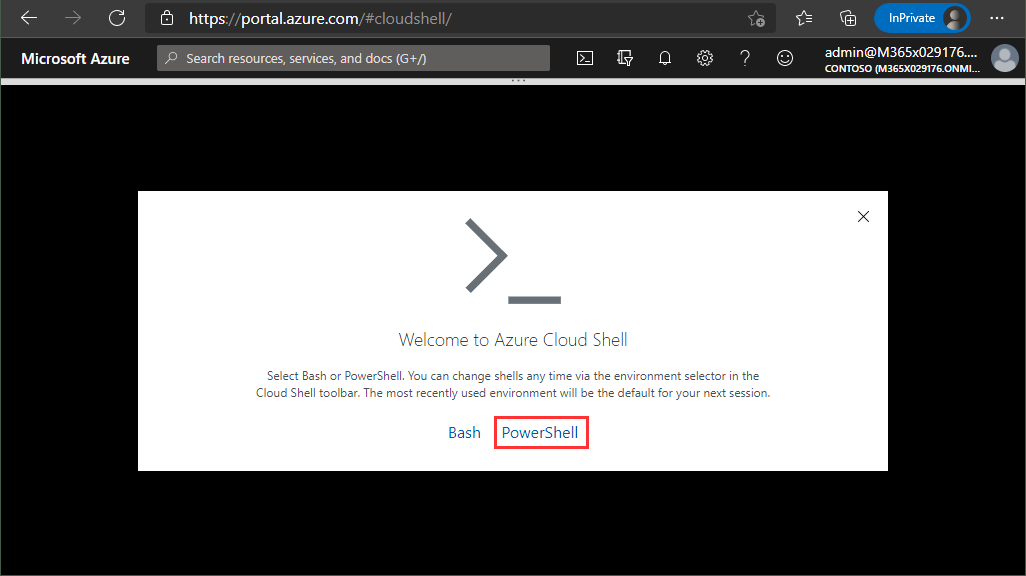
Delegate365 provides a PowerShell module to access data in Delegate365 in scripts. You can import the Delegate365 module locally, or use it in the Azure Cloud Shell as well. See here, how to use the module in Azure Cloud Shell. Here, you can find a description of the Delegate365 PowerShell module. It is hosted in the PowerShell Gallery and can be easily installed. So, here´s a step-by-step guide how to use the Delegate365 PS module. ...

May 21, 2021 · 2 min · Martina Grom

European Union Data Boundary for the Microsoft Cloud

Starting in 2022, Microsoft will enable EU-based public sector and corporate customers to process and store all of their data within the EU. Read the article at EU Data Boundary for the Microsoft Cloud! Photo by Christian Lue on Unsplash Important Notes: This commitment will apply across all of Microsoft’s main cloud services Azure, Microsoft 365, and Dynamics 365. Microsoft’s cloud services already meet EU regulations. Microsoft Online Services already enable customers to comply with the GDPR even without this additional commitment to store and process data within the EU boundary. ...

May 6, 2021 · 1 min · Martina Grom
Azure Logic Apps Toolbox 7-Resolve issues with the SharePoint Connector

Azure Logic Apps Toolbox 7-Resolve issues with the SharePoint Connector

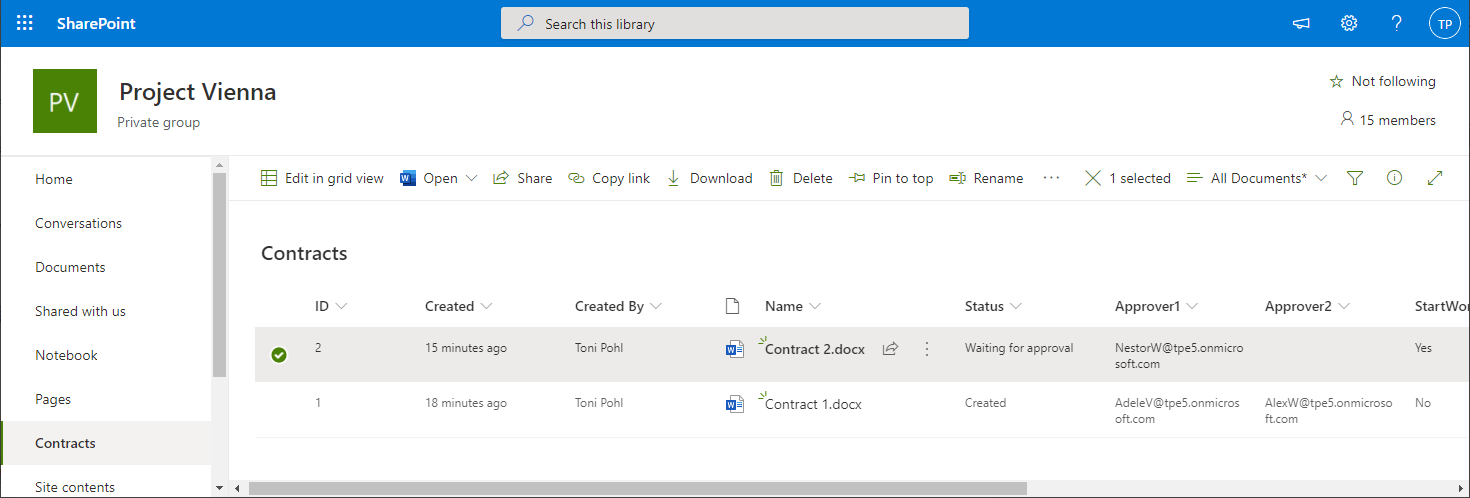
Using SharePoint Online (SPO) and Azure Logic Apps helps to automate processes. For a project, we have created some workflows with Azure Logic Apps that monitor changes to an SPO list or document library for approvals and other document workflows. We have found that the SPO connector does not always send all data in a reproducible manner: sometimes some fields were sent and sometimes not. We struggled with this behavior and found an unexpected workaround. ...

March 11, 2021 · 4 min · Toni Pohl

When to use what Azure monitoring service

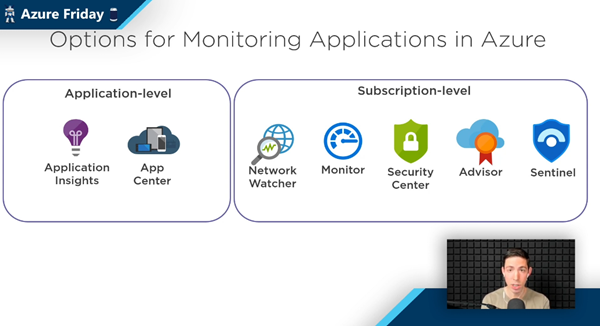
The well-known Scott Hanselman has been producing the recurring Azure Friday series for a long time. Last Friday, Scott interviewed Azure Barry (Barry Luijbregts) about “What to use for monitoring your applications in Azure”. Barry did a great overview about the main monitoring services. See the recording and a kind of summary transcript here. Azure provides a bunch of services for monitoring purposes. So, when you you use what service? To answer that, see the video at What to use for monitoring your applications in Azure | Azure Friday. ...

March 7, 2021 · 4 min · Martina Grom
Azure Logic Apps Toolbox 6-Work with items in Apply to each

Azure Logic Apps Toolbox 6-Work with items in Apply to each

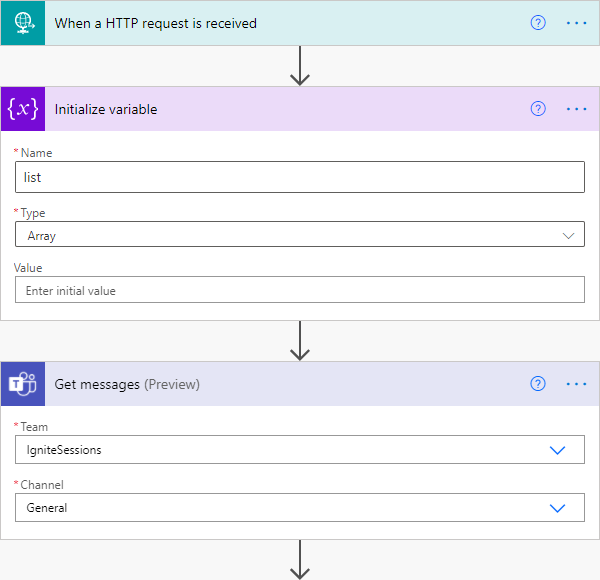
Automation of small tasks is helpful for many recurring processes. Unless you regularly use Power Automate (Flow) or Azure Logic Apps, it is often not that easy to remember the correct syntax for accessing items in a loop. Here is the quick help. This sample is using a flow in Power Automate to read messages from a Microsoft Teams team (I know, this sounds strange) and outputs any field to an email. The purpose is just to see how to access data in JSON format in a “Apply to each” loop. Here´s the screenshot of the complete flow with the description of the actions. ...

March 6, 2021 · 3 min · Toni Pohl
Working with Azure AD schema extensions in Graph PowerShell

Working with Azure AD schema extensions in Graph PowerShell

Schema extensions enable to store extended custom data directly to objects in Azure AD. This article describes how to access data we defined and added in Introducing user schema extensions in Delegate365 with the Microsoft Graph PowerShell module. Prerequisites To work with Microsoft Graph and PowerShell, we need to install the Microsoft.Graph module as described at Install the Microsoft Graph PowerShell SDK. You can install the module in PowerShell Core or Windows PowerShell using the following command. ...

March 4, 2021 · 7 min · Toni Pohl
Introducing user schema extensions in Delegate365

Introducing user schema extensions in Delegate365

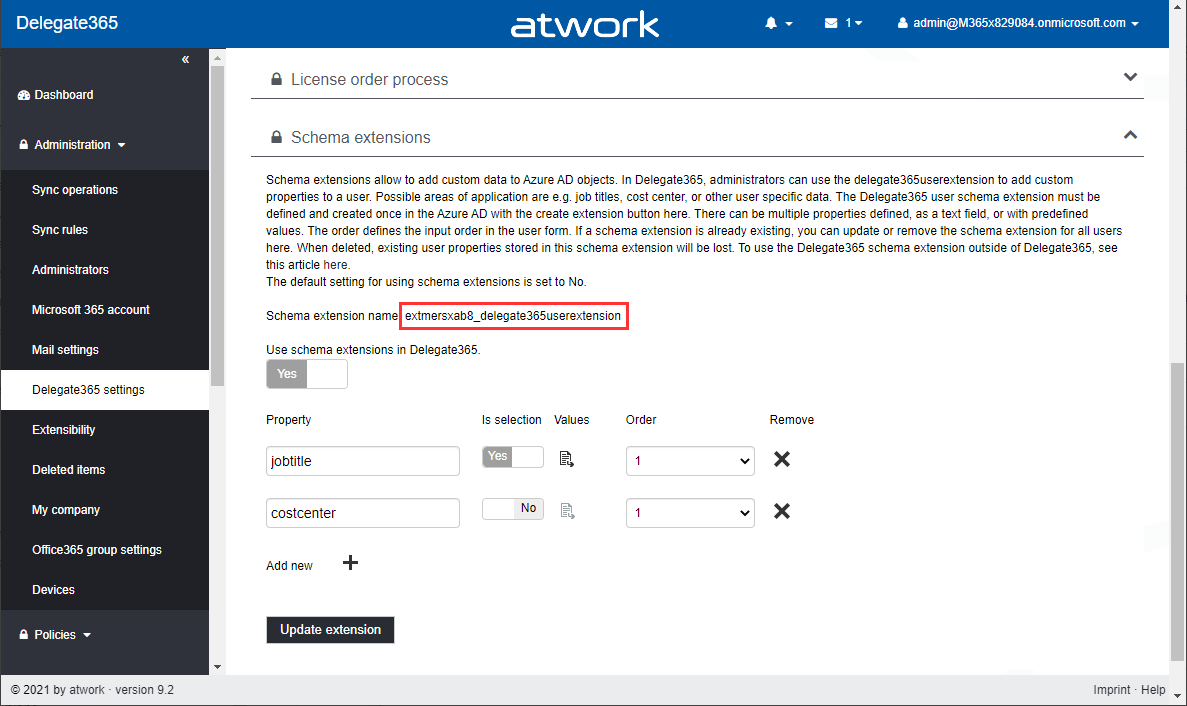
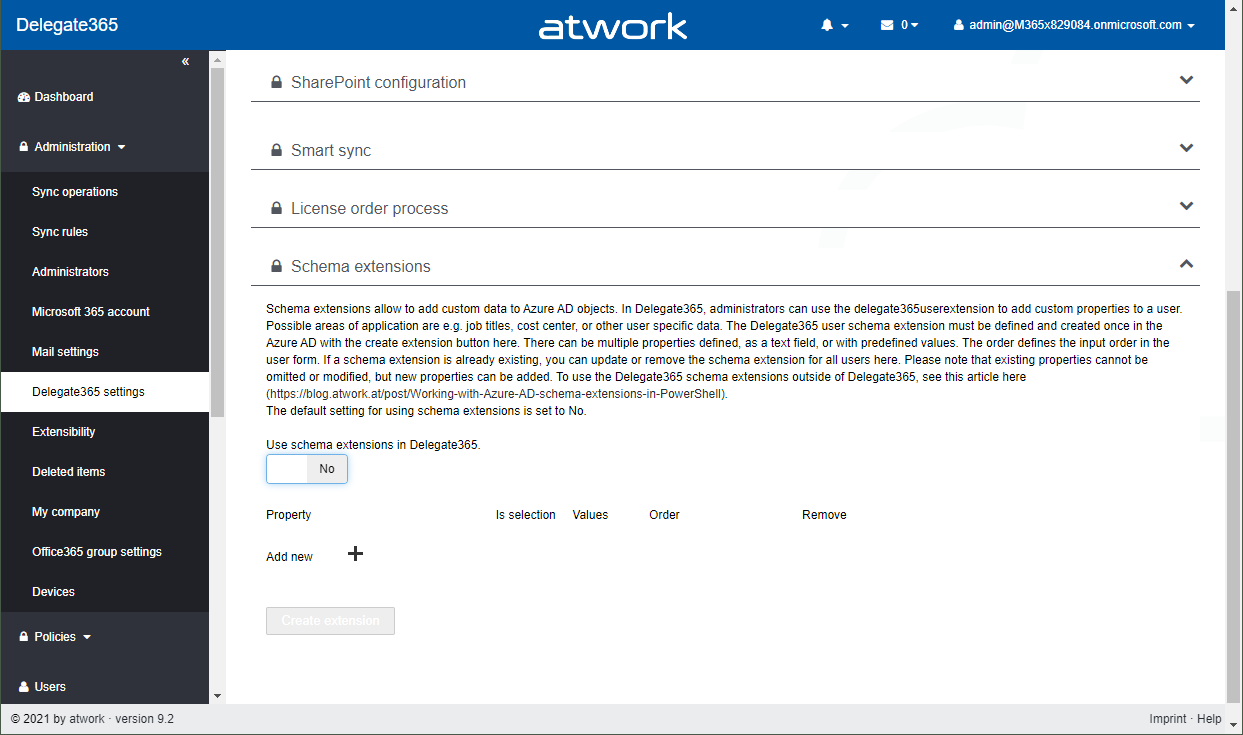
The current version of Delegate365 adds a new feature: Schema extensions for users. Schema extensions allow to add custom data to Azure AD objects. In Delegate365, administrators can use the Delegate365 schema extension feature to add custom properties to a user. Find out, how you can use the user schema extension in Delegate365 here. Possible areas of application are e.g. predefined job titles, cost center, employee type, other emails or managers, or other user specific data where there is no property in Azure AD existing. The Delegate365 user schema extension can be declared and used in Delegate365 and in the Azure AD. There can be multiple properties defined, as a text field, or with predefined values as a selection field. ...

February 25, 2021 · 5 min · Toni Pohl