Azure Logic Apps Toolbox 5-Custom JSON payloads

Azure Logic Apps Toolbox 5-Custom JSON payloads

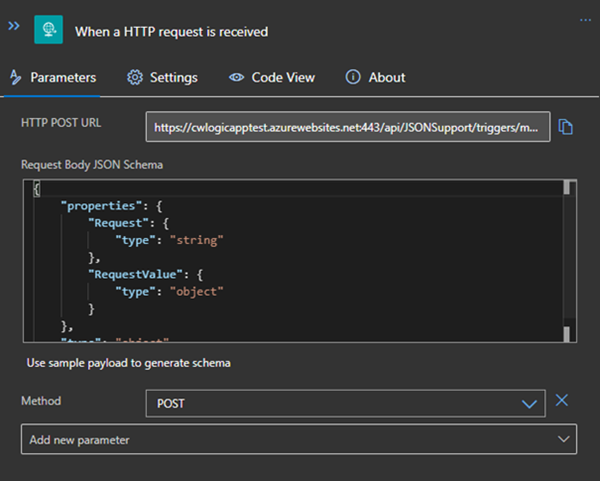
Did you ever have the problem of pushing different JSON payloads to a logic app and hitting errors due to JSON schema mismatches? The usual HTTP Request forces you to define the JSON Schema at the beginning. For every tiny difference in the later used properties you need to create your own Logic App even if the process is the same. I will show you an example of a single Logic App deciding at runtime which JSON schema to use for decoding the post body payload. Stay tuned! ...
January 14, 2021 · 3 min · Christoph Wilfing
Join the M365 virtual community events

Join the M365 virtual community events

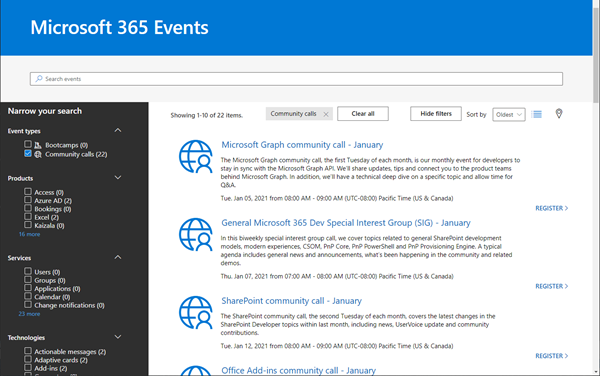
Ready to learn more about Microsoft 365 technology such as Microsoft Graph, SharePoint, Office-AddIns and more? Check out the Microsoft 365 virtual community events! Have fun and get involved!

January 5, 2021 · 1 min · Martina Grom
Working with Azure AD schema extensions and Microsoft Graph

Working with Azure AD schema extensions and Microsoft Graph

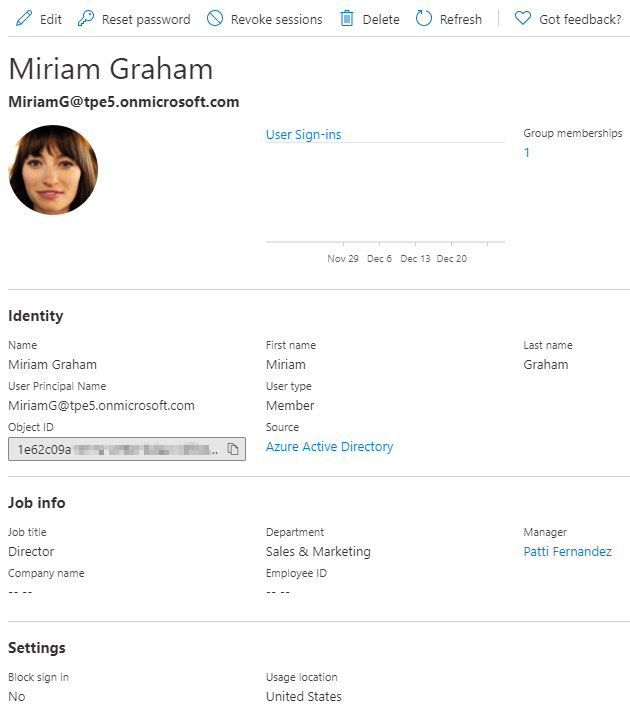
Azure Active Directory is Microsoft´s Cloud Identity system that stores user, license, group, apps, device data and more data in a secure way. As developers, we can extend many of these resources with custom extension. This can be useful to store additional metadata, such as a cost center or personal data for a user, for a group or other resource types. Unfortunately, there isn’t much documentation on that. Here’s how to do this step-by-step for the user resource with Azure AD schema extensions in real life. ...

December 29, 2020 · 13 min · Toni Pohl
Azure Logic Apps Toolbox 3-Get data from SharePoint as HTML table

Azure Logic Apps Toolbox 3-Get data from SharePoint as HTML table

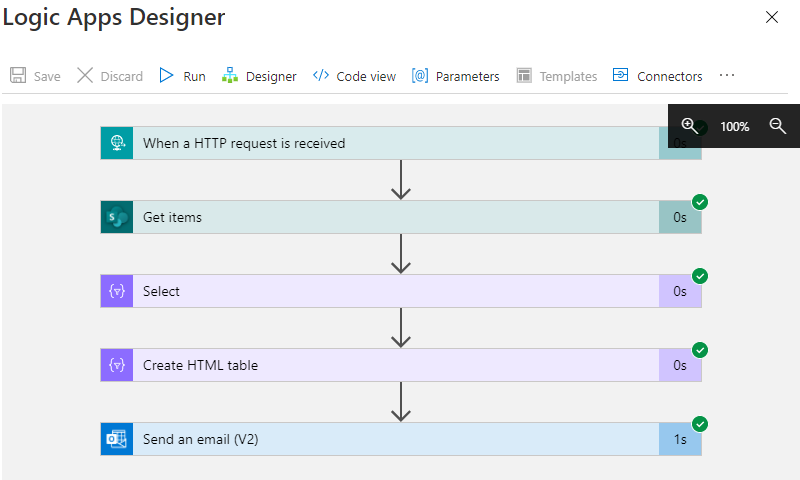
Sometimes it´s good to get data from a data source as a table and as quickly as possible in an automated way. While this can be done with multiple ways, here´s a quick solution if you want to get the items from a custom list in SharePoint Online sent as a HTML table in an email with Azure Logic Apps (or Power Automate). In this sample, we assume we have a custom list in a SharePoint Online site that includes some hundred lines of data with license requests and billing information. We want to get specific items that will expire in near future where there´s no invoice set. We will do this with a filtered query. The result shall be formatted as HTML table and sent to an email address. Azure Logic Apps and Power Automate (Flow) is perfect for such a quick task. ...

December 17, 2020 · 4 min · Toni Pohl

Tune in to the Governance Live Discussion with Dux Raymond Sy and Martina Grom - Good Governance Precedes Great Adoption

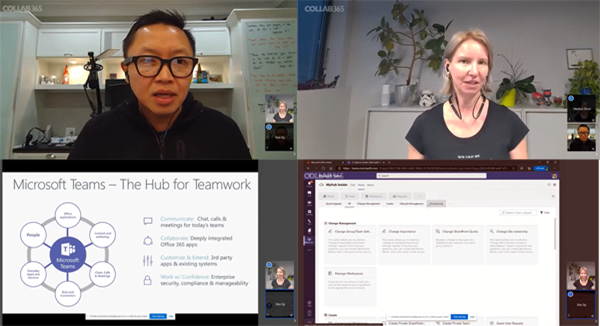
Today, there was a free live event on the Collab Global CON4 platform about IT Governance in Microsoft Teams. Tune in to the Governance Live Discussion with Dux Raymond Sy and Martina Grom - Good Governance Precedes Great Adoption. Live Discussion: How to Make It Easy For People to Do the Right Thing in Microsoft Teams. (Good Governance Precedes Great Adoption) Hear the two talk about why Teams governance is important and see examples of how processes can be improved. ...

December 3, 2020 · 1 min · Toni Pohl

Get the new Azure architecture icons v3

Cloud architecture diagrams need to look good. Get the new Azure architecture icons v3 here! Open docs.microsoft.com/en-us/azure/architecture/icons, agree to the terms and download the file Azure_Public_Service_Icons_V3.zip. Check out the pretty new Azure icons for your cloud diagrams!

November 30, 2020 · 1 min · Toni Pohl

Ö1 Podcast über Cloud Computing mit Martina Grom

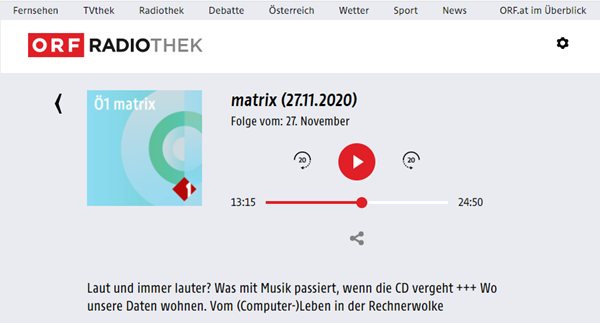
Letzten Freitag wurde ein Beitrag im ORF Ö1 Radio im Technologie-Magazin “Matrix” zum Thema “Wo unsere Daten wohnen - Vom (Computer-) Leben in der Rechnerwolke” mit unserer Cloud-Expertin Martina Grom gesendet. Hier geht es zur Aufzeichung. Die Journalistin Sarah Kriesche wirft in dem Beitrag einen Blick hinter die Kulissen des Cloud-Geschäfts und lud dazu unsere Geschäftsführerin und Microsoft Cloud-Expertin Martina Grom von atwork ein. Weitere Gäste waren Werner Illsinger, Präsident der Digital Society und Thomas Dullien, Geschäftsführer von optimyze. ...

November 29, 2020 · 1 min · Toni Pohl

Free Microsoft eBook Roadmap to Digital Infinity

Today´s a quick tip: Check out the free Microsoft eBook “Roadmap to Digital Infinity” - How to become an Intelligence Driven Organization! Roadmap to Digital Infinity This is a short eBook with 19 pages that “will show you how to take the next steps on your digital journey.” It covers topics from Intelligence Driven Organization to the Digital Feedback Loop and the the core solution. It’s a beautifully designed eBook. I like the statements like “Change is the new normal” and a statement from Ralph Haupter, President, Microsoft EMEA: “One thing we can count on: combining human ingenuity with innovation will be essential, not optional”. In addition, the data analysis helps to put an organization in a test and learning culture. New ideas can be developed, started and improved with much more confidence. ...

November 17, 2020 · 1 min · Martina Grom

Austria is getting its own Microsoft data centers

Today, Microsoft announced “the Microsoft cloud in Austria, for Austria”. The Austrian data center region will join Microsoft’s global cloud and provide Microsoft 365, Microsoft Azure and Dynamics 365 services. Microsoft’s Austrian data center region supports companies in complying with the General Data Protection Regulation (GDPR) of the European Union and will offer companies on-site access to the entire range of Microsoft cloud services. Microsoft also announced a new Center of Digital Excellence to modernize the IT infrastructure of public services and to promote industrial innovations in Austria. ...

October 20, 2020 · 1 min · Toni Pohl
Handle failed actions in Azure Logic Apps

Handle failed actions in Azure Logic Apps

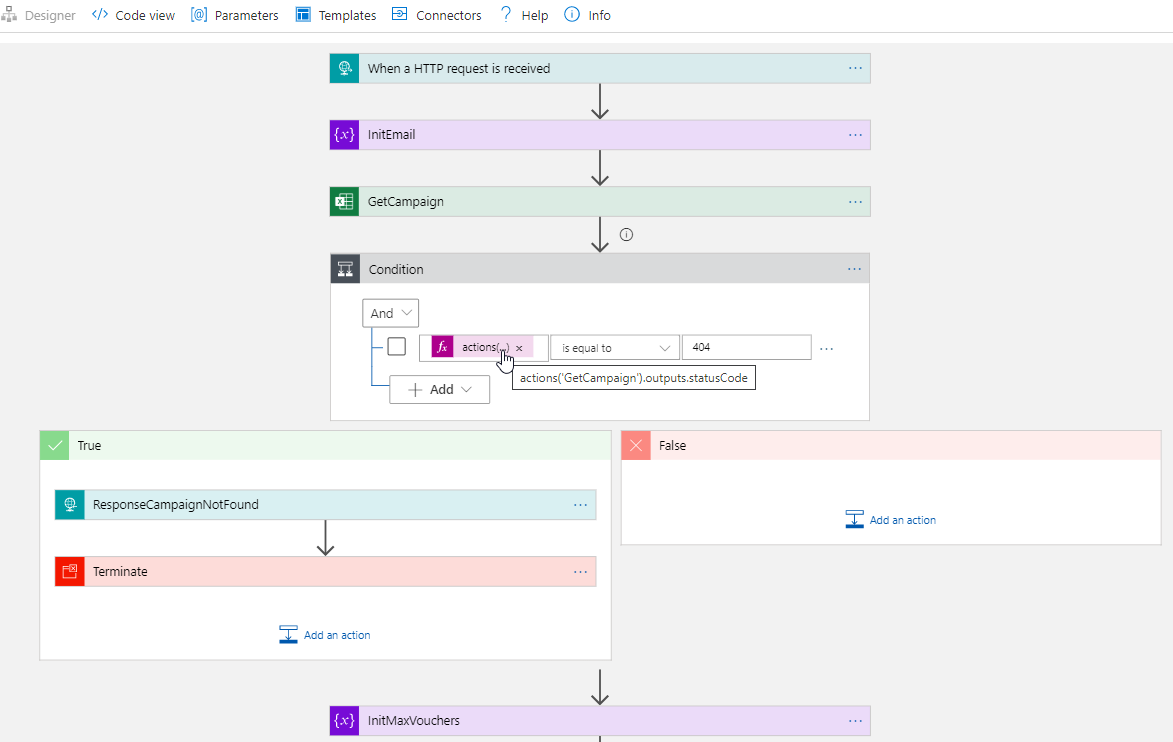
Today´s a quick tip for users working with Azure Logic Apps. This article shows how you can continue to work in a flow if an action has failed. This sample accesses an Excel file from a Microsoft teams SharePoint site and searches for a key. If the key was not found, the flow shall continue and deliver a useful error code with a message. See how this works here. The scenario The following Azure Logic App is triggered by an HTTP request and gets some data from another system. The purpose is to lookup a campaign and some data from an Excel file that is stored in a SharePoint site of a Microsoft 365 Group (a team site) and to continue to work with that data. Furthermore, the Logic App generate a voucher and sends emails. But that´s another story. Here we concentrate on the failure handling. ...

October 6, 2020 · 4 min · Toni Pohl