Delegate365 changelog version 4.0.5-Synced infos and the latest Auto-Sync history

Delegate365 changelog version 4.0.5-Synced infos and the latest Auto-Sync history

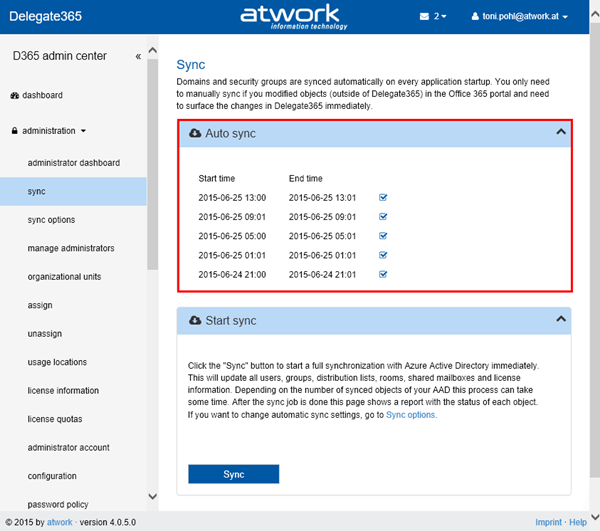
Delegate365 version 4.0.5 is out. The last automatic sync operations are now shown in the sync page and the lists show if objects are cloud or synced items. See the details here. Automatic Sync infos: For admins it’s essential to see when the last sync process was executed and if it the operations were successful. So we integrated a short history in the sync page showing the last 5 sync operations. Admins see when the automatic sync started and when it ended and if it finished successfully. As you can see the sync tries to use differential queries if possible to update only the changed objects quickly. As before Admins can run the manual Sync process anytime. ...

June 26, 2015 · 1 min · Toni Pohl
Delegate365 changelog version 4.0-New Member Picker and Fixes

Delegate365 changelog version 4.0-New Member Picker and Fixes

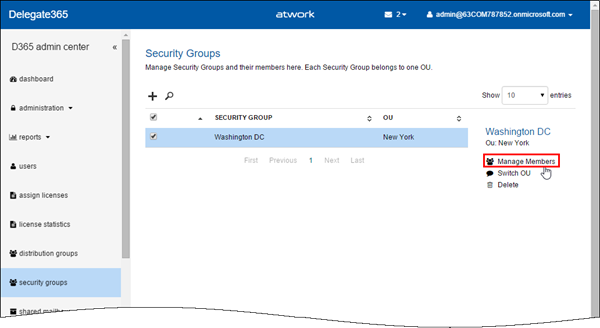
In Delegate365 version 4.0 we have made further improvements and some minor fixes. We introduced a new member picker with Auto-Suggest instead of the old dialog picker which now is accessible in the new Task Pane. The sync was updated to get the synced or cloud-information and some fixes for setting alias addresses and mailbox delegation. See the details here. New Member Picker: In all groups a new member picker came in. Members are managed by selecting the group and clicking “Manage Members” in the Task Pane like in this sample with a security group here. The usernames can be partly typed – one char is sufficient – and the Auto Suggest opens an shows all user names starting with that characters. The navigation can be done by mouse or with the cursor keys. Once the selection is made the admin still can remove items by clicking the “x” icon and the end of the users name or Apply the settings by clicking “Add”. The selected users are then added as members to that specific group. This concept was introduced in the administration / manage administrators page with version 3.9.5 (see here) and works now for all member pickers in D365: distribution groups, security groups, shared mailboxes and manage administrators (as before). ...

June 25, 2015 · 3 min · Toni Pohl
Delegate365 changelog version 3.9.5-Updates

Delegate365 changelog version 3.9.5-Updates

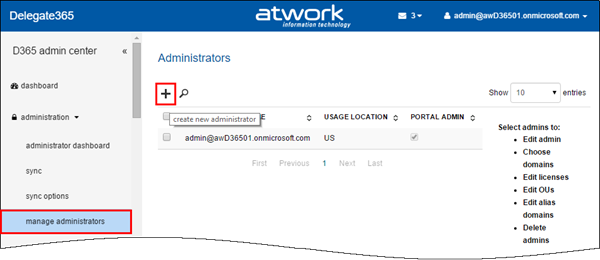
Delegate365 version 3.9.5 is out. We made some minor changes since the last version 3.9 (see here). See the changes here: Bulk create admins: When using D365 with many admins it can be some effort to create them. In former versions it was necessary to type (or copy) the UPNs of each admin in the create admin field. The creation of new admins works – as before – on the administration / manage administrators list. Now there follows a new form. Global Admins can type a username and an Auto-Complete function shows all corresponding starting with that name (starts with). Also there can be multiple admins picked and created in one step! To remove a selected admin, delete the user with Backspace key or by clicking the x-icon. The Auto-Complete works very quick even for many users (like in the screenshot above). Further improvements are that now all settings can be defined directly below in one step – for all selected admins like shown here. Below there are two more new sections: “Add admin to domain” and “Add admin to OU”. In here Global Admins can define which domains the admins can manage and in which D365 OU’s the admins will be members. This one-step-creation of admins simplifies the process of defining admins. The result can be checked anytime, like in this sample see the OU-assignment of user2. F.e. checking the OU… So best practise is to create multiple admins with common properties and assignments and then change specific permissions or assignments for special admins. ...

June 15, 2015 · 2 min · Toni Pohl
Delegate365 changelog version 3.9-Its all about sync, admin settings and branding

Delegate365 changelog version 3.9-Its all about sync, admin settings and branding

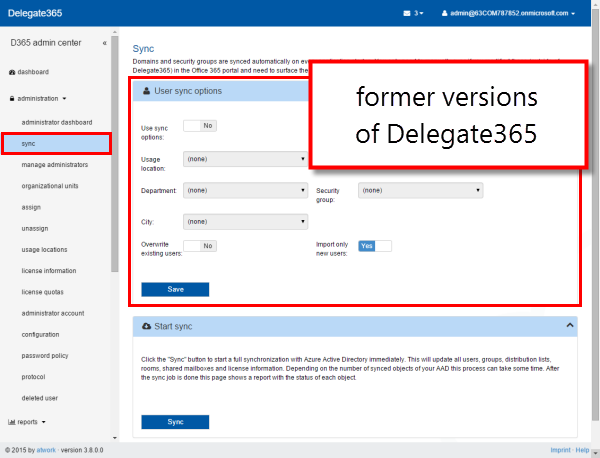
The next version of Delegate365 is here! In Delegate365 version 3.9 we have even more cool features and improvements. The sync processes now offers a bunch of innovations for automatic assignments to Delegate365 OU’s and was unified with the automatic sync function. Another switch was implemented to prohibit Admins access to the user’s mailbox settings as well as the new options for branding Delegate365 with your company logo and themes and some more features. See the details here: ...

June 11, 2015 · 6 min · Toni Pohl
Delegate365 product website improvements

Delegate365 product website improvements

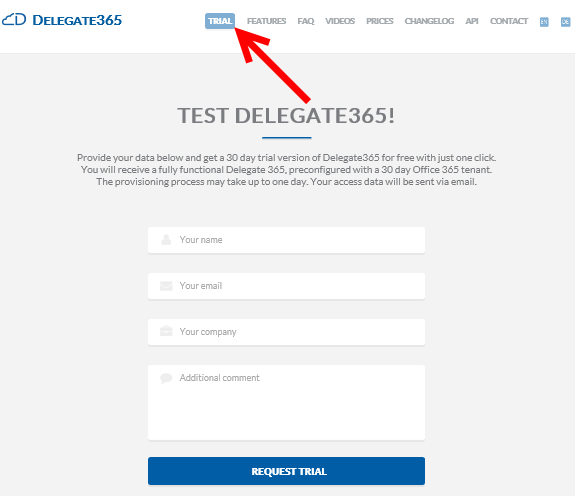
We updated the product website Delegate365.com and implemented some improvements there to support interested parties to inform about Delegate365 and to open a trial. New Trial: We added added a new “Trial” button prominently to the menu to make it very easy to find the trial and to open a new evaluation version of Delegate365. The new form is also directly reachable with the URL https://delegate365.com/trial. In the trial form you just need to fill in your name, organization and company name. There’s also a field for optional additional comments – the same as before. After submitting the data with “Request Trial” we approve the request in the workflow and provision a new D365 tenant for you. This process may take up to one business day. ...

June 8, 2015 · 2 min · Toni Pohl
Delegate365 changelog version 3.8-Password Policies and Reports

Delegate365 changelog version 3.8-Password Policies and Reports

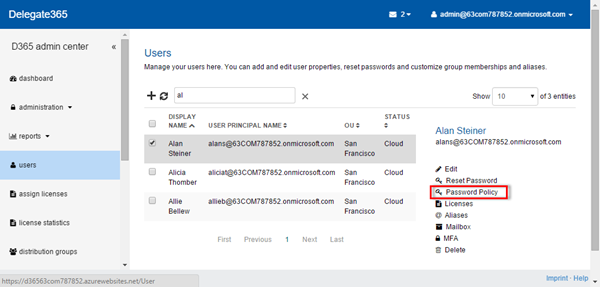
We had a busy May! Delegate’s next version 3.8 brings some more new features. See the details here: User Password Policy: Now Administrators can set a the Password Policy for each user. If at least one user is selected, on the right side panel the new function “Password Policy” is shown, as in the screenshot below. The Task Pane loads the current settings of the selected user and enables the setting “Password never expires” for the Admin. When clicking “Save” the setting will update the password policy for this particular user. ...

May 27, 2015 · 3 min · Toni Pohl
Delegate365 changelog version 3.7-New user interface, Bulk operations and much more

Delegate365 changelog version 3.7-New user interface, Bulk operations and much more

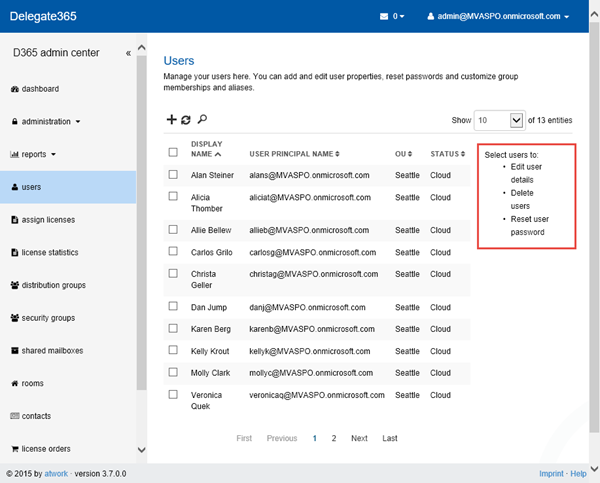
Delegate365 version 3.7 brings a bunch of new features! Again, this version is a major milestone for our Office365 Add-On product. First of all, the management of all lists has been improved. We now use a Side Panel for all options for the selected objects which eases the usage. With that there are new bulk operations available. Some features have been improved and changed as well. See the details here. ...

May 20, 2015 · 6 min · Toni Pohl
Delegate365 changelog version 3.6-United UnAssign

Delegate365 changelog version 3.6-United UnAssign

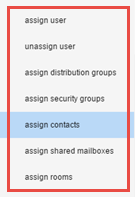
Shortly we launched Delegate365 version 3.6. There were some changes and more features added. In the administration menu the modules for assigning and unassigning have been combined, Administrators now can set their default values for creating users and the support address is now configurable. Administration: Assign: The assign module is used to set the OU for users, groups, contacts, etc. Since we had many single modules for assigning objects to an OU… …we decided to unite them into one new module “assign” which reduces the modules list in the administration menu (see also here). Now there’s the selectable region and the assign-actions below. You can open the corresponding group to select the objects and then choose the OU for the assignment. As before each object in D365 belongs to one OU (see also virtual OU’s for multiple management here - Important security change in group membership selections:). With the new module it’s easy to select (unassigned) users, distribution groups, security groups, contacts, shared mailboxes and rooms to assign them to a specific OU. Once that is done the items show up in the corresponding lists for the scope admins to manage. ...

May 19, 2015 · 3 min · Toni Pohl
Delegate365 REMAX testimonial

Delegate365 REMAX testimonial

RE/MAX Europe is using our Delegate365 solution for the delegated Office 365 user and license management of their franchisee partners and their coworkers. See the statement about Delegate365 by Doris Bruneder, Product Manager at RE/MAX Europe Regional Services, here. RE/MAX Europe recommends Delegate365 Many thanks to Doris for the great testimonial! We are delighted that the RE/MAX Europe team appreciates the solution. Find out more information about Delegate365 on the product website delegate365.com.

April 26, 2015 · 1 min · Toni Pohl
Delegate365 changelog version 3.5-major updates

Delegate365 changelog version 3.5-major updates

Delegate365 version 3.5 is another major release. There are many new features like support for resources/rooms, contacts, sync-updates, support for restoring soft deleted users, management of members of all OU’s, mailbox delegation, user’s MFA when creating users, new restrictions for licenses for admins and some more updates. Let’s start with the description of the last changes. Delegate365 version 3.5 comes with the new dashboard we updated in version 3.4. Users / new user: Now it’s possible to set Multi factor Authentication immediately when creating a new user. Simply set the MFA dropdown and save the new user. Info: With MFA the user creation can take some seconds. In previous versions the user needed to be created first and MFA could only be activated later with editing. ...

April 23, 2015 · 6 min · Toni Pohl