How to use Office 365 MFA in Delegate365

How to use Office 365 MFA in Delegate365

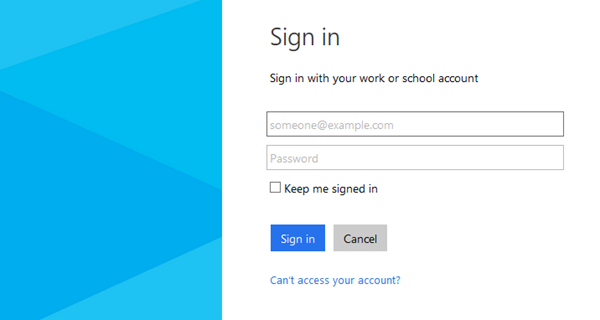
In Office 365 IT Admins can define Multi Factor Authentication (MFA) for their users to secure access for all or special user accounts. The good news is that Delegate365 supports the usage of MFA for the login process by default. MFA works exactly in the same way as usual. MFA consists of usually two factors: Something you know (typically a password) Something you have (a trusted device that is not easily duplicated, like a phone) ...

February 6, 2015 · 2 min · Toni Pohl
Delegate365 changelog version 3.1

Delegate365 changelog version 3.1

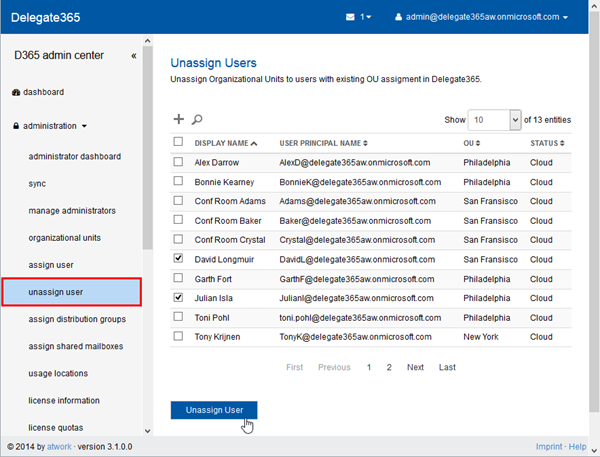
Delegate365 version 3.1 brings improvements and new features. As already announced in Delegate365 version 3.1 outlook we have some new modules and an unified user interface. Here´s a list of the main changes. New: Unassign users in the administrator menu: With this new module users who are already assigned to an OU can be unassigned. This module is only available for portal admins and works exactly in the same way as the assign users module: Search the users, mark them and click the “Unassign” button. ...

January 28, 2015 · 4 min · Toni Pohl

Delegate365 version 3.1 outlook

Delegate365 is continuously improving. We were busy and implemented new features and optimized some code in the Delegate365 solution. So, in the next version we will have some improvements, here´s a first outlook: We have completely rewritten the logging operations and are now using a new event store for protocoling detailed actions of operations. This means with version 3.1 the event sourcing is made step by step and saves all changed fields with old and new values. Starting with v3.1 all operations in D365 are protocolled step by step. Additionally we are developing an additional protocol source which delivers an overview and is good readable for humans. ...

January 22, 2015 · 3 min · Toni Pohl
How to setup an Exchange Admin in Office 365 and use this account in Delegate365

How to setup an Exchange Admin in Office 365 and use this account in Delegate365

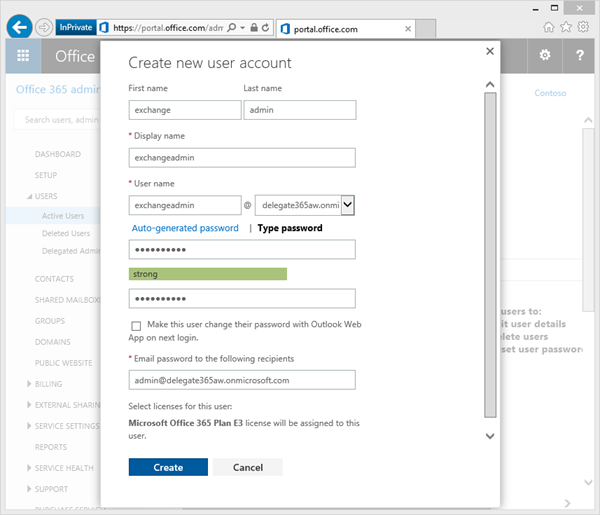
In large organizations it´s often useful to create an own Exchange administrator for performing tasks against the Exchange API´s, f.e. with PowerShell or with third party tools like our Delegate365 solution. Here´s how to create an Exchange Admin in Office 365. There are two ways to accomplish this task: The easy way is to simply create (or use) a gobal administrator in Office 365. This user gets all rights in all services of Office 365 (AAD, Exchange, SharePoint, Lync) automatically. The second way – if your want to have an own Exchange administrator - is described here. Login in as global admin First, open the Office 365 portal https://portal.office.com with a global admin account to get full rights in that Office 365 tenant. ...

January 17, 2015 · 5 min · Toni Pohl
Self-service password reset for users in Azure Active Directory Editions

Self-service password reset for users in Azure Active Directory Editions

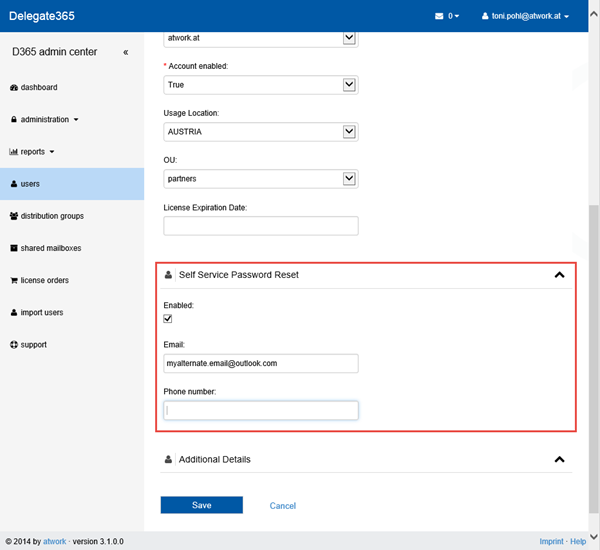
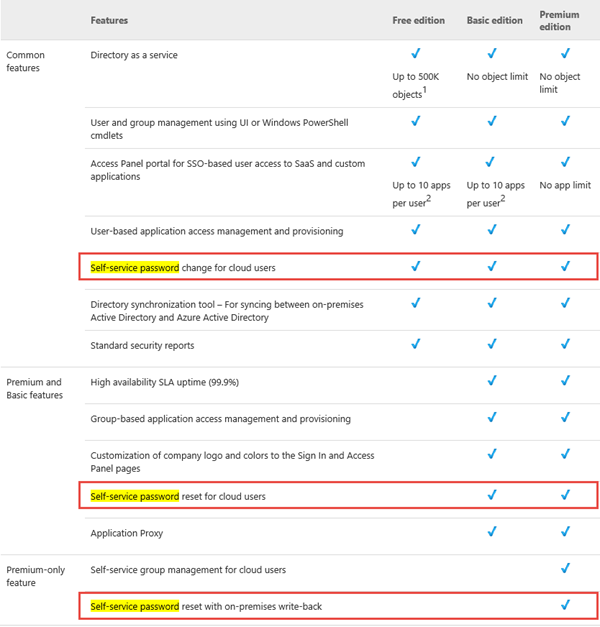
Since Microsoft´s Azure Active Directory (AAD) is constantly evolving it´s interesting to see the current status of features. Right now we want to point out the functionality of Azure Active Directory Editions in MSDN by December 10, 2014. AAD comes in three flavors: Free, Basic and Premium (see also here). Companies are often interested in relieving their IT with features like “Self-service password reset for users” (SSPR). In that MSDN article we see the support for the SSPR-feature for users in the three Azure Active Directory Editions: ...

December 31, 2014 · 2 min · Toni Pohl
Delegate 365 White Paper Update

Delegate 365 White Paper Update

As announced in April we created a Whitepaper for our product Delegate 365. Delegate 365 adds functionality on top of Microsoft Office 365 and works as an Add-On which delivers delegation features for entitled admins (and much more) in medium to large organizations using Office 365. Since we made a lot of enhancements and updates in Delegate 365 this year we now released an updated version of the Delegate 365 WhitePaper. ...

December 29, 2014 · 1 min · Toni Pohl
Delegate365 changelog version 3.0Support Cases

Delegate365 changelog version 3.0Support Cases

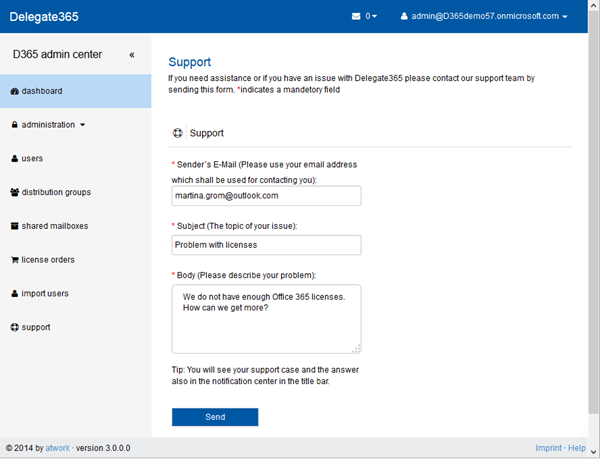
With the new Delegate365 version 3.0 “notification center” feature there comes a new built-in support feature. In case of questions or issues in working with D365 it´s very easy to contact atwork for help. How to open a support case At the end of the left menu there´s a “support” link which opens the form. The support link is available for all admins, so for portal admins and standard admins. ...

December 15, 2014 · 2 min · Toni Pohl
Delegate365 changelog version 3.0 - Notification Center

Delegate365 changelog version 3.0 - Notification Center

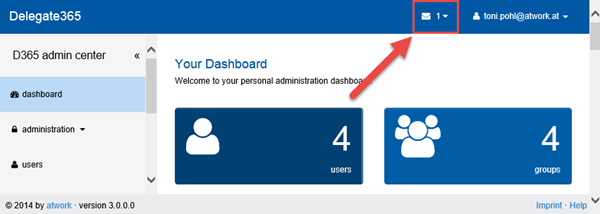
Delegate365 version 3.0 includes a new feature called “notification center”. The notification center is reachable in the upper right corner of the blue title bar. There´s an envelope icon and the number of unread messages next to the logged in user as marked red in the following screenshot. Reach the notification center anytime Since version 2.9 the header and footer bars are always visible, so the notification center is visible any time. If there are no messages present, the envelope icon is also visible but shows the number 0. You can see all (read) messages with the menu “Read All Messages” in the pull down menu. ...

December 14, 2014 · 3 min · Toni Pohl
Delegate365 changelog version 2.9Setup Wizard

Delegate365 changelog version 2.9Setup Wizard

In Delegate365 version 2.9 the setup wizard for the primary configuration was slightly changed. The setup process must be run to configure D365 with any (existing) Office 365 tenant. The only things you need are the configuration password (provided by atwork) and the login and password of a global administrator of your Office 365 tenant, see also here. Do I need to run the setup? If you already received a Trial of Delegate365 with a new, preconfigured Office 365 tenant these steps are not necessary. This setup process is for organizations who want to use their own Office 365 (demo) tenant or for renewal of the D365 Service Account. If you got an email by atwork with the setup URL and a configuration password (code) you are able to complete the described steps here. ...

November 20, 2014 · 3 min · Toni Pohl
Delegate365 changelog version 2.9Shared Mailboxes support

Delegate365 changelog version 2.9Shared Mailboxes support

As described here we are pleased to announce the new Shared Mailboxes support in D365 version 2.9. Shared Mailboxes are an Exchange feature where many users can access a common mailbox, f.e. for departments or customer contact etc. Admins who are entitled to use this function now easily can manage Shared Mailboxes in D365. Besides, Shared Mailboxes do not need an Office 365 license since it´s a common mailbox for multiple (licensed) users. ...

November 19, 2014 · 4 min · Toni Pohl