Delegate365 changelog version 8.3-Sync with Group

Delegate365 changelog version 8.3-Sync with Group

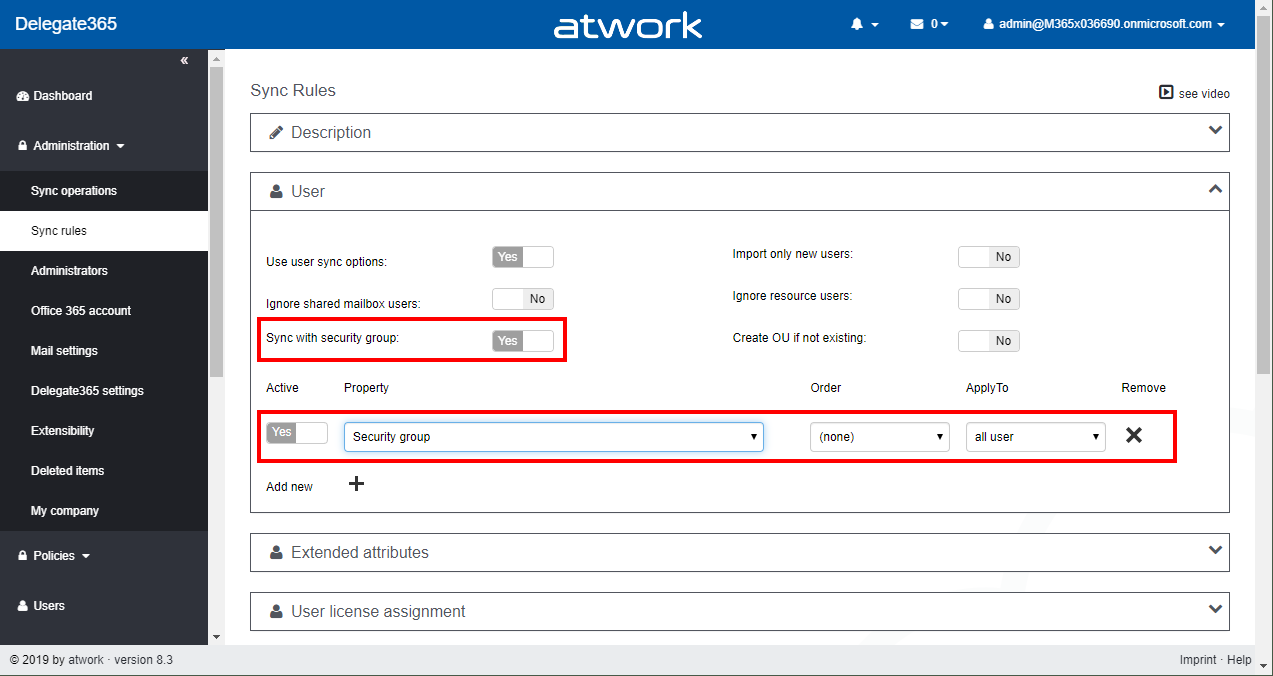
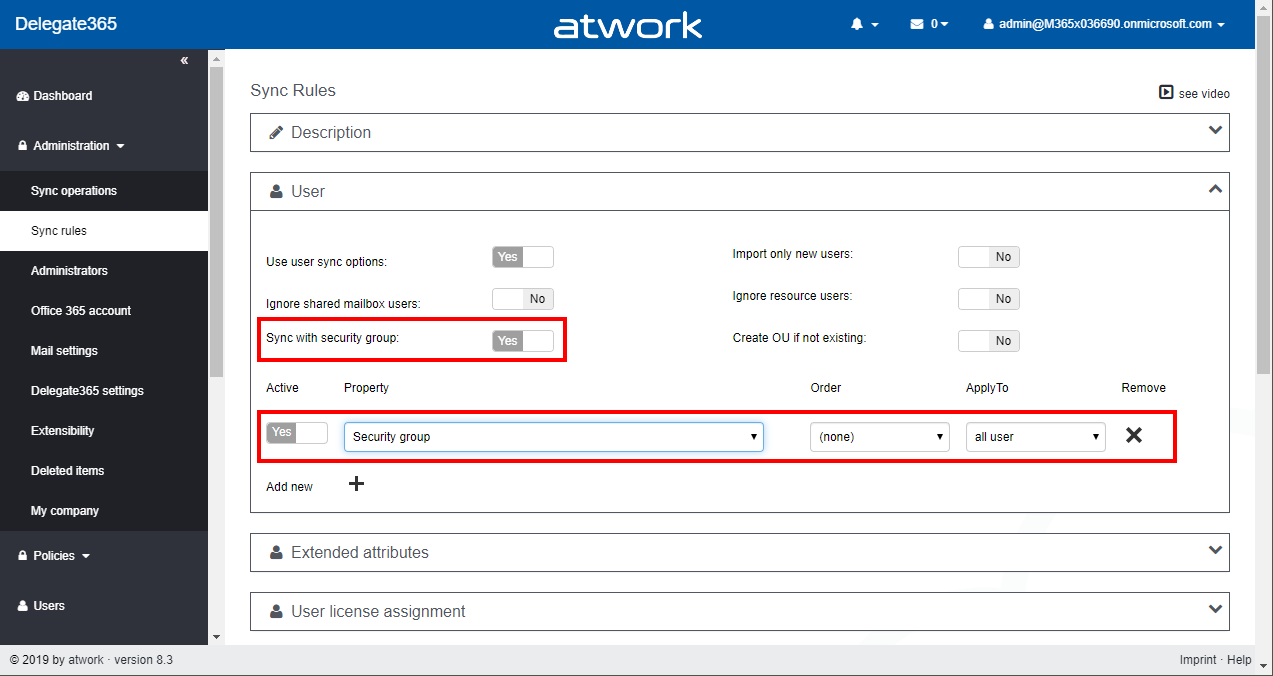
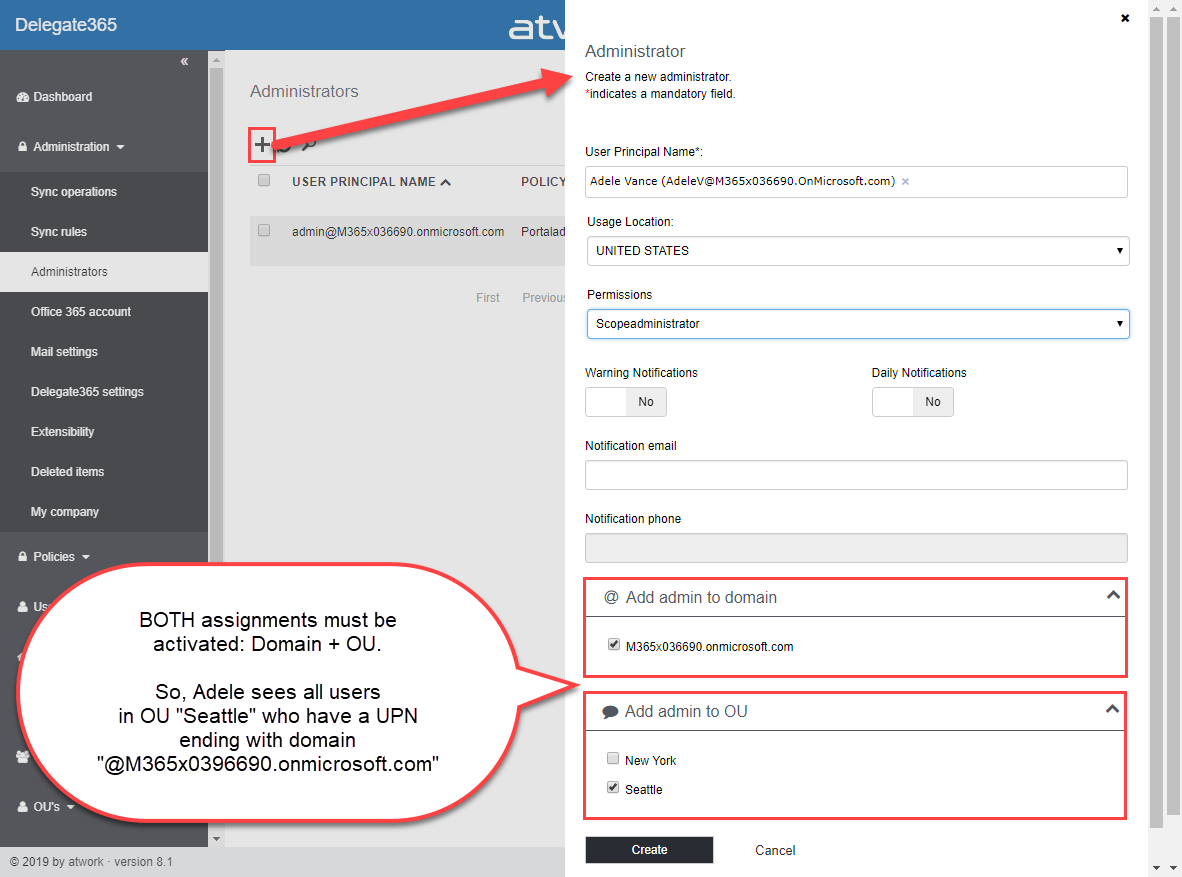
With Delegate365 v8.3 there comes a new feature in the Sync Rules: Sync with security group allows to automatically remove users from an OU. See how this works here. This is a feature request brought to us by Delegate365 customers: When a user is removed from a security group, he or she should also automatically be removed from the corresponding OU, if the User sync rules are set to “Security group”. So here´s a description of that feature with a sample (improved Delegate365 Admins can have a look at step1 and then continue with step 7)… ...

April 23, 2019 · 3 min · Toni Pohl
Delegate365 changelog version 8.3-Bulk assign licenses

Delegate365 changelog version 8.3-Bulk assign licenses

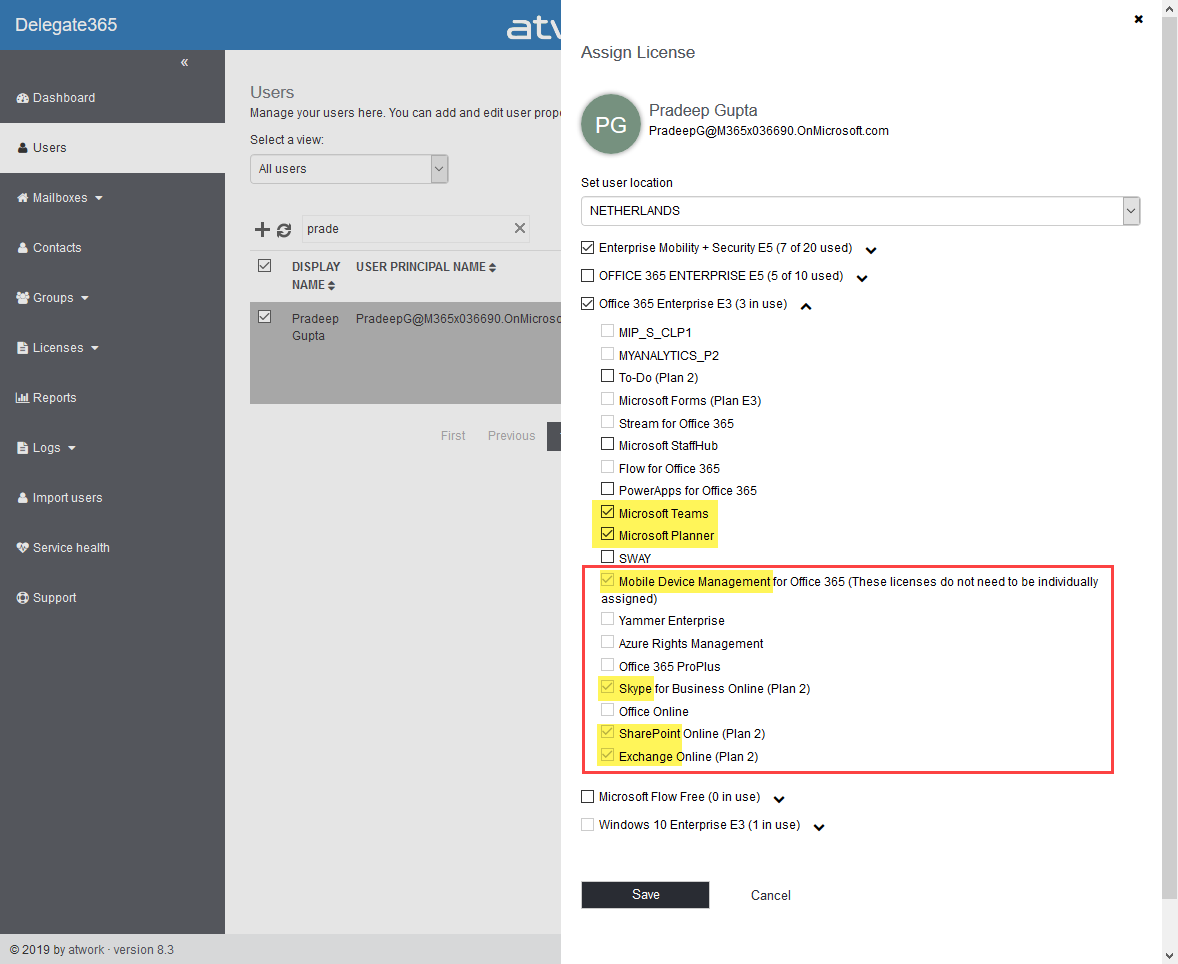
Delegate365 allows to modify licenses in many ways, manually, automatically and with bulk-assignments. With version 8.3, the license policies will be considered for bulk assignments as well. See a description of that functionality here. The Delegate365 permission and license policies control what modules and what licenses a scope administrator sees. An administrator can be assigned to one permission policy and to one license policy. While many organizations are using the Delegate365 sync rules, scope admins can manually assign entitled licenses and plans. The menu Licenses / Bulk assign licenses allows to accomplish such an operation for multiple users and takes the unauthorized licenses into account with this update. ...

April 12, 2019 · 3 min · Martina Grom
Delegate365 changelog version 8.2

Delegate365 changelog version 8.2

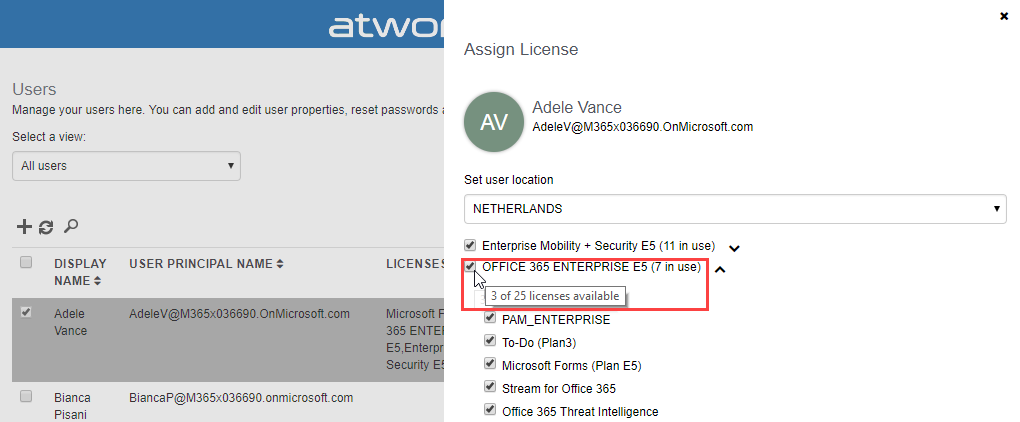
After the major update that came with Delegate365 v8.1, v8.2 brings various improvements and fixes to optimize daily tasks in Delegate365. See the details here. Run a setup: Admins need to run the Delegate365 setup after the upgrade process from v8.1 to v8.2. See the How-To at (Re)run the setup. User license quick info: When hovering over a license checkbox in the user license panel, a new quick info informs about the license numbers that are available in the Office 365 tenant. This brings more transparency for admins to see if a license might be inactive because all licenses are assigned. In this sample above, there are 25 E5 licenses available, and only 3 licenses are left (which means that 22 licenses are already assigned to users). In that OU, there are 7 E5 licenses used, and there is no quota defined. ...

March 10, 2019 · 4 min · Toni Pohl
Troubleshooting Delegate365-Login

Troubleshooting Delegate365-Login

Sometimes support cases are opened because users cannot login to Delegate365 with their Office 365 account. In most cases, the browser cache automatically signs-in a user with wrong credentials. Please follow these simple steps to see how to achieve a successful login to the Delegate365 portal in such scenarios. 1. Use a browser in Private mode The most common stumbling block is that web browser log in users automatically. Also, often users are working with multiple accounts. Thus, there is a high probability that an incorrect sign-in will occur when opening the Delegate365 portal. ...

February 21, 2019 · 4 min · Toni Pohl
Troubleshooting Delegate365

Troubleshooting Delegate365

Delegate365 is a user-friendly tool to enable delegated management of users, licenses, and groups. This means that only objects assigned to a scope administrator are displayed in Delegate365. So, sometimes, we get questions as “I can’t see my users/shared mailbox or similar”. Here’s why and how to solve such issues. Why does Delegate365 not show users? Well, that’s the idea of the tool. Delegate365 shows only objects to which I am entitled to see and to manage. ...

February 13, 2019 · 7 min · Toni Pohl
Delegate365-Working with Audit Logs and Power-BI

Delegate365-Working with Audit Logs and Power-BI

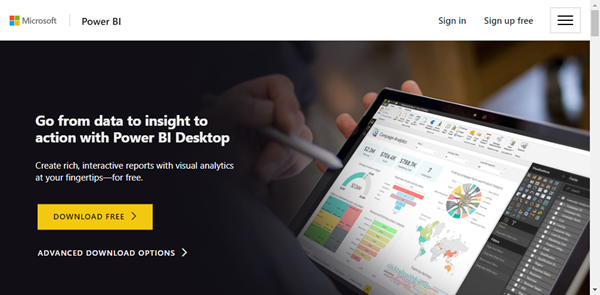
Delegate365 protocols operations in it’s audit logs. This log space can be accessed from entitled users and it’s simple to create a custom Power BI dashboard for your Delegate365 data. See how this works here step-by-step. Tip: The article Delegate365-Working with Audit Logs covers the methods for accessing the data and working with the audit logs as well. This article informs how to connect to your Delegate365 with Microsoft Power BI step-by-step and how create your custom dashboard. You need to have a Power BI license, see details at Power BI Pricing. ...

January 8, 2019 · 4 min · Toni Pohl

Delegate365 PowerShell

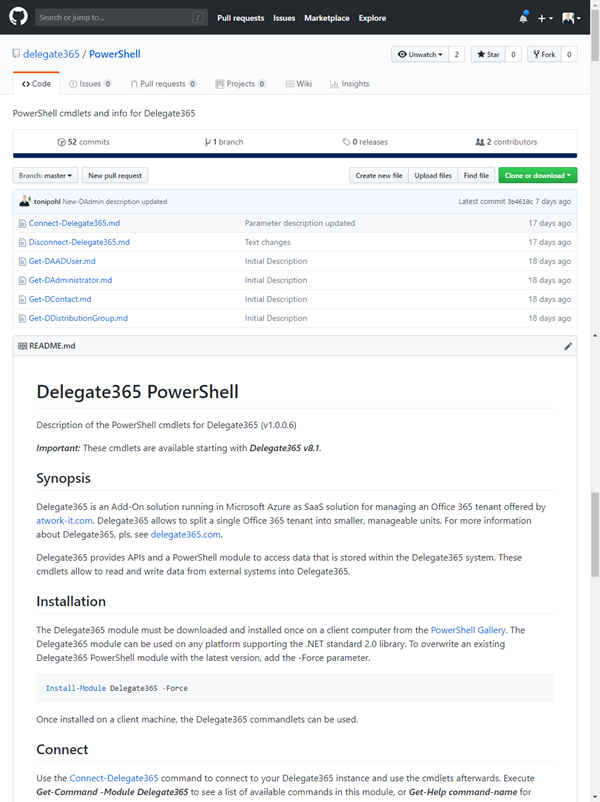
As announced in Delegate365 changelog version 8.1-Many new features, this version brings PowerShell support for administrators. All Delegate365 admins can use the PowerShell module if the access is granted by Portal Admins. See the How-To here. Note that for using the Delegate365 PowerShell module, Delegate365 version 8.1 (or higher) is required. The version number can be found in the status line at the end of the page in the Delegate365 portal, see the screenshot below. ...

November 7, 2018 · 5 min · Toni Pohl

Delegate365 regions

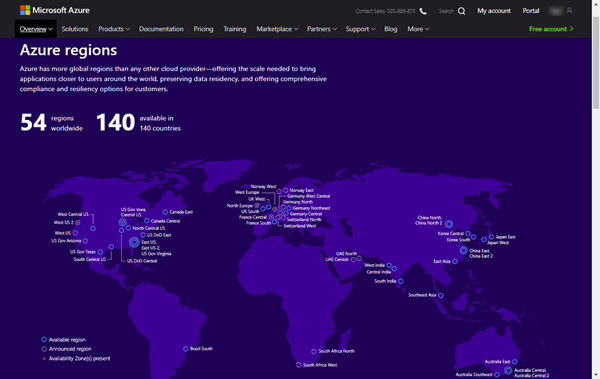
Delegate365 runs completely in Microsoft Azure, in a region of the customer’s choice. So, for US-based companies, Delegate365 is hosted within the United States of America, for EU-based customers, Delegate365 is hosted within the European Union, etc. Since we sometimes get questions about the location of the Delegate365 solution, we want to inform about the hosting options here. Delegate365 as a service Delegate365 is developed and operated by atwork and runs as Software-as-a-Service (SaaS). Customers can test and use Delegate365 instantly without any installation out-of-the-box and updates to the Delegate365 tenant are done automatically. Delegate365 runs completely in Microsoft Azure without customers having to maintain the solution in any way. The customer’s data never leave the desired region, except the customer exports his data intentionally. The hosting costs are included in the Delegate365 price. Thus, Delegate365 is delivered as a carefree package to be used instantly. ...

November 1, 2018 · 4 min · Toni Pohl
Delegate365 changelog version 8.1-Many new features

Delegate365 changelog version 8.1-Many new features

These days, the next major Delegate365 version 8.1 is released. In that new version, there are a lot of new and improved features available for all Delegate365 customers. The menu has been restructured, permission policies allow to define granular rights and license policies simplify the set of licenses for Scope Admins. Furthermore, there are a bunch of useful improvements and the Delegate365 PowerShell module is available. See the details here. Run a setup: Admins need to run the Delegate365 setup after the upgrade process, see the How-To at (Re)run the setup. ...

October 22, 2018 · 4 min · Toni Pohl
Delegate365 changelog version 8.1-New License Policies

Delegate365 changelog version 8.1-New License Policies

With Delegate365 version 8.1 and the new permission policies, there come the new license policies as well. In previous versions of Delegate365, Admins could restrict the Office 365 licenses and plans for each Scope Admin. Now, the license set is replaced by a license policy that can be assigned to multiple administrators. See here, how this works. Note: The license policies work analogously to the permission policies: Define once, use for multiple admins. To make it short and comprehensible, see the old and the new Delegate365 license policies at a glance here. ...

October 10, 2018 · 4 min · Toni Pohl