Delegate365 changelog version 8.1-New permission policies

Delegate365 changelog version 8.1-New permission policies

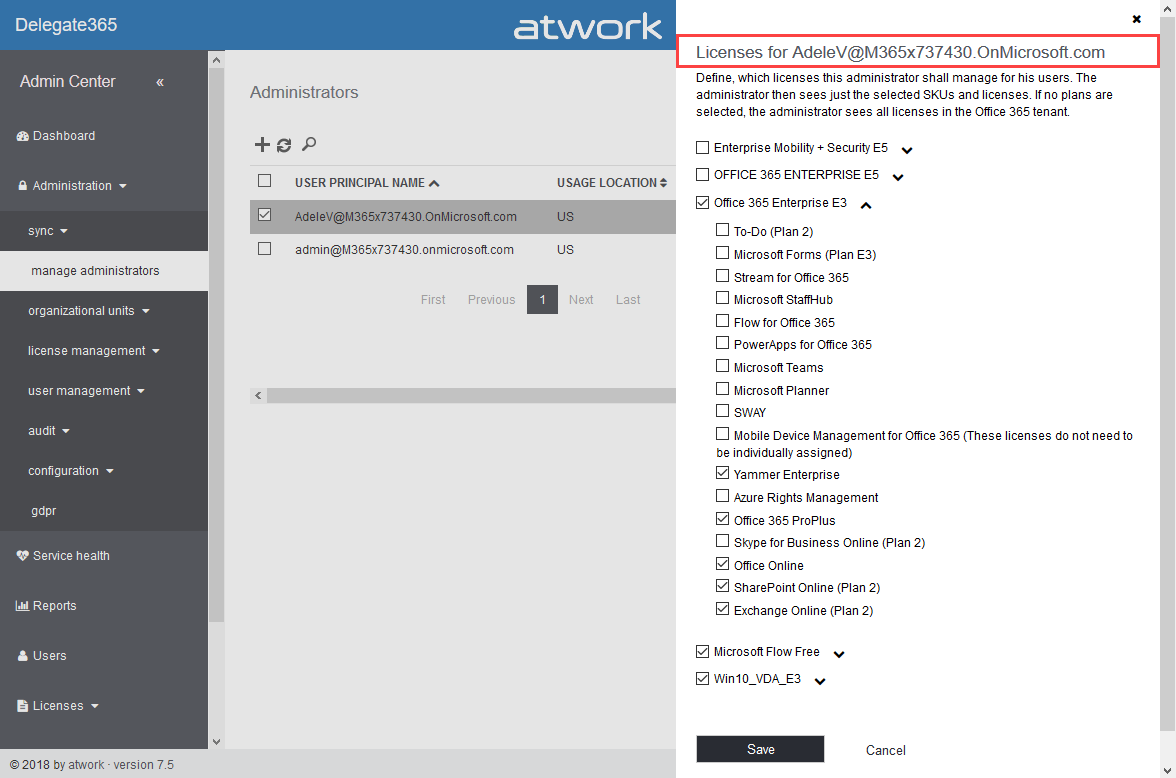
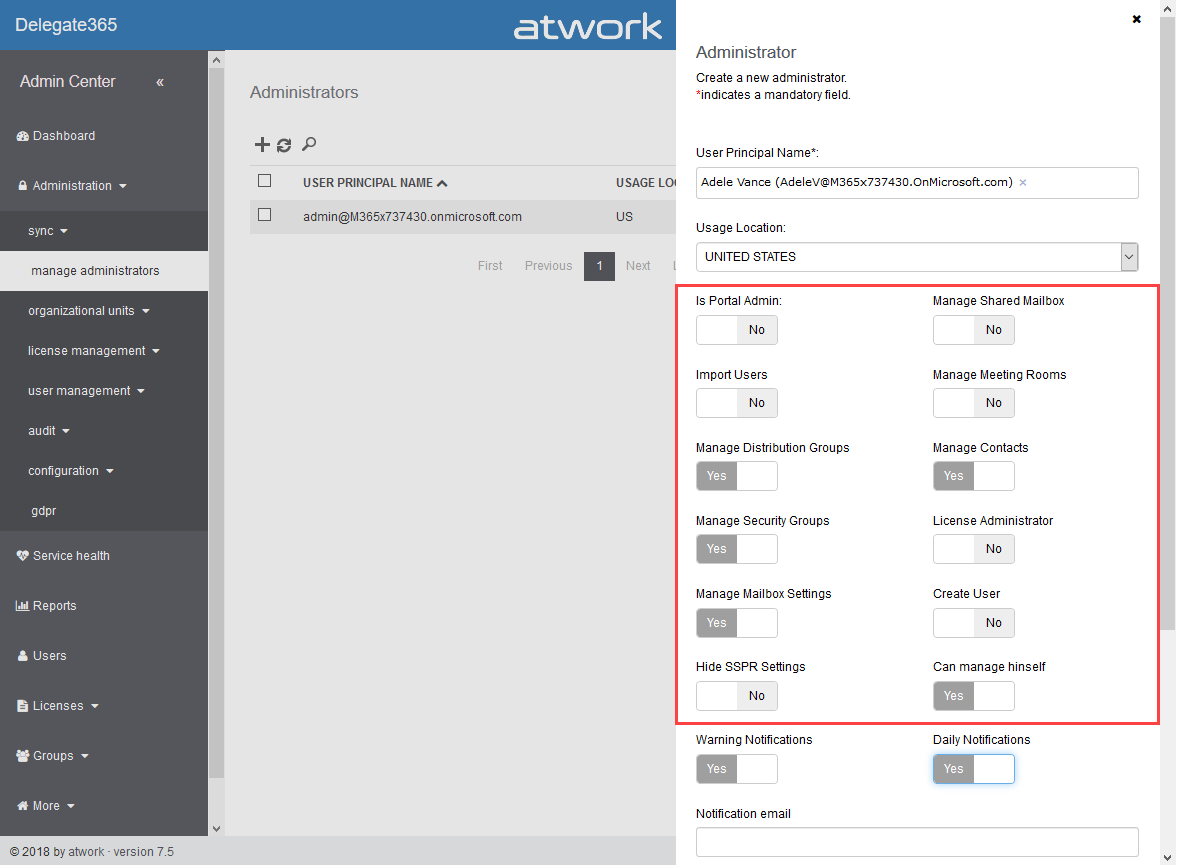
When we started with Delegate365 five years ago, basic permissions were sufficient to control what features can be used by Scope Admins. Since Delegate365 evolved with more functionality and we received requests from our customers, it was time to renew the permission control to a more granular level. So, the existing permissions have been replaced with permission policies. With Delegate365 version 8.1, each Administrator gets a permission policy assigned that controls on a very granular level, what modules and features can be managed. The new menu structuring is part of that functionality. See how the permission policies work and how existing permissions are converted here. ...

October 9, 2018 · 6 min · Toni Pohl
Delegate365 changelog version 8.1-Menu restructuring

Delegate365 changelog version 8.1-Menu restructuring

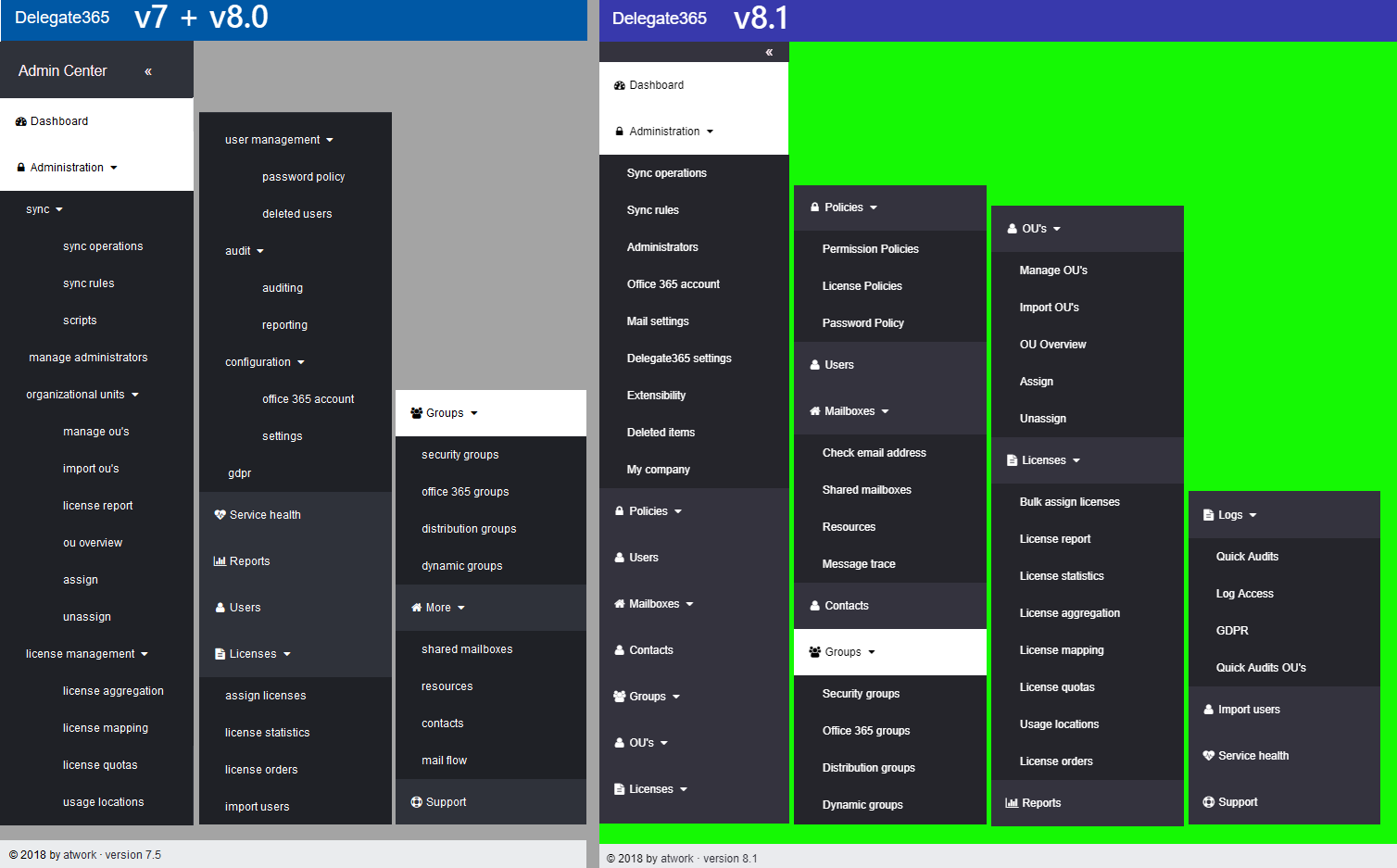
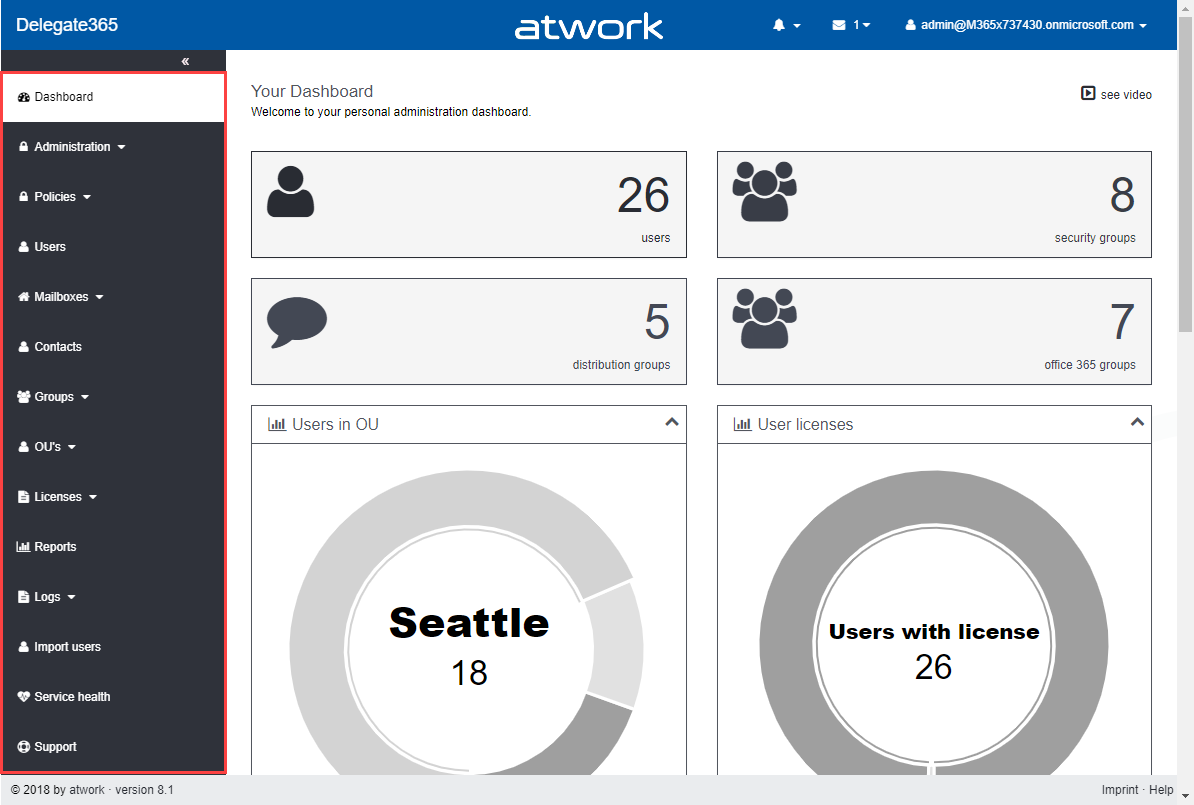
With Delegate365 version 8.1 there comes a new menu structure. The new menu groups the functions more logically and allows granular control with new permission policies. The new policies are are described in a separate article. See the menu differences before and after in this overview. Now, each topic is a group to make it easier for admins to find related features. There are only two instead of three menu levels. Enlarge the following graphics to see all menus and their new position. The left side (gray) shows the full menu of Delegate365 version 7.x and 8.0, the right side (green) shows the new menu Delegate365 version 8.1. ...

October 8, 2018 · 1 min · Toni Pohl
Delegate365 changelog version 8.0-Group OUs

Delegate365 changelog version 8.0-Group OUs

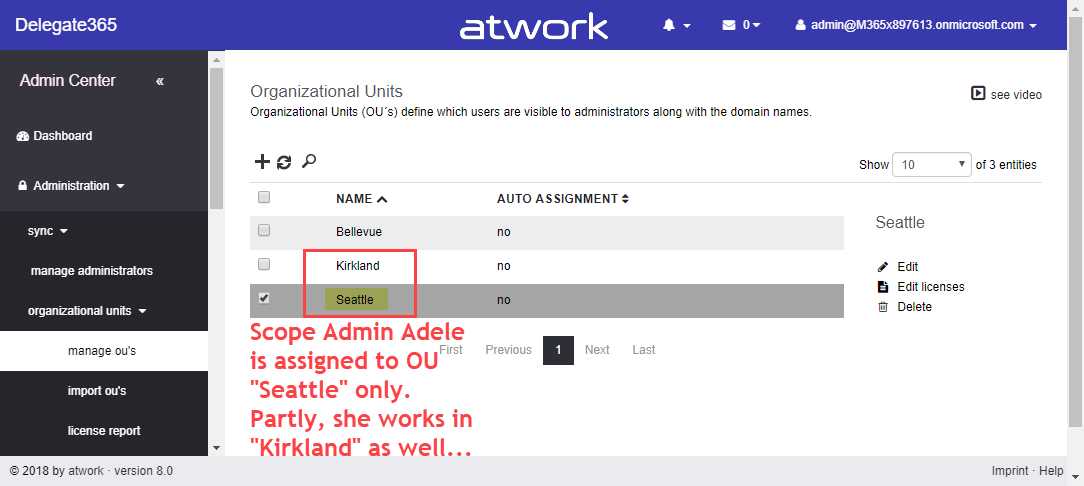
With Delegate365 version 8.0, besides many other features, a brand new feature has been added to Delegate365: Group OU’s. In short, a Group OU can be used by Scope Admins for using members of another OU they do not manage themselves. See how this works here. In Delegate365, Scope Admins can manage all objects of their assigned OU’s. But, they could not assign other users they don’t manage to any group. This is where Group OU’s come in. To illustrate this new feature, let’s have a look at this sample. ...

July 25, 2018 · 4 min · Toni Pohl
Delegate365 changelog version 8.0-A new major release

Delegate365 changelog version 8.0-A new major release

Delegate365 version 8.0 is a major release with a bunch of new features and updates. This Delegate365 version brings support for a new partner login, improvements in the setup process after updates, integration of Azure Event Grid, new user profile features, new Group OU’s, a new check email address module, some bugfixes, new security features and some more features. See the details here. The last update of Delegate365 version 7.5 took place in April. We have been busy developing and testing Delegate365 since then. Now is the time to launch the new Delegate365 version 8 and the new features. Let’s start with the new setup. ...

July 24, 2018 · 9 min · Toni Pohl
Delegate365 changelog version 7.5-SignIn-Activities and GDPR module

Delegate365 changelog version 7.5-SignIn-Activities and GDPR module

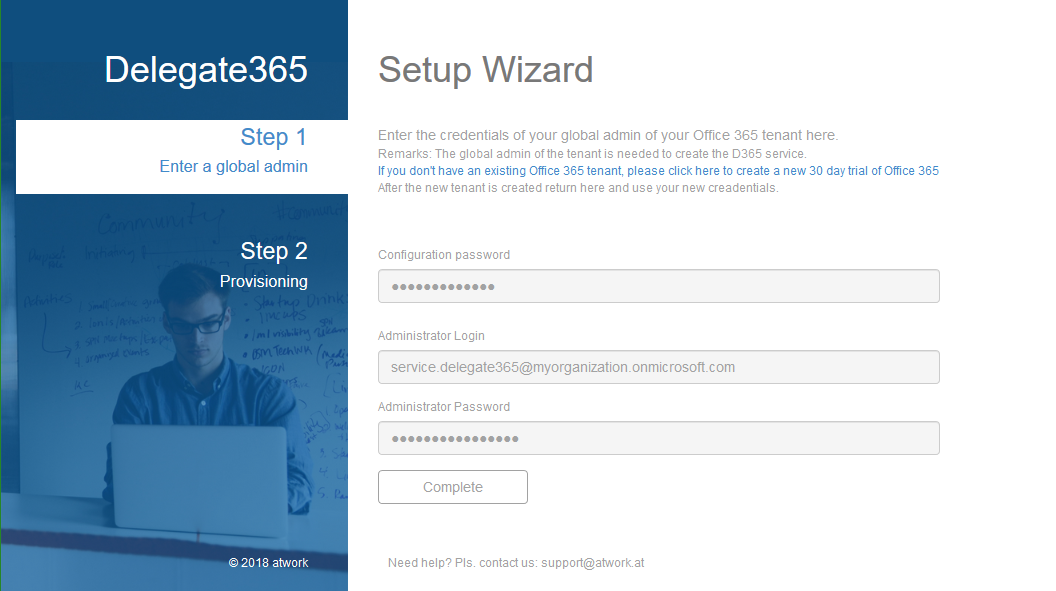
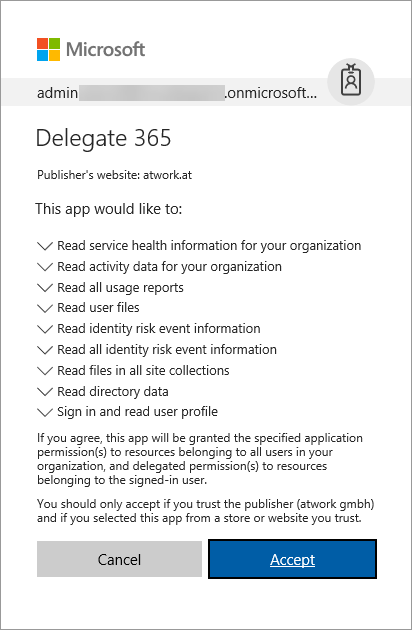
The previous versions of Delegate365 brought major updates with the new reporting engine and over 80 reports. With Delegate365 version 7.5 there are more improvements coming as litigation hold for Shared Mailboxes, more reports and a new GDPR module. See the details here. Important: If your current Delegate365 version was 7.3, you need to run a new Delegate365 setup once. Please see Delegate365-(Re)run the setup for a step-by-step manual. This step is necessary after the update to Delegate365 v7.5 was done. This step is NOT necessary if you have already been on Delegate365 version 7.4. You need to have a Global Administrator without MFA enabled to run the setup and to accept the new Delegate365 consent: So, after the setup, login with the Global Administrator and accept the new consent for all users in your tenant - otherwise no one can sign-in and use the Delegate365 app. ...

April 27, 2018 · 6 min · Toni Pohl
Delegate365 reports at a glance

Delegate365 reports at a glance

Recently, Delegate365 got a new reporting engine with version 7.3 and more reports have been added with version 7.4 and version 7.5. In total, there are now 87 reports available (and likely more are about to come in the following versions). To keep up with the latest reports, we want to deliver an overview of all available reports at a glance here. Start The reports menu reveals the Delegate365 reports list. The reports are available for all users in Delegate365, for Scope Admins and for Portal Admins. Scope Admins see just data of their entitled OU’s in all their reports. Portal Admins get additional reports marked with a star* and a comment (* Portal Admin), that deliver reports and statistics about the Office 365 tenant and services without any OU filters. The screenshot below shows the reports list, grouped into nine categories. ...

April 12, 2018 · 3 min · Toni Pohl
Delegate365 changelog version 7.4-additional reports with risk events and Microsoft Teams, OneDrive shared with and groups as members

Delegate365 changelog version 7.4-additional reports with risk events and Microsoft Teams, OneDrive shared with and groups as members

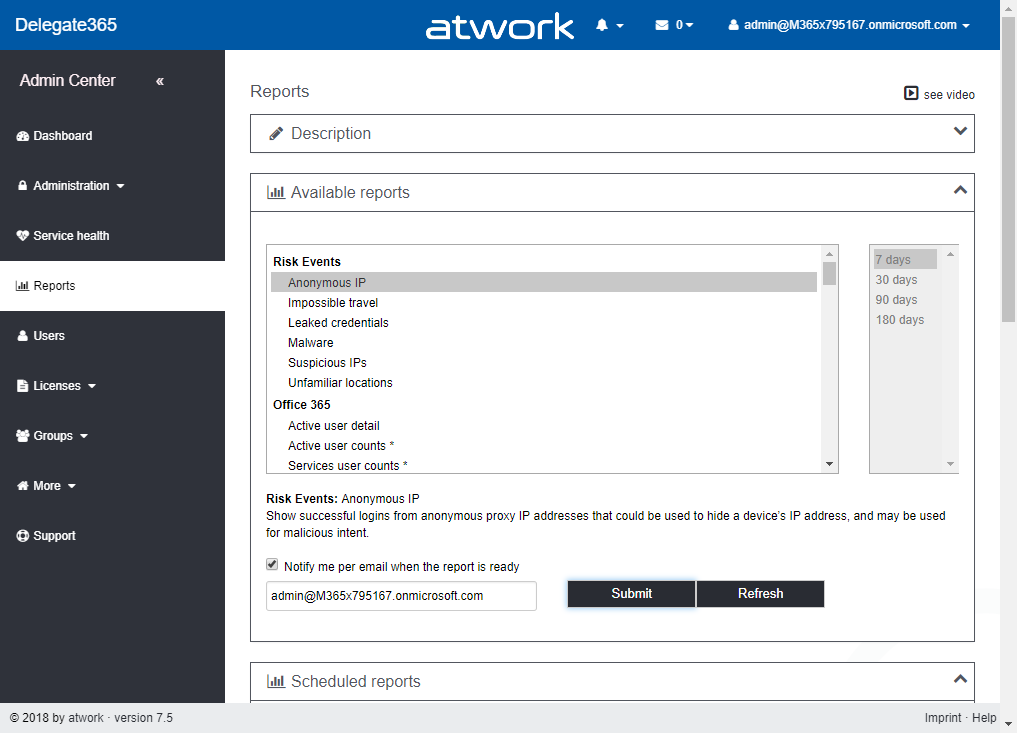
With Delegate365 version 7.3 a new reporting engine was introduced. With this update, additional reports are available in Delegate365 version 7.4. The new reports deliver a new report category with risk events, as for example impossible travel risk events or suspicious IP risk events, new Microsoft Teams statistics reports and more. Also, OneDrive usage per user and Shared-With information is now available as a report. Mail Enabled Security Groups can now be assigned with permissions in Resources (rooms and equipment mailboxes) and Shared Mailboxes. See the details and descriptions of all reports here. ...

February 15, 2018 · 7 min · Toni Pohl
Delegate365 changelog version 7.3-new reports

Delegate365 changelog version 7.3-new reports

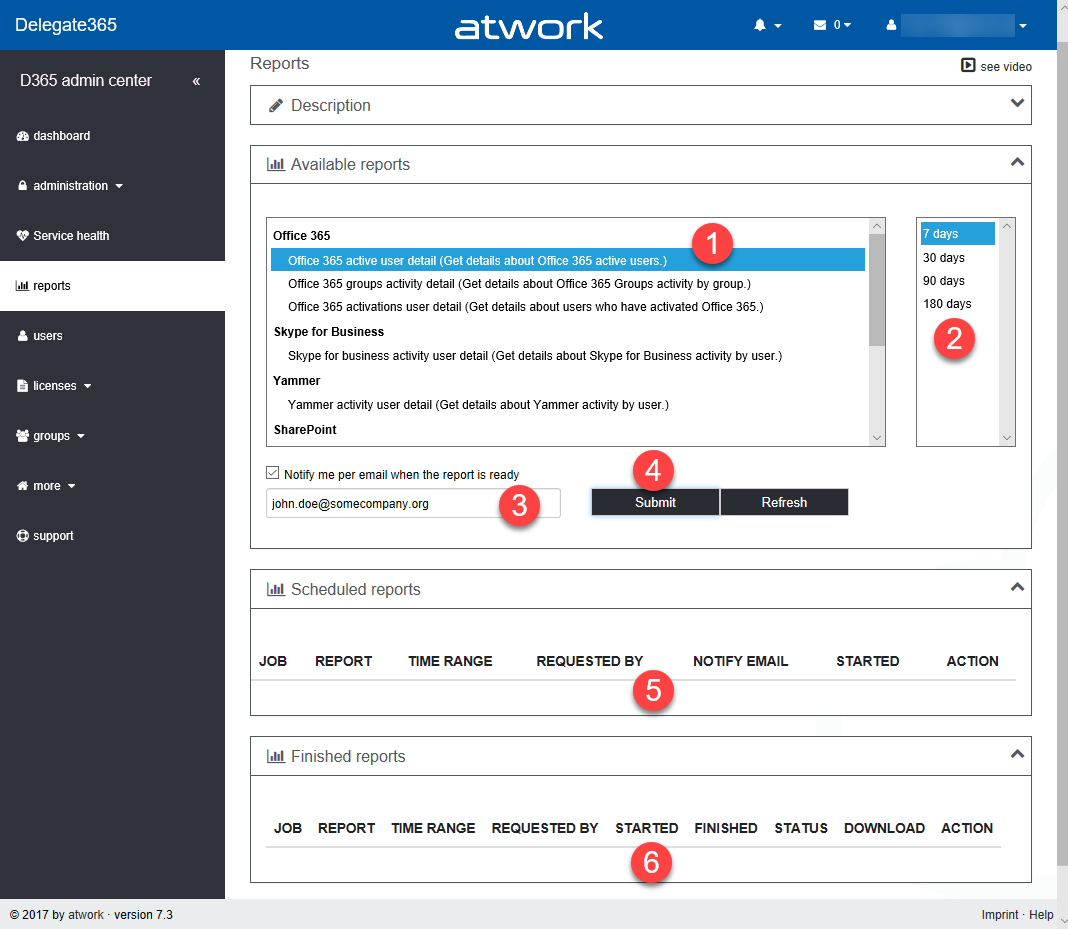
The newest version 7.3 of Delegate365 provides a complete new reports module that replaces the old reports section. See the benefits and the details of the new Delegate365 reporting engine and how to use it for all your Delegate365 admins with just their entitled data. Learn about the details here. New reports menu: The old reports menu was replaced by the new module. Now, there are four boxes with a description, the available reports, scheduled reports and finished reports. All Delegate365 Admins can now select from new reports (1 and 2), activate a notification when finished (3) and start a report job with the Submit button (4). This creates a task in the schedules reports list (5). A job picks that task and executes it after a couple of minutes. When the report has been created, a notification can be sent to the report owner and the report shows up in the finished reports list (6). Refresh updates the reports boxes (5 and 6) with the current status if needed. ...

February 12, 2018 · 6 min · Toni Pohl
Delegate365 changelog version 7.2-additional sync rules and more

Delegate365 changelog version 7.2-additional sync rules and more

With Delegate version 7.2 there come some new and useful features especially in the sync rules. See the details described here. Sync Rules: Groups OU-assignment by new name rules: All group rules now offer additional options in the Property dropdown allowing to assign a group to an OU by its name. To get the OU name out of the group name, the OU name must be the prefix of a name and a predefined separator must be used. The options include the following separators: [space] , [underscore] , [hyphen] –, [point] ., and [slash] /. To clarify the mechanism, the options show a sample. So, if a group Display Name is set to “New York_Group”, the sync rule strips down by the separator “” and uses “New York” as OU name and “Group” as group name. So, group “Group” is automatically assigned to OU “New York”. Take care when using a normal space character as separator: Then, the OU name can only be one word, for example: “New York Group” would result in an OU “New” and the group name is “York Group”. As workaround, the OU-name could be named with a hyphen “New-York” or similar. That’s the purpose, to use a Display Name for automatic OU-assignment instead of object properties. Now, admins can use this feature additionally if needed for the following objects: Distribution Groups, Office 365 Groups, Contacts, Resources, Shared Mailboxes and Security Groups as marked red in the following screenshot. ...

January 31, 2018 · 6 min · Toni Pohl
Delegate365 changelog version 7.1-Fixes, User Interface improvements, Sync Lock, MFA and more

Delegate365 changelog version 7.1-Fixes, User Interface improvements, Sync Lock, MFA and more

Right after Delegate365 version 7, we are releasing version 7.1 with some relevant updates. This version brings some fixes, an improved SyncOp, Sync Locking, First Start-support, a new Multi Factor Authentication automation feature, a streamlines sync rules experience, more videos and some updates. See the benefits and the details here. Dashboard-First Steps: To inform Admins if the basic Delegate365 configuration is missing, the dashboard now shows a First Steps box if necessary. This essentially helps new Delegate365 admins to show the required steps to configure Delegate365. Tasks that are already accomplished are marked with a green OK icon, open tasks are shown with an orange warning icon. So, this feature basically checks if they SyncOp has been executed to update the Delegate365 cache at least once, if at least one OU is existing, if at least one administrator has been assigned to one OU and one domain and if there are users assigned to any OU (so that there are users visible in Delegate365). The admin can click on the task to open the corresponding page to configure the desired properties. The following screenshot shows an example with three accomplished tasks and one open task. Once all requirements are satisfied, the First Steps box will no longer be visible (or show up again, if any requirement is missing). There is no manual method for switching the First Steps box on or off, it appears automatically to support the admin. Independently, Delegate365 checks if the connections to Azure Active Directory and Office 365 are valid as well. We think, this new feature makes sense in existing Delegate365 tenants and particularly in new ones. ...

December 4, 2017 · 7 min · Toni Pohl