Get the new Azure architecture icons v3

Get the new Azure architecture icons v3

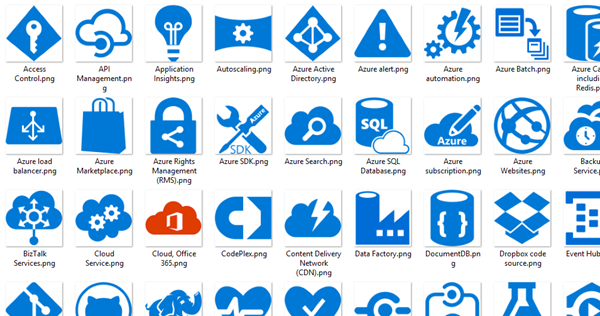
Cloud architecture diagrams need to look good. Get the new Azure architecture icons v3 here! Open docs.microsoft.com/en-us/azure/architecture/icons, agree to the terms and download the file Azure_Public_Service_Icons_V3.zip. Check out the pretty new Azure icons for your cloud diagrams!
November 30, 2020 · 1 min · Toni Pohl
Use SharePoint view column formatting for displaying pictures and conditional formatting

Use SharePoint view column formatting for displaying pictures and conditional formatting

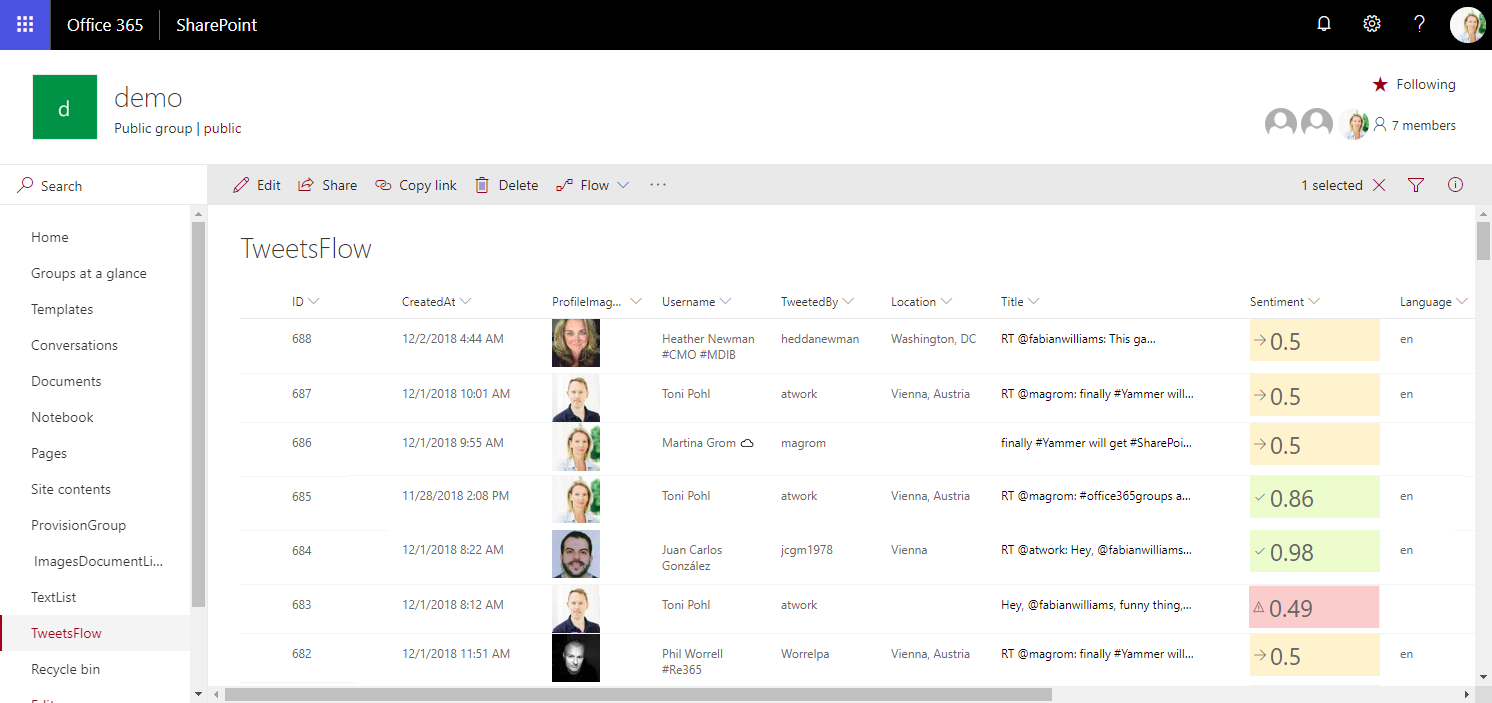
Today I want to share just a quick tip for custom formatting views in SharePoint lists. My goal was to show a picture of a text field that contains an URL and to use conditional formatting with a traffic light system to visualize the sentiment of tweets that are written to a SharePoint Online custom list from a Flow. See the formatting options here. The articles Use column formatting to customize SharePoint and Use view formatting to customize SharePoint basically explain how to work with the JSON object that describes the elements that are displayed, which is a good start. So, the ready formatted list shall look as here. Some fields in that list are rendered with custom formatting, you will spot them easily… ...

December 4, 2018 · 4 min · Toni Pohl
How to brand a SharePoint Online Site with CSS

How to brand a SharePoint Online Site with CSS

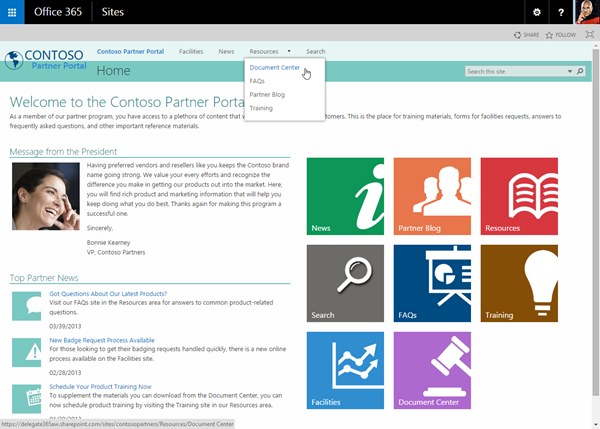
Do you want to change the design of your SharePoint site easily? This is just a quick introduction how to customize a SharePoint 2013 Site (SP on premises or Office 365) with custom CSS. With custom branding you can completely change the design of a SharePoint site, like in this sample of a Contoso SPO site. The steps to accomplish custom branding with CSS are: You need to be a site administrator (to activate the features and have full access to the site) The default site settings show not many options for *Look and Feel. *My demo site starts with the URL https://[tenant].sharepoint.com/sites/design1 so the URL for the Site Settings is similar like here: https://[tenant].sharepoint.com/sites/design1/_layouts/15/start.aspx#/_layouts/15/settings.aspx So first open Site Collection Administration / Site collection features. The page Site Settings : Site Collection Features follows, the URL goes like here: https://[tenant]sharepoint.com/sites/design1/_layouts/15/start.aspx#/_layouts/15/ManageFeatures.aspx?Scope=Site Active the SharePoint Server Publishing Infrastructure feature: This usually can take some minutes… When this is done the feature looks like here: No go back to Site Settings and open *Site Actions / Manage site features. (Alternatively you can simply delete the ?Scope=Site parameter from the Site Collection feature URL) 6. Now active the SharePoint Server Publishing feature in the Site: After the activation the feature looks like here: 7. When going back to the Site Settings the result is that the Look and Feel group includes more options. 8. We are almost done. Now it´s possible to open the *Master page *settings. https://[tenant].sharepoint.com/sites/design1/_layouts/15/ChangeSiteMasterPage.aspx In here the Master Page for this site can be selected. The important part is the *Alternate CSS URL *below. 9. When opening the Alternate CSS URL group you can specify your own customized CSS file. 10. When clicking Browse you can upload your own CSS file and then select it (as shown above). In this sample the path to the CSS file goes like /sites/design1/Style Library/mystyle.css ...

February 18, 2015 · 2 min · Toni Pohl
Meine Erfahrungen mit dem Microsoft Band

Meine Erfahrungen mit dem Microsoft Band

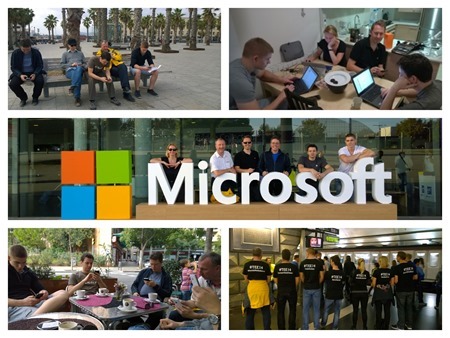
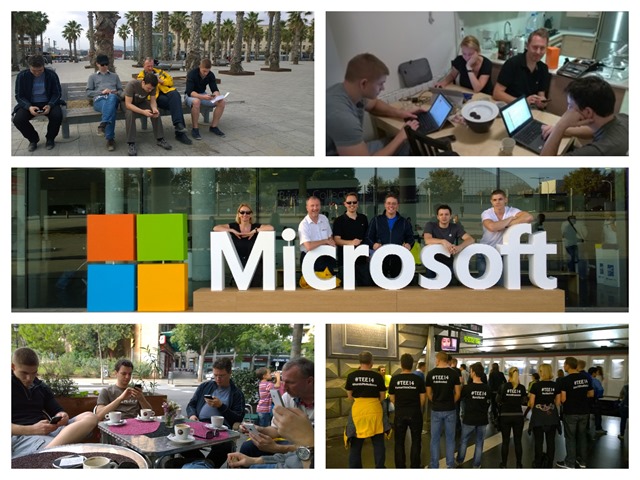
Obwohl es das Microsoft Band derzeit nur in den USA zu kaufen gibt (wenn es nicht gerade ausverkauft ist) und es bereits etliche Erfahrungsberichte rund um das Band gibt, möchte ich meine persönlichen Erfahrungen mit dem Microsoft Band schildern und ein paar Tipps geben. Wie alles begann Begonnen hat alles mit der TechEd Europe in Barcelona. Wie ja viele der TechNet Team Blog Leser wissen, hatten wir eine Nerd-WG in der Nähe der Konferenz. Gemeinsam mit meinen Lieblings-Nerds haben wir uns ein Appartement geteilt und hatten in der Woche TechEd neben tollen Konferenzinhalt auch jede Menge Spaß. Morgens, bevor es losging zur Konferenz saßen wir beim gemeinsamen Frühstück und informierten uns gegenseitig über die neuesten Technologieneuigkeiten. Das hat in etwa so ausgesehen: ...

January 2, 2015 · 12 min · Martina Grom
My experiences with the Microsoft Band

My experiences with the Microsoft Band

There are already many reviews about and around the Microsoft Band. I’ve mine now for about 6 weeks and I want to share my personal experiences and also some things I discovered so far. How it started Everything started with TechEd Europe in Barcelona. We shared an AirBnB apartment with some of my favorite Microsoft geeks and had a lot of fun during the week. Every morning, before the conference starts we had breakfast together and informed each other about the latest news in technology. It looked like that: ...

December 28, 2014 · 12 min · Martina Grom
Neue Azure Icons

Neue Azure Icons

Heute ein kleiner Tipp für Cloud-Enthusiasten (Developer und IT-Pros): Microsoft hat ein Paket mit Icons von Microsoft Azure (Technologien) zusammengestellt und bietet dieses zum kostenfreien Download an. Damit die eigenen Apps hübscher werden… Microsoft Azure, Cloud and Enterprise Symbol / Icon Set for Visio, PowerPoint, PNG Der Download besteht aus dem 4MB kleinen Paket CloudnEnterprise_Symbols_Public_v2.02.zip. Entpackt sind hier dann mehrere Verzeichnisse mit PNGs, PPT, Visio Stencils und einer PDF Kurzanleitung enthalten. ...

December 26, 2014 · 1 min · Toni Pohl
Designed by Developer ist out

Designed by Developer ist out

Heutzutage erwarten Anwender funktionelle und “schöne” Websites, Webforms und Tools. Auch wenn ein Entwickler eine App oder ein User-Interface mit “es funktioniert” als erledigt zur Seite legt… es gibt Hilfsmittel um ansprechende Webforms zu erstellen. Neben dem großen Angebot an professionellen Website-Templates gibt es im Web viele kostenfreie HTML-Templates wie etwa Free-CSS.com und viele mehr. Auch für das Design von Websiteobjekten wie Textboxes, Buttons, Texteffekte und Co. stehen im Netz Hilfsmittel bereit. ...

October 18, 2014 · 3 min · Toni Pohl
Developers, use enjoyCSS.com

Developers, use enjoyCSS.com

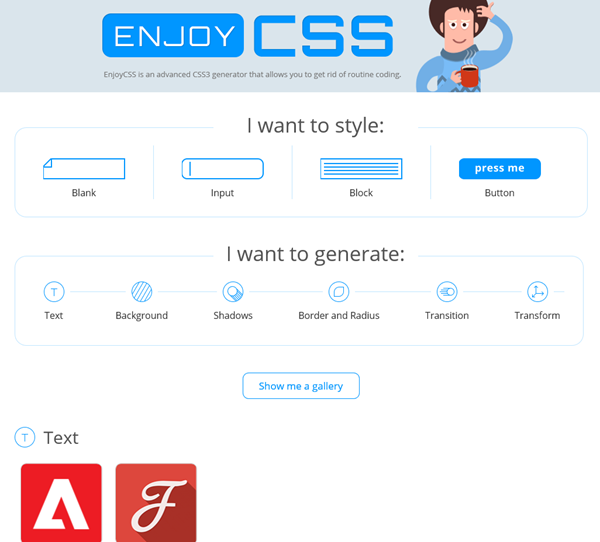
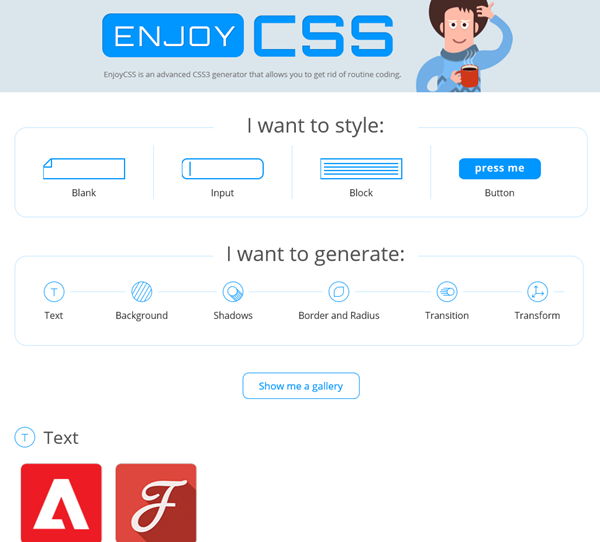
Designed by Developer is out. Today we expect good looking websites and webforms. Check out the enjoycss.com online CSS generator for cool (object) designs. With the generator it´s easy to create desired elements, like a nice looking textbox, button or similar objects made with CSS. The designing is easy, as you see in the following screenshot. “Get the code” generates the CSS class for the HTML object. The only thing to remember is to change the class name (because as far as I have seen they are all named .enjoy-css…). ...

October 4, 2014 · 2 min · Toni Pohl
The worst and the best company logos

The worst and the best company logos

Design matters. If you want to have a good laugh see the top 15 worst logos on businessinsider.com The 15 Worst Corporate Logo Fails like… …or …or …or …or …or …and the top 10 best cxompany logos redesigns here: The 10 Best Corporate Logo Changes Of 2013 Most of the redesigned logos are strongly simplified – and more clear - that´s my personal understanding of the current trend. ...

May 31, 2014 · 1 min · Toni Pohl
Project Siena Beta 2 ist da

Project Siena Beta 2 ist da

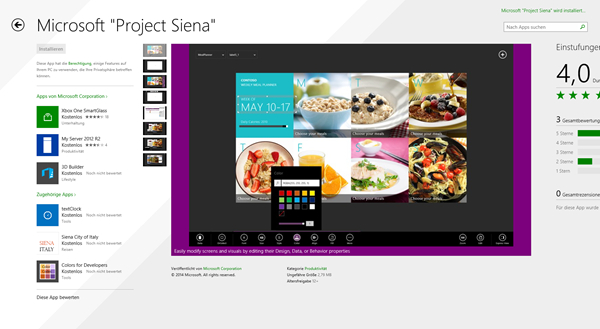
Seit kurzem ist Version 2 (Beta) von Project Siena verfügbar, schreibt S. Somasegar in seinem MSDN-Blog: Project Siena Beta 2: Enabling business users to create apps connected to enterprise services, web and social So schreibt der Corporate Vice President der Developer Division: “This major update changes the kind of impact that apps built with Siena can have within a business. Project Siena now enables business users to connect apps to powerful web services – from popular consumer services to enterprise SaaS to services created by IT.” ...

March 27, 2014 · 1 min · Toni Pohl