Project Makros mit Datumsfeldern in mehrsprachiger Umgebung - Macros with Date Fields in Multilanguage Environment

Deutsche Version Im Artikel Project: Formeln mit Datumsfeldern in mehrsprachiger Umgebung / Formulas with Date Fields in Multilanguage Environment habe ich beschrieben, wie man Fehler in Formeln mit potentiell leeren Datumsfeldern in einer mehrsprachigen Umgebung vermeidet. Potentiell leere Datumsfelder wie Geplantes Ende, Datum1, … werden abhängig von der Sprachversion als NV, NA, … dargestellt. Wenn in Formeln auf diesen Textwerte einer Sprache geprüft wird, führt das zu Fehlern bei Verwendung einer anderen Sprachversion von Project. Das gleiche gilt auch, wenn diese Felder mit VBA ausgewertet werden. In Code sehen Sie drei Beispielmakros: ...
September 27, 2019 · 3 min · Barbara Henhapl

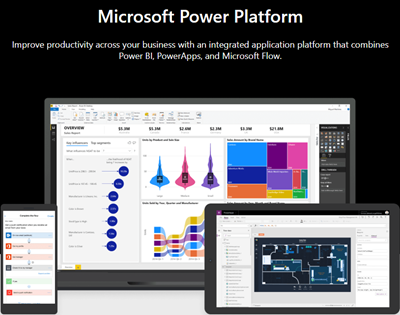
Use the PowerApps PowerShell modules to automate tasks with the Microsoft Power Platform

PowerShell helps automate processes, especially in the Microsoft 365 world. That´s true for the Microsoft Power Platform as well. See how to access PowerApps and Flow with PowerShell here. So, here´s a very quick introduction for using PowerShell with PowerApps and Flow. Find the full documentation at PowerApps cmdlets for administrators. Install the PowerShell modules Install the PowerApps (preview) module from the PowerShell Gallery once with the following PowerShell statements as Administrator on your machine: ...

September 22, 2019 · 2 min · Martina Grom
Azure Logic Apps Toolbox 1-Use the OData Filter for Azure SQL Databases

Azure Logic Apps Toolbox 1-Use the OData Filter for Azure SQL Databases

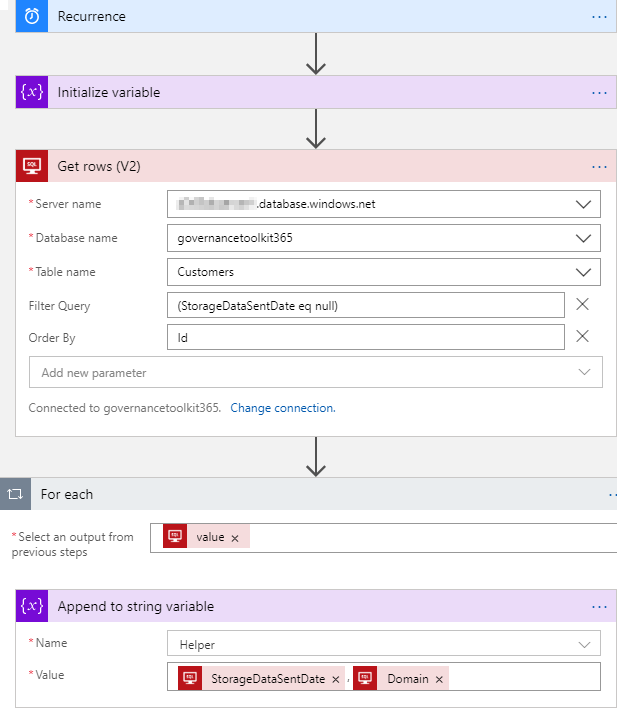
A very quick tip today: When using an Azure Logic App in combination with an Azure SQL Database, filtering rows can be done like here. As example: A T-SQL query as this one… SELECT - FROM [dbo].[Customers] WHERE [StorageDataSentDate] IS NULL ORDER BY [Id] …will be formulated as filter expression with an OData query as here. The definition for the Get_rows_(V2) action looks similar as here: … "Get_rows_(V2)": { "inputs": { "host": {"connection": {"name": "@parameters('$connections')['sql']['connectionId']"} }, "method": "get", "path": "/v2/datasets/@{encodeURIComponent(encodeURIComponent('[someserver].database.windows.net'))}, @{encodeURIComponent(encodeURIComponent('governancetoolkit365'))}/tables/ @{encodeURIComponent(encodeURIComponent('[dbo].[Customers]'))}/items", "queries": {"$filter": "(StorageDataSentDate eq null)", $orderby": "Id"} }, "runAfter": {"Initialize_variable": ["Succeeded"]}, "runtimeConfiguration": { "paginationPolicy": {"minimumItemCount": 5} }, "type": "ApiConnection" }, … Depending on the data size, remember to configure pagination. ...

September 19, 2019 · 1 min · Toni Pohl
How to copy table data between Azure SQL Databases

How to copy table data between Azure SQL Databases

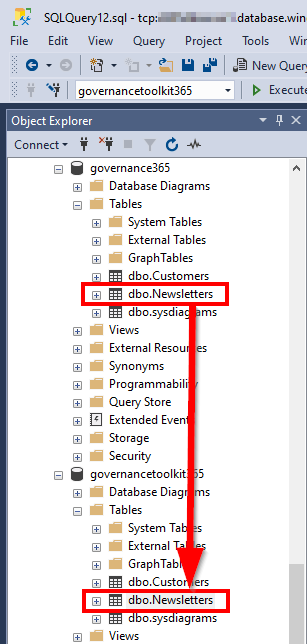
Working with Azure SQL Databases is handy. Just, how can I copy data from one Azure SQL database to another database? See the best practice here. I had such a use case. I needed to copy a table (all rows) from a source database to a destination database with SQL Management Studio. The table did not have much data, but extensive data with varchar(MAX) fields containing HTML and Base64 encoded images. So, a copy in the edit mode via clipboard did not work. ...

September 18, 2019 · 2 min · Toni Pohl
atwork sucht engagierte Software DeveloperInnen!

atwork sucht engagierte Software DeveloperInnen!

atwork ist Anbieter von modernen Business-to-Business IT-Lösungen auf der Basis von Webtechnologien. Wir sind ein agiles Team und entwickeln Lösungen in unserem Büro in Wien Döbling. Wir suchen Dich zur Unterstützung unserer Lösungs- und Produktentwicklung und bieten flexible Arbeitszeiten und ein spannendes Umfeld! Dein Job ist die Entwicklung von Apps und Services mit Microsoft .NET und aktuellen Webtechnologien. Abhängig von Deiner Projekterfahrung und nach Einarbeitung in unsere Lösungen trägst du Verantwortung für Projekte und übernimmst Aufgaben in der Spezifikation, Design und Implementierung. Du arbeitest gemeinsam mit unseren Kollegen und Kunden aktiv an der Weiterentwicklung der Lösungen. ...

September 9, 2019 · 2 min · Toni Pohl

Project Kalenderausnahmen exportieren Export Calendar Exceptions

Deutsch Häufig wird in Foren die Frage gestellt, wie Ausnahmen (Abwesenheiten oder abweichende Arbeitszeiten) exportiert werden können. Hier ist ein Makro bereitgestellt, das alle Kalenderausnahemn in eine Datei exportiert. Dabei werden alle Ausnahmen aller Projektkalender und aller Ressourcenkalender während der Projektlaufzeit berücksichtigt. Mit dem Setzen einer Konstanten zu beginn, können Sie definieren, ob nur arbeitsfreie Tage oder alle Ausnahmen exportiert werden sollen. In Makros implementieren / Implement Macros wird beschrieben, wie ein Makro in Project übernommen werden kann. Mehr Beispielmakros sind unter VBA zu finden. ...

August 22, 2019 · 6 min · Barbara Henhapl
Speed up your website with PurgeCSS

Speed up your website with PurgeCSS

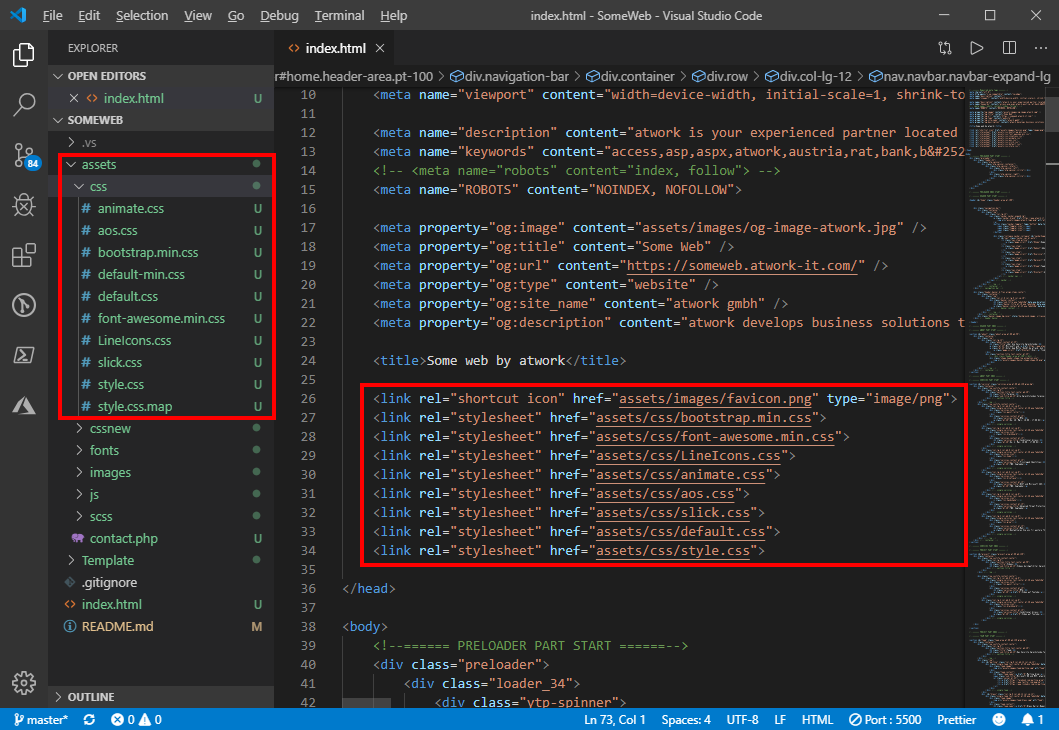
Modern websites and website templates use Cascading Style Sheets (CSS) intensively. To load websites faster, it makes sense to reduce these files to the essential content. You can do that with many tools. PurgeCSS is one of them. See the How To here. I wanted to optimize a small, static one-pager website. I used a HTML5 template with Bootstrap 4. Nothing very fancy, but simple and modern. All my tests ran against my localhost. ...

August 21, 2019 · 4 min · Toni Pohl
Instantly install your essential software with Chocolatey

Instantly install your essential software with Chocolatey

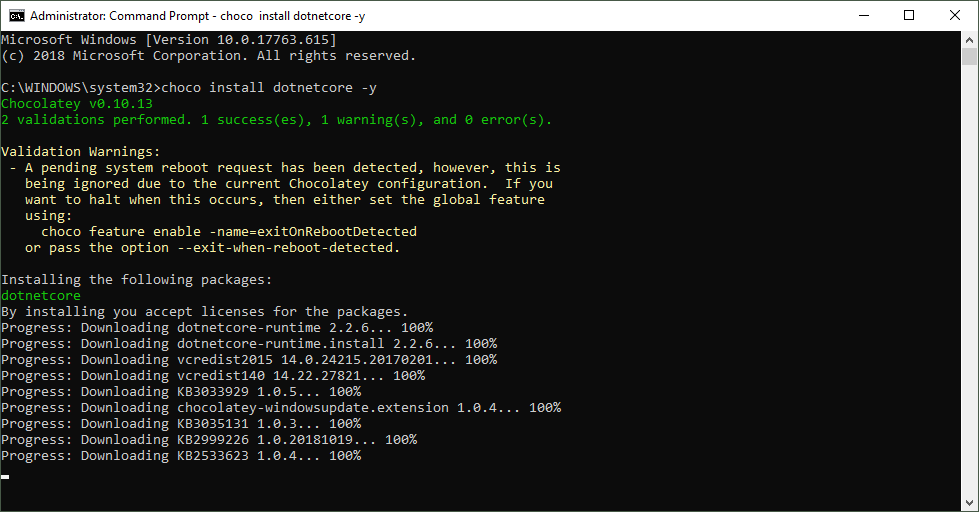
When installing a new computer, it takes some time to download and install the essential software. This is what Chocolatey is for. Chocolatey is a cost free package manager for Windows using NuGet infrastructure and PowerShell to quickly installing applications and tools that you need. I am using choco since a long time, now I wanted to show my current packaged software for my new computer. See the script here. About and Prerequisites Partly taken from About Chocolatey: Chocolatey CLI aka choco (or choco.exe) is a client that provides the core of Chocolatey and the installation store for locally installed packages. You need to have Windows 7+ or/ Windows Server 2003+ as Operating System and PowerShell v2+ (not PowerShell Core yet though) and the .NET Framework 4+ installed. Just to mention, the installation will attempt to install .NET 4.0 if you do not have it installed, see choco installation and Getting Started. Besides the client, there also exists a Chocolatey GUI and Chocolatey Agent (aka chocolatey-agent) for central administration. ...

August 2, 2019 · 3 min · Toni Pohl
Working with Microsoft Group Forms and Flow

Working with Microsoft Group Forms and Flow

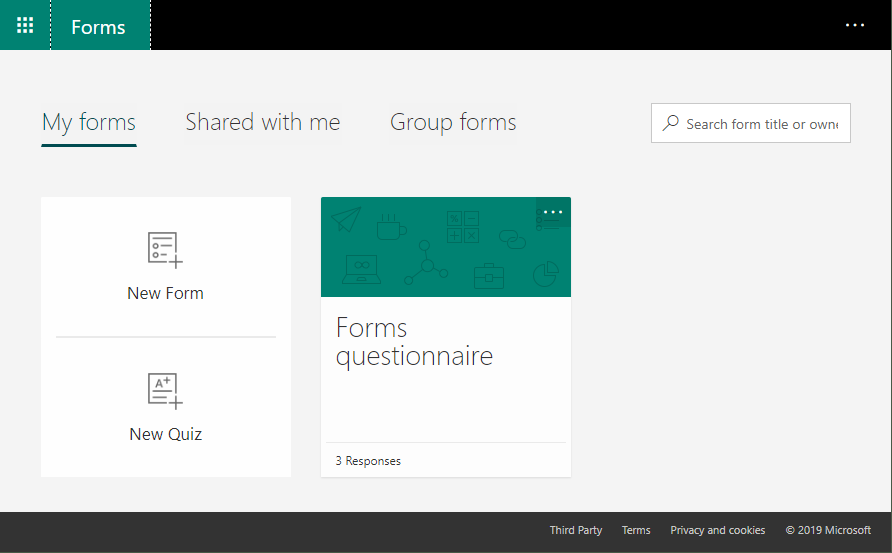
Microsoft Forms is very popular because it is a very easy way to create web forms quickly. You can create surveys, quizzes and simple forms, and easily see results as they come in. This quick tutorial shows how you can use Microsoft Forms, convert a from into a group form, how to access the result file and how to add additional tasks with Microsoft Flow or Azure Logic Apps. So, here we go. ...

July 13, 2019 · 5 min · Martina Grom
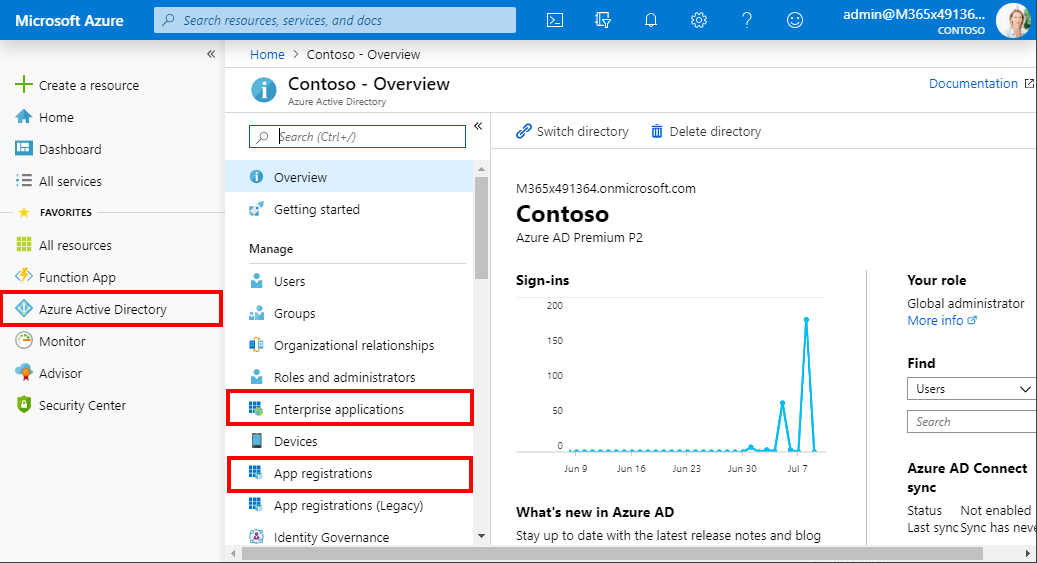
What is the difference in Azure AD between Enterprise applications and App registrations?

What is the difference in Azure AD between Enterprise applications and App registrations?

Azure Active Directory (Azure AD) acts as a central identity service and manages all apps in a tenant. When it comes to app management, Administrators often are confused why there are two (or currently three) application management modules existing in the Azure portal. Well, see the explanation here. An app can have many properties. The important part is, that Azure AD assigns an unique Application ID to an app and allows developers to add certain capabilities such as permissions, conditional access and more that is used by applications to access specific services. ...

July 10, 2019 · 4 min · Toni Pohl