Joining the Microsoft Graph Community Calls

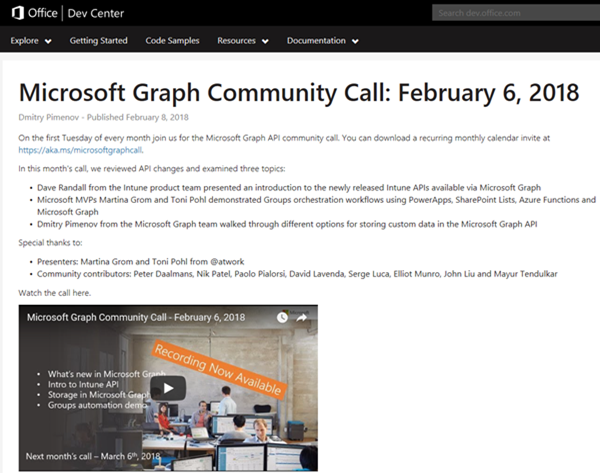
Microsoft Graph is the unified endpoint to programmatically access resources and services in Office 365 and Azure Active Directory. To inform the developer community with the latest news, the Microsoft Graph team organizes a monthly Microsoft Graph API community call. We, Toni and I, were happy to contribute a use case at the last call showing a scenario of an Office 365 Group orchestration workflow with PowerApps, SharePoint Lists, Azure Functions and Microsoft Graph. ...
February 10, 2018 · 2 min · Martina Grom

Download the free Azure Serverless Computing Cookbook

Serverless Computing is popular. With Microsoft Azure, IT people can concentrate on their tasks and apps without taking care of managing any server infrastructure. One of the key Platform-as-a-Service (PaaS) components from Microsoft is the new, extensive Azure Functions service. Learn how to use Azure Functions with the cost-free Azure Serverless Computing Cookbook! The “Azure Serverless Computing Cookbook” book was written by Praveen Kumar Sreeram and reviewed by our colleague Florian Klaffenbach, published by Packt Publishing Ltd. last fall. You can download the free ebook in the Azure Resource Center at Azure Serverless Computing Cookbook. ...

February 3, 2018 · 1 min · Martina Grom
How to restrict access and to connect to a single SQL Azure database only

How to restrict access and to connect to a single SQL Azure database only

As of today, many organizations use various Microsoft Azure services. SQL Azure databases are popular among them. Often, IT Administrators want to allow departments or vendors full access to just one specific SQL Azure database and to restrict their access to other resources. See here how this works. Use SQL Management Studio or SQL Operations Studio When working with SQL databases, installing the SQL Management Studio (SSMS) is very helpful. You can get the latest version from Download SQL Server Management Studio (SSMS) for free. Alternatively, you can use the new lightweight and cost free SQL Operations Studio. ...

January 27, 2018 · 4 min · Toni Pohl

CU at SharePoint Saturday Bremen 2018

We are looking forward to see you at the SharePoint, Office 365 and Azure community event next week on January 20, at the first SharePoint Saturday North Germany 2018, in the city of Bremen. There will be a lot of interesting sessions and a great speaker’s lineup. CU there! SharePoint Saturday North Germany / Bremen 2018 Saturday, January 20, 2018 Schuppen Eins, Konsul-Smidt-Str. 22, 28215 Bremen SPS Bremen will deliver a bunch of hot topics, see speakers and sessions! We from atwork have three sessions and will inform about these topics: ...

January 14, 2018 · 1 min · Toni Pohl
How to access files stored in OneDrive or in a SharePoint site with Microsoft Graph and the Excel API

How to access files stored in OneDrive or in a SharePoint site with Microsoft Graph and the Excel API

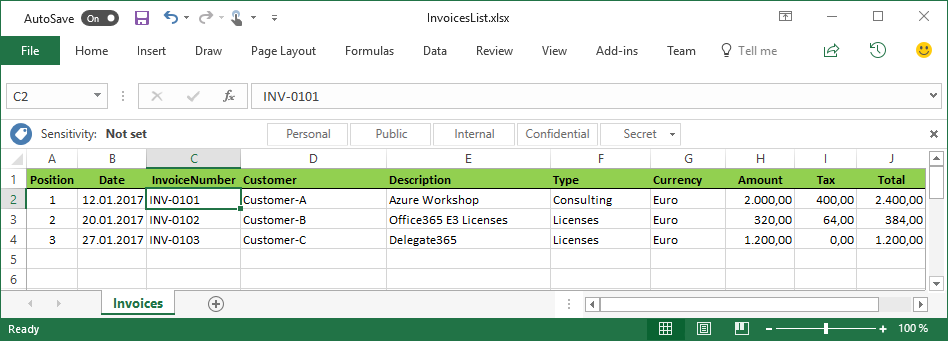
The Microsoft Graph API is the new unified endpoint for developers accessing data from an Office 365 tenant. Amongst many other features, you can work with OneDrive and SharePoint files with the Graph REST API. Additionally, you can directly work with Excel files through the Graph Excel API. Since all samples I found just use the personal OneDrive for Business (OFB) file storage, I wanted to document how to access files that are stored in a SharePoint Online site (SPO) as well. So, here we go! ...

December 29, 2017 · 6 min · Toni Pohl
Cleaning up file storage with 7Zip, PowerShell and OneDrive

Cleaning up file storage with 7Zip, PowerShell and OneDrive

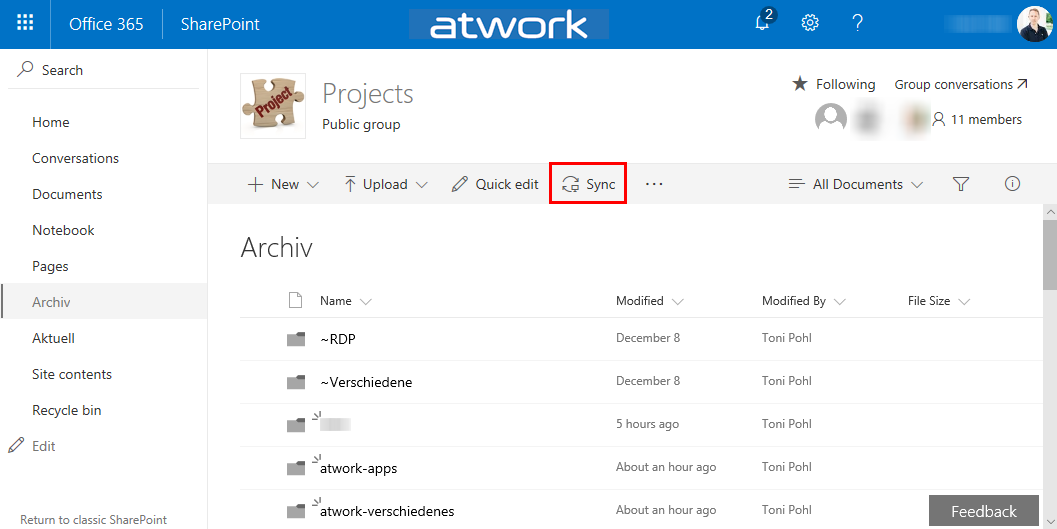
Holidays are a good time for cleaning up. For migrating an old on-premises file storage to the cloud, I used some tools and invested some time. See my scenario and the tools here. The scenario I had a Virtual Machine (I connected to remote via RDS from my holiday location into the company) with an iSCSI storage to a NAS system where old project files were stored. This storage was used over the last years. You can imagine … the mess. To make it short: In that VM, the file storage was connected with a network drive P: (for Projects). With my work account, I have 1TB personal cloud storage. Since this should be an archive for my coworkers as well, I decided to use a SharePoint Online site (SPO). I created an Office 365 group - with a SPO for storing the documents - named “projects” and installed the OneDrive.exe client. Then, I created a new Document Library and synchronized that (empty) list to the local computer. ...

December 26, 2017 · 4 min · Toni Pohl
Get tables and rows of a SQL Azure database quickly

Get tables and rows of a SQL Azure database quickly

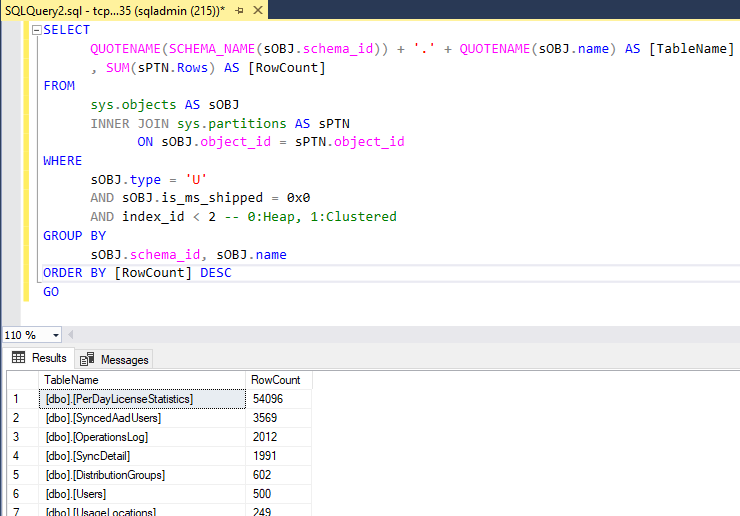
…by using a query as here: Use SQL Server Management Studio (SSMS) or the new and cost free SQL Operations Studio to run one of the following TSQLs in the desired database: -- SQL Azure - Get statistics (rows) of all tables quickly (options summarized) -- method 1: use sys.tables -- [https://blogs.msdn.microsoft.com/arunrakwal/2012/04/09/sql-azure-list-of-tables-with-record-count/](https://blogs.msdn.microsoft.com/arunrakwal/2012/04/09/sql-azure-list-of-tables-with-record-count/) select t.name ,s.row_count from sys.tables t join sys.dm_db_partition_stats s ON t.object_id = s.object_id and t.type_desc = 'USER_TABLE' and t.name not like '%dss%' and s.index_id = 1 -- method 2: sys.partitions Catalog View -- [https://www.mssqltips.com/sqlservertip/2537/sql-server-row-count-for-all-tables-in-a-database/](https://www.mssqltips.com/sqlservertip/2537/sql-server-row-count-for-all-tables-in-a-database/) SELECT QUOTENAME(SCHEMA_NAME(sOBJ.schema_id)) + '.' + QUOTENAME(sOBJ.name) AS [TableName] , SUM(sPTN.Rows) AS [RowCount] FROM sys.objects AS sOBJ INNER JOIN sys.partitions AS sPTN ON sOBJ.object_id = sPTN.object_id WHERE sOBJ.type = 'U' AND sOBJ.is_ms_shipped = 0x0 AND index_id < 2 -- 0:Heap, 1:Clustered GROUP BY sOBJ.schema_id, sOBJ.name ORDER BY [RowCount] DESC GO -- method 3: sys.dm_db_partition_stats Dynamic Management View (DMV) -- [https://www.mssqltips.com/sqlservertip/2537/sql-server-row-count-for-all-tables-in-a-database/](https://www.mssqltips.com/sqlservertip/2537/sql-server-row-count-for-all-tables-in-a-database/) SELECT QUOTENAME(SCHEMA_NAME(sOBJ.schema_id)) + '.' + QUOTENAME(sOBJ.name) AS [TableName] , SUM(sdmvPTNS.row_count) AS [RowCount] FROM sys.objects AS sOBJ INNER JOIN sys.dm_db_partition_stats AS sdmvPTNS ON sOBJ.object_id = sdmvPTNS.object_id WHERE sOBJ.type = 'U' AND sOBJ.is_ms_shipped = 0x0 AND sdmvPTNS.index_id < 2 GROUP BY sOBJ.schema_id, sOBJ.name ORDER BY [RowCount] DESC GO As a result, you get a list of all tables with the number of stored rows, similar as here: ...

December 21, 2017 · 2 min · Toni Pohl

Free eBook Developers Guide to Microsoft Azure Second Edition

The free eBook Developer’s Guide to Microsoft Azure Second Edition is available! The book was written by Michael Crump and Barry Luijbregts, The introduction starts with “why cloud” and covers app development, Azure services and ends with the Azure Marketplace. And it’s free! Get more information at the Azure blog at Free eBook – The Developer’s Guide to Microsoft Azure now available or download it directly from aka.ms/azuredevebook. There’s a lot of current and useful information in that book and many hyperlinks to specific topics in the web. Thanks to the authors and to Microsoft for providing this free eBook. ...

December 8, 2017 · 1 min · Toni Pohl
Optimize your Azure SQL Database performance with Automatic Tuning

Optimize your Azure SQL Database performance with Automatic Tuning

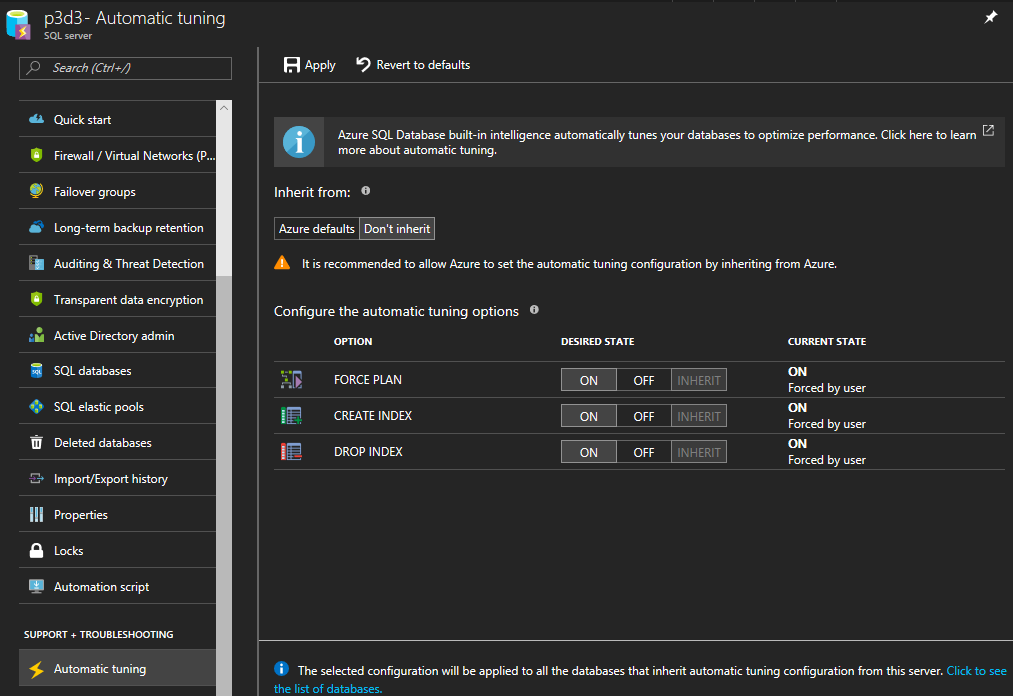
When moving SQL databases to Azure, let Azure do some work for you. As the name suggests, the Azure SQL Database Automatic Tuning feature provides automatic performance optimization for databases. Activate it, it’s simple. Once the data is available in Azure SQL Database, there is no more server maintenance necessary. Azure SQL Database is a relational database-as-a service that runs in the Microsoft Cloud. With the service there comes a bunch of benefits. One of them is the Automatic Tuning Mode. This enables stable workloads through continuous performance tuning utilizing Artificial Intelligence and applying corrective actions for databases in use. See more at Automatic tuning in Azure SQL Database ...

December 6, 2017 · 2 min · Toni Pohl
Get sample data quickly with Bing Search

Get sample data quickly with Bing Search

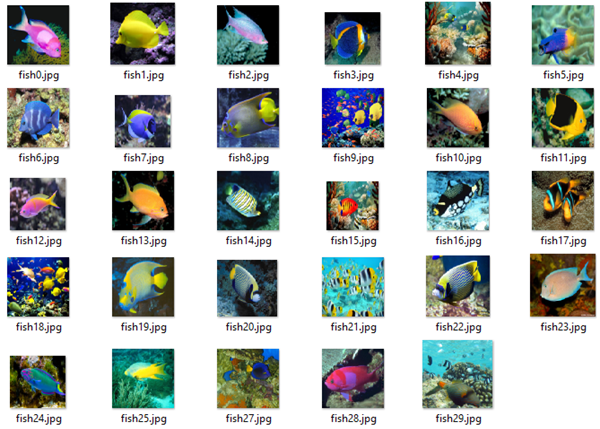
For testing purposes, having sample data is very helpful. Recently, I stumbled about a useful tool to get sample images for a custom topic quickly. See how to get test images here. So, imagine you need sample images for testing the Microsoft Custom Vision API. How to get sample pictures? Well, there’s a great source for that by Dmitri Soshnikov. at Custom Vision API demo on GitHub. Download the imdownload.exe tools and run this command line executable with a syntax as here: ...

November 20, 2017 · 1 min · Toni Pohl