Join us at SharePoint Conference North America!

Join us at SharePoint Conference North America!

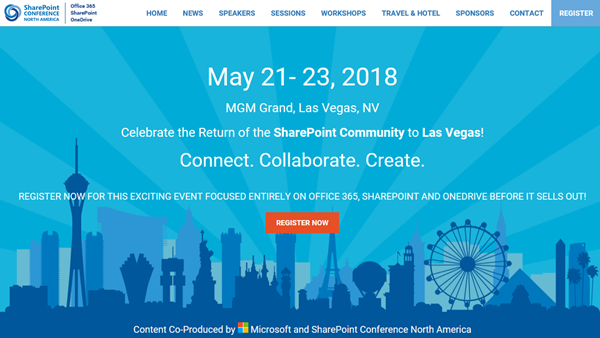
Celebrate the Return of the SharePoint Community to Las Vegas! After four years, SharePoint Conference North America is back from May 21st to 23rd 2018 at MGM Grand in fabulous Las Vegas. Meet the Microsoft SharePoint team, community members and peers from around the world there. We from atwork are happy to be there as well to meet and contribute to SPC 2018! SharePoint Conference North America provides over 150+ sessions and informs about the latest technologies of the Office 365 platform such as SharePoint, OneDrive, Yammer, and Microsoft Teams. See the details at www.sharepointna.com. ...

February 27, 2018 · 1 min · Toni Pohl
Impressions of Microsoft Tech Summit Frankfurt 2018

Impressions of Microsoft Tech Summit Frankfurt 2018

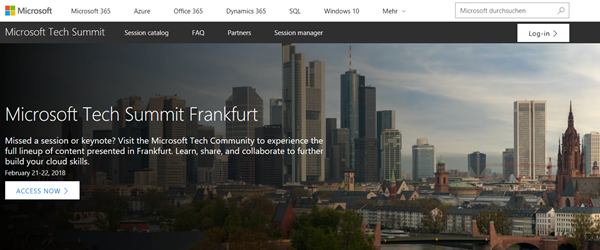
This week, the Microsoft Tech Summit roadshow took place in Frankfurt, Germany. On two days, from February 21-22, 2018, the cost-free roadshow informed about topics from Azure to Microsoft 365. We were happy to be part of the Tech Summit. See some impressions here. The keynote was delivered by Giovanni Mezgec, General Manager, Microsoft Office 365 Marketing and Corey Sanders, Director of Compute, Microsoft Azure. Then, there followed a variety of IT Pro Breakouts and Developer Breakouts. Beside the breakout sessions, Tech Summit provided experts panels, workshops and booths to directly get in contact with the Microsoft teams and third party vendors and to ask questions. See more details at the conference website at https://www.microsoft.com/de-de/techsummit/frankfurt. ...

February 25, 2018 · 3 min · Toni Pohl
Tips for PowerApps-Using SharePoint Customize forms with Bing Maps visualization

Tips for PowerApps-Using SharePoint Customize forms with Bing Maps visualization

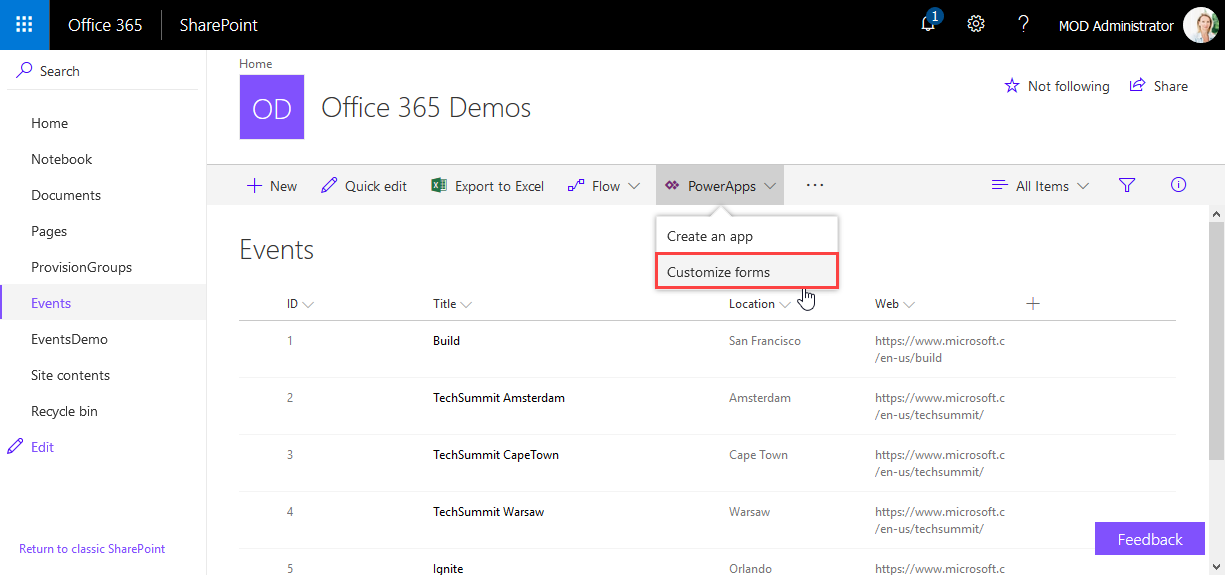
PowerApps are very powerful and simple to use.Through the integration in SharePoint Online lists, we now can create our custom forms within a SharePoint site and add additional features as calculations, modifications and even visualizations. See here, how to integrate a map for showing a location instantly directly in SharePoint without any coding! In this sample, I created a custom list and added a column Location as a single text field. In the PowerApps menu, we see the (new) Customize forms option. As the name says, this allows to modify the display and edit form of that particular list with the PowerApps Online Studio. ...

February 19, 2018 · 3 min · Toni Pohl
Joining the Microsoft Graph Community Calls

Joining the Microsoft Graph Community Calls

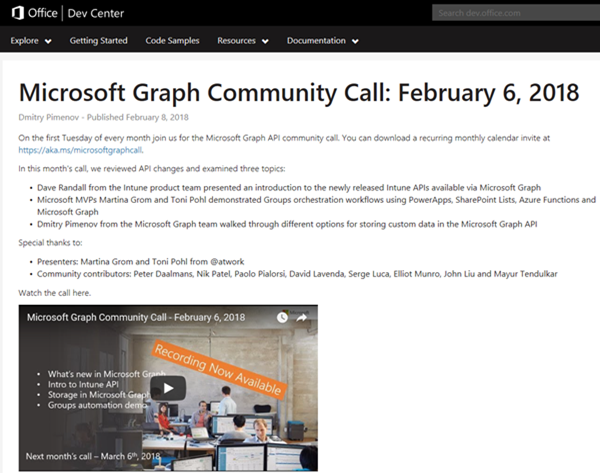
Microsoft Graph is the unified endpoint to programmatically access resources and services in Office 365 and Azure Active Directory. To inform the developer community with the latest news, the Microsoft Graph team organizes a monthly Microsoft Graph API community call. We, Toni and I, were happy to contribute a use case at the last call showing a scenario of an Office 365 Group orchestration workflow with PowerApps, SharePoint Lists, Azure Functions and Microsoft Graph. ...

February 10, 2018 · 2 min · Martina Grom
Download the free Azure Serverless Computing Cookbook

Download the free Azure Serverless Computing Cookbook

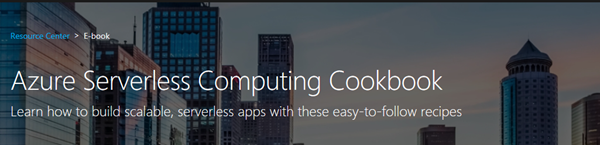
Serverless Computing is popular. With Microsoft Azure, IT people can concentrate on their tasks and apps without taking care of managing any server infrastructure. One of the key Platform-as-a-Service (PaaS) components from Microsoft is the new, extensive Azure Functions service. Learn how to use Azure Functions with the cost-free Azure Serverless Computing Cookbook! The “Azure Serverless Computing Cookbook” book was written by Praveen Kumar Sreeram and reviewed by our colleague Florian Klaffenbach, published by Packt Publishing Ltd. last fall. You can download the free ebook in the Azure Resource Center at Azure Serverless Computing Cookbook. ...

February 3, 2018 · 1 min · Martina Grom
How to restrict access and to connect to a single SQL Azure database only

How to restrict access and to connect to a single SQL Azure database only

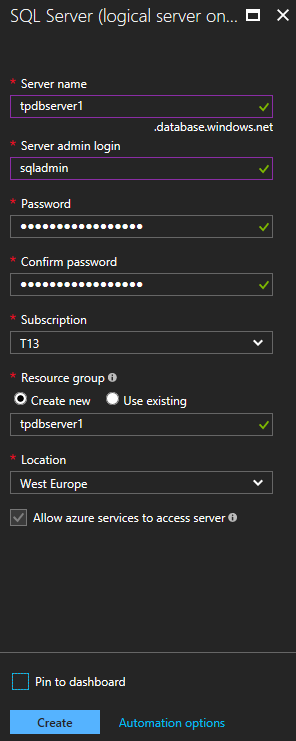
As of today, many organizations use various Microsoft Azure services. SQL Azure databases are popular among them. Often, IT Administrators want to allow departments or vendors full access to just one specific SQL Azure database and to restrict their access to other resources. See here how this works. Use SQL Management Studio or SQL Operations Studio When working with SQL databases, installing the SQL Management Studio (SSMS) is very helpful. You can get the latest version from Download SQL Server Management Studio (SSMS) for free. Alternatively, you can use the new lightweight and cost free SQL Operations Studio. ...

January 27, 2018 · 4 min · Toni Pohl

CU at SharePoint Saturday Bremen 2018

We are looking forward to see you at the SharePoint, Office 365 and Azure community event next week on January 20, at the first SharePoint Saturday North Germany 2018, in the city of Bremen. There will be a lot of interesting sessions and a great speaker’s lineup. CU there! SharePoint Saturday North Germany / Bremen 2018 Saturday, January 20, 2018 Schuppen Eins, Konsul-Smidt-Str. 22, 28215 Bremen SPS Bremen will deliver a bunch of hot topics, see speakers and sessions! We from atwork have three sessions and will inform about these topics: ...

January 14, 2018 · 1 min · Toni Pohl
How to access files stored in OneDrive or in a SharePoint site with Microsoft Graph and the Excel API

How to access files stored in OneDrive or in a SharePoint site with Microsoft Graph and the Excel API

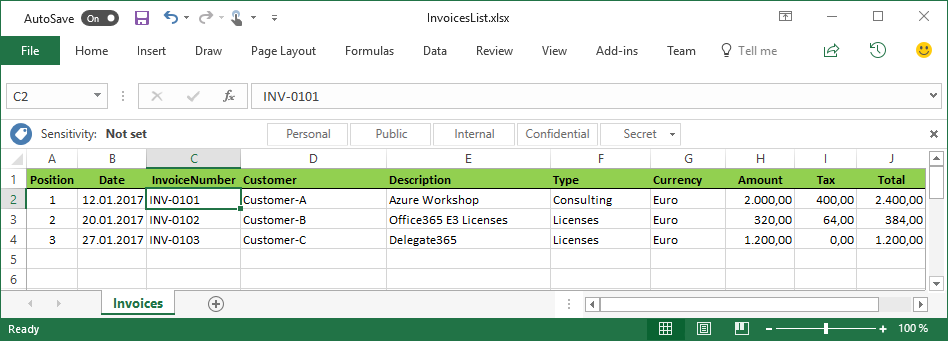
The Microsoft Graph API is the new unified endpoint for developers accessing data from an Office 365 tenant. Amongst many other features, you can work with OneDrive and SharePoint files with the Graph REST API. Additionally, you can directly work with Excel files through the Graph Excel API. Since all samples I found just use the personal OneDrive for Business (OFB) file storage, I wanted to document how to access files that are stored in a SharePoint Online site (SPO) as well. So, here we go! ...

December 29, 2017 · 6 min · Toni Pohl
Cleaning up file storage with 7Zip, PowerShell and OneDrive

Cleaning up file storage with 7Zip, PowerShell and OneDrive

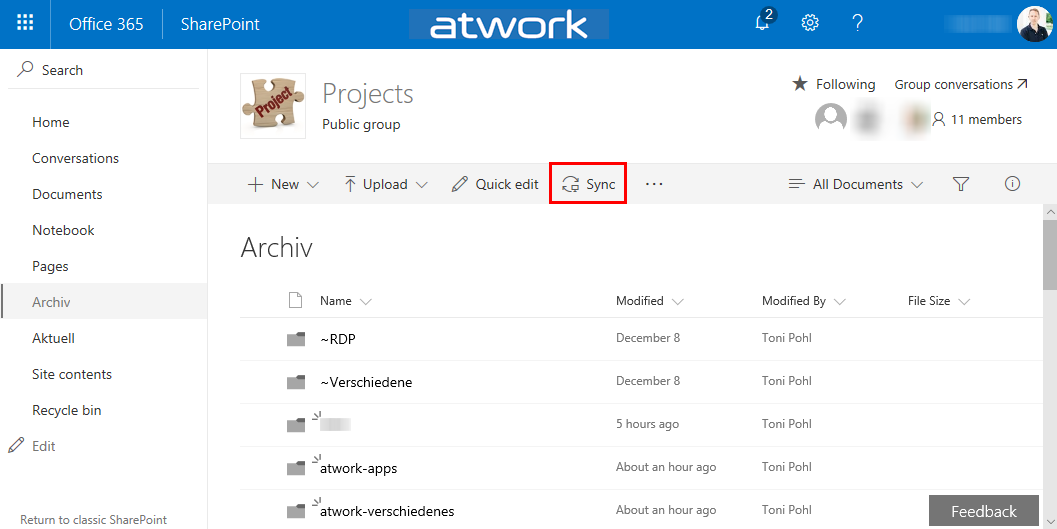
Holidays are a good time for cleaning up. For migrating an old on-premises file storage to the cloud, I used some tools and invested some time. See my scenario and the tools here. The scenario I had a Virtual Machine (I connected to remote via RDS from my holiday location into the company) with an iSCSI storage to a NAS system where old project files were stored. This storage was used over the last years. You can imagine … the mess. To make it short: In that VM, the file storage was connected with a network drive P: (for Projects). With my work account, I have 1TB personal cloud storage. Since this should be an archive for my coworkers as well, I decided to use a SharePoint Online site (SPO). I created an Office 365 group - with a SPO for storing the documents - named “projects” and installed the OneDrive.exe client. Then, I created a new Document Library and synchronized that (empty) list to the local computer. ...

December 26, 2017 · 4 min · Toni Pohl
Get tables and rows of a SQL Azure database quickly

Get tables and rows of a SQL Azure database quickly

…by using a query as here: Use SQL Server Management Studio (SSMS) or the new and cost free SQL Operations Studio to run one of the following TSQLs in the desired database: -- SQL Azure - Get statistics (rows) of all tables quickly (options summarized) -- method 1: use sys.tables -- [https://blogs.msdn.microsoft.com/arunrakwal/2012/04/09/sql-azure-list-of-tables-with-record-count/](https://blogs.msdn.microsoft.com/arunrakwal/2012/04/09/sql-azure-list-of-tables-with-record-count/) select t.name ,s.row_count from sys.tables t join sys.dm_db_partition_stats s ON t.object_id = s.object_id and t.type_desc = 'USER_TABLE' and t.name not like '%dss%' and s.index_id = 1 -- method 2: sys.partitions Catalog View -- [https://www.mssqltips.com/sqlservertip/2537/sql-server-row-count-for-all-tables-in-a-database/](https://www.mssqltips.com/sqlservertip/2537/sql-server-row-count-for-all-tables-in-a-database/) SELECT QUOTENAME(SCHEMA_NAME(sOBJ.schema_id)) + '.' + QUOTENAME(sOBJ.name) AS [TableName] , SUM(sPTN.Rows) AS [RowCount] FROM sys.objects AS sOBJ INNER JOIN sys.partitions AS sPTN ON sOBJ.object_id = sPTN.object_id WHERE sOBJ.type = 'U' AND sOBJ.is_ms_shipped = 0x0 AND index_id < 2 -- 0:Heap, 1:Clustered GROUP BY sOBJ.schema_id, sOBJ.name ORDER BY [RowCount] DESC GO -- method 3: sys.dm_db_partition_stats Dynamic Management View (DMV) -- [https://www.mssqltips.com/sqlservertip/2537/sql-server-row-count-for-all-tables-in-a-database/](https://www.mssqltips.com/sqlservertip/2537/sql-server-row-count-for-all-tables-in-a-database/) SELECT QUOTENAME(SCHEMA_NAME(sOBJ.schema_id)) + '.' + QUOTENAME(sOBJ.name) AS [TableName] , SUM(sdmvPTNS.row_count) AS [RowCount] FROM sys.objects AS sOBJ INNER JOIN sys.dm_db_partition_stats AS sdmvPTNS ON sOBJ.object_id = sdmvPTNS.object_id WHERE sOBJ.type = 'U' AND sOBJ.is_ms_shipped = 0x0 AND sdmvPTNS.index_id < 2 GROUP BY sOBJ.schema_id, sOBJ.name ORDER BY [RowCount] DESC GO As a result, you get a list of all tables with the number of stored rows, similar as here: ...

December 21, 2017 · 2 min · Toni Pohl